Page 53 of 327
343
1 23456789
Knowing your vehicle
Proper use and care of the
safety belt system
To ensure that the safety belts pro-
vide the maximum protection, please
follow these instructions:
Use the belts at all times - even onshort trips.
If the safety belt is twisted, straighten it prior to use.
Keep sharp edges and damaging objects away from the belts.
Periodically inspect belt webbing, anchors, buckles and all other
parts for signs of wear and dam-
age. Replace damaged, excessive-
ly worn or questionable parts
immediately. To clean the belt webbing, use a
mild soap solution recommended
for cleaning upholstery or carpets.
Follow the instructions provided
with the soap.
Do not make modifications or addi- tions to the safety belt.
After wearing a safety belt, make sure it fully retracts to the stowed
position. Do not allow the belt to
get caught in the door when youclose it. Restraint of pregnant women
Pregnant women should wear
lap/shoulder belt assemblies when-
ever possible according to specific
recommendations by their doctors.
The lap portion of the belt should be
worn AS SNUGLY AND LOW ASPOSSIBLE.
WARNING
- Pregnant
women
Pregnant women must never
place the lap portion of the safe-
ty belt over the area of the
abdomen where the fetus is
located or above the abdomenwhere the belt could crush the
fetus during an impact.
WARNING
Do not bleach or dye the web-
bing because this may weaken
the webbing fibers and allowthem to fail when loaded in acollision.
Page 164 of 327
429
1 23456789
Driving your vehicle
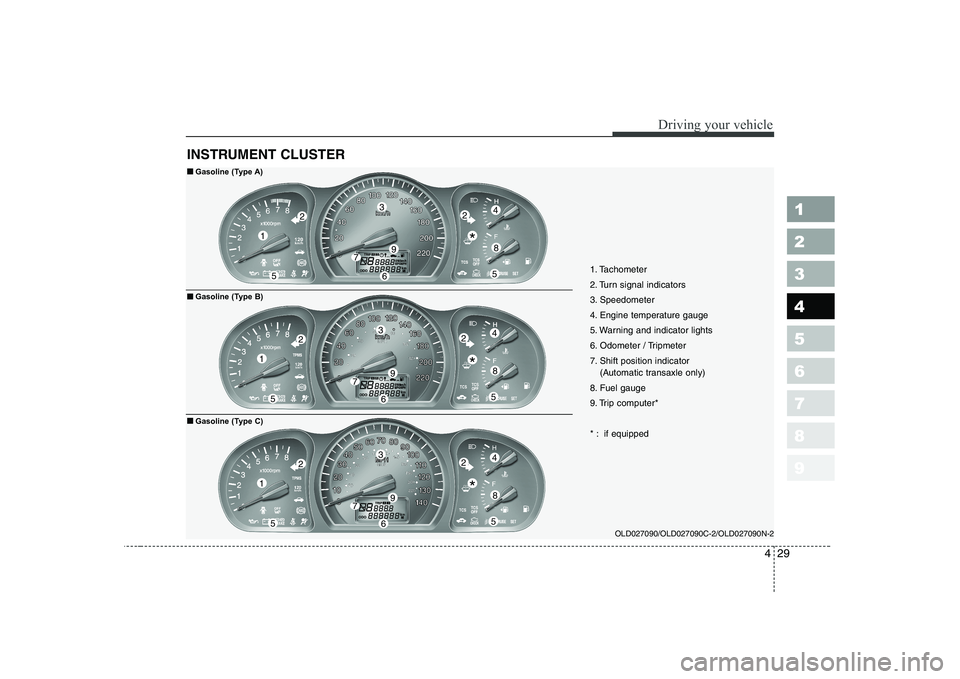
INSTRUMENT CLUSTER
OLD027090/OLD027090C-2/OLD027090N-2
1
55
224
8
3
79
6
1
55
224
8
3
79
6
1
55
224
8
3
79
61. Tachometer
2. Turn signal indicators
3. Speedometer
4. Engine temperature gauge
5. Warning and indicator lights
6. Odometer / Tripmeter
7. Shift position indicator
(Automatic transaxle only)
8. Fuel gauge
9. Trip computer*
* : if equipped
■■ Gasoline (Type A)
■
■ Gasoline (Type B)
■
■ Gasoline (Type C)
*
*
*
Page 165 of 327
Driving your vehicle
30
4
1 23456789
OLD027090-D/OLD027090C-D/OLD027090N-D
1
55
224
8
3
79
6
1
55
224
8
3
79
6
1
55
224
8
3
79
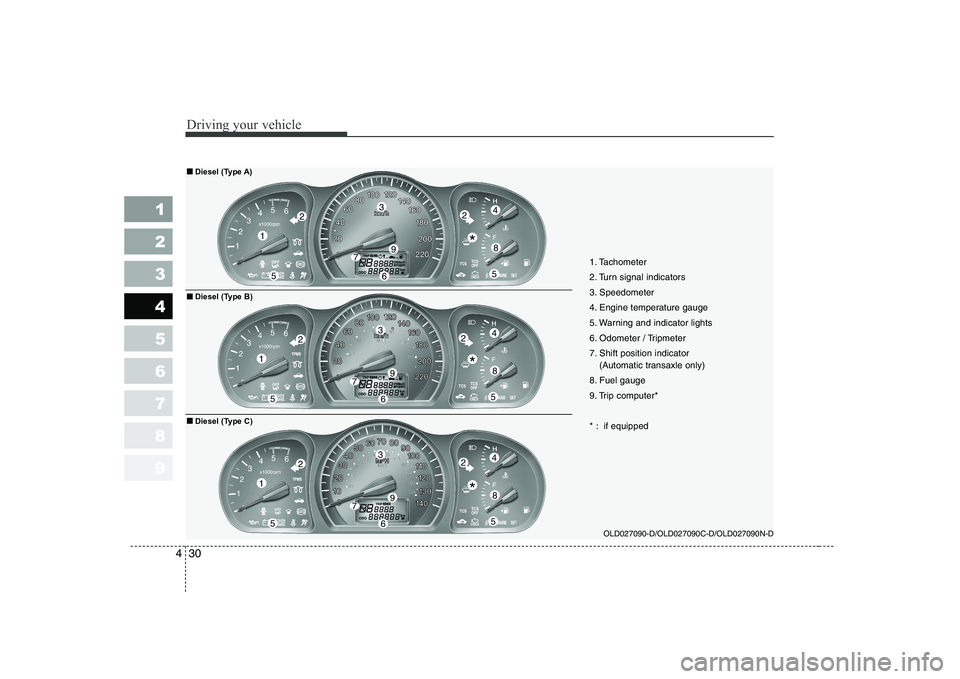
6 1. Tachometer
2. Turn signal indicators
3. Speedometer
4. Engine temperature gauge
5. Warning and indicator lights
6. Odometer / Tripmeter
7. Shift position indicator
(Automatic transaxle only)
8. Fuel gauge
9. Trip computer*
* : if equipped
■■ Diesel (Type A)
■
■ Diesel (Type B)
■
■ Diesel (Type C)
*
*
*
Page 166 of 327
431
1 23456789
Driving your vehicle
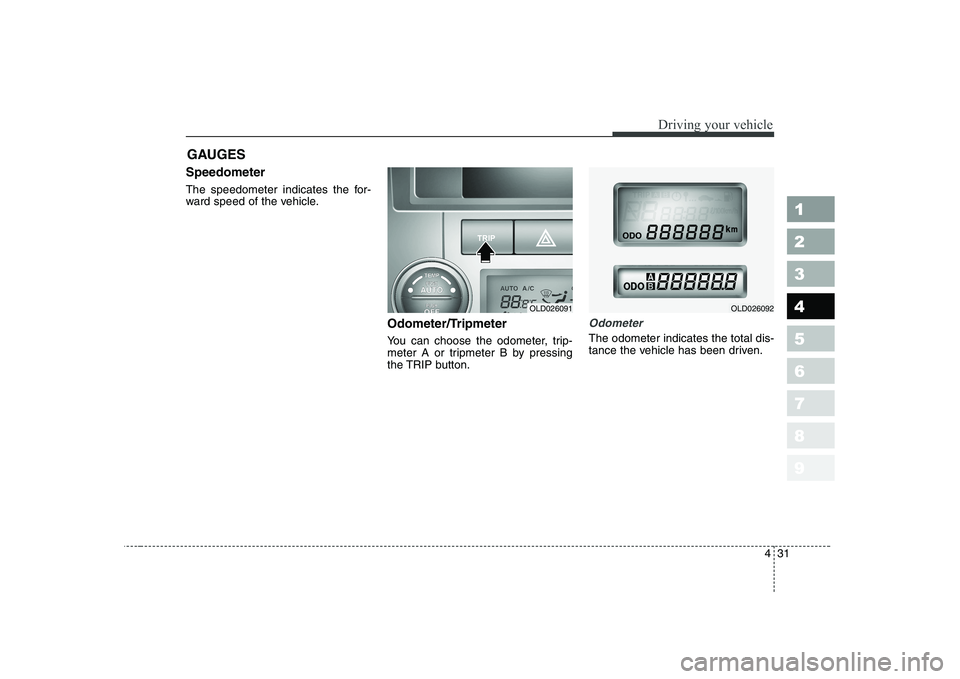
Speedometer
The speedometer indicates the for-
ward speed of the vehicle.Odometer/Tripmeter
You can choose the odometer, trip-
meter A or tripmeter B by pressing
the TRIP button.
Odometer
The odometer indicates the total dis-
tance the vehicle has been driven.
GAUGES
OLD026091OLD026092
Page 167 of 327
Driving your vehicle
32
4
1 23456789
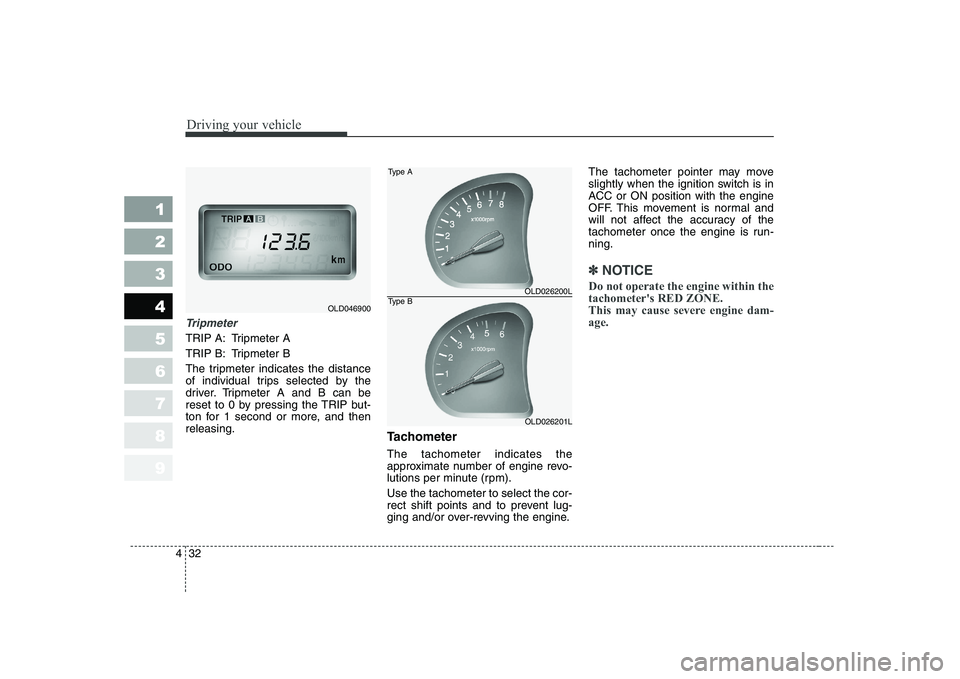
Tripmeter
TRIP A: Tripmeter A
TRIP B: Tripmeter B
The tripmeter indicates the distance
of individual trips selected by the
driver. Tripmeter A and B can be
reset to 0 by pressing the TRIP but-
ton for 1 second or more, and thenreleasing.
Tachometer The tachometer indicates the
approximate number of engine revo-
lutions per minute (rpm). Use the tachometer to select the cor-
rect shift points and to prevent lug-
ging and/or over-revving the engine.The tachometer pointer may move
slightly when the ignition switch is in
ACC or ON position with the engine
OFF. This movement is normal and
will not affect the accuracy of the
tachometer once the engine is run-ning.
✽✽
NOTICE
Do not operate the engine within the tachometer's RED ZONE.
This may cause severe engine dam-age.
OLD046900
OLD026200L
OLD026201L
Type A
Type B
Page 168 of 327
433
1 23456789
Driving your vehicle
Engine temperature gauge
This gauge shows the temperature of the engine coolant when the igni-
tion switch is ON.
Do not continue driving with an over-
heated engine. If your vehicle over-
heats, refer to “Overheating” in the
Index.
✽✽
NOTICE
If the gauge pointer moves beyond
the normal range area toward the“H” position, it indicates overheat-ing that may damage the engine.
Fuel gauge
The fuel gauge indicates the approx- imate amount of fuel remaining in thefuel tank.
Fuel tank capacity - 55 liters.
The fuel gauge is supplemented by a
low fuel warning light, which will illu-
minate when the fuel level has
dropped to about 8.5 liters. Trip computer (if equipped)
Trip computer is a microcomputer-
controlled driver information gauge
that displays information related to
driving, such as estimated distance
to empty, average speed and driving
time on the LCD.
Page 169 of 327
Driving your vehicle
34
4
1 23456789
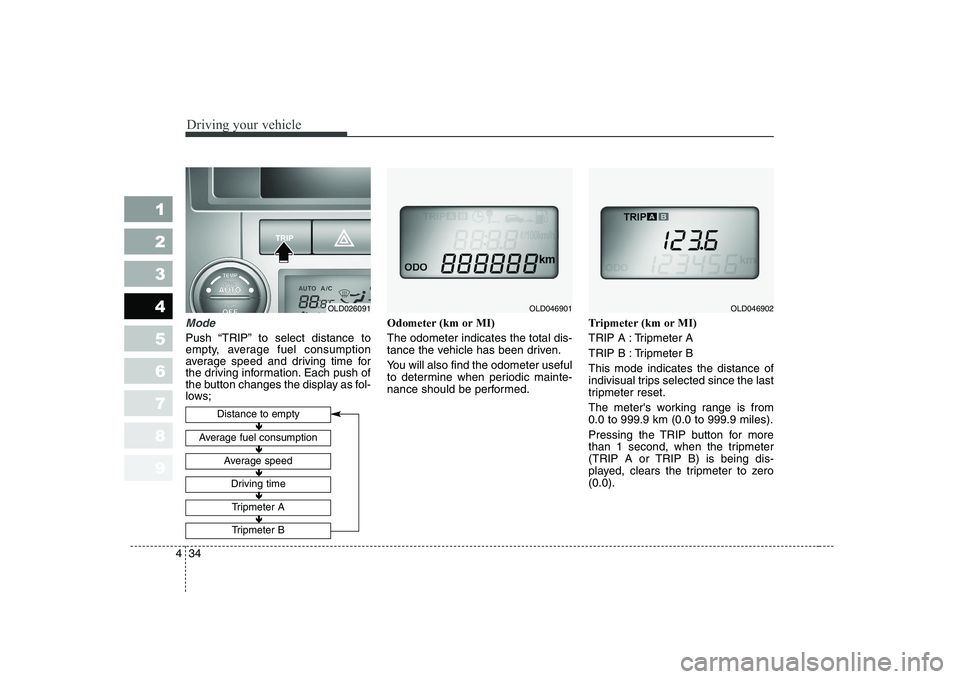
Mode
Push “TRIP” to select distance to
empty, average fuel consumption
average speed and driving time for
the driving information. Each push of
the button changes the display as fol-
lows; Odometer (km or MI) The odometer indicates the total dis-
tance the vehicle has been driven.
You will also find the odometer useful
to determine when periodic mainte-
nance should be performed.
Tripmeter (km or MI)
TRIP A : Tripmeter A
TRIP B : Tripmeter BThis mode indicates the distance of
indivisual trips selected since the last
tripmeter reset.
The meter's working range is from 0.0 to 999.9 km (0.0 to 999.9 miles).
Pressing the TRIP button for more
than 1 second, when the tripmeter
(TRIP A or TRIP B) is being dis-
played, clears the tripmeter to zero(0.0).
Distance to empty
Average fuel consumption
Average speed
Driving time
Tripmeter A
Tripmeter B
OLD046901OLD046902
Ð
Ð Ð
Ð Ð
Ð Ð
Ð Ð
Ð
OLD026091
Page 170 of 327
435
1 23456789
Driving your vehicle
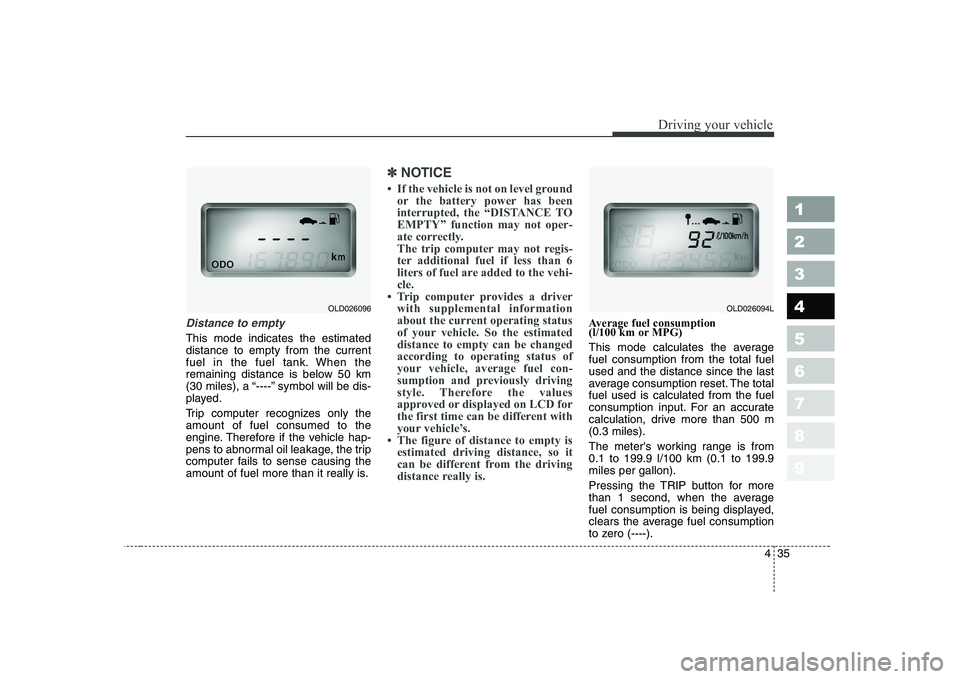
Distance to empty
This mode indicates the estimated distance to empty from the current
fuel in the fuel tank. When the
remaining distance is below 50 km
(30 miles), a “----” symbol will be dis-
played.
Trip computer recognizes only the amount of fuel consumed to the
engine. Therefore if the vehicle hap-
pens to abnormal oil leakage, the trip
computer fails to sense causing the
amount of fuel more than it really is.
✽✽
NOTICE