Page 149 of 438
Gate Operator/Canadian Programming
Canadian radio-frequency laws require transmitter sig-
nals to “time-out” (or quit) after several seconds of
transmission – which may not be long enough for
HomeLink�to pick up the signal during programming.
Similar to this Canadian law, some U.S. gate operators are
designed to “time-out” in the same manner.
It may be helpful to unplug the device during the cycling
process to prevent possible overheating of the garage
door or gate motor.
If you are having difficulties programming a garage door
opener or a gate operator, replace “Programming
HomeLink�” Step 3 with the following:
3. Continue to press and hold the HomeLink�button
while you press and release - every two seconds
(“cycle”) your hand-held transmitter until HomeLink�has successfully accepted the frequency signal. The
indicator light will flash slowly and then rapidly when
fully trained.
If you unplugged the device for training, plug it back in
at this time.
Then proceed with Step 4 under “Programming
HomeLink�” earlier in this section.
Using HomeLink�
To operate, simply press and release the programmed
HomeLink�button. Activation will now occur for the
trained device (i.e., garage door opener, gate operator,
Security system, entry door lock, home/office lighting,
etc. The hand-held transmitter of the device may also be
used at any time.
UNDERSTANDING THE FEATURES OF YOUR VEHICLE 147
3
Page 150 of 438
Reprogramming A Single HomeLink�Button
To re-program a channel that has been previously
trained, follow these steps:
1. Turn the ignition switch to the ON/RUN position.
2. Press and hold the desired HomeLink�button until
the indicator light begins to flash after 20 seconds.Do not
release the button.
3.Without releasing the button,proceed with Program-
ming Homelink�Step 2 and follow all remaining steps.
Security
It is advised to erase all channels before you sell or turn
in your vehicle.
To do this, press and hold the two outside buttons for 20
seconds until the red indicator flashes. Note that all
channels will be erased. Individual channels cannot be
erased.The HomeLink�Universal Transceiver is disabled when
the Vehicle Security Alarm is active.
Troubleshooting Tips
If you are having trouble programming HomeLink�, here
are some of the most common solutions:
•Replace the battery in the original transmitter.
•Press the “Learn” button on the Garage Door Opener
to complete the training for a Rolling Code.
•Did you unplug the device for training, and remember
to plug it back in?
If you have any problems, or require assistance, please
call toll-free 1–800–355–3515 or, on the Internet at
www.HomeLink.com for information or assistance.
148 UNDERSTANDING THE FEATURES OF YOUR VEHICLE
Page 151 of 438
General Information
This device complies with FCC rules Part 15 and Industry
Canada RSS-210. Operation is subject to the following
two conditions:
1. This device may not cause harmful interference
2. This device must accept any interference that may be
received including interference that may cause undesired
operation
NOTE:The transmitter has been tested and it complies
with FCC and IC rules. Changes or modifications not
expressly approved by the party responsible for compli-
ance could void the user ’s authority to operate the
device.
The term IC before the certification/registration number
only signifies that Industry Canada technical specifica-
tions were met.
POWER SUNROOF — IF EQUIPPED
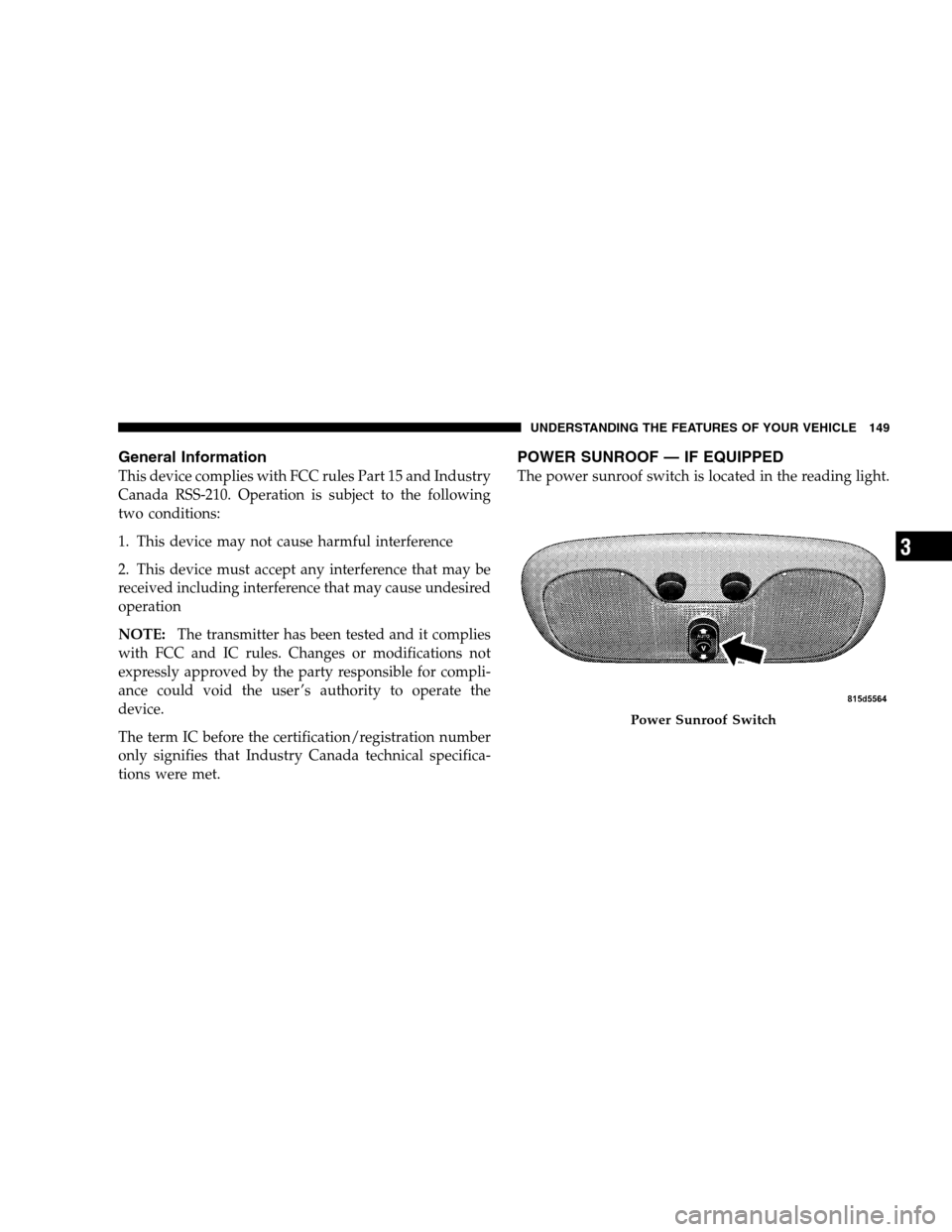
The power sunroof switch is located in the reading light.
Power Sunroof Switch
UNDERSTANDING THE FEATURES OF YOUR VEHICLE 149
3
Page 156 of 438
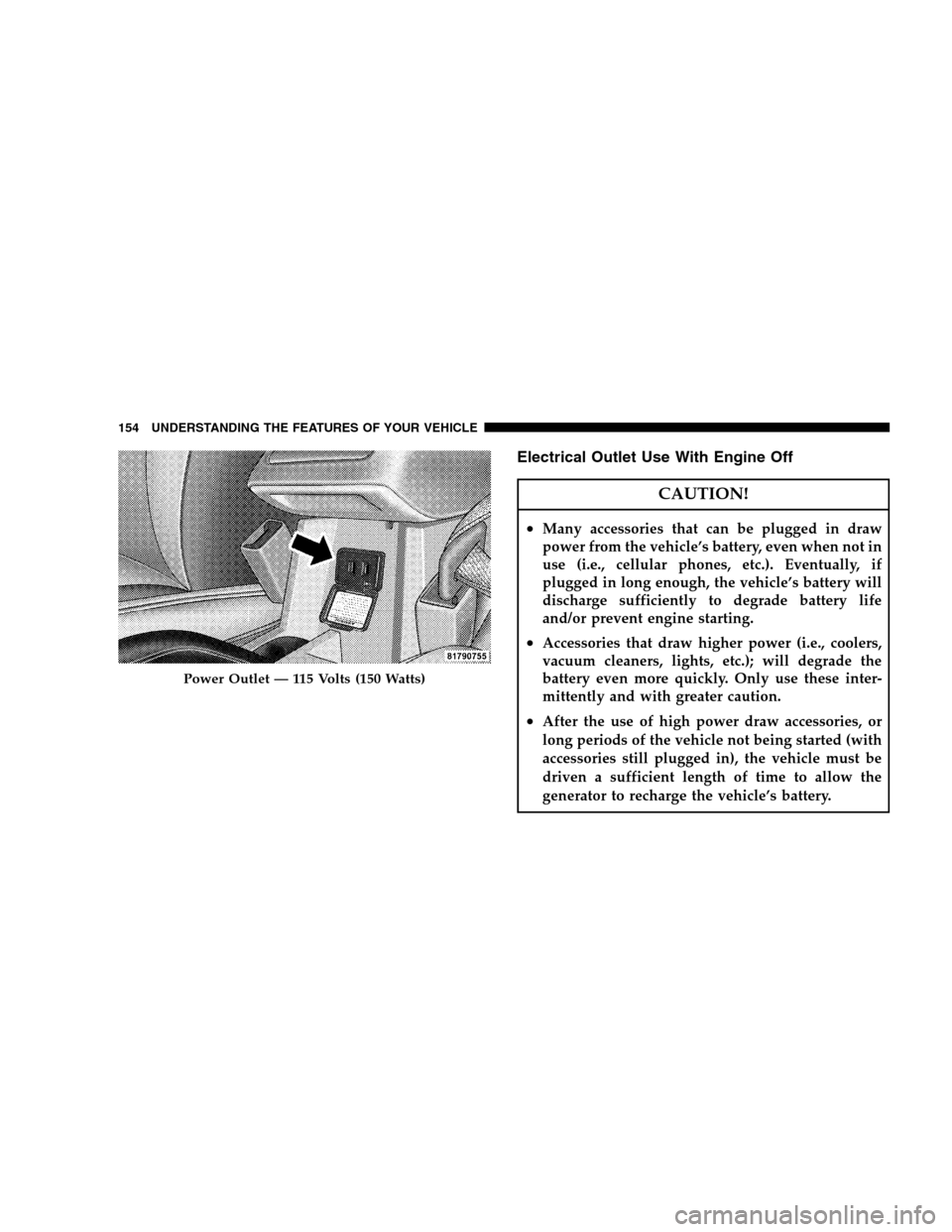
Electrical Outlet Use With Engine Off
CAUTION!
•Many accessories that can be plugged in draw
power from the vehicle’s battery, even when not in
use (i.e., cellular phones, etc.). Eventually, if
plugged in long enough, the vehicle’s battery will
discharge sufficiently to degrade battery life
and/or prevent engine starting.
•Accessories that draw higher power (i.e., coolers,
vacuum cleaners, lights, etc.); will degrade the
battery even more quickly. Only use these inter-
mittently and with greater caution.
•After the use of high power draw accessories, or
long periods of the vehicle not being started (with
accessories still plugged in), the vehicle must be
driven a sufficient length of time to allow the
generator to recharge the vehicle’s battery.
Power Outlet — 115 Volts (150 Watts)
154 UNDERSTANDING THE FEATURES OF YOUR VEHICLE
Page 158 of 438
CARGO AREA FEATURES
Cargo Light/Removable Self Recharging
Flashlight — If Equipped
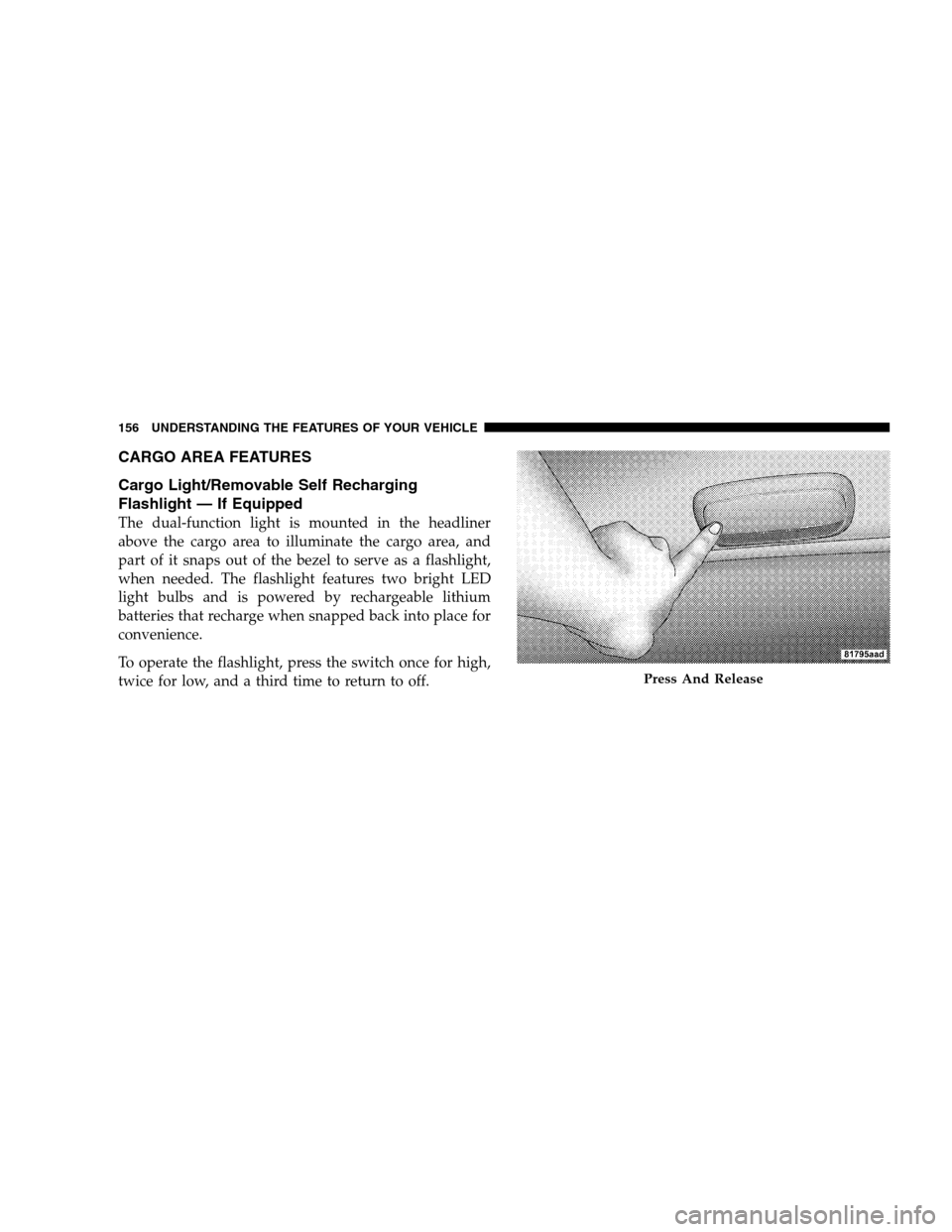
The dual-function light is mounted in the headliner
above the cargo area to illuminate the cargo area, and
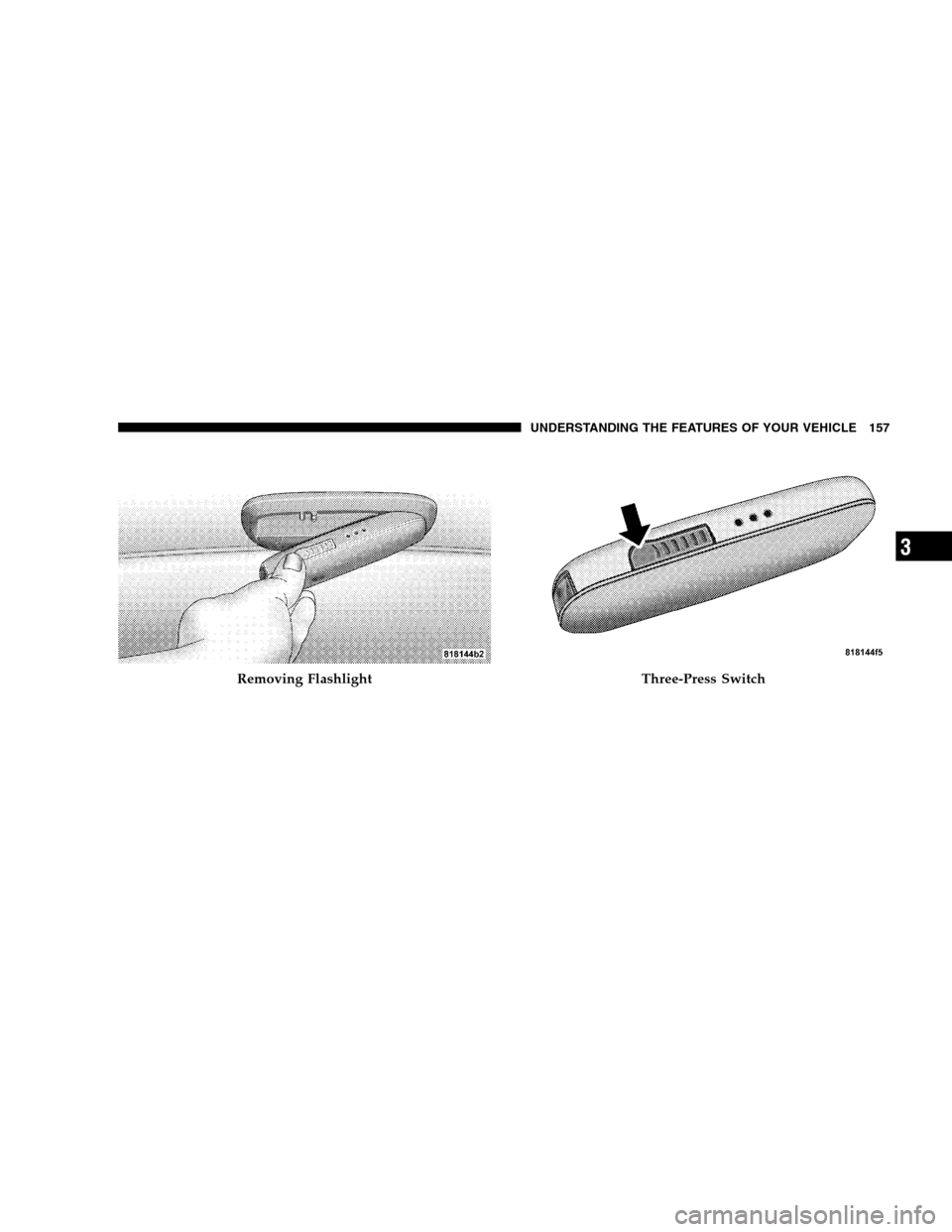
part of it snaps out of the bezel to serve as a flashlight,
when needed. The flashlight features two bright LED
light bulbs and is powered by rechargeable lithium
batteries that recharge when snapped back into place for
convenience.
To operate the flashlight, press the switch once for high,
twice for low, and a third time to return to off.
Press And Release
156 UNDERSTANDING THE FEATURES OF YOUR VEHICLE
Page 159 of 438
Removing FlashlightThree-Press Switch
UNDERSTANDING THE FEATURES OF YOUR VEHICLE 157
3
Page 165 of 438
Adding Washer Fluid
The fluid reservoir for the windshield washers and the
rear window washer (if equipped) is shared. It is located
in the front of the engine compartment on the passenger
side and should be checked for fluid level at regular
intervals. Fill the reservoir with windshield washer sol-
vent (not radiator antifreeze) and operate the system for
a few seconds to flush out the residual water.
Rear Window Defroster
The pushbutton is located on
the bottom right side of the
blower control knob. Press
this button to turn on the rear
window defroster. An amber
light shows that the defroster
is on.The defroster will automatically turn off after approxi-
mately ten minutes. For an additional five minutes of
operation, press the button again. To prevent excessive
battery drain, use the defroster only when the engine is
operating.
Rear Wiper Heater Grid
UNDERSTANDING THE FEATURES OF YOUR VEHICLE 163
3
Page 174 of 438
INSTRUMENT CLUSTER DESCRIPTIONS
1. Fuel Gauge/Fuel Door Location
When the ignition switch is in the ON position,
the pointer will show the level of fuel remain-
ing in the fuel tank. The fuel pump symbol
points to the side of the vehicle where the fuel
door is located.
2. Voltage Warning Light
This light shows the status of the electrical charg-
ing system. The light should come on when the
ignition switch is first turned ON and remain on briefly
as a bulb check. If the Voltage Warning light remains on,
or comes on while driving, it means that the vehicle is
experiencing a problem with the charging system. Obtain
SERVICE IMMEDIATELY. See your authorized dealer.3. Electronic Throttle Control (ETC) Warning Light
This light informs you of a problem with the
Electronic Throttle Control system. If a prob-
lem is detected, the light will come on while the
engine is running. If the light remains lit with
the engine running, your vehicle will usually be drivable
and not need towing, however see your authorized
dealer for service as soon as possible.
If the light is flashing when the engine is running you
may experience power loss, an elevated/rough idle, and
increased brake pedal effort, and your vehicle may
require towing. Immediate service is required.
The light will come on when the ignition switch is first
turned ON and remain on briefly as a bulb check. This is
normal. If the light does not come on during starting,
have the system checked by an authorized dealer.
172 UNDERSTANDING YOUR INSTRUMENT PANEL