Page 156 of 438
Electrical Outlet Use With Engine Off
CAUTION!
•Many accessories that can be plugged in draw
power from the vehicle’s battery, even when not in
use (i.e., cellular phones, etc.). Eventually, if
plugged in long enough, the vehicle’s battery will
discharge sufficiently to degrade battery life
and/or prevent engine starting.
•Accessories that draw higher power (i.e., coolers,
vacuum cleaners, lights, etc.); will degrade the
battery even more quickly. Only use these inter-
mittently and with greater caution.
•After the use of high power draw accessories, or
long periods of the vehicle not being started (with
accessories still plugged in), the vehicle must be
driven a sufficient length of time to allow the
generator to recharge the vehicle’s battery.
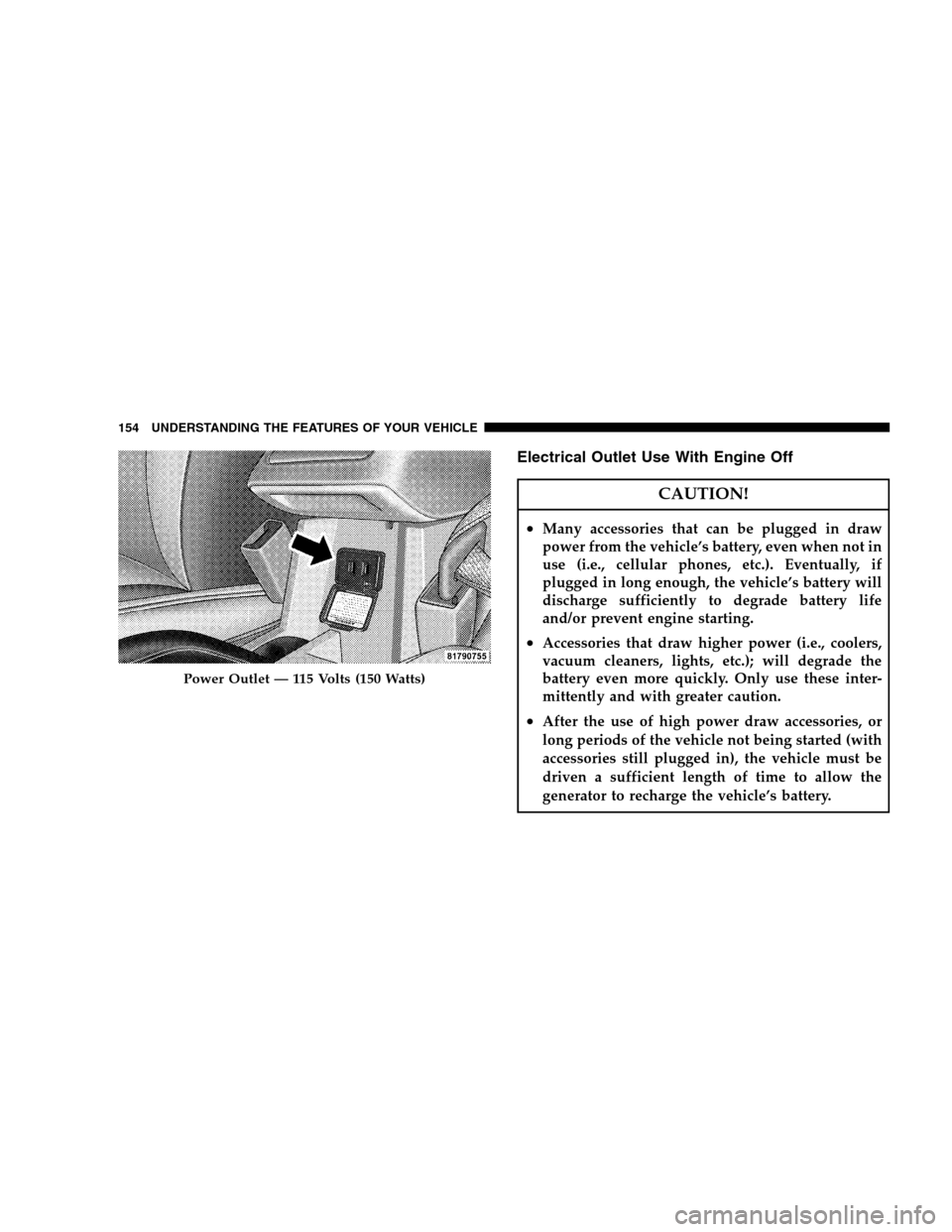
Power Outlet — 115 Volts (150 Watts)
154 UNDERSTANDING THE FEATURES OF YOUR VEHICLE
Page 175 of 438

4. Oil Pressure Warning Light
Shows low engine oil pressure. The light will come
on and remain on when the ignition switch is
turned from the OFF to the ON position, and the light
will turn off after the engine is started. If the light does
not come on during starting, have the system checked by
an authorized dealer.
If the light comes on and remains on while driving, stop
the vehicle and shut OFF the engine. DO NOT OPERATE
THE VEHICLE UNTIL THE CAUSE IS CORRECTED.
The light does not show the quantity of oil in the engine.
This can be determined using the procedure shown in
Section 7.
5. Low Fuel Warning Light
When the fuel level drops to two gallons, the fuel
symbol will light and a single chime will sound.6. Speedometer
Indicates vehicle speed.
7. Airbag Warning Light
The light comes on and remains on for six to
eight seconds as a bulb check when the ignition
switch is first turned ON. If the light does not
come on during starting, stays on, or comes on
while driving, have the system checked by an authorized
dealer.
8. Turn Signal Indicator Light
The arrows will flash in unison with the exterior
turn signal, when using the turn signal lever.
9. High Beam Indicator Light
This light shows that the headlights are on high
beam. Push the turn signal lever away from the
steering wheel to switch the headlights from high or low
beam.
UNDERSTANDING YOUR INSTRUMENT PANEL 173
4
Page 183 of 438
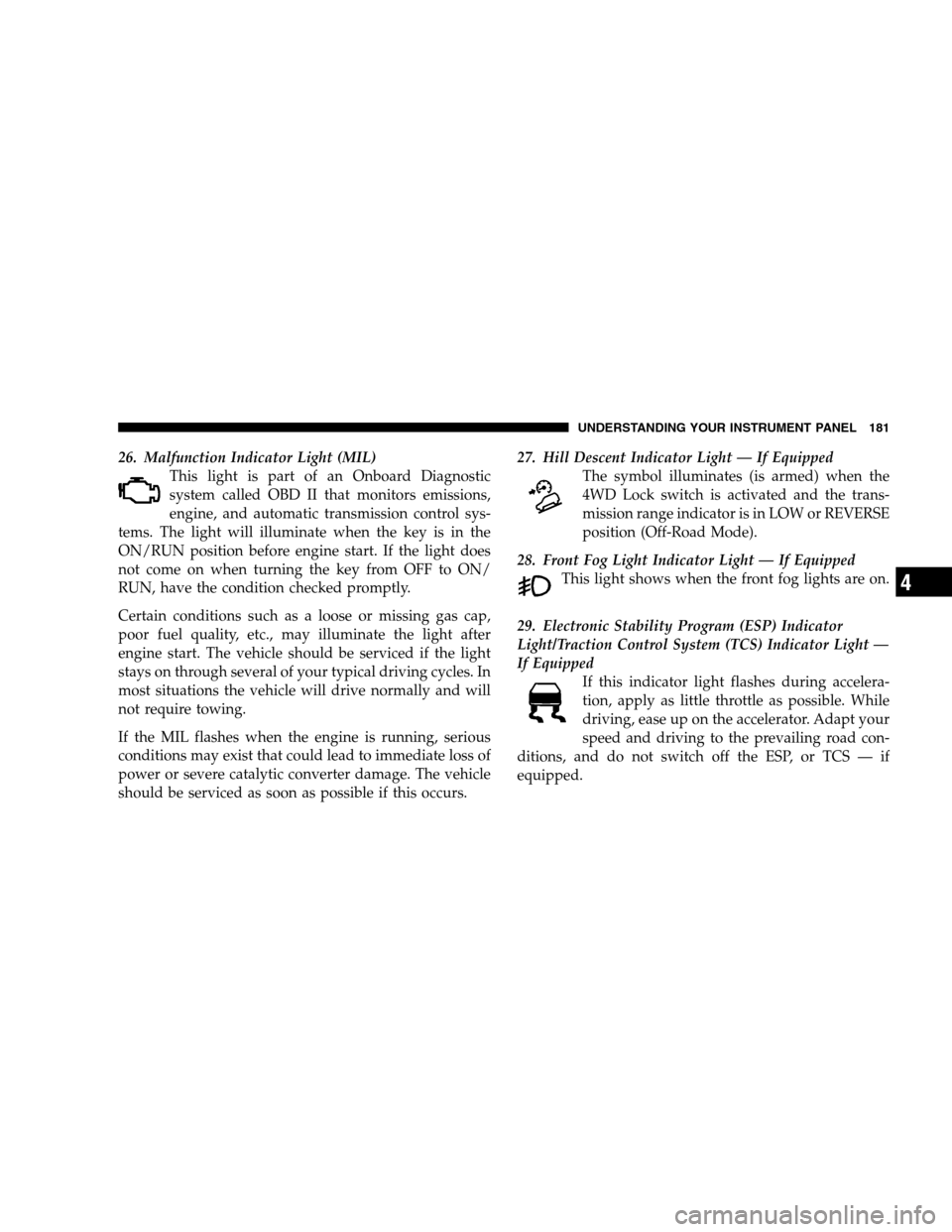
26. Malfunction Indicator Light (MIL)
This light is part of an Onboard Diagnostic
system called OBD II that monitors emissions,
engine, and automatic transmission control sys-
tems. The light will illuminate when the key is in the
ON/RUN position before engine start. If the light does
not come on when turning the key from OFF to ON/
RUN, have the condition checked promptly.
Certain conditions such as a loose or missing gas cap,
poor fuel quality, etc., may illuminate the light after
engine start. The vehicle should be serviced if the light
stays on through several of your typical driving cycles. In
most situations the vehicle will drive normally and will
not require towing.
If the MIL flashes when the engine is running, serious
conditions may exist that could lead to immediate loss of
power or severe catalytic converter damage. The vehicle
should be serviced as soon as possible if this occurs.27. Hill Descent Indicator Light — If Equipped
The symbol illuminates (is armed) when the
4WD Lock switch is activated and the trans-
mission range indicator is in LOW or REVERSE
position (Off-Road Mode).
28. Front Fog Light Indicator Light — If Equipped
This light shows when the front fog lights are on.
29. Electronic Stability Program (ESP) Indicator
Light/Traction Control System (TCS) Indicator Light —
If Equipped
If this indicator light flashes during accelera-
tion, apply as little throttle as possible. While
driving, ease up on the accelerator. Adapt your
speed and driving to the prevailing road con-
ditions, and do not switch off the ESP, or TCS — if
equipped.
UNDERSTANDING YOUR INSTRUMENT PANEL 181
4
Page 186 of 438

•Right Front Turn Signal Light Out (with a single
chime)
•Right Rear Turn Signal Light Out (with a single chime)
•RKE Battery Low (with a single chime)
•Personal Settings Not Available – Vehicle not in PARK
(automatic transmissions) or vehicle is in motion
(manual transmissions).
•Left/Right Front Door Ajar (one or more, with a single
chime if speed is above 1 mph (1 km/h)
•Left/Right Rear Door Ajar (one or more, with a single
chime if speed is above 1 mph (1 km/h)
•Door(s) Ajar (with a single chime if vehicle is in
motion)
•Gate Ajar (with a single chime)
•Headlights On
•Key In Ignition
•Check TPM System
Engine Oil Change Indicator System
Oil Change Required
Your vehicle is equipped with an engine oil change
indicator system. The “Oil Change Required” message
will flash in the EVIC display for approximately 10
seconds after a single chime has sounded, to indicate the
next scheduled oil change interval. The engine oil change
indicator system is duty-cycle based, which means the
engine oil change interval may fluctuate dependent upon
your personal driving style.
Unless reset, this message will continue to display each
time you turn the ignition switch to the ON/RUN
position. To turn off the message temporarily, press and
release the Trip Odometer button on the instrument
184 UNDERSTANDING YOUR INSTRUMENT PANEL
Page 191 of 438
Sound Horn with Remote Key Lock
When ON is selected, a short horn sound will occur when
the RKE transmitter LOCK button is pressed. This feature
may be selected with or without the flash lights on
lock/unlock feature. Press and hold the EVIC button
when in this display until “ON” or “OFF” appears to
make your selection.
Flash Lights with Remote Key Lock
When ON is selected, the front and rear turn signals will
flash when the doors are locked or unlocked using the
RKE transmitter. This feature may be selected with or
without the sound horn on lock feature selected. Press
and hold the EVIC button when in this display until
“ON” or “OFF” appears to make your selection.
Delay Turning Headlights Off
When this feature is selected the driver can choose to
have the headlights remain on for 0, 30, 60, or 90 secondswhen exiting the vehicle. Press and hold the EVIC button
when in this display until 0, 30, 60, or 90 appears to make
your selection.
Headlights On With Wipers (Available with Auto
Headlights Only)
When ON is selected and the headlight switch is in the
AUTO position, the headlights will turn on approxi-
mately 10 seconds after the wipers are turned on. The
headlights will also turn off when the wipers are turned
off, if they were turned on by this feature. Press and hold
the EVIC button when in this display until “ON” or
“OFF” appears to make your selection.
NOTE:Turning the headlights on during the daytime
causes the instrument panel lights to dim. To increase the
brightness, refer to “Lights” in this section.
UNDERSTANDING YOUR INSTRUMENT PANEL 189
4
Page 192 of 438

Delay Power Off to Accessories Until Exit
When this feature is selected the power window
switches, radio, hands–free system, power sunroof, and
power outlets will remain active for up to 60 minutes
after the ignition switch has been turned OFF. Opening a
vehicle door will cancel this feature. Press and hold the
EVIC button when in this display until “OFF”, “45 sec.”,
“5 min.”, or “10 min.” appears to make your selection.
Turn Headlights On with Remote Key Unlock
When this feature is selected the headlights will activate
and remain on for up to 90 seconds when the doors are
unlocked using the RKE transmitter. Press and hold the
EVIC button when in this display until “OFF”, “30 sec.”,
“60 sec.”, or “90 sec.” appears to make your selection.
Confirmation of Voice Commands — If Equipped
When ON is selected, all voice commands from the
UConnect�system are confirmed. Press and hold the
EVIC button when in this display until “ON” or “OFF”
appears to make your selection.
Display English or Metric
The EVIC, odometer and navigation system units can be
changed between English and Metric.
Press and hold the EVIC button when in this display until
“US” or “METRIC” appears to make your selection.
190 UNDERSTANDING YOUR INSTRUMENT PANEL
Page 255 of 438
•Unique springs fora1in(2.5cm)ofincreased ride
height
•Fog lamps
•Seat height adjust
•Three-mode Electronic Stability Program (ESP)
•Hilldescent control
•Unique off-road engine calibration for optimum off-
road performance with premium fuel
•Off-road Brake Traction Control
•Unique off-road Anti-lock brake calibration
•Heavy duty cooling package (Eng/larger CVT oil
cooler, High capacity cooling fans)
•Heavy duty alternator
•Improved body sealing and high located drivetrain
component vents
•Reinforced rear lateral links
Freedom Drive II 4WD System Operation
Under normal driving conditions, the vehicle operates in
the active 4–wheel drive mode. Pulling up on the 4WD
lock lever activates the 4WD system and lights the amber
4WD cluster light. This commands a higher torque to the
rear wheels, for improved traction capability on slippery
roads. The active 4–wheel drive mode has the same
functionality with the Freedom Drive I system. Shifting
the transaxle gear select lever into Low Off-Road mode
with the 4WD lock lever active, lights the amber off-road
and 4WD cluster lights. This off-road mode gives the
combined benefits of a 19:1 crawl ratio, hill descent
braking, optimum off-road performance with premium
fuel, and off-road brake traction control for improved
traction capability off-road. In low, the transaxle (CVT2L)
initially maintains the 19:1 crawl ratio before changing
ratio. This low ratio is ideal for crawling over obstacles.
STARTING AND OPERATING 253
5
Page 261 of 438

The Basics of Off-Road Driving
You will encounter many types of terrain driving off-
road. You should be familiar with the terrain and area
before proceeding. There are many types of surface
conditions: hard packed dirt, gravel, rocks, grass, sand,
mud, snow and ice. Every surface has a different effect on
your vehicle’s steering, handling and traction. Control-
ling your vehicle is one of the keys to successful off-road
driving, so always keep a firm grip on the steering wheel
and maintain a good driving posture. Avoid sudden
accelerations, turns or braking. In most cases there are no
road signs, posted speed limits or signal lights. Therefore
you will need to use your own good judgment on what is
safe and what isn’t. When on a trail you should always be
looking ahead for surface obstacles and changes in
terrain. The key is to plan your future driving route while
remembering what you are currently driving over.CAUTION!
Never park your vehicle over dry grass or other
combustible materials. The heat from your vehicle
exhaust system could cause a fire.
WARNING!
Always wear your seat belt and firmly tie down
cargo. Unsecured cargo can become projectiles in an
off-road situation.
STARTING AND OPERATING 259
5