Page 76 of 268

1FEATURES OF YOUR HYUNDAI64
INSTRUMENT PANEL LIGHT
CONTROL (RHEOSTAT)B410A01A-AATThe instrument panel lights can be made brighter
or dimmer by turning the instrument panel light
control knob.
OGK046029
DIGITAL CLOCKB400A01A-AATThere are three control buttons for the digital
clock. Their functions are:
H- Push "H" to advance the hour indicated.
M- Push "M" to advance the minute indicated.
R- Push "R" to reset minutes to ":00" to
facilitate resetting the clock to the correct
time. When this is done:
Pressing "R" between 11 : 01 and 11 : 29
changes the readout to 11 : 00.
Pressing "R" between 11 : 30 and 11 : 59
changes the readout to 12 : 00.
Push the "R" button for 3 seconds to display
a 12 or 24-hour clock.
OGK046056
NOTE:The engine must be running for the rear
window defroster to operate.
CAUTION:
Do not clean the inner side of the rear
window glass with an abrasive type of glass
cleaner or use a scraper to remove foreign
deposits from the inner surface of the glass
as this may cause damage to the defroster
elements.
!
Page 80 of 268
1FEATURES OF YOUR HYUNDAI68
OGK046034L-1 B460E04GK-AAT
Resetting the Sunroof SystemIf the battery has been recharged, discon-
nected or the sunroof was been opened manu-
ally with the hexagonal head wrench, you may
need to reset the sunroof.To do this;1. Turn the ignition switch "OFF".
2. While pressing " " "up" button turn the
ignition switch "ON".
The resetting was not occur when the
ignition key is turned "OFF" within 1.5
seconds.
3. If the sunroof is set like this, the sunroof is
reset with tilting up/down automatically once
for all.
CAUTION:
If the sunroof is not reset, it may not operate
normally.
!
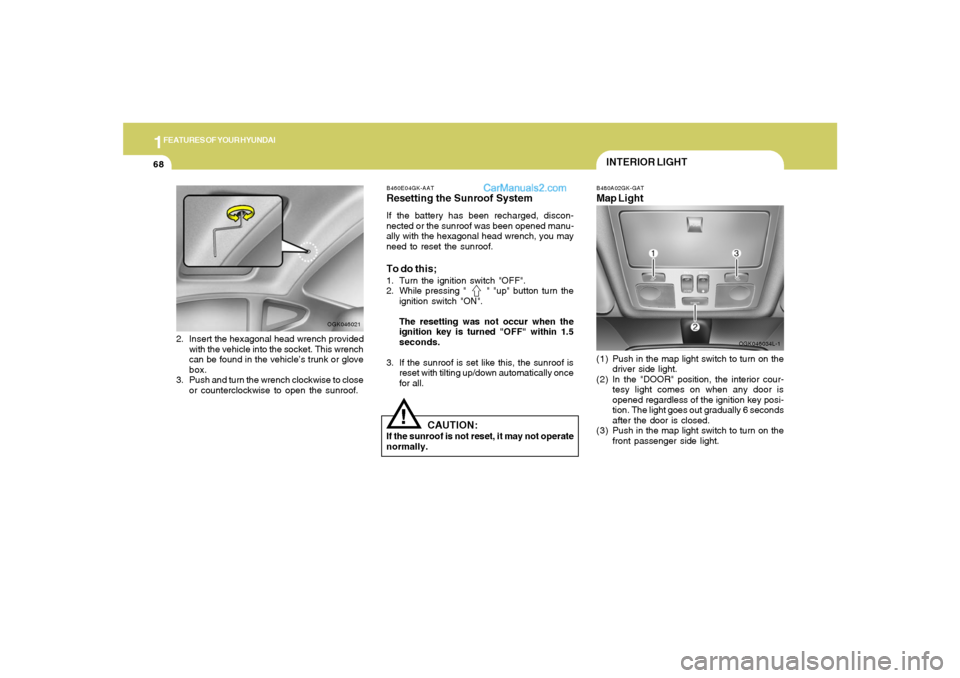
INTERIOR LIGHTB480A02GK-GATMap Light(1) Push in the map light switch to turn on the
driver side light.
(2) In the "DOOR" position, the interior cour-
tesy light comes on when any door is
opened regardless of the ignition key posi-
tion. The light goes out gradually 6 seconds
after the door is closed.
(3) Push in the map light switch to turn on the
front passenger side light.
2. Insert the hexagonal head wrench provided
with the vehicle into the socket. This wrench
can be found in the vehicle’s trunk or glove
box.
3. Push and turn the wrench clockwise to close
or counterclockwise to open the sunroof.
OGK046021
Page 119 of 268
1
FEATURES OF YOUR HYUNDAI
107
!
9. Manual Channel Selection Control
(TUNE)Turn this controller while listening to the radio to
manually adjust frequency. Turn clockwise to
increase frequency and counterclockwise to
reduce frequency.10. EQ ButtonEach time you press this button the sound
equalizer setting will switch from POP ➟ JAZZ
➟ ROCK ➟ CLASSIC ➟ OFF (Not displayed).
CAUTION:
o Do not place beverages close to the
audio system. The audio system mecha-
nism may be damaged if you spill them.
o Do not strike or allow anything to impact
the audio system, damage to the system
mechanisms could occur.
Page 127 of 268
1
FEATURES OF YOUR HYUNDAI
115
8. AUDIO Select Buttono Press this button to change AUDIO function
control mode.
Current State➟BASS➟MID➟TRE➟
FAD➟BAL
o Select the audio control mode you want and
increase or decrease the setting by ±10 from
currently audio control mode. If no actions
are taken, the screen will return to the pre-
vious display after 3 seconds.
!
BASS
MIDDLE
TREBLE
BALANCE
Turn the TUNE Controller
clockwise to increase bass
tone and counterclockwise
to decrease.
Turn the TUNE Controller
clockwise to increase
middle tone and counter-
clockwise to decrease.
Turn the TUNE Controller
clockwise to increase
treble tone and counter-
clockwise to decrease.
Turn the TUNE Controller
clockwise to increase right
speaker volume and coun-
terclockwise to increase left
speaker volume.
CAUTION:
o Do not place beverages close to the
audio system. The audio system mecha-
nism may be damaged if you spill them.
o Do not strike or allow anything to impact
the audio system, damage to the system
mechanisms could occur.FADER
Turn the TUNE Controller
clockwise to increase rear
speaker volume and coun-
terclockwise to increase
front speaker volume.