2008 Hyundai Azera ignition
[x] Cancel search: ignitionPage 197 of 345
1
FEATURES OF YOUR HYUNDAI
183183
M455SF01TG-AAT1. XM Selectoro This is XM selector and it will turn to
each mode in the following order each
time you press the button.
3. SCAN ButtonWhen you press this button, the player will
play 10 seconds of each channel (LCD will
display "SCAN"). Press it again to cancel
scanning. Also, press and this button for
more than 0.8 seconds to play the chan-
nels memorized to the preset buttons for
10 seconds each. (LCD will display "corre-
sponding channel number", "
", and
"SCAN".) Press it again to cancel scan-
ning.4. Information ButtonYou can see the information of the channel
currently received and you can switch to
different information by pressing this but-
ton in the following order.
5. Channel Move (Seek Up/Down)
Buttono When you press this button, the chan-
nel will move automatically and stop at
the next available channel and play the
channel. The display will cycle once
through the Channel, Title, Name and
Category for selected channel.
(Press [
] to move to the higher fre-
quencies, press [
] to the lower fre-
quencies automatically.)
Press and hold either the down or up at
a fast rate. The display will show the
Channel, Name and Number while tun-
ing at the fast rate.
o Radio ID : Seek or tune to XM channel
0 to display the Radio ID.
6. Preset Memory ButtonPress this button and hold for less than 0.8
seconds to listen to the channel memo-
rized to the button. Also, when you are
listening to the channel other than the
channel memorized to the button using
TUNE or SEEK, press the button you wish
to memorize current channel to and hold
for more than 0.8 seconds until it beeps to
memorize the channel. o When you press this button when you
are listening to CD or RADIO, the sys-
tem will automatically turn to XM mode.
o When ignition switch of the automobile
is set to ACC (1st notch) or ON (2nd
notch) and when you press this button,
XM will be on even when the audio
system was turned off.
2. LCD (Liquid Crystal Display)It displays the XM1, XM2, XM3, Preset
Number, Title of the Channel Received,
EQ Mode (CLASSIC, POP, ROCK, JAZZ),
and SCAN Status when listening to XM.XM1 → XM2→ XM3
Title→Name→Category→Current State
Page 201 of 345
1
FEATURES OF YOUR HYUNDAI
187187
o Press this button when CD or XM is on
to automatically change to radio mode.
o If the ignition switch of the automobile is
set to ACC (1st notch) or ON (2nd notch),
the system will be turned on and auto-
matically play the radio when you press
this button even if the power of the audio
system is off.
CAUTION:
o Do not place beverages close to the
audio system. The playback mecha-
nism may be damaged if you spill
them.
o Do not impact on the audio system, or
the playback mechanism could be
damaged.
!
Page 203 of 345

1
FEATURES OF YOUR HYUNDAI
189189
M465SD01TG-AAT1. CD Selectoro The system will start playing the CD
when you press this button while C186
radio or XM is on. (If no CD is found, the
LCD will display "NO DISC" for 3 sec-
onds.)
o If the ignition switch of the automobile is
set to ACC (1st notch) or ON (2nd notch),
the system will be turned on and auto-
matically play the CD from the last played
part when you press this button even if
the power of the audio system is off.
(However, only when the disc is placed
inside the system)NOTE:o Do not stick paper or tape etc., on the
label side or the recording side of any
discs, as it may cause a malfunction.
o The unit cannot play a CDR (Record-
able CD) and CDRW (Rewritable CD)
that is not finalized. Please refer to the
manual of CDR/ CD-RW recorder or
CD-R/CDRW software for more infor-
mation on finalization process.
o Depending on the recording status,
some CD-Rs/CD-RWs may not be
played on this unit.o Playback of MP3 and WMA file for-
mats are supported. Load to play time
for these formats may be longer due
to the compressed nature of these
discs.
2. Disc DeckThis is the place you insert or eject the CD.
To open the deck, press [LOAD] button.
This CD changer can only play audio CD/
MP3/WMA discs and 12cm discs. Also, if
you insert a video CD or a DATA CD then
the LCD will display "ERROR7" and it will
turn to the previous mode (radio or XM).
When the ignition switch of the automobile
is set to ACC (1st notch) or ON (2nd notch),
if you press [LOAD] button the power will
be on and you will be able to insert the disc
even when the audio system's power is off.NOTE:o This CD player is suitable only for 12
cm discs, do not use irregular shaped
CDs.
o Do not use 8cm discs.
o The system will not play AAC/WAVE
formats.
o Make sure the printed side of the disc
faces upward when you insert the
disc.
3. LCD (Liquid Crystal Display)It displays the state of the song currently
played as well as the information of the
disc including the track, number, CD, RPT,
RDM, SCAN, runtime, EQ mode (CLAS-
SIC, POP, ROCK, JAZZ), READING, WAIT,
INSERT, NO DISC and so forth.4. Disc Eject ButtonPress this button to eject the disc when the
disc is in the deck. If no CD is in the deck,
LCD will display “NO DISC” for 3 seconds.
(The disc will be ejected when you press
this button even when the ignition switch
(ACC) of the automobile is set to OFF or
when the power of the audio system is off.)NOTE:ALL EJECT: Press and hold this button
for more than 0.8 seconds to eject all
discs inside the deck in respective or-
der.
Page 208 of 345
1FEATURES OF YOUR HYUNDAI
194
M465SF01TG-AAT1. XM Selectoro This is XM selector and it will turn to
each mode in the following order each
time you press the button.
3. SCAN ButtonWhen you press this button, the player will
play 10 seconds of each channel (LCD will
display "SCAN"). Press it again to cancel
scanning. Also, press and this button for
more than 0.8 seconds to play the chan-
nels memorized to the preset buttons for
10 seconds each. (LCD will display "corre-
sponding channel number", "
", and
"SCAN".) Press it again to cancel scan-
ning.4. Information ButtonYou can see the information of the channel
currently received and you can switch to
different information by pressing this but-
ton in the following order.
5. Channel Move (Seek Up/Down)
Buttono When you press this button, the chan-
nel will move automatically and stop at
the next available channel and play the
channel. The display will cycle once
through the Channel, Title, Name and
Category for selected channel.
(Press [
] to move to the higher fre-
quencies, press [
] to the lower fre-
quencies automatically.)
Press and hold either the down or up at
a fast rate. The display will show the
Channel, Name and Number while tun-
ing at the fast rate.
o Radio ID : Seek or tune to XM channel
0 to display the Radio ID.
6. Preset Memory ButtonPress this button and hold for less than 0.8
seconds to listen to the channel memo-
rized to the button. Also, when you are
listening to the channel other than the
channel memorized to the button using
TUNE or SEEK, press the button you wish
to memorize current channel to and hold
for more than 0.8 seconds until it beeps to
memorize the channel. o When you press this button when you
are listening to CD or RADIO, the sys-
tem will automatically turn to XM mode.
o When ignition switch of the automobile
is set to ACC (1st notch) or ON (2nd
notch) and when you press this button,
XM will be on even when the audio
system was turned off.
2. LCD (Liquid Crystal Display)It displays the XM1, XM2, XM3, Preset
Number, Title of the Channel Received,
EQ Mode (CLASSIC, POP, ROCK, JAZZ),
and SCAN Status when listening to XM.XM1 → XM2→ XM3
Title→Name→Category→Current State
Page 212 of 345
1FEATURES OF YOUR HYUNDAI
198
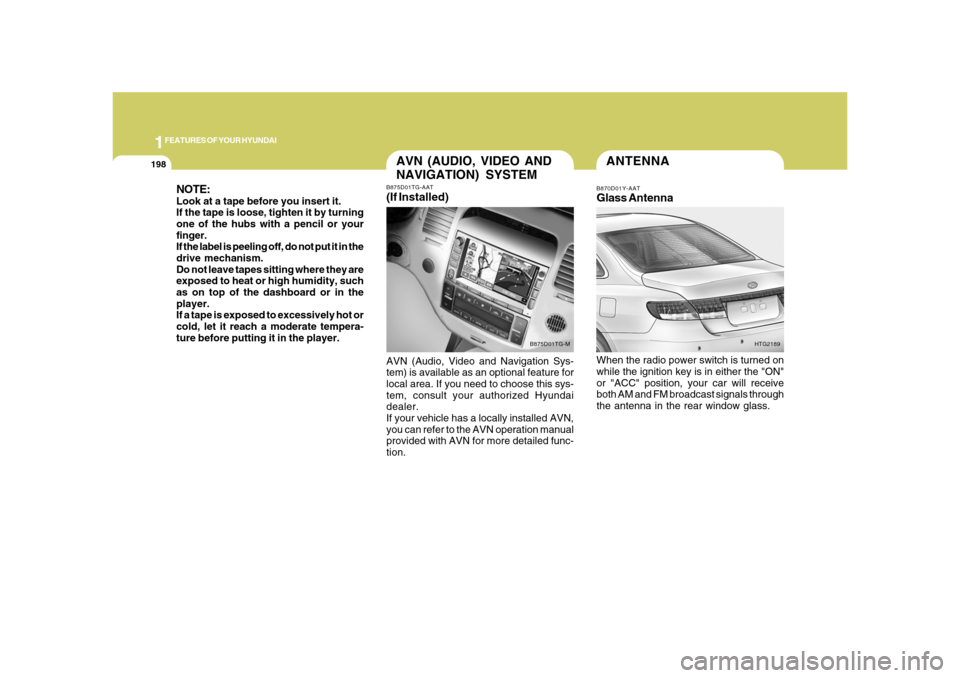
ANTENNAB870D01Y-AATGlass AntennaWhen the radio power switch is turned on
while the ignition key is in either the "ON"
or "ACC" position, your car will receive
both AM and FM broadcast signals through
the antenna in the rear window glass.
HTG2189
NOTE:Look at a tape before you insert it.
If the tape is loose, tighten it by turning
one of the hubs with a pencil or your
finger.
If the label is peeling off, do not put it in the
drive mechanism.
Do not leave tapes sitting where they are
exposed to heat or high humidity, such
as on top of the dashboard or in the
player.
If a tape is exposed to excessively hot or
cold, let it reach a moderate tempera-
ture before putting it in the player.
AVN (AUDIO, VIDEO AND
NAVIGATION) SYSTEMB875D01TG-AAT(If Installed)AVN (Audio, Video and Navigation Sys-
tem) is available as an optional feature for
local area. If you need to choose this sys-
tem, consult your authorized Hyundai
dealer.
If your vehicle has a locally installed AVN,
you can refer to the AVN operation manual
provided with AVN for more detailed func-
tion.
B875D01TG-M
Page 216 of 345
2
DRIVING YOUR HYUNDAI
3
!
!
PROPOSITION 65 WARNING:
Engine exhaust and a wide variety of
automobile components and parts, in-
cluding components found in the interior
furnishings in a vehicle, contain or emit
chemicals known to the State of Califor-
nia to cause cancer and birth defects
and reproductive harm. In addition, cer-
tain fluids contained in vehicles and cer-
tain products of component wear con-
tain or emit chemicals known to the State
of California to cause cancer and birth
defects or other reproductive harm.
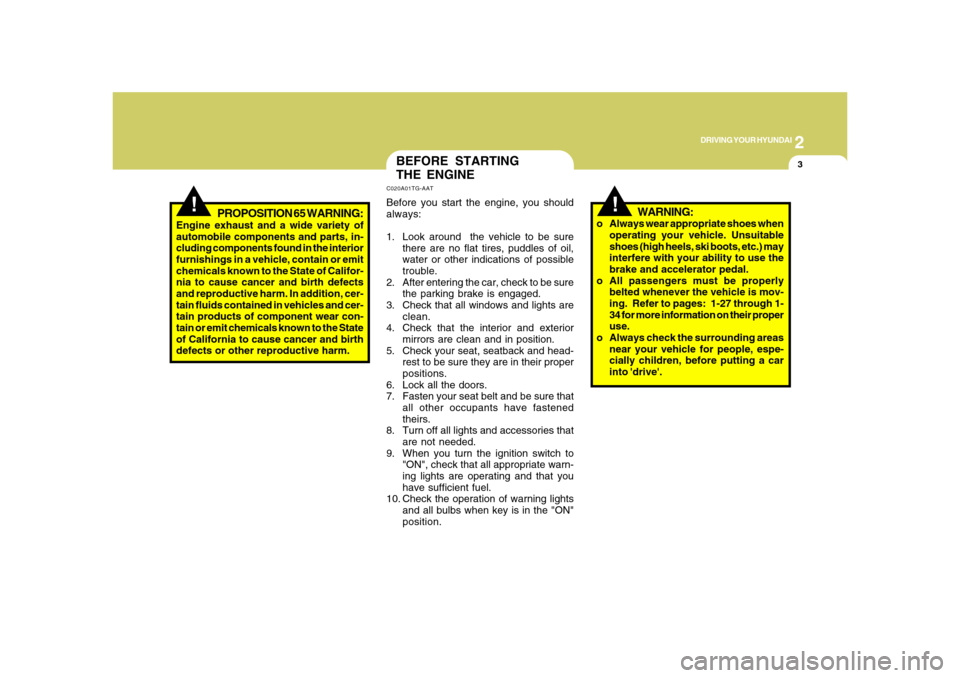
BEFORE STARTING
THE ENGINEC020A01TG-AATBefore you start the engine, you should
always:
1. Look around the vehicle to be sure
there are no flat tires, puddles of oil,
water or other indications of possible
trouble.
2. After entering the car, check to be sure
the parking brake is engaged.
3. Check that all windows and lights are
clean.
4. Check that the interior and exterior
mirrors are clean and in position.
5. Check your seat, seatback and head-
rest to be sure they are in their proper
positions.
6. Lock all the doors.
7. Fasten your seat belt and be sure that
all other occupants have fastened
theirs.
8. Turn off all lights and accessories that
are not needed.
9. When you turn the ignition switch to
"ON", check that all appropriate warn-
ing lights are operating and that you
have sufficient fuel.
10. Check the operation of warning lights
and all bulbs when key is in the "ON"
position.
WARNING:
o Always wear appropriate shoes when
operating your vehicle. Unsuitable
shoes (high heels, ski boots, etc.) may
interfere with your ability to use the
brake and accelerator pedal.
o All passengers must be properly
belted whenever the vehicle is mov-
ing. Refer to pages: 1-27 through 1-
34 for more information on their proper
use.
o Always check the surrounding areas
near your vehicle for people, espe-
cially children, before putting a car
into 'drive'.
Page 217 of 345
2
DRIVING YOUR HYUNDAI
4
NOTE:Do not hold the key in the "START" posi-
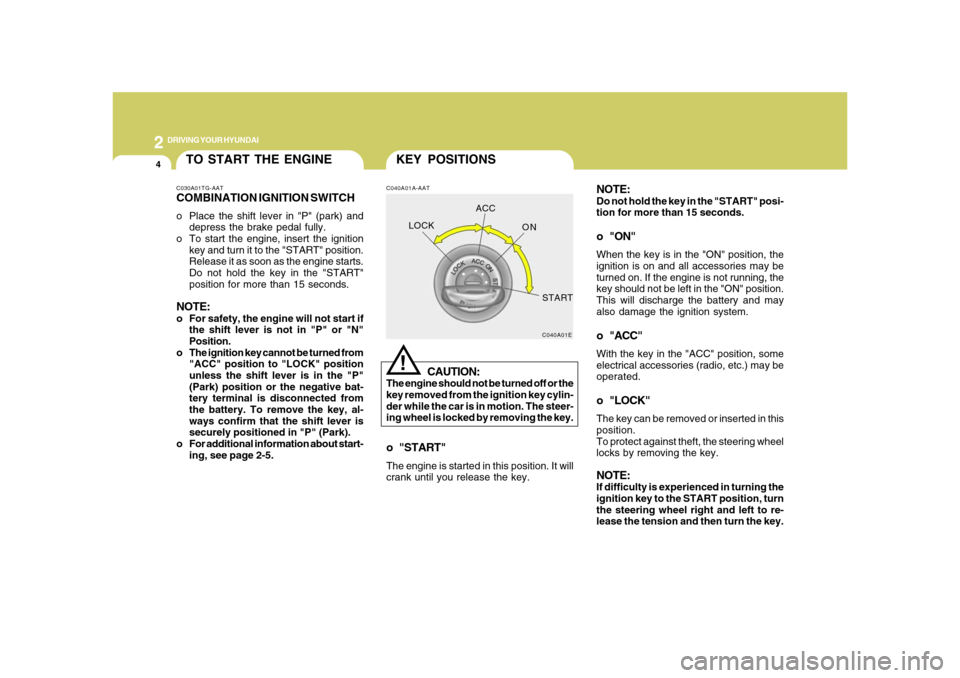
tion for more than 15 seconds.o "ON"When the key is in the "ON" position, the
ignition is on and all accessories may be
turned on. If the engine is not running, the
key should not be left in the "ON" position.
This will discharge the battery and may
also damage the ignition system.o "ACC"With the key in the "ACC" position, some
electrical accessories (radio, etc.) may be
operated.o "LOCK"The key can be removed or inserted in this
position.
To protect against theft, the steering wheel
locks by removing the key.NOTE:If difficulty is experienced in turning the
ignition key to the START position, turn
the steering wheel right and left to re-
lease the tension and then turn the key.
KEY POSITIONSC040A01A-AAT
CAUTION:
The engine should not be turned off or the
key removed from the ignition key cylin-
der while the car is in motion. The steer-
ing wheel is locked by removing the key.
!
o "START"The engine is started in this position. It will
crank until you release the key.
C040A01E
LOCKACC
ON
START
TO START THE ENGINEC030A01TG-AATCOMBINATION IGNITION SWITCHo Place the shift lever in "P" (park) and
depress the brake pedal fully.
o To start the engine, insert the ignition
key and turn it to the "START" position.
Release it as soon as the engine starts.
Do not hold the key in the "START"
position for more than 15 seconds.NOTE:o For safety, the engine will not start if
the shift lever is not in "P" or "N"
Position.
o The ignition key cannot be turned from
"ACC" position to "LOCK" position
unless the shift lever is in the "P"
(Park) position or the negative bat-
tery terminal is disconnected from
the battery. To remove the key, al-
ways confirm that the shift lever is
securely positioned in "P" (Park).
o For additional information about start-
ing, see page 2-5.
Page 218 of 345
2
DRIVING YOUR HYUNDAI
5
!
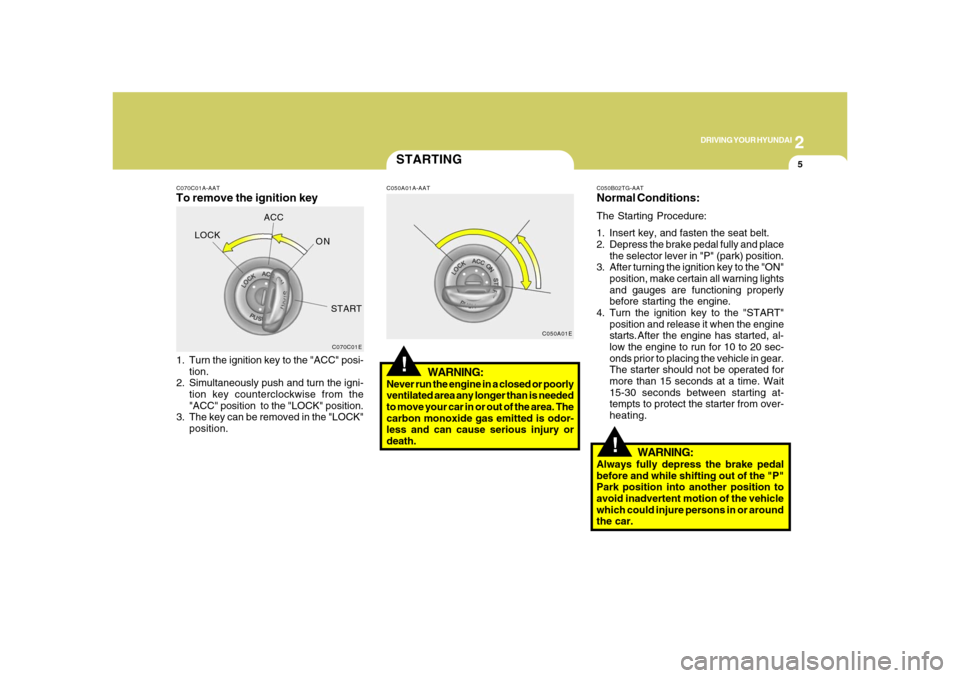
C070C01A-AATTo remove the ignition key1. Turn the ignition key to the "ACC" posi-
tion.
2. Simultaneously push and turn the igni-
tion key counterclockwise from the
"ACC" position to the "LOCK" position.
3. The key can be removed in the "LOCK"
position.
C070C01E
LOCKACC
ON
START
STARTING!
C050A01A-AAT
WARNING:
Never run the engine in a closed or poorly
ventilated area any longer than is needed
to move your car in or out of the area. The
carbon monoxide gas emitted is odor-
less and can cause serious injury or
death.
C050A01EC050B02TG-AAT
Normal Conditions:The Starting Procedure:
1. Insert key, and fasten the seat belt.
2. Depress the brake pedal fully and place
the selector lever in "P" (park) position.
3. After turning the ignition key to the "ON"
position, make certain all warning lights
and gauges are functioning properly
before starting the engine.
4. Turn the ignition key to the "START"
position and release it when the engine
starts.After the engine has started, al-
low the engine to run for 10 to 20 sec-
onds prior to placing the vehicle in gear.
The starter should not be operated for
more than 15 seconds at a time. Wait
15-30 seconds between starting at-
tempts to protect the starter from over-
heating.
WARNING:
Always fully depress the brake pedal
before and while shifting out of the "P"
Park position into another position to
avoid inadvertent motion of the vehicle
which could injure persons in or around
the car.