2008 Hyundai Azera ESP
[x] Cancel search: ESPPage 203 of 345
1
FEATURES OF YOUR HYUNDAI
189189
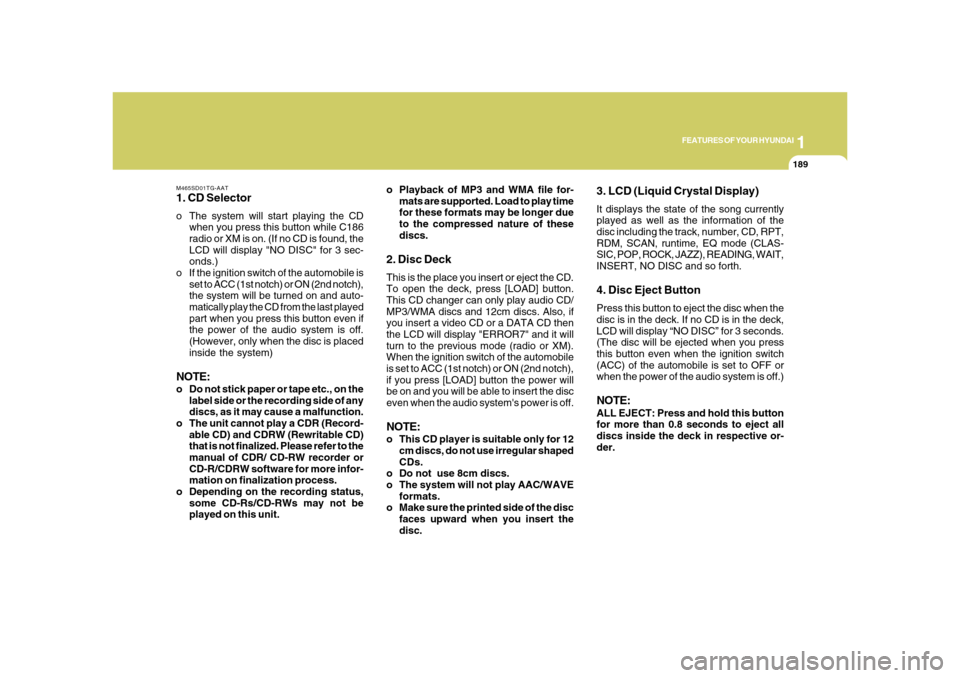
M465SD01TG-AAT1. CD Selectoro The system will start playing the CD
when you press this button while C186
radio or XM is on. (If no CD is found, the
LCD will display "NO DISC" for 3 sec-
onds.)
o If the ignition switch of the automobile is
set to ACC (1st notch) or ON (2nd notch),
the system will be turned on and auto-
matically play the CD from the last played
part when you press this button even if
the power of the audio system is off.
(However, only when the disc is placed
inside the system)NOTE:o Do not stick paper or tape etc., on the
label side or the recording side of any
discs, as it may cause a malfunction.
o The unit cannot play a CDR (Record-
able CD) and CDRW (Rewritable CD)
that is not finalized. Please refer to the
manual of CDR/ CD-RW recorder or
CD-R/CDRW software for more infor-
mation on finalization process.
o Depending on the recording status,
some CD-Rs/CD-RWs may not be
played on this unit.o Playback of MP3 and WMA file for-
mats are supported. Load to play time
for these formats may be longer due
to the compressed nature of these
discs.
2. Disc DeckThis is the place you insert or eject the CD.
To open the deck, press [LOAD] button.
This CD changer can only play audio CD/
MP3/WMA discs and 12cm discs. Also, if
you insert a video CD or a DATA CD then
the LCD will display "ERROR7" and it will
turn to the previous mode (radio or XM).
When the ignition switch of the automobile
is set to ACC (1st notch) or ON (2nd notch),
if you press [LOAD] button the power will
be on and you will be able to insert the disc
even when the audio system's power is off.NOTE:o This CD player is suitable only for 12
cm discs, do not use irregular shaped
CDs.
o Do not use 8cm discs.
o The system will not play AAC/WAVE
formats.
o Make sure the printed side of the disc
faces upward when you insert the
disc.
3. LCD (Liquid Crystal Display)It displays the state of the song currently
played as well as the information of the
disc including the track, number, CD, RPT,
RDM, SCAN, runtime, EQ mode (CLAS-
SIC, POP, ROCK, JAZZ), READING, WAIT,
INSERT, NO DISC and so forth.4. Disc Eject ButtonPress this button to eject the disc when the
disc is in the deck. If no CD is in the deck,
LCD will display “NO DISC” for 3 seconds.
(The disc will be ejected when you press
this button even when the ignition switch
(ACC) of the automobile is set to OFF or
when the power of the audio system is off.)NOTE:ALL EJECT: Press and hold this button
for more than 0.8 seconds to eject all
discs inside the deck in respective or-
der.
Page 204 of 345
![Hyundai Azera 2008 Owners Manual 1FEATURES OF YOUR HYUNDAI
190
5. Disc Move (Disc Up/Down)
ButtonIf you want to listen to another disc while
using the CD changer, press [DISC
] ,
[DISC
] button to move to the disc you
want to l](/manual-img/35/14485/w960_14485-203.png "Hyundai Azera 2008 Owners Manual 1FEATURES OF YOUR HYUNDAI
190
5. Disc Move (Disc Up/Down)
ButtonIf you want to listen to another disc while
using the CD changer, press [DISC
] ,
[DISC
] button to move to the disc you
want to l")
1FEATURES OF YOUR HYUNDAI
190
5. Disc Move (Disc Up/Down)
ButtonIf you want to listen to another disc while
using the CD changer, press [DISC
] ,
[DISC
] button to move to the disc you
want to listen to and play the disc. If all 6
decks of the changer is not full, the number
of the empty deck will not be selected but
only the decks with discs will be played.
When moving through discs, the selected
disc will be displayed as "U."
6. SCAN ButtonWhen you press this button, the player will
play 10 seconds of each track (LCD will
display “SCAN”). Press it again to cancel
scanning.7. Search / Selection ButtonTurn the search control to the left or right
while playing CD then the track number on
the LCD will change correspondingly.
When you find the track you want to listen
to, press the button to play the selected
song. (The search will be canceled when
you do not select the track within 5 seconds
after searching the track.)
8. RDM(Random) ButtonPress this button to play the songs in ran-
dom order regardless of the order of tracks
(LCD will display “RDM”). Press it again to
cancel random play.9. RPT(Repeat) ButtonThis lets you listen to the song or CD you
like repeatedly. Simply press this button
when the song or the CD you want to
repeat is played. Press this button again to
cancel repetition.
o Less than 0.8 seconds: Repeats 1 song
or 1 file (LCD will display “RPT”).
o 0.8 seconds or longer: Repeats 1 DISC
only (LCD will display “ALL RPT”).10. Fast Forward/Rewind ButtonPress and hold “FF” button while the CD is
played to quickly search through the latter
part of the song and “REW”, the front part.
When you release the button, the song will
be played from current position.
11. Track Move (Track Up/Down)
Buttono Press [
](Track Up) button while play-
ing CD to play from the beginning of the
next song. (If you hold this button, it will
continue to move to the next song.)
o Press [](Track Down) button while
playing CD to move to the beginning of
the song and press again to move to the
beginning of the previous song. (If you
hold this button, it will continue to move
to the previous song.)
12. Information ButtonIf the song title is long while playing an MP3
file, press this button to scroll the song title
to the end.
Page 205 of 345
 button while
playing an MP3 file to display the next
available folder name and [DIR
](Direc-
tory Down) b](/manual-img/35/14485/w960_14485-204.png "Hyundai Azera 2008 Owners Manual 1
FEATURES OF YOUR HYUNDAI
191191
13. Directory Name Search ButtonPress [DIR
](Directory Up) button while
playing an MP3 file to display the next
available folder name and [DIR
](Direc-
tory Down) b")
1
FEATURES OF YOUR HYUNDAI
191191
13. Directory Name Search ButtonPress [DIR
](Directory Up) button while
playing an MP3 file to display the next
available folder name and [DIR
](Direc-
tory Down) button, the previous folder name.
Find the folder you searched for and press
7 to play the songs inside the folder from
the top of the list. (If you do not take any
action after searching for the folder for 5 or
more seconds, this search will be can-
celed.)
14. Mark / Memory ButtonYou can choose only the songs you want
to listen to and play them in respective
order. (Refer to the operation method.)
Press again to cancel.
15. Disc Load /All Load ButtonWhen you press [LOAD] button, one of the
empty slots of the CD changer will be
opened in the order of (1), (2), (3), (4), (5).
Insert the CD when the word "INSERT" on
LCD and the light of the deck flicker then
the deck will be closed you will be able to
play and listen to the corresponding CD.
Also, you can load all 6 CDs to all empty
slots of the changer when you press the
[LOAD] button for more than 0.8 seconds
in respective order. In this case the CD you
loaded last will be played. If you do not load
CD for 10 seconds after pressing the
[LOAD] button, or press the [LOAD] button
once again, the loading will be canceled.
In this case, the display for empty disc slots
will go off, and it will be displayed again
when the slot is loaded with a disc.NOTE:o Insert CD only when the word "IN-
SERT" on the LCD and the light of the
deck flicker. (Insert CDs one by one in
respective order.)
o In other cases, the CD will not be
inserted (CD DOOR will be closed),
and if you try to insert CD by force it
may cause damage to the audio sys-
tem.o The disc player takes up to six discs.
Do not try to load more than six.
NOTE:o To assure proper operation of the
unit, keep the vehicle interior tem-
perature within a normal range by
using the vehicle’s air conditioning or
heating system.
o When replacing the fuse, replace it
with a fuse having the correct capac-
ity.
o All stored bookmarks are all erased
when the car battery is disconnected
or power to the vehicle is lost. If this
occurs, the bookmarks will have to be
reset.
o Do not add any oil to the rotating parts.
Keep magnets, screwdrivers and
other metallic objects away from the
tape mechanism and head.
Page 216 of 345
2
DRIVING YOUR HYUNDAI
3
!
!
PROPOSITION 65 WARNING:
Engine exhaust and a wide variety of
automobile components and parts, in-
cluding components found in the interior
furnishings in a vehicle, contain or emit
chemicals known to the State of Califor-
nia to cause cancer and birth defects
and reproductive harm. In addition, cer-
tain fluids contained in vehicles and cer-
tain products of component wear con-
tain or emit chemicals known to the State
of California to cause cancer and birth
defects or other reproductive harm.
BEFORE STARTING
THE ENGINEC020A01TG-AATBefore you start the engine, you should
always:
1. Look around the vehicle to be sure
there are no flat tires, puddles of oil,
water or other indications of possible
trouble.
2. After entering the car, check to be sure
the parking brake is engaged.
3. Check that all windows and lights are
clean.
4. Check that the interior and exterior
mirrors are clean and in position.
5. Check your seat, seatback and head-
rest to be sure they are in their proper
positions.
6. Lock all the doors.
7. Fasten your seat belt and be sure that
all other occupants have fastened
theirs.
8. Turn off all lights and accessories that
are not needed.
9. When you turn the ignition switch to
"ON", check that all appropriate warn-
ing lights are operating and that you
have sufficient fuel.
10. Check the operation of warning lights
and all bulbs when key is in the "ON"
position.
WARNING:
o Always wear appropriate shoes when
operating your vehicle. Unsuitable
shoes (high heels, ski boots, etc.) may
interfere with your ability to use the
brake and accelerator pedal.
o All passengers must be properly
belted whenever the vehicle is mov-
ing. Refer to pages: 1-27 through 1-
34 for more information on their proper
use.
o Always check the surrounding areas
near your vehicle for people, espe-
cially children, before putting a car
into 'drive'.
Page 222 of 345
2
DRIVING YOUR HYUNDAI
9
!
C090N06O-AATGood Driving Practiceso Never move the gear selector lever
from "P" or "N" to any other position with
the accelerator pedal depressed.
o Never move the gear selector lever into
"P" when the vehicle is in motion.
o Be sure the car is completely stopped
before you attempt to shift into "R" or "D".
o Never take the car out of gear and coast
down a hill. This may be extremely
hazardous. Always leave the car in gear
when moving.
o Do not "ride" the brakes. This can cause
them to overheat and malfunction. In-
stead, when you are driving down a
long hill, slow down and shift to a lower
gear. When you do this, engine braking
will help slow the car.
o Slow down before shifting to a lower
gear. Otherwise, the lower gear may not
be engaged.
WARNING:
o Always buckle-up! In a collision, an
unbelted occupant is significantly
more likely to be seriously injured or
killed than a properly belted occu-
pant.
o Avoid high speeds when cornering or
turning.
o Do not make quick steering wheel
movements, such as sharp lane
changes or fast, sharp turns.
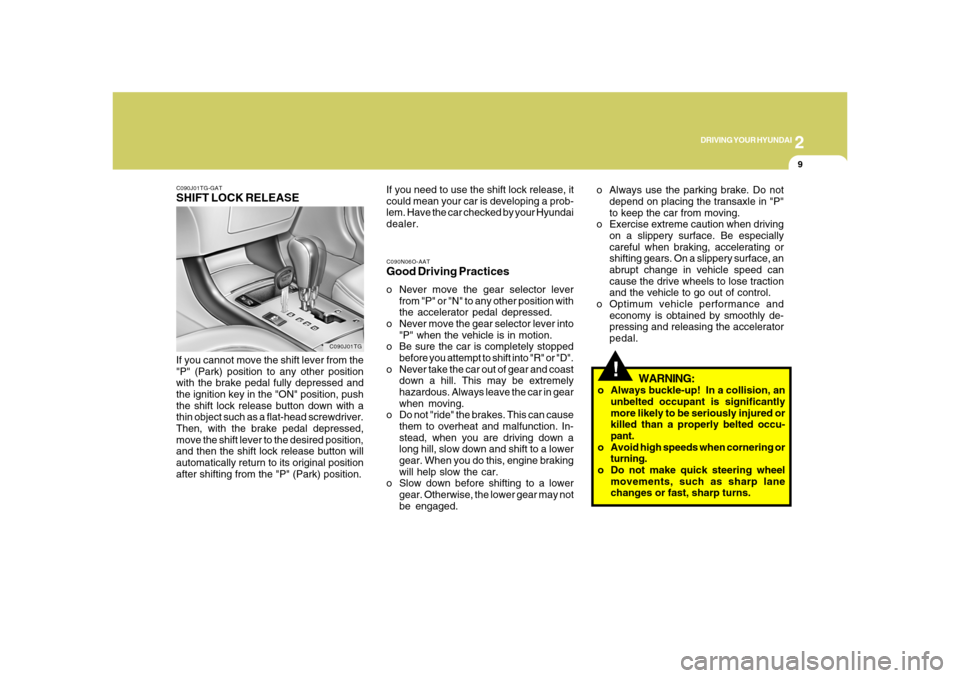
C090J01TG-GATSHIFT LOCK RELEASEIf you cannot move the shift lever from the
"P" (Park) position to any other position
with the brake pedal fully depressed and
the ignition key in the "ON" position, push
the shift lock release button down with a
thin object such as a flat-head screwdriver.
Then, with the brake pedal depressed,
move the shift lever to the desired position,
and then the shift lock release button will
automatically return to its original position
after shifting from the "P" (Park) position.
C090J01TG
If you need to use the shift lock release, it
could mean your car is developing a prob-
lem. Have the car checked by your Hyundai
dealer.o Always use the parking brake. Do not
depend on placing the transaxle in "P"
to keep the car from moving.
o Exercise extreme caution when driving
on a slippery surface. Be especially
careful when braking, accelerating or
shifting gears. On a slippery surface, an
abrupt change in vehicle speed can
cause the drive wheels to lose traction
and the vehicle to go out of control.
o Optimum vehicle performance and
economy is obtained by smoothly de-
pressing and releasing the accelerator
pedal.
Page 225 of 345
2
DRIVING YOUR HYUNDAI
12
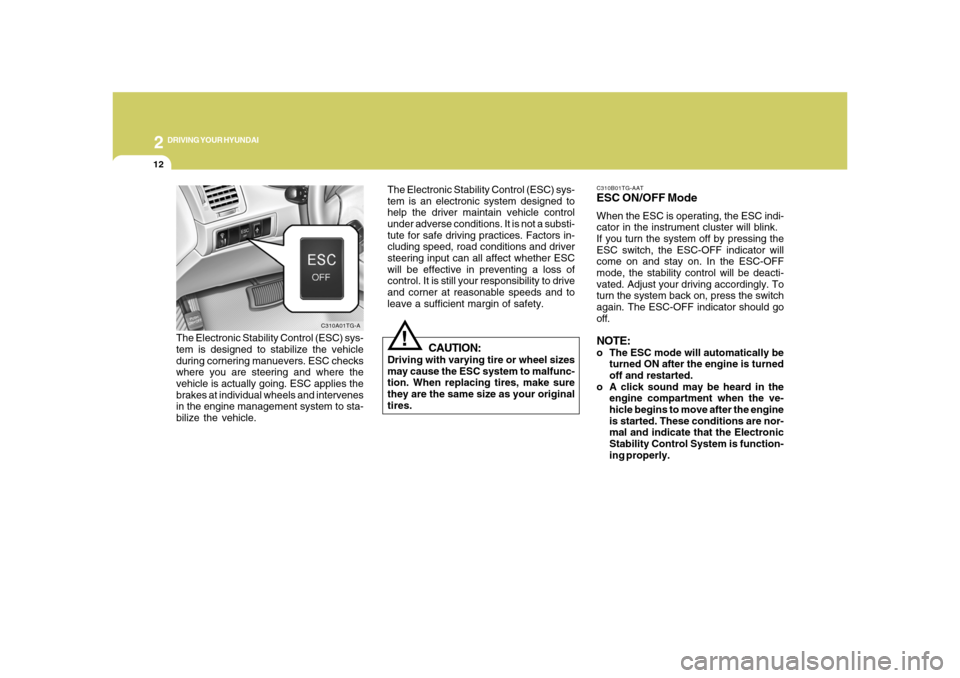
C310B01TG-AATESC ON/OFF ModeWhen the ESC is operating, the ESC indi-
cator in the instrument cluster will blink.
If you turn the system off by pressing the
ESC switch, the ESC-OFF indicator will
come on and stay on. In the ESC-OFF
mode, the stability control will be deacti-
vated. Adjust your driving accordingly. To
turn the system back on, press the switch
again. The ESC-OFF indicator should go
off.NOTE:o The ESC mode will automatically be
turned ON after the engine is turned
off and restarted.
o A click sound may be heard in the
engine compartment when the ve-
hicle begins to move after the engine
is started. These conditions are nor-
mal and indicate that the Electronic
Stability Control System is function-
ing properly. The Electronic Stability Control (ESC) sys-
tem is an electronic system designed to
help the driver maintain vehicle control
under adverse conditions. It is not a substi-
tute for safe driving practices. Factors in-
cluding speed, road conditions and driver
steering input can all affect whether ESC
will be effective in preventing a loss of
control. It is still your responsibility to drive
and corner at reasonable speeds and to
leave a sufficient margin of safety.
!
CAUTION:
Driving with varying tire or wheel sizes
may cause the ESC system to malfunc-
tion. When replacing tires, make sure
they are the same size as your original
tires.
The Electronic Stability Control (ESC) sys-
tem is designed to stabilize the vehicle
during cornering manuevers. ESC checks
where you are steering and where the
vehicle is actually going. ESC applies the
brakes at individual wheels and intervenes
in the engine management system to sta-
bilize the vehicle.
C310A01TG-A
Page 228 of 345
2
DRIVING YOUR HYUNDAI
15
DRIVING FOR ECONOMYC140A02A-AATYou can save fuel and get more miles from
your car if you follow these suggestions:
o Drive smoothly. Accelerate at a moder-
ate rate. Don't make "jack-rabbit" starts
or full-throttle shifts and maintain a
steady cruising speed. Don't race be-
tween stoplights. Try to adjust your
speed to that of the other traffic so you
don't have to change speeds unneces-
sarily. Avoid heavy traffic whenever pos-
sible. Always maintain a safe distance
from other vehicles so you can avoid
unnecessary braking. This also reduces
brake wear.
o Drive at a moderate speed. The faster
you drive, the more fuel your car uses.
Driving at a moderate speed, espe-
cially on the highway, is one of the most
effective ways to reduce fuel consump-
tion.
o Don't "ride" the brake or clutch pedal.
This can increase fuel consumption and
also increase wear on these compo-
nents. In addition, driving with your foot
resting on the brake pedal may cause
the brakes to overheat, which reduces
their effectiveness and may lead to more
serious consequences. o Under some conditions your parking
brake can freeze in the engaged posi-
tion. This is most likely to happen when
there is an accumulation of snow or ice
around or near the rear brakes or if the
brakes are wet. If there is a risk that the
parking brake may freeze, apply it only
temporarily while you put the gear se-
lector lever in "P" (automatic) or in first
or reverse gear (manual transaxle) and
block the rear wheels so the car cannot
roll. Then release the parking brake.
o Do not hold the vehicle on the upgrade
with the accelerator pedal. This can
cause the transaxle to overheat. Al-
ways use the brake pedal or parking
brake.o Take care of your tires. Keep them in-
flated to the recommended pressure.
Incorrect inflation, either too much or
too little, results in unnecessary tire
wear. Check the tire pressures at least
once a month.
o Be sure that the wheels are aligned
correctly. Improper alignment can re-
sult from hitting curbs or driving too fast
over irregular surfaces. Poor alignment
causes faster tire wear and may also
result in other problems as well as
greater fuel consumption.
o Keep your car in good condition. For
better fuel economy and reduced main-
tenance costs, maintain your car in ac-
cordance with the maintenance sched-
ule in Section 5. If you drive your car in
severe conditions, more frequent main-
tenance is required (see Section 5 for
details).
o Keep your car clean. For maximum
service, your Hyundai should be kept
clean and free of corrosive materials. It
is especially important that mud, dirt,
ice, etc. not be allowed to accumulate
on the underside of the car. This extra
weight can result in increased fuel con-
sumption and also contribute to corro-
sion.
Page 229 of 345
2
DRIVING YOUR HYUNDAI
16
C160A01A-AATThe more severe weather conditions of
winter result in greater wear and other
problems. To minimize the problems of
winter driving, you should follow these
suggestions:WINTER DRIVING
o Travel lightly. Don't carry unnecessary
weight in your car. Weight reduces fuel
economy.
o Don't let the engine idle longer than
necessary. If you are waiting (and not in
traffic), turn off your engine and restart
only when you're ready to go.
o Remember, your Hyundai does not re-
quire extended warm-up. After the en-
gine has started, allow the engine to run
for 10 to 20 seconds prior to placing the
vehicle in gear. In very cold weather,
however, give your engine a slightly
longer warm-up period.
o Don't "lug" or "over-rev" the engine.
Lugging is driving too slowly in too high
a gear resulting in the engine bucking.
If this happens, shift to a lower gear.
Over-revving is racing the engine be-
yond its safe limit. This can be avoided
by shifting at the recommended speeds.
o Use your air conditioning sparingly. The
air conditioning system is operated by
engine power so your fuel economy is
reduced when you use it.
SMOOTH CORNERINGC150A01A-AATAvoid braking or gear changing in corners,
especially when roads are wet. Ideally,
corners should always be taken under
gentle acceleration. If you follow these
suggestions, tire wear will be held to a
minimum.