Page 67 of 268
�µ
�µ �µ
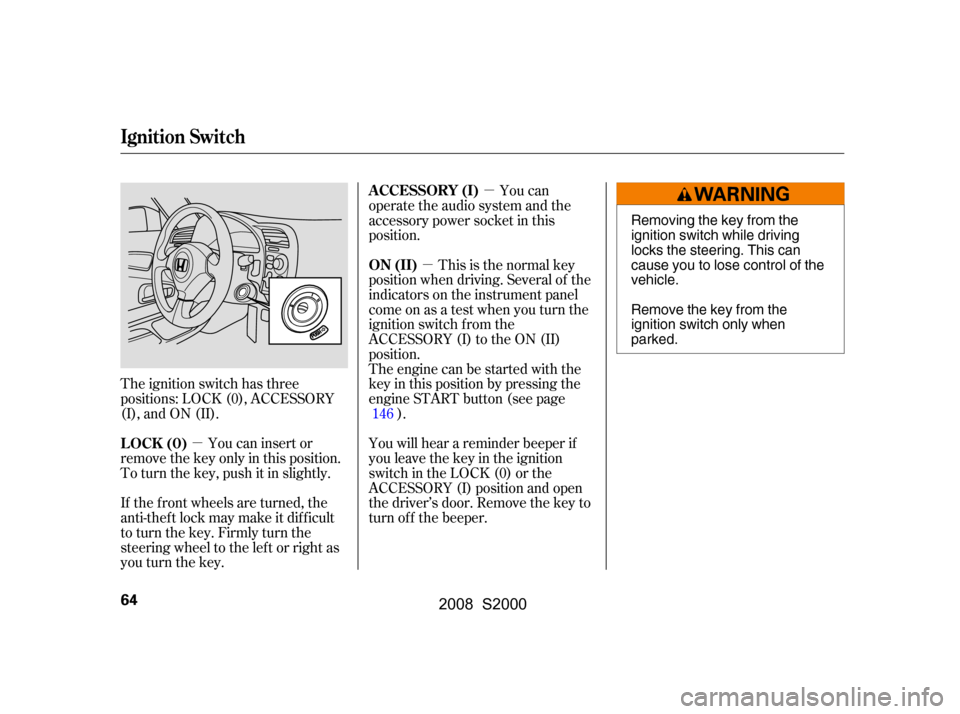
The ignition switch has three
positions: LOCK (0), ACCESSORY
(I), and ON (II). This is the normal key
position when driving. Several of the
indicators on the instrument panel
come on as a test when you turn the
ignition switch f rom the
ACCESSORY (I) to the ON (II)
position.
The engine can be started with the
key in this position by pressing the
engine START button (see page
).
You will hear a reminder beeper if
you leave the key in the ignition
switch in the LOCK (0) or the
ACCESSORY (I) position and open
thedriver’sdoor.Removethekeyto
turn of f the beeper.
You can insert or
remove the key only in this position.
To turn the key, push it in slightly.
If the f ront wheels are turned, the
anti-theft lock may make it difficult
to turn the key. Firmly turn the
steering wheel to the lef t or right as
you turn the key. You can
operate the audio system and the
accessory power socket in this
position.
146
ON (II)
LOCK (0) A CCESSORY (I)
Ignition Switch
64
Removing the key from the
ignition switch while driving
locks the steering. This can
cause you to lose control of the
vehicle.
Remove the key from the
ignition switch only when
parked.
�\f���—�\f���—�����y�
���������
���y���
�(���������\f�y�\f�\f�����y
2008 S2000
Page 102 of 268
Air conditioning, as it cools, removes
moisture from the air. When used in
combination with the heater, it
makes the interior warm and dry and
can prevent the windows f rom
f ogging up.Turn the fan on.
Turn on the air conditioning.
Select and fresh air mode.
Adjust the temperature to your
pref erence.
This setting is suitable f or all driving
conditions whenever the outside
temperature is above 32°F (0°C).
To remove f og f rom the inside of the
windows: Set the f an to the desired speed, or
high f or f aster def rosting.
Select . The system
automatically switches to f resh air mode and turns on the A/C.
Adjust the temperature so the
airflow feels warm.
Select to help clear the
rear window.
To increase airf low to the
windshield, close the corner vents.
When you select or ,
the system automatically turns on
the A/C. This helps to dehumidif y
the air and to def og the windshield.
In either mode, you cannot turn of f
the A/C.
When you switch to another mode
f rom or , the A/C
stayson.PresstheA/Cbuttonto
turn it off. Push the f an control level down until
the indicator goes off. A lack of
airf low can cause the windows to f og
up. You should keep the f an on at all
times so stale air and moisture do
not build up in the interior and cause
f ogging.
For your saf ety, make sure you have
a clear view through all the windows
bef ore driving.
To clear the windows f aster, you can
close the dashboard corner vents
and the vents on both sides of the
instrument panel by rotating the
wheel below the vent. This will send
more warm air to the windshield
def roster vents. Once the windshield
is clear, select f resh air mode to
avoid f ogging the windows.
Select . The system
automatically switches to f resh air
mode and turns on the A/C. Select .
Set the f an and temperature
controls to the maximum level.
1.
2.
3.
4.
1.
2. 3.
4.
5.
1.2.
3.
Vents, Heating, and A/C
Dehumidif y the Interior
To Defog and Defrost To Turn Everything Off
T o Remove Exterior Frost or Ice
From the Windows
Features
99
�\f���—�\f���—�����y�
������\f������y���
�(���������\f�y�\f�
�\f���y
2008 S2000
Page 106 of 268
Push the f an control level down until
the indicator goes off. A lack of
airf low can cause the windows to f og
up. You should keep the f an on at all
times so stale air and moisture do
not build up in the interior and cause
f ogging.
Select . The system
automatically switches to f resh air
mode.
Select .
Set the f an and temperature
controls to the maximum level. To clear the windows f aster, you can
close the dashboard corner vents
and the vents on both sides of the
instrument panel by rotating the
wheel below the vent. This will send
more warm air to the windshield
def roster vents. Once the windshield
is clear, select f resh air mode to
avoid f ogging the windows.
For your saf ety, make sure you have
a clear view through all the windows
bef ore driving.
3.
1.
2. To Turn Everything Off
T o Remove Exterior Frost or Ice
From the Windows
Vents and Heating
Features
103
�\f���—�\f���—�����y�
������
��
���y���
�(���������\f�y�\f�
�\f���y
2008 S2000
Page 127 of 268
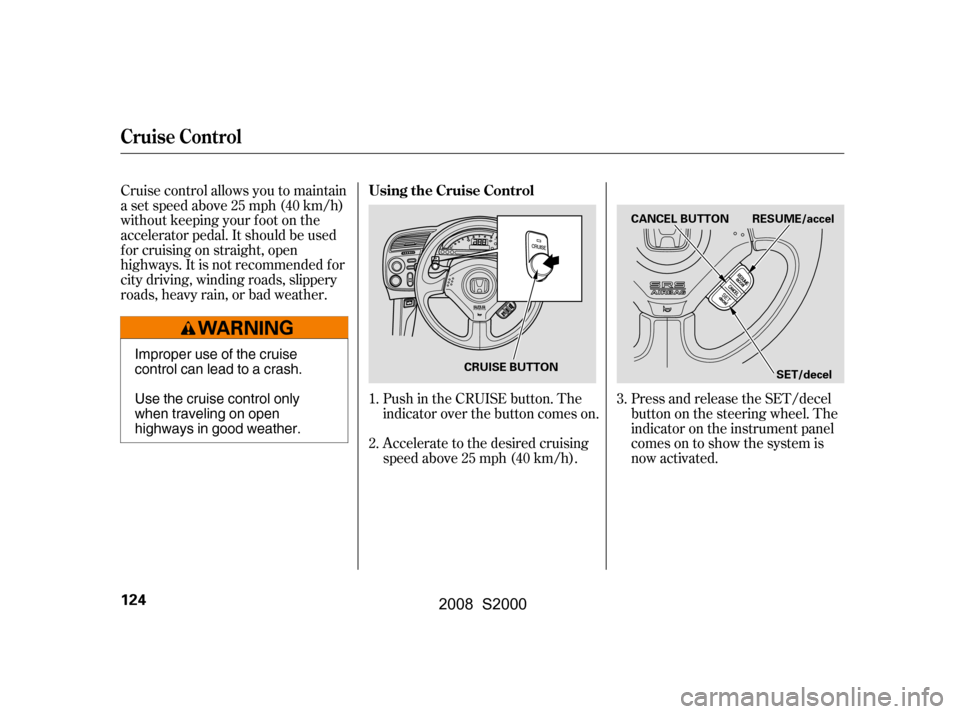
Cruise control allows you to maintain
asetspeedabove25mph(40km/h)
without keeping your f oot on the
accelerator pedal. It should be used
f or cruising on straight, open
highways. It is not recommended f or
city driving, winding roads, slippery
roads, heavy rain, or bad weather.Press and release the SET/decel
buttononthesteeringwheel.The
indicator on the instrument panel
comes on to show the system is
now activated.
Accelerate to the desired cruising
speedabove25mph(40km/h).
Push in the CRUISE button. The
indicator over the button comes on.
1.
2. 3.
Cruise Control
Using the Cruise Control
124
CANCEL BUTTON
SET/decel
RESUME/accel
CRUISE BUTTON
Improper use of the cruise
control can lead to a crash.
Use the cruise control only
when traveling on open
highways in good weather.
�\f���—�\f���—�����y�
���������\f���y���
�(���������\f�y�\f�
�����y
2008 S2000
Page 129 of 268

Even with the cruise control turned
on, you can still use the accelerator
pedal to speed up f or passing. Af ter
completing the pass, take your foot
of f the accelerator pedal. The vehicle
will return to the set cruising speed.
Resting your f oot on the brake or
clutch pedal causes the cruise
control to cancel.You can cancel cruise control in any
of these ways:
Tap the brake or clutch pedal.
Push the CANCEL button on the
steering wheel.
Push the CRUISE button. When you push the CANCEL button,
or tap the brake or clutch pedal, the
system will remember the previously
set cruising speed. To return to that
speed, accelerate to above 25 mph
(40 km/h), then press and release
the RESUME/accel button. The
CRUISE CONTROL indicator comes
on. The vehicle will accelerate to the
same cruising speed as bef ore.
Pressing the CRUISE button turns
the system off and erases the
previous cruising speed.
Canceling Cruise Control Resuming the Set Speed
Cruise Control
126
�\f���—�\f���—�����y�
�������������y���
�(���������\f�y�\f�
���
�y
2008 S2000
Page 140 of 268

Larger or smaller wheels and tires
can interf ere with the operation of
your vehicle’s anti-lock brakes and
other systems.
Removing parts f rom your vehicle,
or replacing components with
non-Honda components could
seriously af f ect your vehicle’s
handling, stability, and reliability.
Lowering the vehicle with a non-
Honda suspension kit that
signif icantly reduces ground
clearance can allow the
undercarriage to hit speed bumps
or other raised objects, which
could cause the airbags to deploy.
Raising your vehicle with a
non-Honda suspension kit can
af f ect the handling and stability. If you plan to modif y your vehicle,
consult your dealer.
Modif ying your steering wheel or
any other part of your vehicle’s
saf ety systems could make the
systems inef f ective.
Herearesomeexamples:
Non-Honda wheels, because they
are a universal design, can cause
excessive stress on suspension
components and will not be
compatible with the tire pressure
monitoring system (TPMS).
Modif ying Your Vehicle
A ccessories and Modif ications
Bef ore Driving
137
�\f���—�\f���—�����y�
�������������y���
�(���������\f�y�\f�
�����y
2008 S2000
Page 147 of 268
Use caution if you ever drive your
vehicleonveryroughorrutted
roads. You could damage the
suspension and underbody by
bottoming out. Going too f ast over
parking lot ‘‘speed bumps’’ can
also cause damage.Because of the low-prof ile tires
f itted to your vehicle, the alloy
wheels are closer to the ground.
Driving over a pothole or road
debris at too high a speed can
seriously damage a wheel. Slow
down under these conditions.
Your vehicle is designed to give you
optimum handling and perf ormance
on well-maintained roads. As part of
this design, your vehicle has a
minimum of ground clearance and
very low-prof ile tires.
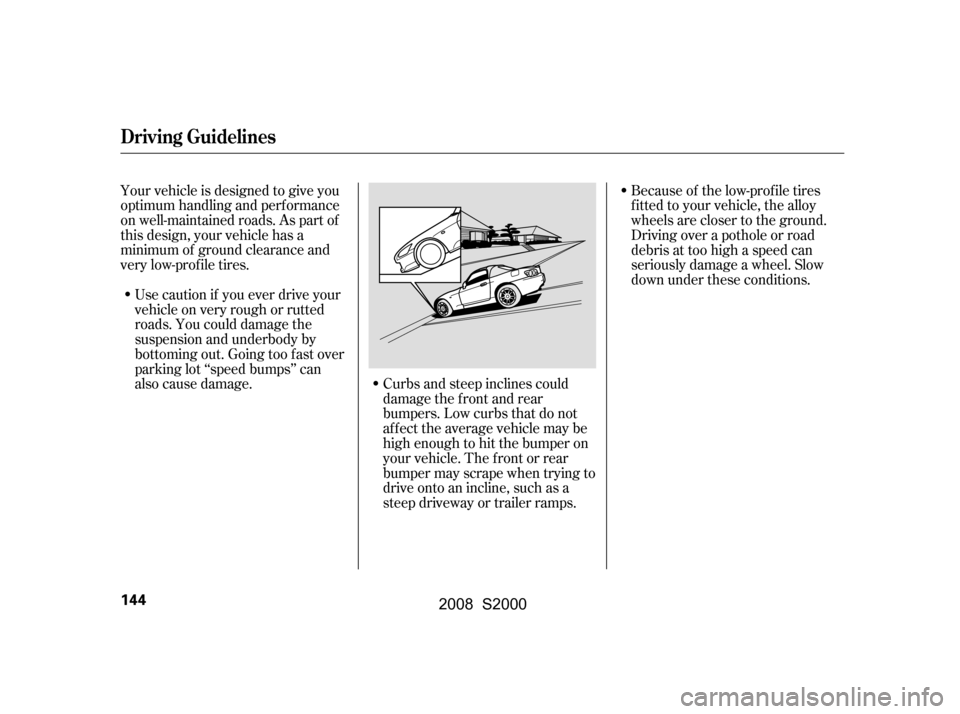
Curbs and steep inclines could
damage the f ront and rear
bumpers. Low curbs that do not
affect the average vehicle may be
high enough to hit the bumper on
your vehicle. The f ront or rear
bumper may scrape when trying to
drive onto an incline, such as a
steep driveway or trailer ramps.
Driving Guidelines
144
�\f���—�\f���—�����y�
�������������y���
�(���������\f�y�\f�
�����y
2008 S2000
Page 152 of 268

Resting your f oot on the pedal keeps
the brakes applied lightly, builds up
heat, and reduces their ef f ectiveness
and reduces brake pad life. In
addition, f uel economy can be
reduced. It also keeps your brake
lights on all the time, conf using
drivers behind you.
Your vehicle is equipped with disc
brakes at all f our wheels. A power
assist helps reduce the ef f ort needed
on the brake pedal. The anti-lock
brake system (ABS) helps you retain
steering control when braking very
hard.
Always use the parking brake when
you park your vehicle. Make sure
the parking brake is set f irmly, or
your vehicle may roll if it is parked
on an incline.
Constant application of the brakes
when going down a long hill builds
up heat and reduces their ef f ective-
ness. Use the engine to assist the
brakes by taking your f oot of f the
accelerator and downshif ting to a
lower gear.
Make sure the convertible top and
the windows are closed.
Make sure the removable hardtop
is properly installed and the
windows are closed.
Make sure the parking brake is
f ully released bef ore driving away.
Driving with the parking brake
partially set can overheat or
damage the rear brakes.
If the vehicle is f acing downhill,
turn the front wheels toward the
curb, and put the transmission in
reverse gear.
If the vehicle is f acing uphill, turn
the front wheels away from the
curb, and put the transmission in
f irst gear.
Never park over dry leaves, tall
grass, or other f lammable materials. The hot three way
catalytic converter could cause
these materials to catch on fire.
Lock the doors.
Place any packages, valuables, etc.,
in the trunk or take them with you.
Turn of f the lights.
CONT INUED
Except CR models CR models
Parking
Parking T ips Braking System
Parking, Braking System
Driving
149
�\f���—�\f���—�����y�
�������������y���
�(���������\f�y�\f�
�����y
2008 S2000