Page 144 of 329
If you are playing a CD
If you are listening to the radio
Except f or LX models,usetheCH
buttontoskiptothebeginningof the
next track. You will see the CD and
track number in the display.
,usethe
CHbuttontogotothenextpreset
station. You will see the number of
the preset button in the display. To
change bands, press the AM/FM
button.
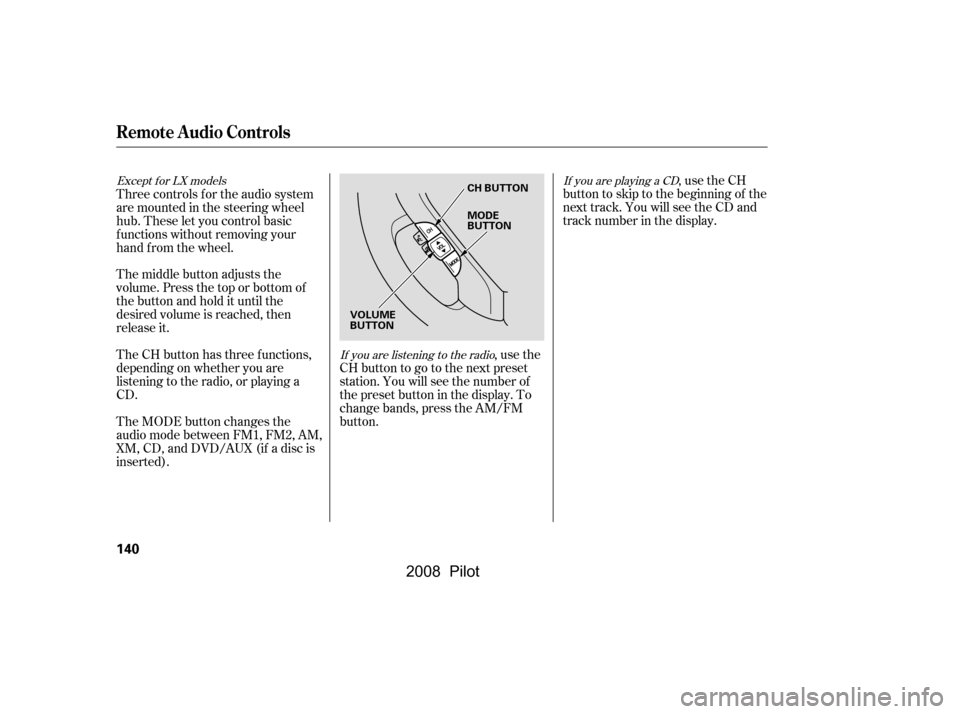
The MODE button changes the
audio mode between FM1, FM2, AM,
XM, CD, and DVD/AUX (if a disc is
inserted).
The CH button has three functions,
depending on whether you are
listening to the radio, or playing a
CD.
The middle button adjusts the
volume. Press the top or bottom of
the button and hold it until the
desired volume is reached, then
release it.
Three controls f or the audio system
are mounted in the steering wheel
hub. These let you control basic
f unctions without removing your
hand f rom the wheel.
Remote Audio Controls
140
CH BUTTON
VOLUME
BUTTON MODE
BUTTON
�\f���—�\f���—�\f���y�
�
�������
���y���
�(���+�����\f�y�\f�
�����y
2008 Pilot
Page 145 of 329

If you lose the card, you must obtain
the code number f rom a dealer. To
do this, you will need the system’s
serial number.You will have to store your favorite
stations in the preset buttons after
the system begins working. Your
original settings were lost when the
power was disconnected.
If your vehicle’s battery is
disconnected or goes dead, or the
radio f use is removed, the audio
system will disable itself . If this
happens, you will see ‘‘ENTER
CODE’’ in the f requency display the
nexttimeyouturnonthesystem.
Use the preset buttons (icons on
vehicles with navigation system) to
enter the code. The code is on the
radio code card included in your
owner’s manual kit. When it is
entered correctly, the radio will start
playing.
If you make a mistake entering the
code, do not start over; complete the
sequence, then enter the correct
code. You have ten tries to enter the
correct code. If you are unsuccessf ul
in ten attempts, you must then leave
the system on f or 1 hour bef ore
trying again.
Your vehicle’s audio system may
disable itself if it is disconnected
f rom electrical power f or any reason.
To make it work again, you must
enter a specif ic f ive-digit code in the
preset buttons. Because there are
hundreds of number combinations
possible f rom f ive-digits, making the
system work without knowing the
exact code is nearly impossible.
You should have received a radio
code card that lists your audio
system’s code and serial numbers. It
is best to store this card in a saf e
place at home. In addition, you
should write the audio system’s
serial number in this owner’s manual.
Except f or LX models
Radio T hef t Protection
Features
141
�\f���—�\f���—�\f���y�
�
�������
���y���
�(���+�����\f�y�\f�
�����y
2008 Pilot
Page 146 of 329
Setting the Clock
142
CLOCKH BUTTON
M BUTTON
CLOCK CLOCK BUTTON
H BUTTON RESET BUTTON
M BUTTON
SET BUTTON
LX models
LX-VP, EX, EX-L, and EX-SE models
(U.S. EX model shown)
�\f���—�\f���—�\f���y�
�
�����������y���
�(���+�����\f�y�\f�
�����y
2008 Pilot
Page 147 of 329

�µ�´
You can quickly set the time to the
nearest hour. If the displayed time is
bef ore the half hour, pressing and
holding the clock button, then
pressing the RESET (preset 6)
buttonsetstheclockbacktothe
previous hour. If the displayed time
is af ter the half hour, the clock sets
f orward to the beginning of the next
hour.
For example: 1:06 will reset to 1:00
1:52 will reset to 2:00 The display shows the time when the
ignition is in the ACCESSORY (I) or
the ON (II) position.
Press and hold the SET (TUNE)
button until the numbers f lash.
Change the hours by pressing the
H ( ) button until the numbers
advance to the desired time. Change
the minutes by pressing the M ( )
button until the numbers advance to
the desired time. When you are
finished, press the SET button again.
Refer to the navigation system
manual f or how to adjust the time.
Press and hold the CLOCK (SCAN/
RPT) button. Change the hours by
pressing the H (preset 4) button
until the numbers advance to the
desired time. Change the minutes by
pressing the M (preset 5) button
until the numbers advance to the
desired time. When you are f inished,
release the CLOCK button.
LX models
Except f or LX models
On models with navigation system
Setting the Clock
Features
143
�\f���—�\f���—�\f���y�
�
�����������y���
�(���+�����\f�y�\f�
�����y
2008 Pilot
Page 153 of 329
�Û�Ý�Û
�Ý
�Û�Ý
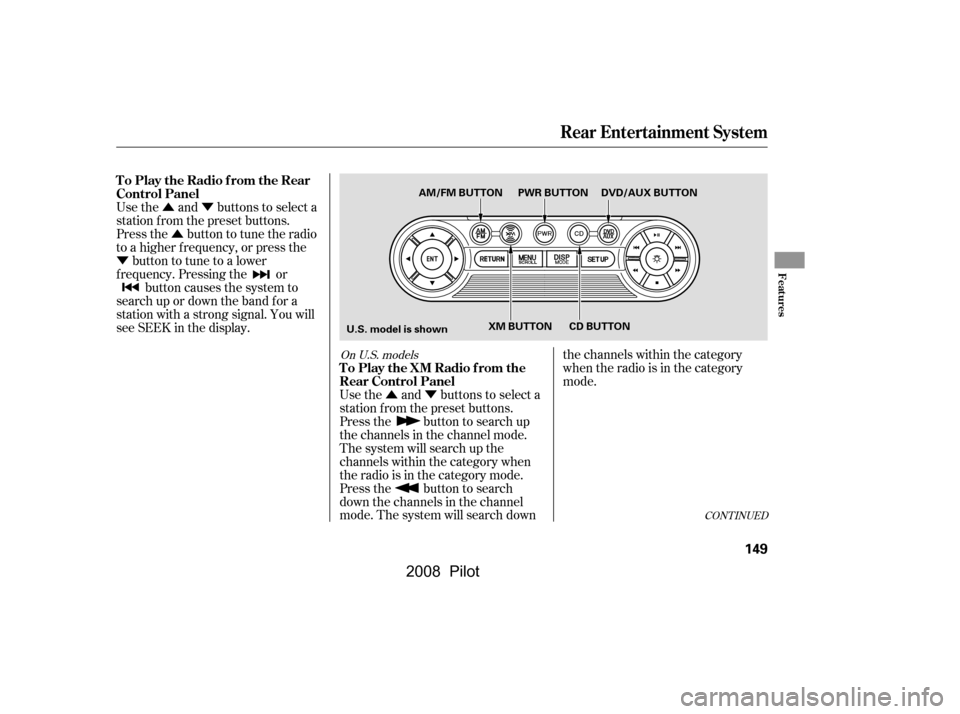
Use the and buttons to select a
station f rom the preset buttons.
Press the button to tune the radio
to a higher f requency, or press the
button to tune to a lower
f requency. Pressing the or button causes the system to
search up or down the band f or a
station with a strong signal. You will
seeSEEKinthedisplay.
Use the and buttons to select a
station f rom the preset buttons.
Press the button to search up
the channels in the channel mode.
The system will search up the
channels within the category when
the radio is in the category mode.
Press the button to search
down the channels in the channel
mode. The system will search downthe channels within the category
when the radio is in the category
mode.
CONT INUED
On U.S. models
Rear Entertainment System
To Play the Radio f rom the Rear
Control Panel
To Play the XM Radio f rom the
Rear Control Panel
Features
149
U.S. model is shownAM/FM BUTTON PWR BUTTON DVD/AUX BUTTON
XM BUTTON CD BUTTON
�\f���—�\f���—�\f���y�
�
�������
�\f�y���
�(���+�����\f�y�\f�
�����y
2008 Pilot
Page 163 of 329
�Ý�Û�Ý�Û
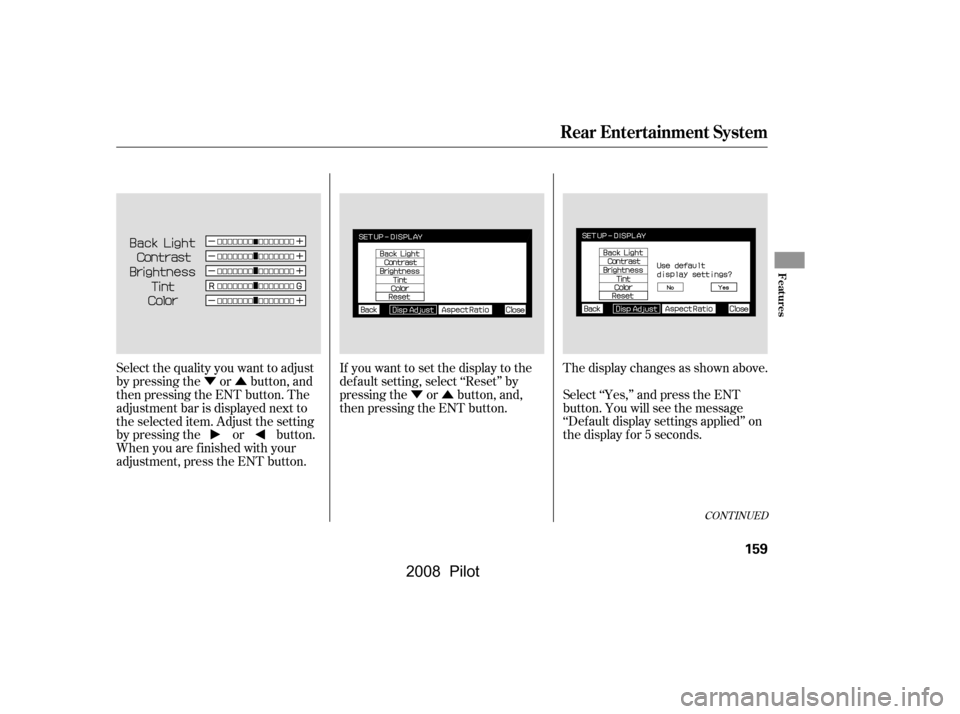
Select the quality you want to adjust
by pressing the or button, and
then pressing the ENT button. The
adjustment bar is displayed next to
the selected item. Adjust the setting
by pressing the or button.
When you are f inished with your
adjustment, press the ENT button. If you want to set the display to the
def ault setting, select ‘‘Reset’’ by
pressing the or button, and,
then pressing the ENT button.
The display changes as shown above.
Select ‘‘Yes,’’ and press the ENT
button. You will see the message
‘‘Def ault display settings applied’’ on
the display f or 5 seconds.
CONT INUED
Rear Entertainment System
Features
159
�\f���—�\f���—�\f���y�
�
�����������y���
�(���+�����\f�y�\f�
�����y
2008 Pilot
Page 180 of 329
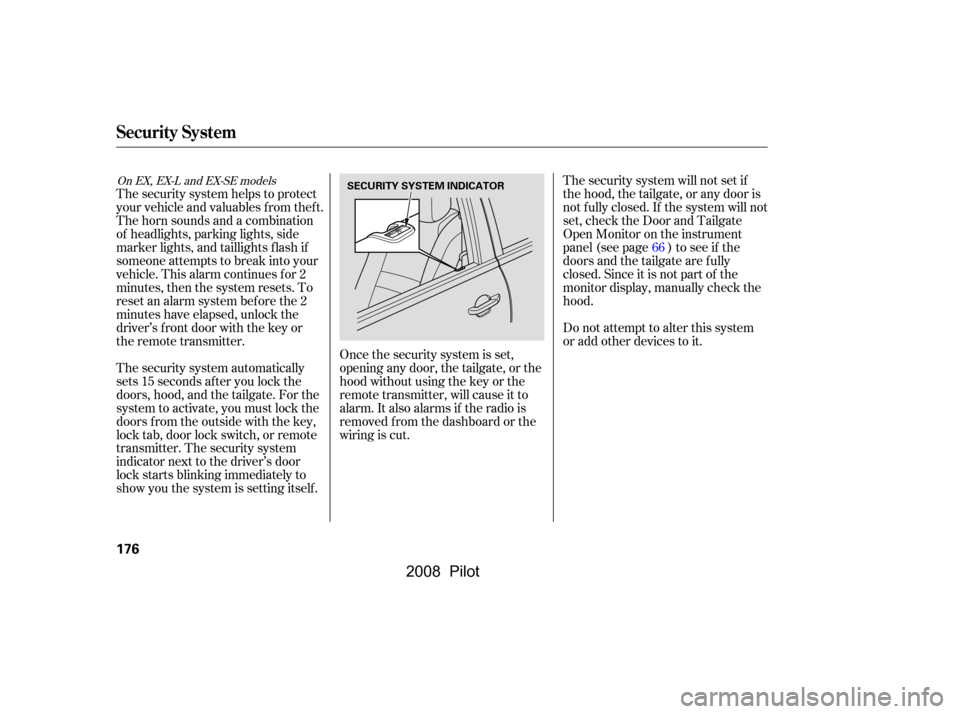
The security system helps to protect
your vehicle and valuables f rom thef t.
The horn sounds and a combination
of headlights, parking lights, side
marker lights, and taillights f lash if
someone attempts to break into your
vehicle. This alarm continues for 2
minutes, then the system resets. To
reset an alarm system bef ore the 2
minutes have elapsed, unlock the
driver’s f ront door with the key or
the remote transmitter.The security system will not set if
the hood, the tailgate, or any door is
not f ully closed. If the system will not
set, check the Door and Tailgate
Open Monitor on the instrument
panel (see page ) to see if the
doors and the tailgate are f ully
closed. Since it is not part of the
monitor display, manually check the
hood.
Do not attempt to alter this system
or add other devices to it.
The security system automatically
sets 15 seconds after you lock the
doors, hood, and the tailgate. For the
system to activate, you must lock the
doors f rom the outside with the key,
lock tab, door lock switch, or remote
transmitter. The security system
indicator next to the driver’s door
lock starts blinking immediately to
show you the system is setting itself . Once the security system is set,
opening any door, the tailgate, or the
hood without using the key or the
remote transmitter, will cause it to
alarm. It also alarms if the radio is
removed f rom the dashboard or the
wiring is cut. 66
On EX, EX-L and EX-SE models
Security System
176
SECURITY SYSTEM INDICATOR
�\f���—�\f���—�\f���y�
�
�����������y���
�(���+�����\f�y�\f�
���
�y
2008 Pilot
Page 199 of 329
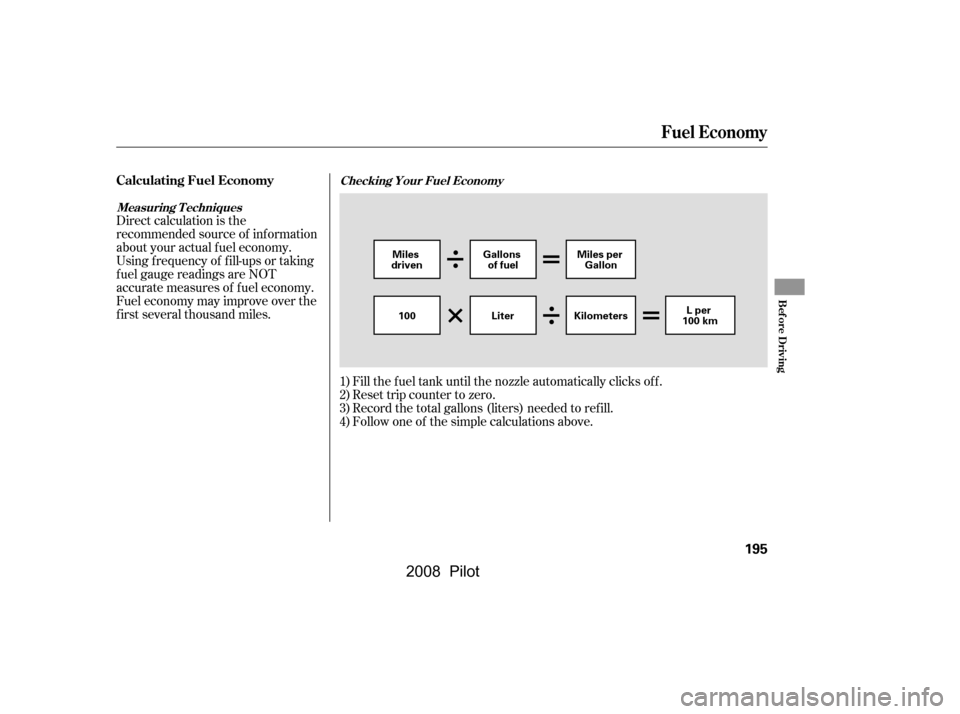
Direct calculation is the
recommended source of inf ormation
about your actual f uel economy.
Using f requency of f ill-ups or taking
f uel gauge readings are NOT
accurate measures of f uel economy.
Fuel economy may improve over the
f irst several thousand miles.Reset trip counter to zero.
Fill the f uel tank until the nozzle automatically clicks of f .
Record the total gallons (liters) needed to ref ill.
Follow one of the simple calculations above.
1)
2)
3)
4)
Fuel Economy
Calculating Fuel EconomyChecking Your Fuel Economy
Measuring T echniques
Bef ore Driving
195
Gallons of fuel Miles per
Gallon
100 Kilometers Lper
100 km
Miles
driven
Liter
�\f���—�\f���—�\f���y�
�
�������
���y���
�(���+�����\f�y�\f���\f�\f�y
2008 Pilot