Page 131 of 524
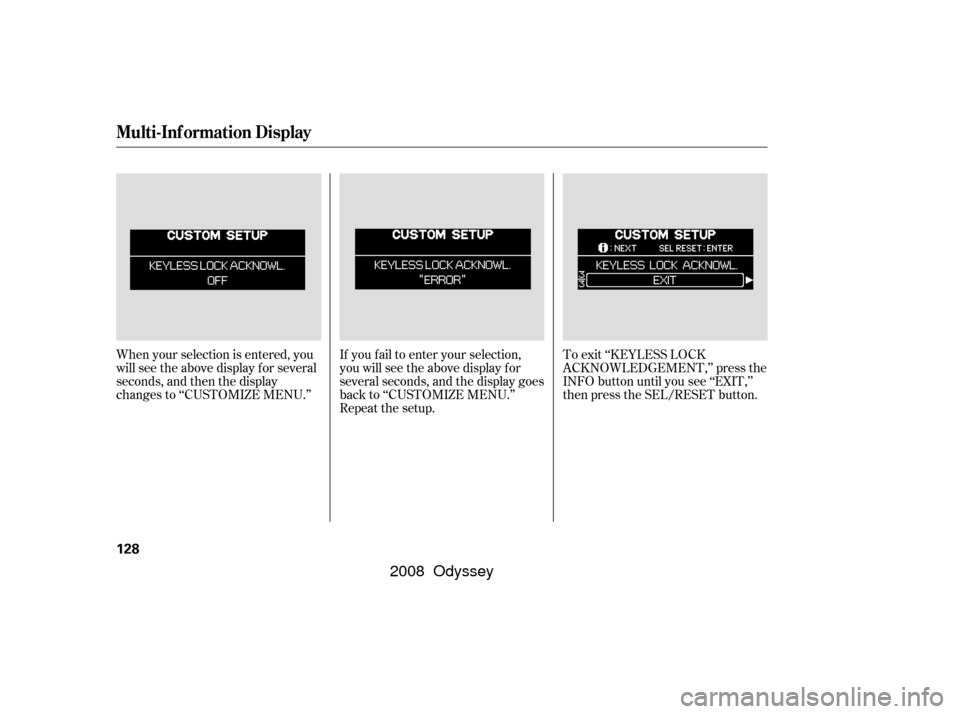
When your selection is entered, you
will see the above display for several
seconds, and then the display
changes to ‘‘CUSTOMIZE MENU.’’If you f ail to enter your selection,
you will see the above display f or
several seconds, and the display goes
back to ‘‘CUSTOMIZE MENU.’’
Repeat the setup.To exit ‘‘KEYLESS LOCK
ACKNOWLEDGEMENT,’’ press the
INFO button until you see ‘‘EXIT,’’
then press the SEL/RESET button.
Multi-Inf ormation Display
128
�����—�����—�����y��������
������y���
�(�����������y���
�����y
2008 Odyssey
Page 132 of 524
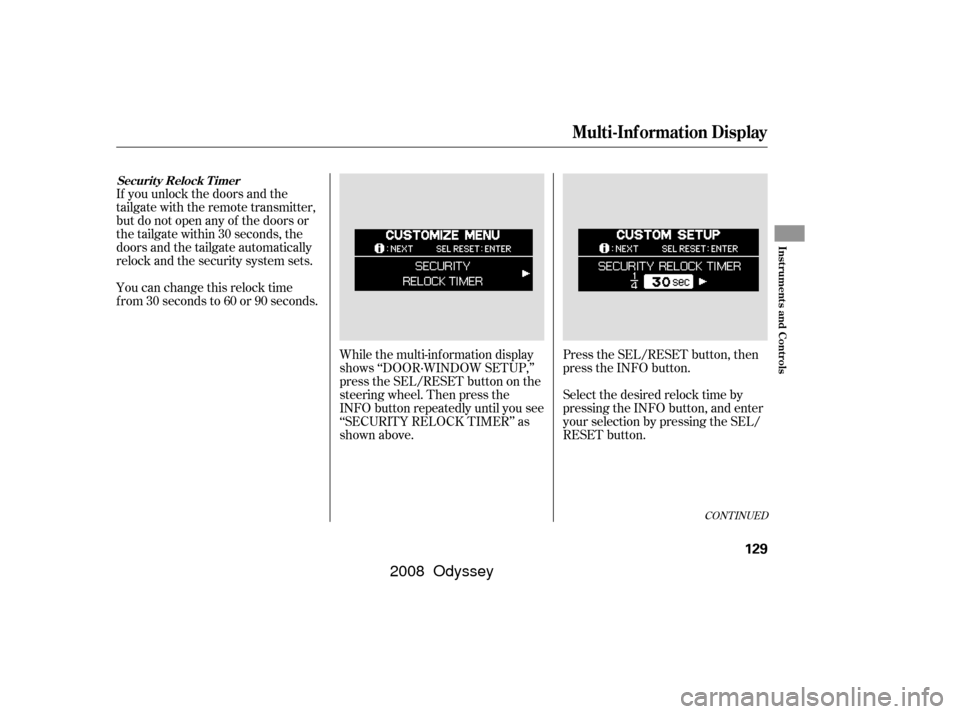
If you unlock the doors and the
tailgate with the remote transmitter,
but do not open any of the doors or
thetailgatewithin30seconds,the
doors and the tailgate automatically
relock and the security system sets.
You can change this relock time
f rom 30 seconds to 60 or 90 seconds.While the multi-information display
shows ‘‘DOOR·WINDOW SETUP,’’
press the SEL/RESET button on the
steering wheel. Then press the
INFO button repeatedly until you see
‘‘SECURITY RELOCK TIMER’’ as
shown above.Press the SEL/RESET button, then
press the INFO button.
Select the desired relock time by
pressing the INFO button, and enter
your selection by pressing the SEL/
RESET button.
CONT INUED
Securit y Relock T imer
Multi-Inf ormation Display
Inst rument s and Cont rols
129
�����—�����—�����y��������
��
���y���
�(�����������y���
�����y
2008 Odyssey
Page 133 of 524
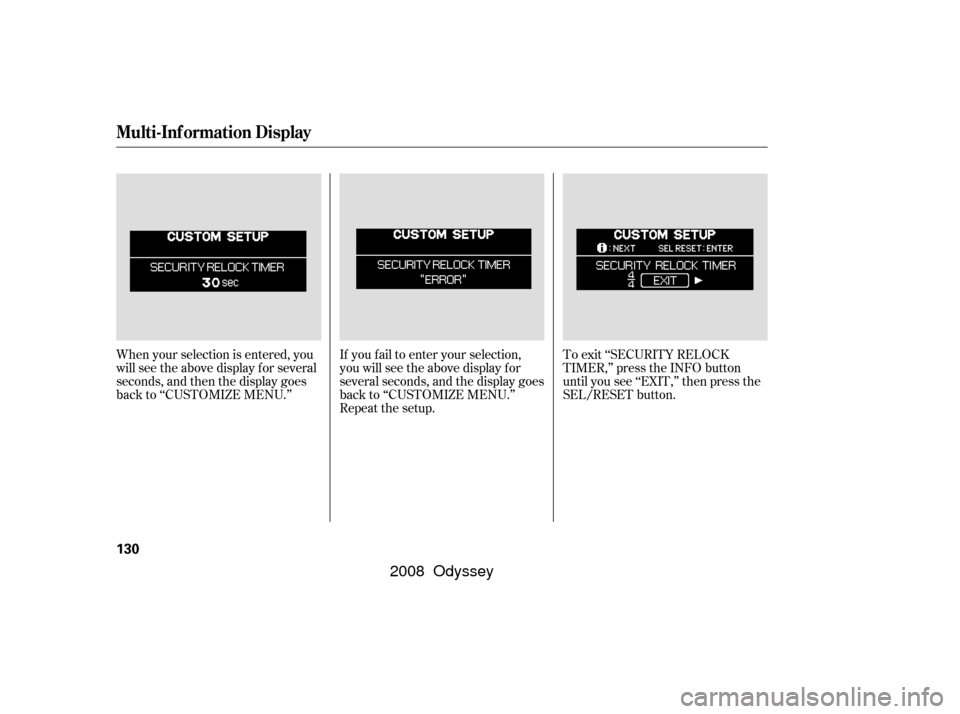
If you f ail to enter your selection,
you will see the above display f or
several seconds, and the display goes
back to ‘‘CUSTOMIZE MENU.’’
Repeat the setup.To exit ‘‘SECURITY RELOCK
TIMER,’’ press the INFO button
until you see ‘‘EXIT,’’ then press the
SEL/RESET button.
When your selection is entered, you
will see the above display for several
seconds, and then the display goes
back to ‘‘CUSTOMIZE MENU.’’
Multi-Inf ormation Display
130
�����—�����—�����y��������
������y���
�(�����������y���
�����y
2008 Odyssey
Page 136 of 524

�Î
�Î
�Î�Î
Only on vehicles equipped with navigation system. Ref er to the navigation system manual. To use the horn, press the center pad of the steering wheel.
1:
2:
Controls Near the Steering Wheel
Inst rument s and Cont rols
133
POWER TAILGATE
SWITCH HAZARD WARNING
BUTTON
PARKING SENSOR
SYSTEM SWITCH WINDSHIELD WIPERS/WASHERS
REAR WINDOW WIPER/WASHER
CRUISE CONTROL
BUTTONS
POWER SLIDING DOOR
SWITCH
MOONROOF SWITCH
REMOTE AUDIO
CONTROL BUTTONS
VEHICLE STABILITY
ASSIST (VSA) OFF
SWITCH PEDAL POSITION
ADJUSTMENT SWITCH
PASSENGER
AIRBAG OFF
INDICATOR
LIGHT CONTROL
SWITCH
STEERING WHEEL
ADJUSTMENT (P.82) (P.
35)
VEHICLE STABILITY
ASSIST (VSA) OFF
SWITCH NAVIGATION
SYSTEM
BUTTONS
HORN
MULTI-INFORMATION
BUTTONS CLOCK
AUDIO SYSTEM/
REAR
ENTERTAINMENT
SYSTEM
HEADLIGHTS/TURN SIGNAL/
FOG LIGHTS
(P .193)
(P.162)
(P .189)
(P .282)
(P.158)/
(P .387)
(P .352)
(P.387) BLUETOOTH
HANDSFREELINKBUTTONS
(P
.326) (P.141)
(P
.135, 138) (P
.134)
(P .135)
(P.319 )
(P. 281 )
(P. 140 )
(P .221, 285)
(P .205)
REAR WINDOW
DEFOGGER BUTTON
(P.140)
2 1
�����—�����—�����y��������
������y���
�(�����������y���
�����y
2008 Odyssey
Page 138 of 524
�µ�µ
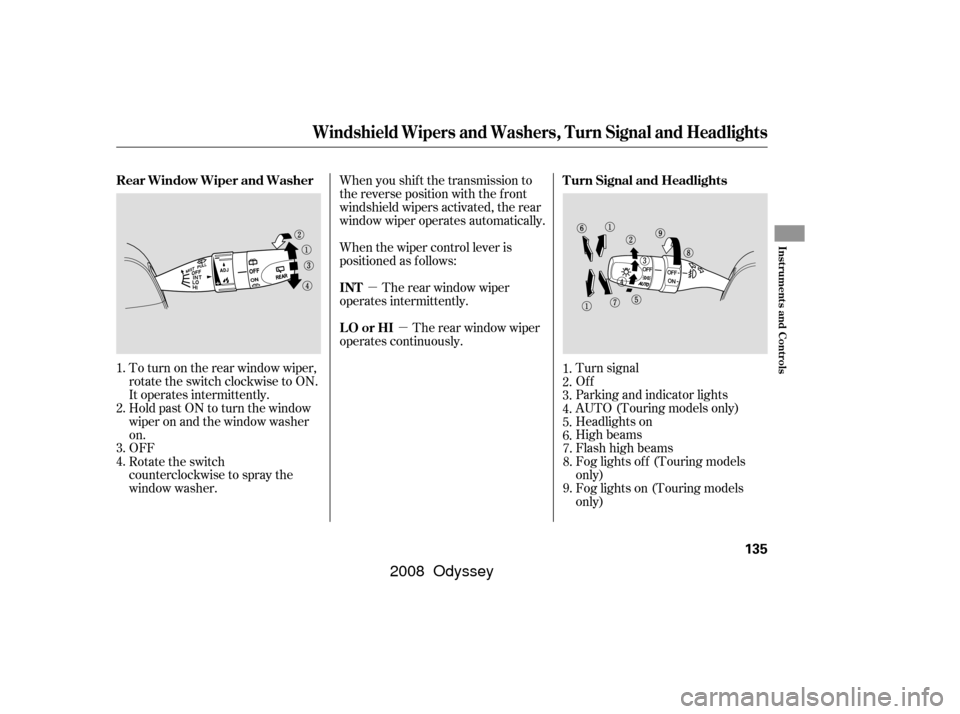
To turn on the rear window wiper,
rotate the switch clockwise to ON.
It operates intermittently. Turn signal
Of f
Parking and indicator lights
AUTO (Touring models only)
Headlights on
High beams
Flashhighbeams
Fog lights of f (Touring models
only)
Fog lights on (Touring models
only)
OFF Hold past ON to turn the window
wiper on and the window washer
on. When you shif t the transmission to
the reverse position with the f ront
windshield wipers activated, the rear
window wiper operates automatically.
When the wiper control lever is
positioned as f ollows:
The rear window wiper
operates intermittently.
The rear window wiper
operates continuously.
Rotate the switch
counterclockwise to spray the
window washer. 7.
8.
9.
1.
2.
3.
4.
5.
6.
1.
2.
3.
4. Turn Signal and Headlights
Rear Window Wiper and Washer
INT
LO or HI
Windshield Wipers and Washers, Turn Signal and Headlights
Inst rument s and Cont rols
135
�����—�����—�����y���������������y���
�(�����������y���
�����y
2008 Odyssey
Page 139 of 524
�µ�µ�µ
Push down on the
lever to signal a lef t turn and up to
signal a right turn. To signal a lane
change, push lightly on the lever,
and hold it. The lever will return to
center when you release it or
complete a turn. The rotating switch
on the lef t lever controls the lights.
Turning this switch to the ‘‘ ’’
position turns on the parking lights,
taillights, instrument panel lights,
side-marker lights, and rear license
plate lights.
Turning the switch to the ‘‘ ’’
position turns on the headlights. If you leave the lights on with the
key removed f rom the ignition
switch, you will hear a reminder
chime when you open the driver’s
door.
When the light switch is in the
‘‘ ’’ or ‘‘ ’’ position, the
lights on indicator comes on as a
reminder. This indicator stays on if
you leave the light switch on and
turn the ignition switch to the
ACCESSORY (I) or the LOCK (0)
position. To switch f rom low
beams to high beams, push the lef t
lever f orward until you hear a click.
The high beam indicator will come
on (see page ). Pull it back to
return to low beams. To flash the
high beams, pull the lever back
lightly, then release it. The high
beams will stay on as long as you
hold the lever back. 73
Turn Signal
Headlights
High Beams
Turn Signal, Headlights
136
�����—�����—�����y�����������
���y���
�(�����������y���
���
�y
2008 Odyssey
Page 140 of 524

�µThe automatic lighting
f eature turns on the headlights, all
other exterior lights, and the
instrument panel lights when it
senses low ambient light.
To turn on the automatic lighting,
turn the light switch to AUTO at any
time. The lights will come on
automatically when the outside light
level becomes low (at dusk, f or
example). The lights on indicator
comesonasareminder.Thelights
and indicator turn off automatically
when the system senses high
ambient light. The lights turn of f automatically
when you turn the ignition switch to
the LOCK (0) position. To turn them
on again, either turn the ignition
switch to the ON (II) position, or
turn the light switch to position.
Even with the automatic lighting
f eature turned on, we recommend
thatyouturnonthelightsmanually
when driving at night or in a dense
f og, or when you enter dark areas
such as long tunnels or parking
f acilities.
The automatic lighting f eature is
controlledbyasensorlocatedontop
of the dashboard. Do not cover this
sensor or spill liquids on it.
On Touring models
AUTO
Headlights
Inst rument s and Cont rols
137
SENSOR
�����—�����—�����y�����������
���y���
�(�����������y���
�����y
2008 Odyssey
Page 141 of 524

�Î
�Î
�ÎIf you unlock the door, but do not
open it within 15 seconds, the lights
go of f . With the driver’s door open,
you will hear a lights-on reminder
chime. The lights turn on again when you
unlock or open the driver’s door.
On the Touring models, this time is
changeable. See page f or how to
select and set the time.
This turns of f the headlights,
parking lights, taillights, side marker
lights, license plate lights, and
instrument panel lights within 15
seconds of removing the key f rom
the ignition switch and closing the
driver’s door.
This feature activates if you leave
the headlight switch in the or
position, remove the key, then
open and close the driver’s door.
If you remove the key f rom the
ignition switch with the headlight
switch on, but do not open the door
and get out, the lights turn off after
10 minutes.
Turn the f og lights on and of f by
turning the switch next to the
headlight switch.
You can use the f og lights only when
the headlights are on low beam.
They will go of f when the headlights
are turned of f .
With the headlight switch off, the
high beam headlights and the high
beam indicator come on with
reduced brightness when you turn
the ignition switch to the ON (II)
position and release the parking
brake. They remain on until you turn
the ignition switch of f , even if you
set the parking brake.
The headlights revert to normal
operation when you turn them on
with the switch.
118
On EX, EX-L and Touring models only
On Touring models
Automatic Lighting Of f Feature
Fog Lights
Daytime Running L ights
Headlights
138
�����—�����—�����y���������������y���
�(�����������y���
�����y
2008 Odyssey