Page 147 of 524
�µ
�µ
�µ �µ Use this position
only to start the engine. The switch
returns to the ON (II) position when
you let go of the key.
You will hear a reminder beeper if
you leave the key in the ignition
switch in the LOCK (0) or the
ACCESSORY (I) position and open
the driver’s door. Remove the key to
turn of f the beeper.
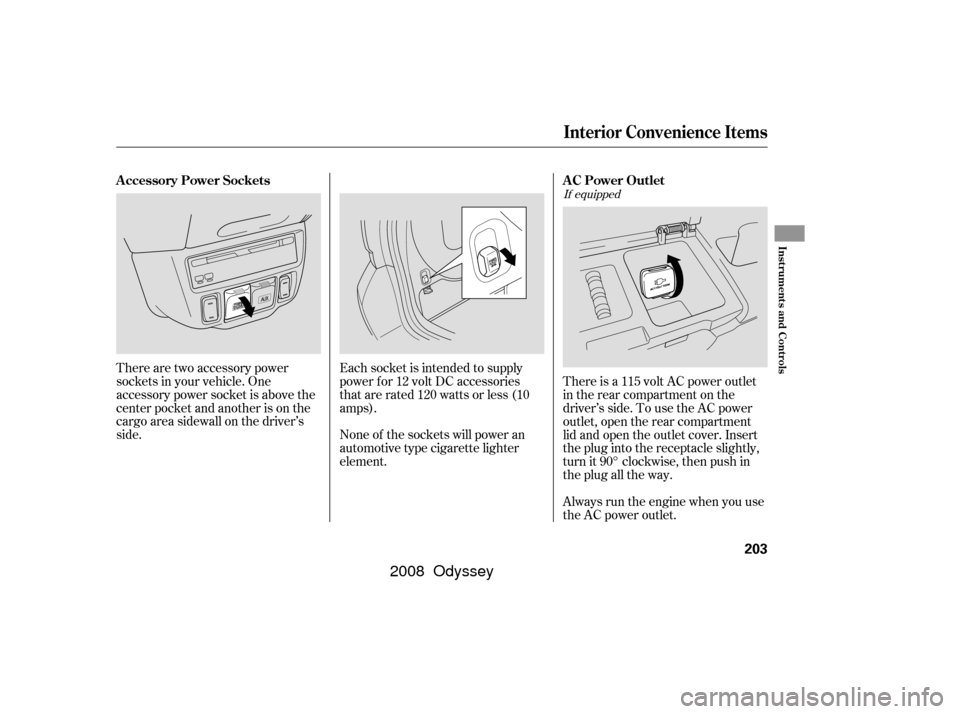
The ignition switch has f our
positions: LOCK (0), ACCESSORY
(I), ON (II), and START (III). You can insert or
remove the key only in this position.
To turn the key to the LOCK (0)
position, the shif t lever must be in
Park, and you must push the key in
slightly.
This is the normal key
position when driving. Several of the
indicators on the instrument panel
come on as a test when you turn the
ignition switch f rom the
ACCESSORY (I) to the ON (II)
position. You can
operate the audio system and the
accessory power sockets in this
position. If the f ront wheels are turned, the
anti-theft lock may make it difficult
to turn the key. Firmly turn the
steering wheel to the lef t or right as
you turn the key.
TheshiftlevermustbeinPark
bef ore you can remove the key f rom
the ignition switch. You will also see a ‘‘REMOVE KEY’’
message on the multi-information
display (see page ).89
On Touring models
ST A RT (III)
LOCK (0)
ON (II) A CCESSORY (I)
Ignition Switch
144
�����—�����—�����y�����������
���y���
�(�����������y���
�����y
2008 Odyssey
Page 155 of 524
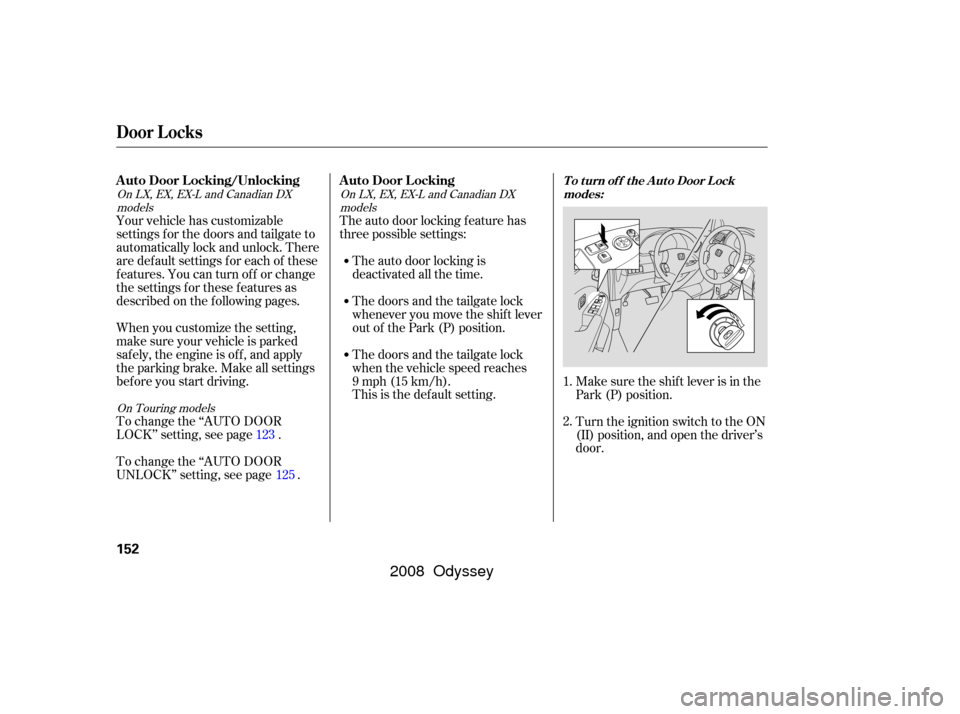
Make sure the shif t lever is in the
Park (P) position.
Turn the ignition switch to the ON
(II) position, and open the driver’s
door.
The auto door locking f eature has
three possible settings:
Your vehicle has customizable
settings f or the doors and tailgate to
automatically lock and unlock. There
are default settings for each of these
f eatures. You can turn of f or change
the settings for these features as
described on the f ollowing pages.
When you customize the setting,
make sure your vehicle is parked
saf ely, the engine is of f , and apply
the parking brake. Make all settings
bef ore you start driving.
To change the ‘‘AUTO DOOR
UNLOCK’’ setting, see page . To change the ‘‘AUTO DOOR
LOCK’’ setting, see page . The auto door locking is
deactivated all the time.
Thedoorsandthetailgatelock
whenever you move the shif t lever
out of the Park (P) position.
Thedoorsandthetailgatelock
when the vehicle speed reaches
9mph(15km/h).
This is the def ault setting.
1.
2.
123
125
On Touring models
On LX, EX, EX-L and Canadian DX
models On LX, EX, EX-L and Canadian DX
models
A uto Door L ocking/Unlocking A uto Door L ockingT o t urn of f t he A ut o Door L ockmodes:
Door L ocks
152
�����—�
�
�—�����y�
�������������y���
�(�����������y���
�����y
2008 Odyssey
Page 168 of 524

When you release the f uel f ill door,
the driver’s side sliding door
automatically locks so it cannot open
and interfere with the fuel door. If a
passenger attempts to unlock the
door by cycling the lock knob several
times, the door can be opened.
If a passenger needs to get out while
you are ref ueling, instruct that
person to exit on the passenger’s
side.
When you close the f uel f ill door, the
driver’s side sliding door unlocks if it
was unlocked when you opened the
fuel fill door.
If you open the f uel f ill door while
the driver’s side sliding door is
opening, the sliding door stops. If
this happens, the door must be
operated manually.When parking f acing downhill, make
sure the doors are latched in the
f ully open position, and then hold the
door open f or your passengers. Do
not pull the inside or outside door
handle, or the door will slam shut.
Make sure the main switch on the
dashboard is in the ON position.
When parking f acing downhill on a
steep grade, the power sliding doors
may not open or close as they do
normally.
If you leave the vehicle on a steep
downhill with a power sliding door
half open and the engine of f , the
magnetic lock will turn off after 30
minutes and the sliding door will
automatically open or close. In this
case you will hear a continuous tone.
If your vehicle is f acing downhill, do
not turn the main switch to OFF
while the door is opening because
thedoormayslamshut.
On EX, EX-L and Touring models
On EX, EX-L and Touring models
Ref ueling
Parking on a Hill
Sliding Doors
Inst rument s and Cont rols
165
�����—�����—�����y���������������y���
�(�����������y���
�����y
2008 Odyssey
Page 186 of 524
If the engine is lef t idling f or an
extended period, do not use the
seat heaters, even on the LO
setting. It can weaken the battery,
causing hard starting. Use the HI setting only to heat the
seats quickly, because it draws
large amounts of current f rom the
battery.
Follow these precautions when using
the seat heaters: In the HI setting, the heater turns off
when the seat gets warm, and turns
back on after the seat’s temperature
drops.
In LO, the heater does not cycle with
temperature change.
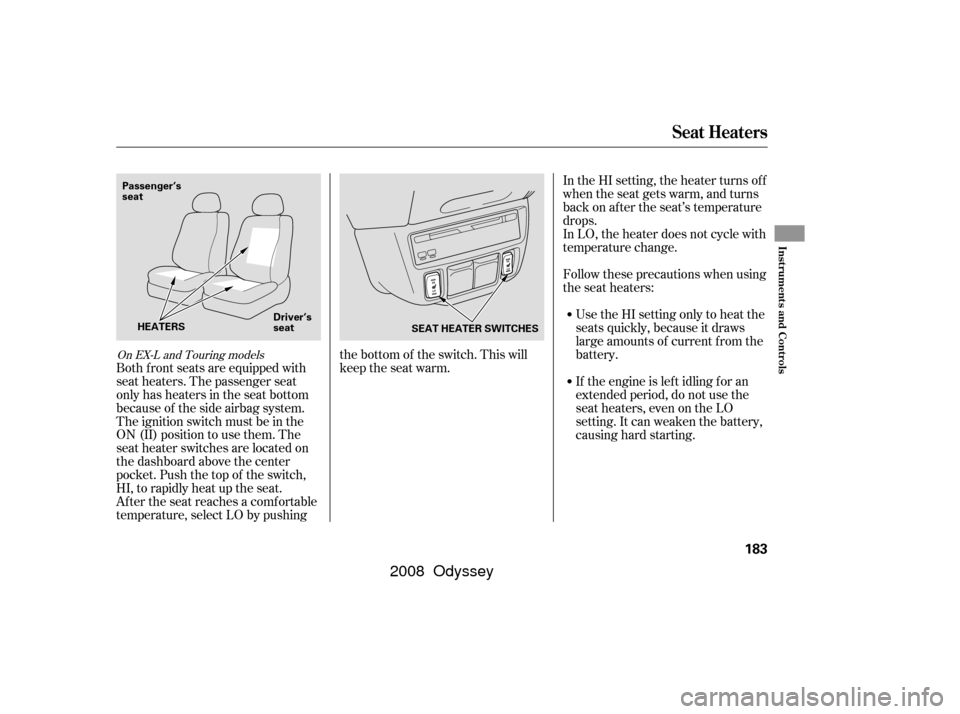
Both f ront seats are equipped with
seat heaters. The passenger seat
only has heaters in the seat bottom
because of the side airbag system.
The ignition switch must be in the
ON (II) position to use them. The
seat heater switches are located on
the dashboard above the center
pocket. Push the top of the switch,
HI, to rapidly heat up the seat.
After the seat reaches a comfortable
temperature, select LO by pushing the bottom of the switch. This will
keep the seat warm.
On EX-L and Touring models
Seat Heaters
Inst rument s and Cont rols
183
SEAT HEATER SWITCHES
Passenger’s
seat
Driver’s
seat
HEATERS
�����—�����—�����y�������������
�y���
�(�����������y���
�����y
2008 Odyssey
Page 190 of 524
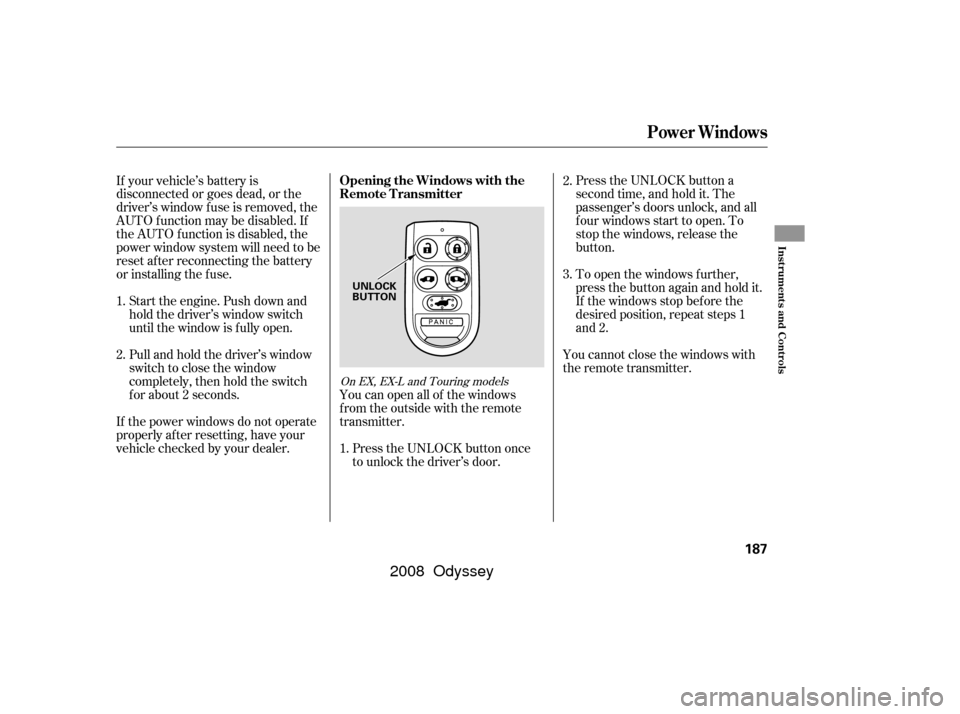
Press the UNLOCK button a
second time, and hold it. The
passenger’s doors unlock, and all
f our windows start to open. To
stop the windows, release the
button.
To open the windows f urther,
pressthebuttonagainandholdit.
If the windows stop bef ore the
desired position, repeat steps 1
and 2.
You cannot close the windows with
the remote transmitter.
Press the UNLOCK button once
to unlock the driver’s door.
You can open all of the windows
from the outside with the remote
transmitter.
If your vehicle’s battery is
disconnected or goes dead, or the
driver’s window f use is removed, the
AUTO f unction may be disabled. If
the AUTO f unction is disabled, the
power window system will need to be
reset af ter reconnecting the battery
or installing the f use.
If the power windows do not operate
properly af ter resetting, have your
vehicle checked by your dealer.
Pull and hold the driver’s window
switch to close the window
completely, then hold the switch
f or about 2 seconds. Start the engine. Push down and
hold the driver’s window switch
until the window is f ully open.
1.
2. 3.
1. 2.
On EX, EX-L and Touring models
Opening the Windows with the
Remote Transmitter
Power Windows
Inst rument s and Cont rols
187
UNLOCK
BUTTON
�����—�����—�����y���������������y���
�(�����������y���
�����y
2008 Odyssey
Page 206 of 524
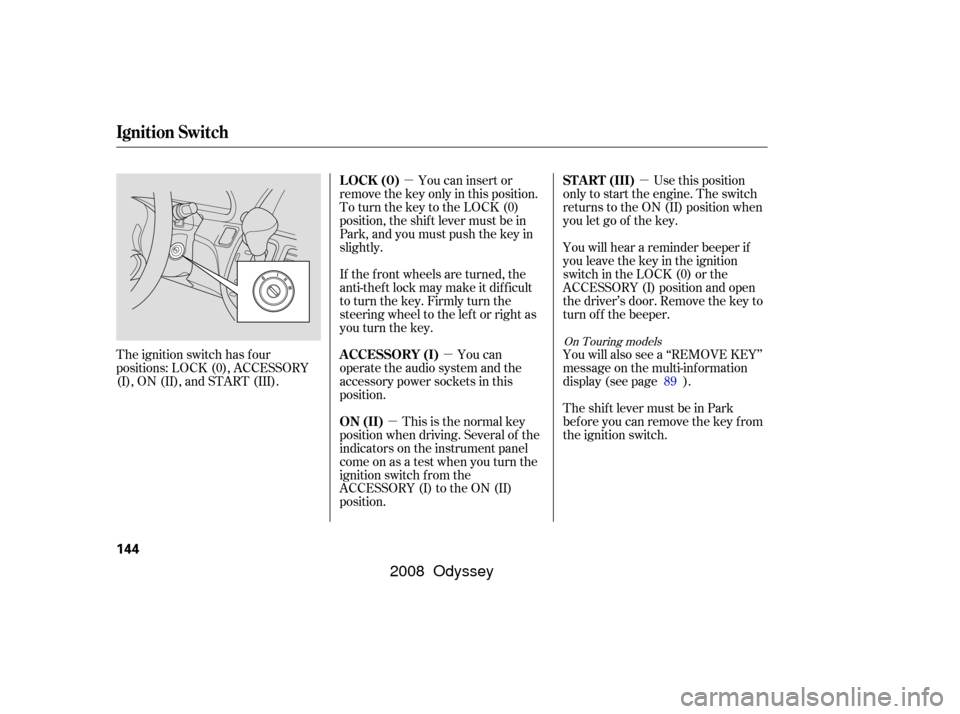
There is a 115 volt AC power outlet
in the rear compartment on the
driver’s side. To use the AC power
outlet, open the rear compartment
lid and open the outlet cover. Insert
the plug into the receptacle slightly,
turn it 90° clockwise, then push in
the plug all the way.
Always run the engine when you use
the AC power outlet.
There are two accessory power
sockets in your vehicle. One
accessory power socket is above the
center pocket and another is on the
cargo area sidewall on the driver’s
side.
Each socket is intended to supply
power f or 12 volt DC accessories
that are rated 120 watts or less (10
amps).
None of the sockets will power an
automotive type cigarette lighter
element.
If equipped
AC Power Outlet
A ccessory Power Sockets
Interior Convenience Items
Inst rument s and Cont rols
203
�����—�����—�����y��������
������y���
�(�����������y���������y
2008 Odyssey
Page 216 of 524

Air conditioning places an extra load
on the engine. Watch the engine
coolant temperature gauge (see page). If it moves near the red mark,
turn of f the A/C until the gauge
reads normally.
Press the A/C button. The
indicator in the button comes on
(LX and Canadian DX models) or
‘‘A/C ON’’ is shown in the display
(EX, EX-L and Touring models)
when a f an speed is selected.
The f low-through ventilation system
draws in outside air, circulates it
through the interior, then exhausts it
through vents near the rear side
panels.
Set the temperature control dial or
button to the lower limit.
Make sure the A/C is of f .
Select and fresh air mode.
Set the f an to the desired speed. The heater uses engine coolant to
warm the air. If the engine is cold, it
will be several minutes bef ore you
f eel warm air coming f rom the
system.
Select and fresh air mode.
Set the f an to the desired speed.
Adjust the warmth of the air with
the temperature control dial or
buttons.
Make sure the temperature is set
to the lower limit.
Select .
If the outside air is humid, select
recirculation mode. If the outside
air is dry, select f resh air mode.
Set the f an to the desired speed.
1.
2.
3.
4.
5.
1.
2.
3.
1.
2.
3.
4. 77
CONT INUED
Vents, Heating, and A/C
Using the A/C
Ventilation Using the Heater
Features
213
�����—�
�
�—�����y�
���������
���y���
�(�����������y�����
���y
2008 Odyssey
Page 338 of 524

You can make calls using any phone
number, or by using a name in the
HFL phonebook. You can also redial
the last number called. During a call,
theHFLallowsyoutotalkupto30
minutes af ter you remove the key
f rom the ignition switch. Continuing
a call without running the engine
may discharge and weaken the
vehicle’s battery.Press and release the Talk button.
Af ter the beep, say the number
you want to call. For example, say
‘‘123 456 7891.’’ The HFL response
is ‘‘123 456 7891. Say call, dial, or
continue to add numbers.’’
Press and release the Talk button.
Af ter the beep, say ‘‘Call’’ or ‘‘Dial.’’
The HFL response is ‘‘Calling’’ or
‘‘Dialing.’’ Once connected, you
will hear the person you called
through the audio speakers. To
change the volume, use the audio
system volume knob, or the
steering wheel volume controls.
To end the call, press the Back
button.
With your phone on and the
ignition in the ACCESSORY (I) or
ON (II) position, press and release
the Talk button. After the beep,
say ‘‘Call’’ or ‘‘Dial.’’ The HFL
response is, ‘‘What name or
number would you like to call/
dial?’’ You can also make a call directly
f rom the list shown on the
navigation display.
For more inf ormation on how to
make a call, see page .
2.
4.
1. 3.
338
To make a call using a phone number, do this:
Making a Call
BluetoothHandsFreeL ink
Features
335
�����—�����—�����y���������������y���
�(�����������y���������y
2008 Odyssey