Page 367 of 524
Refer toon page f or inf ormation
about checking other items on your
vehicle.
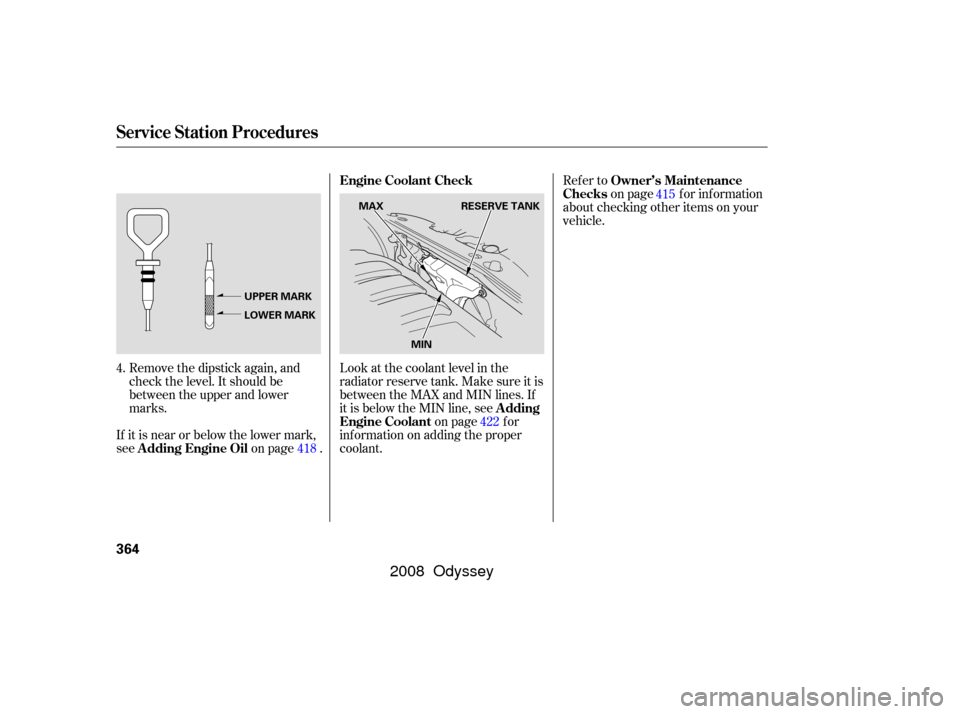
Look at the coolant level in the
radiator reserve tank. Make sure it is
between the MAX and MIN lines. If
it is below the MIN line, see on page f or
inf ormation on adding the proper
coolant.
Remove the dipstick again, and
check the level. It should be
between the upper and lower
marks.
If it is near or below the lower mark,
see on page . 4.
418 422415
Service Station Procedures
Owner’s Maintenance
Checks
A dding
Engine Coolant Engine Coolant Check
A dding Engine Oil
364
MAX RESERVE TANK
MIN
UPPER MARK
LOWER MARK
�����—�����—�����y�����������
���y���
�(�����������y���������y
2008 Odyssey
Page 369 of 524

�µ�µ�µ �µ
�µ �µ
�µ
Aggressive driving (hard
acceleration and braking)
Excessive idling, accelerating and
braking in stop-and-go traf f ic
Cold engine operation (engines
aremoreefficientwhenwarmed
up)
Driving with a heavy load or the
air conditioner running
Improperly inf lated tires
An under-inf lated tire increases
‘‘rolling resistance,’’ which reduces
f uel economy.
It puts a heavier
load on the engine, increasing f uel
consumption. In
particular, a build-up of snow or
mud on your vehicle’s underside
adds weight and rolling resistance.
Frequent cleaning helps your f uel
economy.
The f ollowing f actors can lower your
vehicle’s f uel economy:
A properly maintained vehicle
maximizes f uel economy. Poor
maintenance can signif icantly reduce
f uel economy. Always maintain your
vehicle according to the maintenance
messages displayed on the multi-
inf ormation display (see
on page ).
For example: Idling
results in 0 miles per gallon. If your vehicle has a
manual transmission, you can
boost your f uel economy by up
shif ting as early as possible. Aerodynamic drag has a big ef f ect
on f uel mileage at speeds above 45
mph (75 km/h). Reduce your
speed and you reduce the drag.
Trailers, car top carriers, roof
racks and bike racks are also big
contributors to increased drag.
Rapid
acceleration, abrupt cornering,
and hard braking increase fuel
consumption.
415
Fuel Economy Factors
Use the recommended viscosity
motor oil, displaying the A PI
Certif ication Seal (see page ).
Maintain proper tire inf lation
A void carrying excess weight in
your vehicle
K eep your vehicle clean
Improving Fuel Economy
Owner’s
Maintenance Checks Avoid excessive idling Always drive in the highest gear
possible Observe the speed limit
Drive moderately 418
Drive Ef f icient ly
Vehicle Maint enance
Fuel Economy
366
�����—�����—�����y���������������y���
�(�����������y�������
�y
2008 Odyssey
Page 408 of 524

This section explains why it is
important to keep your vehicle well
maintained and how to f ollow basic
maintenance saf ety precautions.
This section also includes
instructions on how to read the
maintenance minder messages on
the inf ormation display or multi-
inf ormation display (depending on
models), and instructions f or simple
maintenance tasks you may want to
take care of yourself .
If you have the skills and tools to
perf orm more complex maintenance
tasks on your vehicle, you may want
to purchase the service manual. See
page f or inf ormation on how to
obtain a copy, or see your dealer.......................
Maintenance Saf ety .406
....................
Maintenance Minder .407
..............................
Fluid Locations .417
........................
Adding Engine Oil .418
Changing the Engine Oil and
...........................................
Filter .420
..............................
Engine Coolant .422
....................
Windshield Washers .424
....
Automatic Transmission Fluid .425
....................................
Brake Fluid .427
....................
Power Steering Fluid .428
....................................
Timing Belt .428
.............................................
Lights .429
................
Cleaning the Seat Belts .436
.....................................
Floor Mats .436
..................
Dust and Pollen Filter .436
.................................
Wiper Blades .437
...........................................
Wheels .442
...............................................
Tires .442
...................
Checking the Battery .450
.............................
Vehicle Storage .451
505
Maintenance
Maint enance
405
�����—�����—�����y���������������y���
�(�����������y�����
���y
2008 Odyssey
Page 409 of 524
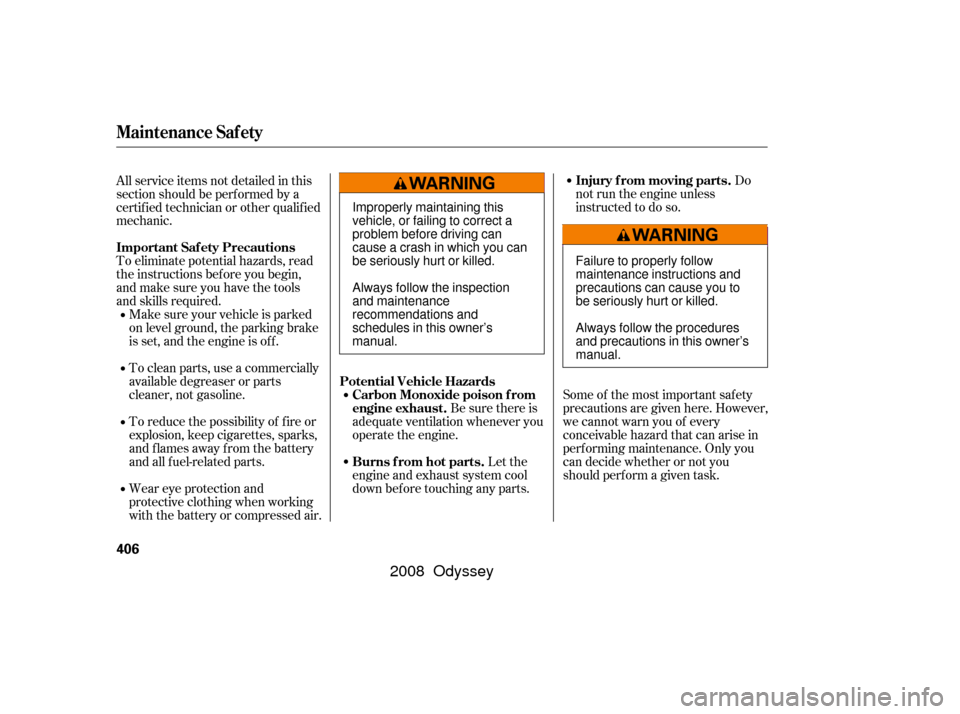
To eliminate potential hazards, read
the instructions bef ore you begin,
and make sure you have the tools
and skills required.Do
not run the engine unless
instructed to do so.
Some of the most important saf ety
precautions are given here. However,
we cannot warn you of every
conceivable hazard that can arise in
perf orming maintenance. Only you
can decide whether or not you
should perf orm a given task.
Make sure your vehicle is parked
on level ground, the parking brake
is set, and the engine is of f .
To clean parts, use a commercially
available degreaser or parts
cleaner, not gasoline.
To reduce the possibility of f ire or
explosion, keep cigarettes, sparks,
and flames away from the battery
and all f uel-related parts.
Wear eye protection and
protective clothing when working
with the battery or compressed air.
All service items not detailed in this
section should be perf ormed by a
certif ied technician or other qualif ied
mechanic.
Let the
engine and exhaust system cool
down bef ore touching any parts. Be sure there is
adequate ventilation whenever you
operate the engine.
Maintenance Saf ety
Important Saf ety Precautions Injury f rom moving parts.
Burns f rom hot parts. Carbon Monoxide poison f rom
engine exhaust.
Potential Vehicle Hazards
406
Failure to properly follow
maintenance instructions and
precautions can cause you to
be seriously hurt or killed.
Always follow the procedures
and precautions in this owner’s
manual.
Improperly maintaining this
vehicle, or failing to correct a
problem before driving can
cause a crash in which you can
be seriously hurt or killed.
Always follow the inspection
and maintenance
recommendations and
schedules in this owner’s
manual.
�����—�����—�����y���������������y���
�(�����������y�����
�
�y
2008 Odyssey
Page 410 of 524
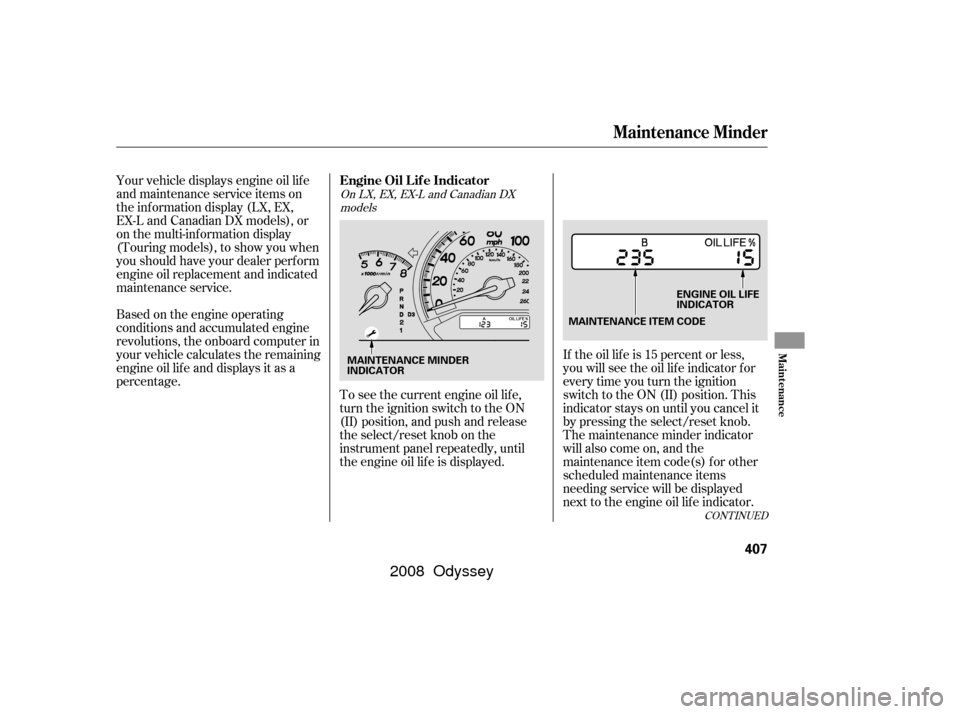
Your vehicle displays engine oil lif e
and maintenance service items on
the information display (LX, EX,
EX-L and Canadian DX models), or
on the multi-information display
(Touring models), to show you when
you should have your dealer perf orm
engine oil replacement and indicated
maintenance service.
Based on the engine operating
conditions and accumulated engine
revolutions, the onboard computer in
your vehicle calculates the remaining
engine oil lif e and displays it as a
percentage.If the oil lif e is 15 percent or less,
you will see the oil lif e indicator f or
everytimeyouturntheignition
switch to the ON (II) position. This
indicator stays on until you cancel it
by pressing the select/reset knob.
The maintenance minder indicator
will also come on, and the
maintenance item code(s) for other
scheduled maintenance items
needing service will be displayed
next to the engine oil lif e indicator.
To see the current engine oil lif e,
turn the ignition switch to the ON
(II) position, and push and release
the select/reset knob on the
instrument panel repeatedly, until
the engine oil lif e is displayed.
CONT INUED
On LX, EX, EX-L and Canadian DX
models
Maintenance Minder
Engine Oil L if e Indicator
Maint enance
407
MAINTENANCE ITEM CODE ENGINE OIL LIFE
INDICATOR
MAINTENANCE MINDER
INDICATOR
�����—�
�
�—�����y�
�������������y���
�(�����������y�����
���y
2008 Odyssey
Page 411 of 524
You can change the display to the
odometer, the trip meter, or the
outside temperature by pushing the
select/reset knob on the instrument
panel.
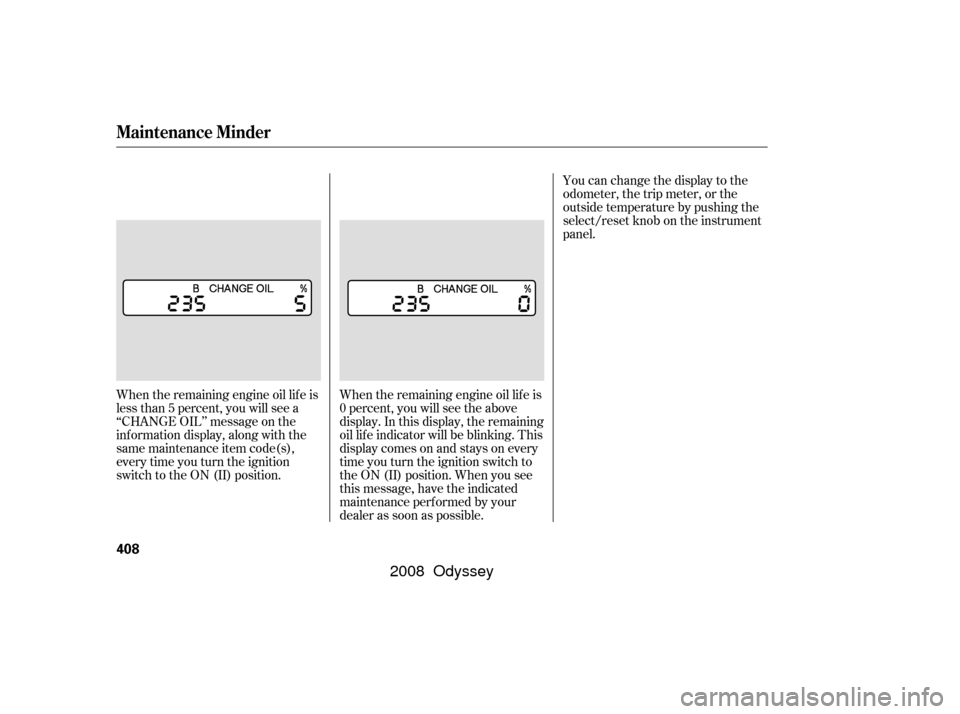
When the remaining engine oil lif e is
less than 5 percent, you will see a
‘‘CHANGE OIL’’ message on the
inf ormation display, along with the
same maintenance item code(s),
everytimeyouturntheignition
switch to the ON (II) position. When the remaining engine oil lif e is
0 percent, you will see the above
display. In this display, the remaining
oil lif e indicator will be blinking. This
display comes on and stays on every
time you turn the ignition switch to
the ON (II) position. When you see
this message, have the indicated
maintenance perf ormed by your
dealer as soon as possible.
Maintenance Minder
408
�����—�����—�����y�����������
���y���
�(�����������y�����
���y
2008 Odyssey
Page 412 of 524
�µ
CONT INUED
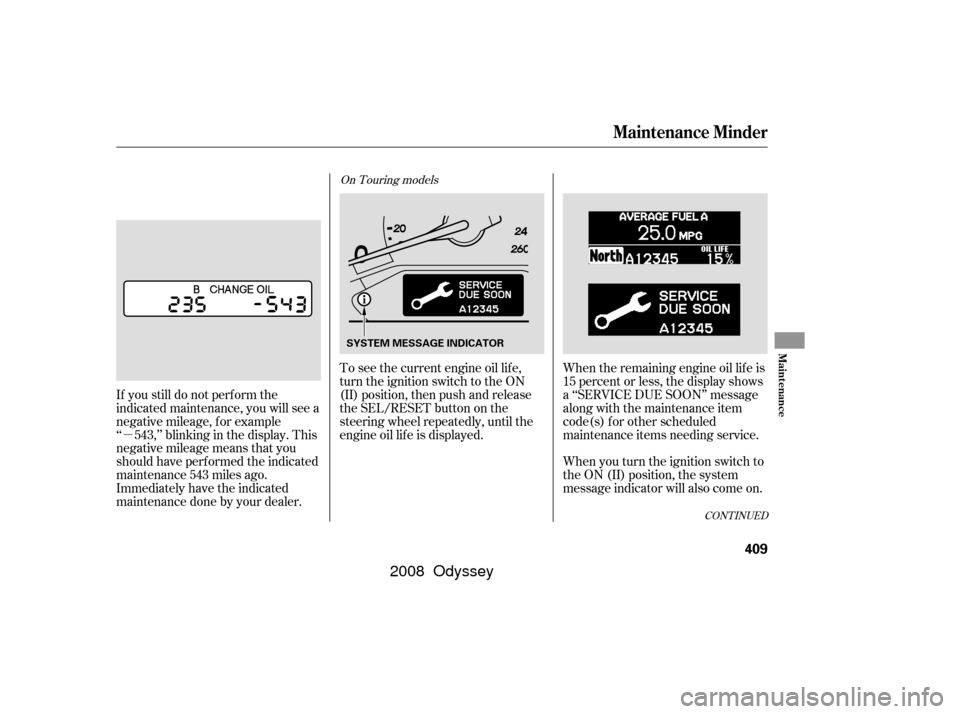
When the remaining engine oil lif e is
15 percent or less, the display shows
a ‘‘SERVICE DUE SOON’’ message
along with the maintenance item
code(s) f or other scheduled
maintenance items needing service.
When you turn the ignition switch to
the ON (II) position, the system
message indicator will also come on.
To see the current engine oil lif e,
turn the ignition switch to the ON
(II) position, then push and release
the SEL/RESET button on the
steering wheel repeatedly, until the
engine oil lif e is displayed.
If you still do not perf orm the
indicated maintenance, you will see a
negative mileage, f or example
‘‘ 543,’’ blinking in the display. This
negative mileage means that you
should have perf ormed the indicated
maintenance 543 miles ago.
Immediately have the indicated
maintenancedonebyyourdealer.
On Touring models
Maintenance Minder
Maint enance
409
SYSTEM MESSAGE INDICATOR
�����—�����—�����y�������������
�y���
�(�����������y�����
���y
2008 Odyssey
Page 413 of 524
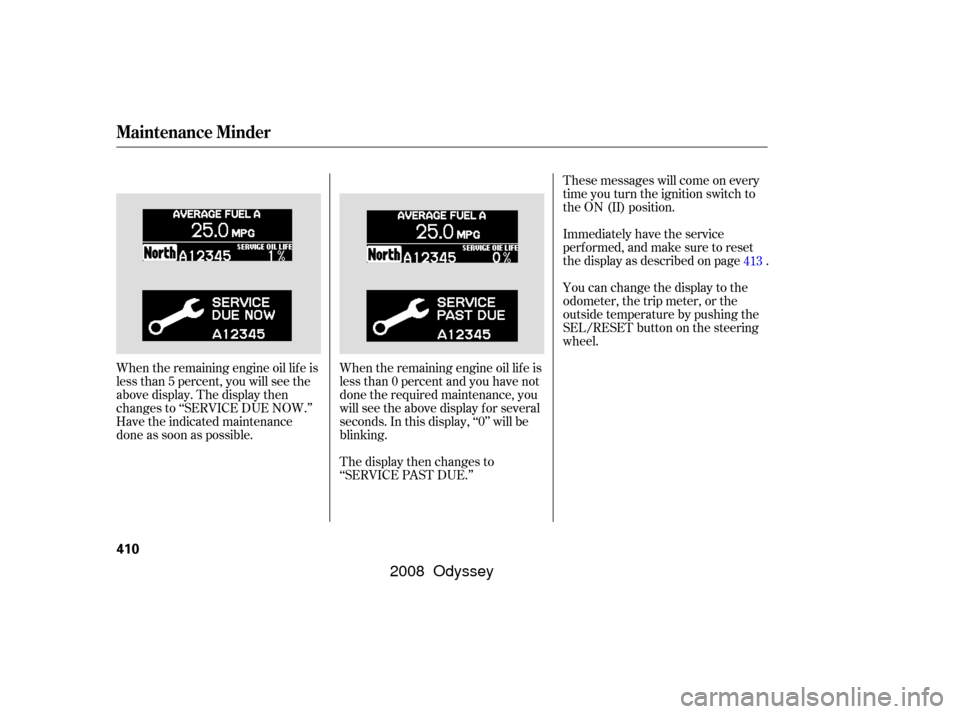
These messages will come on every
time you turn the ignition switch to
the ON (II) position.
Immediately have the service
perf ormed, and make sure to reset
the display as described on page .
You can change the display to the
odometer, the trip meter, or the
outside temperature by pushing the
SEL/RESET button on the steering
wheel.
When the remaining engine oil lif e is
less than 0 percent and you have not
done the required maintenance, you
will see the above display for several
seconds. In this display, ‘‘0’’ will be
blinking.
The display then changes to
‘‘SERVICE PAST DUE.’’
When the remaining engine oil lif e is
less than 5 percent, you will see the
above display. The display then
changes to ‘‘SERVICE DUE NOW.’’
Have the indicated maintenance
done as soon as possible. 413
Maintenance Minder
410
�����—�����—�����y���������������y���
�(�����������y�����
���y
2008 Odyssey