2008 HONDA ODYSSEY ETC
[x] Cancel search: ETCPage 49 of 148
Navigation System49
Viewing the Routes
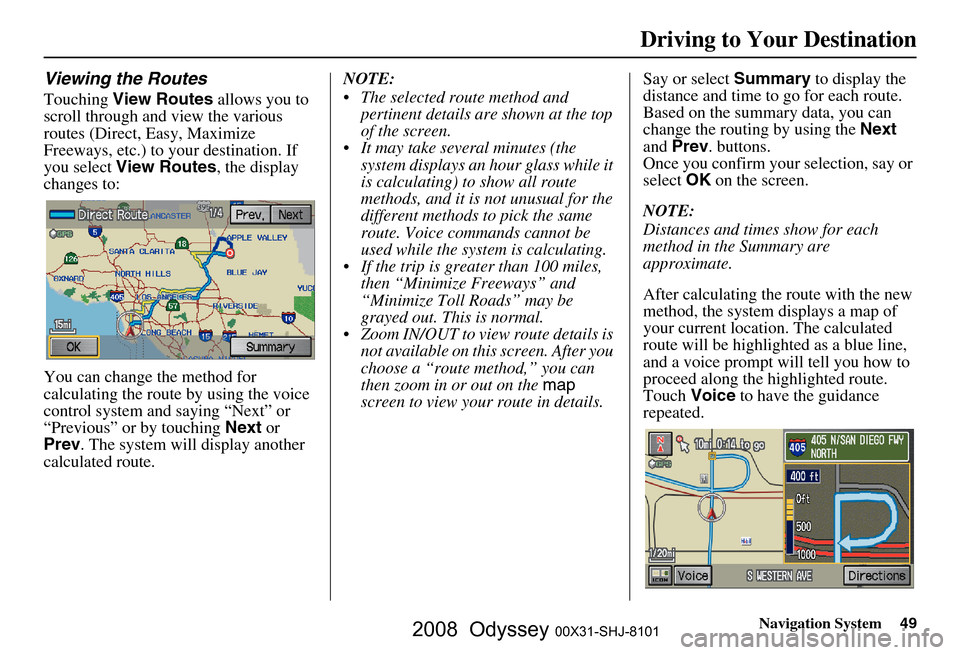
Touching View Routes allows you to
scroll through and view the various
routes (Direct, Easy, Maximize
Freeways, etc.) to your destination. If
you select View Routes , the display
changes to:
You can change the method for
calculating the route by using the voice
control system and saying “Next” or
“Previous” or by touching Next or
Prev . The system will display another
calculated route. NOTE:
The selected route method and
pertinent details are shown at the top
of the screen.
It may take several minutes (the system displays an hour glass while it
is calculating) to show all route
methods, and it is not unusual for the
different methods to pick the same
route. Voice commands cannot be
used while the system is calculating.
If the trip is greater than 100 miles, then “Minimize Freeways” and
“Minimize Toll Roads” may be
grayed out. This is normal.
Zoom IN/OUT to view route details is not available on this screen. After you
choose a “route method,” you can
then zoom in or out on the map
screen to view your route in details. Say or select
Summary to display the
distance and time to go for each route.
Based on the summary data, you can
change the routing by using the Next
and Prev . buttons.
Once you confirm your selection, say or
select OK on the screen.
NOTE:
Distances and times show for each
method in the Summary are
approximate.
After calculating the route with the new
method, the system displays a map of
your current locatio n. The calculated
route will be highlighted as a blue line,
and a voice prompt will tell you how to
proceed along the highlighted route.
Touch Voice to have the guidance
repeated.
Driving to Your Destination
2008 Odyssey 00X31-SHJ-8101
Page 60 of 148

60Navigation System
Driving to Your Destination
Showing Icons on the Map
Touching the ICON button on the map
screen displays the following screen:
The screen consists of the following
items:
Icon Bar (row of icon symbols)
The icon bar allows you to manually
select the icons that are displayed on the
map (see page
58 for a list of these
icons).
In the screen above, both gas station and
restaurants are selected. Touch the icons
to select (goes blue) or remove them
(symbol is gray). You can also display
or hide the same icons by using the
“Display” or “Hide” voice commands
(see page
133).
Icon Options
This feature allows you to “fine tune”
some of the icons on the Icon bar (See
Icon Options below for more
information).
Guidance Mode
When on route, this item allows you to
select between a single screen (with
occasional pop-up guidance windows),
or a split screen (containing one half
map, and one half guidance/directions
list window). See page
55 for an
explanation of this feature, and see
page
94 for Setup.
Exit Screen
Select Return to return to the map
screen.
Icon Options
Selecting Icon Options displays the
following screen:
This feature allows you to “fine tune”
some of the icons on the Icon bar. The
three icon choices, “Parking” (lot or
garage), “Restaurant” (specific type or
types of food), and “Other icons”
(hospitals, schools, etc.), can each be
tailored to your needs.
2008 Odyssey 00X31-SHJ-8101
Page 65 of 148
Navigation System65
Changing the Route
While on route, you may wish to alter
your route, add an interim “Waypoint”
(pit stop), choose a different destination,
or cancel your current destination.
To change your present route, you can
do any of the following:
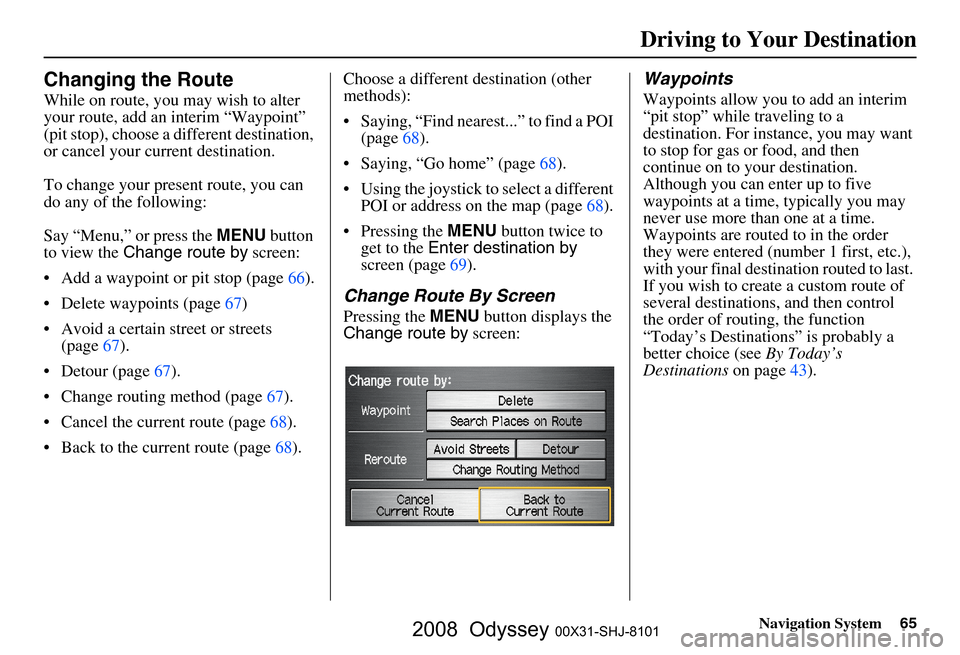
Say “Menu,” or press the MENU button
to view the Change route by screen:
Add a waypoint or pit stop (page
66 ).
Delete waypoints (page
67)
Avoid a certain street or streets (page
67).
Detour (page 67).
Change routing method (page 67 ).
Cancel the current route (page
68).
Back to the current route (page 68). Choose a different destination (other
methods):
Saying, “Find nearest...” to find a POI
(page
68).
Saying, “Go home” (page 68).
Using the joystick to select a different POI or address on the map (page
68 ).
Pressing the MENU button twice to
get to the Enter destination by
screen (page
69).
Change Route By Screen
Pressing the MENU button displays the
Change route by screen:
Waypoints
Waypoints allow you to add an interim
“pit stop” while traveling to a
destination. For inst ance, you may want
to stop for gas or food, and then
continue on to your destination.
Although you can enter up to five
waypoints at a time, typically you may
never use more than one at a time.
Waypoints are routed to in the order
they were entered (number 1 first, etc.),
with your final destination routed to last.
If you wish to create a custom route of
several destinations , and then control
the order of routing, the function
“Today’s Destinations” is probably a
better choice (see By Today’s
Destinations on page
43 ).
Driving to Your Destination
2008 Odyssey 00X31-SHJ-8101
Page 72 of 148

72Navigation System
Information Features
When you make a selection, you will
see the help commands that can be used
with the voice control. You can say or
select Read List , and the system will
read the list to you.
For a listing of all voice commands, see
Voice Command Index on page
132 .Map Legend
You can use the Map legend screens to
learn the meaning of map features,
icons, colors, etc. us ed in this system.
When you say or select Map Legend,
the display changes to:
Say or select the desired item or item
number to view each section of the map
legend.
Calendar
The Calendar option allows you to
enter events and be reminded of them in
the future. When you say or select
Calendar , the system shows the
calendar with the current calendar day
highlighted.
Dates with an icon indicate there is a
schedule entry for that date.
2008 Odyssey 00X31-SHJ-8101
Page 75 of 148

Navigation System75
Information Features
Unit Conversion
To perform a conversion:
1. Enter a numeric value to be converted
(for example, 100).
2. Select the type of unit you want to convert (for example, weight). The
screen for that conversion type
appears (see illustrat ion in step 3).
3. Select the base unit (like pounds) that you wish to convert to some other
unit. So, in the example below,
100 lbs converts to 1600 ounces 0.05
ton (US), etc.
NOTE:
If you do not enter a value to be converted, only “Temperature” units
are selectable.
Conversions using negative value may produce meaningless or
physically impossible values.
Key to Zagat Ratings
When you say or select Key to Zagat
Ratings , you will see the description of
ratings for surveyed restaurants.
“Food,” “Decor,” and “Service” categories (red circle) are rated using
numbered values (e.g., 0-9, 10-15,
etc.)
“Cost” (white circle) is the average cost of a meal (including drink and
tip). The symbols, if displayed (blue
circle), indicate the following
information:
open on Sunday
closed on Sunday
open on Monday
closed on Monday
open for lunch
lunch not served
serving after 11 PM no credit card accepted
2008 Odyssey 00X31-SHJ-8101
Page 81 of 148
Navigation System81
System Set-up
Accessing the Address Book List
After selecting Address Book , the
system prompts you to select User 1 or
User 2 .
If an Address Book PIN has been set,
the system prompts you to enter your
PIN. Verify that the right user is
displayed, then enter your PIN. After
entering your PIN, say or select Done,
and the system displays your Address
Book.
If no Address Book PIN has been set,
the system displays your Address Book
after selecting User 1 or User 2 .
NOTE:
Personal information cannot be backed
up or moved to another Navigation
system.
Entering an Address Book
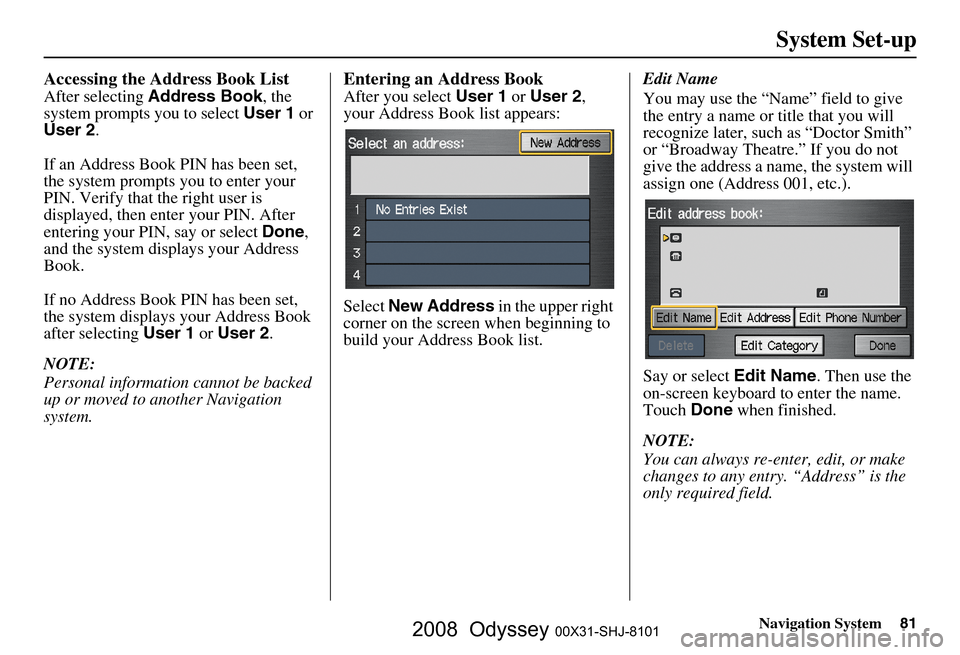
After you select User 1 or User 2 ,
your Address Book list appears:
Select New Address in the upper right
corner on the screen when beginning to
build your Address Book list. Edit Name
You may use the “Name” field to give
the entry a name or title that you will
recognize later, such as “Doctor Smith”
or “Broadway Theatre.” If you do not
give the address a name, the system will
assign one (Address 001, etc.).
Say or select
Edit Name. Then use the
on-screen keyboard to enter the name.
Touch Done when finished.
NOTE:
You can always re-enter, edit, or make
changes to any entry. “Address” is the
only required field.
2008 Odyssey 00X31-SHJ-8101
Page 116 of 148

116Navigation System
Coverage Areas
St. Albert
Stony Plain
Strathcona County
BRITISH COLUMBIA
Greater VancouverAnmore
Belcarra
Bowen Island
Burnaby
Coquitlam
Delta
Langley
Langley Twp
Lions Bay
Maple Ridge
New Westminster
North Vancouver
North Vancouver District
Pitt Meadows
Port Coquitlam
Port Moody
Richmond
Surrey
Squamish
Vancouver
West Vancouver
White Rock Whatcom, WA
Point Roberts (Community) also
listed in USA Washington St Cities
Fraser Valley Abbottsford
Chilliwack
Mission
Central Okanagan Kelowna
Peachland
Okanagan-Similkamen Penticton
Summerland
Victoria
CapitalCentral Saanich
Colwood
Esquimalt
Highlands
Langford
Metchosin
North Saanich
Oak Bay
Saanich
Sidney
Sooke
Victoria
View Royal Squamish-Lillooet
Whistler
Kamloops
MANITOBA
East St Paul
Headingley
West St Paul
Winnipeg
NOVA SCOTIA
Halifax (partial)
ONTARIO
Barrie
Kingston
London
Ottawa-Gatineau
Stratford
Dufferin Orangeville
Durham Ajax
Brock
Clarington
Oshawa
Pickering
Scugog
Uxbridge
Whitby
2008 Odyssey 00X31-SHJ-8101
Page 128 of 148

128Navigation System
Troubleshooting
* If the error persists, or is shown for a wide area, see your dealer.
Screen Error Message Solution
Navigation system is unable to acquire a pr oper GPS signal. Make sure there is nothi ng on the dash blocking the GPS antenna (aft er-
market metallic window ti nting or after-market devices placed on the dash,
like radar detectors, cell phones, or loose items). If the dashboard is clear of
objects, move the vehicle to an open sp ace away from tall buildings, trees,
etc.
Navigation unit door is open or No DVD disc is inserted.
Please check system. Make sure that the navigation DVD disc
is inserted with the label side up
and the navigation unit door is fully snapped closed (see page
109).
No DVD disc. Please check system. Check that the navigation DVD disc is inserted with the label side up (see
page
109). If the problem persists, see your dealer.
Display temp is too high. Syst em will shut down until display
cools down. This message will appear briefly when
the display temperature is too high,
and then the display will turn off until the temperature cools down. The
system will turn back on when the display cools down.
DVD disc reading error (unfor matted). Please consult your
dealer. Check the DVD disc surface
for deep scratches or other damage. Make sure
you are using a Navigation DVD (white colored label). The system cannot
read other mapping databases or vide o DVDs. If the problem persists, see
your dealer.
Route has not been complete d. Please try again from a
different location. This message will appear when you are routing to or from a place (new
area) that is not in the database. Try
planning a different route to or from a
different location.*
No alternate route found. Origin al route will be followed. No alternative route method was f ound. The original route method will be
used.*
Ensure that a road name is di splayed at the bottom of the map.
This destination cannot be found in da tabase. The destination was not found in the database. Try another destination
nearby, or select the des tination with the joystick.*
Vehicle is out of the databa se coverage area. The vehicl e is located outside of the mapped area provided by your
navigation DVD. See pa ge
110 for map coverage.
2008 Odyssey 00X31-SHJ-8101