Page 184 of 413

To close the moonroof f ully, push
the moonroof switch f orward to the
second detent, then release it. The
moonroof closes all the way. To stop
the moonroof f rom closing all the
way, brief ly move the switch in
either direction.The moonroof has a key-of f delay.
You can open and close the
moonroof f or up to 10 minutes af ter
you turn of f the ignition switch. The
key-of f delay cancels as soon as you
open either f ront door. You must
then turn the ignition switch to the
ON (II) position f or the moonroof to
operate.If the moonroof runs into any
obstacle while it is closing
automatically, it will reverse
direction, and then stop. To close the
moonroof , remove the obstacle, then
use the moonroof switch again.
Auto reverse stops sensing when the
moonroof is almost closed. You
should always check that all
passengers and objects are away
f rom the moonroof bef ore closing it.
Auto Reverse
Moonroof
Inst rument s and Cont rols
101
Opening or closing the
moonroof on someone’s hands
or fingers can cause seriousinjury.
Make sure all hands and fingers
are clear of the moonroof
before opening or closing it.
If you try to open the moonroof in
below-f reezing temperatures, or when
it is covered with snow or ice, you can
damage the moonroof panel or motor.
�����—�����—�����y�����������
���y���
�(�#���������y���
�����y
Page 185 of 413
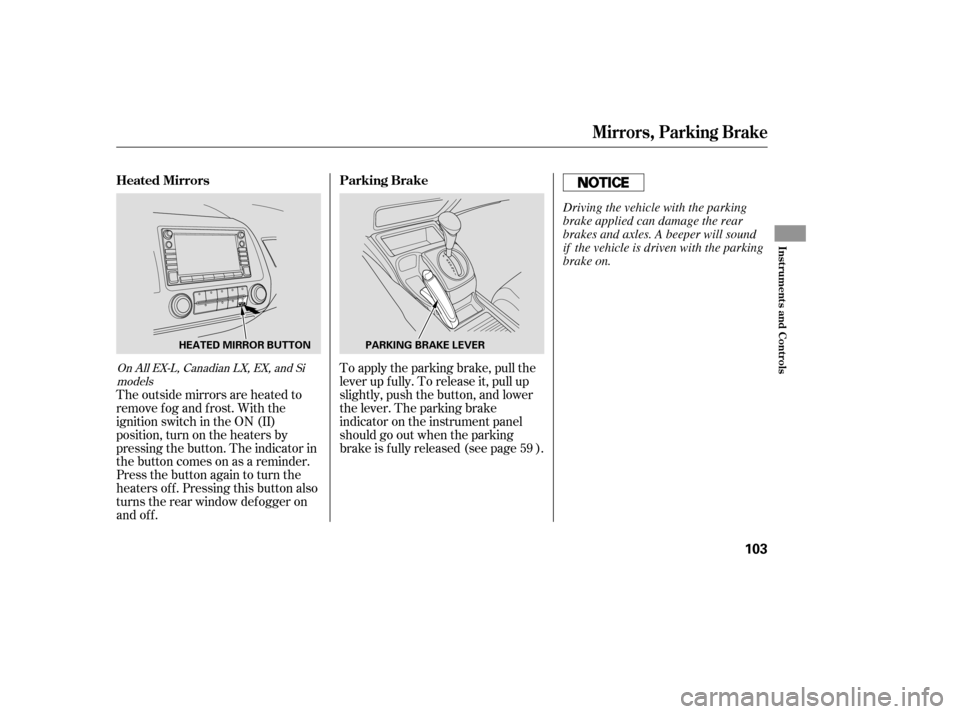
Push the appropriate edge of the
adjustment switch to move the
mirrorright,left,up,ordown.
When you f inish, move the
selector switch to the center (off)
position. This turns the
adjustment switch of f to keep your
settings.
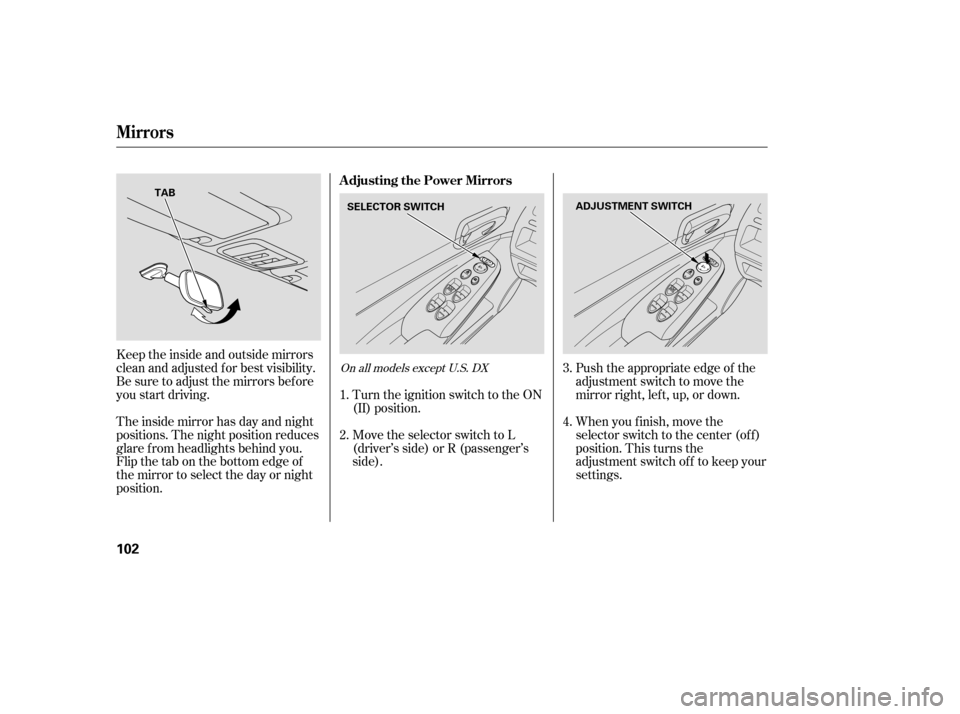
Keeptheinsideandoutsidemirrors
clean and adjusted f or best visibility.
Be sure to adjust the mirrors bef ore
you start driving.
The inside mirror has day and night
positions. The night position reduces
glare f rom headlights behind you.
Flip the tab on the bottom edge of
the mirror to select the day or night
position.
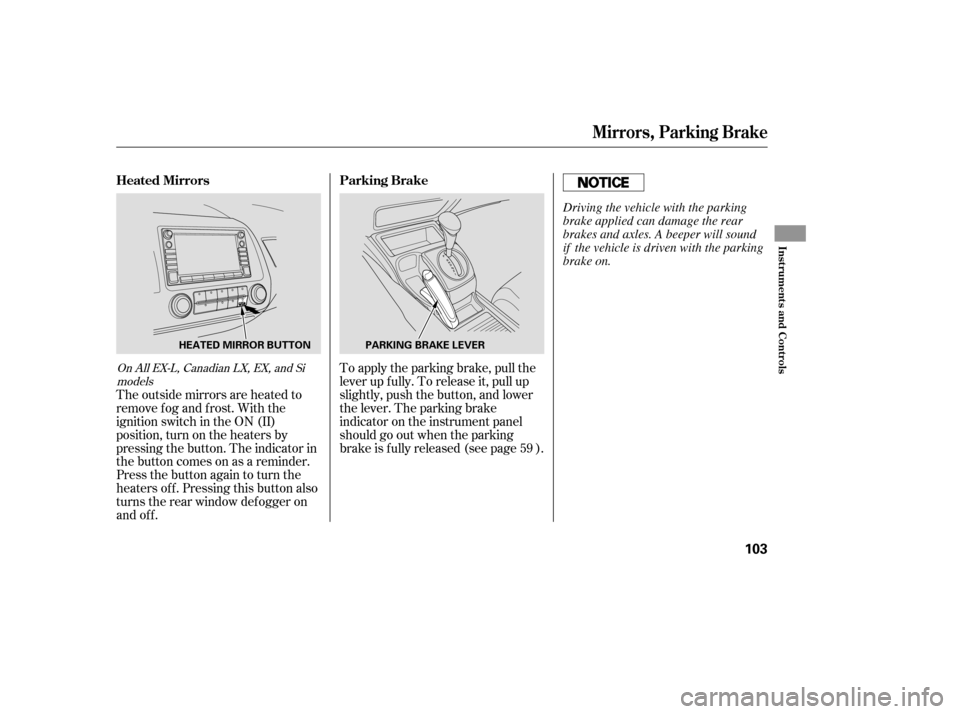
Turn the ignition switch to the ON
(II) position.
Move the selector switch to L
(driver’s side) or R (passenger’s
side).
2. 3. 4.
1.On all models except U.S. DX
A djusting the Power Mirrors
Mirrors
102
SELECTOR SWITCH
ADJUSTMENT SWITCH
TAB
�����—�����—�����y���������������y���
�(�#���������y���
�����y
Page 186 of 413
To apply the parking brake, pull the
lever up f ully. To release it, pull up
slightly, push the button, and lower
the lever. The parking brake
indicator on the instrument panel
should go out when the parking
brake is f ully released (see page ).
The outside mirrors are heated to
remove fog and frost. With the
ignition switch in the ON (II)
position, turn on the heaters by
pressing the button. The indicator in
the button comes on as a reminder.
Press the button again to turn the
heaters off. Pressing this button also
turns the rear window def ogger on
and off. 59On All EX-L, Canadian LX, EX, and Si
models
Parking Brake
Heated Mirrors
Mirrors, Parking Brake
Inst rument s and Cont rols
103
PARKING BRAKE LEVER
HEATED MIRROR BUTTON
Driving the vehicle with the parking
brake applied can damage the rear
brakes and axles. A beeper will sound
if the vehicle is driven with the parking
brake on.
�����—�����—�����y���������������y���
�(�#���������y���
�����y
Page 187 of 413
To apply the parking brake, pull the
lever up f ully. To release it, pull up
slightly, push the button, and lower
the lever. The parking brake
indicator on the instrument panel
should go out when the parking
brake is f ully released (see page ).
The outside mirrors are heated to
remove fog and frost. With the
ignition switch in the ON (II)
position, turn on the heaters by
pressing the button. The indicator in
the button comes on as a reminder.
Press the button again to turn the
heaters off. Pressing this button also
turns the rear window def ogger on
and off. 59On All EX-L, Canadian LX, EX, and Si
models
Parking Brake
Heated Mirrors
Mirrors, Parking Brake
Inst rument s and Cont rols
103
PARKING BRAKE LEVER
HEATED MIRROR BUTTON
Driving the vehicle with the parking
brake applied can damage the rear
brakes and axles. A beeper will sound
if the vehicle is driven with the parking
brake on.
�����—�����—�����y���������������y���
�(�#���������y���
�����y
Page 188 of 413
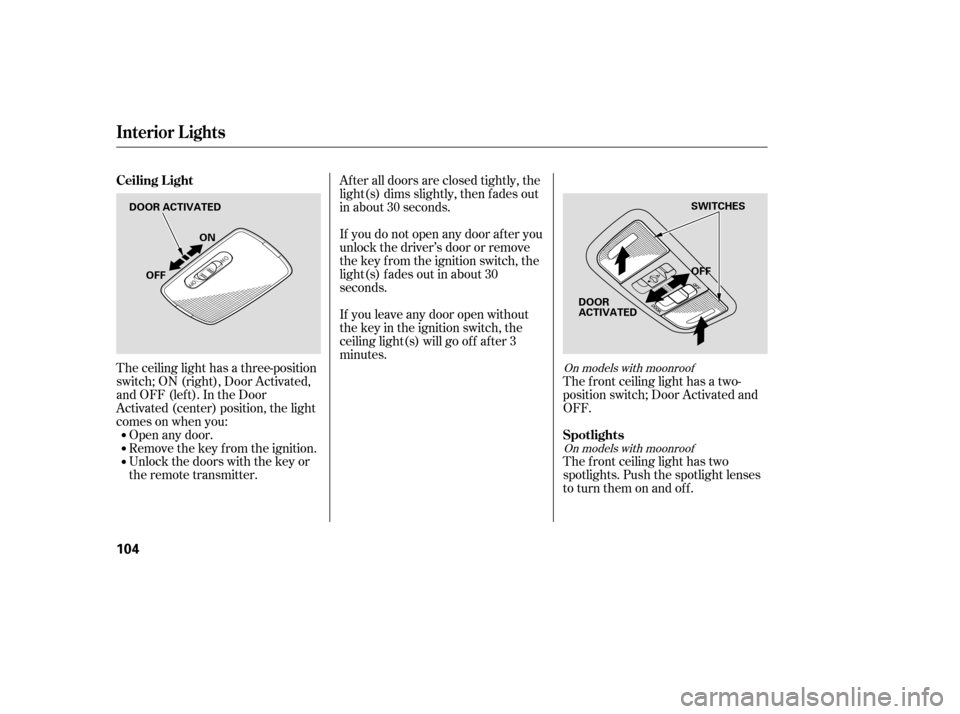
The ceiling light has a three-position
switch;ON(right),DoorActivated,
andOFF(left).IntheDoor
Activated (center) position, the light
comesonwhenyou:Open any door.
Remove the key from the ignition.
Unlock the doors with the key or
the remote transmitter. The f ront ceiling light has a two-
position switch; Door Activated and
OFF.
The f ront ceiling light has two
spotlights. Push the spotlight lenses
to turn them on and off.
After all doors are closed tightly, the
light(s) dims slightly, then f ades out
in about 30 seconds.
If you do not open any door af ter you
unlock the driver’s door or remove
the key from the ignition switch, the
light(s) f ades out in about 30
seconds.
If you leave any door open without
the key in the ignition switch, the
ceiling light(s) will go of f af ter 3
minutes.On models with moonroof
On models with moonroof
Ceiling L ight
Spotlights
Interior Lights
104
DOOR ACTIVATED OFF
OFF ON
SWITCHES
DOOR
ACTIVATED
�����—�����—�����y���������������y���
�(�#���������y���
�����y
Page 191 of 413
Be caref ul when you are using the
beverage holders. A spilled liquid
that is very hot can scald you or your
passengers. Spilled liquids can
damage the upholstery, carpeting,
and electrical components in the
interior.To close, lower the lid, and push it
down until it latches.
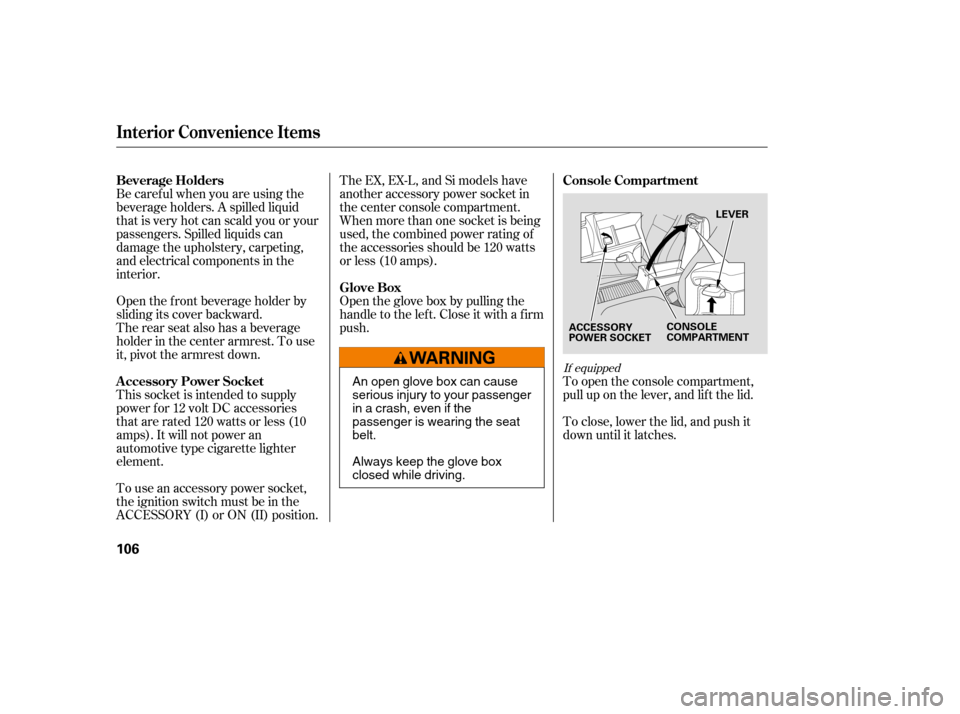
To open the console compartment,
pull up on the lever, and lif t the lid.
Open the f ront beverage holder by
sliding its cover backward.
The rear seat also has a beverage
holder in the center armrest. To use
it, pivot the armrest down.
This socket is intended to supply
power f or 12 volt DC accessories
that are rated 120 watts or less (10
amps). It will not power an
automotive type cigarette lighter
element.
To use an accessory power socket,
the ignition switch must be in the
ACCESSORY (I) or ON (II) position. Open the glove box by pulling the
handle to the lef t. Close it with a f irm
push.
The EX, EX-L, and Si models have
another accessory power socket in
the center console compartment.
When more than one socket is being
used, the combined power rating of
the accessories should be 120 watts
or less (10 amps).
If equipped
Beverage Holders
Console Compartment
A ccessory Power Socket Glove Box
Interior Convenience Items
106
LEVER
ACCESSORY
POWER SOCKET CONSOLE
COMPARTMENT
An open glove box can cause
serious injury to your passenger
inacrash,evenifthe
passenger is wearing the seatbelt.
Always keep the glove box
closed while driving.
�����—�����—�����y���������������y���
�(�#���������y���
�
�
�y
Page 199 of 413
To change the letter, select the
previous segment by pushing the
bottom of the SEEK button.
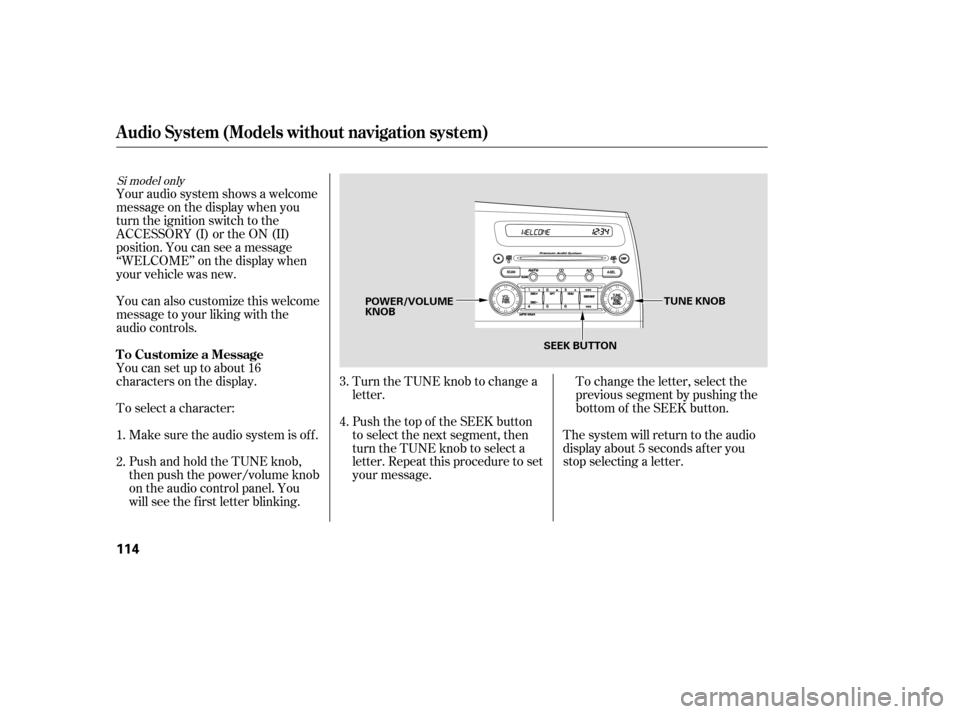
Turn the TUNE knob to change a
letter.
Push the top of the SEEK button
to select the next segment, then
turn the TUNE knob to select a
letter. Repeat this procedure to set
your message. The system will return to the audio
display about 5 seconds af ter you
stop selecting a letter.
PushandholdtheTUNEknob,
then push the power/volume knob
on the audio control panel. You
will see the f irst letter blinking.
Make sure the audio system is of f .
To select a character:
Youcansetuptoabout16
characters on the display.
You can also customize this welcome
message to your liking with the
audio controls.
Your audio system shows a welcome
message on the display when you
turn the ignition switch to the
ACCESSORY (I) or the ON (II)
position. You can see a message
‘‘WELCOME’’ on the display when
your vehicle was new. 2.
3. 4.
1.
Si model only
Audio System (Models without navigation system)
T o Customize a Message
114
TUNE KNOB
POWER/VOLUME KNOB
SEEK BUTTON
�����—�����—�����y�����������
���y���
�(�#���������y���
�
���y
Page 201 of 413

�µ
�µ
�µ�µ
�µ
If you do nothing, the system will
then scan f or the next strong station
and play it f or 10 seconds. When it
plays a station you want to listen to,
press the SCAN button again.
Use the TUNE knob to
tune the radio to a desired f requency.
Turn the knob right to tune to a
higher f requency, or lef t to tune to a
lower f requency.
The scan f unction samples
all stations with strong signals on the
selected band. To activate it, press
the SCAN button, then release it.
You will see SCAN in the display.
The system will scan f or a station
with a strong signal. When it f inds
one, it will stop and play that station
f or about 10 seconds. The SEEK f unction
searches up and down f rom the
current f requency to f ind a station
with a strong signal. To activate it,
press the or side of the
SEEK button, then release it. Each side of the buttons
(1 through 6) can store one
f requency on AM, and two
f requencies on FM.
Repeat steps 1 through 3 to store a
total of six stations on AM and
twelve stations on FM.
Pick a preset number (1 6), and
hold it until you hear a beep.
Usethetune,seek,orscan
function to tune the radio to a
desired station.
Select the desired band, AM or
FM. FM1 and FM2 let you store
twelve stations.
The ignition switch must be in the
ACCESSORY (I) or ON (II) position.
Turn the system on by pushing the
power/volume knob or the AM or
FM button (the AM/FM button).
Adjust the volume by turning the
power/volume knob.
The band and f requency that the
radio was last tuned to is displayed.
To change bands, press the AM/FM
button (AM or FM button). On the
FM band, ST will be displayed if the
stationisbroadcastinginstereo.
Stereo reproduction in AM is not
available.
You can use any of f ive methods to
f ind radio stations on the selected
band: tune, seek, scan, the preset
buttons, and auto select.
1. 2.3. 4.
TUNE
SCAN
SEEK Preset
To Select a Station
Audio System (Models without navigation system)
116
�����—�����—�����y���������������y���
�(�#���������y���
���
�y