Page 163 of 413
CONT INUED
The auto door unlocking f eature has
f ive possible settings:
Make sure the shif t lever is in the
Park (P) position (A/T vehicles).
Turn the ignition switch to the ON
(II) position, and make sure to
close the driver’s door. All doors unlock when you move
the shif t lever to the Park (P)
position (A/T vehicles).
This is the def ault setting.
the driver’s door
unlocks when you move the shif t
lever to the Park (P) position.
The auto door unlocking is
deactivated all the time.
Turn the ignition switch to the
LOCK (0) position.
Release the switch, and within 5
seconds, turn the ignition switch
to the ACCESSORY (I) position.
move the shif t
lever to the Park (P) position.
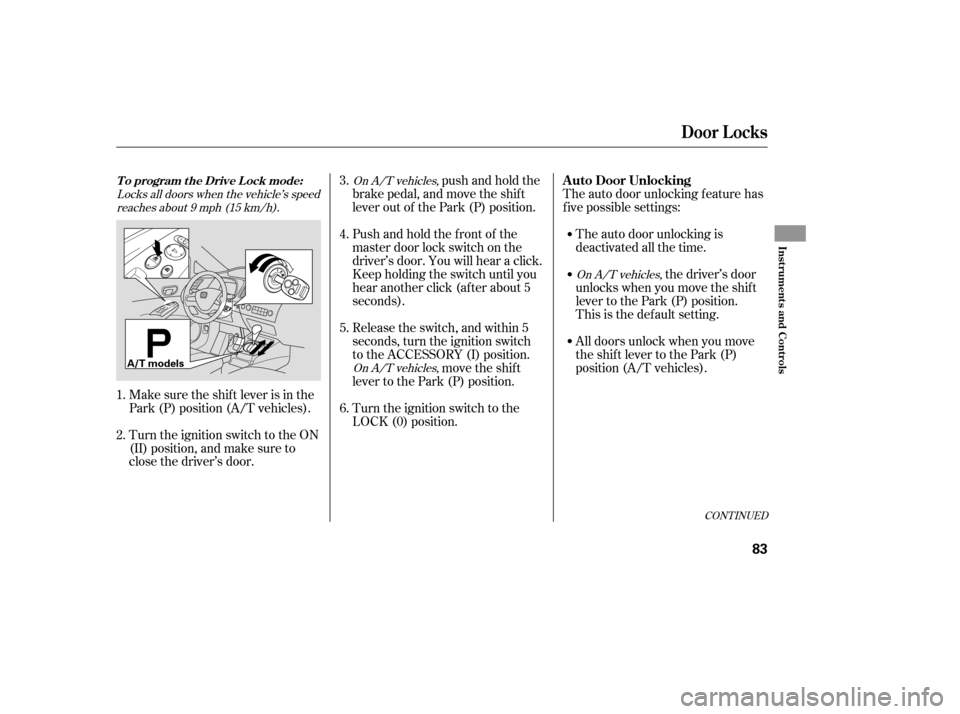
Pushandholdthefrontof the
master door lock switch on the
driver’s door. You will hear a click.
Keep holding the switch until you
hear another click (after about 5
seconds).
push and hold the
brake pedal, and move the shift
lever out of the Park (P) position.
1. 2. 3. 4. 5. 6.Locks all doors when the vehicle’s speed
reaches about 9 mph (15 km/h).
On A/T vehicles,
On A/T vehicles,
On A/T vehicles,
Door L ocks
T o program t he Drive L ock mode:A uto Door Unlocking
Inst rument s and Cont rols
83
A/T models
�����—�����—�����y���������������y���
�(�#���������y���������y
Page 166 of 413
Even though your vehicle’s battery is
removed or goes dead, the system
keeps the auto door lock/unlock
setting which you selected.
push and hold the
brake pedal, then move the shift
lever out of the Park (P) position.
Pushandholdtherearof the
master door lock switch on the
driver’s door. You will hear a click.
Continue to hold the switch:
Release the switch, and within 5
seconds, turn the ignition switch
to the ACCESSORY (I) position. move the shif t
lever to the Park (P) position. Until you hear another click
(af ter about 5 seconds) to
activate
Or, until you hear two more
clicks (af ter about 10 seconds)
to activate
Turn the ignition switch to the
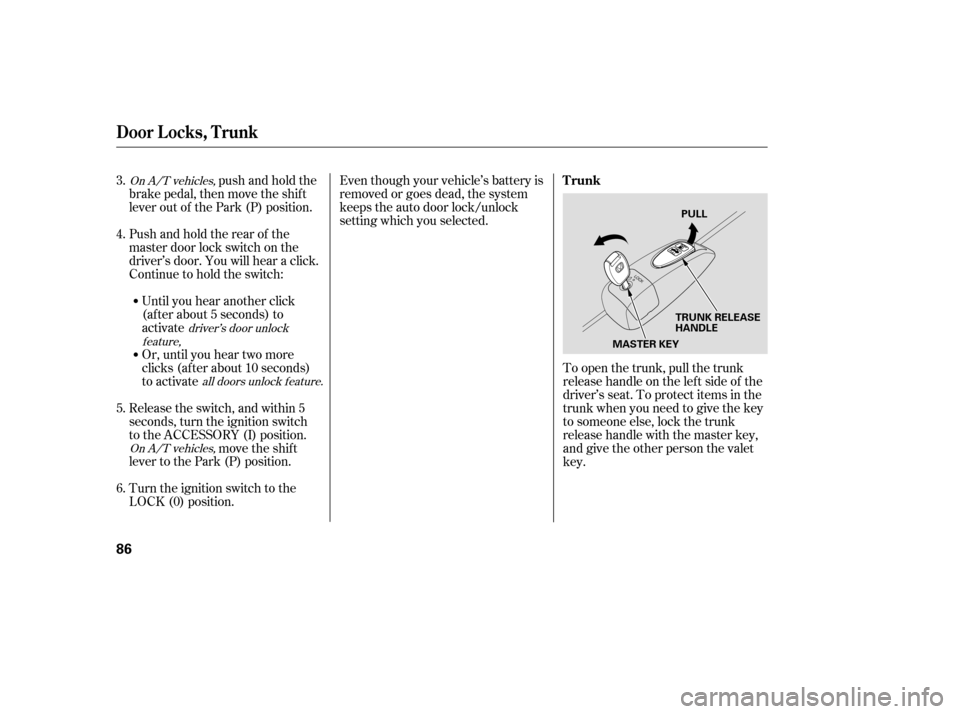
LOCK (0) position. To open the trunk, pull the trunk
release handle on the lef t side of the
driver’s seat. To protect items in the
trunk when you need to give the key
to someone else, lock the trunk
release handle with the master key,
and give the other person the valetkey.
3. 4. 5. 6.On A/T vehicles,
On A/T vehicles,driver’s door unlock
feature,
all doors unlock f eature.
Door L ocks, T runk
Trunk
86
MASTER KEYTRUNK RELEASE
HANDLEPULL
�����—�����—�����y���������������y���
�(�#���������y�������
�y
Page 167 of 413
Even though your vehicle’s battery is
removed or goes dead, the system
keeps the auto door lock/unlock
setting which you selected.
push and hold the
brake pedal, then move the shift
lever out of the Park (P) position.
Pushandholdtherearof the
master door lock switch on the
driver’s door. You will hear a click.
Continue to hold the switch:
Release the switch, and within 5
seconds, turn the ignition switch
to the ACCESSORY (I) position. move the shif t
lever to the Park (P) position. Until you hear another click
(af ter about 5 seconds) to
activate
Or, until you hear two more
clicks (af ter about 10 seconds)
to activate
Turn the ignition switch to the
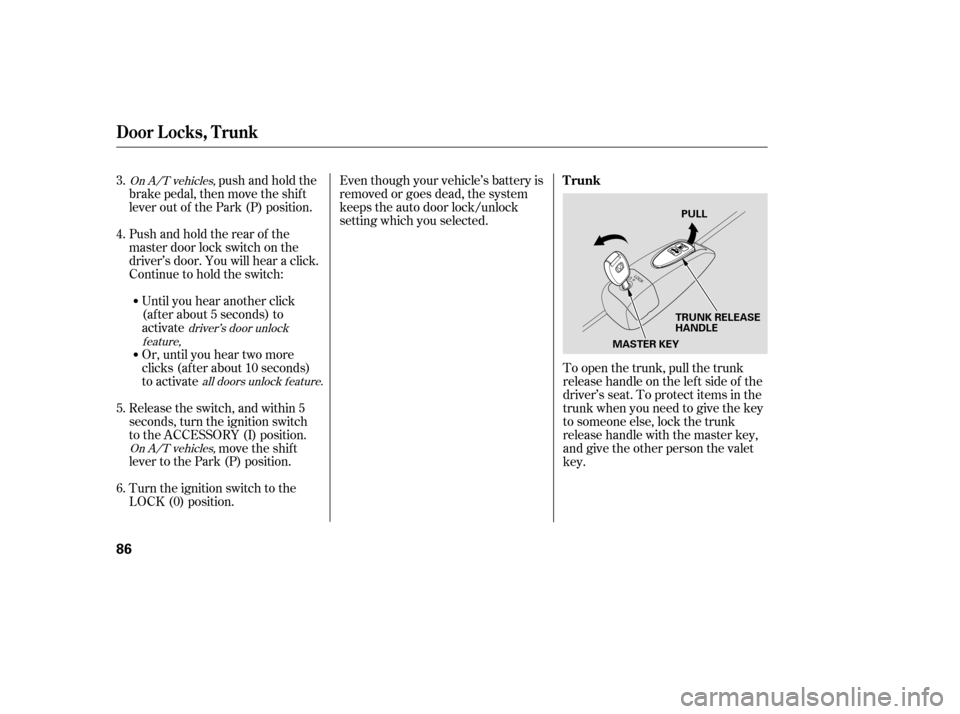
LOCK (0) position. To open the trunk, pull the trunk
release handle on the lef t side of the
driver’s seat. To protect items in the
trunk when you need to give the key
to someone else, lock the trunk
release handle with the master key,
and give the other person the valetkey.
3. 4. 5. 6.On A/T vehicles,
On A/T vehicles,driver’s door unlock
feature,
all doors unlock f eature.
Door L ocks, T runk
Trunk
86
MASTER KEYTRUNK RELEASE
HANDLEPULL
�����—�����—�����y���������������y���
�(�#���������y�������
�y
Page 179 of 413
Make sure all items in the trunk, or
items extending through the opening
into the back seat, are secured.
Looseitemscanflyforwardand
cause injury if you have to brake
hard. See on page.
Never drive with the seat-back
f olded down and the trunk lid open.
See on
page .
Make sure that the folded seat-back
does not press against the f ront
passenger’s seat, as this could cause
the weight sensors to work
improperly.
Make sure all rear shoulder belts are
positioned in f ront of the rear seat-
back, and the center shoulder belt is
re-positioned in the guide whenever
the seat-back is in its upright position.
Be sure there are no twists in any
shoulder belt.
Do not put any heavy items on the
seat-back when it is folded down.
51
191
Carrying Cargo
Carbon Monoxide Hazard
Seats
Inst rument s and Cont rols
97
�����—�����—�����y���������������y���
�(�#���������y���
�����y
Page 186 of 413
To apply the parking brake, pull the
lever up f ully. To release it, pull up
slightly, push the button, and lower
the lever. The parking brake
indicator on the instrument panel
should go out when the parking
brake is f ully released (see page ).
The outside mirrors are heated to
remove fog and frost. With the
ignition switch in the ON (II)
position, turn on the heaters by
pressing the button. The indicator in
the button comes on as a reminder.
Press the button again to turn the
heaters off. Pressing this button also
turns the rear window def ogger on
and off. 59On All EX-L, Canadian LX, EX, and Si
models
Parking Brake
Heated Mirrors
Mirrors, Parking Brake
Inst rument s and Cont rols
103
PARKING BRAKE LEVER
HEATED MIRROR BUTTON
Driving the vehicle with the parking
brake applied can damage the rear
brakes and axles. A beeper will sound
if the vehicle is driven with the parking
brake on.
�����—�����—�����y���������������y���
�(�#���������y���
�����y
Page 187 of 413
To apply the parking brake, pull the
lever up f ully. To release it, pull up
slightly, push the button, and lower
the lever. The parking brake
indicator on the instrument panel
should go out when the parking
brake is f ully released (see page ).
The outside mirrors are heated to
remove fog and frost. With the
ignition switch in the ON (II)
position, turn on the heaters by
pressing the button. The indicator in
the button comes on as a reminder.
Press the button again to turn the
heaters off. Pressing this button also
turns the rear window def ogger on
and off. 59On All EX-L, Canadian LX, EX, and Si
models
Parking Brake
Heated Mirrors
Mirrors, Parking Brake
Inst rument s and Cont rols
103
PARKING BRAKE LEVER
HEATED MIRROR BUTTON
Driving the vehicle with the parking
brake applied can damage the rear
brakes and axles. A beeper will sound
if the vehicle is driven with the parking
brake on.
�����—�����—�����y���������������y���
�(�#���������y���
�����y
Page 262 of 413
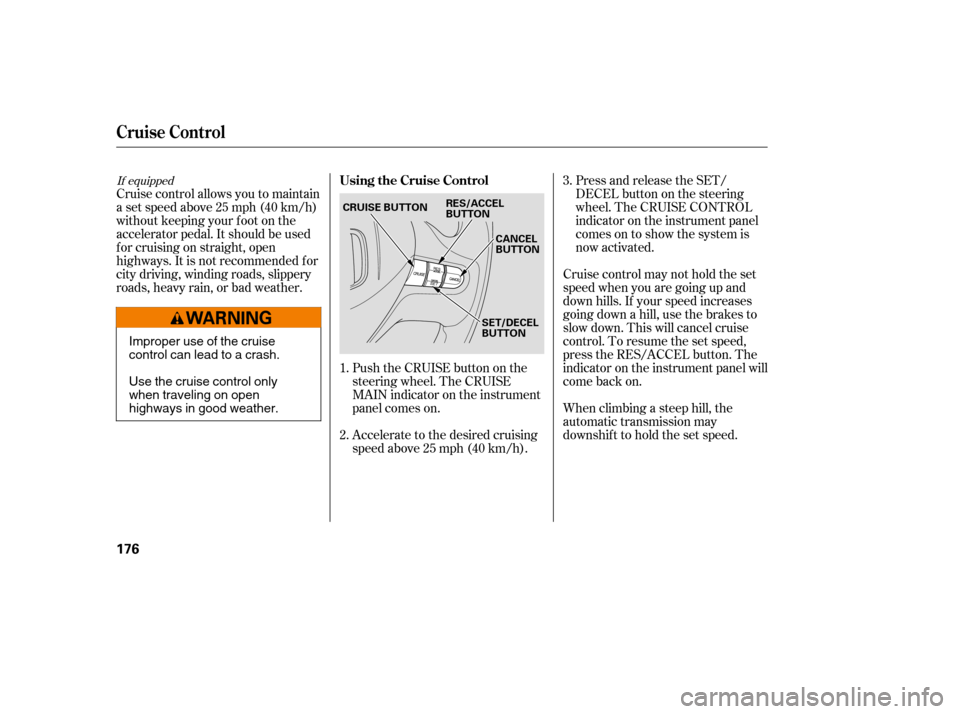
Push the CRUISE button on the
steering wheel. The CRUISE
MAIN indicator on the instrument
panel comes on.
Accelerate to the desired cruising
speedabove25mph(40km/h).
Cruise control allows you to maintain
asetspeedabove25mph(40km/h)
without keeping your f oot on the
accelerator pedal. It should be used
f or cruising on straight, open
highways. It is not recommended f or
city driving, winding roads, slippery
roads, heavy rain, or bad weather.
Cruise control may not hold the set
speed when you are going up and
down hills. If your speed increases
going down a hill, use the brakes to
slow down. This will cancel cruise
control. To resume the set speed,
press the RES/ACCEL button. The
indicator on the instrument panel will
come back on.
When climbing a steep hill, the
automatic transmission may
downshifttoholdthesetspeed.Press and release the SET/
DECELbuttononthesteering
wheel. The CRUISE CONTROL
indicator on the instrument panel
comes on to show the system is
now activated.
1. 2. 3.
If equippedUsing the Cruise Control
Cruise Control
176
CANCEL
BUTTON
CRUISE BUTTON
RES/ACCEL
BUTTON
SET/DECEL
BUTTON
Improper use of the cruise
control can lead to a crash.
Use the cruise control only
when traveling on open
highways in good weather.
�����—�����—�����y���
�����������y���
�(�#���������y���
���
�y
Page 263 of 413

You can increase the set cruising
speed in any of these ways:Press and hold the RES/ACCEL
button. When you reach the
desired cruising speed, release the
button. Press and hold the SET/DECEL
button. Release the button when
you reach the desired speed.
To slow down in very small
amounts, tap the SET/DECEL
button. Each time you do this,
your vehicle will slow down about
1 mph (1.6 km/h).
You can decrease the set cruising
speed in any of these ways:
Even with the cruise control turned
on, you can still use the accelerator
pedal to speed up f or passing. Af ter
completing the pass, take your foot
of f the accelerator pedal. The vehicle
will return to the set cruising speed.
Resting your f oot on the brake or
clutch pedal causes the cruise
control to cancel.
To increase the speed in very
small amounts, tap the RES/
ACCEL button. Each time you do
this, your vehicle will speed up
about 1 mph (1.6 km/h). Tap the brake or clutch pedal
lightly with your f oot. The
CRUISE CONTROL indicator on
the instrument panel goes out.
When the vehicle slows to the
desired speed, press the SET/
DECEL button.
Push on the accelerator pedal until
you reach the desired cruising
speed, then press the SET/
DECEL button.
Changing the Set Speed
Cruise Control
Features
177
�����—�����—�����y���
�����������y���
�(�#���������y���
�����y