Page 249 of 413
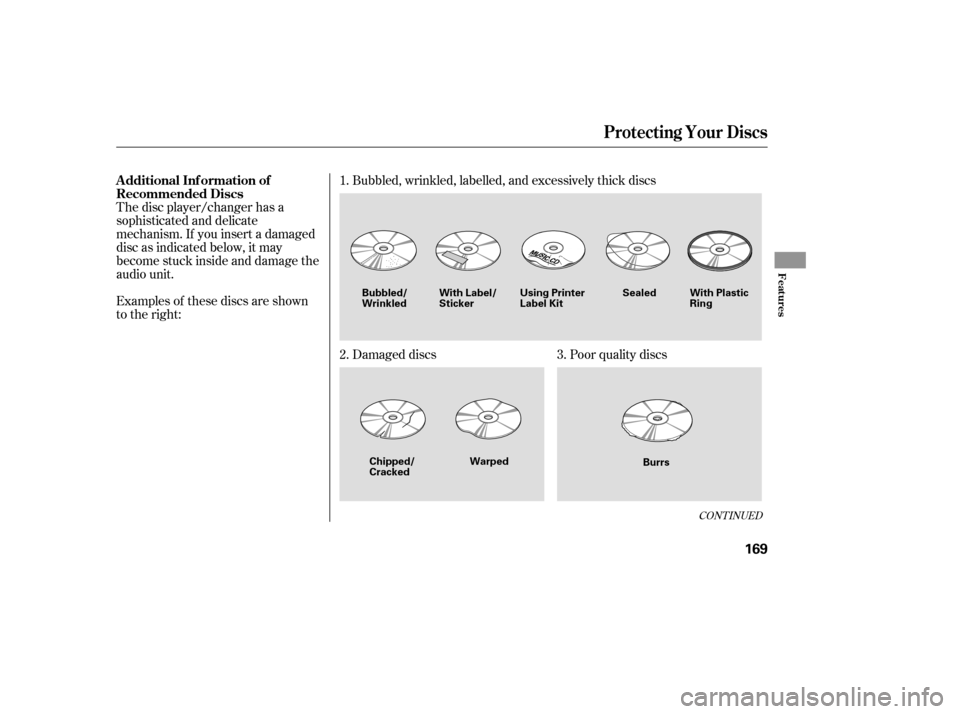
Searching f or a Song by Album Name
Select the Album icon, and the
album list appears. Select the desired
album, and its song list is displayed.
You can then select the desired song
from the list.To play the radio when a PC card is
playing, press the AM/FM button or
touch the FM1, FM2, AM, XM1, or
XM2 icon. If a disc is in the audio
unit, press the CD button or touch
theCDicontoplaythedisc.Touch
the CARD icon to switch back to the
PC card player.
If you turn the system of f while a PC
card is playing, either with the
power/volume knob or by turning
of f the ignition switch, the card will
stay in the drive. When you turn the
system back on, the card will begin
playing where it lef t of f .
When you leave the vehicle, always
remove the PC card f rom the audio
unit.To remove a PC card f rom the audio
unit, f old back the screen by
pressing the OPEN button (see page
). Press the eject button ( )
to remove the card. If you do not
remove it f rom the slot, you cannot
return the screen to the upright
position.
To return the screen to the upright
position, press the CLOSE button.
You can also eject a card when the
ignition switch is of f .
If there is a problem with the PC
card player, see your dealer. 146
Audio System (Models with navigation system)
T o Stop Playing a PC card
PC Card Player Malf unctionRemoving a PC Card
164
ALBUM LIST
�����—�����—�����y���
�������
���y���
�(�#���������y���
�����y
Page 250 of 413
Error Message
If you see an error message in the
display while playing a PC card, f ind
thesolutioninthecharttotheright.
If you cannot clear the error
message, take your vehicle to your
dealer. Solution
The system cannot read the f ile(s). Check the f iles in the disc. There is a
possibility that the files have been damaged.
It appears when the PC card is empty or there are no MP3 or WMA f iles in
the PC card. Save the MP3 or WMA f iles in the PC card.
It appears when the unsupported PC card is inserted. The system supports
CF card, Flash ATA card, and SanDisk 6-in-1 Card Adapter.
Audio System (Models with navigation system)
PC Card Error Messages
Features
165
FILE ERROR
NO MUSIC
MEDIA ERROR
�����—�����—�����y���
�������
���y���
�(�#���������y���
�����y
Page 253 of 413
When a disc is not being played,
store it in its case to protect it f rom
dust and other contamination. To
prevent warpage, keep discs out of
direct sunlight and extreme heat.
To clean a disc, use a clean sof t cloth.
Wipe across the disc f rom the center
to the outside edge.
A new disc may be rough on the
inner and outer edges. The small
plastic pieces causing this roughness
can f lake of f and f all on the
recording surf ace of the disc,
causing skipping or other problems.
Remove these pieces by rubbing the
inner and outer edges with the side
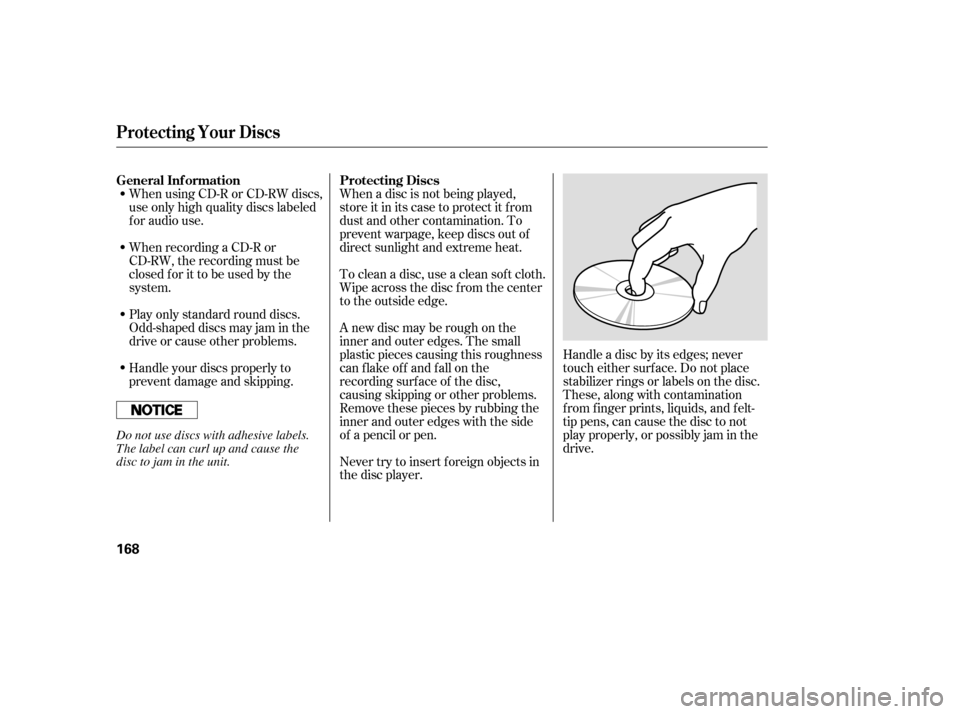
of a pencil or pen.Handle a disc by its edges; never
touch either surf ace. Do not place
stabilizer rings or labels on the disc.
These, along with contamination
f rom f inger prints, liquids, and f elt-
tip pens, can cause the disc to not
play properly, or possibly jam in the
drive.
When recording a CD-R or
CD-RW, the recording must be
closedforittobeusedbythe
system.
When using CD-R or CD-RW discs,
use only high quality discs labeled
f or audio use.
Never try to insert f oreign objects in
the disc player.
Handle your discs properly to
prevent damage and skipping.
Play only standard round discs.
Odd-shaped discs may jam in the
driveorcauseotherproblems.
General Inf ormation Protecting Discs
Protecting Your Discs
168
Do not use discs with adhesive labels.
The label can curl up and cause the
disc to jam in the unit.
�����—�����—�����y���
�����������y���
�(�#���������y���
�����y
Page 254 of 413
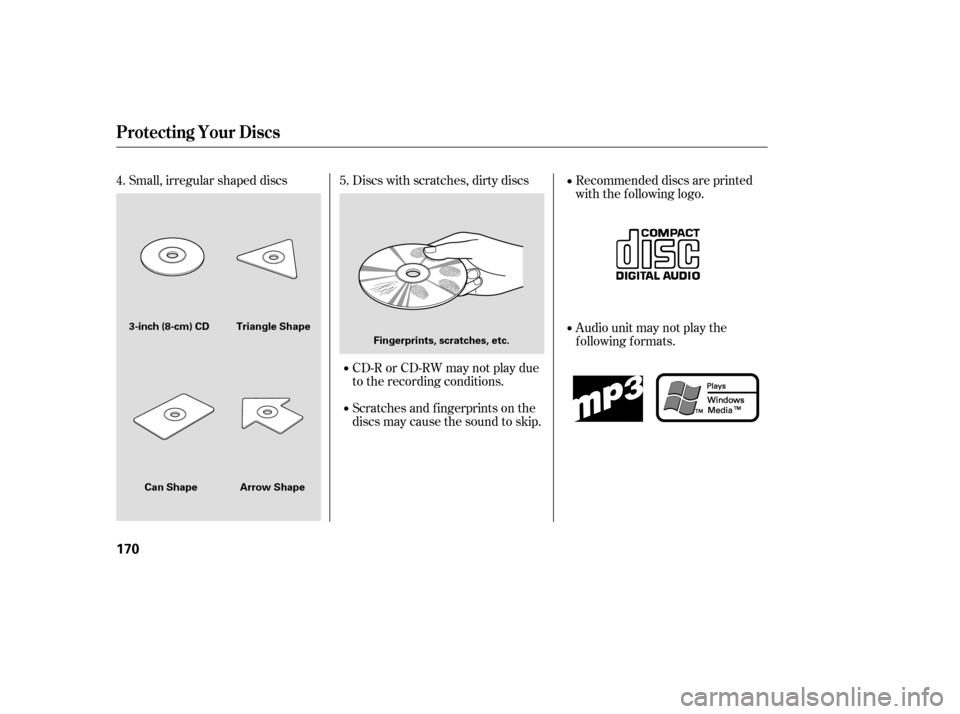
Examples of these discs are shown
to the right:Bubbled, wrinkled, labelled, and excessively thick discs
Damaged discs Poor quality discs
The disc player/changer has a
sophisticated and delicate
mechanism. If you insert a damaged
disc as indicated below, it may
become stuck inside and damage the
audio unit.
1.
2. 3.
CONT INUED
Additional Inf ormation of
Recommended Discs
Protecting Your Discs
Features
169
Warped
Burrs
Chipped/ Cracked
Bubbled/
Wrinkled
With Label/Sticker Using Printer
Label Kit Sealed With Plastic
Ring
�����—�����—�����y���
�����������y���
�(�#���������y���
�����y
Page 255 of 413
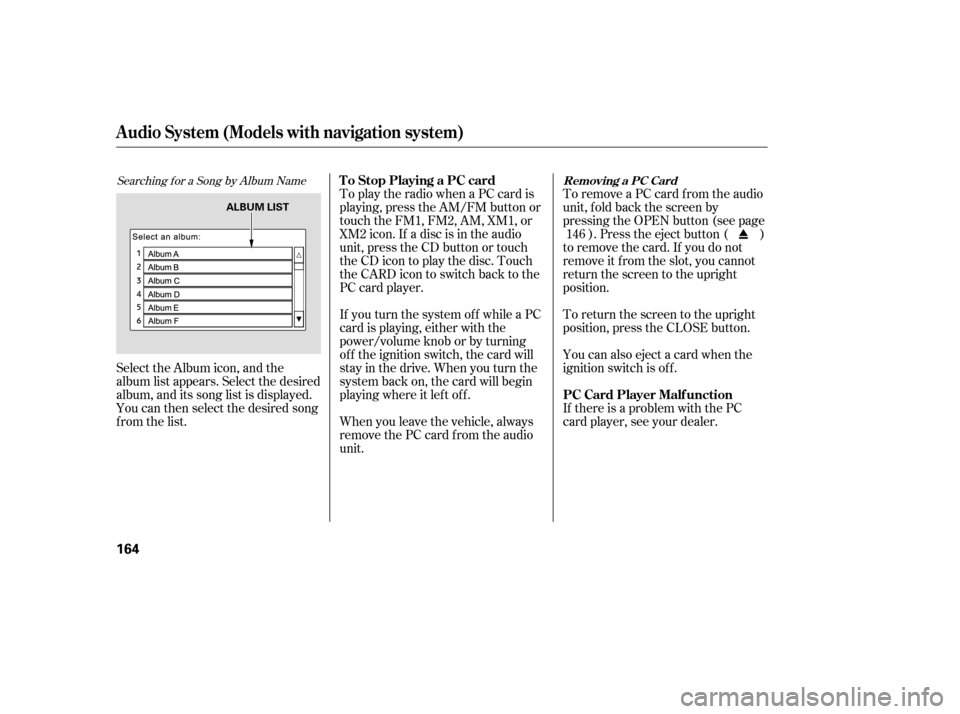
Small, irregular shaped discs Discs with scratches, dirty discsCD-R or CD-RW may not play due
to the recording conditions.
Scratches and f ingerprints on the
discs may cause the sound to skip.Recommended discs are printed
with the f ollowing logo.
Audio unit may not play the
following formats.
4.
5.
Protecting Your Discs
170
Fingerprints, scratches, etc.
3-inch (8-cm) CD Triangle Shape
Arrow Shape
Can Shape
�����—�����—�����y���
�����������y���
�(�#���������y���
�����y
Page 256 of 413

�Û�Ý�´ �µ
�´�µ �´
�µ
Three controls f or the audio system
are mounted in the steering wheel
hub. These let you control basic
f unctions without removing your
hand f rom the wheel. The VOL button adjusts the volume
up ( ) or down ( ). Press the top
or bottom of the button, hold it until
the desired volume is reached, then
release it.
The MODE button changes the
mode. Pressing the button
repeatedly selects FM1, FM2, AM,
disc (if a disc is loaded), or a PC card
(if it is loaded). On models with
satellite radio system, you can also
select XM radio.
If you are listening to the radio, use
the CH button to change stations.
Each time you press and release the
top ( ) of the button, the system
goes to the next preset station on the
band you are listening to. Press and
releasethebottom( )togobackto
the previous station.
To activate the seek function, press
and hold the top ( ) or bottom ( )
of the CH button until you hear abeep. The system searches up or
down f rom the current f requency to
find a station with a strong signal.
If you are playing a disc, the system
skips to the beginning of the next
track (f ile in MP3 or WMA f ormat)
each time you press the top ( ) of
the CH button. Press the bottom
( ) to return to the beginning of the
current track or f ile. Press it twice to
return to the previous track or f ile.
You will see the track/f ile number
and the elapsed time. If the disc has
text data or is compressed in MP3 or
WMA, you can also see any other
inf ormation (track title, f ile name,
f older name, etc.).
If equipped
CONT INUED
Remote Audio Controls
Features
171
CH BUTTON MODE BUTTON
VOL BUTTON
�����—�����—�����y���
�����������y���
�(�#���������y���
�����y
Page 257 of 413
�´�µ
�´�µ
If you are playing a PC card, press
the top ( ) of the CH button to
advance to the next file. Press the
bottom( )togobacktothe
previous f ile.
In MP3 or WMA mode, you can use
the seek function to select folders.
Press and hold the top ( ) of the
CH button until you hear a beep, to
skip f orward to the f irst f ile of the
next folder. Press the bottom ( ) to
skip backward to the previous f older.
When a compatible audio unit is
connected to the jack, press the AUX
button to select it.
The auxiliary input jack is
underneath the accessory power
socket on the f ront panel. The
system will accept auxiliary input
f rom standard audio accessories.On all models except DX
Auxiliary Input Jack
Remote Audio Controls, Auxiliary Input Jack
172
�����—�����—�����y���
�������
���y���
�(�#���������y���
�����y
Page 258 of 413
�´�µ
�´�µ
If you are playing a PC card, press
the top ( ) of the CH button to
advance to the next file. Press the
bottom( )togobacktothe
previous f ile.
In MP3 or WMA mode, you can use
the seek function to select folders.
Press and hold the top ( ) of the
CH button until you hear a beep, to
skip f orward to the f irst f ile of the
next folder. Press the bottom ( ) to
skip backward to the previous f older.
When a compatible audio unit is
connected to the jack, press the AUX
button to select it.
The auxiliary input jack is
underneath the accessory power
socket on the f ront panel. The
system will accept auxiliary input
f rom standard audio accessories.On all models except DX
Auxiliary Input Jack
Remote Audio Controls, Auxiliary Input Jack
172
�����—�����—�����y���
�������
���y���
�(�#���������y���
�����y