Page 8 of 303
�Î �Î�Î
�Î
�Î
�Î �Î
�Î
�Î �Î�Î
Only on vehicles equipped with navigation system. Ref er to the navigati
on system manual.
To use the horn, press the center pad of the steering wheel.
If equipped.
1:2:3:
Your Vehicle at a Glance
4
HEADLIGHTS/TURN SIGNALS
REAR WINDOW
DEFOGGER
WINDSHIELD WIPERS/WASHERS
INSTRUMENT PANEL
BRIGHTNESS
SEL/RESET BUTTON
HAZARD WARNING
BUTTON
ACCESSORY POWER
SOCKET
PASSENGER AIRBAG OFF
INDICATOR
(P.29)
DISPLAY CHANGE
BUTTON
HEATED MIRRORS
CRUISE
CONTROL
BUTTONS (P.178)
NAVIGATION SYSTEM VOICE CONTROL BUTTONS
(P.72)
(P.73)(P.66)
(P.65)
(P.104)
(P.217) (P.71)
(P.177)(P.75)
(P.182) (P.105)
(P.74)
AUXILIARY INPUT JACK
MIRROR CONTROLS
VEHICLE
STABILITY
ASSIST (VSA)
SYSTEM OFF
SWITCH
STEERING WHEEL
ADJUSTMENTS
REMOTE AUDIO
CONTROLS HORN
(P.108)(P.74) 3
3
1 3
3
3 32
�����—�����—�
�
�y�
�������������y���
�(�+���������y���������y
Page 61 of 303
�Î�Î
�Î
�Î
�Î
�Î �Î
�Î
�Î
�Î �Î�Î
To use the horn, press the center pad of the steering wheel.
If equipped.
Only on vehicles equipped with navigation system. Ref er to the navigati
on system manual.
1:2:3:
Controls Near the Steering Wheel
70
WINDSHIELD WIPERS/WASHERS
INSTRUMENT PANEL
BRIGHTNESS HEADLIGHTS/ TURN SIGNALS
HORN HEATED MIRRORS
AUDIO SYSTEM
Vehicle without navigation system is shown. REMOTE
AUDIO
CONTROLSPASSENGER’S AIRBAG OFF
INDICATOR
MIRROR CONTROLS
NAVIGATION SYSTEM
VOICE CONTROL
BUTTONS REAR WINDOW
DEFOGGER
ACCESSORY POWER
SOCKET
HAZARD WARNING
BUTTON
AUXILIARY INPUT JACK
STEERING WHEEL
ADJUSTMENTS CRUISE CONTROL
BUTTONS
(P.72)
(P.71)
(P.73)
(P.104)
(P.217) (P.177)(P.75) (P.182)
(P.178)(P.74)
(P.105)
(P.74) (P.119)
(P.29)
VEHICLE STABILITY
ASSIST (VSA) SYSTEM
OFF SWITCH (P.108)
1
2
2
2
2
3 2
2
�����—�����—�
�
�y�
����
������
�y���
�(�+���������y���������y
Page 111 of 303
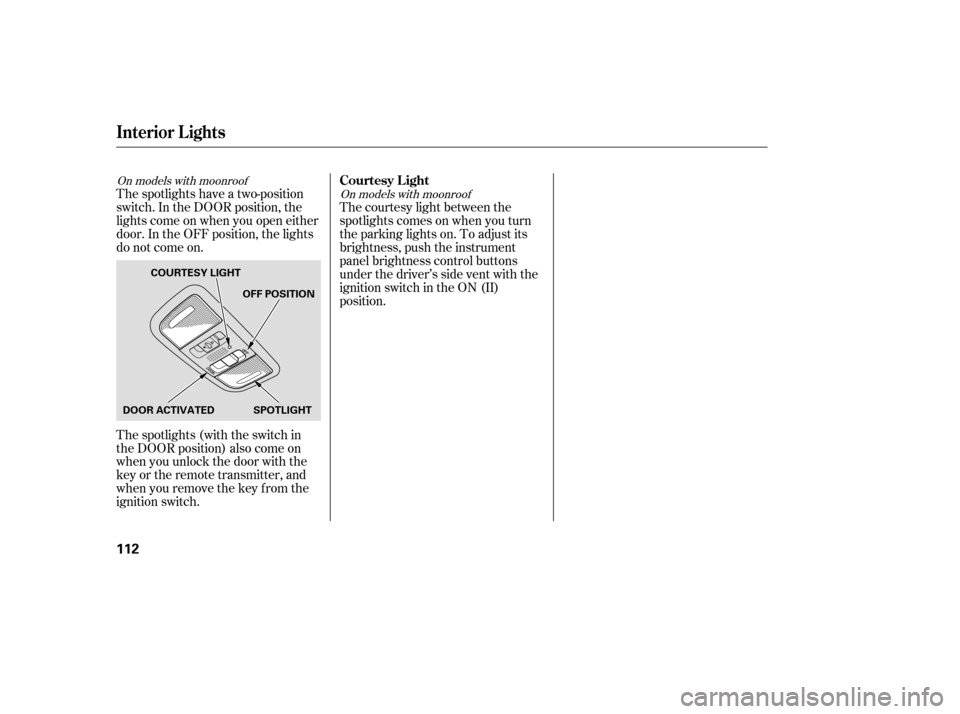
The spotlights have a two-position
switch. In the DOOR position, the
lights come on when you open either
door. In the OFF position, the lights
do not come on.
The spotlights (with the switch in
the DOOR position) also come on
when you unlock the door with the
key or the remote transmitter, and
when you remove the key f rom the
ignition switch.The courtesy light between the
spotlights comes on when you turn
the parking lights on. To adjust its
brightness, push the instrument
panel brightness control buttons
under the driver’s side vent with the
ignition switch in the ON (II)
position.
On models with moonroof
On models with moonroofCourtesy L ight
Interior Lights
112
DOOR ACTIVATEDOFF POSITION
SPOTLIGHT
COURTESY LIGHT
�����—�����—�
�
�y�
�������������y���
�(�+���������y���
�
���y
Page 163 of 303

�Û�Ý�´ �µ
�´�µ �´
�µ
Three controls f or the audio system
are mounted in the steering wheel
hub. These let you control basic
f unctions without removing your
hand f rom the wheel. The VOL button adjusts the volume
up ( ) or down ( ). Press the top
or bottom of the button, hold it until
the desired volume is reached, then
release it.
The MODE button changes the
mode. Pressing the button
repeatedly selects FM1, FM2, AM,
disc (if a disc is loaded), or a PC card
(if it is loaded). On models with
satellite radio system, you can also
select XM radio.
If you are listening to the radio, use
the CH button to change stations.
Each time you press and release the
top ( ) of the button, the system
goes to the next preset station on the
band you are listening to. Press and
releasethebottom( )togobackto
the previous station.
To activate the seek function, press
and hold the top ( ) or bottom ( )
of the CH button until you hear abeep. The system searches up or
down f rom the current f requency to
find a station with a strong signal.
If you are playing a disc, the system
skips to the beginning of the next
track (f ile in MP3 or WMA f ormat)
each time you press the top ( ) of
the CH button. Press the bottom
( ) to return to the beginning of the
current track or f ile. Press it twice to
return to the previous track or f ile.
You will see the track/f ile number
and the elapsed time. If the disc has
text data or is compressed in MP3 or
WMA, you can also see any other
inf ormation (track title, f ile name,
f older name, etc.).
If equipped
CONT INUED
Remote Audio Controls
Features
177
CH BUTTON MODE BUTTON
VOL BUTTON
�����—�����—�
�
�y�
�������������y���
�(�+���������y���
�����y
Page 164 of 303
�´�µ
�´�µ
If you are playing a PC card, press
the top ( ) of the CH button to
advance to the next file. Press the
bottom( )togobacktothe
previous f ile.
In MP3 or WMA mode, you can use
the seek function to select folders.
Press and hold the top ( ) of the
CH button until you hear a beep, to
skip f orward to the f irst f ile of the
next folder. Press the bottom ( ) to
skip backward to the previous f older.
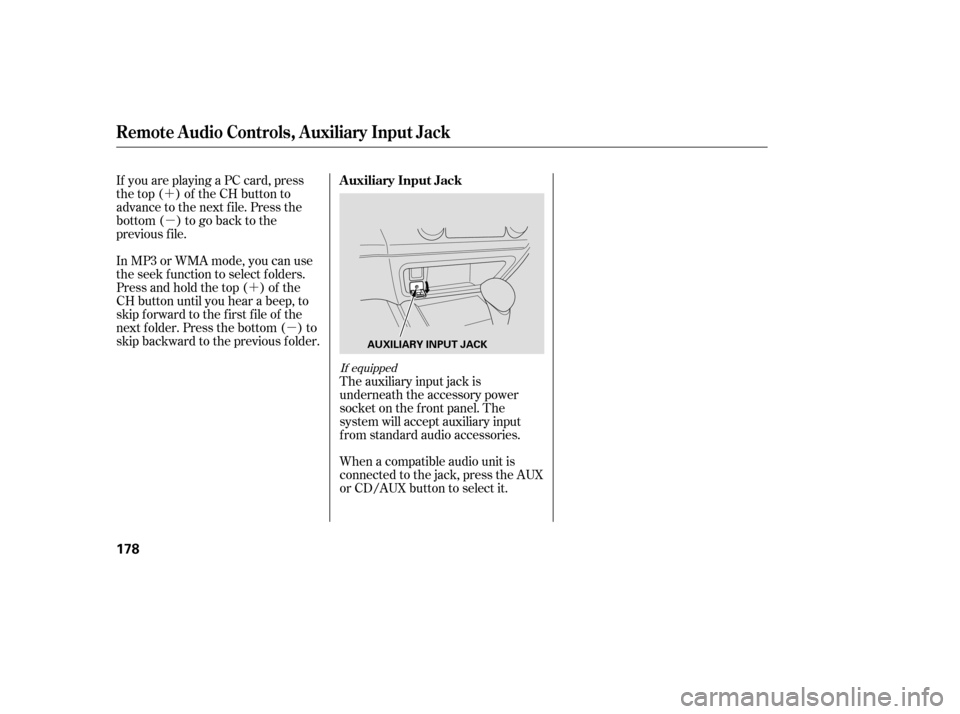
The auxiliary input jack is
underneath the accessory power
socket on the f ront panel. The
system will accept auxiliary input
f rom standard audio accessories.
When a compatible audio unit is
connected to the jack, press the AUX
or CD/AUX button to select it.
If equipped
Auxiliary Input Jack
Remote Audio Controls, Auxiliary Input Jack
178
AUXILIARY INPUT JACK
�����—�����—�
�
�y�
�������������y���
�(�+���������y���
�����y
Page 165 of 303
�´�µ
�´�µ
If you are playing a PC card, press
the top ( ) of the CH button to
advance to the next file. Press the
bottom( )togobacktothe
previous f ile.
In MP3 or WMA mode, you can use
the seek function to select folders.
Press and hold the top ( ) of the
CH button until you hear a beep, to
skip f orward to the f irst f ile of the
next folder. Press the bottom ( ) to
skip backward to the previous f older.
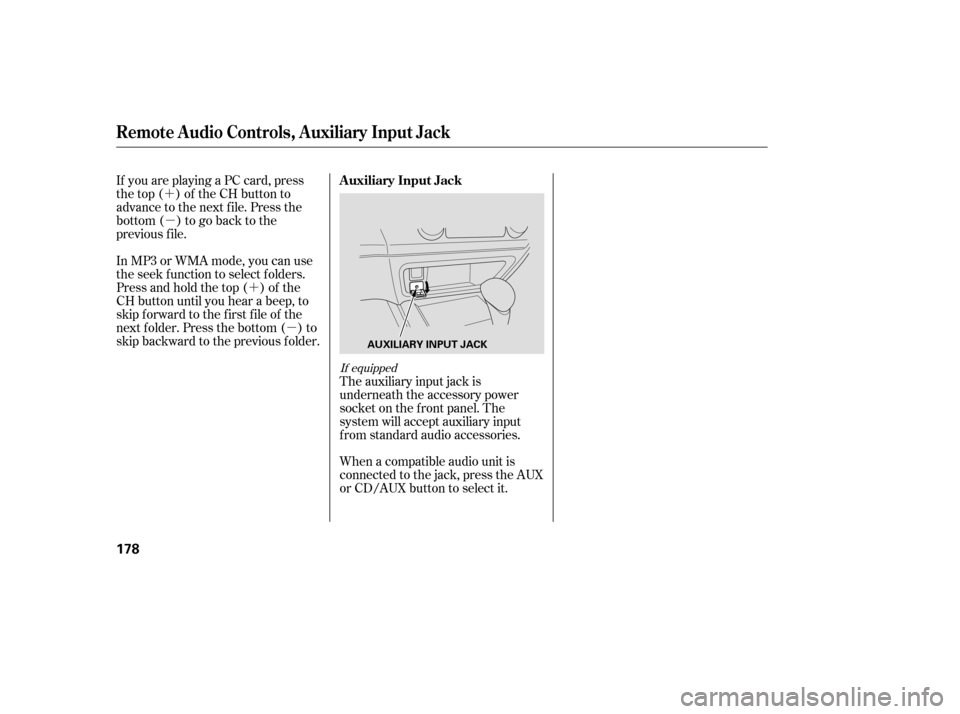
The auxiliary input jack is
underneath the accessory power
socket on the f ront panel. The
system will accept auxiliary input
f rom standard audio accessories.
When a compatible audio unit is
connected to the jack, press the AUX
or CD/AUX button to select it.
If equipped
Auxiliary Input Jack
Remote Audio Controls, Auxiliary Input Jack
178
AUXILIARY INPUT JACK
�����—�����—�
�
�y�
�������������y���
�(�+���������y���
�����y