Page 197 of 435

�µIf you are
traveling far from home and can no
longer receive your preset stations,
you can use the auto select feature to
find stations in the local area.
Usethetune,skip(seek),scan,or
RDS function to tune the radio to a
desired station.
Press the preset button, and hold
it until you hear a beep. You can
also store f requencies with the
interf ace dial. Select the preset
icon you want to store the
f requency on, then press ENTER
on the interf ace selector, and hold
it f or more than 2 seconds.
Repeat steps 1 through 3 to store a
total of six stations on AM and
twelve stations on FM.
Push the interf ace selector down to
scroll down the screen, highlight
A.SEL, then press ENTER on the
interf ace selector. You will see
A.SEL on the screen, and the system
goes into scan mode f or several
seconds. press ENTER
on the interf ace selector.
You can also press the A.SEL side of
the SCAN/A.SEL bar. You will see
A.SEL on the screen, and the system
goes into scan mode f or several
seconds. The system stores the
f requencies of six AM and twelve
FM stations in the preset buttons.
You will see ‘‘0’’ displayed if auto
select cannot f ind a strong station f or
every preset button.
If you do not like the stations auto
select has stored, you can store
other f requencies on the preset
buttons (icons) as previously
described.
2. 3. 4.
To turn of f auto select,
AUTO SELECT
Playing t he FM/A M Radio (Models wit h navigat ion syst em)
178
A.SEL INDICATOR
PRESET ICON
A.SEL ICON
�����—�����—�
���y�
�
�����������y���
�)�����������y���
�����y
Page 206 of 435
CONT INUED
Playing t he XMSatellite Radio (Models with navigation system)
Features
187
AUDIO BUTTON INTERFACE DIAL
TUNE BAR
CATEGORY BAR
PRESET BUTTONS
TITLE BUTTON
XM RADIO BUTTON
SKIP BAR
POWER/VOLUME KNOB
SCAN/A.SEL (SCAN/AUTO
SELECT) BAR
�����—�����—�����y�
����
��������y���
�)�����������y���
�����y
Page 209 of 435

�µ
�Ý�Û�µ
�µ
Youcanstoreupto12
preset channels using the six preset
buttons. Each button stores one
channel f rom the XM1 band and one
channel f rom the XM2 band.
To store a channel: Press the button or scroll
up by pushing the interf ace
selector up. Either XM1 or XM2
will be shown on the display.
Press
either side of the bar to select
another category. You can also
change a category by pushing the
interf ace selector lef t or right.
The scan f unction gives
you a sampling of all channels while
in the channel mode. In the category
mode, only the channels within that
category are scanned. To activate
SCAN,presstheSCANsideof the
SCAN/A.SEL bar. To scan with the
interf ace dial, scroll down, and push
interface selector to the right. You
will see SCAN on the screen and
center display.
The system plays each channel in
numerical order f or a f ew seconds,
then selects the next channel. When
you hear a channel you want to
continue listening to, push the
interf ace selector to the right again
or press the SCAN side of the bar to
cancel. Use the tune, skip (seek), or scan
function to tune to a desired
channel.
Repeat steps 2 and 3 to store the
f irst six channels.
Pick the preset button you want
f or that channel. Press and hold
the preset button until you hear a
beep. You can also pick the
number with the interf ace dial.
Select your desired number and
press and hold ENTER on the
interf ace selector.
In category mode, only channels
within that category can be
selected. In channel mode, all
channels can be selected.
1. 2. 3.4.
Preset
CAT EGORY ( or )
SCAN
Playing t he XMSatellite Radio (Models with navigation system)
190
XM BAND
�����—�����—�
���y�
�
���������
�y���
�)�����������y���
�����y
Page 213 of 435
Playing Discs (Models with navigat ion syst em)
194
SKIP BAR
SCAN/A.SEL (SCAN/AUTO
SELECT) BAR POWER/VOLUME KNOB
CD BUTTON
INTERFACE DIAL
AUDIO BUTTON
PRESET BUTTONS
NAVIGATION SCREEN
CENTER DISPLAY
TITLE BUTTON
DISC SLOT
DISC LOAD BUTTON
DISC EJECT BUTTON
�����—�����—�����y�
����
��������y���
�)�����������y���
�����y
Page 216 of 435

When you play CD-TEXT, you will
see the track name, artist name, and
album name on the screen. When
you play MP3/WMA discs, you will
see the track name and folder name
on the screen. If the disc was not
recorded with this inf ormation, it will
not be displayed.
The player can play CD-TEXT, MP3,
and WMA formats.
Select the changer by pressing the
CD button. The system will begin
playing the last selected disc in the
disc changer. You will see the
current disc position highlighted.
To select a dif f erent disc, press the
corresponding number on the preset
buttons, or turn the interf ace knob to
highlight the desired disc number,
then press ENTER on the interf ace
selector. Each time you press and release the
side of the skip bar or push the
interface selector to the right, the
player skips f orward to the
beginning of the next track. Press
and release the side of the skip
barorpushtheinterfaceselectorto
thelefttoskipbackwardtothe
beginning of the current track. Press
the side or push the interf ace
selector to the left again to skip to
the previous track. To move rapidly
within a track, press and hold either
side of the skip bar.
To Play a Disc
To Change Tracks
Playing Discs (Models with navigat ion syst em)
Features
197
CURRENT DISC
�����—�����—�
���y�
�
�����������y���
�)�����������y���������y
Page 233 of 435

Your vehicle’s audio system may
disable itself if it is disconnected
f rom electrical power f or any reason.
To make it work again, you must
enter a specif ic f ive-digit code with
the preset buttons. Because there
are hundreds of number
combinations possible f rom the f ive
digits, making the system work
without knowing the exact code is
nearly impossible.
You should have received a radio
code card that lists your audio
system’s code and serial numbers. It
is best to store this card in a saf e
place at home. In addition, you
should write the audio system’s
serial number in this owner’s manual.
If you lose the card, you must obtain
the code number f rom your dealer.
To do this, you will need the audio
system’s serial number.If your vehicle’s battery is discon-
nected or goes dead, or the radio
f use is removed, the audio system
will disable itself . If this happens,
you will see ‘‘ENTER CODE’’ in the
f requency display (on the screen on
models with navigation system) the
nexttimeyouturnonthesystem.
Use the preset buttons to enter the
f ive-digit code. The code is on the
radio code card included in your
owner’s manual kit. When it is
entered correctly, the radio will start
playing.
If you make a mistake entering the
code, do not start over; complete the
f ive-digit sequence, then enter the
correct code. You have 10 tries to
enter the correct code. If you are
unsuccessf ul in 10 attempts, you
must then leave the system on for 1
hour bef ore trying again.
The system will retain your AM and
FM presets even if power is
disconnected.
Except LX and LX-P
Radio T hef t Prot ect ion
Features
213
�����—�����—�
���y�
�
�����������y���
�)�����������y�����
���y
Page 247 of 435
�µ�µ
CONT INUED
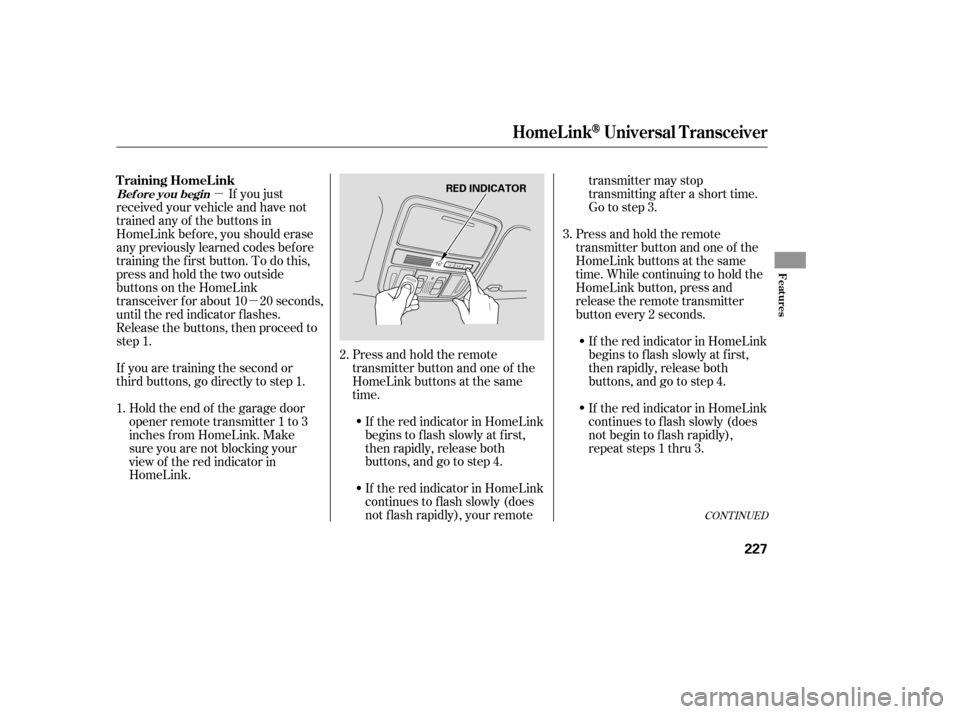
Press and hold the remote
transmitter button and one of the
HomeLink buttons at the same
time. While continuing to hold the
HomeLink button, press and
release the remote transmitter
button every 2 seconds.
If the red indicator in HomeLink
begins to f lash slowly at f irst,
then rapidly, release both
buttons, and go to step 4.
If the red indicator in HomeLink
continues to f lash slowly (does
not f lash rapidly), your remote transmitter may stop
transmitting after a short time.
Go to step 3.
Press and hold the remote
transmitter button and one of the
HomeLink buttons at the same
time.
If you just
received your vehicle and have not
trained any of the buttons in
HomeLink bef ore, you should erase
any previously learned codes bef ore
training the f irst button. To do this,
press and hold the two outside
buttons on the HomeLink
transceiver for about 10 20 seconds,
until the red indicator f lashes.
Release the buttons, then proceed to
step 1.
If you are training the second or
third buttons, go directly to step 1.
Holdtheendof thegaragedoor
opener remote transmitter 1 to 3
inches f rom HomeLink. Make
sure you are not blocking your
view of the red indicator in
HomeLink. If the red indicator in HomeLink
continues to f lash slowly (does
not begin to f lash rapidly),
repeat steps 1 thru 3.
If the red indicator in HomeLink
begins to f lash slowly at f irst,
then rapidly, release both
buttons, and go to step 4.
2.
1. 3.
HomeL inkUniversal T ransceiver
T raining HomeL ink
Bef ore you begin
Features
227
RED INDICATOR
�����—�����—�
���y�
���������
���y���
�)�����������y���������y
Page 248 of 435

For security purposes, newer garage
door opening systems use a ‘‘rolling’’
or variable code. Inf ormation f rom
the remote control and the garage
door opener is needed bef ore
HomeLink can operate the garage
door opener.
The ‘‘Training HomeLink’’
procedure trains HomeLink to the
proper garage door opener code.
The f ollowing procedure
synchronizes HomeLink to the
garage door opener so it sends and
receives the correct codes.Make sure you have properly
completed the ‘‘Training
HomeLink’’ procedure.
Find the ‘‘learn’’ button on your
garage door opener unit. The
location will vary, depending on
the manufacturer.
Repeat these steps to train the
other two HomeLink buttons to
operate any other compatible
remotely controlled devices
around your home (lighting,
automatic gate, security system,
etc.).
Test the HomeLink button by
pushing it f or about 1 second.
If the button works,
programming is complete.
If the button does not work go
to step 5.
PushandholdtheHomeLink
button f or a f ew seconds, then
watch the red indicator on
HomeLink.
If the indicator stays on, press
the HomeLink button again; the
remotely controlled device
should operate.
If the indicator f lashes rapidly
f or 2 seconds then stays on, you
have a rolling code transmitter:
go to ‘‘Training with a Rolling
Code System.’’ 2.
1.
4. 5.
6.
HomeL inkUniversal T ransceiver
T raining With a Rolling Code
System
228
�����—�����—�
���y�
�
�����������y���
�)�����������y���������y

