Page 269 of 435

CONT INUED
To import the cellular phonebook
You can import the phonebook of
your cellular phone in the HFL. Link
your phone to the HFL and select
‘‘Import Cellular Phonebook’’ f rom
the ‘‘Select an option’’ screen. When
the message ‘‘The import was
successf ul.’’ is displayed, push in on
the Interf ace Dial to select ‘‘OK.’’
Search Imported Phonebook: This
option allows you to search the
phone numbers stored in the HFL.
When you enter keyword f or a
person’s name, such as the f irst
name or last name, the system will
f ind the number you want and let
you make calls.
Delete Imported Phonebook: This
option allows you to delete the stored
phonebook f rom the HFL. When you
link your phone to the HFL and
select this option, the system will
automatically delete the phonebook
of the linked phone f rom the HFL
(see page ).
PIN Number. This option allows you
to add, change, or remove a PIN
number f or any phonebook that has
been imported.
Import Cellular Phonebook: This
option allows you to store the
phonebook of your cellular phone in
the HFL. When you link your phone
to the HFL and select this option, the
system will start importing and
loading the phonebook.
252
Bluet oot hHandsFreeL ink
Features
249
Example
�����—�����—�
���y�
�
���������
�y���
�)�����������y���������y
Page 270 of 435
Select a phonebook f rom the
displayed list. If the phonebook you
select has a PIN icon, you will need
the 4-digit PIN number to access the
phonebook. The f ollowing screen
will appear.
Enter the PIN number to access the
phonebook. You cannot access a PIN
protected phonebook if you do not
use the correct PIN number.
You can search the stored number
by entering keywords to make calls
by using the HFL.
Select ‘‘Search Imported Phonebook’’
f rom the ‘‘Select an option’’ screen.
The display will change as shown
above.
HFL does not allow you to pair
your phone if the vehicle is
moving.
Up to six phones can be paired to
the HFL.
For inf ormation on linking to the
HFL, see page . 238To search the imported phonebook
Bluet oot hHandsFreeL ink
250
NOTE:
PIN ICON
IMPORTED DATE
IMPORTED
PHONEBOOK
�����—�����—�
���y�
�
�����������y���
�)�����������y���������y
Page 271 of 435
�µ
CONT INUED
Select the number (1 6) of the
desired person f rom the list.
Up to three category icons are
displayed in the right side of the list.
These category icons indicate how
many numbers are stored f or the
person. If a name has more than
threecategoryicons,‘‘ ’’is
displayed.
The f ollowing category icons will
appear:
Enter the keyword f or a person’s
name, such as the f irst name or last
name, using the Interf ace Dial. If the
system does not f ind an exact match,
say or select ‘‘LIST’’ when you f inish
entering the keyword.
The system will display a list of
person’s names, with the closest
match to the name you entered at
the top of the list. …
Bluet oot hHandsFreeL ink
Features
251
Home
MobileWork
Pager Fax
Car
Voice
Preference
Other
�����—�����—�
���y�
�
���������
�y���
�)�����������y���������y
Page 272 of 435
To delete the imported phonebook
To store in the Bluetooth
HandsFreeLink
You can delete the stored
phonebook f rom the HFL.
Link your phone to the HFL and
select ‘‘Delete Imported Phonebook’’
f rom the ‘‘Select an option’’ screen.
The display will change as shown
above.
Af ter selecting a person, the system
will display a list of the person’s
phone numbers.
Select the desired number f rom the
list to make a call.
Select the desired number f rom the
list to store it in the HFL.
Say or select ‘‘STORE IN
HandsFreeLink’’ f rom the ‘‘Select a
number to call’’ screen. The screen
shown above will appear.
Bluet oot hHandsFreeL ink
252
�����—�����—�
���y�
�
�����������y���
�)�����������y���������y
Page 273 of 435
CONT INUED
To add, change, or remove a PINnumber f rom any phonebook
You can add, change or remove a
PIN number f rom any phonebook.
Select ‘‘PIN Number’’ f rom the
‘‘Select an Option’’ screen. The
display will change as shown above.
After you enter the correct PIN
number, or if the phonebook you
select is not PIN protected, the
f ollowing screen appears.
Say or select ‘‘Yes’’, and the message
‘‘The imported phonebook has been
deleted.’’ will appear. Select ‘‘OK’’ to
complete the deletion.
Select a phonebook f rom the
displayed list. If the phonebook you
select has a PIN icon, you will need
the 4-digit PIN number to access the
phonebook. The f ollowing screen
will appear.
Enter the PIN number to access the
phonebook. You cannot access a PIN
protected phonebook if you do not
use the correct PIN number.
Bluet oot hHandsFreeL ink
Features
253
�����—�����—�
���y�
�
�����������y���
�)�����������y���������y
Page 274 of 435
To change a PIN number
To add a PIN number
Select the phonebook that you
wish to change the PIN number
f or. The display will change as
shown above.
Enter the 4-digit PIN number. You
will be asked to re-enter the PIN to
verif y.
Select the phonebook you wish to
add the PIN number to. The
phonebook you select cannot
already have a PIN icon. The
display will change as shown
above. 2.
1.
1.
Bluet oot hHandsFreeL ink
254
�����—�����—�
���y�
�
�������
���y���
�)�����������y���������y
Page 275 of 435
CONT INUED
This operation clears the HFL of
your passcode, your paired phones,
all names in the HFL phonebook,
and all imported phonebooks.
Clearing is recommended bef ore you
sell your vehicle.Press and release the Talk button.
Af ter the beep, say ‘‘System.’’ The
HFL response is, ‘‘System options
are setup and clear.’’
Press and release the Talk button.
After the beep, say ‘‘Clear.’’ The
HFL response is, ‘‘This process
will clear all paired phones, clear
all entries in the phonebook, clear
the passcode, and restore the
defaults in the system setup. Is
this what you would like to do?’’
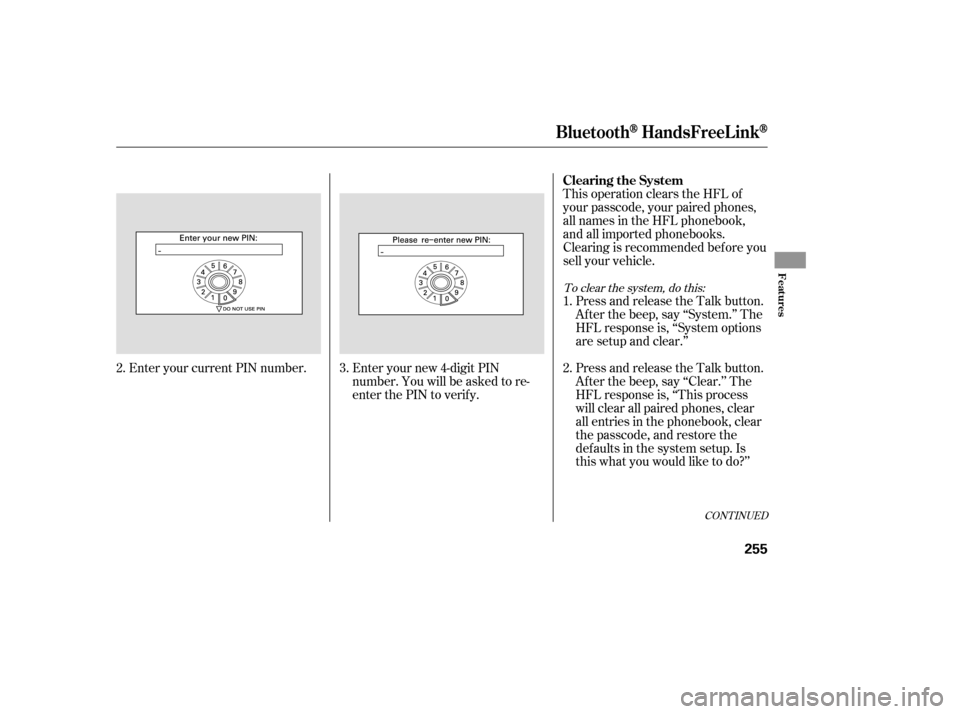
Enteryournew4-digitPIN
number. You will be asked to re-
enter the PIN to verif y.
Enter your current PIN number. 3. 1. 2.
2.
To clear the system, do this:
Bluet oot hHandsFreeL ink
Clearing the System
Features
255
�����—�����—�
���y�
�
�����������y���
�)�����������y���������y
Page 276 of 435

Press and release the Talk button.
Af ter the beep, say ‘‘Oui’’ or ‘‘Yes.’’
If there are no paired phones
without French name tags, the
HFL response is ‘‘Venillez
attendre que le systeme change de
langue. Please wait while the
language is changed.’’ ‘‘La langue
a ete changee. Retour au menu
principal.’’If there are paired phones
without French name tags, the
f ollowing prompts will continue.
If there are paired phones without
French name tags, the HFL
response is ‘‘Pour que le système
identif ie les téléphones qui ont été
jumelés dans une autre langue, les
noms des téléphones doivent être ré-
enregistrés.’’
Press and release the Talk button.
Af ter the beep, say ‘‘Change
language.’’ The HFL response is
‘‘English or French?’’
Press and release the Talk button.
Af ter the beep, say ‘‘French.’’ The
HFL response is ‘‘Vous avez
selectionne Français. Les noms
enregistres en mode Anglais ne
seront pas accessible en mode
Français. Voulez-vous continuer?
You have selected French. Name
tags that were stored while in
English mode will not be
accessible in French mode. Would
you like to continue? ’’
Press and release the Talk button.
Af ter the beep, say ‘‘Yes.’’ The
HFL response is ‘‘Preparing to
clear all paired phones, all
phonebook entries, the passcode,
and restore the defaults in the
system setup. Say OK to proceed,
otherwise say go back or cancel.’’
Press and release the Talk button.
Af ter the beep, say ‘‘OK’’ to
proceed, or say ‘‘Go back’’ or
‘‘Cancel.’’
If you said ‘‘OK,’’ af ter a short
period of time, the HFL response
is, ‘‘Please wait until the system is
cleared.’’Thismaytakeupto
about 2 minutes to complete, then
the HFL response is, ‘‘The system
has been cleared. Returning to the
main menu.’’
1. 2.
3.
5.
3. 4.
Canadian models only
To change f rom English to French, dothis:
Changing L anguage
Bluet oot hHandsFreeL ink
256
NOTE:
�����—�����—�
���y�
�
�����������y���
�)�����������y�������
�y