Page 2 of 368
Locks and Security 136
Keys 136
Locks 136
Anti-theft system 148
Seating and Safety Restraints 151
Seating 151
Safety restraints 158
Airbags 171
Child restraints 180
Tires, Wheels and Loading 192
Tire information 195
Tire inflation 196
Vehicle loading 212
Trailer towing 219
Trailer brake controller-integrated 223
Recreational towing 230
Driving 231
Starting 231
Brakes 235
Traction Control™ 237
Transmission operation 240
Roadside Emergencies 265
Getting roadside assistance 265
Hazard flasher switch 267
Fuel pump shut-off switch 267
Fuses and relays 268
Changing tires 277
Lug nut torque 289
Jump starting 290
Wrecker towing 296
Table of Contents
2
2008 F-250/350/450/550(f23)
Owners Guide (post-2002-fmt)
USA(fus)
Page 10 of 368
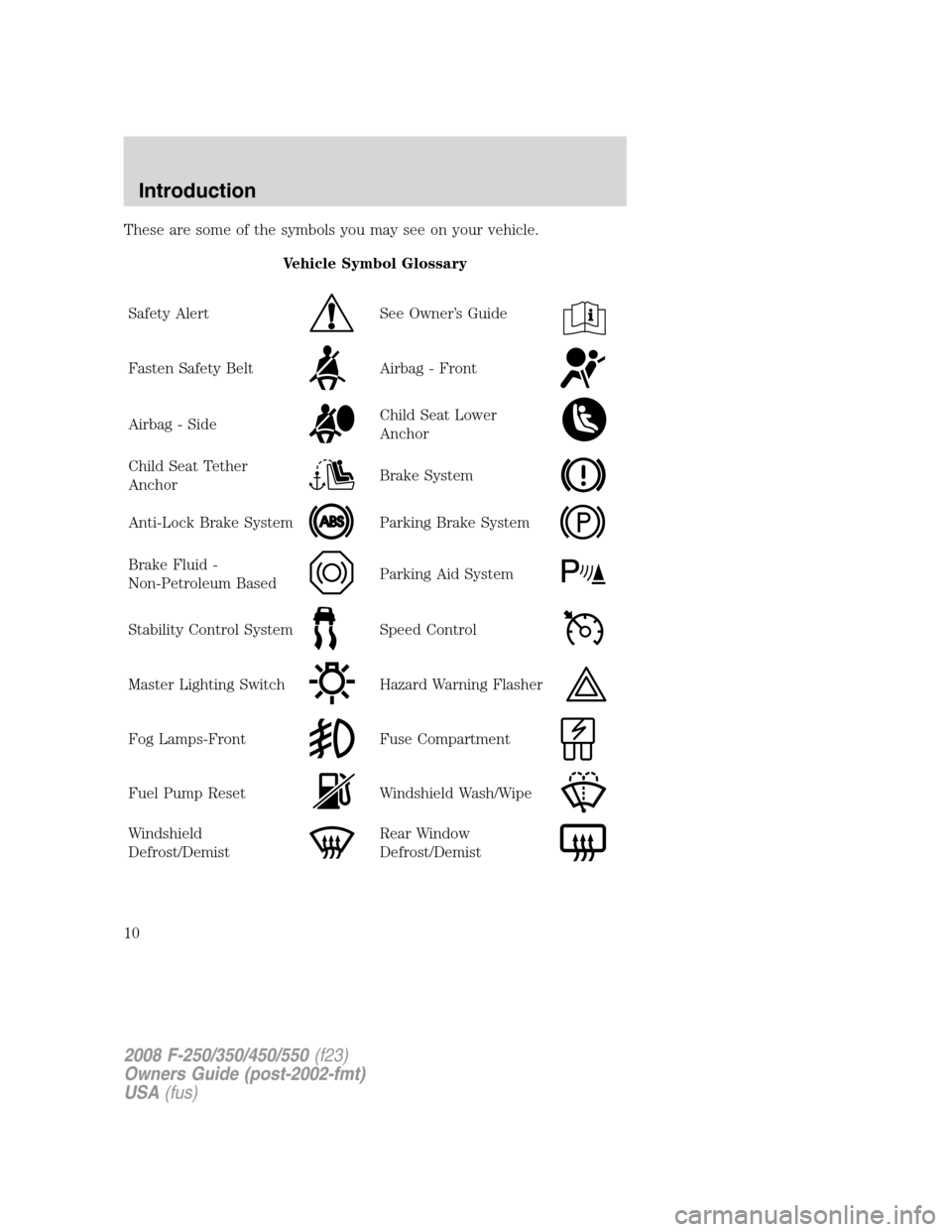
These are some of the symbols you may see on your vehicle.
Vehicle Symbol Glossary
Safety Alert
See Owner’s Guide
Fasten Safety BeltAirbag - Front
Airbag - SideChild Seat Lower
Anchor
Child Seat Tether
AnchorBrake System
Anti-Lock Brake SystemParking Brake System
Brake Fluid -
Non-Petroleum BasedParking Aid System
Stability Control SystemSpeed Control
Master Lighting SwitchHazard Warning Flasher
Fog Lamps-FrontFuse Compartment
Fuel Pump ResetWindshield Wash/Wipe
Windshield
Defrost/DemistRear Window
Defrost/Demist
2008 F-250/350/450/550(f23)
Owners Guide (post-2002-fmt)
USA(fus)
Introduction
10
Page 11 of 368
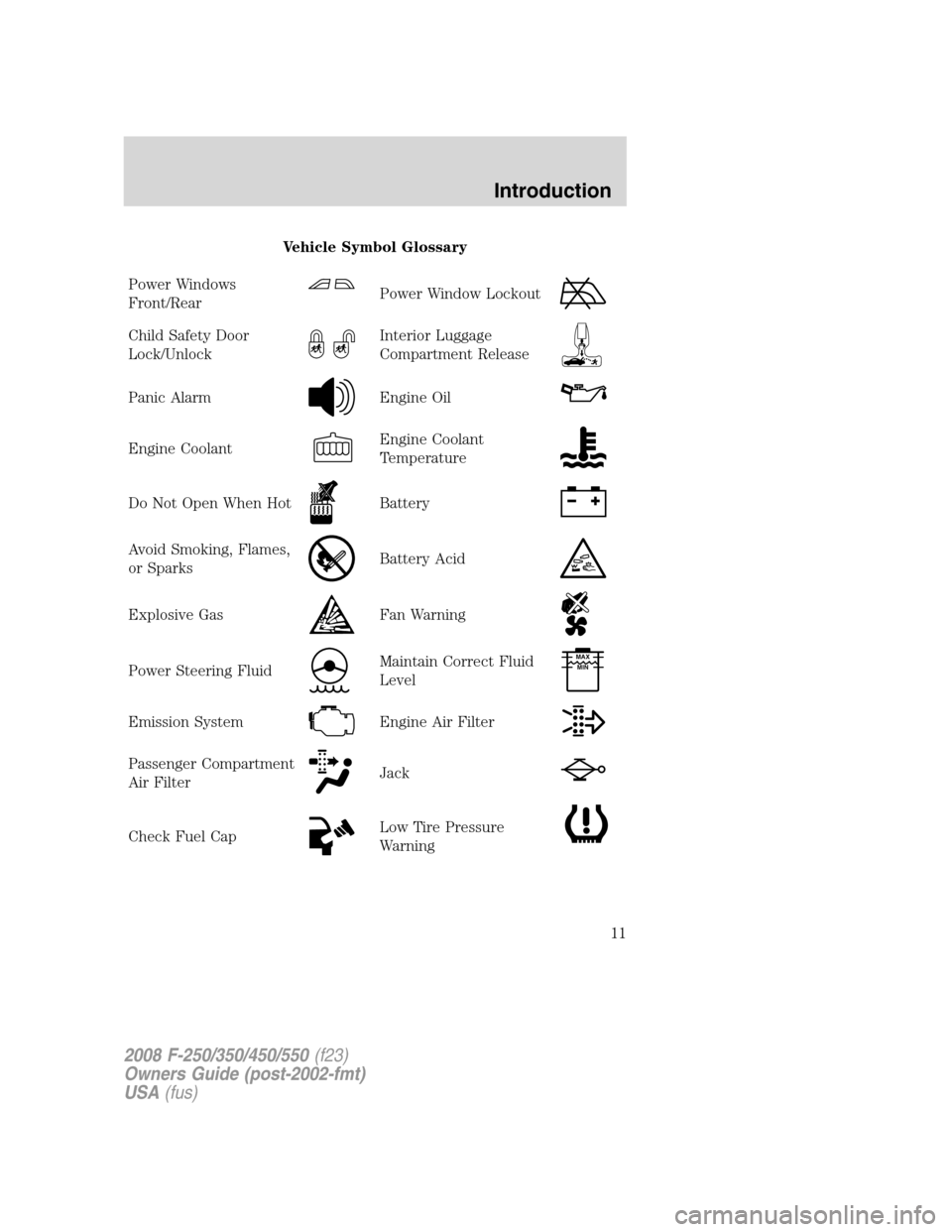
Vehicle Symbol Glossary
Power Windows
Front/Rear
Power Window Lockout
Child Safety Door
Lock/UnlockInterior Luggage
Compartment Release
Panic AlarmEngine Oil
Engine CoolantEngine Coolant
Temperature
Do Not Open When HotBattery
Avoid Smoking, Flames,
or SparksBattery Acid
Explosive GasFan Warning
Power Steering FluidMaintain Correct Fluid
LevelMAX
MIN
Emission SystemEngine Air Filter
Passenger Compartment
Air FilterJack
Check Fuel CapLow Tire Pressure
Warning
2008 F-250/350/450/550(f23)
Owners Guide (post-2002-fmt)
USA(fus)
Introduction
11
Page 14 of 368
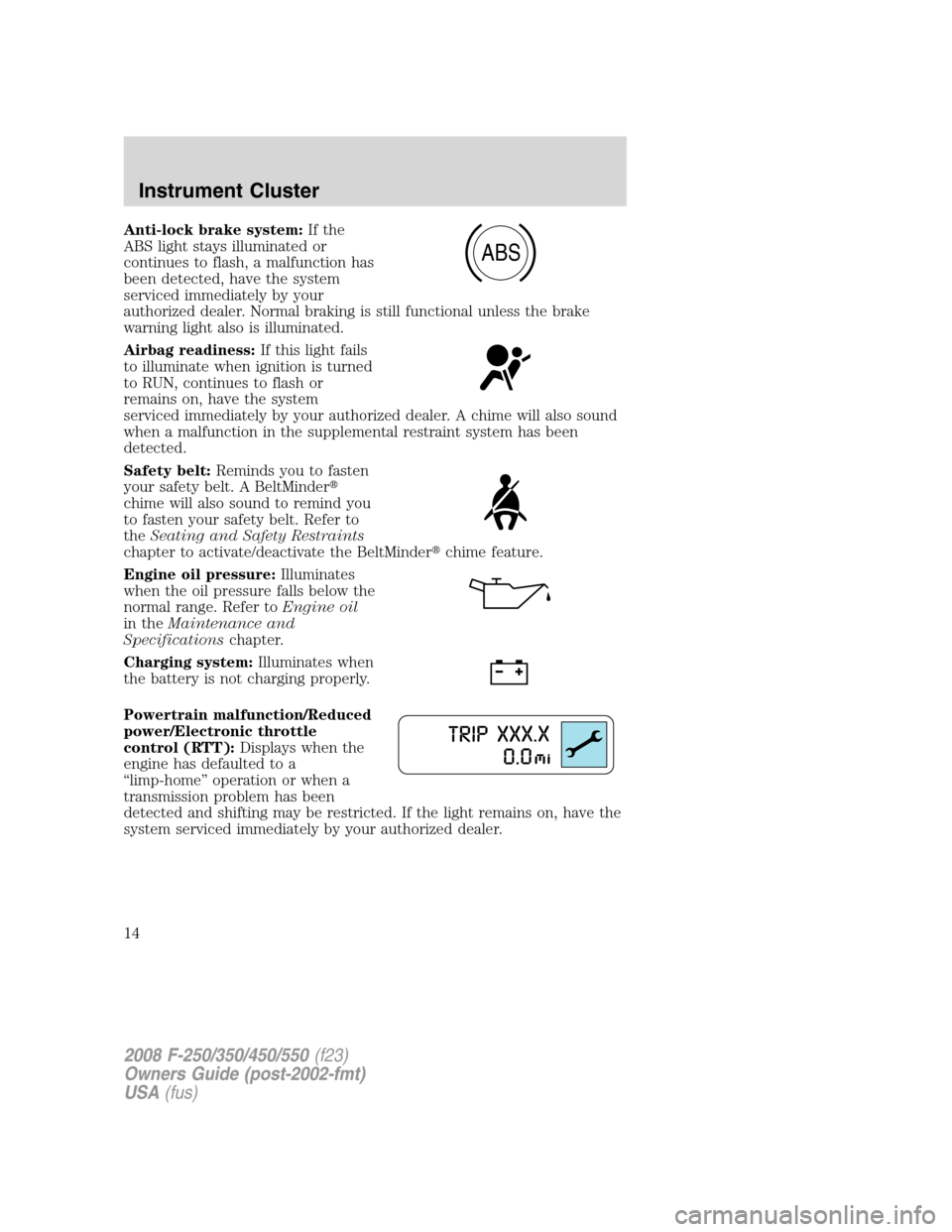
Anti-lock brake system:If the
ABS light stays illuminated or
continues to flash, a malfunction has
been detected, have the system
serviced immediately by your
authorized dealer. Normal braking is still functional unless the brake
warning light also is illuminated.
Airbag readiness:If this light fails
to illuminate when ignition is turned
to RUN, continues to flash or
remains on, have the system
serviced immediately by your authorized dealer. A chime will also sound
when a malfunction in the supplemental restraint system has been
detected.
Safety belt:Reminds you to fasten
your safety belt. A BeltMinder�
chime will also sound to remind you
to fasten your safety belt. Refer to
theSeating and Safety Restraints
chapter to activate/deactivate the BeltMinder�chime feature.
Engine oil pressure:Illuminates
when the oil pressure falls below the
normal range. Refer toEngine oil
in theMaintenance and
Specificationschapter.
Charging system:Illuminates when
the battery is not charging properly.
Powertrain malfunction/Reduced
power/Electronic throttle
control (RTT):Displays when the
engine has defaulted to a
“limp-home” operation or when a
transmission problem has been
detected and shifting may be restricted. If the light remains on, have the
system serviced immediately by your authorized dealer.
ABS
2008 F-250/350/450/550(f23)
Owners Guide (post-2002-fmt)
USA(fus)
Instrument Cluster
14
Page 16 of 368

Transmission Tow/Haul Feature
(automatic transmission)
(if equipped):The Tow Haul light
remains illuminated as long as the
Tow/Haul feature is activated. Refer to theDrivingchapter for
transmission function and operation. If the light remains illuminated and
will not cancel using the Tow/Haul switch located on the end of the gear
shift lever, have the system serviced immediately or damage to the
transmission could occur.
Four wheel drive low
(if equipped):Illuminates when
four-wheel drive low is engaged.
Four wheel drive high
(if equipped):Illuminates when
four-wheel drive high is engaged.
Anti-theft:Flashes when the
SecuriLock�Passive Anti-Theft
System has been activated.
Speed control (if equipped):
Illuminates when the speed control
is activated. Turns off when the
speed control system is deactivated.
Turn signal:Illuminates when the
left or right turn signal or the
hazard lights are turned on. If the
indicators stay on or flash faster, check for a burned out bulb.
High beams:Illuminates when the
high beam headlamps are turned on.
If your vehicle is equipped with a diesel engine, it has some unique
warning lights; refer toInstrument Clusterin your6.0/6.4 Liter Power
Stroke Direct Injection Turbo Diesel Owner’s Guide Supplementfor
detailed information on their function.
4x4
LOW
4x4
HIGH
2008 F-250/350/450/550(f23)
Owners Guide (post-2002-fmt)
USA(fus)
Instrument Cluster
16
Page 17 of 368
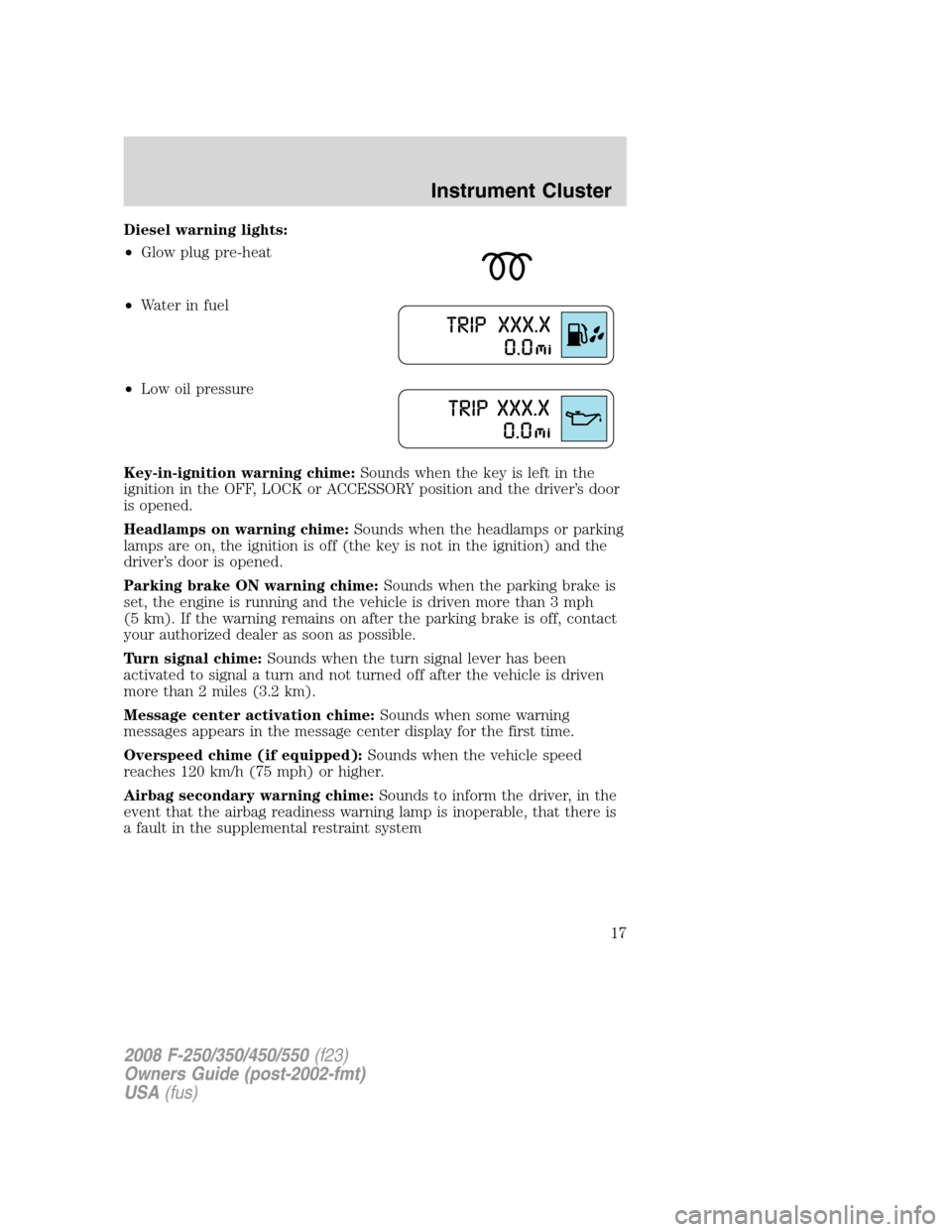
Diesel warning lights:
•Glow plug pre-heat
•Waterinfuel
•Low oil pressure
Key-in-ignition warning chime:Sounds when the key is left in the
ignition in the OFF, LOCK or ACCESSORY position and the driver’s door
is opened.
Headlamps on warning chime:Sounds when the headlamps or parking
lamps are on, the ignition is off (the key is not in the ignition) and the
driver’s door is opened.
Parking brake ON warning chime:Sounds when the parking brake is
set, the engine is running and the vehicle is driven more than 3 mph
(5 km). If the warning remains on after the parking brake is off, contact
your authorized dealer as soon as possible.
Turn signal chime:Sounds when the turn signal lever has been
activated to signal a turn and not turned off after the vehicle is driven
more than 2 miles (3.2 km).
Message center activation chime:Sounds when some warning
messages appears in the message center display for the first time.
Overspeed chime (if equipped):Sounds when the vehicle speed
reaches 120 km/h (75 mph) or higher.
Airbag secondary warning chime:Sounds to inform the driver, in the
event that the airbag readiness warning lamp is inoperable, that there is
a fault in the supplemental restraint system
2008 F-250/350/450/550(f23)
Owners Guide (post-2002-fmt)
USA(fus)
Instrument Cluster
17
Page 21 of 368
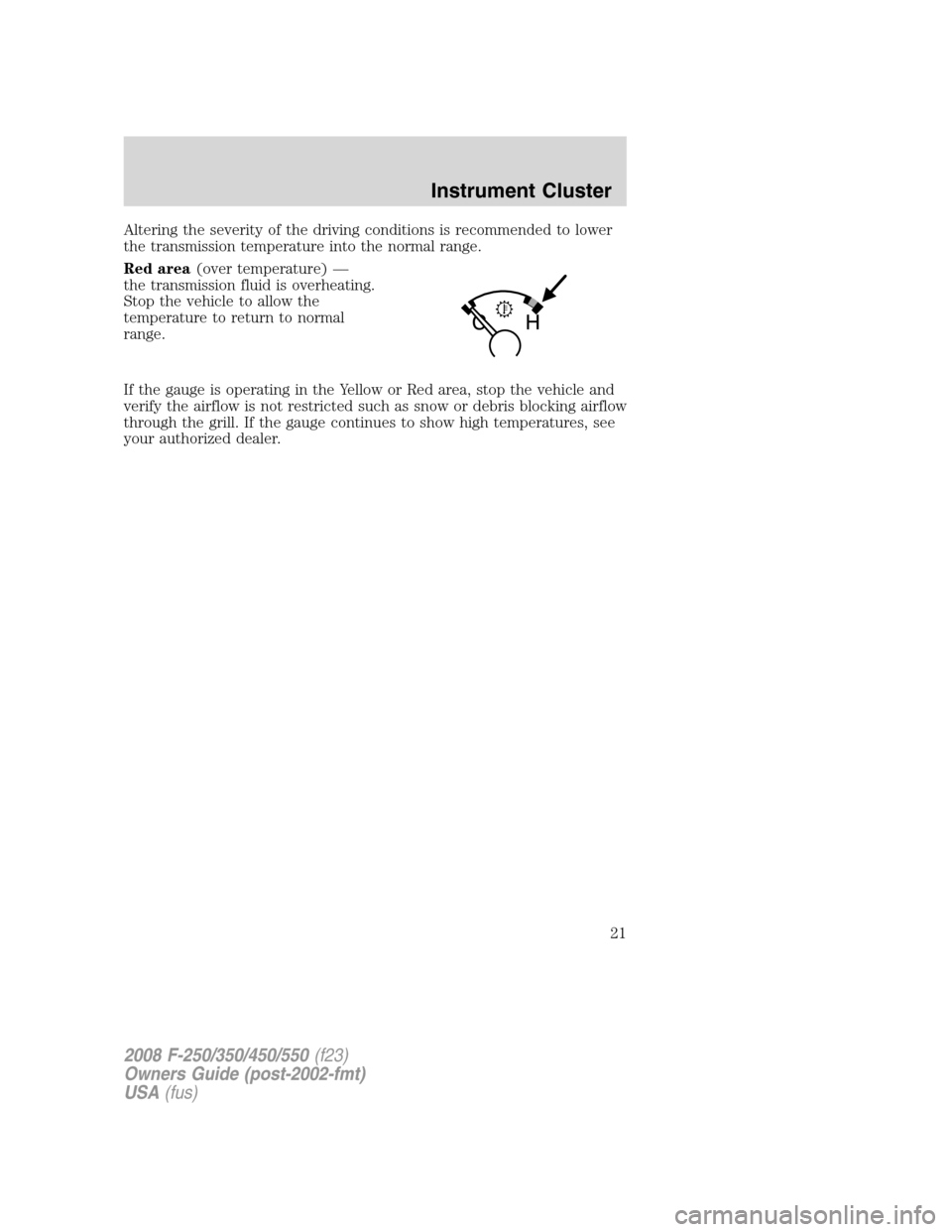
Altering the severity of the driving conditions is recommended to lower
the transmission temperature into the normal range.
Red area(over temperature) —
the transmission fluid is overheating.
Stop the vehicle to allow the
temperature to return to normal
range.
If the gauge is operating in the Yellow or Red area, stop the vehicle and
verify the airflow is not restricted such as snow or debris blocking airflow
through the grill. If the gauge continues to show high temperatures, see
your authorized dealer.
2008 F-250/350/450/550(f23)
Owners Guide (post-2002-fmt)
USA(fus)
Instrument Cluster
21
Page 23 of 368
BASS (Bass):Press AUDIO to reach the bass setting. Use//
SEEK.
BAL (Balance):Press AUDIO to reach the balance setting.
Use
//SEEKto adjust between the left and right speakers.
Setting the clock:Press and hold CLK until the hours start to flash,
then use
//SEEKto adjust. To adjust minutes, press CLK
again to make the minutes start to flash and use
//SEEK
to adjust. Press CLK again to exit the clock setting mode.
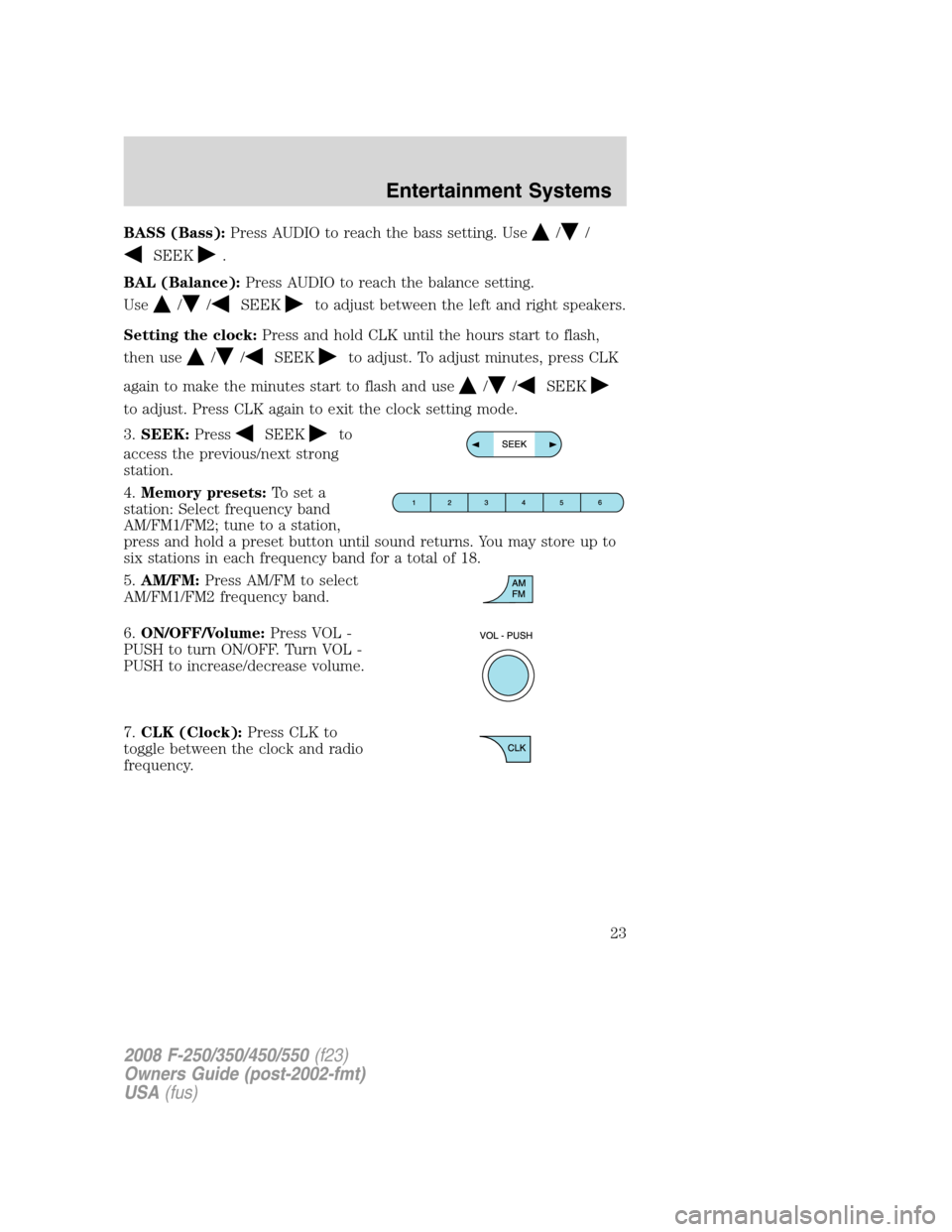
3.SEEK:Press
SEEKto
access the previous/next strong
station.
4.Memory presets:To set a
station: Select frequency band
AM/FM1/FM2; tune to a station,
press and hold a preset button until sound returns. You may store up to
six stations in each frequency band for a total of 18.
5.AM/FM:Press AM/FM to select
AM/FM1/FM2 frequency band.
6.ON/OFF/Volume:Press VOL -
PUSH to turn ON/OFF. Turn VOL -
PUSH to increase/decrease volume.
7.CLK (Clock):Press CLK to
toggle between the clock and radio
frequency.
2008 F-250/350/450/550(f23)
Owners Guide (post-2002-fmt)
USA(fus)
Entertainment Systems
23