2008 FORD FOCUS engine
[x] Cancel search: enginePage 15 of 256

GAUGES
Speedometer:Indicates the
current vehicle speed.
Engine coolant temperature
gauge:Indicates engine coolant
temperature. At normal operating
temperature, the needle will be in
the normal range.If it enters the
red section, the engine is
overheating. Stop the vehicle as
soon as safely possible, switch
off the engine and let the engine cool.If it enters the red section
and theService Engine Soonindicator light illuminates, refer toHow
fail safe cooling worksin theMaintenance and Specificationschapter.
Never remove the coolant reservoir cap while the engine is
running or hot.
2008 Focus(foc)
Owners Guide (post-2002-fmt)
USA(fus)
Instrument Cluster
15
Page 16 of 256
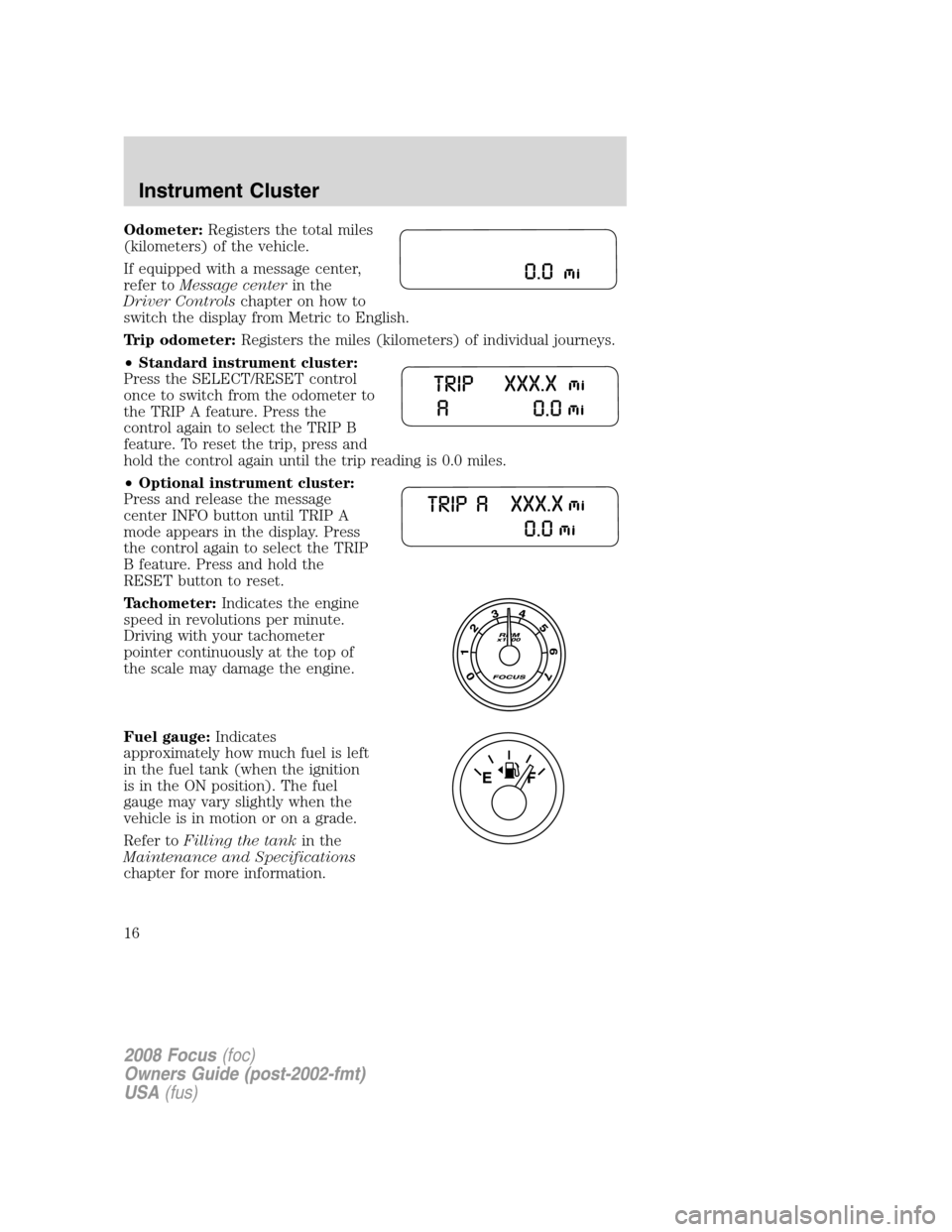
Odometer:Registers the total miles
(kilometers) of the vehicle.
If equipped with a message center,
refer toMessage centerin the
Driver Controlschapter on how to
switch the display from Metric to English.
Trip odometer:Registers the miles (kilometers) of individual journeys.
•Standard instrument cluster:
Press the SELECT/RESET control
once to switch from the odometer to
the TRIP A feature. Press the
control again to select the TRIP B
feature. To reset the trip, press and
hold the control again until the trip reading is 0.0 miles.
•Optional instrument cluster:
Press and release the message
center INFO button until TRIP A
mode appears in the display. Press
the control again to select the TRIP
B feature. Press and hold the
RESET button to reset.
Tachometer:Indicates the engine
speed in revolutions per minute.
Driving with your tachometer
pointer continuously at the top of
the scale may damage the engine.
Fuel gauge:Indicates
approximately how much fuel is left
in the fuel tank (when the ignition
is in the ON position). The fuel
gauge may vary slightly when the
vehicle is in motion or on a grade.
Refer toFilling the tankin the
Maintenance and Specifications
chapter for more information.
2008 Focus(foc)
Owners Guide (post-2002-fmt)
USA(fus)
Instrument Cluster
16
Page 34 of 256
For maximum cooling performance in MAX A/C mode:
1. Select MAX A/C.
2. Move temperature control selector to the coolest setting.
3. Set the fan to the highest speed initially, then adjust to maintain
comfort.
To aid in side window defogging/demisting in cold weather:
1. Select
.
2. Select A/C.
3. Adjust the temperature control to maintain comfort.
4. Set the fan speed to the highest setting.
5. Direct the outer instrument panel vents towards the side windows.
To increase airflow to the outer instrument panel vents, close the vents
located in the middle of the instrument panel.
Do not place objects on top of the instrument panel as these
objects may become projectiles in a collision or sudden stop.
REAR WINDOW DEFROSTER
R
The rear defroster control is located on the climate control panel and
works to clear the rear window of fog and thin ice.
The engine must be running to operate the rear window defroster.
Press
Rto turn the rear window defroster on. An indicator light on
the button will illuminate when active. The rear window defroster turns
off automatically after a predetermined amount of time, if a low battery
condition is detected or when the ignition is turned to the 1 (LOCK) or
2 (ACC) position. To manually turn off the rear window defroster at any
time, press the control again.
If your vehicle is equipped with both rear defroster and heated mirrors,
the same button will activate both. Refer toHeated outside mirrorsin
theDriver Controlschapter.
Do not use razor blades or other sharp objects to clean the inside
of the rear window or to remove decals from the inside or the
rear window. This may cause damage to the heated grid lines and
will not be covered by your warranty.
2008 Focus(foc)
Owners Guide (post-2002-fmt)
USA(fus)
Climate Controls
34
Page 46 of 256

To prevent the fuse from being blown, do not use the power point(s)
over the vehicle capacity of 12 VDC/180W. If the power point or cigar
lighter socket is not working, a fuse may have blown. Refer toFuses and
relaysin theRoadside Emergencieschapter for information on
checking and replacing fuses.
To have full capacity usage of your power point, the engine is required to
be running to avoid unintentional discharge of the battery. To prevent
the battery from being discharged:
•do not use the power point longer than necessary when the engine is
not running,
•do not leave battery chargers, video game adapters, computers and
other devices plugged in overnight or when the vehicle is parked for
extended periods.
Always keep the power point caps closed when not being used.
Cigar lighter (if equipped)
Do not plug optional electrical accessories into the cigarette lighter
socket.
Do not hold the lighter in with your hand while it is heating, this will
damage the lighter element and socket. The lighter will be released from
its heating position when it is ready to be used.
Improper use of the lighter can cause damage not covered by your
warranty.
POWER WINDOWS
Do not leave children unattended in the vehicle and do not let
children play with the power windows. They may seriously injure
themselves.
When closing the power windows, you should verify they are free
of obstructions and ensure that children and/or pets are not in
the proximity of the window openings.
2008 Focus(foc)
Owners Guide (post-2002-fmt)
USA(fus)
Driver Controls
46
Page 50 of 256
Note:
•Vehicle speed may vary momentarily when driving up and down a
steep hill.
•If the vehicle speed increases above the set speed on a downhill, you
may want to apply the brakes to reduce the speed.
•If the vehicle speed decreases more than 10 mph (16 km/h) below
your set speed on an uphill, your speed control will disengage.
Disengaging speed control
To disengage the speed control:
•Depress the brake pedal or
•Depress the clutch pedal (if equipped).
Disengaging the speed control will not erase previous set speed.
Note:When you use the clutch pedal to disengage the speed control,
the engine speed may briefly increase, this is normal.
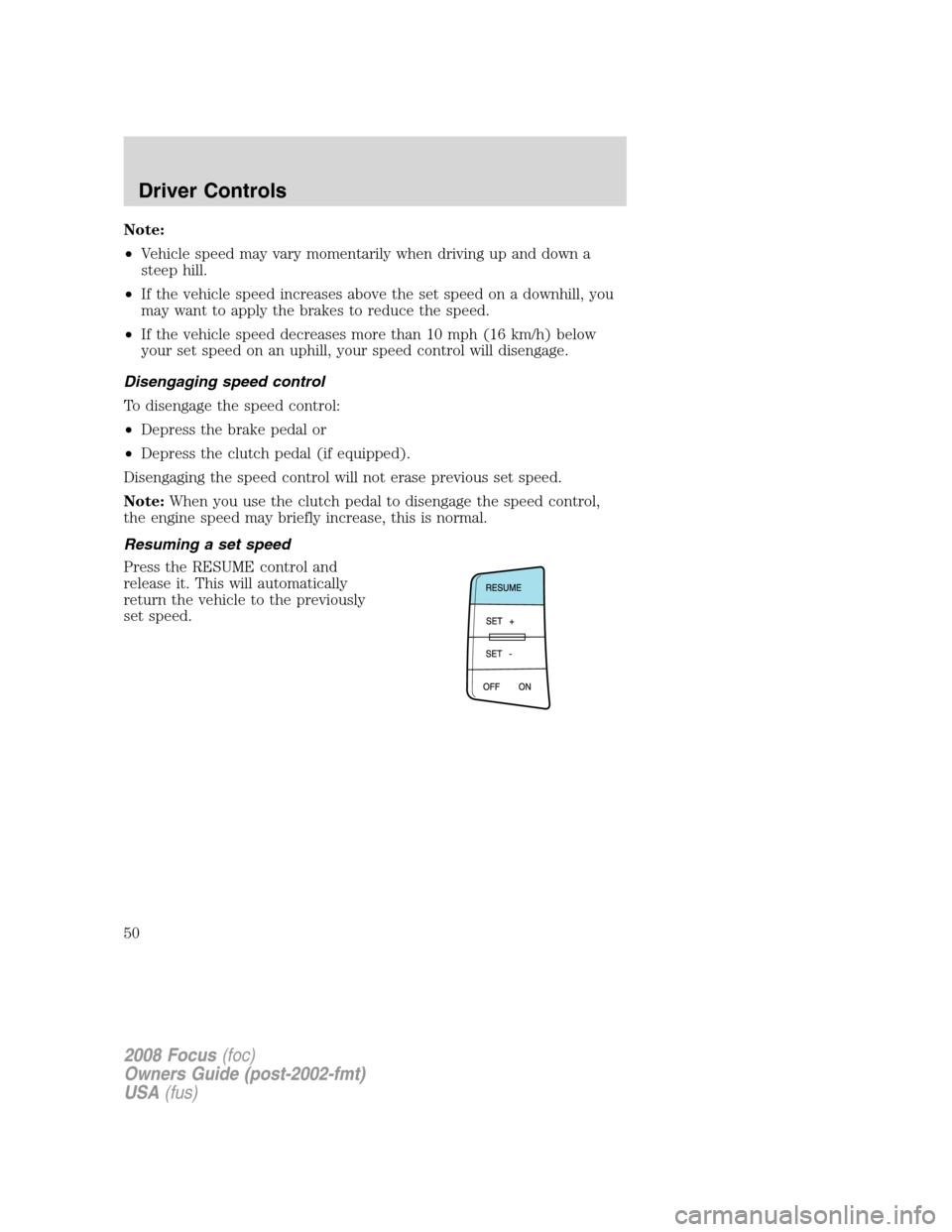
Resuming a set speed
Press the RESUME control and
release it. This will automatically
return the vehicle to the previously
set speed.
2008 Focus(foc)
Owners Guide (post-2002-fmt)
USA(fus)
Driver Controls
50
Page 60 of 256

Warnings Status
Driver door ajar Warning cannot be reset
Passenger door ajar
Rear left door ajar (if
equipped)
Rear right door ajar (if
equipped)
Park brake engaged Warning returns after 10 minutes if
condition still exists
XXX miles (km) to empty fuel
level low
Check brake system Warning returns after the ignition key
is turned from OFF to RUN.
Low brake fluid
Low tire pressure
Tire pressure monitor fault
Tire pressure sensor fault
DRIVER DOOR AJAR.Displayed when the driver door is not
completely closed.
PASSENGER DOOR AJAR.Displayed when the passenger door is not
completely closed.
REAR LEFT DOOR AJAR (if equipped).Displayed when the rear left
door is not completely closed.
REAR RIGHT DOOR AJAR (if equipped).Displayed when the rear
right door is not completely closed.
PARK BRAKE ENGAGED.
Displayed when the manual park brake is set,
the engine is running and the vehicle is driven more than 3 mph (5 km). If
the warning stays on after the park brake is released, contact your
authorized dealer as soon as possible.
XXX MILES TO EMPTY FUEL LEVEL LOW.Displayed as an early
reminder of a low fuel condition.
CHECK BRAKE SYSTEM.Displayed when the braking system is not
operating properly. If the warning stays on or continues to come on,
contact your authorized dealer as soon as possible.
LOW BRAKE FLUID.Indicates the brake fluid level is low and the
brake system should be inspected immediately. Refer toBrake fluid
reservoirin theMaintenance and Specificationschapter.
2008 Focus(foc)
Owners Guide (post-2002-fmt)
USA(fus)
Driver Controls
60
Page 71 of 256
SECURILOCK™ PASSIVE ANTI-THEFT SYSTEM
SecuriLock™ passive anti-theft system is an engine immobilization
system. This system is designed to help prevent the engine from being
started unless acoded key programmed to your vehicleis used. The
use of the wrong type of coded key may lead to a “no-start” condition.
Your vehicle comes with two coded keys; additional coded keys may be
purchased from your authorized dealer. The authorized dealer can
program your spare keys to your vehicle or you can program the keys
yourself. Refer toProgramming spare keysfor instructions on how to
program the coded key.
Note:The SecuriLock™ passive anti-theft system is not compatible with
non-Ford aftermarket remote start systems. Use of these systems may
result in vehicle starting problems and a loss of security protection.
Note:Large metallic objects, electronic devices that are used to
purchase gasoline or similar items, or a second coded key on the same
key chain may cause vehicle starting issues. You need to prevent these
objects from touching the coded key while starting the engine. These
objects will not cause damage to the coded key, but may cause a
momentary issue if they are too close to the key when starting the
engine. If a problem occurs, turn the ignition off, remove all objects on
the key chain away from the coded key and restart the engine.
Anti-theft indicator
The anti-theft indicator is located in the instrument cluster.
•When the ignition is in the 2 (OFF) position, the indicator will flash
once every 2 seconds to indicate the SecuriLock™ system is
functioning as a theft deterrent.Note:On vehicles equipped with a
manual transmission, the indicator will flash when the ignition is in the
1 (LOCK) position.
•When the ignition is in the 3 (ON) position, the indicator will glow for
3 seconds, then turn off, to indicate normal system functionality.
If a problem occurs with the SecuriLock™ system, the indicator will flash
rapidly or glow steadily when the ignition is in the 3 (ON) position. If
this occurs, the vehicle should be taken to an authorized dealer for
service.
2008 Focus(foc)
Owners Guide (post-2002-fmt)
USA(fus)
Locks and Security
71
Page 72 of 256
Replacement keys
If your keys are lost or stolen and you don’t have an extra coded key,
you will need to have your vehicle towed to an authorized dealer. The
key codes need to be erased from your vehicle and new coded keys will
need to be programmed.
Replacing coded keys can be very costly. Store an extra programmed key
away from the vehicle in a safe place to help prevent any
inconveniences. Please visit an authorized dealer to purchase additional
spare or replacement keys.
Programming spare keys
You can program your own coded keys to your vehicle. Please read and
understand the entire procedure before you begin.
Tips:
•A maximum of eight keys can be coded to your vehicle.
•Only use SecuriLock™ keys.
•You must have two previously programmed coded keys (keys that
already operate your vehicle’s engine) and the new unprogrammed
key(s) readily accessible.
•If two previously programmed coded keys are not available, you must
take your vehicle to your authorized dealer to have the spare key(s)
programmed.
1. Insert a previously programmed
coded key into the ignition.
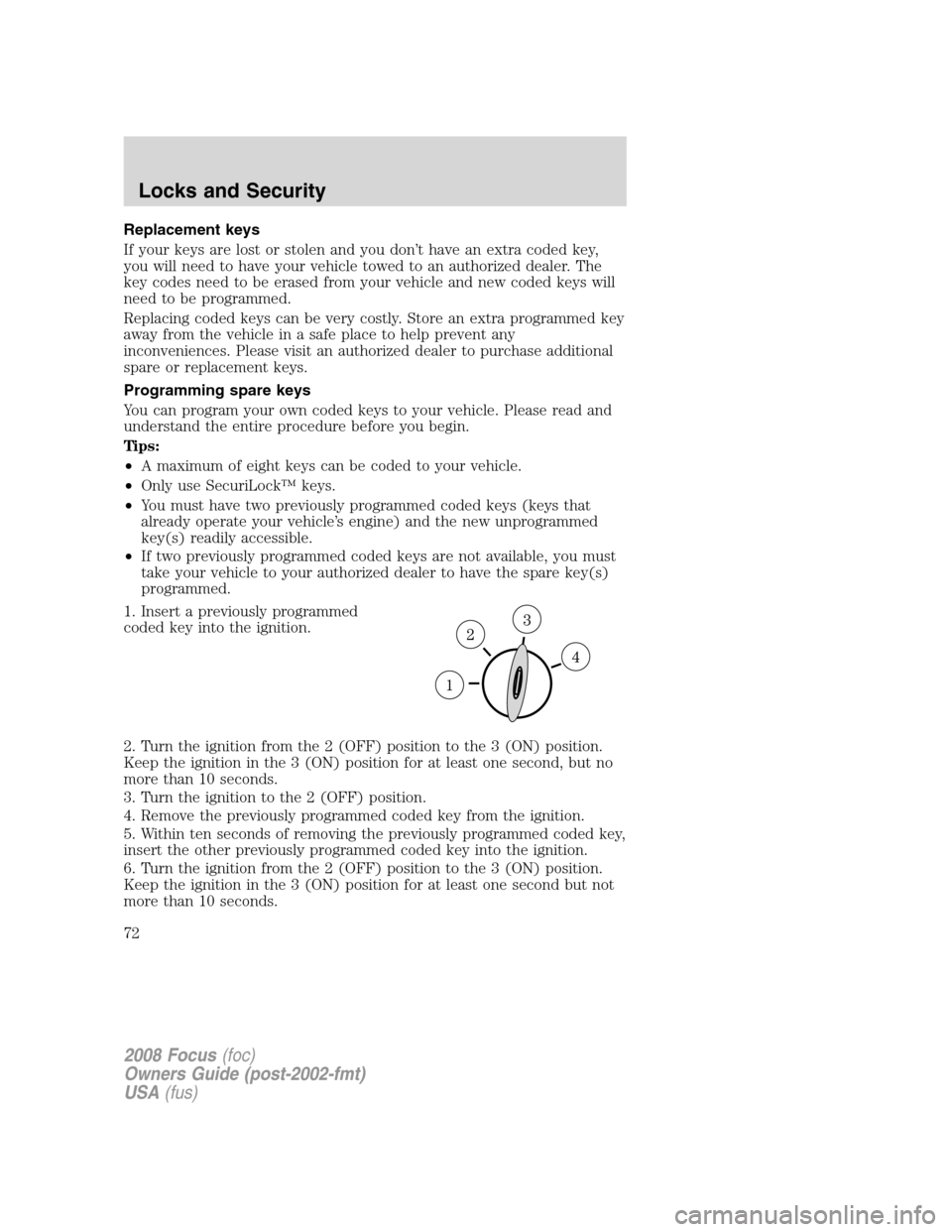
2. Turn the ignition from the 2 (OFF) position to the 3 (ON) position.
Keep the ignition in the 3 (ON) position for at least one second, but no
more than 10 seconds.
3. Turn the ignition to the 2 (OFF) position.
4. Remove the previously programmed coded key from the ignition.
5. Within ten seconds of removing the previously programmed coded key,
insert the other previously programmed coded key into the ignition.
6. Turn the ignition from the 2 (OFF) position to the 3 (ON) position.
Keep the ignition in the 3 (ON) position for at least one second but not
more than 10 seconds.
2008 Focus(foc)
Owners Guide (post-2002-fmt)
USA(fus)
Locks and Security
72