2008 FORD FOCUS brake
[x] Cancel search: brakePage 50 of 256
Note:
•Vehicle speed may vary momentarily when driving up and down a
steep hill.
•If the vehicle speed increases above the set speed on a downhill, you
may want to apply the brakes to reduce the speed.
•If the vehicle speed decreases more than 10 mph (16 km/h) below
your set speed on an uphill, your speed control will disengage.
Disengaging speed control
To disengage the speed control:
•Depress the brake pedal or
•Depress the clutch pedal (if equipped).
Disengaging the speed control will not erase previous set speed.
Note:When you use the clutch pedal to disengage the speed control,
the engine speed may briefly increase, this is normal.
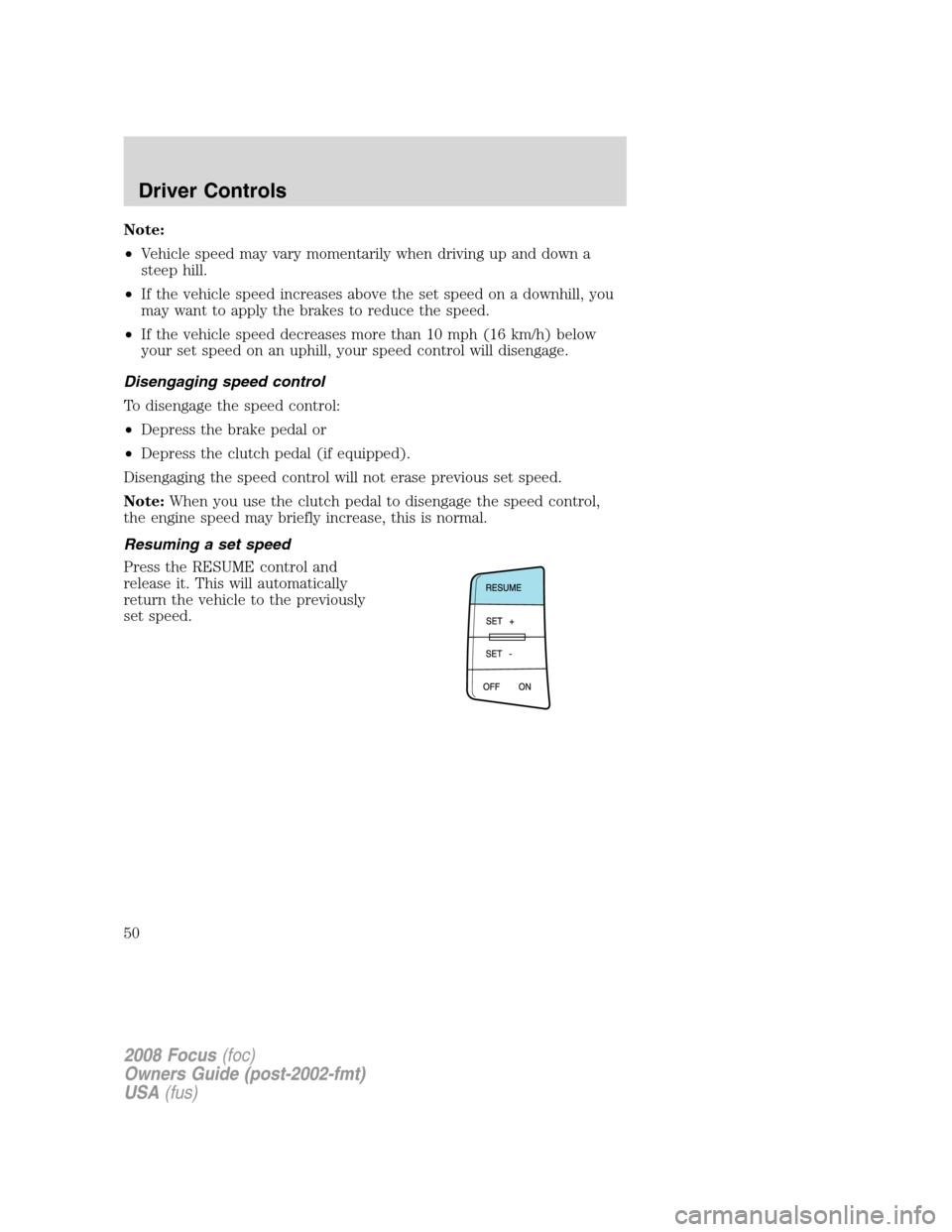
Resuming a set speed
Press the RESUME control and
release it. This will automatically
return the vehicle to the previously
set speed.
2008 Focus(foc)
Owners Guide (post-2002-fmt)
USA(fus)
Driver Controls
50
Page 51 of 256
Increasing speed while using speed control
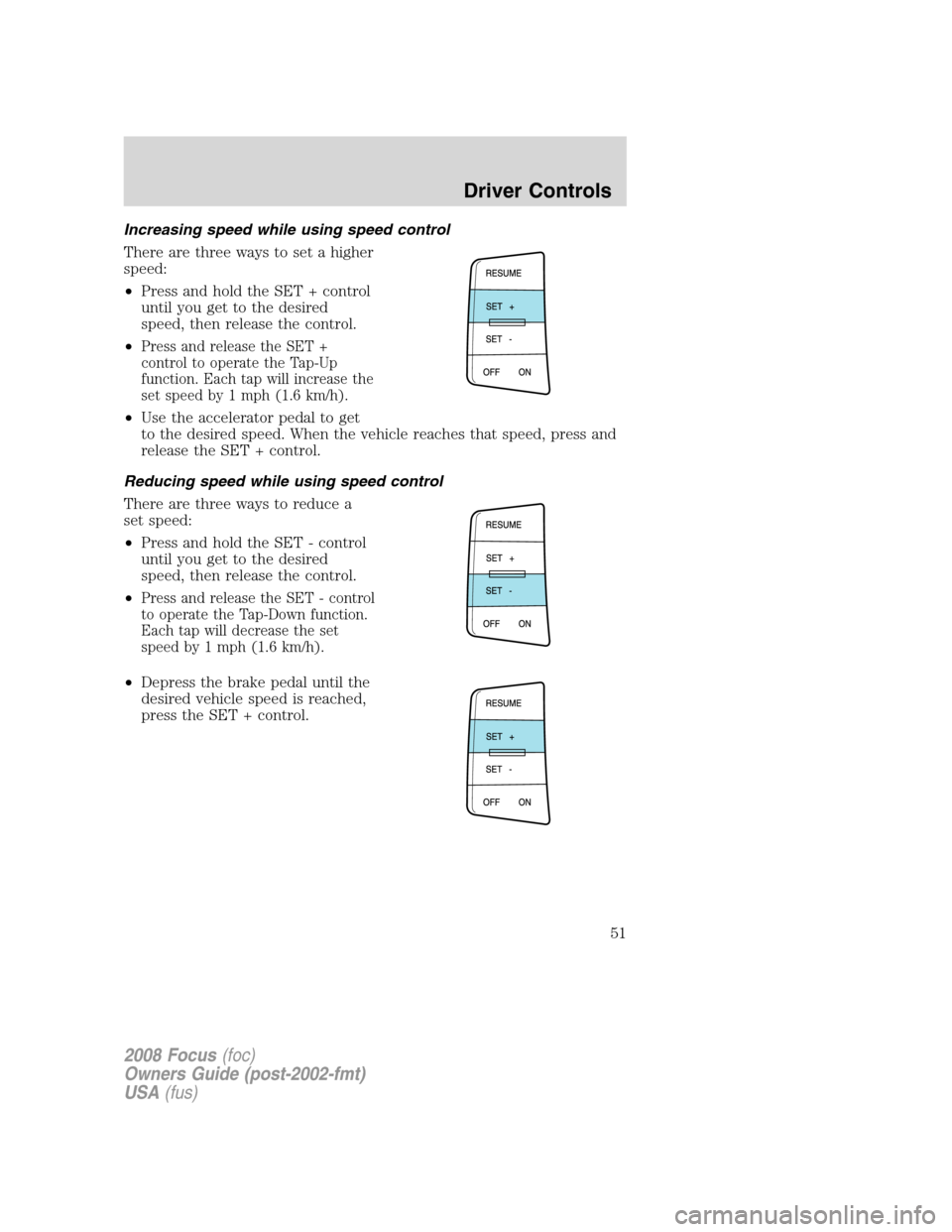
There are three ways to set a higher
speed:
•Press and hold the SET + control
until you get to the desired
speed, then release the control.
•
Press and release the SET +
control to operate the Tap-Up
function. Each tap will increase the
set speed by 1 mph (1.6 km/h).
•Use the accelerator pedal to get
to the desired speed. When the vehicle reaches that speed, press and
release the SET + control.
Reducing speed while using speed control
There are three ways to reduce a
set speed:
•Press and hold the SET - control
until you get to the desired
speed, then release the control.
•
Press and release the SET - control
to operate the Tap-Down function.
Each tap will decrease the set
speed by 1 mph (1.6 km/h).
•Depress the brake pedal until the
desired vehicle speed is reached,
press the SET + control.
2008 Focus(foc)
Owners Guide (post-2002-fmt)
USA(fus)
Driver Controls
51
Page 58 of 256
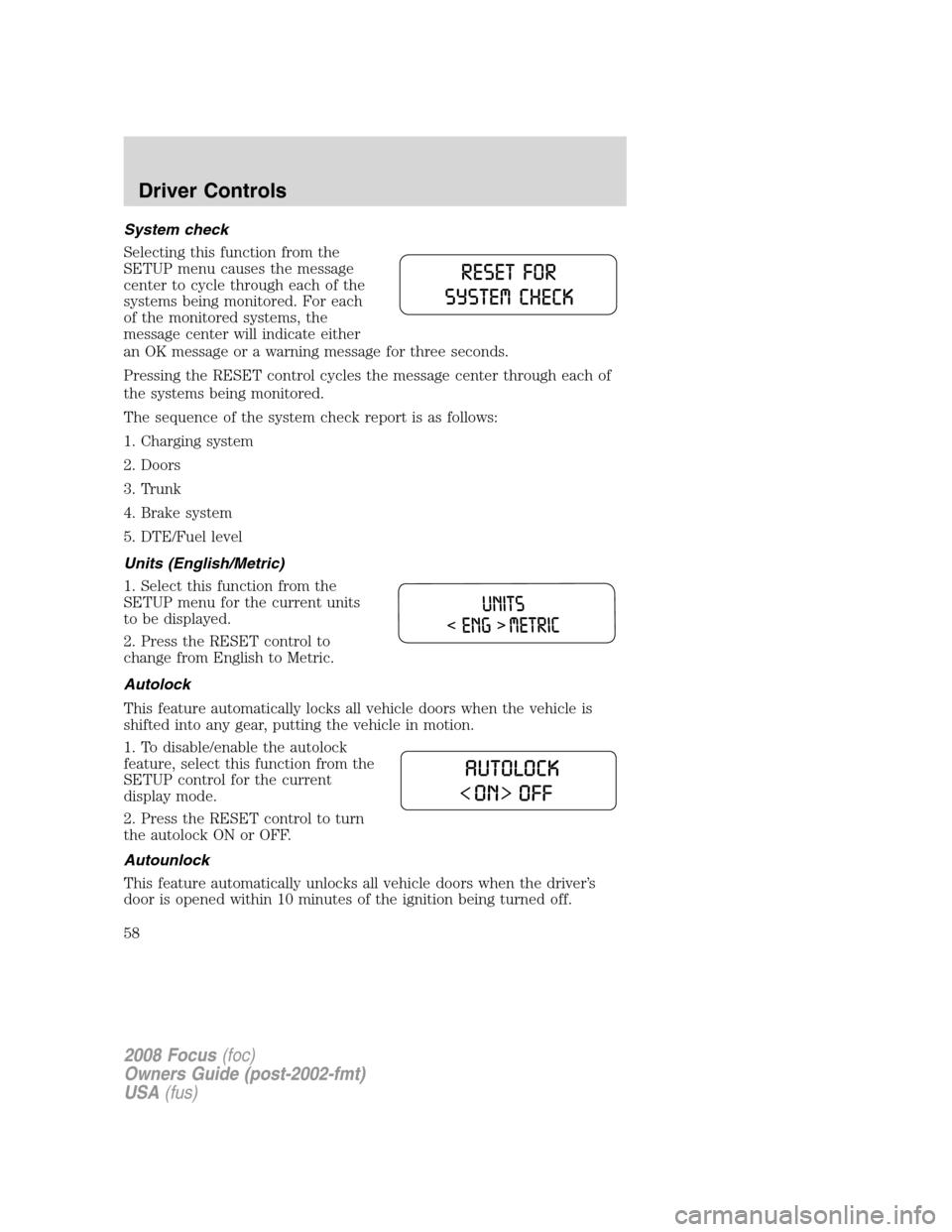
System check
Selecting this function from the
SETUP menu causes the message
center to cycle through each of the
systems being monitored. For each
of the monitored systems, the
message center will indicate either
an OK message or a warning message for three seconds.
Pressing the RESET control cycles the message center through each of
the systems being monitored.
The sequence of the system check report is as follows:
1. Charging system
2. Doors
3. Trunk
4. Brake system
5. DTE/Fuel level
Units (English/Metric)
1. Select this function from the
SETUP menu for the current units
to be displayed.
2. Press the RESET control to
change from English to Metric.
Autolock
This feature automatically locks all vehicle doors when the vehicle is
shifted into any gear, putting the vehicle in motion.
1. To disable/enable the autolock
feature, select this function from the
SETUP control for the current
display mode.
2. Press the RESET control to turn
the autolock ON or OFF.
Autounlock
This feature automatically unlocks all vehicle doors when the driver’s
door is opened within 10 minutes of the ignition being turned off.
2008 Focus(foc)
Owners Guide (post-2002-fmt)
USA(fus)
Driver Controls
58
Page 60 of 256

Warnings Status
Driver door ajar Warning cannot be reset
Passenger door ajar
Rear left door ajar (if
equipped)
Rear right door ajar (if
equipped)
Park brake engaged Warning returns after 10 minutes if
condition still exists
XXX miles (km) to empty fuel
level low
Check brake system Warning returns after the ignition key
is turned from OFF to RUN.
Low brake fluid
Low tire pressure
Tire pressure monitor fault
Tire pressure sensor fault
DRIVER DOOR AJAR.Displayed when the driver door is not
completely closed.
PASSENGER DOOR AJAR.Displayed when the passenger door is not
completely closed.
REAR LEFT DOOR AJAR (if equipped).Displayed when the rear left
door is not completely closed.
REAR RIGHT DOOR AJAR (if equipped).Displayed when the rear
right door is not completely closed.
PARK BRAKE ENGAGED.
Displayed when the manual park brake is set,
the engine is running and the vehicle is driven more than 3 mph (5 km). If
the warning stays on after the park brake is released, contact your
authorized dealer as soon as possible.
XXX MILES TO EMPTY FUEL LEVEL LOW.Displayed as an early
reminder of a low fuel condition.
CHECK BRAKE SYSTEM.Displayed when the braking system is not
operating properly. If the warning stays on or continues to come on,
contact your authorized dealer as soon as possible.
LOW BRAKE FLUID.Indicates the brake fluid level is low and the
brake system should be inspected immediately. Refer toBrake fluid
reservoirin theMaintenance and Specificationschapter.
2008 Focus(foc)
Owners Guide (post-2002-fmt)
USA(fus)
Driver Controls
60
Page 61 of 256

LOW TIRE PRESSURE.Displayed when one or more tires on your
vehicle have low tire pressure. Refer toInflating your tiresin theTires,
Wheels and Loadingchapter.
TIRE PRESSURE MONITOR FAULT.Displayed when the Tire
Pressure Monitoring System is malfunctioning. If the warning stays on or
continues to come on, have the system inspected by your authorized
dealer.
TIRE PRESSURE SENSOR FAULT.Displayed when a tire pressure
sensor is malfunctioning, or your spare tire is in use. For more
information on how the system operates under these conditions, refer to
Tire pressure monitoring systemin theTires, Wheels and Loading
chapter. If the warning stays on or continues to come on, have the
system inspected by your authorized dealer.
POSITIVE RETENTION FLOOR MAT
Do not install additional floor mats on top of the factory installed
floor mats as they may interfere with the accelerator or the
brake pedals.
Position the floor mat so the eyelet
is over the pointed end of the
retention post and then pull eyelet
over and push floor mat down over
retention post. Properly align mat in
drivers footwell, rotating if
necessary. Make sure the mat does
not interfere with the operation of
the accelerator, brake pedal or
clutch pedal (if equipped). To
remove the floor mat, reverse the
installation procedure.
2008 Focus(foc)
Owners Guide (post-2002-fmt)
USA(fus)
Driver Controls
61
Page 70 of 256
4. Insert the new battery. Refer to the diagram inside the remote entry
transmitter for the correct orientation of the battery. Press the battery
down to ensure that the battery is fully seated in the battery housing
cavity.
5. Snap the two halves back together.
Note:Replacement of the battery willnotcause the remote transmitter
to become deprogrammed from your vehicle. The remote transmitter
should operate normally after battery replacement.
Replacing lost remote entry transmitters
If you would like to have your remote entry transmitter reprogrammed
because you lost one, or would like to buy additional remote entry
transmitters, you can either reprogram them yourself, or takeall
remote entry transmittersto your authorized dealer for
reprogramming.
How to reprogram your remote entry transmitters
You must haveall remote entry transmitters(maximum of four)
available before beginning this procedure.
Note:Ensure the brake pedal is not
depressed during this sequence.
To reprogram the remote entry
transmitters:
1. Close all doors and fasten the driver’s seat belt to ensure conflicting
chimes do not sound during the procedure.
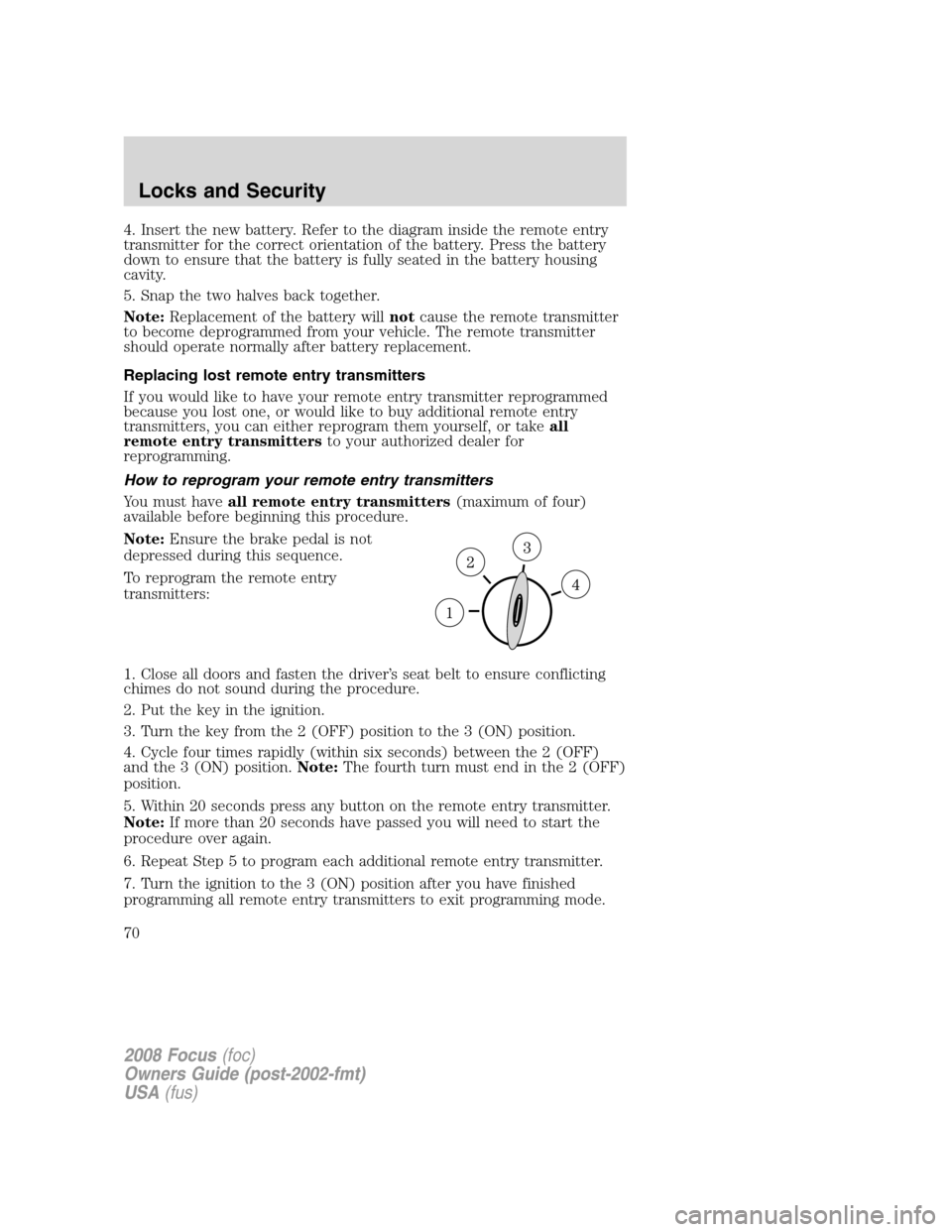
2. Put the key in the ignition.
3. Turn the key from the 2 (OFF) position to the 3 (ON) position.
4. Cycle four times rapidly (within six seconds) between the 2 (OFF)
and the 3 (ON) position.Note:The fourth turn must end in the 2 (OFF)
position.
5. Within 20 seconds press any button on the remote entry transmitter.
Note:If more than 20 seconds have passed you will need to start the
procedure over again.
6. Repeat Step 5 to program each additional remote entry transmitter.
7. Turn the ignition to the 3 (ON) position after you have finished
programming all remote entry transmitters to exit programming mode.
2008 Focus(foc)
Owners Guide (post-2002-fmt)
USA(fus)
Locks and Security
70
Page 87 of 256
Energy management feature
•This vehicle has a safety belt system with an energy management
feature at the front outboard seating positions to help further reduce
the risk of injury in the event of a head-on collision.
•This safety belt system has a retractor assembly that is designed to
pay out webbing in a controlled manner. This feature is designed to
help reduce the belt force acting on the occupant’s chest.
The front outboard and rear safety restraints in the vehicle are
combination lap and shoulder belts. The front passenger and rear seat
outboard safety belts have two types of locking modes.
Vehicle sensitive mode
The vehicle sensitive mode is the normal retractor mode, allowing free
shoulder belt length adjustment to your movements and locking in
response to vehicle movement. For example, if the driver brakes
suddenly or turns a corner sharply, or the vehicle receives an impact of
approximately 5 mph (8 km/h) or more, the combination safety belts will
lock to help reduce forward movement of the driver and passengers.
Automatic locking mode
When to use the automatic locking mode
In this mode, the shoulder belt is automatically pre-locked. The belt will
still retract to remove any slack in the shoulder belt. The automatic
locking mode is not available on the driver safety belt.
This mode should be usedany timea child safety seat (except a
booster) is installed in a passenger front or outboard rear seating
position (if equipped). Children 12 years old and under should be
properly restrained in the rear seat whenever possible. Refer toSafety
restraints for childrenorSafety seats for childrenlater in this chapter.
2008 Focus(foc)
Owners Guide (post-2002-fmt)
USA(fus)
Seating and Safety Restraints
87
Page 90 of 256
Each seating position in your vehicle has a specific safety belt
assembly which is made up of one buckle and one tongue that
are designed to be used as a pair. 1) Use the shoulder belt on the
outside shoulder only. Never wear the shoulder belt under the arm. 2)
Never swing the safety belt around your neck over the inside shoulder.
3) Never use a single belt for more than one person.
While you are fastened in the safety belt, the combination lap/shoulder
belt with a cinch tongue adjusts to your movement. However, if you
brake hard, turn hard, or if your vehicle receives an impact of 8 km/h
(5 mph) or more, the safety belt will become locked and help reduce
your forward movement.
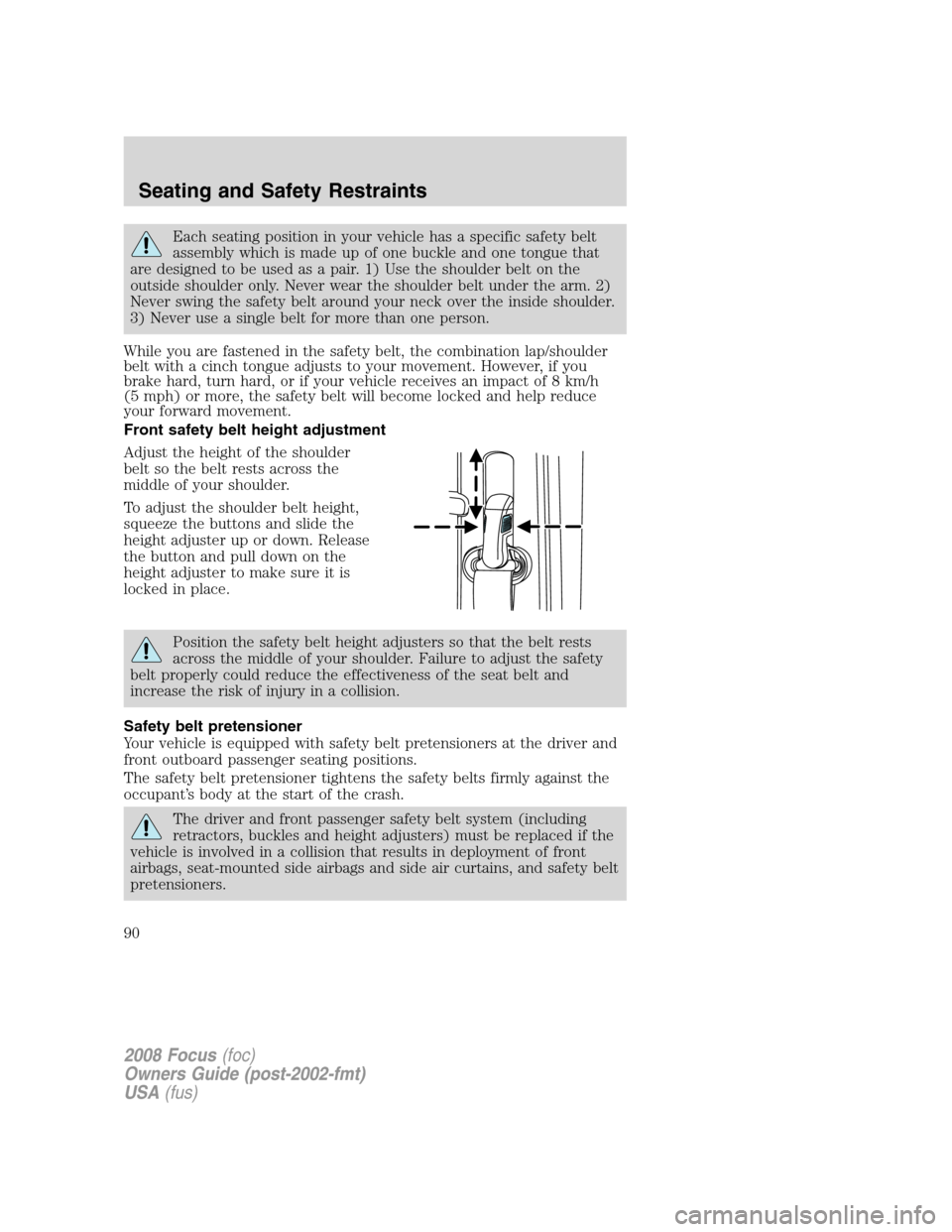
Front safety belt height adjustment
Adjust the height of the shoulder
belt so the belt rests across the
middle of your shoulder.
To adjust the shoulder belt height,
squeeze the buttons and slide the
height adjuster up or down. Release
the button and pull down on the
height adjuster to make sure it is
locked in place.
Position the safety belt height adjusters so that the belt rests
across the middle of your shoulder. Failure to adjust the safety
belt properly could reduce the effectiveness of the seat belt and
increase the risk of injury in a collision.
Safety belt pretensioner
Your vehicle is equipped with safety belt pretensioners at the driver and
front outboard passenger seating positions.
The safety belt pretensioner tightens the safety belts firmly against the
occupant’s body at the start of the crash.
The driver and front passenger safety belt system (including
retractors, buckles and height adjusters) must be replaced if the
vehicle is involved in a collision that results in deployment of front
airbags, seat-mounted side airbags and side air curtains, and safety belt
pretensioners.
2008 Focus(foc)
Owners Guide (post-2002-fmt)
USA(fus)
Seating and Safety Restraints
90