2008 FORD F350 ignition
[x] Cancel search: ignitionPage 150 of 400

Keyless entry key pad autounlock enable/disable procedure
1. Turn the ignition to the 1
(OFF/LOCK) position.
2. Close all the doors.
3. Enter factory–set 5–digit entry
code.
4. Press and hold the 3•4. While holding the 3•4, press and release
the 7•8. While still holding the 3•4, press and release the 7•8a
second time.
5. Release the 3•4.
The user should receive ahorn chirpto indicate the system has been
disabled or a chirp followed by a honk to indicate the system has been
enabled.
CHILDPROOF DOOR LOCKS (IF EQUIPPED)
•When these locks are set, the
rear doors cannot be opened from
the inside.
•The rear doors can be opened
from the outside when the doors
are unlocked.
The childproof locks are located on
rear edge of each rear door and
must be set separately for each
door. Setting the lock for one door
will not automatically set the lock
for both doors.
•Move lock control up to engage
the childproof lock.
•Move lock control down to
disengage the childproof lock.
2008 F-250/350/450/550(f23)
Owners Guide (post-2002-fmt)
USA(fus)
Locks and Security
150
ProCarManuals.com
Page 151 of 400
REMOTE ENTRY SYSTEM (IF EQUIPPED)
This device complies with part 15 of the FCC rules and with RS-210 of
Industry Canada. Operation is subject to the following two conditions:
(1) This device may not cause harmful interference, and (2) This device
must accept any interference received, including interference that may
cause undesired operation.
Changes or modifications not expressly approved by the party
responsible for compliance could void the user’s authority to
operate the equipment.
The typical operating range for your remote entry transmitter is
approximately 33 feet (10 meters). A decrease in operating range could
be caused by:
•weather conditions,
•nearby radio towers,
•structures around the vehicle, or
•other vehicles parked next to your vehicle.
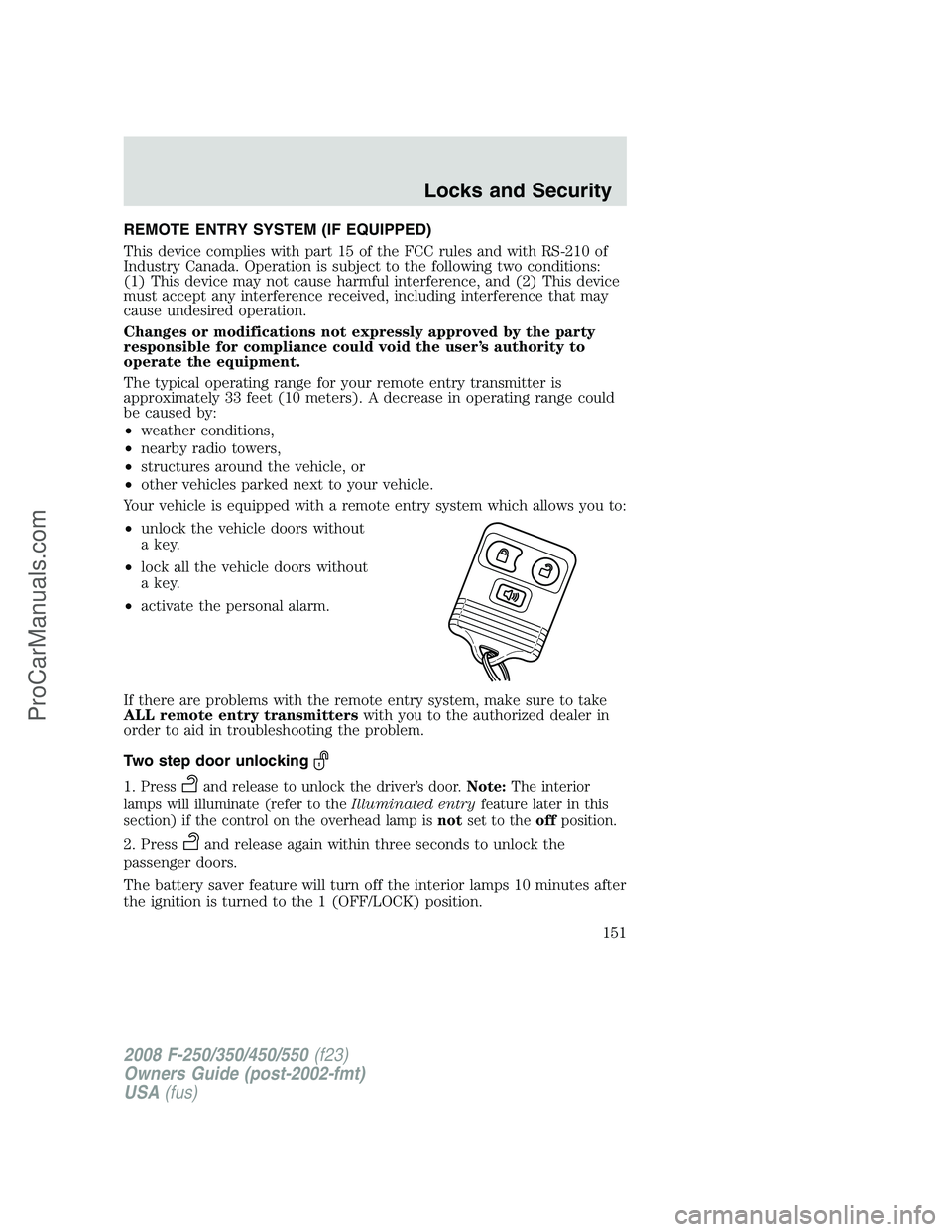
Your vehicle is equipped with a remote entry system which allows you to:
•unlock the vehicle doors without
a key.
•lock all the vehicle doors without
a key.
•activate the personal alarm.
If there are problems with the remote entry system, make sure to take
ALL remote entry transmitterswith you to the authorized dealer in
order to aid in troubleshooting the problem.
Two step door unlocking
1.Pressand release to unlock the driver’s door.Note:The interior
lamps will illuminate (refer to theIlluminated entryfeature later in this
section) if the control on the overhead lamp isnotset to theoffposition.
2. Pressand release again within three seconds to unlock the
passenger doors.
The battery saver feature will turn off the interior lamps 10 minutes after
the ignition is turned to the 1 (OFF/LOCK) position.
2008 F-250/350/450/550(f23)
Owners Guide (post-2002-fmt)
USA(fus)
Locks and Security
151
ProCarManuals.com
Page 152 of 400

One step door unlocking
If the one step door unlocking feature is activated, press
and release
once to unlock all of the doors.Note:The interior lamps will illuminate
(refer to theIlluminated entryfeature later in this section) if the
control on the overhead lamp isnotset to theoffposition.
Switching from two step to one step door unlocking
Your vehicle comes with two step unlocking enabled. Unlocking can be
switched between two step and one step door unlocking by pressing and
holding both the
andbuttons simultaneously on the remote entry
transmitter for approximately 4 seconds. The hazard lamps will flash
twice to indicate that the vehicle has switched to one step unlocking.
Repeat the procedure to switch back to two-step unlocking.
Locking the doors
1. Press
and release to lock all the doors. The parking lamps will
flash if all the doors are closed and locked.
2. Press
and release again within three seconds to confirm that all
the doors are closed and locked.Note:The doors will lock again, the
horn will chirp once, and the parking lamps will flash once more.
If any of the doors are not properly closed the horn will make two quick
chirps and the parklamps will not flash.
Car finder
Press
twice within 3 seconds. the horn will chirp and the turn lamps
will flash. It is recommended that this method be used to locate your
vehicle, rather than using the panic alarm.
Sounding a panic alarm
Press
to activate the alarm. Press again or turn the ignition to 3
(ON) to deactivate.
Note:The panic alarm will only operate when the ignition is in the 1
(OFF/LOCK) position.
Memory seats/adjustable pedals/mirrors (if equipped)
The remote entry system can also control the memory seat/adjustable
pedals/mirrors.
Press
to automatically move the seat, adjustable pedals and mirrors to
the desired memory position (the seat position corresponds to the
transmitter being used).
2008 F-250/350/450/550(f23)
Owners Guide (post-2002-fmt)
USA(fus)
Locks and Security
152
ProCarManuals.com
Page 155 of 400

To reprogram the remote entry
transmitters:
1. Ensure the vehicle is
electronically unlocked.
2. Put the key in the ignition.
3. Cycle eight times rapidly (within
10 seconds) between the 1
(OFF/LOCK) position and 3 (ON).
Note:The eighth turn must end in
the 3 (ON) position. The doors will
lock, then unlock, to confirm that the programming mode has been
activated.
4. Within 20 seconds press any button on the remote entry transmitter.
Note:If more than 20 seconds have passed you will need to start the
procedure over again. The doors will lock, then unlock, to confirm that
this remote entry transmitter has been programmed.
5. Repeat Step 4 to program each additional remote entry transmitter.
6. Turn the ignition to the 1 (OFF/LOCK) position after you have
finished programming all of the remote entry transmitters.Note:After
20 seconds, you will automatically exit the programming mode. The
doors will lock, then unlock, to confirm that the programming mode has
been exited.
Perimeter lamps illuminated entry
With the Remote Keyless Entry system, the following items will
illuminate when the
control on the transmitter is pressed:
•Headlamps
•Parklamps
•Tail lamps
The lamps will automatically turn off:
•if the ignition switch is turned to the 3 (ON) position, or
•the Remote Keyless Entry Transmitter lock control is pressed, or
•the vehicle is locked using the keyless entry keypad (if equipped), or
•after 25 seconds of illumination.
Note:On some vehicles, the perimeter lamps illuminated entry feature
will not activate in daylight conditions.
2008 F-250/350/450/550(f23)
Owners Guide (post-2002-fmt)
USA(fus)
Locks and Security
155
ProCarManuals.com
Page 156 of 400
Deactivating/activating perimeter lamps illuminated entry
You may enable/disable this feature by having your vehicle serviced by
your authorized dealer.
You may also perform the following power door lock sequence to
enable/disable the perimeter lamps feature.Note:Before starting, ensure
the ignition is in the 1 (OFF/LOCK) position and all vehicle doors are
closed.
You must complete Steps 1–5 within 30 seconds or the procedure will
have to be repeated. If the procedure needs to be repeated, wait a
minimum of 30 seconds before beginning again.
1. Place the key in the ignition and turn the ignition to the 3 (ON)
position.
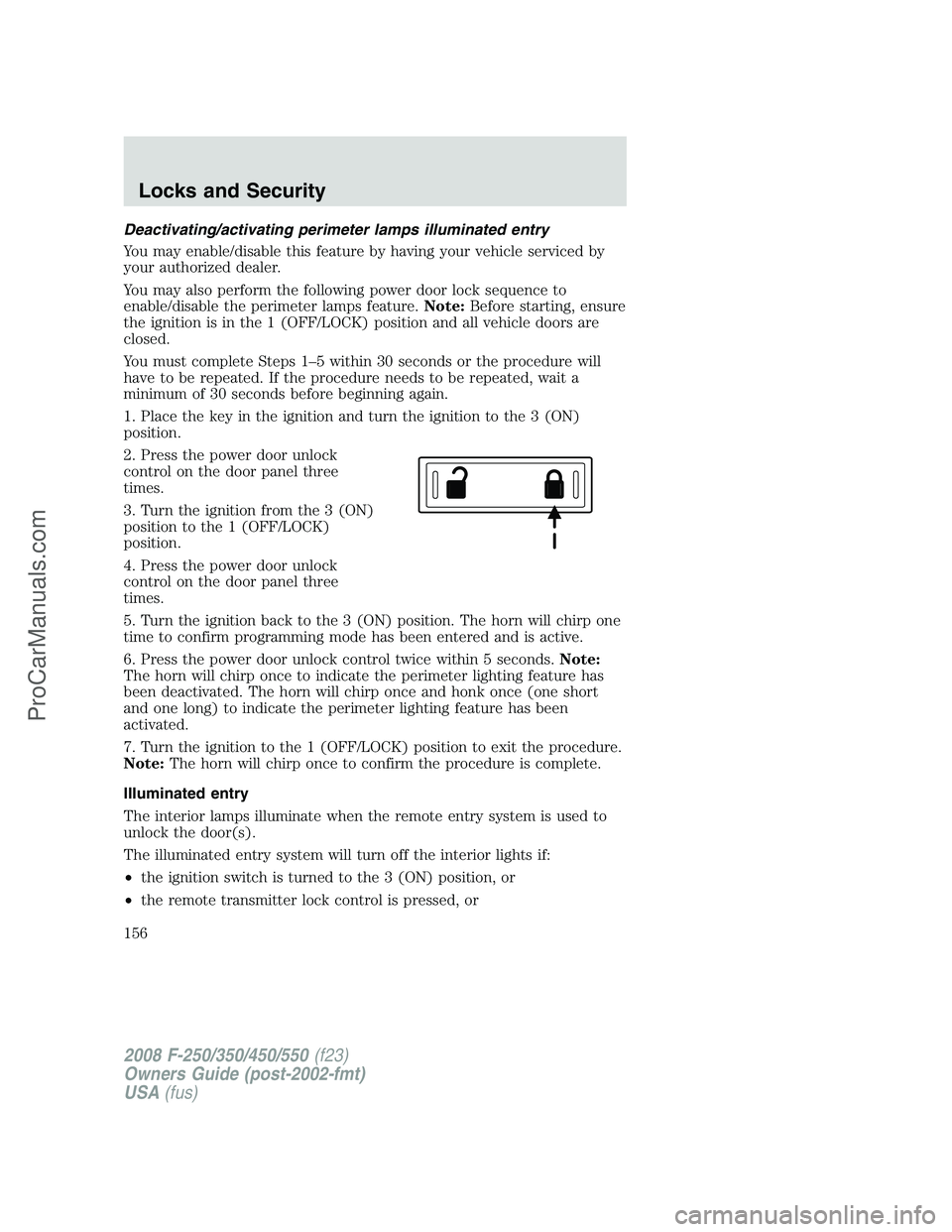
2. Press the power door unlock
control on the door panel three
times.
3. Turn the ignition from the 3 (ON)
position to the 1 (OFF/LOCK)
position.
4. Press the power door unlock
control on the door panel three
times.
5. Turn the ignition back to the 3 (ON) position. The horn will chirp one
time to confirm programming mode has been entered and is active.
6. Press the power door unlock control twice within 5 seconds.Note:
The horn will chirp once to indicate the perimeter lighting feature has
been deactivated. The horn will chirp once and honk once (one short
and one long) to indicate the perimeter lighting feature has been
activated.
7. Turn the ignition to the 1 (OFF/LOCK) position to exit the procedure.
Note:The horn will chirp once to confirm the procedure is complete.
Illuminated entry
The interior lamps illuminate when the remote entry system is used to
unlock the door(s).
The illuminated entry system will turn off the interior lights if:
•the ignition switch is turned to the 3 (ON) position, or
•the remote transmitter lock control is pressed, or
2008 F-250/350/450/550(f23)
Owners Guide (post-2002-fmt)
USA(fus)
Locks and Security
156
ProCarManuals.com
Page 157 of 400

•the 7•8 and the 9•0 controls on the keyless entry keypad are
pressed, or
•after 25 seconds of illumination.
The dome lamp control (if equipped) mustnotbe set to the off position
for the illuminated entry system to operate.
The inside lights will not turn off if:
•they have been turned on with the dimmer control, or
•any door is open.
The battery saver will shut off the interior lamps 30 minutes after the
ignition has been turned to the 1 (OFF/LOCK) position, 10 minutes after
if the dome lamp is off, and 30 minutes after if the dome lamp switch is
left on.
KEYLESS ENTRY SYSTEM (IF EQUIPPED)
You can use the keyless entry
keypad to lock or unlock the doors
without using a key.
The keypad can be operated with
the factory set 5–digit entry code;
this code is located on the owner’s wallet card in the glove box, is
marked on the computer module, and is available from your authorized
dealer. You can also create your own 5–digit personal entry code.
When pressing the controls on the keypad, press the middle of the
controls to ensure a good activation.
Programming a personal entry code and keypad association to
memory seats, mirrors and pedals
To create your own personal entry code:
1. Enter the factory set code.
2. Within five seconds press the 1•2 on the keypad.
3. Enter your personal 5-digit code. Each number must be entered
within five seconds of each other.
4. To associate the entry code with a memory setting, enter a sixth digit
to indicate which driver should be set in a memory recalled by the
personal entry code:
•Pressing 1•2 recalls Driver 1 settings.
•Pressing 3•4 recalls Driver 2 settings.
2008 F-250/350/450/550(f23)
Owners Guide (post-2002-fmt)
USA(fus)
Locks and Security
157
ProCarManuals.com
Page 158 of 400

•Pressing other keypad buttons or not pressing a keypad button as a
sixth digit does not set a driver and will not recall a memory setting.
Note:The factory-set code cannot be associated with a memory
setting.
5. The doors will again lock then unlock to confirm that your personal
keycode has been programmed to the module.
Tips:
•Do not set a code that uses five of the same number.
•Do not use five numbers in sequential order.
•The factory set code will work even if you have set your own personal
code.
Erasing personal code
1. Enter the factory set 5–digit code.
2. Within five seconds, press the 1•2 on the keypad and release.
3. Press and hold the 1•2 for two seconds. This must be done within
five seconds of completing Step 2.
Your personal code is now erased and only the factory set 5–digit code
will work.
Anti-scan feature
If an incorrect code has been entered 7 times (35 consecutive button
presses), the keypad will go into an anti-scan mode. This mode disables
the keypad for one minute and the keypad lamp will flash during this
time.
The anti-scan feature will turn off after:
•one minute of keypad inactivity.
•pressing the
control on the remote entry transmitter.
•the ignition is turned to the 3 (ON) position.
Unlocking and locking the doors using keyless entry
To unlock the driver’s door,enter the factory set 5-digit code or your
personal code. Each number must be pressed within five seconds of each
other. The interior lamps will illuminate after entering a valid keypad
entry code.
To unlock all doors,press the 3•4 control within five seconds.
To lock all doors,press the 7•8 and the 9•0 at the same time. You
do notneed to enter the keypad code first.Note:The interior lamps
will turn off.
2008 F-250/350/450/550(f23)
Owners Guide (post-2002-fmt)
USA(fus)
Locks and Security
158
ProCarManuals.com
Page 159 of 400
SECURILOCK™ PASSIVE ANTI-THEFT SYSTEM (IF EQUIPPED)
SecuriLock™ passive anti-theft system is an engine immobilization
system. This system is designed to help prevent the engine from being
started unless acoded key programmed to your vehicleis used. The
use of the wrong type of coded key may lead to a “no-start” condition.
Your vehicle comes with two coded keys; additional coded keys may be
purchased from your authorized dealer. The authorized dealer can
program your spare keys to your vehicle or you can program the keys
yourself. Refer toProgramming spare keysfor instructions on how to
program the coded key.
Note:The SecuriLock™ passive anti-theft system is not compatible with
non-Ford aftermarket remote start systems. Use of these systems may
result in vehicle starting problems and a loss of security protection.
Note:Large metallic objects, electronic devices that are used to
purchase gasoline or similar items, or a second coded key on the same
key chain may cause vehicle starting issues. You need to prevent these
objects from touching the coded key while starting the engine. These
objects will not cause damage to the coded key, but may cause a
momentary issue if they are too close to the key when starting the
engine. If a problem occurs, turn the ignition off, remove all objects on
the key chain away from the coded key and restart the engine.
Anti-theft indicator
The anti-theft indicator is located in the instrument cluster.
Vehicles equipped with the SecuriLock™ Passive Anti-theft system
behave as follows:
•When the ignition is in the 1(OFF/LOCK) position, the indicator will
flash once every 2 seconds for a total of 10 seconds to indicate the
SecuriLock™ system is functioning as a theft deterrent.
•When the ignition is in the 3 (ON) position, the indicator will glow for
3 seconds to indicate a programmed key has been validated and the
SecuriLock™ Passive Anti-theft system has enabled the engine.
Vehicles without the SecuriLock™ Passive Anti-theft system behave as
follows:
•When the ignition is in the 1 (OFF/LOCK) position, the indicator will
not flash.
•When the igniton is in the 3 (ON) position, the indicator will glow for
3 seconds to indicate the engine is enabled.
2008 F-250/350/450/550(f23)
Owners Guide (post-2002-fmt)
USA(fus)
Locks and Security
159
ProCarManuals.com