2008 FORD F250 mirror controls
[x] Cancel search: mirror controlsPage 105 of 400
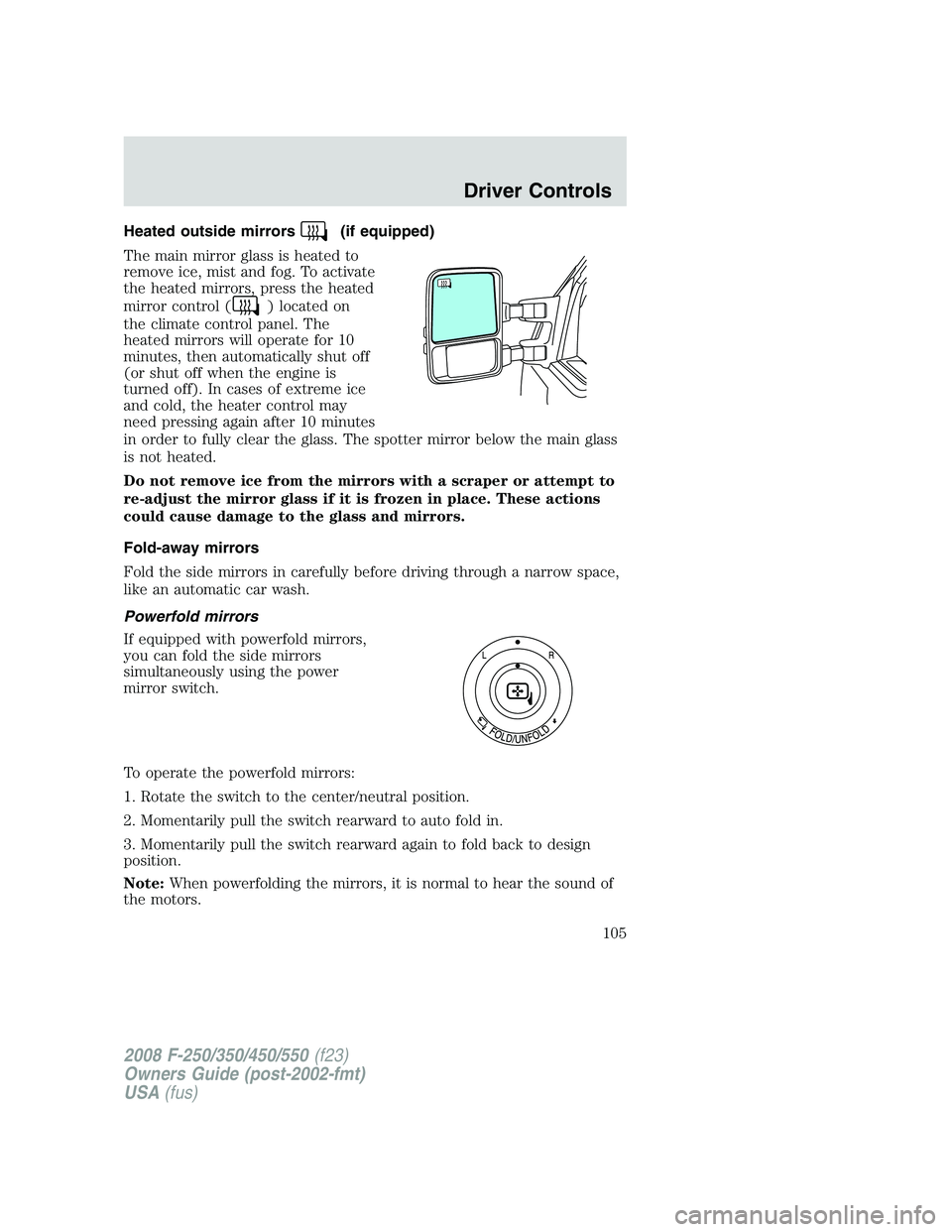
Heated outside mirrors(if equipped)
The main mirror glass is heated to
remove ice, mist and fog. To activate
the heated mirrors, press the heated
mirror control (
) located on
the climate control panel. The
heated mirrors will operate for 10
minutes, then automatically shut off
(or shut off when the engine is
turned off). In cases of extreme ice
and cold, the heater control may
need pressing again after 10 minutes
in order to fully clear the glass. The spotter mirror below the main glass
is not heated.
Do not remove ice from the mirrors with a scraper or attempt to
re-adjust the mirror glass if it is frozen in place. These actions
could cause damage to the glass and mirrors.
Fold-away mirrors
Fold the side mirrors in carefully before driving through a narrow space,
like an automatic car wash.
Powerfold mirrors
If equipped with powerfold mirrors,
you can fold the side mirrors
simultaneously using the power
mirror switch.
To operate the powerfold mirrors:
1. Rotate the switch to the center/neutral position.
2. Momentarily pull the switch rearward to auto fold in.
3. Momentarily pull the switch rearward again to fold back to design
position.
Note:When powerfolding the mirrors, it is normal to hear the sound of
the motors.
2008 F-250/350/450/550(f23)
Owners Guide (post-2002-fmt)
USA(fus)
Driver Controls
105
Page 106 of 400
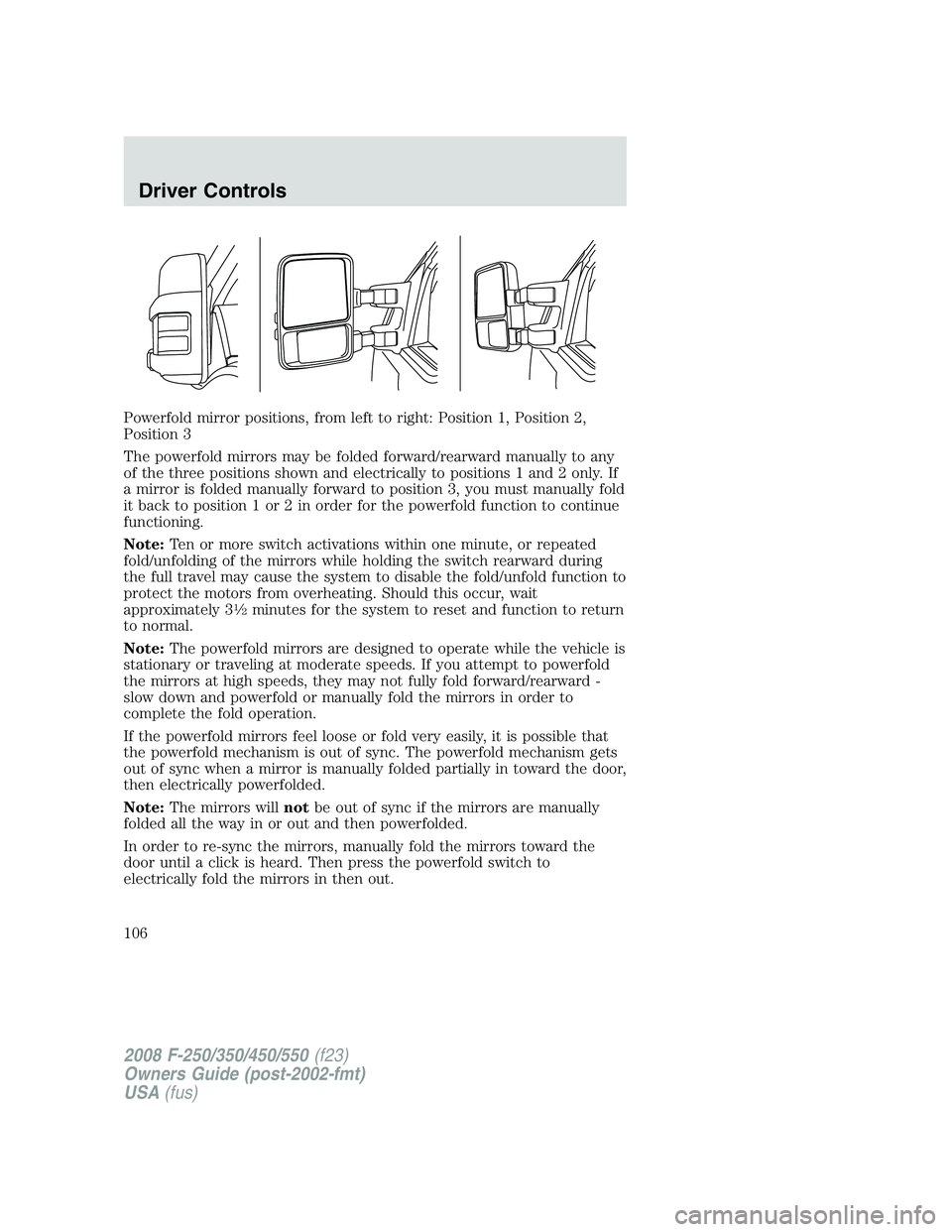
Powerfold mirror positions, from left to right: Position 1, Position 2,
Position 3
The powerfold mirrors may be folded forward/rearward manually to any
of the three positions shown and electrically to positions 1 and 2 only. If
a mirror is folded manually forward to position 3, you must manually fold
it back to position 1 or 2 in order for the powerfold function to continue
functioning.
Note:Ten or more switch activations within one minute, or repeated
fold/unfolding of the mirrors while holding the switch rearward during
the full travel may cause the system to disable the fold/unfold function to
protect the motors from overheating. Should this occur, wait
approximately 3
12minutes for the system to reset and function to return
to normal.
Note:The powerfold mirrors are designed to operate while the vehicle is
stationary or traveling at moderate speeds. If you attempt to powerfold
the mirrors at high speeds, they may not fully fold forward/rearward -
slow down and powerfold or manually fold the mirrors in order to
complete the fold operation.
If the powerfold mirrors feel loose or fold very easily, it is possible that
the powerfold mechanism is out of sync. The powerfold mechanism gets
out of sync when a mirror is manually folded partially in toward the door,
then electrically powerfolded.
Note:The mirrors willnotbe out of sync if the mirrors are manually
folded all the way in or out and then powerfolded.
In order to re-sync the mirrors, manually fold the mirrors toward the
door until a click is heard. Then press the powerfold switch to
electrically fold the mirrors in then out.
2008 F-250/350/450/550(f23)
Owners Guide (post-2002-fmt)
USA(fus)
Driver Controls
106
Page 107 of 400
Note:If the power fold/telescope mirror glass appears loose or vibrates
when driving, it is possible that the mirrors have been manually folded or
telescoped. To minimize the vibration, ensure that the mirrors are
electronically folded and telescoped in/out with the switches on the door
trim panel.
Telescoping mirrors (if equipped)
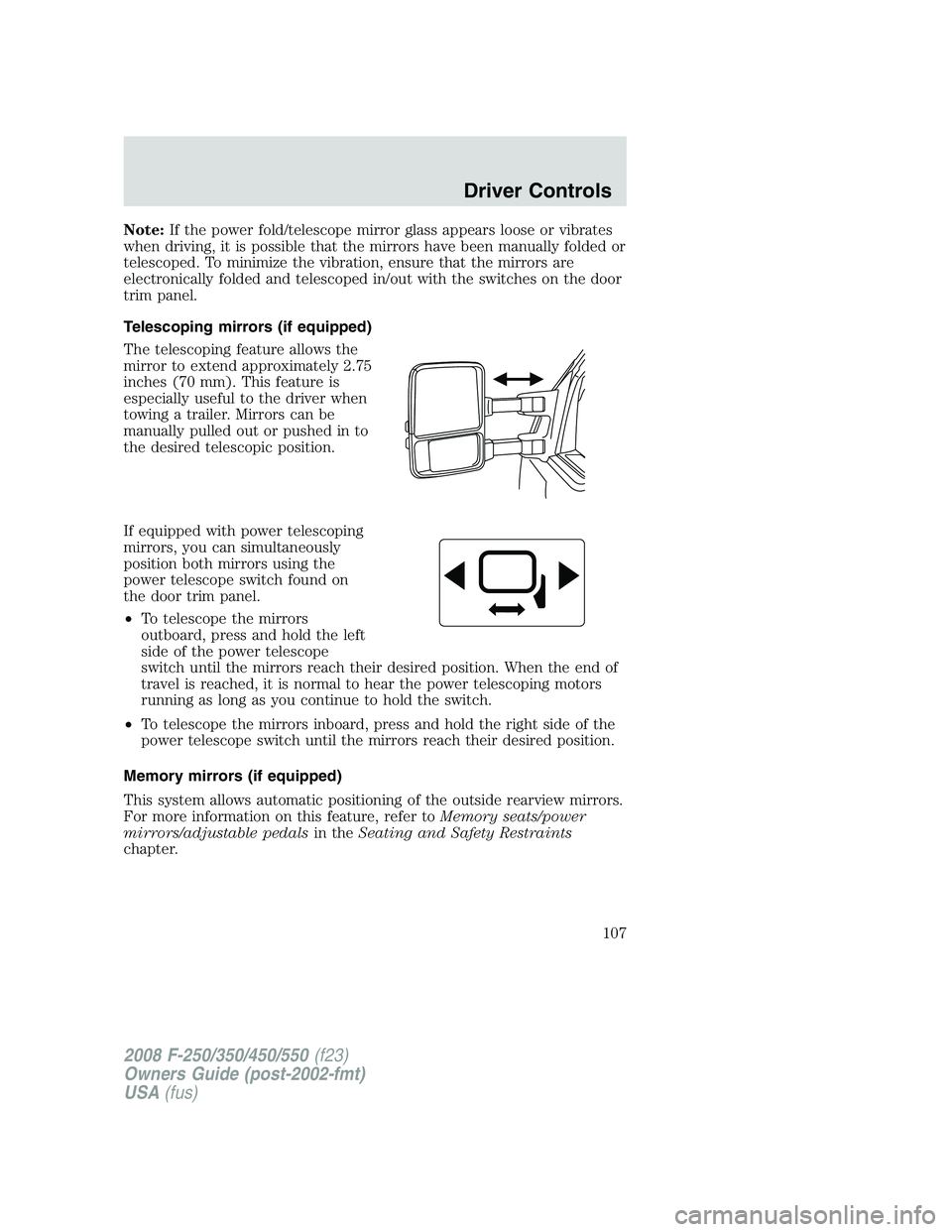
The telescoping feature allows the
mirror to extend approximately 2.75
inches (70 mm). This feature is
especially useful to the driver when
towing a trailer. Mirrors can be
manually pulled out or pushed in to
the desired telescopic position.
If equipped with power telescoping
mirrors, you can simultaneously
position both mirrors using the
power telescope switch found on
the door trim panel.
•To telescope the mirrors
outboard, press and hold the left
side of the power telescope
switch until the mirrors reach their desired position. When the end of
travel is reached, it is normal to hear the power telescoping motors
running as long as you continue to hold the switch.
•To telescope the mirrors inboard, press and hold the right side of the
power telescope switch until the mirrors reach their desired position.
Memory mirrors (if equipped)
This system allows automatic positioning of the outside rearview mirrors.
For more information on this feature, refer toMemory seats/power
mirrors/adjustable pedalsin theSeating and Safety Restraints
chapter.
2008 F-250/350/450/550(f23)
Owners Guide (post-2002-fmt)
USA(fus)
Driver Controls
107
Page 108 of 400
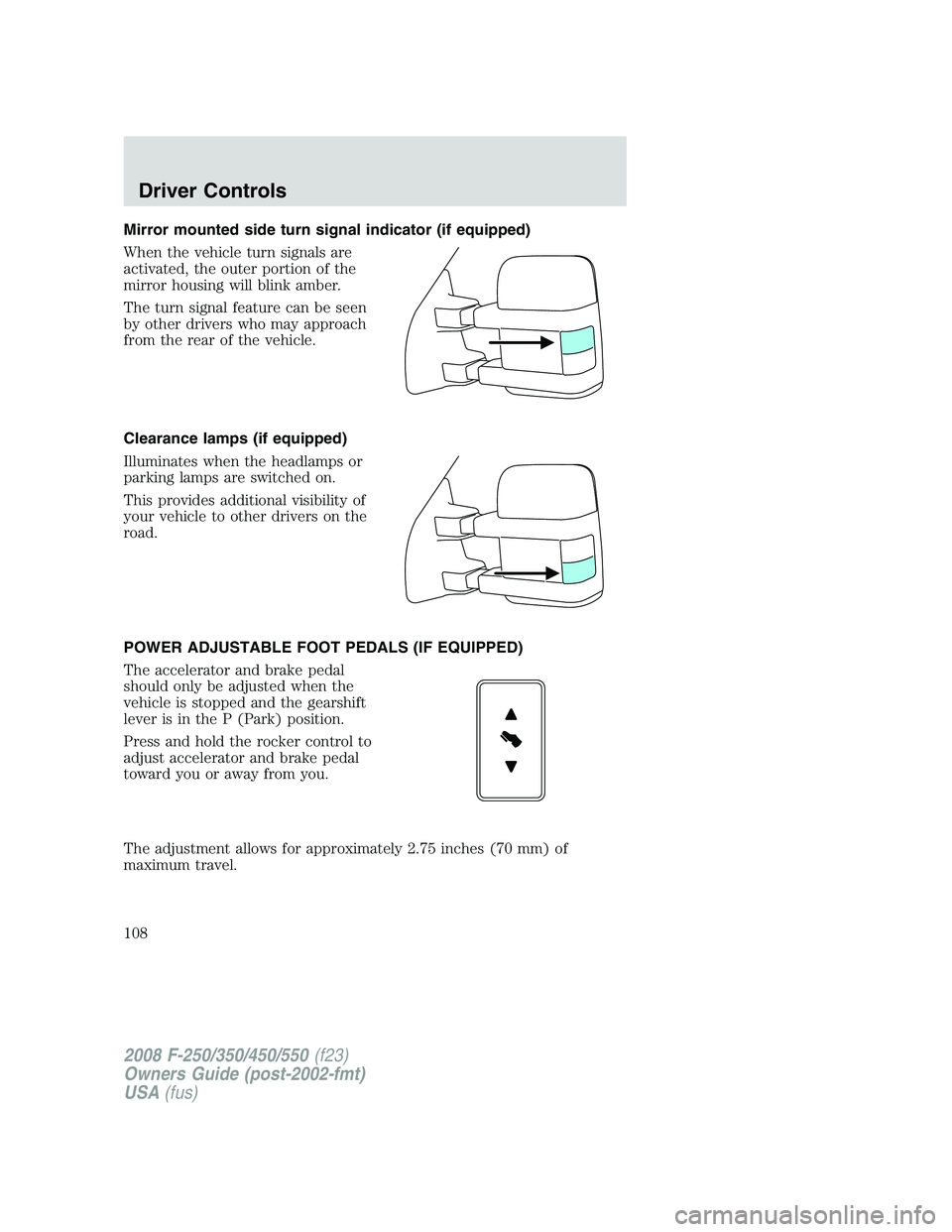
Mirror mounted side turn signal indicator (if equipped)
When the vehicle turn signals are
activated, the outer portion of the
mirror housing will blink amber.
The turn signal feature can be seen
by other drivers who may approach
from the rear of the vehicle.
Clearance lamps (if equipped)
Illuminates when the headlamps or
parking lamps are switched on.
This provides additional visibility of
your vehicle to other drivers on the
road.
POWER ADJUSTABLE FOOT PEDALS (IF EQUIPPED)
The accelerator and brake pedal
should only be adjusted when the
vehicle is stopped and the gearshift
lever is in the P (Park) position.
Press and hold the rocker control to
adjust accelerator and brake pedal
toward you or away from you.
The adjustment allows for approximately 2.75 inches (70 mm) of
maximum travel.
2008 F-250/350/450/550(f23)
Owners Guide (post-2002-fmt)
USA(fus)
Driver Controls
108
Page 109 of 400
Never adjust the accelerator and brake pedal with feet on the
pedals while the vehicle is moving.
The accelerator and brake pedal positions are saved when doing a
memory set function and can be recalled along with the vehicle
personality features when a memory position is selected through the
remote entry transmitter, keyless entry keypad or memory switch on the
driver’s door (if equipped with memory feature). Refer toMemory
seats/power mirrors/adjustable pedalsin theSeating and Safety
Restraintschapter.
SPEED CONTROL (IF EQUIPPED)
With speed control set, you can maintain a set speed without keeping
your foot on the accelerator pedal.
Do not use the speed control in heavy traffic or on roads that
are winding, slippery or unpaved.
Setting speed control
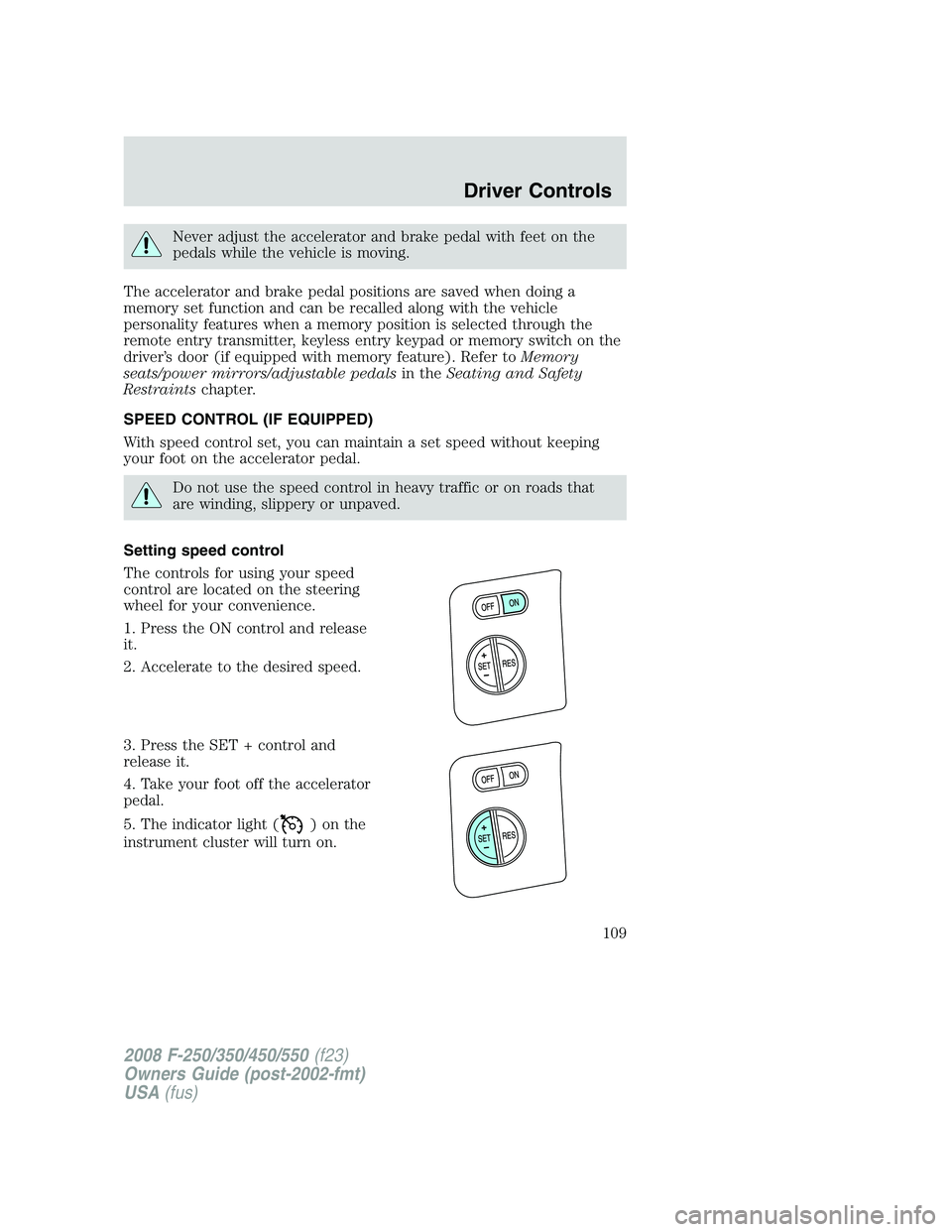
The controls for using your speed
control are located on the steering
wheel for your convenience.
1. Press the ON control and release
it.
2. Accelerate to the desired speed.
3. Press the SET + control and
release it.
4. Take your foot off the accelerator
pedal.
5. The indicator light (
)onthe
instrument cluster will turn on.
2008 F-250/350/450/550(f23)
Owners Guide (post-2002-fmt)
USA(fus)
Driver Controls
109
Page 157 of 400
•the 7•8 and the 9•0 controls on the keyless entry keypad are
pressed, or
•after 25 seconds of illumination.
The dome lamp control (if equipped) mustnotbe set to the off position
for the illuminated entry system to operate.
The inside lights will not turn off if:
•they have been turned on with the dimmer control, or
•any door is open.
The battery saver will shut off the interior lamps 30 minutes after the
ignition has been turned to the 1 (OFF/LOCK) position, 10 minutes after
if the dome lamp is off, and 30 minutes after if the dome lamp switch is
left on.
KEYLESS ENTRY SYSTEM (IF EQUIPPED)
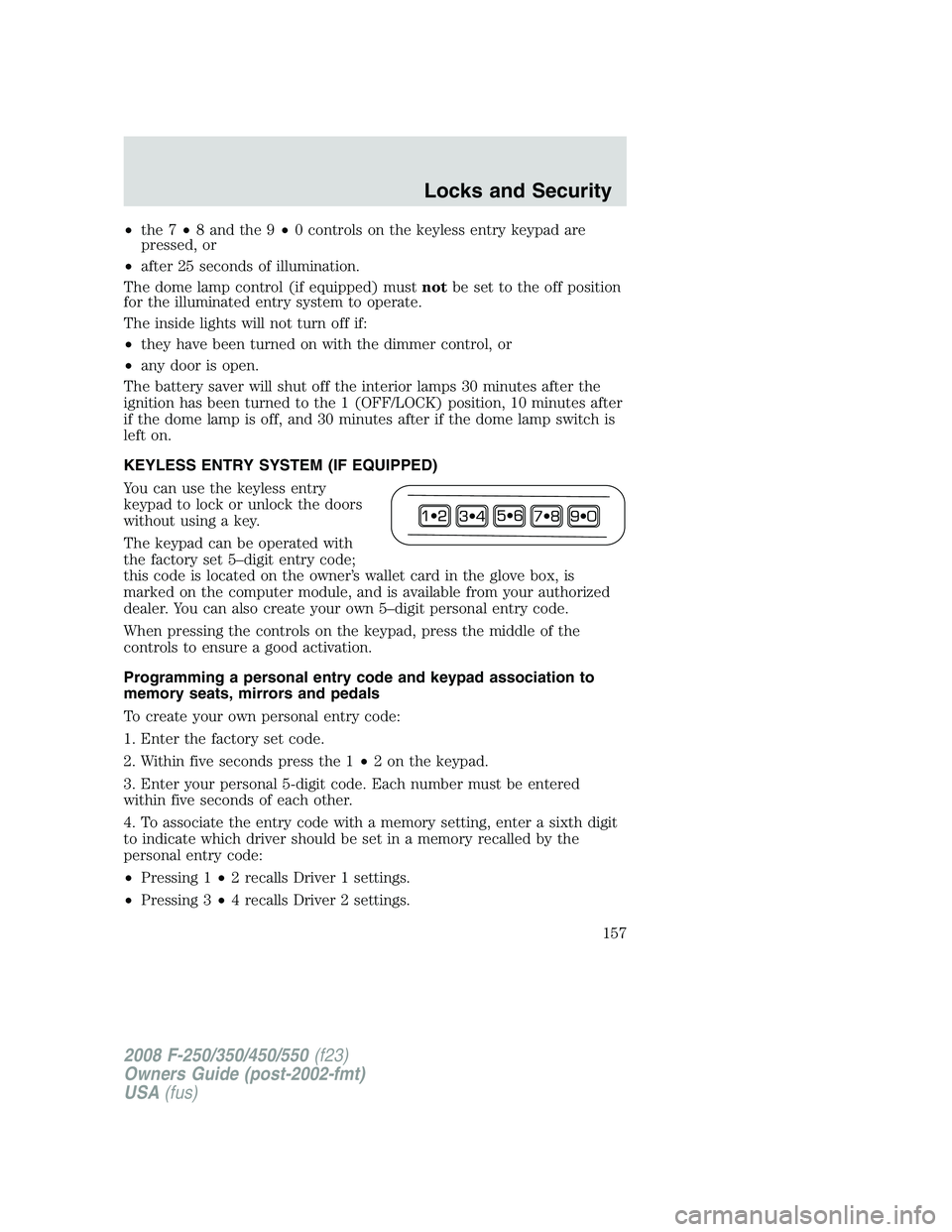
You can use the keyless entry
keypad to lock or unlock the doors
without using a key.
The keypad can be operated with
the factory set 5–digit entry code;
this code is located on the owner’s wallet card in the glove box, is
marked on the computer module, and is available from your authorized
dealer. You can also create your own 5–digit personal entry code.
When pressing the controls on the keypad, press the middle of the
controls to ensure a good activation.
Programming a personal entry code and keypad association to
memory seats, mirrors and pedals
To create your own personal entry code:
1. Enter the factory set code.
2. Within five seconds press the 1•2 on the keypad.
3. Enter your personal 5-digit code. Each number must be entered
within five seconds of each other.
4. To associate the entry code with a memory setting, enter a sixth digit
to indicate which driver should be set in a memory recalled by the
personal entry code:
•Pressing 1•2 recalls Driver 1 settings.
•Pressing 3•4 recalls Driver 2 settings.
2008 F-250/350/450/550(f23)
Owners Guide (post-2002-fmt)
USA(fus)
Locks and Security
157
Page 168 of 400
Memory seats/power mirrors/adjustable pedals (if equipped)
This system allows automatic
positioning of the driver seat, power
mirrors, and adjustable pedals to
two programmable positions.
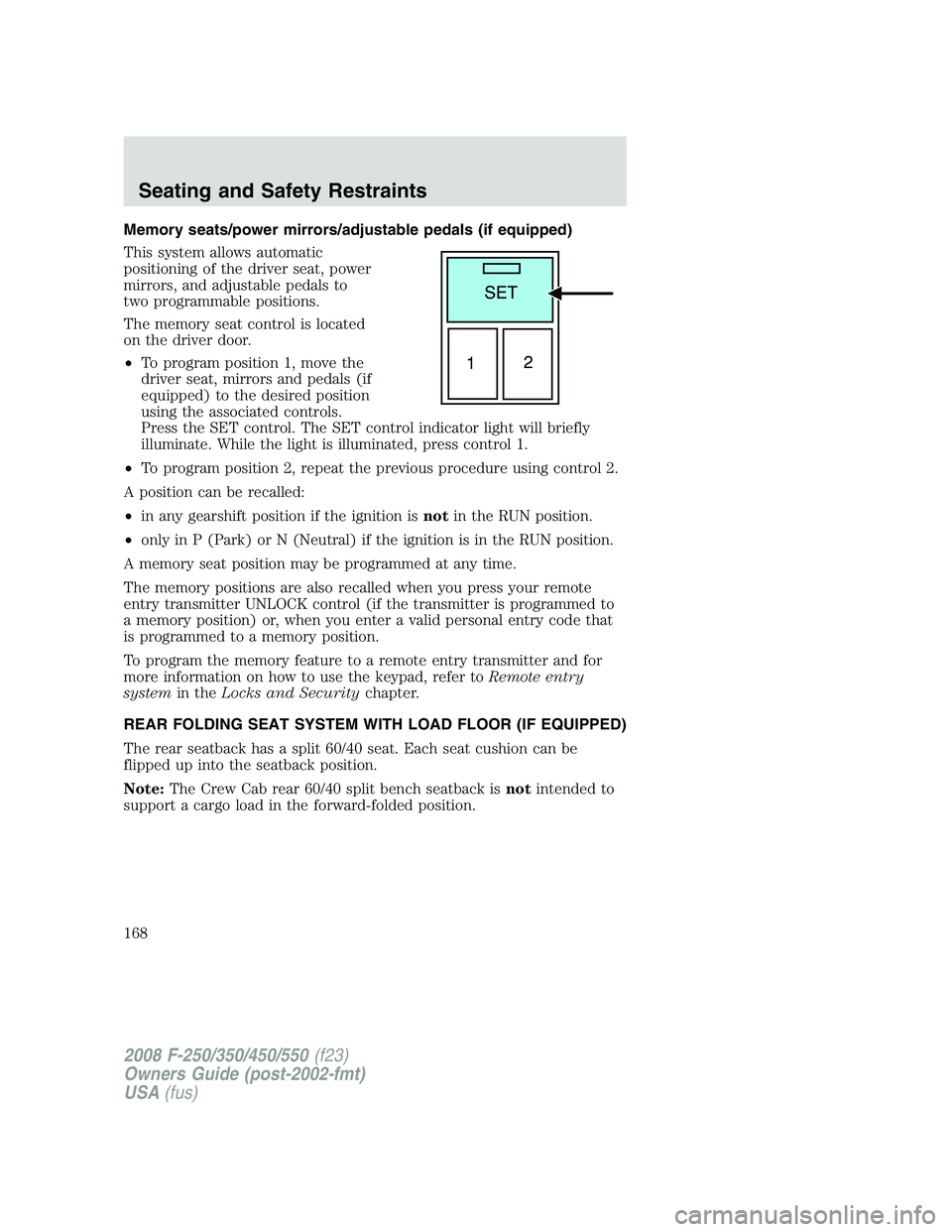
The memory seat control is located
on the driver door.
•To program position 1, move the
driver seat, mirrors and pedals (if
equipped) to the desired position
using the associated controls.
Press the SET control. The SET control indicator light will briefly
illuminate. While the light is illuminated, press control 1.
•To program position 2, repeat the previous procedure using control 2.
A position can be recalled:
•in any gearshift position if the ignition isnotin the RUN position.
•only in P (Park) or N (Neutral) if the ignition is in the RUN position.
A memory seat position may be programmed at any time.
The memory positions are also recalled when you press your remote
entry transmitter UNLOCK control (if the transmitter is programmed to
a memory position) or, when you enter a valid personal entry code that
is programmed to a memory position.
To program the memory feature to a remote entry transmitter and for
more information on how to use the keypad, refer toRemote entry
systemin theLocks and Securitychapter.
REAR FOLDING SEAT SYSTEM WITH LOAD FLOOR (IF EQUIPPED)
The rear seatback has a split 60/40 seat. Each seat cushion can be
flipped up into the seatback position.
Note:The Crew Cab rear 60/40 split bench seatback isnotintended to
support a cargo load in the forward-folded position.
2008 F-250/350/450/550(f23)
Owners Guide (post-2002-fmt)
USA(fus)
Seating and Safety Restraints
168