2008 FORD EXPEDITION automatic
[x] Cancel search: automaticPage 1 of 392

Introduction 4
Instrument Cluster 12
Warning lights and chimes 12
Gauges 17
Entertainment Systems 20
How to get going 20
AM/FM stereo with CD 24
AM/FM stereo with in-dash six CD 31
Auxiliary input jack (Line in) 39
Rear seat controls 40
Satellite radio information 46
Family entertainment system 48
Navigation system 75
Climate Controls 76
Manual heating and air conditioning 76
Dual automatic temperature control 80
Rear window defroster 86
Lights 87
Headlamps 87
Turn signal control 90
Bulb replacement 92
Driver Controls 99
Windshield wiper/washer control 99
Steering wheel adjustment 100
Power windows 105
Mirrors 107
Speed control 112
Moon roof 117
Message center 122
Table of Contents
1
2008 Expedition(exd)
Owners Guide (post-2002-fmt)
USA(fus)
Page 5 of 392
Remember to pass on thisOwner’s Guidewhen reselling the vehicle. It
is an integral part of the vehicle.
Fuel pump shut-off switch:In the event of an accident the
safety switch will automatically cut off the fuel supply to the
engine. The switch can also be activated through sudden vibration
(e.g. collision when parking). To reset the switch, refer to theFuel
pump shut-off switchin theRoadside Emergencieschapter.
SAFETY AND ENVIRONMENT PROTECTION
Warning symbols in this guide
How can you reduce the risk of personal injury to yourself or others? In
this guide, answers to such questions are contained in comments
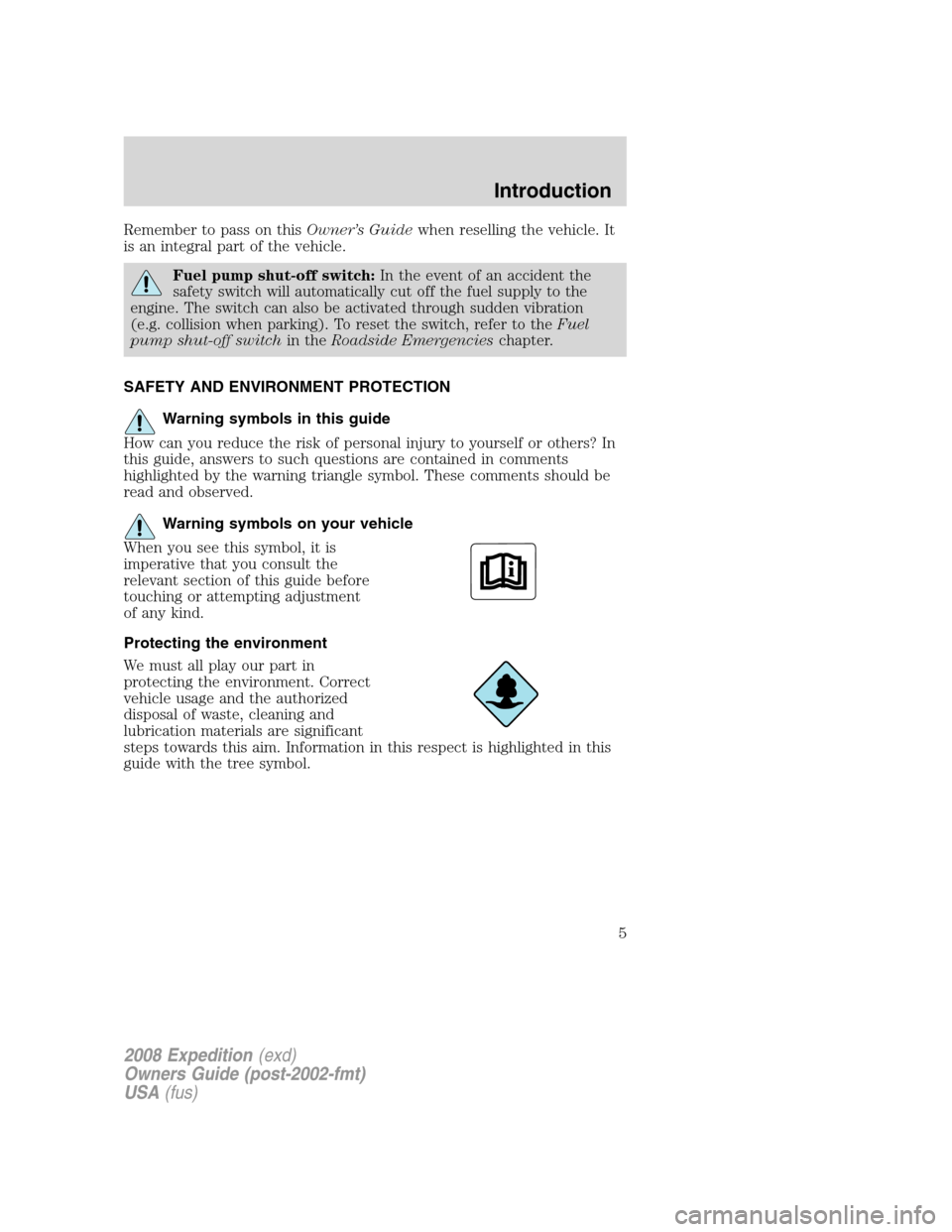
highlighted by the warning triangle symbol. These comments should be
read and observed.
Warning symbols on your vehicle
When you see this symbol, it is
imperative that you consult the
relevant section of this guide before
touching or attempting adjustment
of any kind.
Protecting the environment
We must all play our part in
protecting the environment. Correct
vehicle usage and the authorized
disposal of waste, cleaning and
lubrication materials are significant
steps towards this aim. Information in this respect is highlighted in this
guide with the tree symbol.
2008 Expedition(exd)
Owners Guide (post-2002-fmt)
USA(fus)
Introduction
5
Page 16 of 392
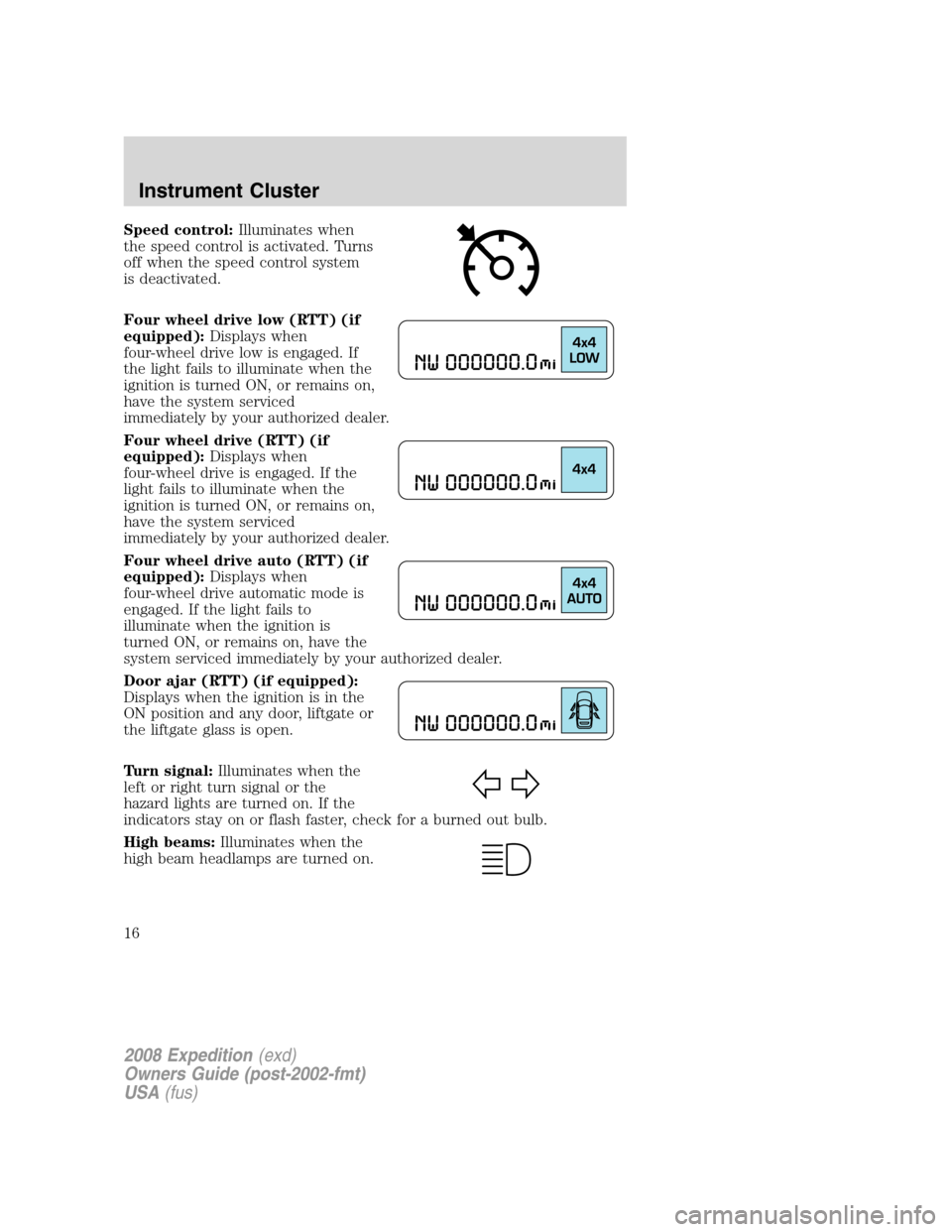
Speed control:Illuminates when
the speed control is activated. Turns
off when the speed control system
is deactivated.
Four wheel drive low (RTT) (if
equipped):Displays when
four-wheel drive low is engaged. If
the light fails to illuminate when the
ignition is turned ON, or remains on,
have the system serviced
immediately by your authorized dealer.
Four wheel drive (RTT) (if
equipped):Displays when
four-wheel drive is engaged. If the
light fails to illuminate when the
ignition is turned ON, or remains on,
have the system serviced
immediately by your authorized dealer.
Four wheel drive auto (RTT) (if
equipped):Displays when
four-wheel drive automatic mode is
engaged. If the light fails to
illuminate when the ignition is
turned ON, or remains on, have the
system serviced immediately by your authorized dealer.
Door ajar (RTT) (if equipped):
Displays when the ignition is in the
ON position and any door, liftgate or
the liftgate glass is open.
Turn signal:Illuminates when the
left or right turn signal or the
hazard lights are turned on. If the
indicators stay on or flash faster, check for a burned out bulb.
High beams:Illuminates when the
high beam headlamps are turned on.
2008 Expedition(exd)
Owners Guide (post-2002-fmt)
USA(fus)
Instrument Cluster
16
Page 27 of 392
To view the station name or type:With RBDS ON, press TEXT/SCAN
to toggle between displaying the station type (COUNTRY, ROCK, etc.) or
the station name (WYCD, WXYZ, etc.).
BASS:Press MENU to reach the bass setting. Use
//SEEK,
SEEK
to adjust. Press OK to close and return to the main menu.
TREB (Treble):Press MENU to reach the treble setting.
Use
//SEEK, SEEKto adjust. Press OK to close and
return to the main menu.
BAL (Balance):Press MENU to reach the balance setting.
Use
//SEEK, SEEKto adjust the audio between the left
(L) and right (R) speakers. Press OK to close and return to the main
menu.
FADE:Press MENU to reach the fade setting. Use
//SEEK,
SEEK
to adjust the audio between the back (B) and front (F)
speakers. Press OK to close and return to the main menu.
SPEEDVOL (Speed sensitive volume):Press MENU to reach the
SPEEDVOL setting. Radio volume automatically gets louder with
increasing vehicle speed to compensate for road and wind noise.
Use
//SEEK, SEEKto adjust. Press OK to close and
return to the main menu.
The default setting isoff;increasing your vehicle speed will not change
the volume level.
Adjust1–7:Increasing this setting from 1 (lowest setting) to 7 (highest
setting) allows the radio volume to automatically change slightly with
vehicle speed to compensate for road and wind noise.
Recommended level is1–3;SPEED OFF turns the feature off and level 7
is the maximum setting.
Track/Folder mode:Available only on MP3 discs in CD mode. In Track
mode, pressing
SEEK, SEEKwill scroll through all tracks on the
disc
In Folder mode, pressing
SEEK, SEEKwill scroll only through
tracks within the selected folder.
Press
FOLDER, FOLDERto access the previous/next folder (if
available). Press OK to close and return to the main menu.
2008 Expedition(exd)
Owners Guide (post-2002-fmt)
USA(fus)
Entertainment Systems
27
Page 35 of 392
SPEEDVOL (Speed sensitive volume):Press MENU to reach the
SPEEDVOL setting. Radio volume automatically gets louder with
increasing vehicle speed to compensate for road and wind noise.
Use
//SEEK, SEEKto adjust.
The default setting isoff;increasing your vehicle speed will not change
the volume level.
Adjust1–7:Increasing this setting from 1 (lowest setting) to 7 (highest
setting) allows the radio volume to automatically change slightly with
vehicle speed to compensate for road and wind noise.
Recommended level is1–3;SPEED OFF turns the feature off and level 7
is the maximum setting.
Track/Folder Mode:Available only on MP3 discs in CD mode. In Track
Mode, pressing
SEEKwill scroll through all tracks on the disc.
In Folder mode, pressing
SEEKwill scroll only through tracks
within the selected folder.
Press
FOLDER, FOLDERto access the previous/next folder (if
available).
COMPRESS (Compression):Available only in CD/MP3 mode. Press
MENU until COMPRESS ON/OFF appears in the display. Use
//
SEEK, SEEKto toggle ON/OFF. When COMPRESS is ON, the
system will bring soft and loud CD passages together for a more
consistent listening level.
Single Play/Dual Play:If Single Play is ON, press
/for Dual Play.
For further information on Single Play/Dual Play, refer toRear seat
controlslater in this chapter.
FES(FULL/LOCKED): Your vehicle is equipped with a Family
Entertaiment DVD system. For further information on the DVD system,
refer toFamily entertainment DVD systemlater in this section.
4.AUX:Press repeatedly to cycle
through FES/DVD (if equipped)
LINE IN (Auxiliary audio) and
SAT1, SAT2, SAT3 (Satellite radio modes, if equipped). To return to
radio mode, press AM/FM.
For location and further information on the auxiliary audio mode, refer
toAuxiliary input jacklater in this chapter.
Satellite radio is available only with a valid SIRIUS subscription.
Check with your authorized dealer for availability.
2008 Expedition(exd)
Owners Guide (post-2002-fmt)
USA(fus)
Entertainment Systems
35
Page 49 of 392
Your vehicle may be equipped with a Family Entertainment System
(FES) which allows you to listen to audio CDs, MP3 discs, watch DVDs
and to plug in and play a variety of standard video game systems. The
DVD player is capable of playing standard DVDs, CDs, MP3s and is
compatible with CD-R/W, CD-R and certain CD-ROM media.
Please review this material to become familiar with the FES features and
controls as well as the very important safety information.
The driver should not attempt to operate any function of the
DVD system while the vehicle is in motion. Give full attention to
driving and to the road. Pull off the road in a safe place before
inserting or extracting DVDs from the system. A remote control is
included in the system to allow the rear seat occupants to operate the
FES functions without distracting the driver.
Quick start
Your Family Entertainment System includes a DVD system, two sets of
wireless infrared (IR) headphones and a wireless infrared (IR) remote
control.
To play a DVD in the DVD system:
The DVD system can play DVD-Video, DVD-R, DVD-R/W discs as well as
audio CDs and video CDs. To ensure proper disc operation, check the
disc for finger prints, scratches and cleanliness. Clean with a soft cloth,
wiping from center to edge.
1. Ensure that the vehicle ignition is in the RUN or ACCESSORY
position.
2. Insert a DVD into the system,
label-side up to turn on the system.
It will load automatically.
3. Press the power button on the
DVD player, then press Play (
)
to begin to play the disc.
If a DVD is already loaded into the
system, press PLAY on the DVD
player.
Note:If sound can be heard, but no video is present, press VIDEO to
select the video source (DVD or aux-inputs).
2008 Expedition(exd)
Owners Guide (post-2002-fmt)
USA(fus)
Entertainment Systems
49
Page 50 of 392
Press VIDEO to change the source
displayed on the screen. Press
repeatedly to cycle through:
DVD-DISC, DVD-AUX, NON-DVD,
OFF.
Press the power button to turn the
system OFF. The indicator light will
turn off indicating the system is off.
Note:The audio from the DVD system will play over all vehicle speakers
and can be adjusted by the radio volume control.
To play a CD in the DVD system:
The DVD system can play audio CDs, CD-R and CD-R/W, CD-ROM and
video CDs. To ensure proper disc operation, check the disc for finger
prints and scratches. Clean the disc with a soft cloth, wiping from the
center to the edge.
1. Ensure that the vehicle ignition is in the RUN or ACCESSORY
position.
2. Insert a CD into the system,
label-side up to turn on the DVD
system. It will load and
automatically begin to play. If there
is already a CD in the system, press
PLAY on the DVD player.
3. The disc will begin to play and
the ’CD Audio Disc’ screen will
display. From this screen, you can
also select from COMPRESSION,
SHUFFLE and SCAN features.
To play an MP3 disc in the DVD system:
1. Ensure that the vehicle ignition is in the RUN or ACCESSORY
position.
2008 Expedition(exd)
Owners Guide (post-2002-fmt)
USA(fus)
Entertainment Systems
50
Page 51 of 392
2. Insert an MP3 disc into the
system, label-side up to turn on the
DVD system. It will load and
automatically begin to play. If there
is already a disc in the system, press
PLAY on the DVD player.
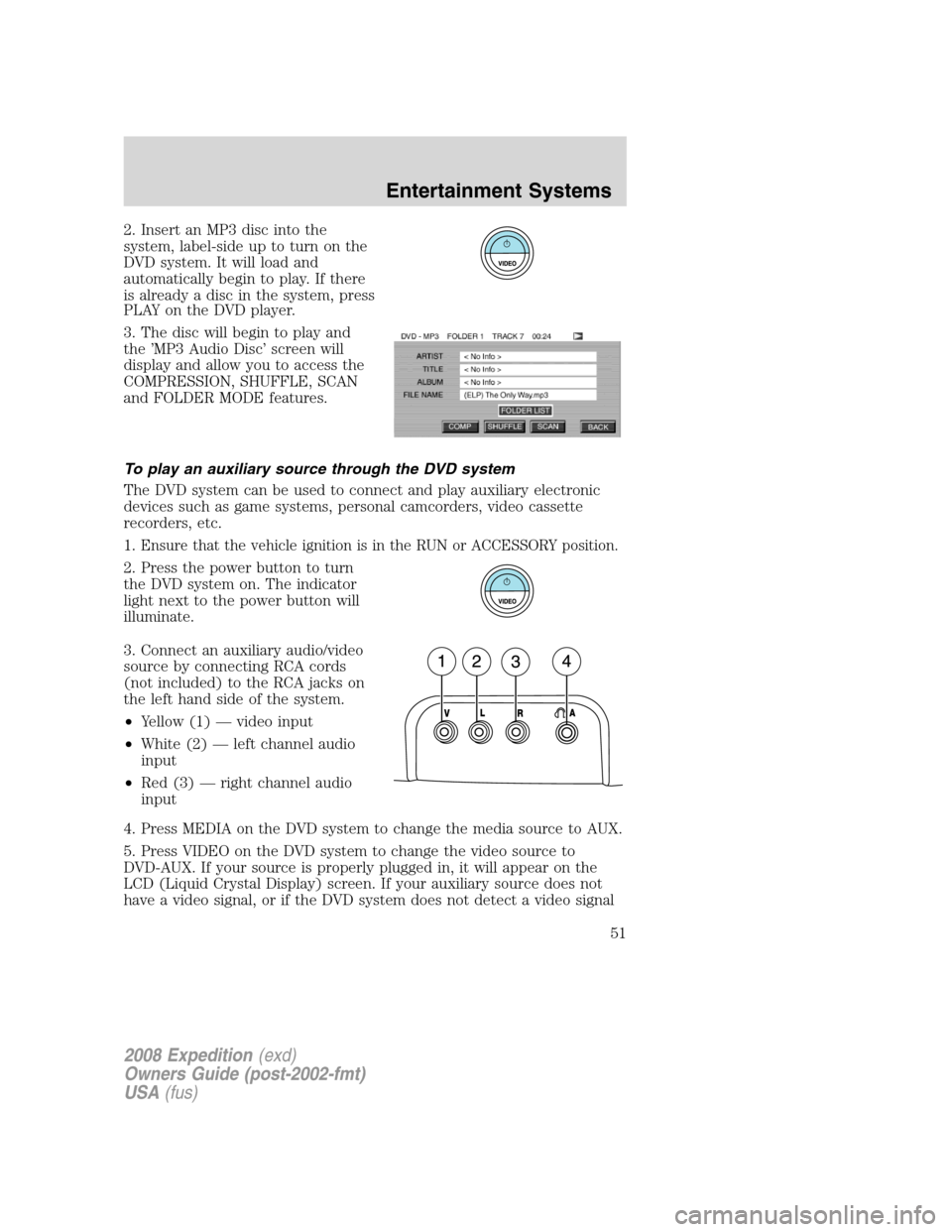
3. The disc will begin to play and
the ’MP3 Audio Disc’ screen will
display and allow you to access the
COMPRESSION, SHUFFLE, SCAN
and FOLDER MODE features.
To play an auxiliary source through the DVD system
The DVD system can be used to connect and play auxiliary electronic
devices such as game systems, personal camcorders, video cassette
recorders, etc.
1.
Ensure that the vehicle ignition is in the RUN or ACCESSORY position.
2. Press the power button to turn
the DVD system on. The indicator
light next to the power button will
illuminate.
3. Connect an auxiliary audio/video
source by connecting RCA cords
(not included) to the RCA jacks on
the left hand side of the system.
•Yellow (1) — video input
•White (2) — left channel audio
input
•Red (3) — right channel audio
input
4. Press MEDIA on the DVD system to change the media source to AUX.
5. Press VIDEO on the DVD system to change the video source to
DVD-AUX. If your source is properly plugged in, it will appear on the
LCD (Liquid Crystal Display) screen. If your auxiliary source does not
have a video signal, or if the DVD system does not detect a video signal
2008 Expedition(exd)
Owners Guide (post-2002-fmt)
USA(fus)
Entertainment Systems
51