2008 FORD EXPEDITION reset
[x] Cancel search: resetPage 140 of 392
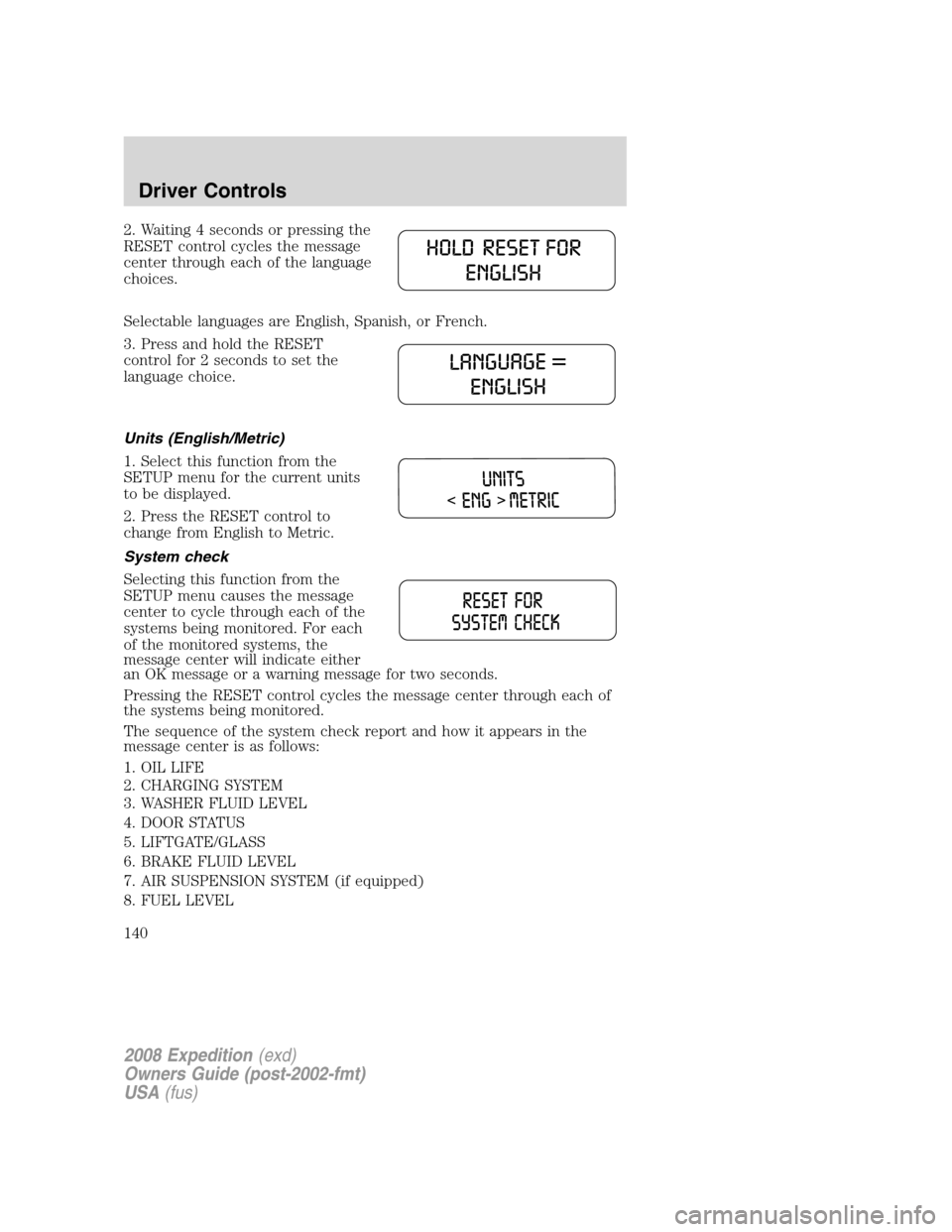
2. Waiting 4 seconds or pressing the
RESET control cycles the message
center through each of the language
choices.
Selectable languages are English, Spanish, or French.
3. Press and hold the RESET
control for 2 seconds to set the
language choice.
Units (English/Metric)
1. Select this function from the
SETUP menu for the current units
to be displayed.
2. Press the RESET control to
change from English to Metric.
System check
Selecting this function from the
SETUP menu causes the message
center to cycle through each of the
systems being monitored. For each
of the monitored systems, the
message center will indicate either
an OK message or a warning message for two seconds.
Pressing the RESET control cycles the message center through each of
the systems being monitored.
The sequence of the system check report and how it appears in the
message center is as follows:
1. OIL LIFE
2. CHARGING SYSTEM
3. WASHER FLUID LEVEL
4. DOOR STATUS
5. LIFTGATE/GLASS
6. BRAKE FLUID LEVEL
7. AIR SUSPENSION SYSTEM (if equipped)
8. FUEL LEVEL
2008 Expedition(exd)
Owners Guide (post-2002-fmt)
USA(fus)
Driver Controls
140
Page 141 of 392
System warnings
System warnings alert you to possible problems or malfunctions in your
vehicle’s operating systems.
In the event of a multiple warning situation, the message center will
cycle the display to show all warnings by displaying each one for 4
seconds.
The message center will display the last selected feature if there are no
more warning messages. This allows you to use the full functionality of
the message center after you acknowledge the warning by pressing the
RESET control and clearing the warning message.
Warning messages that have been reset are divided into three categories:
•They cannot be cleared until the condition is corrected.
•They will reappear on the display ten minutes from the reset.
•They will not reappear until an ignition OFF-ON cycle has been
completed.
This acts as a reminder that these warning conditions still exist within
the vehicle.
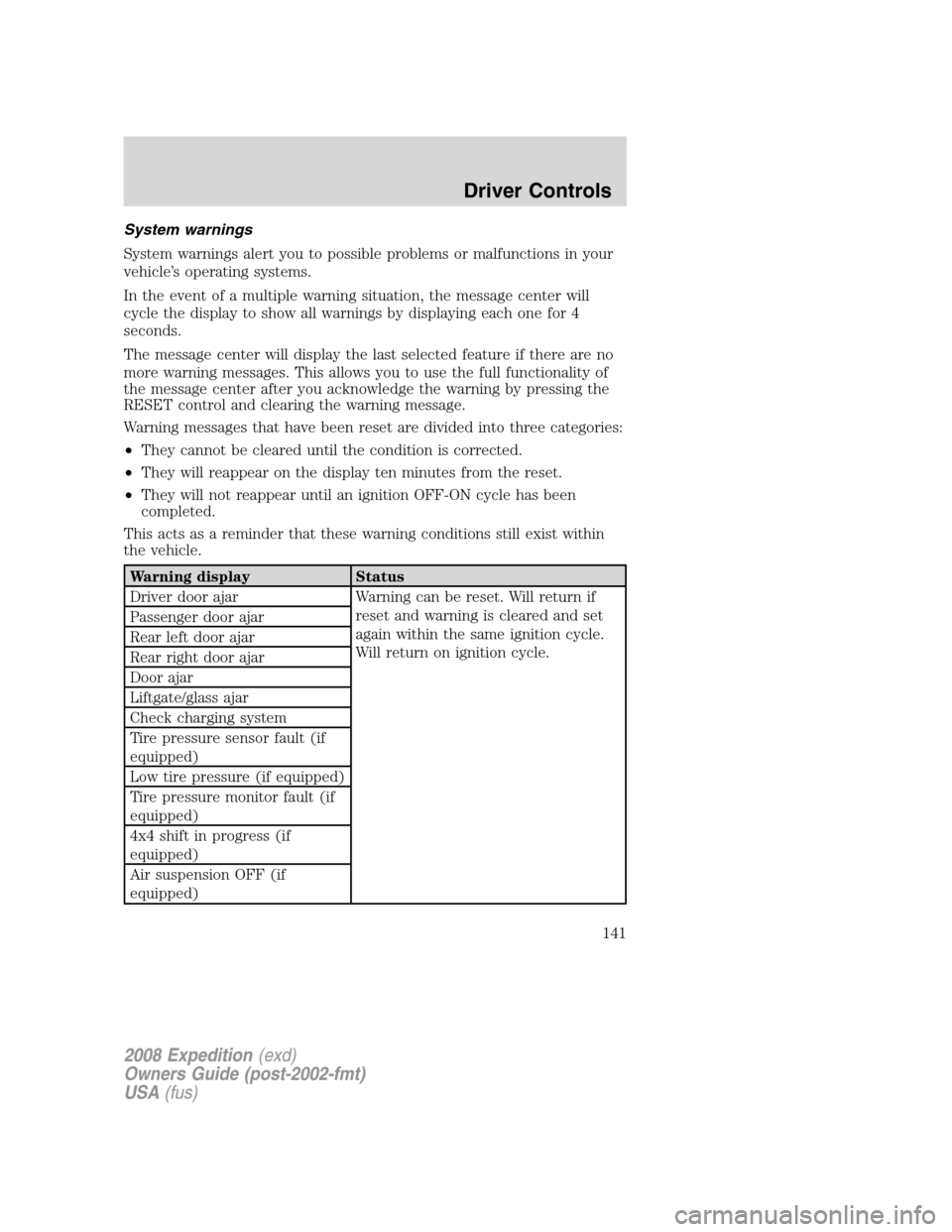
Warning display Status
Driver door ajar Warning can be reset. Will return if
reset and warning is cleared and set
again within the same ignition cycle.
Will return on ignition cycle. Passenger door ajar
Rear left door ajar
Rear right door ajar
Door ajar
Liftgate/glass ajar
Check charging system
Tire pressure sensor fault (if
equipped)
Low tire pressure (if equipped)
Tire pressure monitor fault (if
equipped)
4x4 shift in progress (if
equipped)
Air suspension OFF (if
equipped)
2008 Expedition(exd)
Owners Guide (post-2002-fmt)
USA(fus)
Driver Controls
141
Page 142 of 392
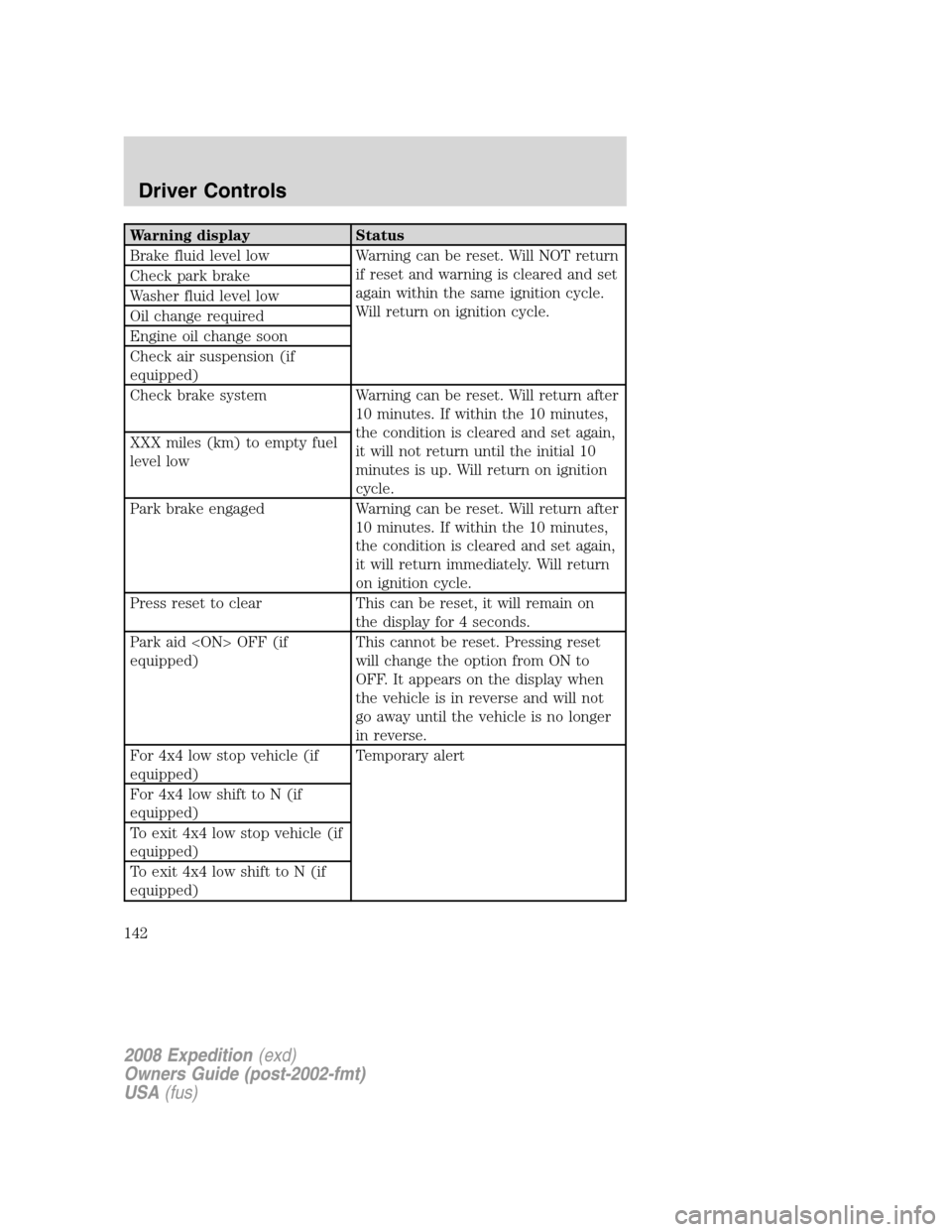
Warning display Status
Brake fluid level low Warning can be reset. Will NOT return
if reset and warning is cleared and set
again within the same ignition cycle.
Will return on ignition cycle. Check park brake
Washer fluid level low
Oil change required
Engine oil change soon
Check air suspension (if
equipped)
Check brake system Warning can be reset. Will return after
10 minutes. If within the 10 minutes,
the condition is cleared and set again,
it will not return until the initial 10
minutes is up. Will return on ignition
cycle. XXX miles (km) to empty fuel
level low
Park brake engaged Warning can be reset. Will return after
10 minutes. If within the 10 minutes,
the condition is cleared and set again,
it will return immediately. Will return
on ignition cycle.
Press reset to clear This can be reset, it will remain on
the display for 4 seconds.
Park aid
equipped)This cannot be reset. Pressing reset
will change the option from ON to
OFF. It appears on the display when
the vehicle is in reverse and will not
go away until the vehicle is no longer
in reverse.
For 4x4 low stop vehicle (if
equipped)Temporary alert
For 4x4 low shift to N (if
equipped)
To exit 4x4 low stop vehicle (if
equipped)
To exit 4x4 low shift to N (if
equipped)
2008 Expedition(exd)
Owners Guide (post-2002-fmt)
USA(fus)
Driver Controls
142
Page 144 of 392
WASHER FLUID LEVEL LOW.Indicates the washer fluid reservoir is
less than one quarter full. Check the washer fluid level. Refer to
Windshield washer fluidin theMaintenance and Specifications
chapter.
CHECK AIR SUSPENSION (if equipped).Displayed when the air
suspension system is not operating properly. If this message is displayed
while driving, pull off the road as soon as safely possible. For more
information, refer toAir suspensionin theDrivingchapter.
CHECK BRAKE SYSTEM.Displayed when the braking system is not
operating properly. If the warning stays on or continues to come on,
contact your authorized dealer as soon as possible.
PARK BRAKE ENGAGED.Displayed when the manual park brake is
set, the engine is running and the vehicle is driven more than 3 mph
(5 km). If the warning stays on after the park brake is released, contact
your authorized dealer as soon as possible.
PARK AID
transmission is in R (Reverse). Refer toReverse Sensing Systemin this
section to enable.
OIL CHANGE REQUIRED/ENGINE OIL CHANGE SOON.Displayed
when the engine oil life remaining is 5 percent or less. When oil life left
is between 5% and 0%, the ENGINE OIL CHANGE SOON message will
be displayed. When oil life left reaches 0%, the OIL CHANGE REQUIRED
message will be displayed.
An oil change is required whenever indicated by the message center and
according to the recommended maintenance schedule. USE ONLY
RECOMMENDED ENGINE OILS.
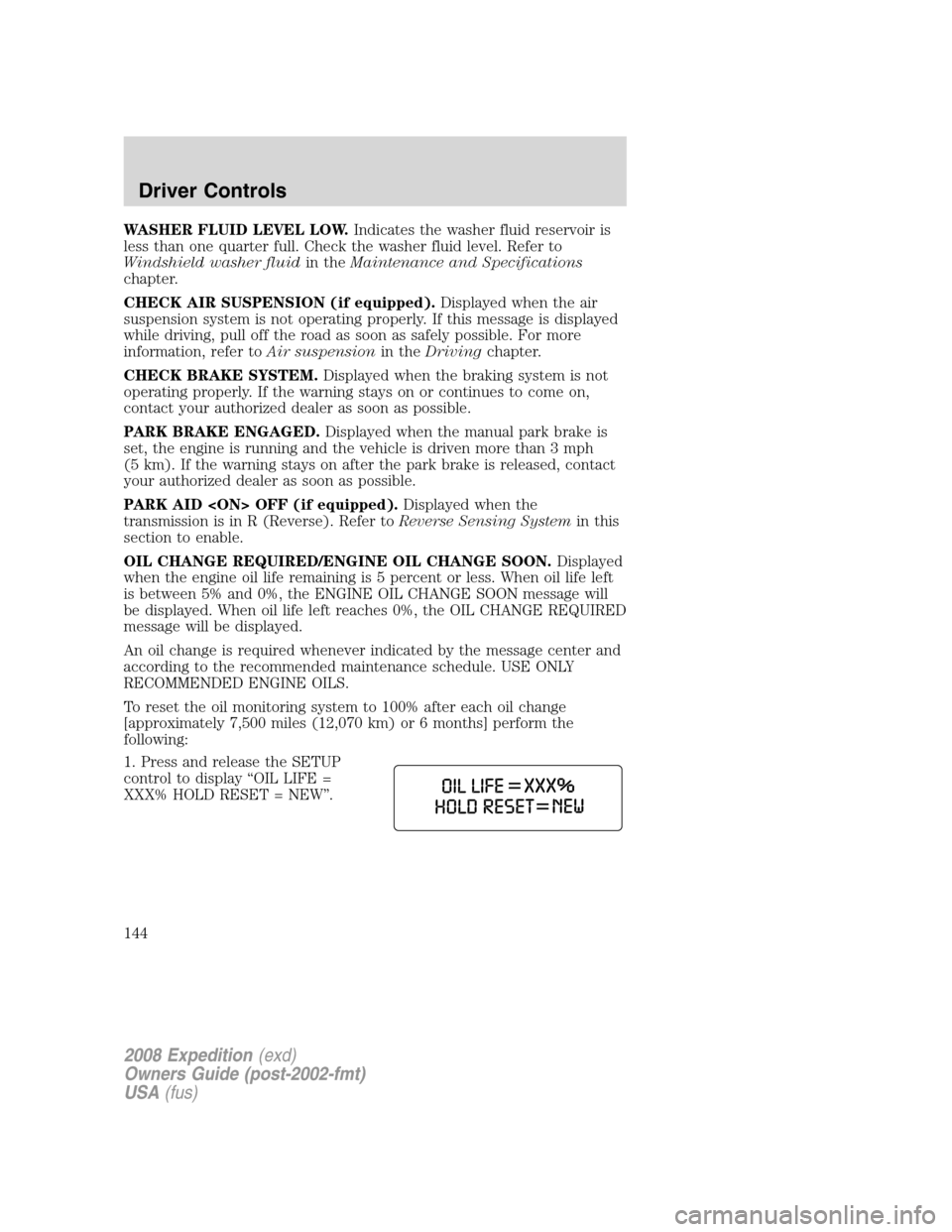
To reset the oil monitoring system to 100% after each oil change
[approximately 7,500 miles (12,070 km) or 6 months] perform the
following:
1. Press and release the SETUP
control to display “OIL LIFE =
XXX% HOLD RESET = NEW”.
2008 Expedition(exd)
Owners Guide (post-2002-fmt)
USA(fus)
Driver Controls
144
Page 145 of 392
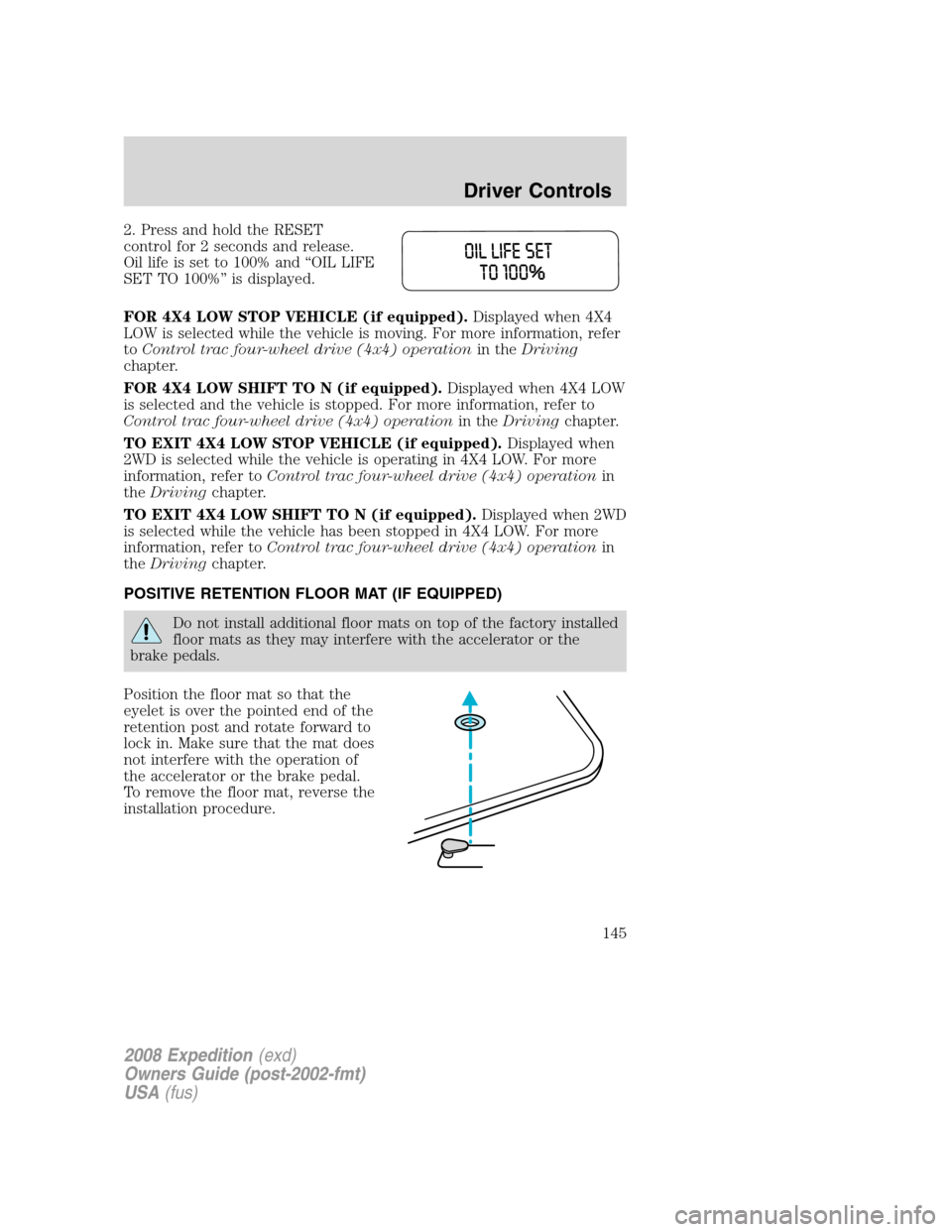
2. Press and hold the RESET
control for 2 seconds and release.
Oil life is set to 100% and “OIL LIFE
SET TO 100%” is displayed.
FOR 4X4 LOW STOP VEHICLE (if equipped).Displayed when 4X4
LOW is selected while the vehicle is moving. For more information, refer
toControl trac four-wheel drive (4x4) operationin theDriving
chapter.
FOR 4X4 LOW SHIFT TO N (if equipped).Displayed when 4X4 LOW
is selected and the vehicle is stopped. For more information, refer to
Control trac four-wheel drive (4x4) operationin theDrivingchapter.
TO EXIT 4X4 LOW STOP VEHICLE (if equipped).Displayed when
2WD is selected while the vehicle is operating in 4X4 LOW. For more
information, refer toControl trac four-wheel drive (4x4) operationin
theDrivingchapter.
TO EXIT 4X4 LOW SHIFT TO N (if equipped).Displayed when 2WD
is selected while the vehicle has been stopped in 4X4 LOW. For more
information, refer toControl trac four-wheel drive (4x4) operationin
theDrivingchapter.
POSITIVE RETENTION FLOOR MAT (IF EQUIPPED)
Do not install additional floor mats on top of the factory installed
floor mats as they may interfere with the accelerator or the
brake pedals.
Position the floor mat so that the
eyelet is over the pointed end of the
retention post and rotate forward to
lock in. Make sure that the mat does
not interfere with the operation of
the accelerator or the brake pedal.
To remove the floor mat, reverse the
installation procedure.
2008 Expedition(exd)
Owners Guide (post-2002-fmt)
USA(fus)
Driver Controls
145
Page 148 of 392
Note:In case of operation in extreme cold -40° F (-40° C), or on
extreme inclines, manual operation of the liftgate is suggested.
Obstacle detection
The power liftgate system is equipped with an obstacle detection feature.
If the power liftgate is closing, the system is designed to reverse to full
open when it encounters a solid obstacle. A three second chime is also
sounded when an obstacle is detected. Once the obstacle is removed, the
liftgate can be closed under power.
If the power liftgate is opening, the system is designed to stop when it
encounters a solid obstacle. A chime will sound for three seconds while
the obstacle is present.
Resetting the power liftgate:
The power liftgate may not operate under these conditions. If any of
these conditions occur, the power liftgate must be reset.
•a low voltage or dead battery
•disconnected battery
•the liftgate is manually closed and left ajar (unlatched)
To reset the power liftgate:
1. Disconnect the battery for 20 seconds then, reconnect the battery.
2. Manually close and fully latch the liftgate.
3. Power open the liftgate by using the remote entry transmitter or
instrument panel button.
Note:If the power liftgate system is turned
center, the system cannot be activated with the outside release handle or
rear cargo area control button. The system will need to be turned
to resume operation with the outside release handle or rear cargo area
control button. The Power Liftgate is still operational through the use of
the Remote entry transmitter and IP button when the Power Liftgate is
turned off in the Message center.
Liftgate ajar signal
If the liftgate or liftgate glass are not fully latched, you will receive a
“LIFTGATE or LIFTGLASS AJAR” message on the instrument panel. If
you see this message, check both the liftgate glass and liftgate door to
ensure they are fully latched.
2008 Expedition(exd)
Owners Guide (post-2002-fmt)
USA(fus)
Driver Controls
148
Page 159 of 392
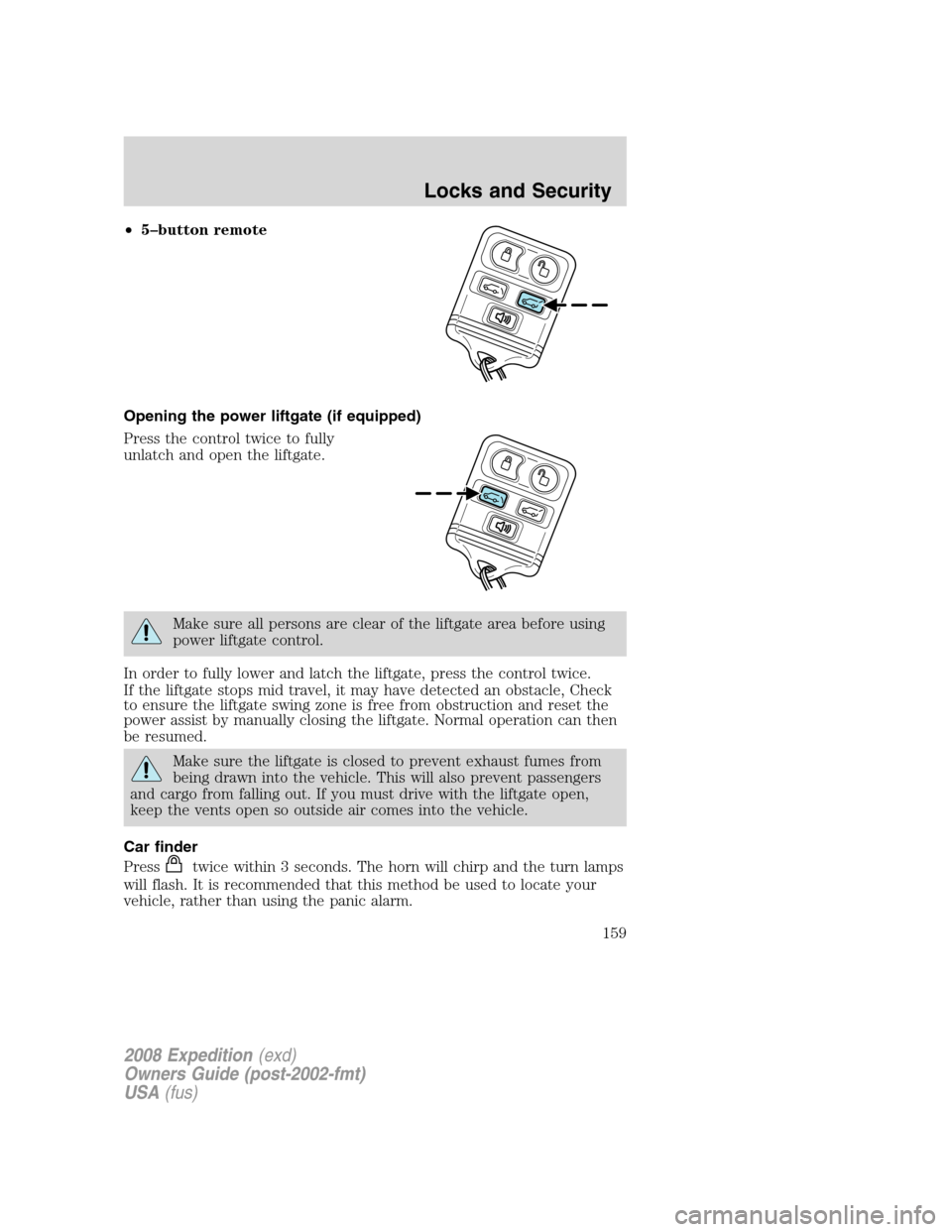
•5–button remote
Opening the power liftgate (if equipped)
Press the control twice to fully
unlatch and open the liftgate.
Make sure all persons are clear of the liftgate area before using
power liftgate control.
In order to fully lower and latch the liftgate, press the control twice.
If the liftgate stops mid travel, it may have detected an obstacle, Check
to ensure the liftgate swing zone is free from obstruction and reset the
power assist by manually closing the liftgate. Normal operation can then
be resumed.
Make sure the liftgate is closed to prevent exhaust fumes from
being drawn into the vehicle. This will also prevent passengers
and cargo from falling out. If you must drive with the liftgate open,
keep the vents open so outside air comes into the vehicle.
Car finder
Press
twice within 3 seconds. The horn will chirp and the turn lamps
will flash. It is recommended that this method be used to locate your
vehicle, rather than using the panic alarm.
2008 Expedition(exd)
Owners Guide (post-2002-fmt)
USA(fus)
Locks and Security
159
Page 175 of 392
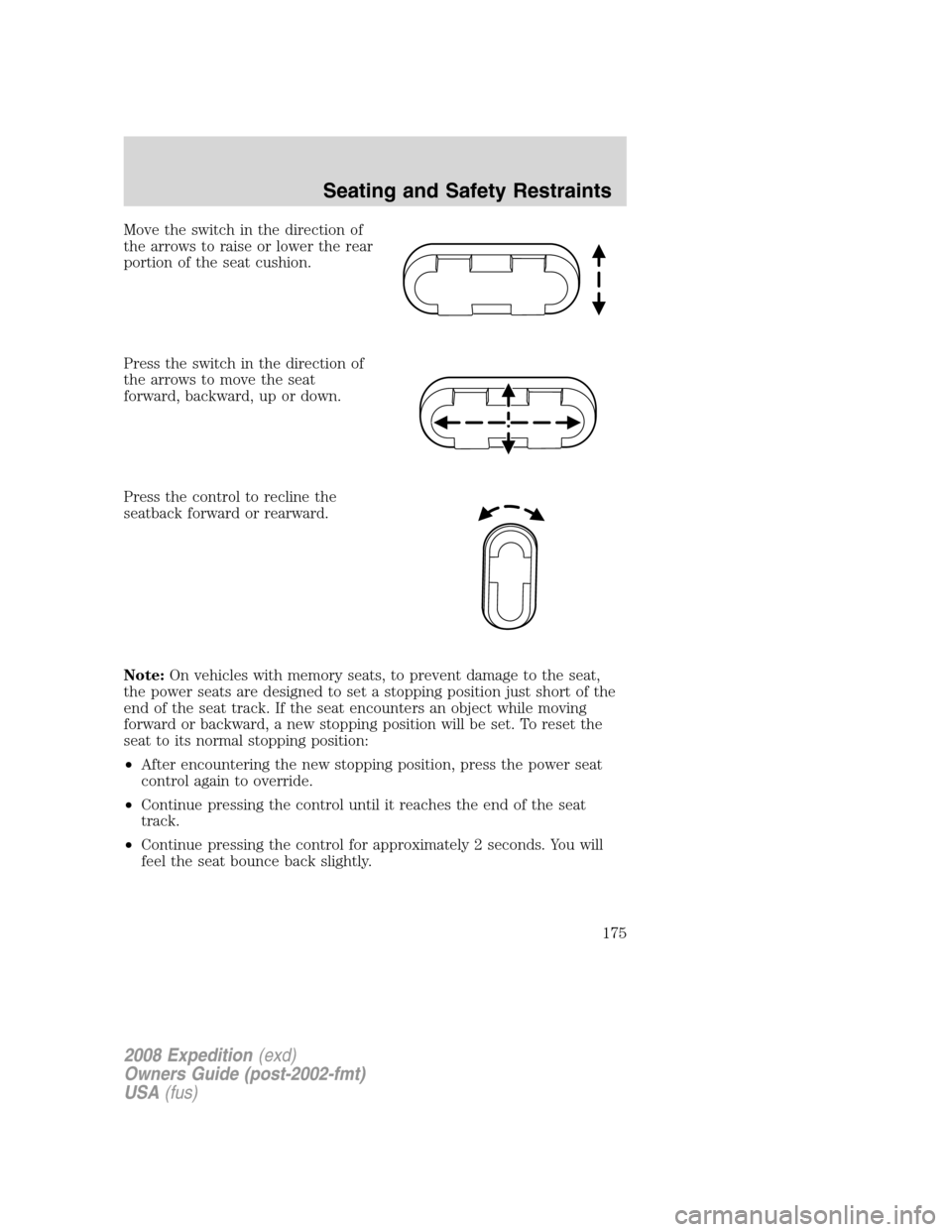
Move the switch in the direction of
the arrows to raise or lower the rear
portion of the seat cushion.
Press the switch in the direction of
the arrows to move the seat
forward, backward, up or down.
Press the control to recline the
seatback forward or rearward.
Note:On vehicles with memory seats, to prevent damage to the seat,
the power seats are designed to set a stopping position just short of the
end of the seat track. If the seat encounters an object while moving
forward or backward, a new stopping position will be set. To reset the
seat to its normal stopping position:
•After encountering the new stopping position, press the power seat
control again to override.
•Continue pressing the control until it reaches the end of the seat
track.
•Continue pressing the control for approximately 2 seconds. You will
feel the seat bounce back slightly.
2008 Expedition(exd)
Owners Guide (post-2002-fmt)
USA(fus)
Seating and Safety Restraints
175