Page 147 of 392

To open the liftgate with outside
liftgate control button (manual
actuation):
1. To open, unlock the liftgate with
the remote entry transmitter or
power door unlock control.
2. Push the control button to open
the liftgate.
Note:For the best performance
allow the power system to open the
liftgate after releasing the handle. Continued upward force after
unlatching may activate the obstacle detection feature and stop the
power system.
Note:If weight is added to the gate (bike rack, snow, etc.) the gate may
automatically start a power close event immediately after a power open.
In this mode a unique continuous chime will sound.
To close the liftgate with the
rear cargo area control button:
Press and release the control on the
left rear quarter panel to close the
liftgate. The chime will beep once if
conditions are not correct to start
an operation (i.e., the vehicle is out
of park). In a normal close, the
chime will begin just before the gate
starts to move and continue for total
of three seconds.
Press and release the control to open or reverse the liftgate.
Rear cargo area control button will not open the liftgate when the
liftgate is latched.
Warning, keep clear of the liftgate when activating the rear
switch.
To manually operate the liftgate:
1. Disable the liftgate power function, refer to theMessage Centerin
this chapter.
2. Open and close the liftgate as you would a standard liftgate.
2008 Expedition(exd)
Owners Guide (post-2002-fmt)
USA(fus)
Driver Controls
147
Page 148 of 392
Note:In case of operation in extreme cold -40° F (-40° C), or on
extreme inclines, manual operation of the liftgate is suggested.
Obstacle detection
The power liftgate system is equipped with an obstacle detection feature.
If the power liftgate is closing, the system is designed to reverse to full
open when it encounters a solid obstacle. A three second chime is also
sounded when an obstacle is detected. Once the obstacle is removed, the
liftgate can be closed under power.
If the power liftgate is opening, the system is designed to stop when it
encounters a solid obstacle. A chime will sound for three seconds while
the obstacle is present.
Resetting the power liftgate:
The power liftgate may not operate under these conditions. If any of
these conditions occur, the power liftgate must be reset.
•a low voltage or dead battery
•disconnected battery
•the liftgate is manually closed and left ajar (unlatched)
To reset the power liftgate:
1. Disconnect the battery for 20 seconds then, reconnect the battery.
2. Manually close and fully latch the liftgate.
3. Power open the liftgate by using the remote entry transmitter or
instrument panel button.
Note:If the power liftgate system is turned in the message
center, the system cannot be activated with the outside release handle or
rear cargo area control button. The system will need to be turned
to resume operation with the outside release handle or rear cargo area
control button. The Power Liftgate is still operational through the use of
the Remote entry transmitter and IP button when the Power Liftgate is
turned off in the Message center.
Liftgate ajar signal
If the liftgate or liftgate glass are not fully latched, you will receive a
“LIFTGATE or LIFTGLASS AJAR” message on the instrument panel. If
you see this message, check both the liftgate glass and liftgate door to
ensure they are fully latched.
2008 Expedition(exd)
Owners Guide (post-2002-fmt)
USA(fus)
Driver Controls
148
Page 149 of 392
Make sure the liftgate is closed to prevent exhaust fumes from
being drawn into the vehicle. If you must drive with the liftgate
open, keep the vents open so outside air comes into the vehicle.
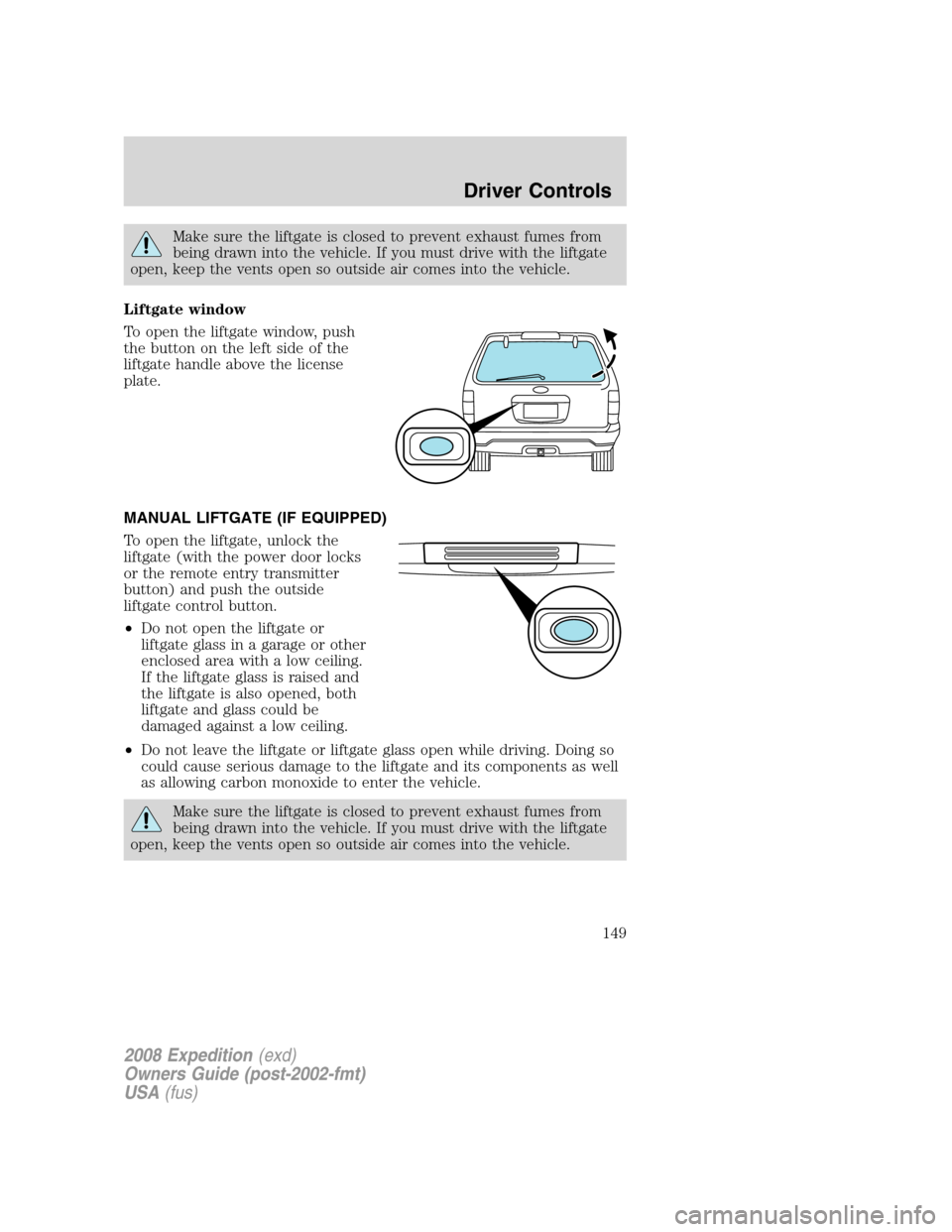
Liftgate window
To open the liftgate window, push
the button on the left side of the
liftgate handle above the license
plate.
MANUAL LIFTGATE (IF EQUIPPED)
To open the liftgate, unlock the
liftgate (with the power door locks
or the remote entry transmitter
button) and push the outside
liftgate control button.
•Do not open the liftgate or
liftgate glass in a garage or other
enclosed area with a low ceiling.
If the liftgate glass is raised and
the liftgate is also opened, both
liftgate and glass could be
damaged against a low ceiling.
•Do not leave the liftgate or liftgate glass open while driving. Doing so
could cause serious damage to the liftgate and its components as well
as allowing carbon monoxide to enter the vehicle.
Make sure the liftgate is closed to prevent exhaust fumes from
being drawn into the vehicle. If you must drive with the liftgate
open, keep the vents open so outside air comes into the vehicle.
2008 Expedition(exd)
Owners Guide (post-2002-fmt)
USA(fus)
Driver Controls
149
Page 156 of 392
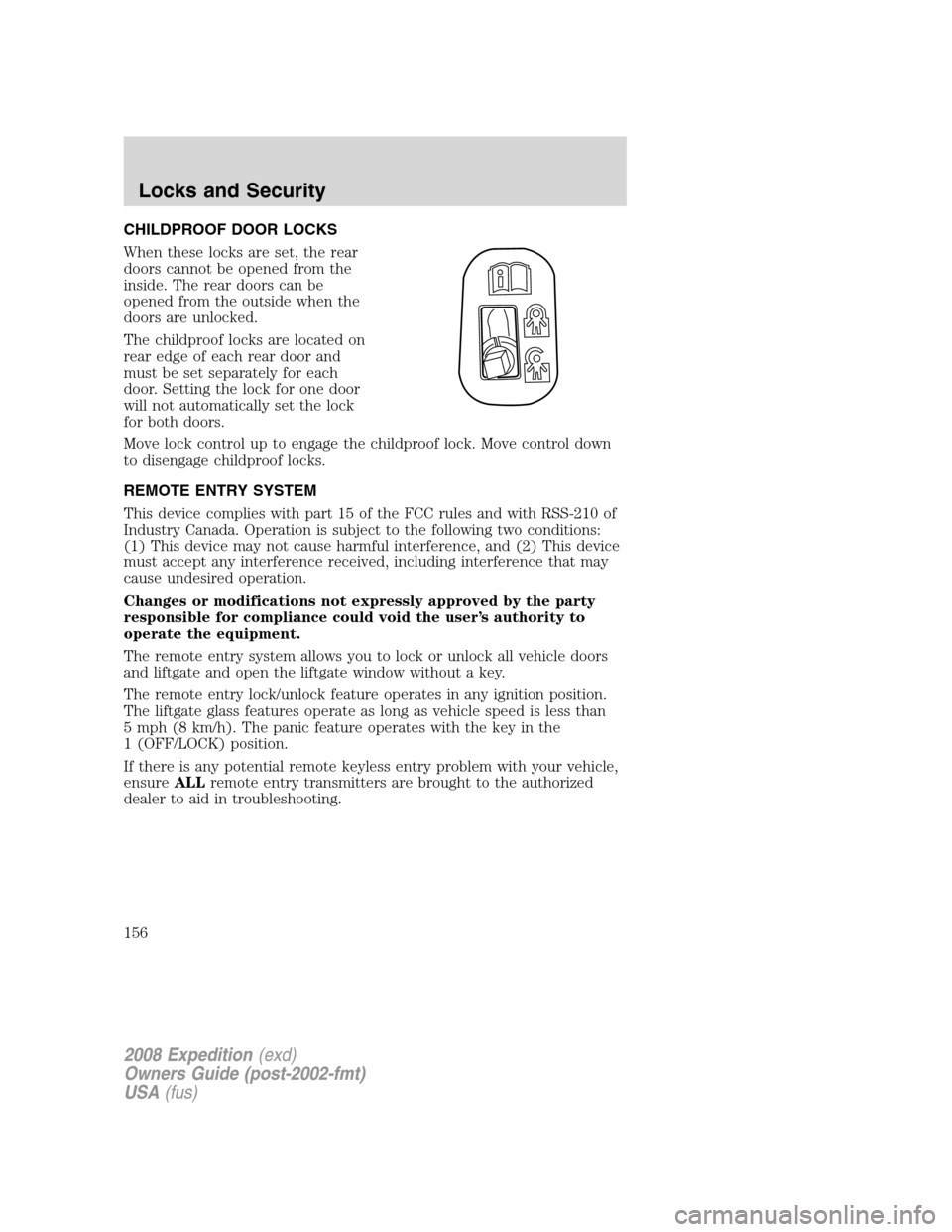
CHILDPROOF DOOR LOCKS
When these locks are set, the rear
doors cannot be opened from the
inside. The rear doors can be
opened from the outside when the
doors are unlocked.
The childproof locks are located on
rear edge of each rear door and
must be set separately for each
door. Setting the lock for one door
will not automatically set the lock
for both doors.
Move lock control up to engage the childproof lock. Move control down
to disengage childproof locks.
REMOTE ENTRY SYSTEM
This device complies with part 15 of the FCC rules and with RSS-210 of
Industry Canada. Operation is subject to the following two conditions:
(1) This device may not cause harmful interference, and (2) This device
must accept any interference received, including interference that may
cause undesired operation.
Changes or modifications not expressly approved by the party
responsible for compliance could void the user’s authority to
operate the equipment.
The remote entry system allows you to lock or unlock all vehicle doors
and liftgate and open the liftgate window without a key.
The remote entry lock/unlock feature operates in any ignition position.
The liftgate glass features operate as long as vehicle speed is less than
5 mph (8 km/h). The panic feature operates with the key in the
1 (OFF/LOCK) position.
If there is any potential remote keyless entry problem with your vehicle,
ensureALLremote entry transmitters are brought to the authorized
dealer to aid in troubleshooting.
2008 Expedition(exd)
Owners Guide (post-2002-fmt)
USA(fus)
Locks and Security
156
Page 157 of 392
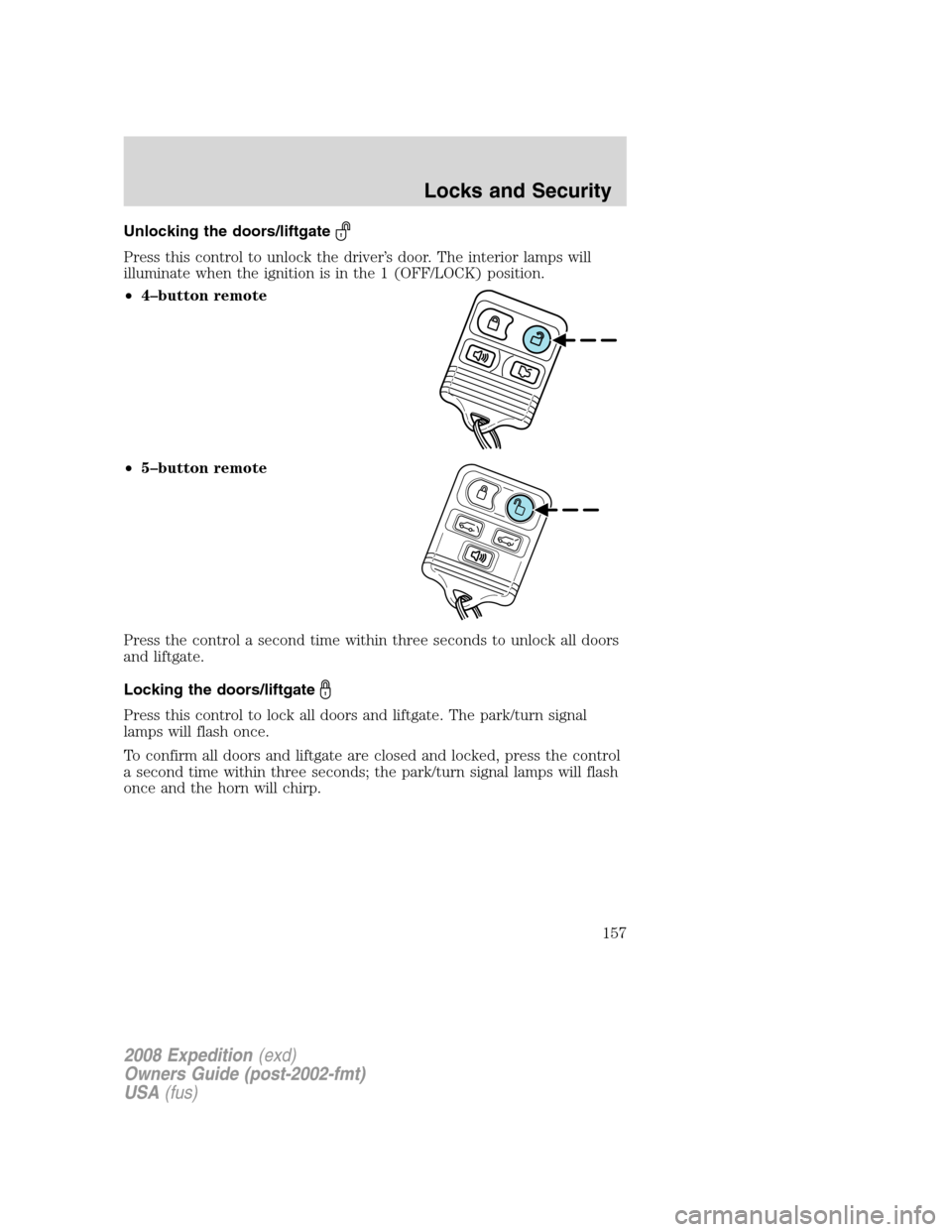
Unlocking the doors/liftgate
Press this control to unlock the driver’s door. The interior lamps will
illuminate when the ignition is in the 1 (OFF/LOCK) position.
•4–button remote
•5–button remote
Press the control a second time within three seconds to unlock all doors
and liftgate.
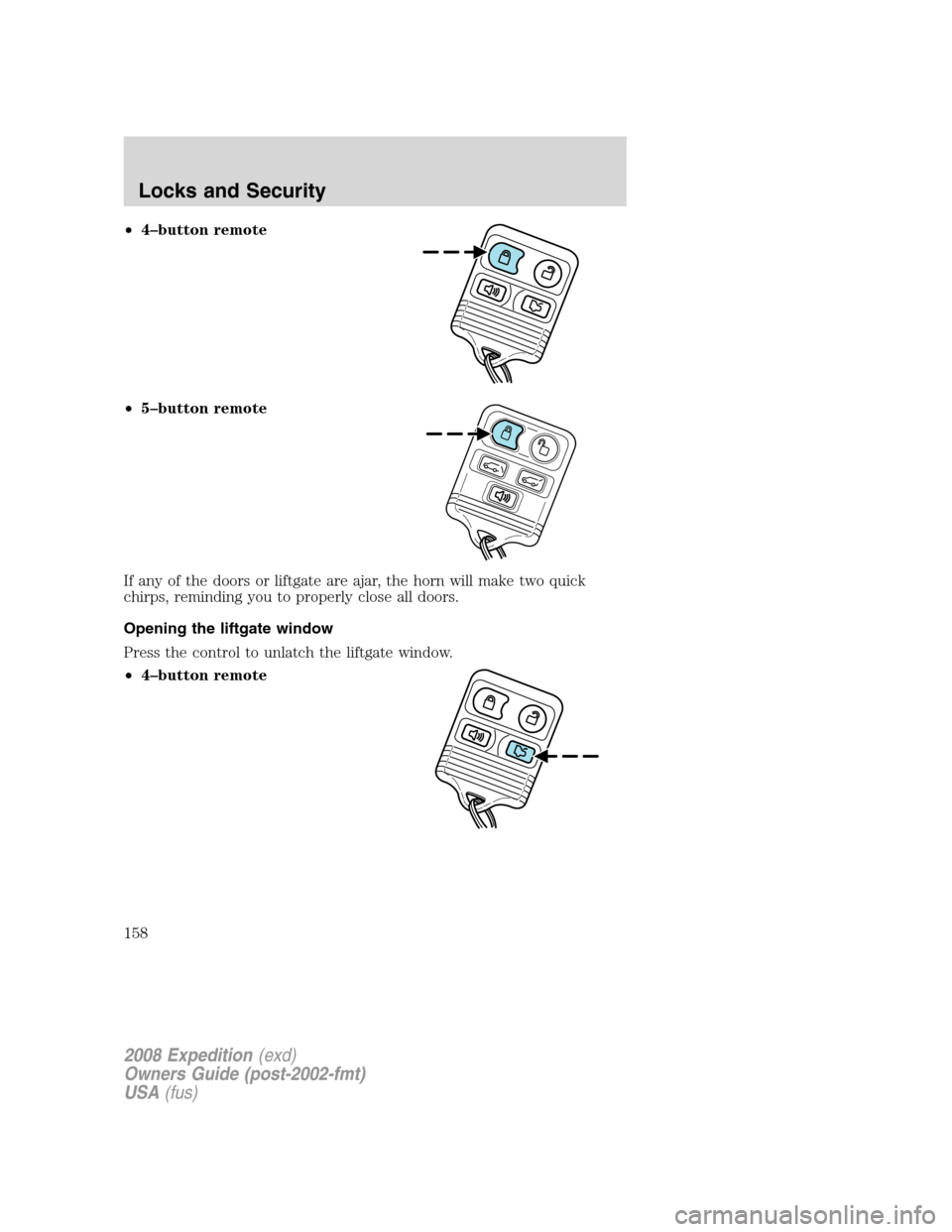
Locking the doors/liftgate
Press this control to lock all doors and liftgate. The park/turn signal
lamps will flash once.
To confirm all doors and liftgate are closed and locked, press the control
a second time within three seconds; the park/turn signal lamps will flash
once and the horn will chirp.
2008 Expedition(exd)
Owners Guide (post-2002-fmt)
USA(fus)
Locks and Security
157
Page 158 of 392
•4–button remote
•5–button remote
If any of the doors or liftgate are ajar, the horn will make two quick
chirps, reminding you to properly close all doors.
Opening the liftgate window
Press the control to unlatch the liftgate window.
•4–button remote
2008 Expedition(exd)
Owners Guide (post-2002-fmt)
USA(fus)
Locks and Security
158
Page 159 of 392
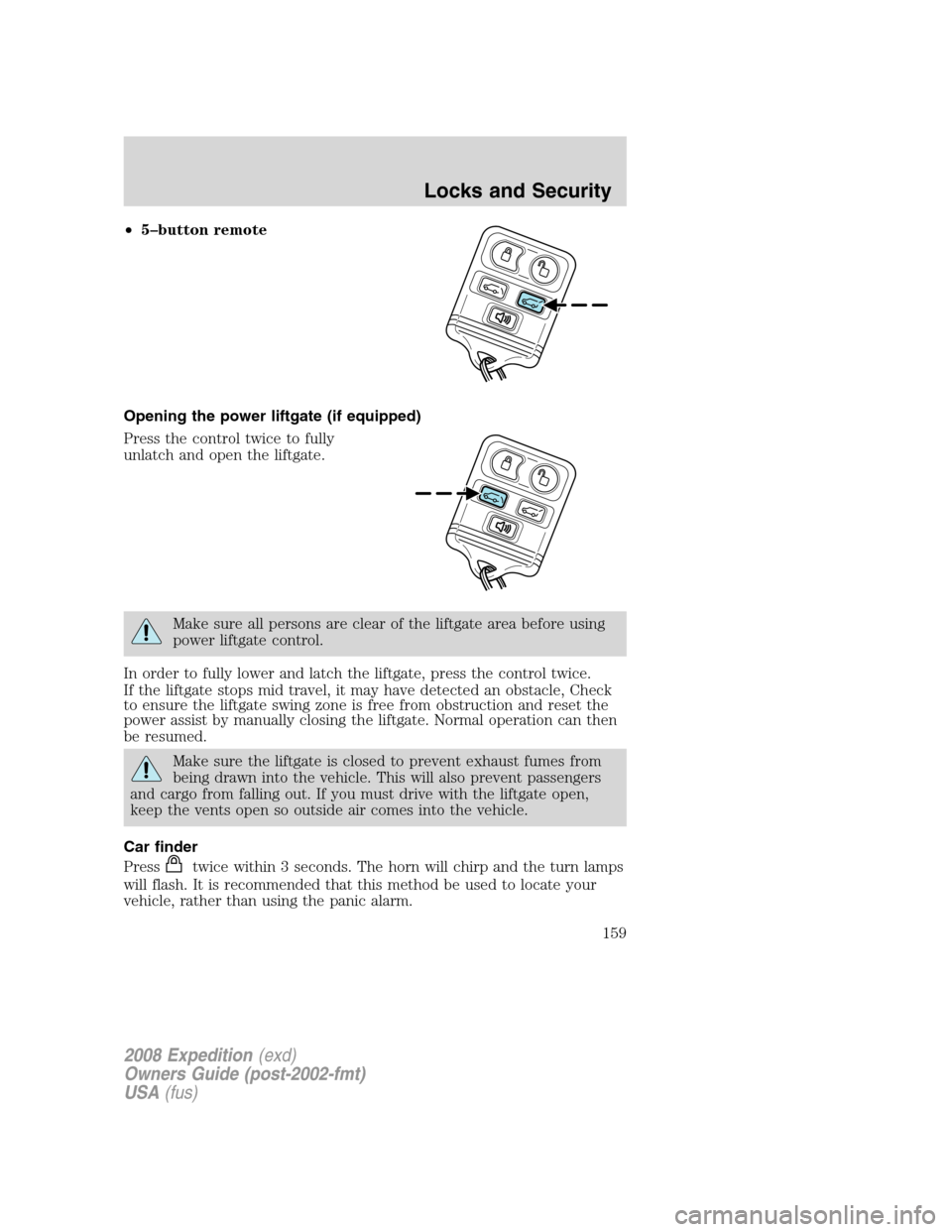
•5–button remote
Opening the power liftgate (if equipped)
Press the control twice to fully
unlatch and open the liftgate.
Make sure all persons are clear of the liftgate area before using
power liftgate control.
In order to fully lower and latch the liftgate, press the control twice.
If the liftgate stops mid travel, it may have detected an obstacle, Check
to ensure the liftgate swing zone is free from obstruction and reset the
power assist by manually closing the liftgate. Normal operation can then
be resumed.
Make sure the liftgate is closed to prevent exhaust fumes from
being drawn into the vehicle. This will also prevent passengers
and cargo from falling out. If you must drive with the liftgate open,
keep the vents open so outside air comes into the vehicle.
Car finder
Press
twice within 3 seconds. The horn will chirp and the turn lamps
will flash. It is recommended that this method be used to locate your
vehicle, rather than using the panic alarm.
2008 Expedition(exd)
Owners Guide (post-2002-fmt)
USA(fus)
Locks and Security
159
Page 160 of 392
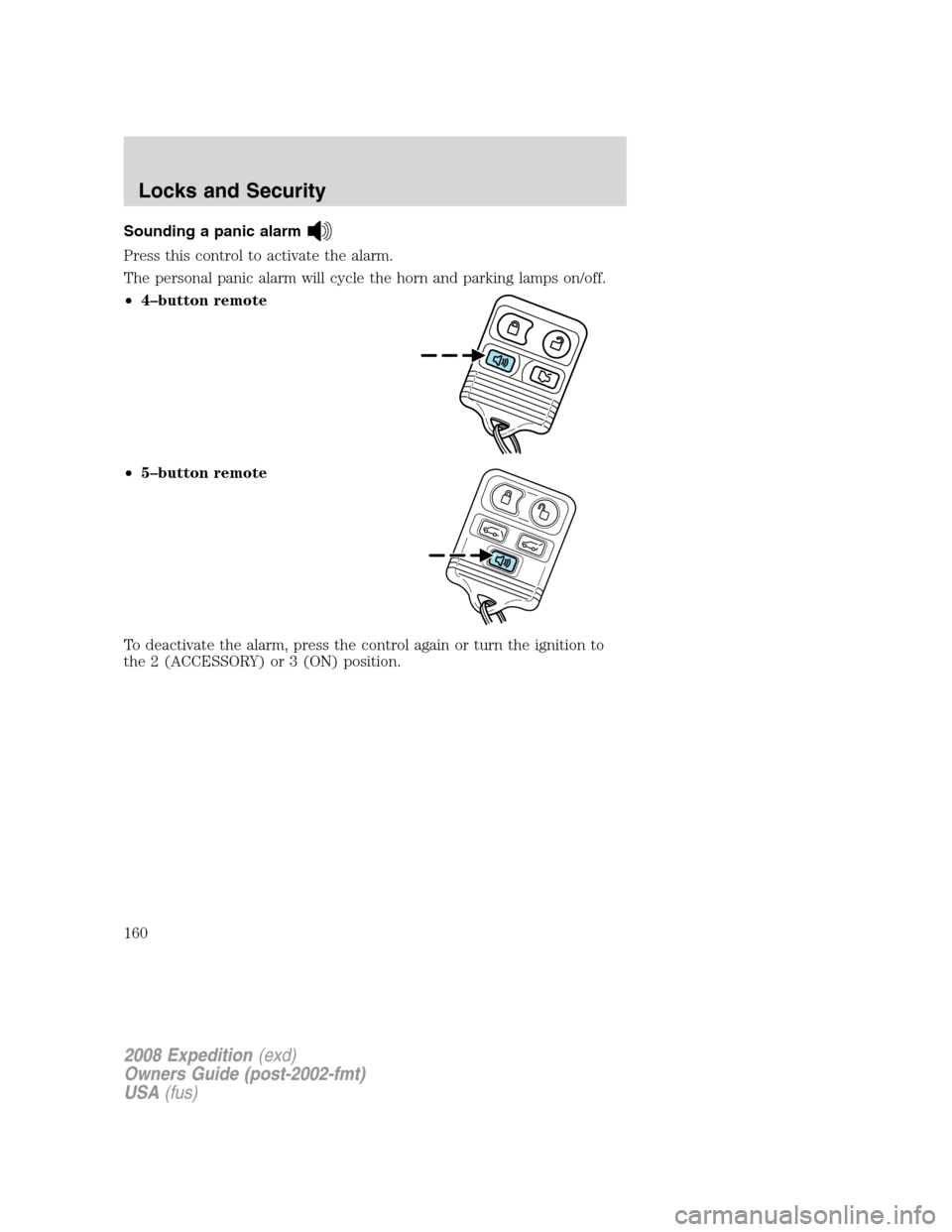
Sounding a panic alarm
Press this control to activate the alarm.
The personal panic alarm will cycle the horn and parking lamps on/off.
•4–button remote
•5–button remote
To deactivate the alarm, press the control again or turn the ignition to
the 2 (ACCESSORY) or 3 (ON) position.
2008 Expedition(exd)
Owners Guide (post-2002-fmt)
USA(fus)
Locks and Security
160