2008 FORD EDGE instrument cluster
[x] Cancel search: instrument clusterPage 17 of 336
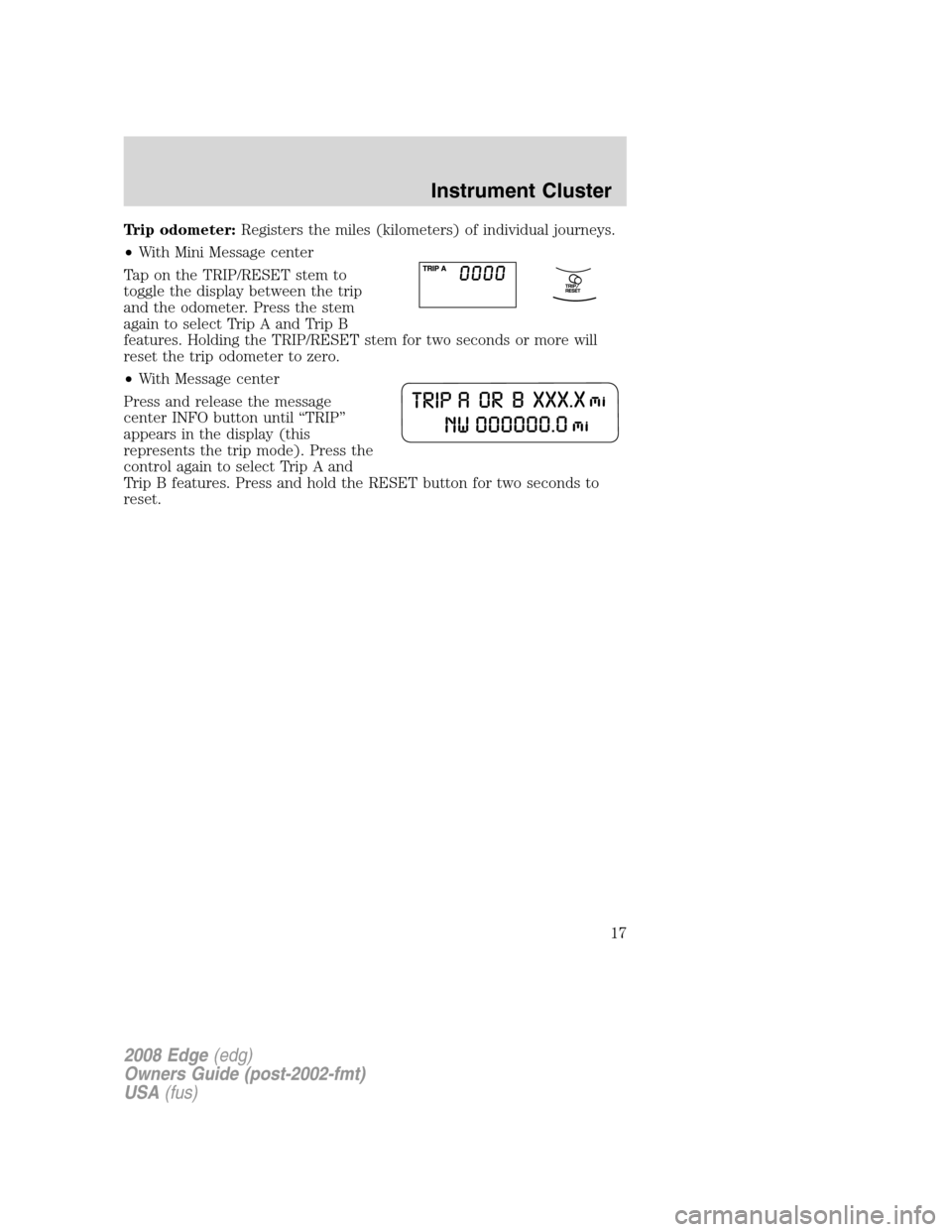
Trip odometer:Registers the miles (kilometers) of individual journeys.
•With Mini Message center
Tap on the TRIP/RESET stem to
toggle the display between the trip
and the odometer. Press the stem
again to select Trip A and Trip B
features. Holding the TRIP/RESET stem for two seconds or more will
reset the trip odometer to zero.
•With Message center
Press and release the message
center INFO button until “TRIP”
appears in the display (this
represents the trip mode). Press the
control again to select Trip A and
Trip B features. Press and hold the RESET button for two seconds to
reset.
2008 Edge(edg)
Owners Guide (post-2002-fmt)
USA(fus)
Instrument Cluster
17
Page 100 of 336
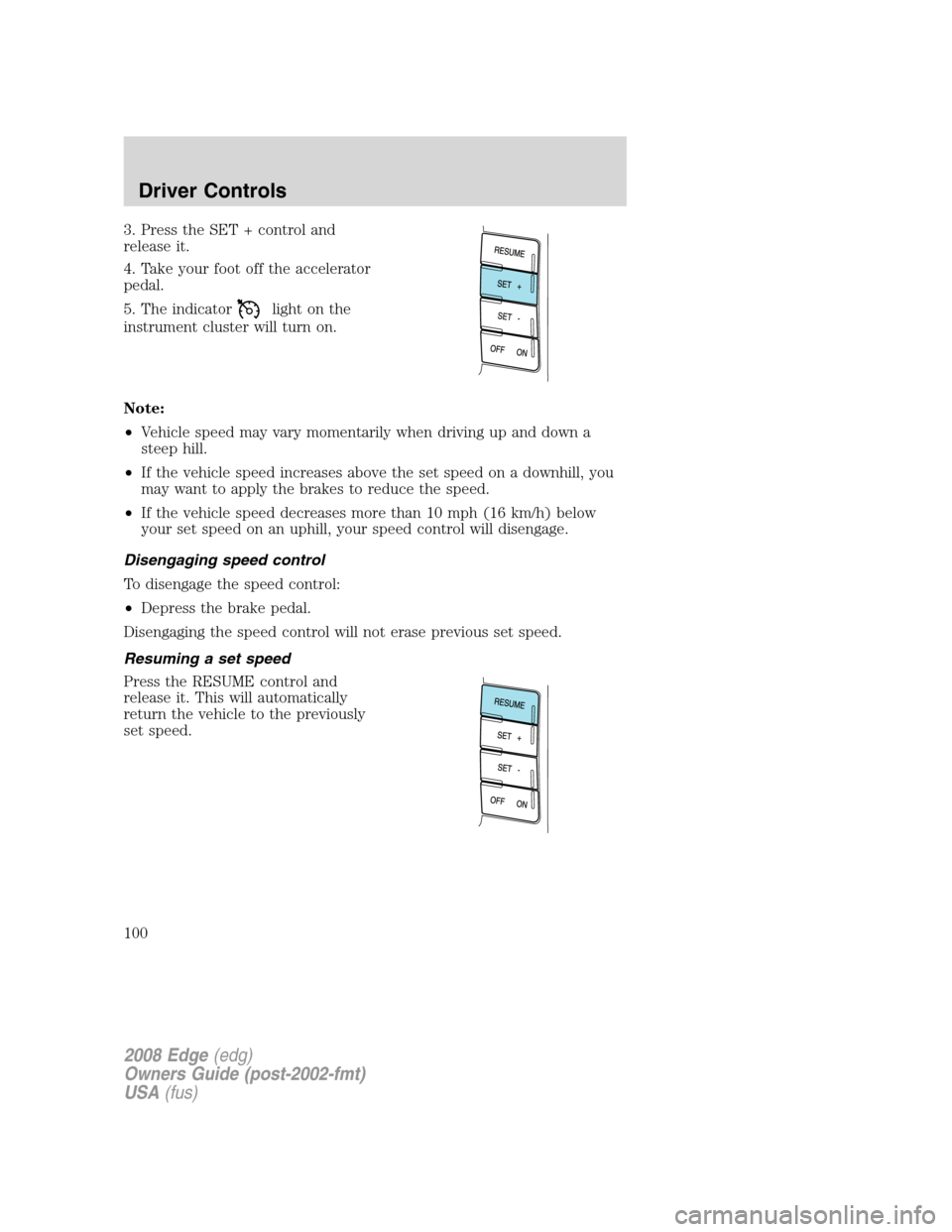
3. Press the SET + control and
release it.
4. Take your foot off the accelerator
pedal.
5. The indicator
light on the
instrument cluster will turn on.
Note:
•Vehicle speed may vary momentarily when driving up and down a
steep hill.
•If the vehicle speed increases above the set speed on a downhill, you
may want to apply the brakes to reduce the speed.
•If the vehicle speed decreases more than 10 mph (16 km/h) below
your set speed on an uphill, your speed control will disengage.
Disengaging speed control
To disengage the speed control:
•Depress the brake pedal.
Disengaging the speed control will not erase previous set speed.
Resuming a set speed
Press the RESUME control and
release it. This will automatically
return the vehicle to the previously
set speed.
2008 Edge(edg)
Owners Guide (post-2002-fmt)
USA(fus)
Driver Controls
100
Page 110 of 336

Odometer/Trip odometer
Refer toGaugesin theInstrument Clusterchapter.
Note:Engine can not be running to change the state of Autolamp or
Rear Park Assist (when not in Reverse).
Autolamp (if equipped)
This feature keeps your headlights on for up to three minutes after the
ignition is switched off.
1. To disable/enable the autolamp
delay feature, select this function
using TRIP/RESET stem for the
current display mode.
2. Press and hold the TRIP/RESET
stem for 2 seconds to select the
new Autolamp delay values of 0, 10, 20, 30, 60, 90, 120 or 180 seconds.
Reverse Sensing System (Park assist) (if equipped)
This feature sounds a warning tone to warn the driver of obstacles near
the rear bumper, and functions only when R (Reverse) gear is selected.
1. To disable/enable the reverse
sensing system feature, select this
function using the TRIP/RESET
stem or put the vehicle in R
(Reverse).
2. Press and hold the TRIP/RESET stem for 2 seconds to turn the rear
park assist OFF or ON.
MESSAGE CENTER (IF EQUIPPED)
With the ignition in the RUN
position, the message center,
located on your instrument cluster,
displays important vehicle
informationthrough a constant
monitor of vehicle systems.Yo u
may select display features on the message center for a display of status.
The system will also notify you of potential vehicle problems with a
display of system warnings followed by a long indicator chime.
2008 Edge(edg)
Owners Guide (post-2002-fmt)
USA(fus)
Driver Controls
110
Page 111 of 336

Selectable features
Reset
Press this control to select and reset
functions shown in the INFO menu
and SETUP menu.
Info menu
This control displays the following
control displays:
•Odometer
•Trip Odometer A or B
•Distance to Empty
•Average Fuel Economy
•Average Speed
•Compass (if equipped)
•Trip Elapsed Drive Time 1 or 2
Odometer/Trip odometer
Refer toGaugesin theInstrument Clusterchapter.
Distance to empty (DTE)
Selecting this function from the
INFO menu estimates approximately
how far you can drive with the fuel
remaining in your tank under
normal driving conditions.
Remember to turn the ignition OFF
when refueling to allow this feature to correctly detect the added fuel.
The DTE function will display LOW FUEL LEVEL when you have
approximately 50 miles (80 km) to empty. If you RESET this warning
message, this display will return within 10 minutes.
DTE is calculated using a running average fuel economy, which is based
on your recent driving history of 500 miles (800 km). This value is not
the same as the average fuel economy display. The running average fuel
economy is reinitialized to a factory default value if the battery is
disconnected.
2008 Edge(edg)
Owners Guide (post-2002-fmt)
USA(fus)
Driver Controls
111
Page 129 of 336

Deactivating/activating autolock feature
Your vehicle comes with the autolock features activated; there are four
methods to enable/disable this feature:
•Through your authorized dealer,
•by using a power door unlock/lock procedure,
•using a keypad procedure (if equipped), or
•or by using the instrument cluster message center (if equipped). Refer
toMessage centerin theDriver Controlschapter.
Note:The autolock feature can be activated/deactivated independently
of the autounlock feature.
Power door lock switch autolock enable/disable procedure
Before starting, ensure the ignition is in the 1 (LOCK) position and all
vehicle doors are closed. You must complete Steps 1–5 within 30 seconds
or the procedure will have to be repeated. If the procedure needs to be
repeated, wait a minimum of 30 seconds before beginning again.
1. Place the key in the ignition and
turn the ignition to the 3 (RUN)
position.
2. Press the power door unlock
control on the door panel three
times.
3. Turn the ignition from the 3
(RUN) position to the 1 (LOCK)
position.
4. Press the power door unlock
control on the door panel three times.
5. Turn the ignition back to the 3 (RUN) position. The horn will chirp
one time to confirm programming mode has been entered and is active.
6. To enable/disable the autolock feature, press the unlock control, then
press the lock control. The horn will chirp once if autolock was
deactivated or twice (one short and one long chirp) if autolock was
activated.
7. Turn the ignition to the 1 (LOCK) position. The horn will chirp once
to confirm the procedure is complete.
2008 Edge(edg)
Owners Guide (post-2002-fmt)
USA(fus)
Locks and Security
129
Page 130 of 336

Keyless entry key pad autolock enable/disable procedure
1. Turn the ignition to the 1 (LOCK)
position.
2. Close all the doors.
3. Enter factory–set 5–digit entry
code.
4. Press and hold the 3•4. While holding the 3•4 press the 7•8.
5. Release the 7•8.
6. Release the 3•4.
The user should receive ahorn chirpto indicate the system has been
disabled or a chirp followed by a honk to indicate the system has been
enabled.
Autounlock feature
The autounlock feature will unlock all the doors when:
•the ignition is in the 3 (RUN) position, all the doors are closed, and
the vehicle has been in motion at a speed greater than 12 mph (20
km/h);
•the vehicle has then come to a stop and the ignition is turned to the 1
(LOCK) or 2 (ACC) position; and
•the driver door is opened within 10 minutes of the ignition being
transitioned to the 1 (LOCK) or 2 (ACC) position.
Note:The doors will not autounlock if the vehicle has been
electronically locked before the driver door is opened.
Deactivating/activating autounlock feature
Your vehicle comes with the autounlock features activated; there are four
methods to enable/disable this feature:
•Through your authorized dealer,
•by using a power door unlock/lock sequence,
•using a keypad procedure (if equipped), or
•or by using the instrument cluster message center (if equipped). Refer
toMessage centerin theDriver Controlschapter.
Note:The autounlock feature can be activated/deactivated
independently of the autolock feature.
2008 Edge(edg)
Owners Guide (post-2002-fmt)
USA(fus)
Locks and Security
130
Page 142 of 336

Note:Large metallic objects, electronic devices that are used to
purchase gasoline or similar items, or a second coded key on the same
key chain may cause vehicle starting issues. You need to prevent these
objects from touching the coded IKT while starting the engine. These
objects will not cause damage to the coded IKT, but may cause a
momentary issue if they are too close to the IKT when starting the
engine. If a problem occurs, turn the ignition off, remove all objects on
the key chain away from the coded IKT and restart the engine.
Anti-theft indicator
The anti-theft indicator is located in the instrument panel cluster.
•When the ignition is in the 1
(LOCK) position, the indicator
will flash once every 2 seconds to
indicate the SecuriLock™ system
is functioning as a theft deterrent.
•When the ignition is in the 3 (RUN) position, the indicator will glow
for 3 seconds to indicate normal system functionality.
If a problem occurs with the SecuriLock™ system, the indicator will flash
rapidly or glow steadily when the ignition is in the 3 (RUN) position. If
this occurs, the vehicle will not start and should be taken to an
authorized dealer for service.
Automatic arming
The vehicle is armed immediately after switching the ignition to the 1
(LOCK) position.
The theft indicator will flash every
two seconds to act as a theft
deterrent when the vehicle is
armed.
Automatic disarming
The vehicle is disarmed immediately after the ignition is turned to the 3
(RUN) position.
The theft indicator will illuminate for three seconds and then go out. If
the theft indicator stays on for an extended period of time or flashes
rapidly, have the system serviced by your authorized dealer.
2008 Edge(edg)
Owners Guide (post-2002-fmt)
USA(fus)
Locks and Security
142
Page 158 of 336

The front passenger sensing system can automatically turn off the front
passenger airbag and passenger seat-mounted side airbag. The system is
designed to help protect small (child size) occupants from frontal airbag
deployments when they are seated or restrained in the front passenger seat
contrary to proper child-seating or restraint usage recommendations. Even
with this technology, parents areSTRONGLYencouraged to always properly
restrain children in the rear seat. The sensor also turns off the passenger
front airbag and passenger seat-mounted side airbag (if equipped) when the
passenger seat is empty and the safety belt is unbuckled.
Front safety belt usage sensors
The front safety belt usage sensors detect whether or not the driver and
front outboard passenger safety belts are fastened. This information
allows your Personal Safety System™ to tailor the airbag deployment
and safety belt pretensioner activation depending upon safety belt usage.
Refer toSafety beltsection in this chapter.
Front safety belt pretensioners
The safety belt pretensioners at the front outboard seating positions are
designed to tighten the safety belts firmly against the occupant’s body
during frontal collisions, and in rollover and side collisions when the
Safety Canopy is activated. This helps increase the effectiveness of the
safety belts. In frontal collisions, the safety belt pretensioners can be
activated alone or, if the collision is of sufficient severity, together with
the front airbags.
Front safety belt energy management retractors
The front outboard safety belt energy management retractors allow
webbing to be pulled out of the retractor in a gradual and controlled
manner in response to the occupant’s forward momentum. This helps
reduce the risk of force-related injuries to the occupant’s chest by
limiting the load on the occupant. Refer toEnergy management feature
section in this chapter.
Determining if the Personal Safety System™ is operational
The Personal Safety System™ uses a warning light in the instrument
cluster or a back-up tone to indicate the condition of the system. Refer
to theWarning lightsection in theInstrument Clusterchapter.
Routine maintenance of the Personal Safety System™ is not required.
The Restraints Control Module (RCM) monitors its own internal circuits
and the circuits for the airbag supplemental restraints, crash sensor(s),
safety belt pretensioners, front safety belt buckle sensors, driver seat
2008 Edge(edg)
Owners Guide (post-2002-fmt)
USA(fus)
Seating and Safety Restraints
158