Page 94 of 554
The UConnecttphonebook enables you to store up to 32
names, with four numbers per name. Each language has
a separate 32-name phonebook accessible only in that
language. This system is driven through your Bluetootht
ªHands-Free profileº cellular phone. UConnecttfeatures
Bluetoothttechnology - the global standard that enables
different electronic devices to connect to each other
without wires or a docking station, so UConnecttworks
no matter where you stow your cellular phone (be it your
purse, pocket, or briefcase), as long as your phone is
turned on and has been paired to the vehicle's
UConnecttsystem. The UConnecttsystem allows up to
seven cellular phones to be linked to the system. Only
one linked (or paired) cellular phone can be used with the
system at a time. The system is available in English,
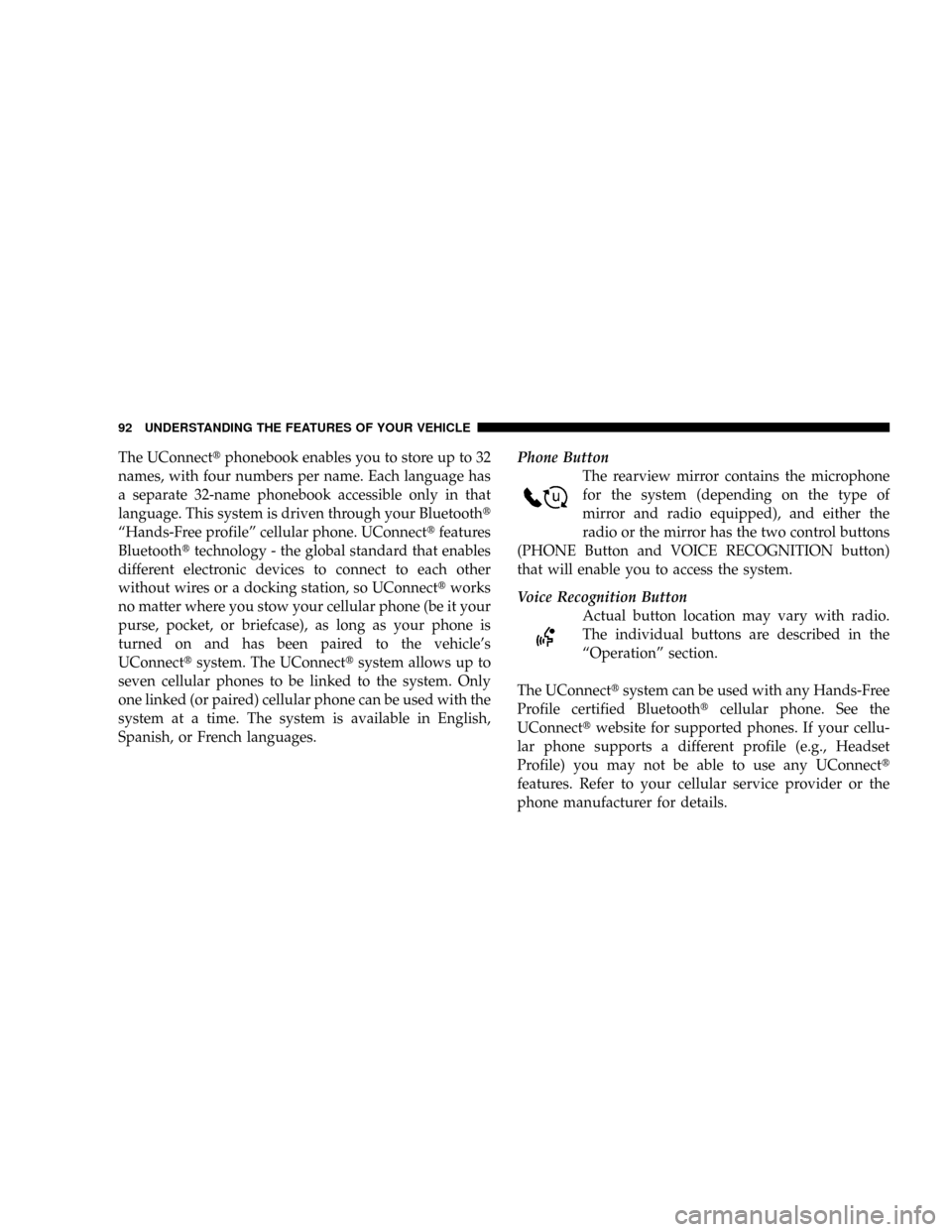
Spanish, or French languages.Phone Button
The rearview mirror contains the microphone
for the system (depending on the type of
mirror and radio equipped), and either the
radio or the mirror has the two control buttons
(PHONE Button and VOICE RECOGNITION button)
that will enable you to access the system.
Voice Recognition Button
Actual button location may vary with radio.
The individual buttons are described in the
ªOperationº section.
The UConnecttsystem can be used with any Hands-Free
Profile certified Bluetoothtcellular phone. See the
UConnecttwebsite for supported phones. If your cellu-
lar phone supports a different profile (e.g., Headset
Profile) you may not be able to use any UConnectt
features. Refer to your cellular service provider or the
phone manufacturer for details.
92 UNDERSTANDING THE FEATURES OF YOUR VEHICLE
Page 106 of 554
Your phone must be turned on and paired to the
UConnecttsystem to allow use of this vehicle feature in
emergency situations, when the cell phone has network
coverage and stays paired to the UConnecttsystem.
Towing Assistance
If you need towing assistance:
²Press the PHONE button to begin.
²After the9Ready9prompt and the following beep, say
9Towing Assistance.9
NOTE:The Towing Assistance number dialed is based
on the country where the vehicle is purchased (1-800-528-
2069 for the U.S., 1-877-213-4525 for Canada, 55-14-3454
for Mexico City and 1-800-712-3040 for outside Mexico
City in Mexico).
Please refer to the 24-Hour ªTowing Assistanceº cover-
age details in the Warranty Information Booklet and on
the 24±Hour Towing Assistance Card.
Paging
To learn how to page, refer to9Working with Automated
Systems.9Paging works properly except for pagers of
certain companies, which time out a little too soon to
work properly with the UConnecttsystem.
Voice Mail Calling
To learn how to access your voice mail, refer to9Working
with Automated Systems.9
Working with Automated Systems
This method is used in instances where one generally has
to press numbers on the cellular phone keypad while
navigating through an automated telephone system.
You can use your UConnecttsystem to access a voice
mail system or an automated service, such as a paging
service or automated customer service line. Some ser-
vices require immediate response selection. In some
instances, that may be too quick for use of the UConnectt
system.
104 UNDERSTANDING THE FEATURES OF YOUR VEHICLE
Page 118 of 554
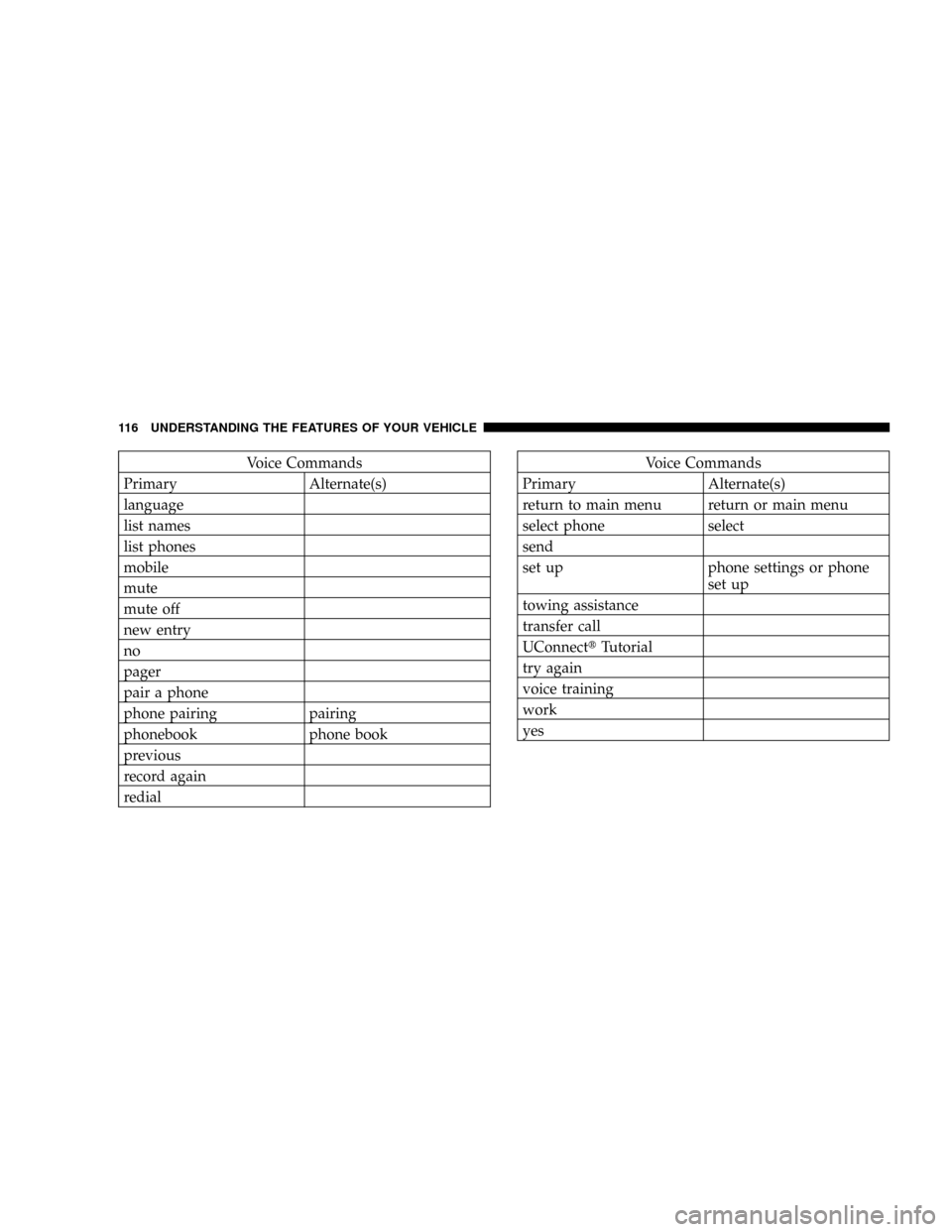
Voice Commands
Primary Alternate(s)
language
list names
list phones
mobile
mute
mute off
new entry
no
pager
pair a phone
phone pairing pairing
phonebook phone book
previous
record again
redialVoice Commands
Primary Alternate(s)
return to main menu return or main menu
select phone select
send
set up phone settings or phone
set up
towing assistance
transfer call
UConnecttTutorial
try again
voice training
work
yes
116 UNDERSTANDING THE FEATURES OF YOUR VEHICLE
Page 142 of 554
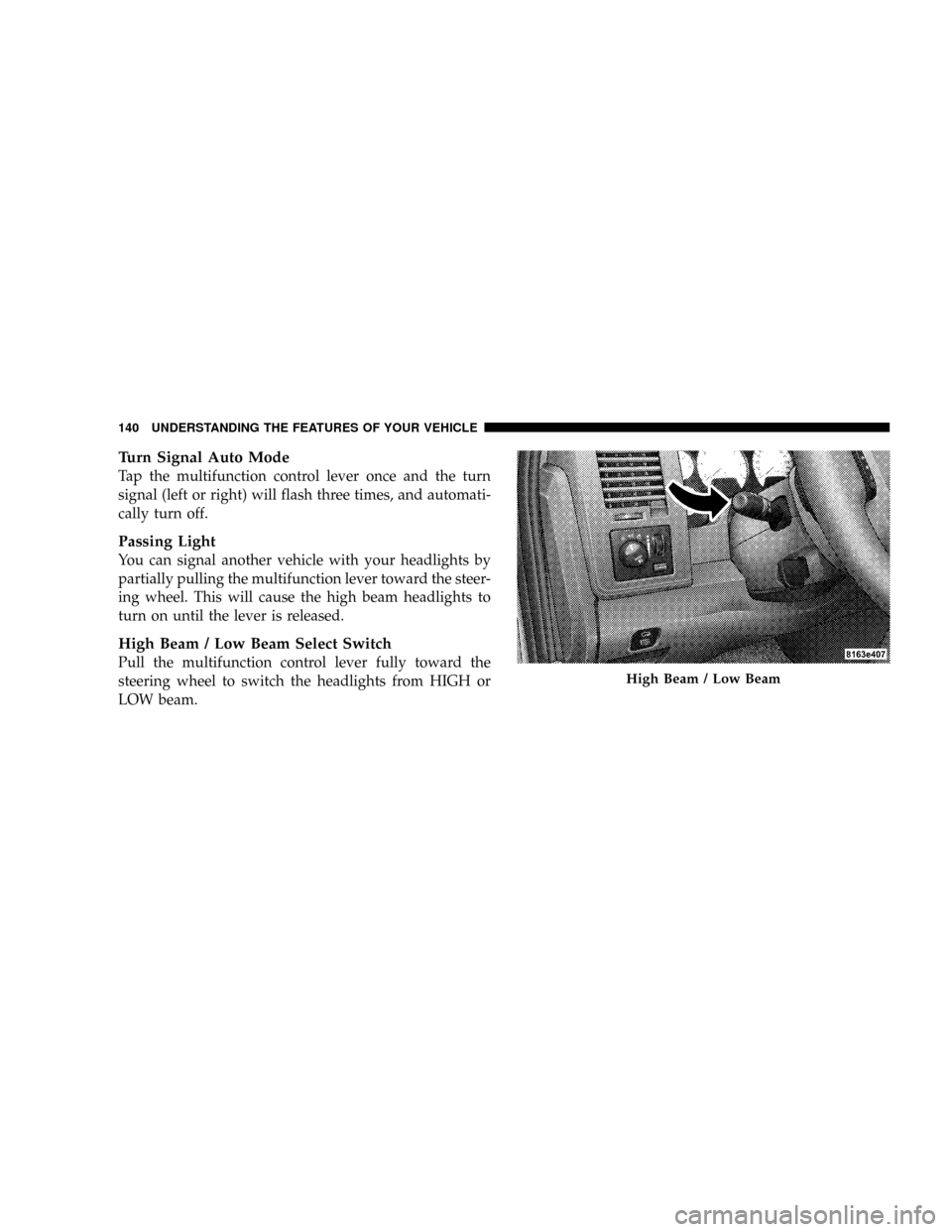
Turn Signal Auto Mode
Tap the multifunction control lever once and the turn
signal (left or right) will flash three times, and automati-
cally turn off.
Passing Light
You can signal another vehicle with your headlights by
partially pulling the multifunction lever toward the steer-
ing wheel. This will cause the high beam headlights to
turn on until the lever is released.
High Beam / Low Beam Select Switch
Pull the multifunction control lever fully toward the
steering wheel to switch the headlights from HIGH or
LOW beam.
High Beam / Low Beam
140 UNDERSTANDING THE FEATURES OF YOUR VEHICLE
Page 149 of 554
Tapping the RESUME ACCEL button once will result in a
speed increase of 1 mph (2 km/h). Each time the button
is tapped, speed increases so that tapping the button
three times will increase speed by 3 mph (4.8 km/h).
Tapping the SET DECEL button once will result in a 1
mph (2 km/h) speed decrease. Each time the button is
tapped, speed decreases. For example, tapping the button
three times will decrease the speed by 3 mph (4.8 km/h)
To decrease speed while speed control is ON, push down
and hold SET DECEL. Release the lever when the desired
speed is reached, and the new speed will be set.
To Accelerate For Passing
Depress the accelerator as you would normally. When the
pedal is released, the vehicle will return to the set speed.
NOTE:When driving uphill, at elevations above 2,000 ft
(610 m), or when the vehicle is heavily loaded (especially
when towing) the vehicle may slow below the SET speed.If the vehicle speed drops below 25 mph (40 km/h), the
speed control will automatically disengage. If this hap-
pens, you can push down on the accelerator pedal to
maintain the desired speed.
Vehicles equipped with a 5±speed-manual transmission
should be operated in 4th gear or lower under the above
conditions.
Vehicles equipped with a Automatic transmission may
exhibit several downshifts under the above conditions.
To reduce the frequency of the downshifts and to im-
prove vehicle performance, it is advisable to use either
TOW HAUL or O/D OFF modes, which can be selected
by pressing the TOW HAUL O/D OFF button located at
the end of the gear shift lever.
UNDERSTANDING THE FEATURES OF YOUR VEHICLE 147
3
Page 167 of 554
Pinch Protect Feature
This feature will detect an obstruction in the opening of
the sunroof during Express Close operation. If an ob-
struction in the path of the sunroof is detected, the
sunroof will automatically retract. Remove the obstruc-
tion if this occurs. Next, press the switch forward and
release to Express Close.
Pinch Protect Override
If a known obstruction (ice, debris, etc.) prevents closing,
press the switch forward and hold for two seconds after
the reversal occurs. This allows the sunroof to move
towards the closed position.
NOTE:Pinch protection is disabled while the switch is
pressed.
Venting Sunroof - Express
Press and release the9V9button, and the sunroof will
open to the vent position. This is called Express Vent, and
will occur regardless of sunroof position. During Express
Vent operation, any movement of the switch will stop the
sunroof.
Sunshade Operation
The sunshade can be opened manually. However, the
sunshade will open automatically as the sunroof opens.
NOTE:The sunshade cannot be closed if the sunroof is
open.
UNDERSTANDING THE FEATURES OF YOUR VEHICLE 165
3
Page 171 of 554
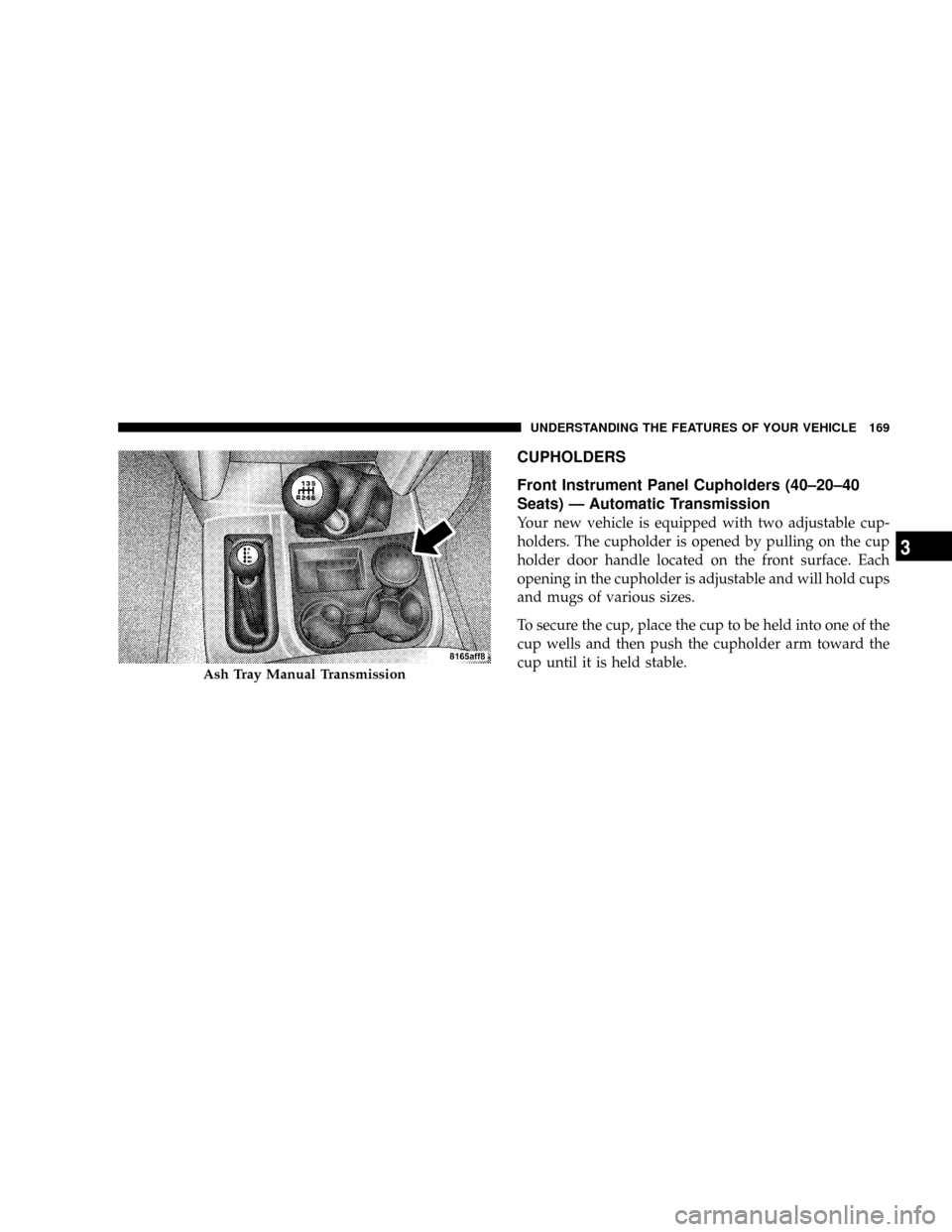
CUPHOLDERS
Front Instrument Panel Cupholders (40±20±40
Seats) Ð Automatic Transmission
Your new vehicle is equipped with two adjustable cup-
holders. The cupholder is opened by pulling on the cup
holder door handle located on the front surface. Each
opening in the cupholder is adjustable and will hold cups
and mugs of various sizes.
To secure the cup, place the cup to be held into one of the
cup wells and then push the cupholder arm toward the
cup until it is held stable.
Ash Tray Manual Transmission
UNDERSTANDING THE FEATURES OF YOUR VEHICLE 169
3
Page 200 of 554

NOTE:If the gauge pointer moves to either extreme of
the gauge, the ªCheck Gaugesº indicator will illuminate
and a single chime will sound.
10. Transfer Case Position
This display indicator shows the transfer case position
selection.
For additional information refer to ª4-Wheel Drive Op-
erationº in section 5 of this manual.
11. TOW HAUL
The TOW HAUL button is located at the end of the gear
shift lever. This light will illuminate when the TOW
HAUL OD/OFF button is pushed once.
12. OD/OFF
The OD/OFF button is located at the end of the gear shift
lever. This light will illuminate when the TOW HAUL
OD/OFF button is pushed twice.13. Temperature Gauge
The Temperature Gauge indicates engine coolant
temperature. Any reading within the normal
range indicates that the cooling system is operat-
ing satisfactorily. The gauge needle will likely indicate a
higher temperature when driving in hot weather, up
mountain grades, in heavy traffic, or when towing a
trailer. If the needle rises to the ª245É F (118É C)º mark,
stop the vehicle, shift into NEUTRAL, and increase the
engine idle speed for two to three minutes. If the tem-
perature reading does not return to normal, shut your
engine OFF and allow it to cool. Seek authorized service
immediately. Refer to ªCooling Systemº under ªMain-
taining Your Vehicleº in section 7.
198 UNDERSTANDING YOUR INSTRUMENT PANEL