Page 242 of 527
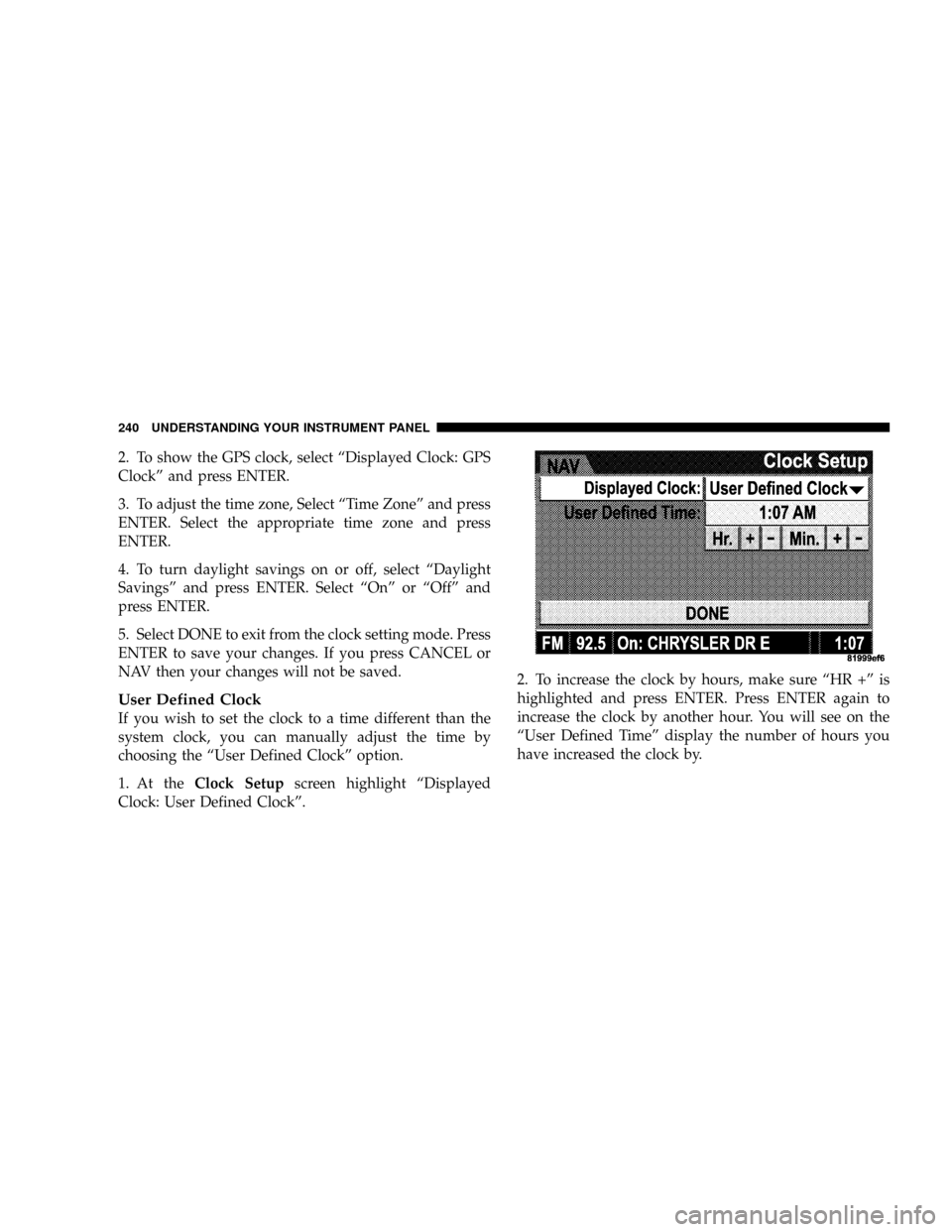
2. To show the GPS clock, select ªDisplayed Clock: GPS
Clockº and press ENTER.
3. To adjust the time zone, Select ªTime Zoneº and press
ENTER. Select the appropriate time zone and press
ENTER.
4. To turn daylight savings on or off, select ªDaylight
Savingsº and press ENTER. Select ªOnº or ªOffº and
press ENTER.
5. Select DONE to exit from the clock setting mode. Press
ENTER to save your changes. If you press CANCEL or
NAV then your changes will not be saved.
User Defined Clock
If you wish to set the clock to a time different than the
system clock, you can manually adjust the time by
choosing the ªUser Defined Clockº option.
1. At theClock Setupscreen highlight ªDisplayed
Clock: User Defined Clockº.2. To increase the clock by hours, make sure ªHR +º is
highlighted and press ENTER. Press ENTER again to
increase the clock by another hour. You will see on the
ªUser Defined Timeº display the number of hours you
have increased the clock by.
240 UNDERSTANDING YOUR INSTRUMENT PANEL
Page 243 of 527
3. To decrease the clock by one hour, use the Select
Encoder to highlight the ª-º sign. Press ENTER. Press
ENTER again to decrease the clock by another hour.
4. To increase the clock by minutes, make sure ªMIN +º
is highlighted and press ENTER. Press ENTER again to
increase the clock by another minute.
5. To decrease the clock by minutes, use the Select
Encoder to highlight the ª-ª sign. Press ENTER. Press
ENTER again to decrease the clock by another minute.
6. Select ªDONEº to exit from the clock setting mode.
Press ENTER to save your changes. If you press CAN-
CEL or NAV then your changes will not be saved.VIDEO ENTERTAINMENT SYSTEM (SALES CODE
XRV) Ð IF EQUIPPED
The optional Video Entertainment SystemŸ (VESŸ)
consists of a DVD player and LCD (liquid crystal display)
screen, a battery-powered remote control, and two head-
sets. The system is located in the headliner behind the
front row seat. Refer to your VESŸ User's Manual for
detailed operating instructions.
SATELLITE RADIO Ð IF EQUIPPED
Satellite radio uses direct satellite to receiver broadcast-
ing technology to provide clear digital sound, coast to
coast. The subscription service provider is SiriusŸ Satel-
lite Radio. This service offers over 130 channels of music,
sports, news, entertainment, and programming for chil-
dren, directly from its satellites and broadcasting studios.
NOTE:Sirius service is not available in Hawaii and has
limited coverage in Alaska.
UNDERSTANDING YOUR INSTRUMENT PANEL 241
4
Page 253 of 527
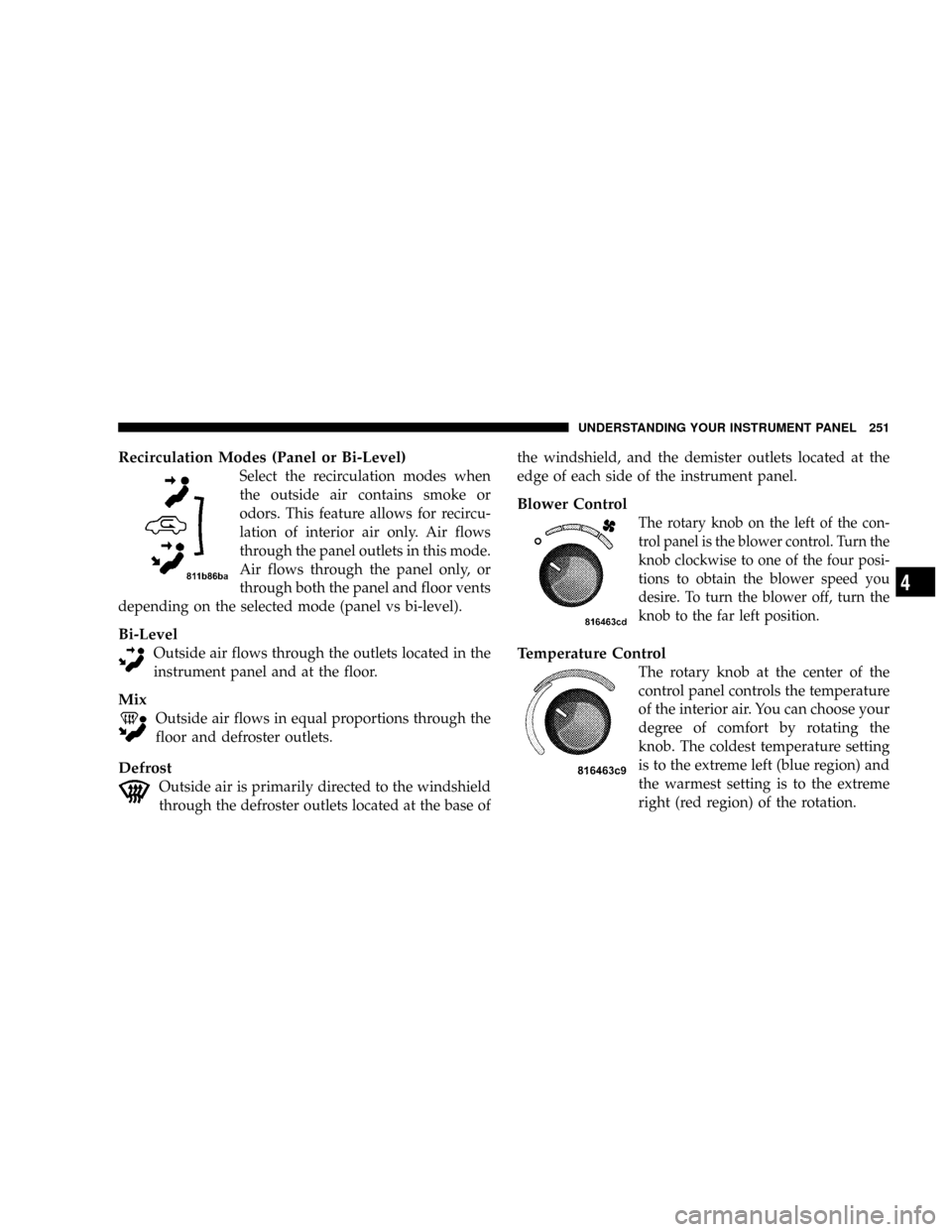
Recirculation Modes (Panel or Bi-Level)
Select the recirculation modes when
the outside air contains smoke or
odors. This feature allows for recircu-
lation of interior air only. Air flows
through the panel outlets in this mode.
Air flows through the panel only, or
through both the panel and floor vents
depending on the selected mode (panel vs bi-level).
Bi-Level
Outside air flows through the outlets located in the
instrument panel and at the floor.
Mix
Outside air flows in equal proportions through the
floor and defroster outlets.
Defrost
Outside air is primarily directed to the windshield
through the defroster outlets located at the base ofthe windshield, and the demister outlets located at the
edge of each side of the instrument panel.
Blower Control
The rotary knob on the left of the con-
trol panel is the blower control. Turn the
knob clockwise to one of the four posi-
tions to obtain the blower speed you
desire. To turn the blower off, turn the
knob to the far left position.
Temperature Control
The rotary knob at the center of the
control panel controls the temperature
of the interior air. You can choose your
degree of comfort by rotating the
knob. The coldest temperature setting
is to the extreme left (blue region) and
the warmest setting is to the extreme
right (red region) of the rotation.
UNDERSTANDING YOUR INSTRUMENT PANEL 251
4
Page 256 of 527
the windshield, and the demister outlets located at the
edge of each side of the instrument panel, and the air
conditioning may be on.
NOTE:The air conditioning compressor operates in
both Mix and Defrost or a blend of these modes, even if
the A/C button has not been pressed. This dehumidifies
the air to help dry the windshield.
Blower Control
The rotary knob on the left of the
control panel is the blower control.
Turn the knob clockwise to one of the
four positions to obtain the blower
speed you desire. To turn the blower
off, turn the knob to the far left posi-
tion.
Temperature Control
The rotary knob at the center of the
control panel controls the temperature
of the interior air. You can choose your
degree of comfort by rotating the
knob. The coldest temperature setting
is to the extreme left (blue region) and
the warmest setting is to the extreme
right (red region) of the rotation.
Circulation
The cab is designed with features to promote outside air
circulation. There are grilles in the cab back panel. These
are air exhausters that provide the means for regular
exchange of cab air.
254 UNDERSTANDING YOUR INSTRUMENT PANEL
Page 260 of 527
Blower Control
The rotary knob on the left of the
control panel is the blower control.
Turn the knob clockwise to one of the
four positions to obtain the blower
speed you desire. To turn the blower
off, turn the knob to the far left posi-
tion.
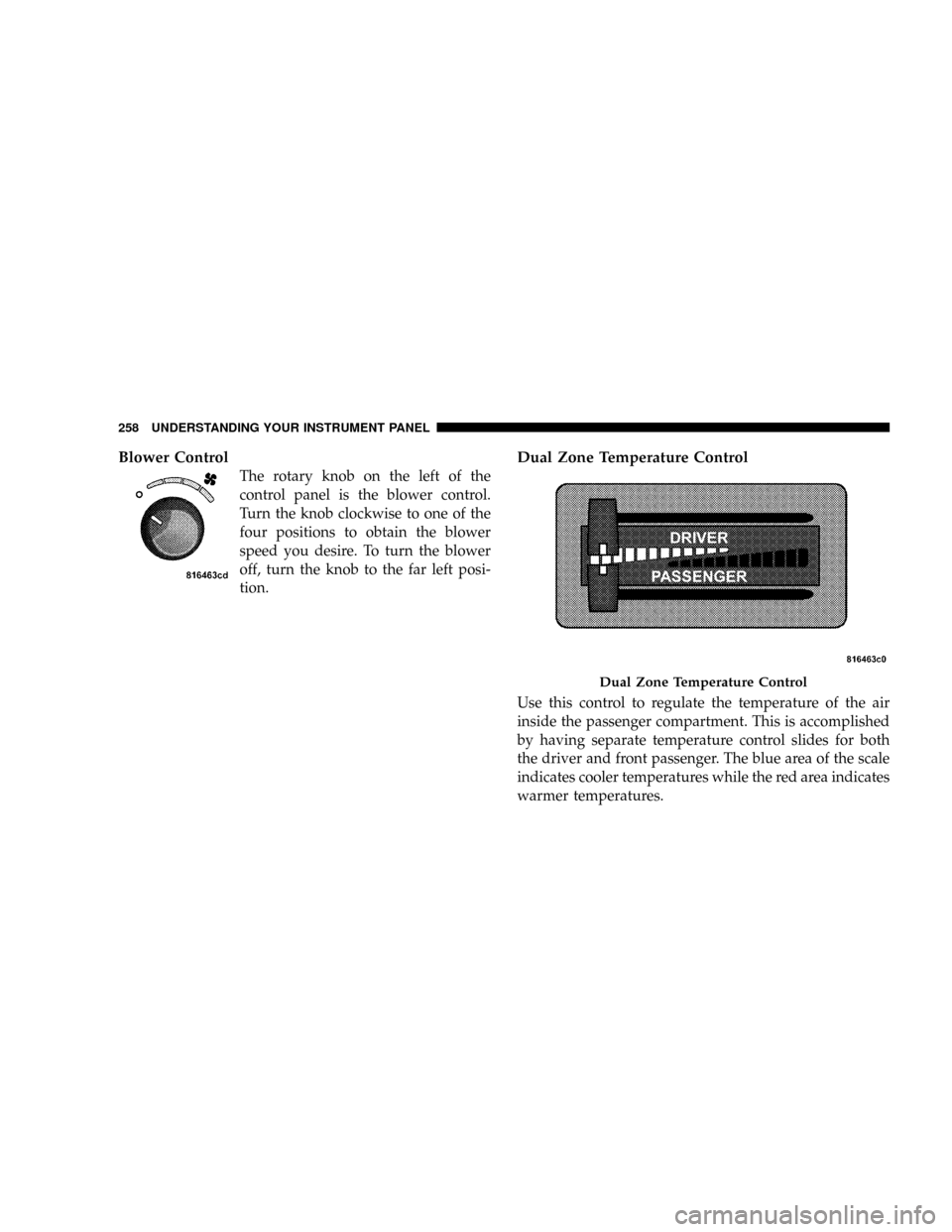
Dual Zone Temperature Control
Use this control to regulate the temperature of the air
inside the passenger compartment. This is accomplished
by having separate temperature control slides for both
the driver and front passenger. The blue area of the scale
indicates cooler temperatures while the red area indicates
warmer temperatures.
Dual Zone Temperature Control
258 UNDERSTANDING YOUR INSTRUMENT PANEL
Page 388 of 527
WARNING!
After using the jack and tools, always reinstall them
in the original carrier and location. While driving
you may experience, abrupt stopping, rapid accelera-
tion, or sharp turns. A loose jack, tools, bracket or
other objects in the vehicle may move around with
force, resulting in serious injury.
JACKING INSTRUCTIONS
Removing The Spare Tire
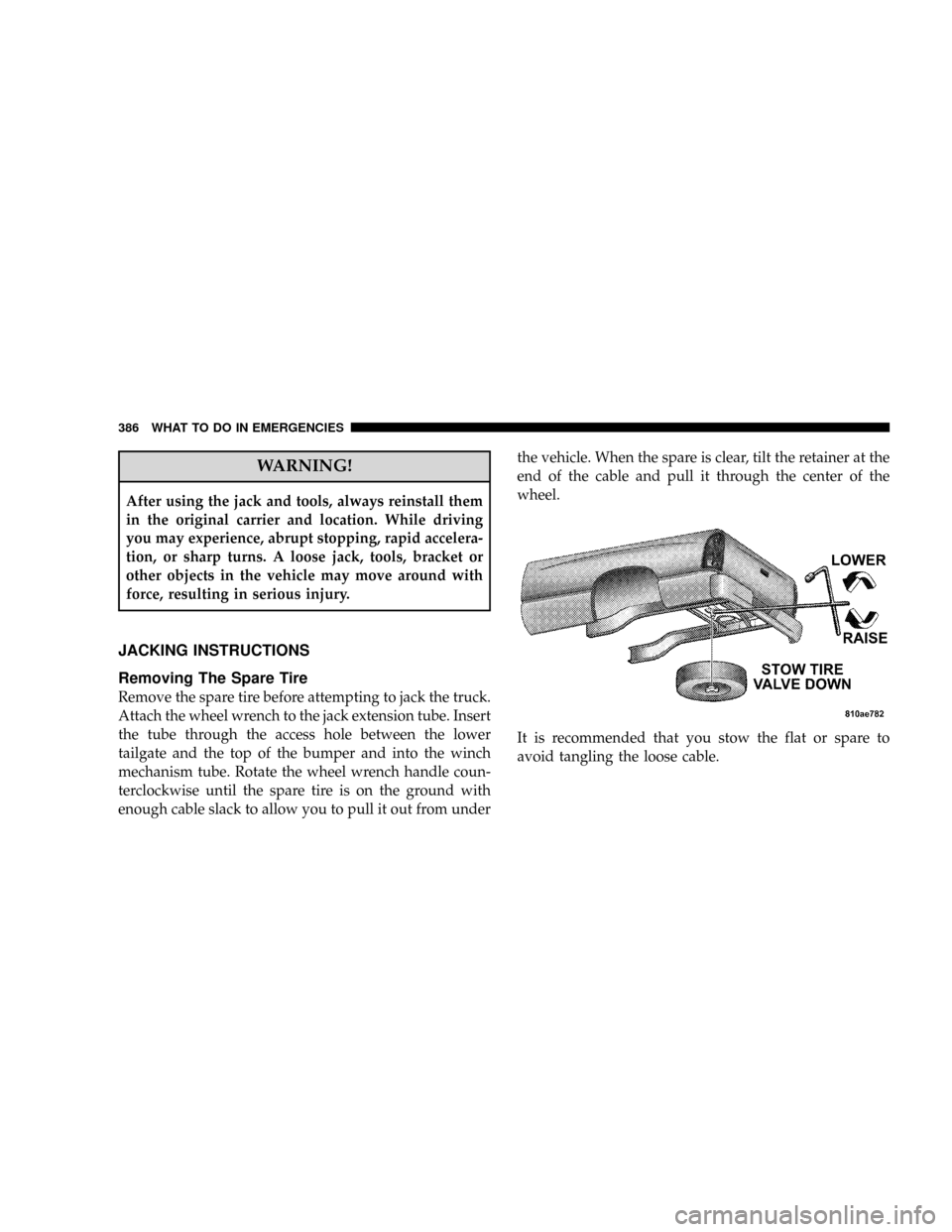
Remove the spare tire before attempting to jack the truck.
Attach the wheel wrench to the jack extension tube. Insert
the tube through the access hole between the lower
tailgate and the top of the bumper and into the winch
mechanism tube. Rotate the wheel wrench handle coun-
terclockwise until the spare tire is on the ground with
enough cable slack to allow you to pull it out from underthe vehicle. When the spare is clear, tilt the retainer at the
end of the cable and pull it through the center of the
wheel.
It is recommended that you stow the flat or spare to
avoid tangling the loose cable.
386 WHAT TO DO IN EMERGENCIES
Page 391 of 527
1. Remove the spare wheel, jack, and tools from storage.
2. Using the wheel wrench, loosen, but do not remove,
the wheel nuts by turning them counterclockwise one
turn while the wheel is still on the ground.
3. For 2500/3500 4x2 series trucks, when changing a
front wheel, place the bottle jack under the frame rail
behind the wheel. Locate the jack as far forward as
possible on the straight part of the frame.
For 2500/3500 4x4 series trucks, when changing the front
wheel, assemble the jack drive tube to the jack and
connect the drive tube to the extension tube. Place the
jack under the axle as close to the tire as possible with the
drive tubes extending to the front. Connect the jack tube
extension and wheel wrench.When changing a rear wheel, assemble the jack drive
tube to the jack and connect the drive tube to the
extension tube. Place the jack under the axle between the
spring and the shock absorber with the drive tubes
extending to the rear. Connect the jack tube extension and
wheel wrench.
Before raising the wheel off the ground, make sure that
the jack will not damage surrounding truck parts and
adjust the jack position as required.
WHAT TO DO IN EMERGENCIES 389
6
Page 393 of 527
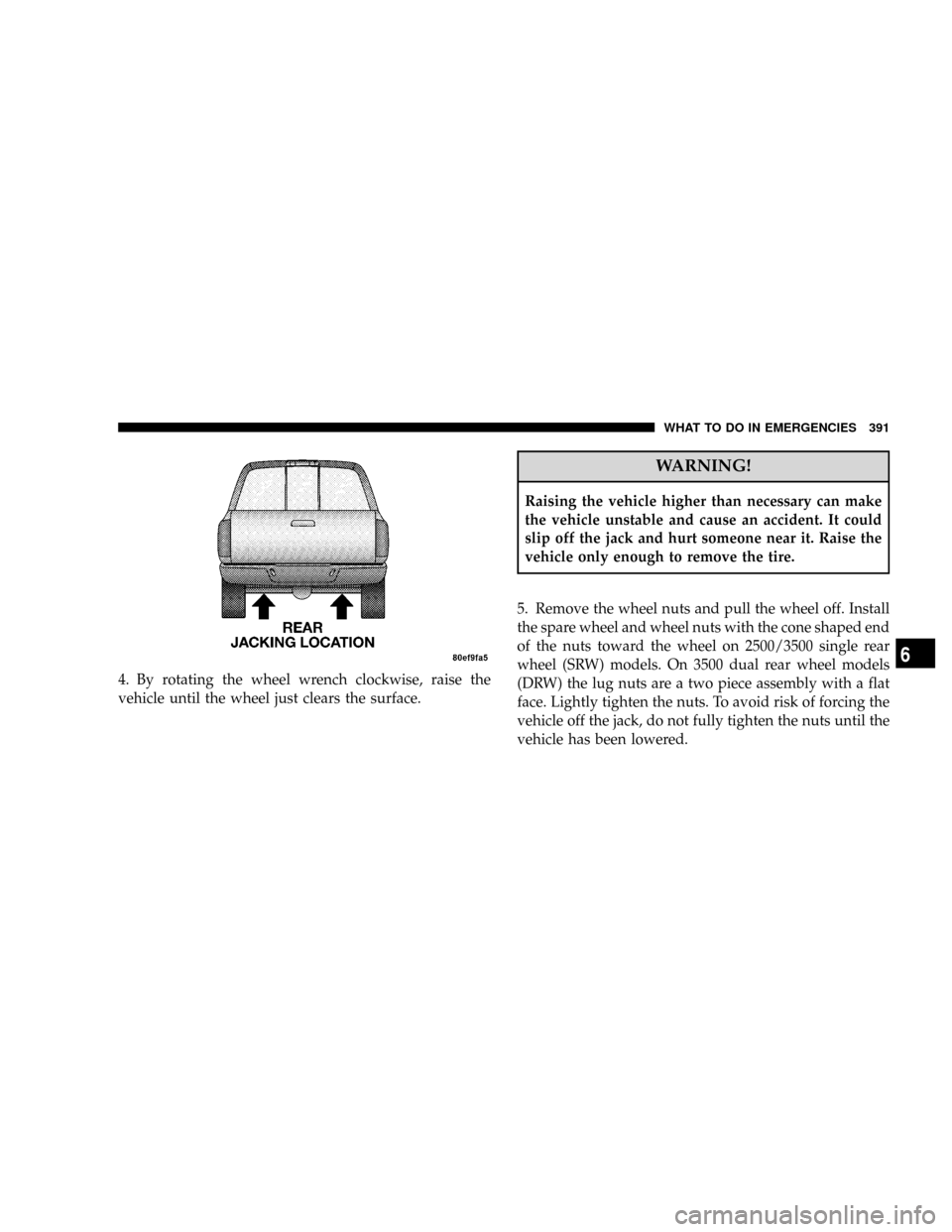
4. By rotating the wheel wrench clockwise, raise the
vehicle until the wheel just clears the surface.
WARNING!
Raising the vehicle higher than necessary can make
the vehicle unstable and cause an accident. It could
slip off the jack and hurt someone near it. Raise the
vehicle only enough to remove the tire.
5. Remove the wheel nuts and pull the wheel off. Install
the spare wheel and wheel nuts with the cone shaped end
of the nuts toward the wheel on 2500/3500 single rear
wheel (SRW) models. On 3500 dual rear wheel models
(DRW) the lug nuts are a two piece assembly with a flat
face. Lightly tighten the nuts. To avoid risk of forcing the
vehicle off the jack, do not fully tighten the nuts until the
vehicle has been lowered.
WHAT TO DO IN EMERGENCIES 391
6