Page 130 of 442
Daytime Running Lights — If Equipped
The high beam headlights will come on as Daytime
Running Lights whenever the ignition switch is ON, the
headlights are off, and the parking brake is off. The
HEADLIGHT switch must be used for normal nighttime
driving.
Lights-On Reminder
If the headlights or parking lights are on after the ignition
is turned OFF, a chime will sound to alert the driver
when the driver’s door is opened.
Fog Lights
The front FOG LIGHT switch is on the HEAD-
LIGHT switch below the dimmer control. To acti-
vate the front fog lights, turn ON the parking
lights or the low beam headlights and press the FOG
LIGHT switch.
An indicator light in the instrument cluster illuminates
when the fog lights are turned ON.
NOTE:The fog lights will operate with the low beam
headlights or parking lights on. However, selecting the
high beam headlights will turn off the fog lights.
128 UNDERSTANDING THE FEATURES OF YOUR VEHICLE
Page 132 of 442

Highbeam/Lowbeam Select Switch
Push the multifunction lever away from you to switch
the headlights to HIGH beam. Pull the lever toward you
to switch the headlights back to LOW beam.
Flash to Pass
You can signal another vehicle with your headlights by
lightly pulling the multifunction lever toward you. This
will cause the headlights to turn on at high beam and
remain on until the lever is released.
Overhead Console Map/Reading Lights
These lights are mounted between the sun visors on the
overhead console. Each light is turned ON by pressing
the lens. Press the lens a second time to turn OFF the
light. These lights also turn on when a door is opened, or
when the UNLOCK button on the Remote Keyless Entry
(RKE) transmitter is pressed, or when the dimmer control
is turned fully upward, past the second detent.
Interior Lights
The interior lights come on when a door is opened.
To protect the battery, the interior lights will turn off
automatically 10 minutes after the ignition switch is
moved to the LOCK position. This will occur if the
interior lights were switched ON manually or are on
Overhead Console
130 UNDERSTANDING THE FEATURES OF YOUR VEHICLE
Page 133 of 442
because a door is open. This includes the glove box light,
but not the trunk light. To restore interior light operation,
either turn the ignition switch ON or cycle the light
switch.
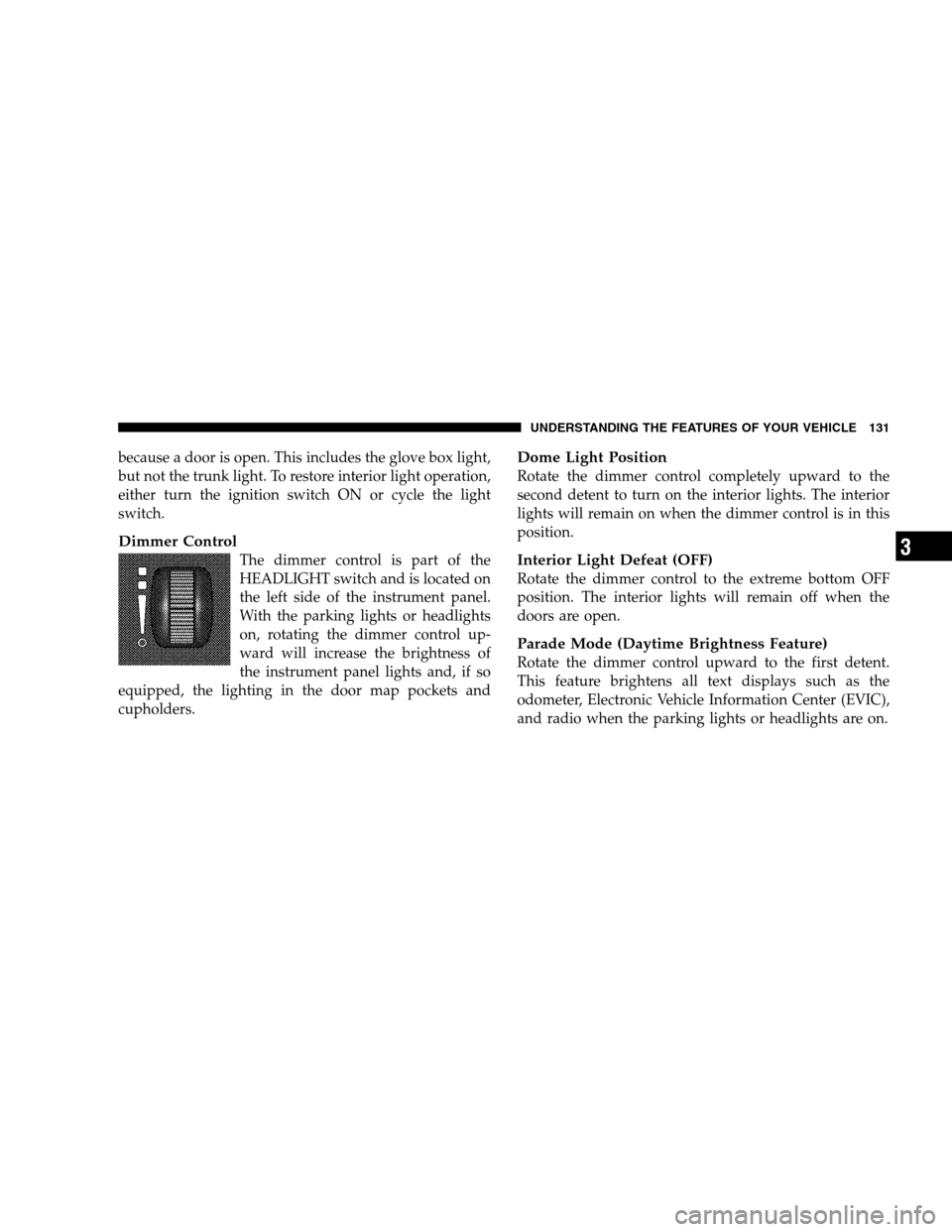
Dimmer Control
The dimmer control is part of the
HEADLIGHT switch and is located on
the left side of the instrument panel.
With the parking lights or headlights
on, rotating the dimmer control up-
ward will increase the brightness of
the instrument panel lights and, if so
equipped, the lighting in the door map pockets and
cupholders.
Dome Light Position
Rotate the dimmer control completely upward to the
second detent to turn on the interior lights. The interior
lights will remain on when the dimmer control is in this
position.
Interior Light Defeat (OFF)
Rotate the dimmer control to the extreme bottom OFF
position. The interior lights will remain off when the
doors are open.
Parade Mode (Daytime Brightness Feature)
Rotate the dimmer control upward to the first detent.
This feature brightens all text displays such as the
odometer, Electronic Vehicle Information Center (EVIC),
and radio when the parking lights or headlights are on.
UNDERSTANDING THE FEATURES OF YOUR VEHICLE 131
3
Page 135 of 442

wipe interval from a minimum of one cycle every second
to a maximum of approximately 23 seconds between
cycles.
WARNING!
Sudden loss of visibility through the windshield
could lead to an accident. You might not see other
vehicles or other obstacles. To avoid sudden icing of
the windshield during freezing weather, warm the
windshield with the defroster before and during
windshield washer use.
Mist Feature
Push the multifunction lever inward (toward the steering
column) to the first detent to activate a single wipe cycle
to clear off road mist or spray from a passing vehicle. The
wipers will continue to operate until you release the
lever.
Windshield Washers
To use the washer, push the multifunction lever inward
(toward the steering column) to the second detent and
hold it for as long as washer spray is desired.
If you activate the washer while the windshield wiper
control is in the delay range, the wipers will operate for
two wipe cycles after releasing the lever and then resume
the intermittent interval previously selected.
If you activate the washer while the windshield wiper is
turned OFF, the wipers will operate for three wipe cycles
and then turn OFF.
Headlights On with Wipers (Available with Auto
Headlights Only)
When this feature is active, the headlights will turn on
approximately 10 seconds after the wipers are turned ON
UNDERSTANDING THE FEATURES OF YOUR VEHICLE 133
3
Page 136 of 442
if the HEADLIGHT switch is placed in the AUTO posi-
tion. In addition, the headlights will turn off when the
wipers are turned OFF if they were turned ON by this
feature.
The Headlights On with Wipers feature can be enabled or
disabled. Refer to ”Headlights On with Wipers,” under
“Personal Settings (Customer Programmable Features),”
under “Electronic Vehicle Information Center” in Section
4.
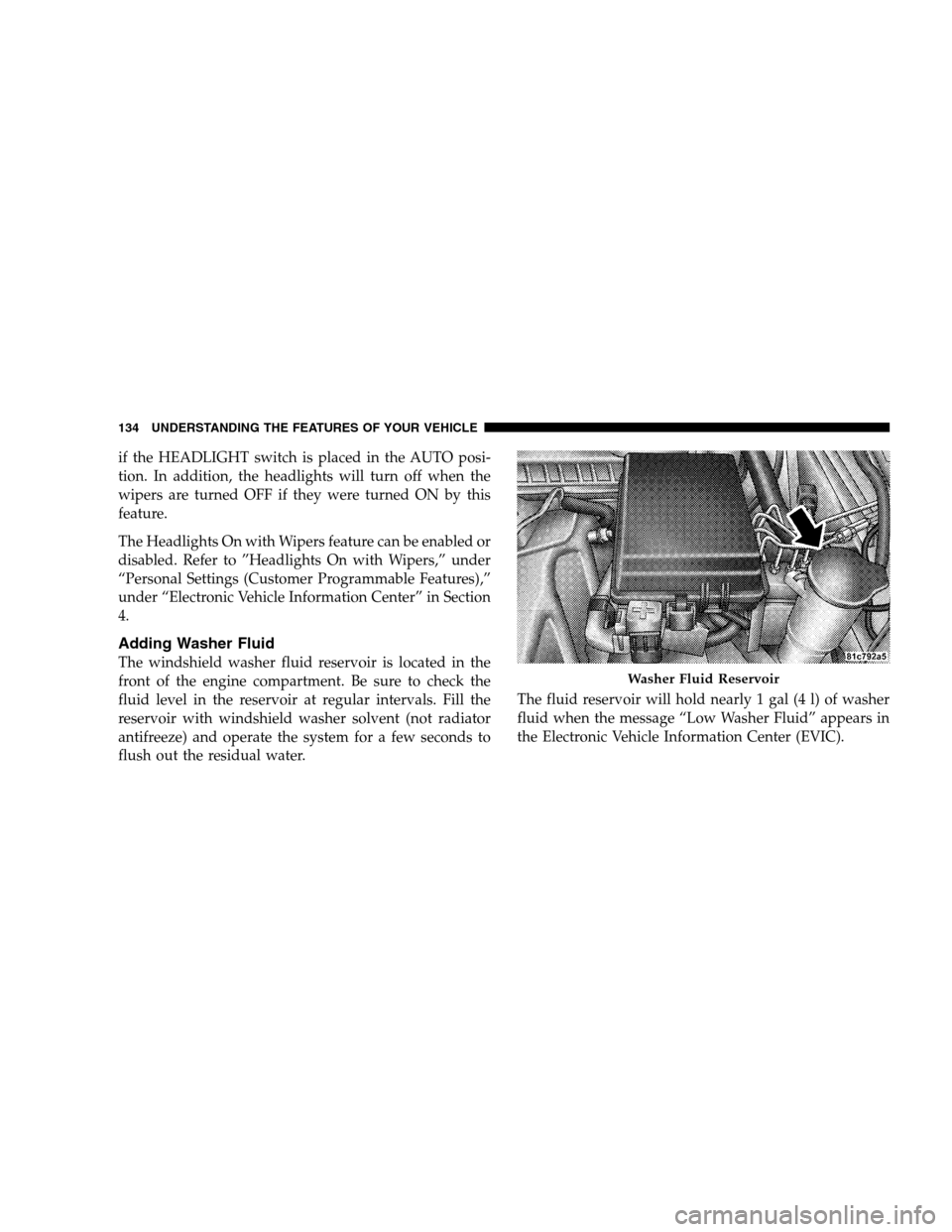
Adding Washer Fluid
The windshield washer fluid reservoir is located in the
front of the engine compartment. Be sure to check the
fluid level in the reservoir at regular intervals. Fill the
reservoir with windshield washer solvent (not radiator
antifreeze) and operate the system for a few seconds to
flush out the residual water.The fluid reservoir will hold nearly 1 gal (4 l) of washer
fluid when the message “Low Washer Fluid” appears in
the Electronic Vehicle Information Center (EVIC).
Washer Fluid Reservoir
134 UNDERSTANDING THE FEATURES OF YOUR VEHICLE
Page 170 of 442

12. Electronic Stability Program (ESP)/Traction
Control System (TCS) Indicator Light
If this indicator light flashes during accelera-
tion, ease up on the accelerator and apply as
little throttle as possible. Adapt your speed and
driving to the prevailing road conditions, and
do not switch off the ESP. (See page 284 for more
information.)
13. Electronic Stability Program (ESP) / Brake Assist
System (BAS) Malfunction Indicator Light
The yellow ESP/BAS malfunction indicator light
will turn on when the key in the ignition switch is
turned to the ON position. The light should go
out with the engine running. If the light remains
on after several ignition cycles, and the vehicle has been
driven several miles (kilometers) at speeds greater than 30
mph (48 km/h), see your authorized dealer as soon as
possible to have the problem diagnosed and corrected. (See
page 291 for more information.)
14. Oil Pressure Warning Light
This light shows low engine oil pressure. The light
should turn on momentarily when the engine is
started. If the light turns on while driving, stop the
vehicle, and shut OFF the engine as soon as possible. A
single chime will sound when this light turns on.
Do not operate the vehicle until the cause is corrected.
This light does not show how much oil is in the engine.
The engine oil level must be checked using the procedure
shown in Section 7. (See page 353 for more information.)
15. High Beam Light
This light will turn on when the high beam
headlights are ON. Push the multifunction lever
away from the steering wheel to switch the headlights to
high beam. (See page 129 for more information.)
168 UNDERSTANDING YOUR INSTRUMENT PANEL
Page 193 of 442

“Remote Key Unlock”
WhenDriver Door 1st Pressis selected, only the driver’s
door will unlock on the first press of the Remote Keyless
Entry (RKE) UNLOCK button. When Driver Door 1st
Press is selected, you must press the RKE UNLOCK
button twice to unlock the passenger’s doors. WhenAll
Doors 1st Pressis selected, all of the doors will unlock on
the first press of the RKE UNLOCK button. To make your
selection, press and release the FUNCTION SELECT
button until “Driver Door 1st Press” or “All Doors 1st
Press” appears.
“Sound Horn with Remote Key Lock”
When ON is selected, a short horn sound will occur when
the RKE LOCK button is pressed. This feature may be
selected with or without the flash lights on lock/unlock
feature. To make your selection, press and release the
FUNCTION SELECT button until “ON” or “OFF” ap-
pears.
“Flash Lights with Remote Key Lock”
When ON is selected, the front and rear turn signals will
flash when the doors are locked or unlocked with the
RKE transmitter. This feature may be selected with or
without the sound horn on lock feature selected. To make
your selection, press and release the FUNCTION SE-
LECT button until “ON” or “OFF” appears.
“Headlights On with Wipers” (Available with Auto
Headlights Only)
When ON is selected, and the HEADLIGHT switch is in
the AUTO position, the headlights will turn on approxi-
mately 10 seconds after the wipers are turned on. The
headlights will also turn off when the wipers are turned
off if they were turned on by this feature. To make your
selection, press and release the FUNCTION SELECT
button until “ON” or “OFF” appears.
UNDERSTANDING YOUR INSTRUMENT PANEL 191
4
Page 194 of 442

NOTE:Turning the headlights on during the daytime
causes the instrument panel lights to dim. To increase the
brightness, refer to “Lights” in Section 3.
“Delay Turning Headlights Off”
When this feature is selected, the driver can choose to
have the headlights remain on for 0, 30, 60, or 90 seconds
when exiting the vehicle. To make your selection, press
and release the FUNCTION SELECT button until “0,”
“30,” “60,” or “90” appears.
“Turn Headlights On with Remote Key Unlock”
When this feature is selected, the headlights will activate
and remain on for up to 90 seconds when the doors are
unlocked with the RKE transmitter. To make your selec-
tion, press and release the FUNCTION SELECT button
until “OFF,” “30 sec.,” “60 sec.,” or “90 sec.” appears.
“Delay Power Off to Accessories Until Exit”
When this feature is selected, the power WINDOW
switches, radio, hands-free system (if equipped), DVD
video system (if equipped), power sunroof (if equipped),
and power outlets will remain active for up to 60 minutes
after the ignition switch is turned OFF. Opening a vehicle
door will cancel this feature. To make your selection,
press and release the FUNCTION SELECT button until
“Off,” “45 sec.,” “5 min.,” “10 min.,” “30 min.,” or “60
min.” appears.
“Confirmation of Voice Commands” — If
Equipped
When ON is selected, all voice commands from the
UConnect�system are confirmed. To make your selec-
tion, press and release the FUNCTION SELECT button
until “ON” or “OFF” appears.
192 UNDERSTANDING YOUR INSTRUMENT PANEL