Page 360 of 466
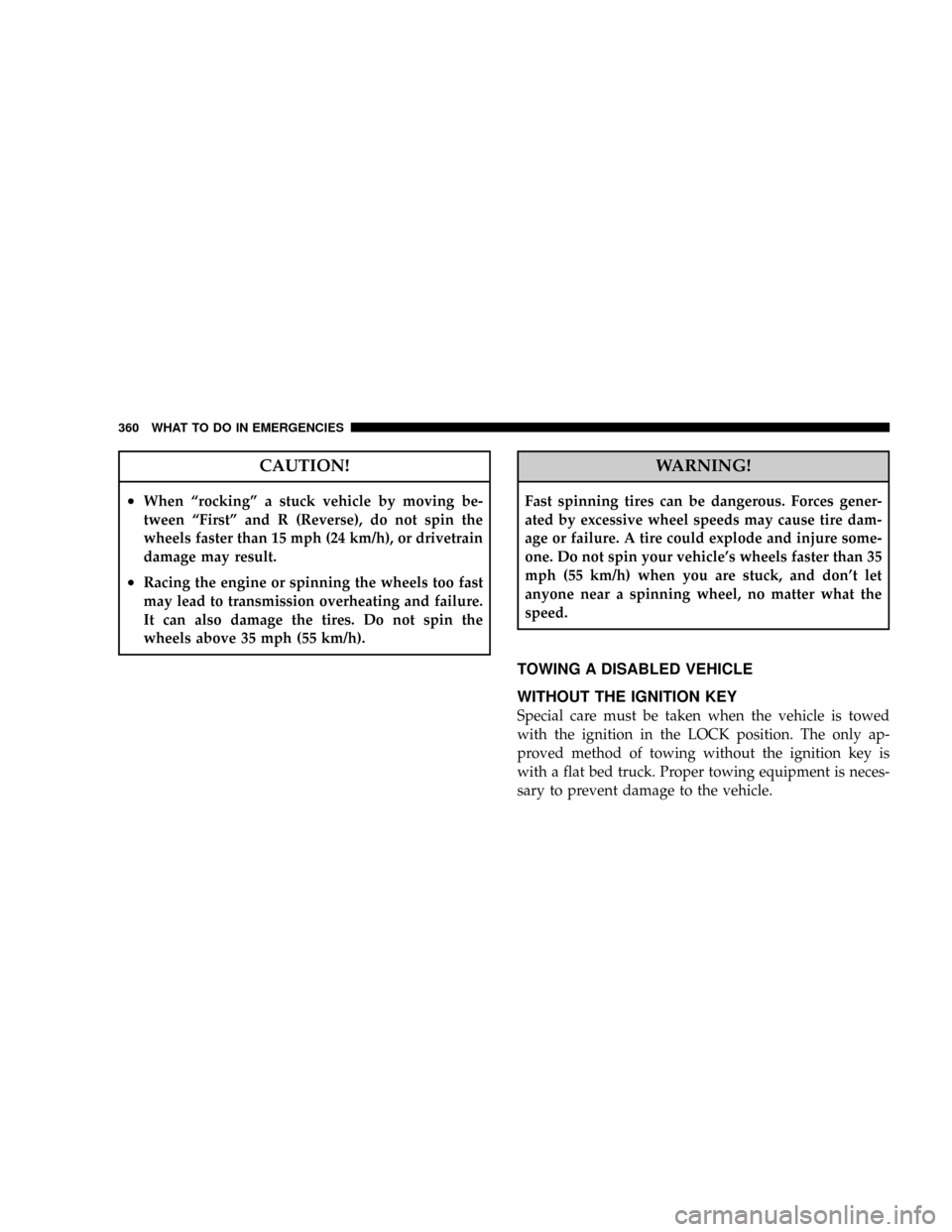
CAUTION!
²When ªrockingº a stuck vehicle by moving be-
tween ªFirstº and R (Reverse), do not spin the
wheels faster than 15 mph (24 km/h), or drivetrain
damage may result.
²Racing the engine or spinning the wheels too fast
may lead to transmission overheating and failure.
It can also damage the tires. Do not spin the
wheels above 35 mph (55 km/h).
WARNING!
Fast spinning tires can be dangerous. Forces gener-
ated by excessive wheel speeds may cause tire dam-
age or failure. A tire could explode and injure some-
one. Do not spin your vehicle's wheels faster than 35
mph (55 km/h) when you are stuck, and don't let
anyone near a spinning wheel, no matter what the
speed.
TOWING A DISABLED VEHICLE
WITHOUT THE IGNITION KEY
Special care must be taken when the vehicle is towed
with the ignition in the LOCK position. The only ap-
proved method of towing without the ignition key is
with a flat bed truck. Proper towing equipment is neces-
sary to prevent damage to the vehicle.
360 WHAT TO DO IN EMERGENCIES
Page 385 of 466
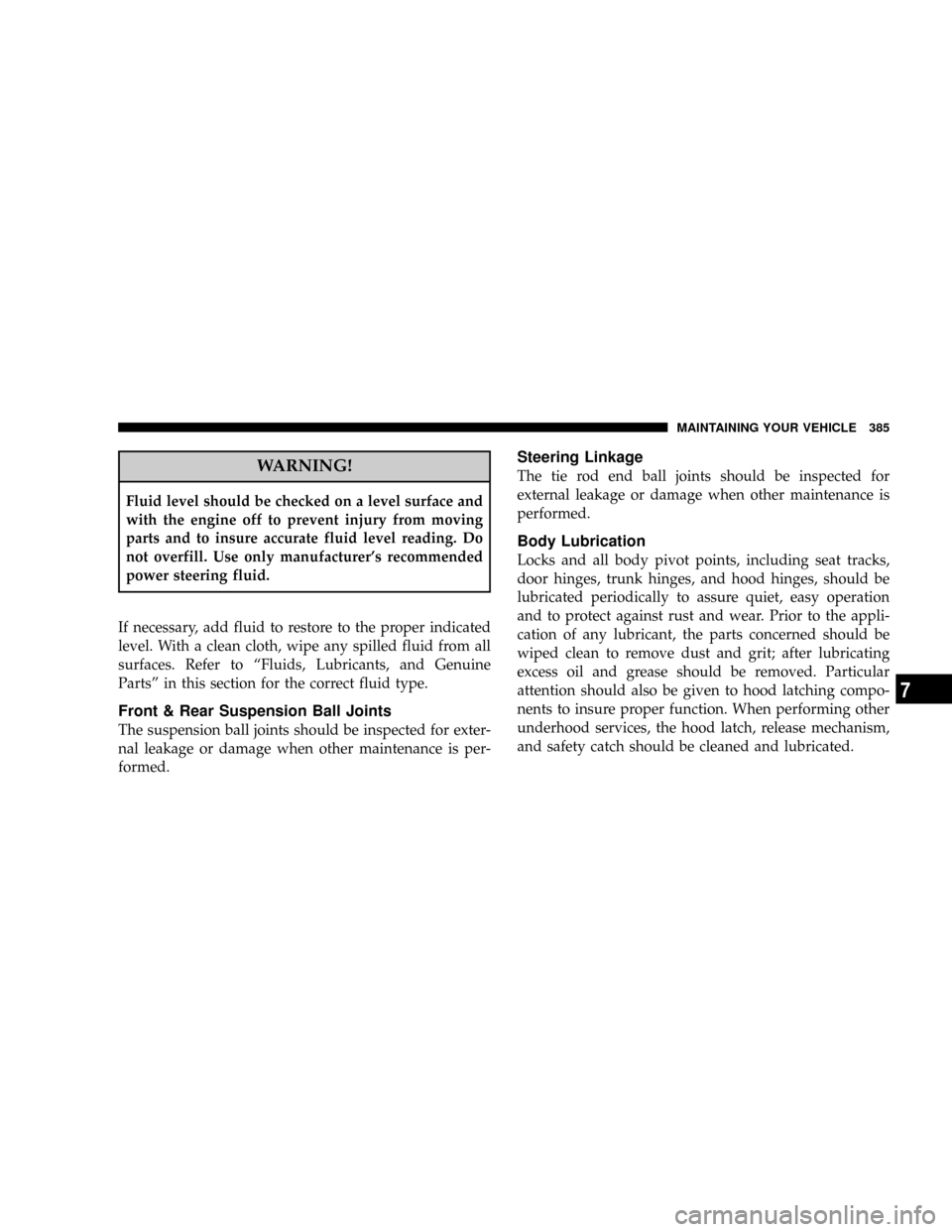
WARNING!
Fluid level should be checked on a level surface and
with the engine off to prevent injury from moving
parts and to insure accurate fluid level reading. Do
not overfill. Use only manufacturer's recommended
power steering fluid.
If necessary, add fluid to restore to the proper indicated
level. With a clean cloth, wipe any spilled fluid from all
surfaces. Refer to ªFluids, Lubricants, and Genuine
Partsº in this section for the correct fluid type.
Front & Rear Suspension Ball Joints
The suspension ball joints should be inspected for exter-
nal leakage or damage when other maintenance is per-
formed.
Steering Linkage
The tie rod end ball joints should be inspected for
external leakage or damage when other maintenance is
performed.
Body Lubrication
Locks and all body pivot points, including seat tracks,
door hinges, trunk hinges, and hood hinges, should be
lubricated periodically to assure quiet, easy operation
and to protect against rust and wear. Prior to the appli-
cation of any lubricant, the parts concerned should be
wiped clean to remove dust and grit; after lubricating
excess oil and grease should be removed. Particular
attention should also be given to hood latching compo-
nents to insure proper function. When performing other
underhood services, the hood latch, release mechanism,
and safety catch should be cleaned and lubricated.
MAINTAINING YOUR VEHICLE 385
7
Page 386 of 466

The external lock cylinders should be lubricated twice a
year, preferably in the fall and spring. Apply a small
amount of a high quality lubricant such as MopartLock
Cylinder Lubricant or equivalent directly into the lock
cylinder.
Windshield Wiper Blades
The rubber edges of the wiper blades and the windshield
should be cleaned periodically with a sponge or soft cloth
and a mild nonabrasive cleaner. This will remove accu-
mulations of salt or road film.
Operation of the wipers on dry glass for long periods
may cause deterioration of the wiper blades. Always use
washer fluid when using the wipers to remove salt or dirt
from a dry windshield.
Avoid using the wiper blades to remove frost or ice from
the windshield. Keep the blade rubber out of contact with
petroleum products such as engine oil, gasoline, etc.
Windshield Washers
The windshield washer fluid reservoir is located in the
front of the engine compartment. Be sure to check the
fluid level at regular intervals. Fill the reservoir with
windshield washer solvent (not radiator antifreeze) and
operate the system for a few seconds to flush out the
residual water.
When refilling the washer fluid reservoir, take some
washer fluid and apply it to a cloth or towel and wipe
clean the wiper blades, this will help blade performance.
To prevent freeze-up of your windshield washer system
in cold weather, select a solution or mixture that meets or
exceeds the temperature range of your climate. This
rating information can be found on most washer fluid
containers.
386 MAINTAINING YOUR VEHICLE
Page 405 of 466
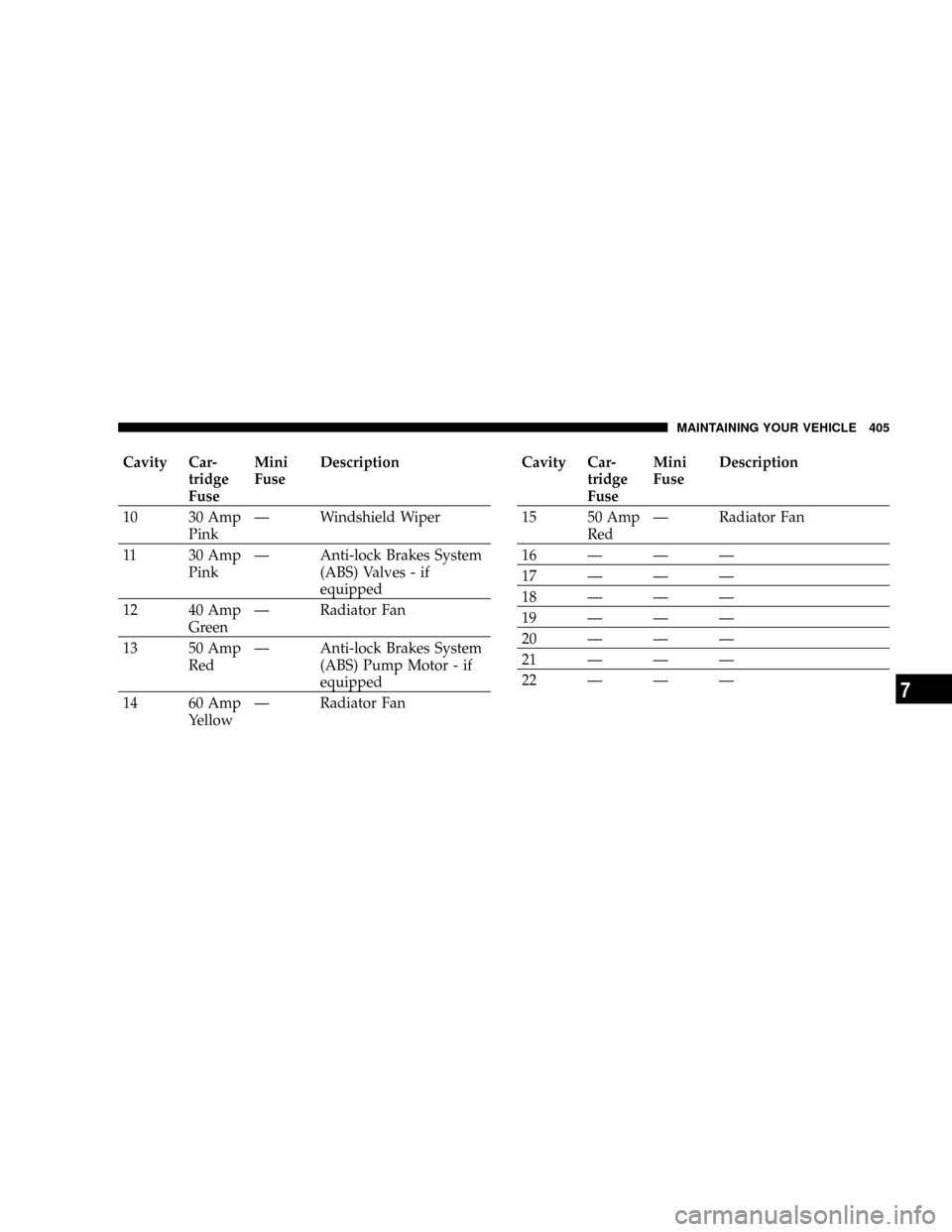
Cavity Car-
tridge
FuseMini
FuseDescription
10 30 Amp
PinkÐ Windshield Wiper
11 30 Amp
PinkÐ Anti-lock Brakes System
(ABS) Valves - if
equipped
12 40 Amp
GreenÐ Radiator Fan
13 50 Amp
RedÐ Anti-lock Brakes System
(ABS) Pump Motor - if
equipped
14 60 Amp
YellowÐ Radiator FanCavity Car-
tridge
FuseMini
FuseDescription
15 50 Amp
RedÐ Radiator Fan
16ÐÐÐ
17ÐÐÐ
18ÐÐÐ
19ÐÐÐ
20ÐÐÐ
21ÐÐÐ
22ÐÐÐ
MAINTAINING YOUR VEHICLE 405
7
Page 413 of 466
BULB REPLACEMENT
Low Beam Headlight, High Beam Headlight,
Park/Turn Light, and Front Side Marker Light
1. Open the hood.
NOTE:Removal of the air cleaner filter housing may be
necessary prior to replacing bulbs in the headlight assem-
bly on the driver side of the vehicle.
2. Twist the appropriate bulb and socket assembly
counter-clockwise, and then pull it out of the headlight
assembly.
3. Disconnect the bulb from the socket assembly and
install the replacement bulb.
4. Reinstall the bulb and socket assembly into the head-
light assembly, and then turn it clockwise.
1 Ð High Beam Headlight Bulb
2 Ð Low Beam Headlight BulbMAINTAINING YOUR VEHICLE 4137
Page 415 of 466
Backup Light, Side Marker Light, Tail/Turn Light,
and Tail/Stop Light
1. Open the Trunk.
2. Remove two fasteners from the back of the tail light
assembly.3. Pull back the trunk liner.
4. Remove the remaining fastener from the back of the
tail light assembly.
5. Push the electrical connector locking tab to the side.
6. Disconnect the electrical connector.
MAINTAINING YOUR VEHICLE 415
7
Page 416 of 466
7. Pull the tail light assembly clear from the vehicle to
access the bulbs.
8. Turn the appropriate bulb and socket assembly
counter-clockwise to remove it from the tail light assem-
bly.
1 Ð Backup Light Bulb
2 Ð Side Marker Light Bulb 416 MAINTAINING YOUR VEHICLE
Page 418 of 466
9. Disconnect the bulb from the socket assembly and
install the replacement bulb.
10. Reinstall the bulb and socket assembly into the tail
light assembly, and then turn it clockwise.
11. Reinstall the tail light assembly, fasteners, electrical
connector, and trunk liner.
12. Close the trunk.
License Light
1. Remove the screws securing the light to the rear fascia.
2. Remove the bulb and socket assembly.
3. Disconnect the bulb from the socket assembly and
install the replacement bulb.4. Reinstall the bulb and socket assembly.
5. Reattach the light to the rear fascia, and then install the
screws.
1 Ð License Light Bulb
2 Ð Socket 418 MAINTAINING YOUR VEHICLE