Page 84 of 467
N Voice Training ........................119
m Seats ................................120
N Manual Front Seat Adjustments ...........120
N Power Seats Ð If Equipped ..............123
N Heated Seats Ð If Equpped ..............123
N Fold-Flat Front Passenger Seat ............124
N Adjustable Head Restraints ..............125
N Folding Rear Seat .....................126
N Folding Rear Seat Center Armrest ..........127
m To Open And Close The Hood .............127
m Lights ...............................129
N Map/Reading/Interior Lights ............129
N Multi-Function Control Lever .............130 N Headlights; Parking Lights; Instrument Lights . . 130
N Automatic Headlight System Ð If Equipped . . 131
N Headlight Time Delay ..................131
N Passing Light / Flash-To-Pass .............131
N Daytime Running Lights (DRL) Ð
If Equipped .........................132
N Lights On Reminder ...................132
N Fog Lights Ð If Equipped ...............132
N Turn Signals .........................133
N Highbeam/Lowbeam Select Switch .........134
m Windshield Wipers And Washers ............134
N Intermittent Wiper System ...............136
N Mist Feature .........................13782 UNDERSTANDING THE FEATURES OF YOUR VEHICLE
Page 106 of 467

Turning Confirmation Prompts On/Off
Turning confirmation prompts off will stop the system
from confirming your choices (e.g., the UConnect t sys-
tem will not repeat a phone number before you dial it).
² Press the PHONE button to begin.
² After the 9 Ready 9 prompt and the following beep, say
9 Setup Confirmations. 9 The UConnect t system will
play the current confirmation prompt status and you
will be given the choice to change it.
Phone and Network Status Indicators
If available on the radio and/or on a premium display
such as the instrument panel cluster, and supported by
your cell phone, the UConnect t system will provide
notification to inform you of your phone and network
status when you are attempting to make a phone call
using UConnect t . The status is given for roaming, net-
work signal strength, phone battery strength, etc. Dialing Using the Cellular Phone Keypad
You can dial a phone number with your cellular phone
keypad and still use the UConnect t system (while dial-
ing via the cell phone keypad, the user must exercise
caution and take precautionary safety measures). By
dialing a number with your paired Bluetooth t cellular
phone, the audio will be played through your vehicle's
audio system. The UConnect t system will work the same
as if you dial the number using voice recognition.
NOTE: Certain brands of mobile phones do not send the
dial ring to the UConnect t system to play it on the
vehicle audio system, so you will not hear it. Under this
situation, after successfully dialing a number the user
may feel that the call did not go through even though the
call is in progress. Once your call is answered, you will
hear the audio.104 UNDERSTANDING THE FEATURES OF YOUR VEHICLE
Page 132 of 467
because a door is open. This includes the glove box light,
but not the trunk light. To restore interior light operation,
either turn the ignition switch ON or cycle the light
switch.
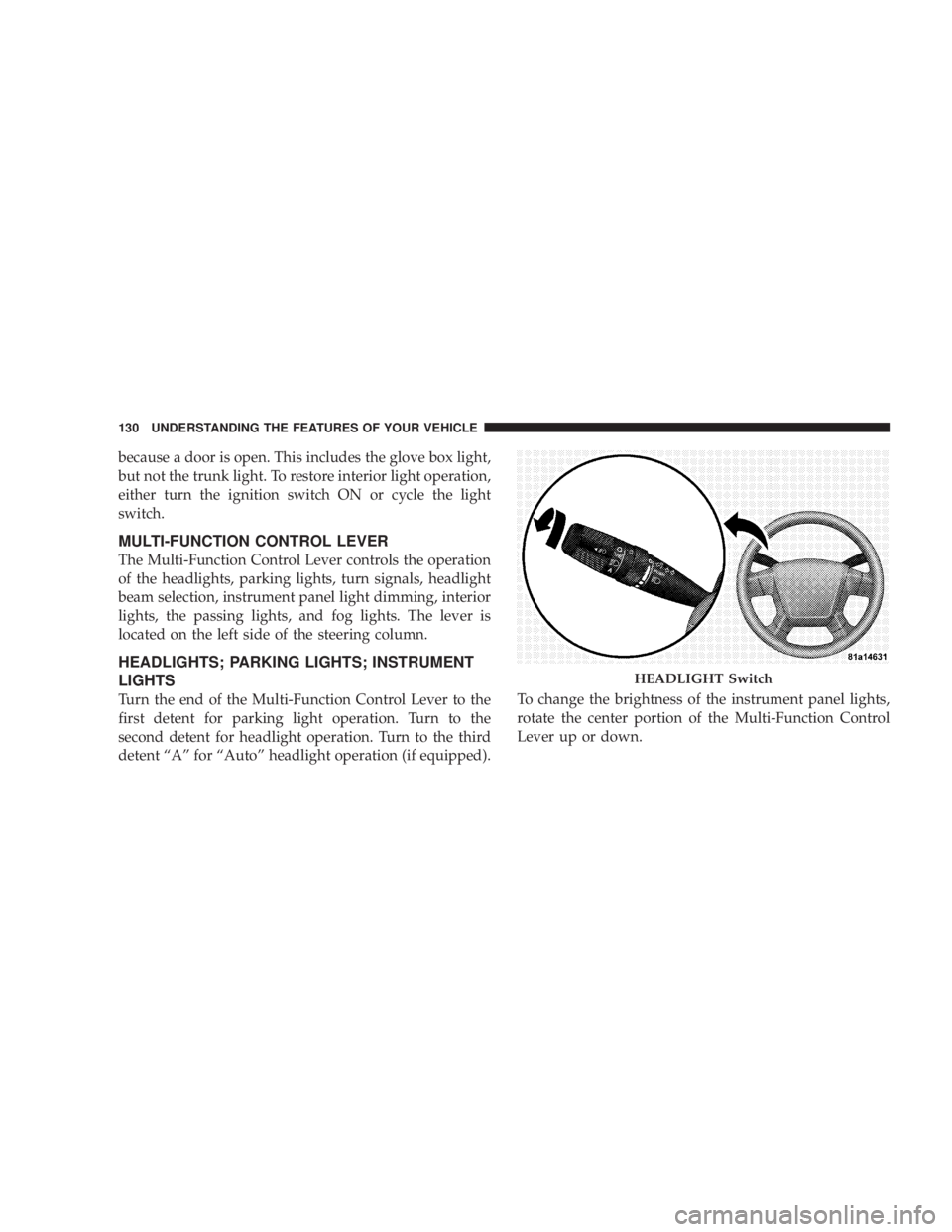
MULTI-FUNCTION CONTROL LEVER
The Multi-Function Control Lever controls the operation
of the headlights, parking lights, turn signals, headlight
beam selection, instrument panel light dimming, interior
lights, the passing lights, and fog lights. The lever is
located on the left side of the steering column.
HEADLIGHTS; PARKING LIGHTS; INSTRUMENT
LIGHTS
Turn the end of the Multi-Function Control Lever to the
first detent for parking light operation. Turn to the
second detent for headlight operation. Turn to the third
detent ªAº for ªAutoº headlight operation (if equipped). To change the brightness of the instrument panel lights,
rotate the center portion of the Multi-Function Control
Lever up or down. HEADLIGHT Switch130 UNDERSTANDING THE FEATURES OF YOUR VEHICLE
Page 133 of 467
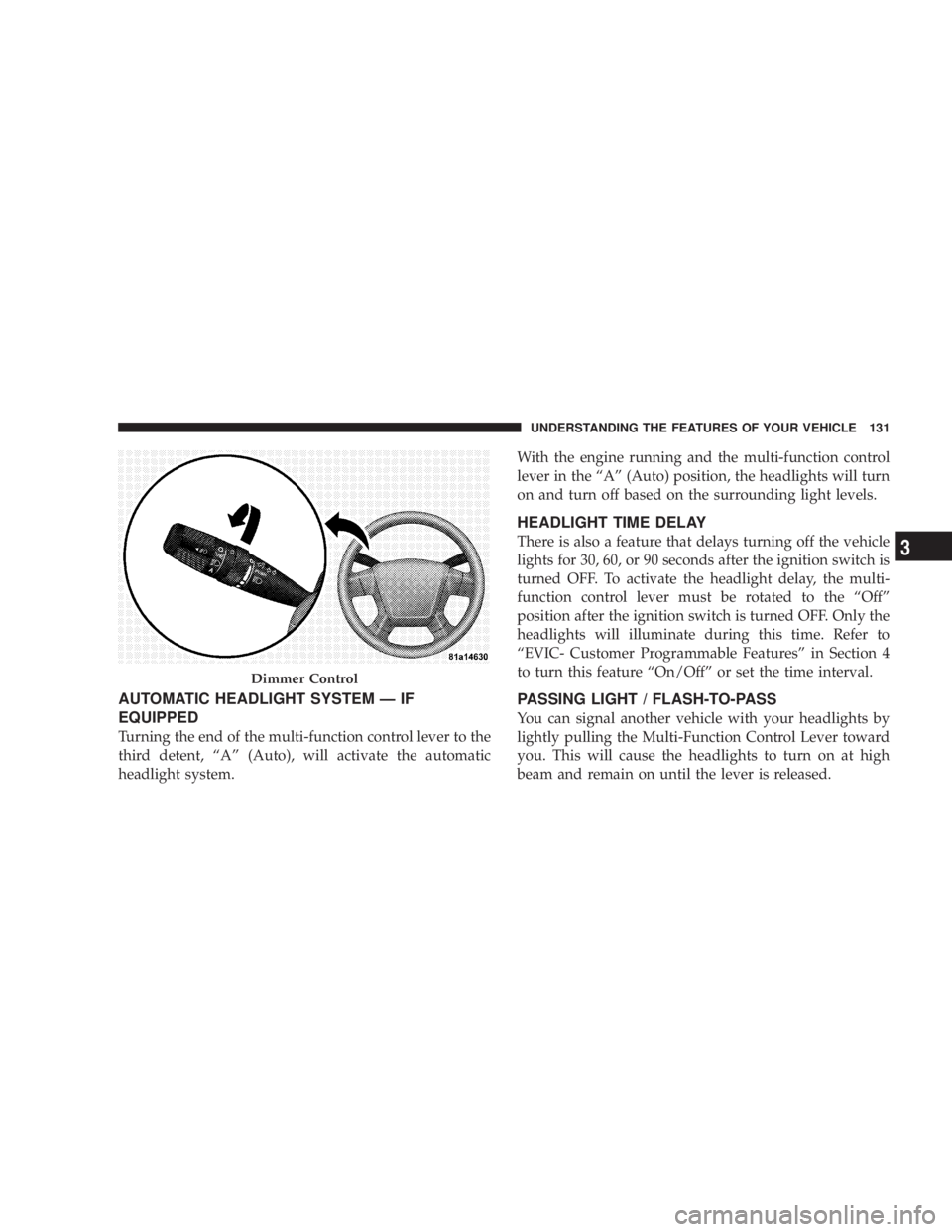
AUTOMATIC HEADLIGHT SYSTEM Ð IF
EQUIPPED
Turning the end of the multi-function control lever to the
third detent, ªAº (Auto), will activate the automatic
headlight system. With the engine running and the multi-function control
lever in the ªAº (Auto) position, the headlights will turn
on and turn off based on the surrounding light levels.
HEADLIGHT TIME DELAY
There is also a feature that delays turning off the vehicle
lights for 30, 60, or 90 seconds after the ignition switch is
turned OFF. To activate the headlight delay, the multi-
function control lever must be rotated to the ªOffº
position after the ignition switch is turned OFF. Only the
headlights will illuminate during this time. Refer to
ªEVIC- Customer Programmable Featuresº in Section 4
to turn this feature ªOn/Offº or set the time interval.
PASSING LIGHT / FLASH-TO-PASS
You can signal another vehicle with your headlights by
lightly pulling the Multi-Function Control Lever toward
you. This will cause the headlights to turn on at high
beam and remain on until the lever is released.Dimmer Control UNDERSTANDING THE FEATURES OF YOUR VEHICLE 131
3
Page 134 of 467
NOTE: If the Multi-Function Control Lever is held in
the flash to pass position for more than 15 seconds, the
high beams will shut off. If this occurs, wait 30 seconds
for the next flash to pass operation.
DAYTIME RUNNING LIGHTS (DRL) Ð IF
EQUIPPED
The high beam lights will come on as Daytime Running
Lights (DRL) at DRL intensity (lower), whenever the
ignition is on, the engine is running, the headlight switch
is off, the parking brake is off, the turn signal is off, and
the gearshift lever is in any position except park.
NOTE: On this vehicle, the daytime running light will
automatically turn off when the turn signal is in opera-
tion and automatically turn back on when the turn signal
is not operating. LIGHTS ON REMINDER
If the headlights or parking lights are on after the ignition
is turned OFF, a chime will sound to alert the driver
when the driver's door is opened.
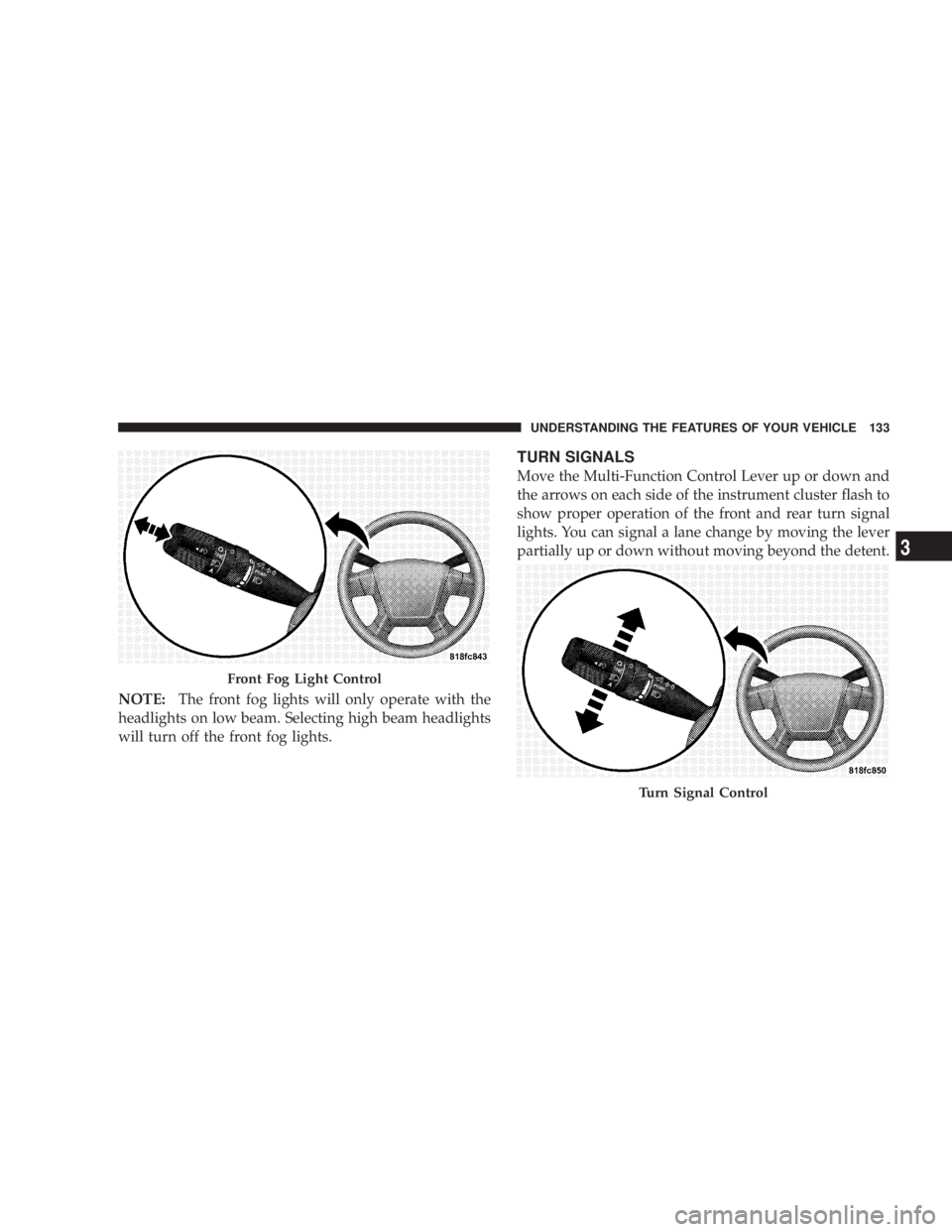
FOG LIGHTS Ð IF EQUIPPED
The front fog light switch is on the Multi-Function
Control Lever. To activate the front fog lights, turn
on the parking lights or the low beam headlights
and pull out the end of the control lever.132 UNDERSTANDING THE FEATURES OF YOUR VEHICLE
Page 135 of 467
NOTE: The front fog lights will only operate with the
headlights on low beam. Selecting high beam headlights
will turn off the front fog lights. TURN SIGNALS
Move the Multi-Function Control Lever up or down and
the arrows on each side of the instrument cluster flash to
show proper operation of the front and rear turn signal
lights. You can signal a lane change by moving the lever
partially up or down without moving beyond the detent.
Front Fog Light Control
Turn Signal ControlUNDERSTANDING THE FEATURES OF YOUR VEHICLE 133
3
Page 150 of 467
GATE OPERATOR/CANADIAN PROGRAMMING
Canadian radio frequency laws require transmitter sig-
nals to time-out (or quit) after several seconds of trans-
mission ± which may not be long enough for HomeLink t
to pick up the signal during programming. Similar to this
Canadian law, some U.S. gate operators are designed to
time-out in the same manner.
It may be helpful to unplug the device during the cycling
process to prevent possible overheating of the garage
door or gate motor.
If you are having difficulties programming a garage door
opener or a gate operator, replace ªProgramming
HomeLink t º Step 3, with the following:
3. Continue to press and hold the HomeLink t button
while you press and release - every two seconds
(ªcycleº) your hand-held transmitter until HomeLink t has successfully accepted the frequency signal. The
indicator light will flash slowly and then rapidly when
fully trained.
If you unplugged the device for training, plug it back in
at this time.
Then proceed with Step 4 under ªProgramming
HomeLink t ,º earlier in this section.
SECURITY
It is advised to erase all channels before you sell or turn
in your vehicle.
To do this, press and hold the two outside buttons for 20
seconds until the red indicator flashes. Note that all
channels will be erased. Individual channels cannot be
erased.
The HomeLink t Universal Transceiver is disabled when
the Vehicle Security Alarm is active.148 UNDERSTANDING THE FEATURES OF YOUR VEHICLE
Page 178 of 467

20. Turn Signal Indicators
The arrows will flash in unison with the exterior
turn signal, when using the turn signal lever.
21. Front Fog Light Indicator Ð If Equipped
This light shows when the front fog lights are ON.
22. Electronic Stability Program (ESP) Indicator Light
The yellow ESP/BAS malfunction indicator
light will turn on when the ignition switch is
turned to the ªONº position. The light should
go out with the engine running. If the light
remains on after several ignition cycles, and you have
driven the vehicle several miles at speeds greater than 30
mph (48 km/h), and the ESP is synchronized (refer to
Synchronizing ESP), see your authorized dealer as soon
as possible to have the problem diagnosed and corrected. 23. All Wheel Drive (AWD)
This indicator lights when AWD is selected.
24. Tire Pressure Monitor Light
Each tire, including the spare (if provided),
should be checked monthly when cold and
inflated to the inflation pressure recommended
by the vehicle manufacturer on the vehicle
placard or tire inflation pressure label. (If your vehicle
has tires of a different size than the size indicated on the
vehicle placard or tire inflation pressure label, you should
determine the proper tire inflation pressure for those
tires.)
As an added safety feature, your vehicle has been
equipped with a Tire Pressure Monitoring System
(TPMS) that illuminates a low tire pressure telltale when
one or more of your tires is significantly under-inflated.176 UNDERSTANDING YOUR INSTRUMENT PANEL