Page 198 of 479
INSTRUMENT PANEL AND CONTROLS
CONTENTS
mInstruments And Controls.................201
mInstrument Cluster......................202
mInstrument Cluster Description.............203
mElectronic Digital Clock..................214
NClock Setting Procedure.................215
mSetting The Analog Clock.................215
mRadio General Information................216
NRadio Broadcast Signals.................216
NTwo Types Of Signals..................216NElectrical Disturbances..................216
NAM Reception.......................216
NFM Reception........................216
mSales Code REN Ð Multimedia System Ð If
Equipped............................217
NOperating Instructions Ð Satellite Radio (If
Equipped)..........................218
NOperating Instructions Ð Voice Recognition
System (VR) (If Equipped)...............2184
Page 199 of 479

NOperating Instructions Ð Hands-Free
Communication (UConnectt) (If Equipped) . . . 218
NClock Setting Procedure.................218
mSales Code RER Ð Multimedia System Ð If
Equipped............................220
NOperating Instructions Ð Satellite Radio.....221
NOperating Instructions Ð Hands-Free
Communication (UConnectt) (If Equipped) . . . 221
NClock Setting Procedure.................221
mSales Code RES Ð AM/FM Stereo Radio With
CD Player (MP3 AUX Jack)................224
NOperating Instructions - Radio Mode.......224
NOperation Instructions - CD Mode For CD And
MP3 Audio Play......................230
NNotes On Playing MP3 Files.............232NList Button (CD Mode For MP3 Play).......235
NInfo Button (CD Mode For MP3 Play).......235
mSatellite Radio (RSC) Ð If Equipped
(RER/REQ/REN Radios Only).............236
NSystem Activation.....................236
NElectronic Serial Number/Sirius Identification
Number (ENS/SID)....................237
NSelecting Satellite Mode.................237
NSatellite Antenna......................238
NReception Quality.....................238
NOperating Instructions - Satellite Mode......238
NOperating Instructions - Hands-Free Phone (If
Equipped)..........................241
198 INSTRUMENT PANEL AND CONTROLS
Page 206 of 479

WARNING!
A hot engine cooling system is dangerous. You or
others could be badly burned by steam or boiling
coolant. You may want to call a service center if your
vehicle overheats. If you decide to look under the
hood yourself, refer to ªCooling System Pressure
Capº under ªCooling Systemº in Section 7. Follow
the warnings under the paragraph.
8. Speedometer
The speedometer shows the speed of the vehicle.
9. Voltage Light
This light monitors the electrical system voltage.
The light should turn on momentarily as the
engine is started. If the light stays on or turns on while
driving, it indicates a problem with the charging system.
See your authorized dealer for service immediately.10. Security Light
This light will flash rapidly for approximately 15 seconds
when the Vehicle Security Alarm is arming. The light will
flash at a slower speed continuously after the alarm is set.
The Security light will also come on for about three
seconds when the ignition is first turned on.
11. ABS Warning Light
This light monitors the Anti-Lock Brake System
(ABS) which is described elsewhere in this
manual. This light will come on when the
ignition key is turned to the ON position and
may stay on for approximately three seconds. If this light
remains on or comes on during driving, it indicates that
the Anti-Lock portion of the brake system is not func-
tioning and that service is required. See your authorized
dealer immediately. With the ABS malfunctioning, the
Brake Assist System (BAS) and Electronic Stability Pro-
gram (ESP) are also switched off. Both malfunction
indicator lights illuminate with the engine running. If the
INSTRUMENT PANEL AND CONTROLS 205
4
Page 209 of 479

Unless reset, this message will continue to display each
time you turn the ignition switch to the ON/RUN
position. To turn off the message temporarily, press and
release the Trip Odometer button on the instrument
cluster. To reset the oil change indicator system (after
performing the scheduled maintenance) refer to the fol-
lowing procedure.
1. Turn the ignition switch to the ON position(Do not
start the engine).
2. Fully depress the accelerator pedal slowly three
times within 10 seconds.
3. Turn the ignition switch to the OFF/LOCK position.
NOTE:If the indicator message illuminates when you
start the vehicle, the oil change indicator system did not
reset. If necessary repeat this procedure.16. Odometer
The odometer shows the total distance the vehicle has
been driven.
U.S. federal regulations require that upon transfer of
vehicle ownership, the seller certify to the purchaser the
correct mileage that the vehicle has been driven. There-
fore, if the odometer reading is changed during repair or
replacement, be sure to keep a record of the reading
before and after the service so that the correct mileage can
be determined.
17. Fog Light Indicator
This light shows when the fog lights are ON.
18. Electronic Stability Program (ESP) Indicator Light
The yellow ESP indicator light in the speedom-
eter area illuminates with the key in the igni-
tion switch turned to the ON/RUN position. It
should go out with the engine running. The
208 INSTRUMENT PANEL AND CONTROLS
Page 215 of 479
28. Cruise Light (Speed Control)
This indicator lights when the electronic speed control
system is turned on.
29. TOW/HAUL
The TOW/HAUL button is located at the end of the gear
shift lever. This light will illuminate when the TOW/
HAUL button has been selected.
30. 4LOW Indicator
Indicates transfer case is in 4LOW position.
31. Odometer/Trip Odometer Button
Press this button to toggle between the odometer and the
trip odometer display. Holding the button in resets the
trip odometer reading.ELECTRONIC DIGITAL CLOCK
The clock and radio each use the display panel built into
the radio. A digital readout shows the frequency and/or
time in hours and minutes (depending on your radio
model), whenever the ignition switch is in the ON or
ACC position.
When the ignition switch is in the OFF position, or when
the radio frequency is being displayed, timekeeping is
accurately maintained.
On the AM/FM/CD (six-disc) radio, the time button
alternates the location of the time and frequency on the
display. On the AM/FM/CD (single-disc) radio, only one
of the two, time or frequency, is displayed.
214 INSTRUMENT PANEL AND CONTROLS
Page 216 of 479
Clock Setting Procedure
1. Press and hold the TIME button until the hours blink.
2. Adjust the hours by turning the right side TUNE/
AUDIO control knob.
3. After the hours are adjusted, push the right side
TUNE/AUDIO control knob to set the minutes.
4. Adjust the minutes by turning the right side TUNE/
AUDIO control knob.
5. To exit, press any button/knob, or wait approximately
five seconds.
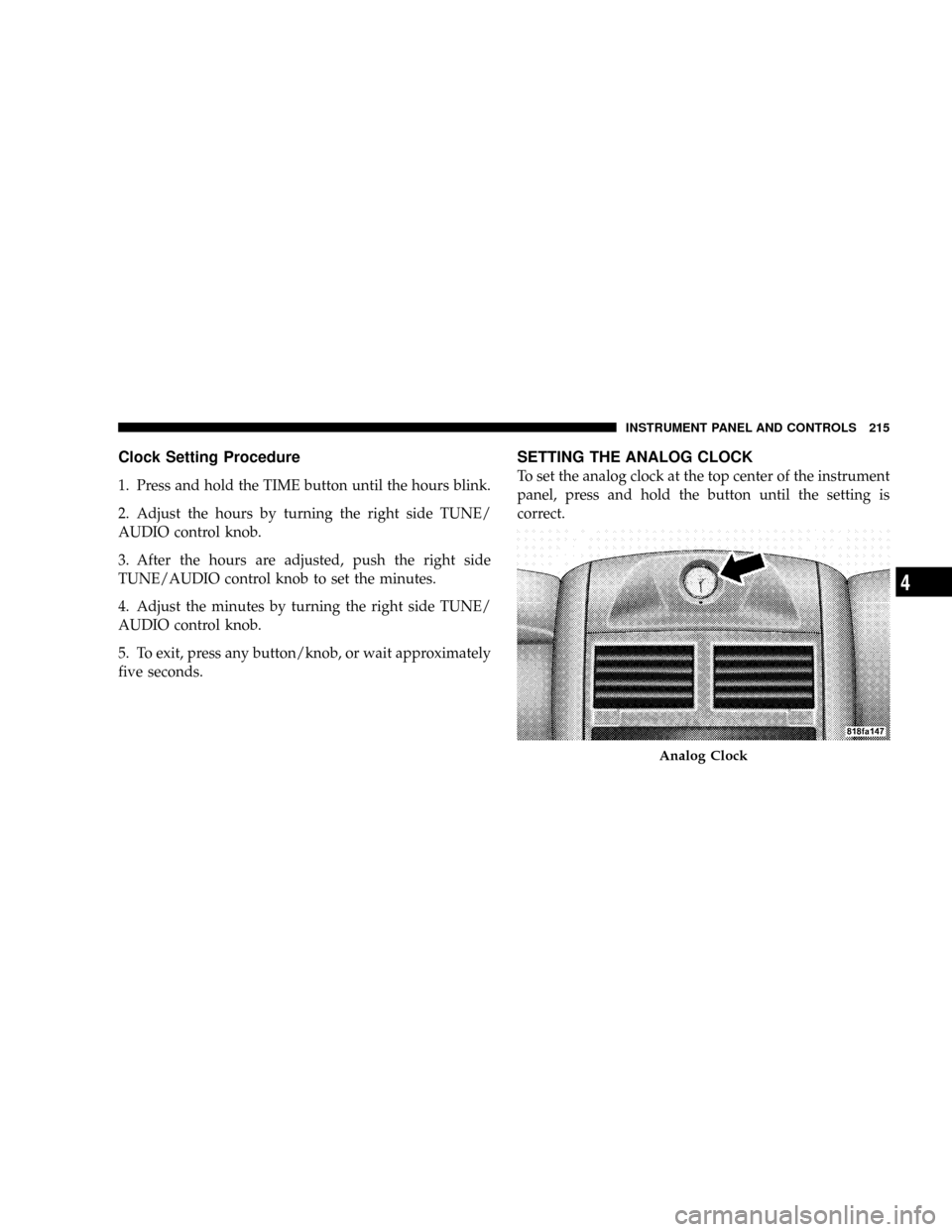
SETTING THE ANALOG CLOCK
To set the analog clock at the top center of the instrument
panel, press and hold the button until the setting is
correct.
Analog Clock
INSTRUMENT PANEL AND CONTROLS 215
4
Page 219 of 479
Operating Instructions Ð Satellite Radio (If
Equipped)
Refer to your Radio-specific user's manual for detailed
operating instructions.
Operating Instructions Ð Voice Recognition
System (VR) (If Equipped)
For the radio, refer to ªVoice Recognition System (VR)º in
Section 3.
For Hands Free Phone Communication (UConnectt)
ªVoice Recognition System (VR),º refer to ªHands-Free
Communication (UConnectt)º in Section 3.
Operating Instructions Ð Hands-Free
Communication (UConnectT) (If Equipped)
Refer to ªHands-Free Communication (UConnectt)º in
Section 3.
Clock Setting Procedure
Setting the Clock
1. Turn on the multimedia system.
2. Touch the screen where the time is displayed. The
clock setting menu will appear on the screen.
3. To move the hour forward, touch the screen where the
word ªHourº with the arrow pointing upward is dis-
played. To move the hour backward, touch the screen
where the word ªHourº with the arrow pointing down-
ward is displayed.
4. To move the minute forward, touch the screen where
the word ªMinº with the arrow pointing upward is
displayed. To move the minute backward, touch the
screen where the word ªMinº with the arrow pointing
downward is displayed.
218 INSTRUMENT PANEL AND CONTROLS
Page 220 of 479

5. To save the new time setting, touch the screen where
the word ªSaveº is displayed.
Changing Daylight Savings Time
When selected, this feature will display the time of day in
daylight savings time. Proceed as follows to change the
current setting:
1. Turn on the multimedia system.
2. Touch the screen where the time is displayed. The
clock setting menu will appear on the screen.
3. When this feature is on, a check mark will appear in
the box next to the words ªDaylight Savings.º Touch the
screen where the words ªDaylight Savingsº are dis-
played to change the current setting.
Show Time if Radio is Off
When selected, this feature will display the time of day
on the touch screen when the multimedia system is
turned off. Proceed as follows to change the current
setting:
1. Turn on the multimedia system.
2. Touch the screen where the time is displayed. The
clock setting menu will appear on the screen.
3. When this feature is on, a check mark will appear in
the box next to the words ªShow Time if Radio is Off.º
Touch the screen where the words ªShow Time if Radio is
Offº are displayed to change the current setting.
Changing the Time Zone
1. Turn on the multimedia system.
2. Touch the screen where the time is displayed. The
clock setting menu will appear on the screen.
INSTRUMENT PANEL AND CONTROLS 219
4