Page 82 of 482

�Voice Recognition System (VR) — If Equipped . . 115
▫Voice Recognition System (VR) Operation....115
▫Commands..........................116
▫VoiceTraining........................119
�Seats................................120
▫Power Seats.........................120
▫Power Reclining Seats..................121
▫Lumbar Support......................122
▫Head Restraints......................123
▫Heated Seats........................124
▫Folding Rear Seat.....................125
�Driver Memory Seat — If Equipped.........126
▫Programming The Memory Feature........127▫Linking And Unlinking The Remote Keyless
Entry (RKE) Transmitter To The Memory
Feature............................128
▫Memory Position Recall.................129
▫Easy Entry/Exit Seat (Available With Memory
Seat Only)..........................129
�To Open And Close The Hood.............131
�Lights...............................132
▫Headlight Switch.....................132
▫Automatic Headlights..................133
▫Headlights On With Wipers..............134
▫SmartBeams — If Equipped..............134
▫Headlight Time Delay..................136
▫Daytime Running Lights — If Equipped.....136
80 UNDERSTANDING THE FEATURES OF YOUR VEHICLE
Page 83 of 482

▫Lights-On Reminder...................136
▫Fog Lights..........................137
▫Multifunction Lever...................137
▫Overhead Console Map/Reading Lights.....138
▫Interior Lights.......................139
�Windshield Wipers And Washers............140
▫Intermittent Wiper System...............141
▫Mist Feature.........................141
▫Windshield Washers...................142
▫Headlights On With Wipers..............142
▫Rain Sensing Wipers...................142
▫Adding Washer Fluid..................144�Headlight Washers — If Equipped...........145
▫Adding Washer Fluid..................146
�Power Tilt/Telescoping Steering Column......147
�Adjustable Pedals......................148
�Electronic Speed Control..................150
▫Electronic Speed Control Operation........150
▫ToActivate ..........................151
▫To Set At A Desired Speed...............151
▫To Deactivate........................152
▫To Resume Speed.....................152
▫To Vary The Speed Setting...............152
▫To Accelerate For Passing...............153
UNDERSTANDING THE FEATURES OF YOUR VEHICLE 81
3
Page 136 of 482
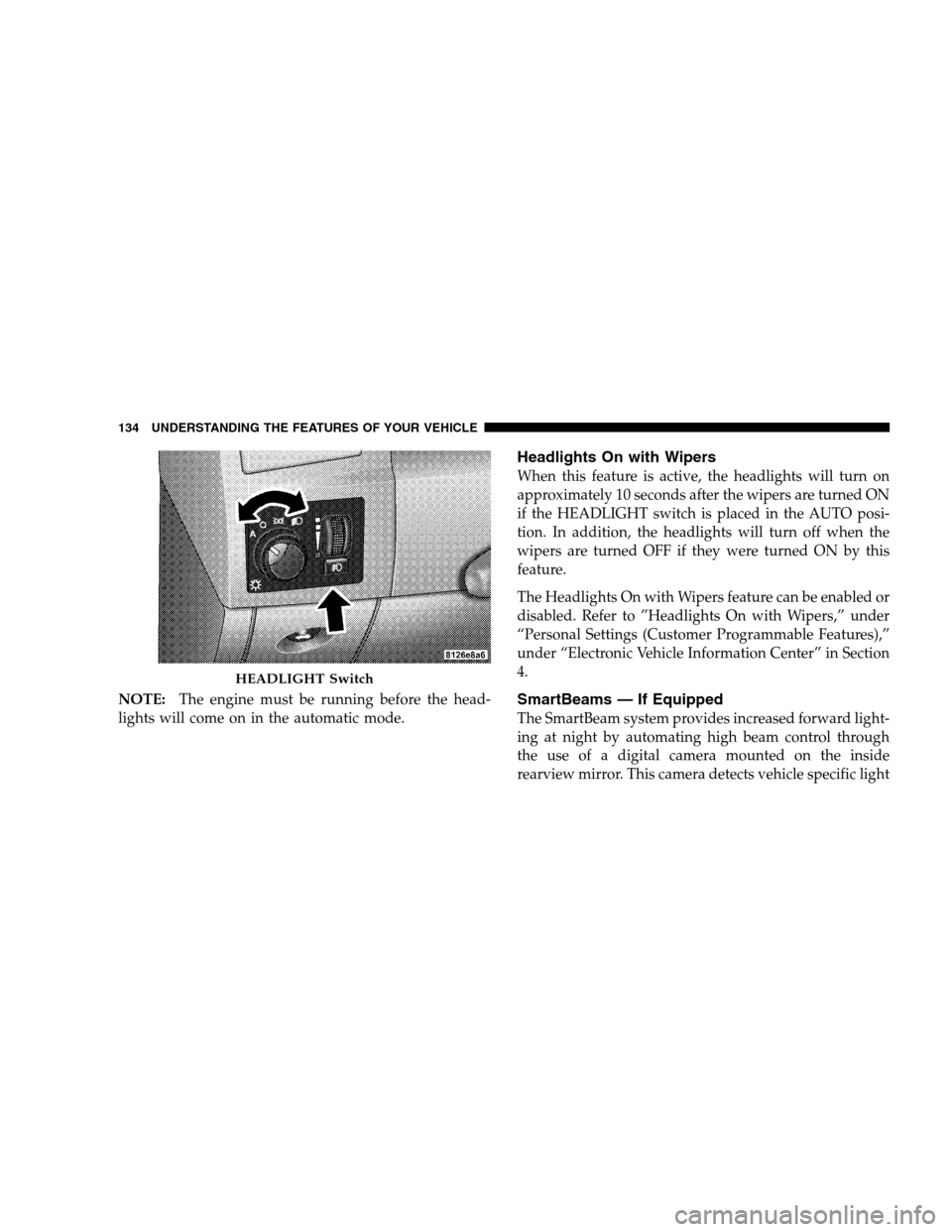
NOTE:The engine must be running before the head-
lights will come on in the automatic mode.
Headlights On with Wipers
When this feature is active, the headlights will turn on
approximately 10 seconds after the wipers are turned ON
if the HEADLIGHT switch is placed in the AUTO posi-
tion. In addition, the headlights will turn off when the
wipers are turned OFF if they were turned ON by this
feature.
The Headlights On with Wipers feature can be enabled or
disabled. Refer to ”Headlights On with Wipers,” under
“Personal Settings (Customer Programmable Features),”
under “Electronic Vehicle Information Center” in Section
4.
SmartBeams — If Equipped
The SmartBeam system provides increased forward light-
ing at night by automating high beam control through
the use of a digital camera mounted on the inside
rearview mirror. This camera detects vehicle specific light
HEADLIGHT Switch
134 UNDERSTANDING THE FEATURES OF YOUR VEHICLE
Page 142 of 482
Dome Light Position
Rotate the dimmer control completely upward to the
second detent to turn on the interior lights. The interior
lights will remain on when the dimmer control is in this
position.
Interior Light Defeat (OFF)
Rotate the dimmer control to the extreme bottom OFF
position. The interior lights will remain off when the
doors are open.
Parade Mode (Daytime Brightness Feature)
Rotate the dimmer control upward to the first detent.
This feature brightens all text displays such as the
odometer, EVIC, and radio when the parking lights or
headlights are on.
WINDSHIELD WIPERS AND WASHERS
The multifunction lever operates the windshield
wipers and washer when the ignition switch is in
the ON position. The lever is located on the left
side of the steering column.
Windshield Wiper/Washer Control
140 UNDERSTANDING THE FEATURES OF YOUR VEHICLE
Page 143 of 482

Rotate the end of the multifunction lever to the first
detent past the intermittent settings for low speed wiper
operation, or to the second detent past the intermittent
settings for high speed wiper operation.
CAUTION!
Turn the windshield wipers off when driving
through an automatic car wash. Damage to the wind-
shield wipers may result if the WIPER switch is left
in any position other than OFF.
Intermittent Wiper System
Use the intermittent wiper when weather conditions
make a single wiping cycle with a variable pause be-
tween cycles desirable. Rotate the end of the multifunc-
tion lever to the first detent position, and then turn the
end of the lever to select the desired delay interval. There
are six delay settings, which allow you to regulate thewipe interval from a minimum of one cycle every second
to a maximum of approximately 23 seconds between
cycles.
WARNING!
Sudden loss of visibility through the windshield
could lead to an accident. You might not see other
vehicles or other obstacles. To avoid sudden icing of
the windshield during freezing weather, warm the
windshield with the defroster before and during
windshield washer use.
Mist Feature
Push the multifunction lever inward (toward the steering
column) to the first detent to activate a single wipe cycle
to clear off road mist or spray from a passing vehicle. The
wipers will continue to operate until you release the
lever.
UNDERSTANDING THE FEATURES OF YOUR VEHICLE 141
3
Page 144 of 482

Windshield Washers
To use the washer, push the multifunction lever inward
(toward the steering column) to the second detent and
hold it for as long as washer spray is desired.
If you activate the washer while the windshield wiper
control is in the delay range, the wipers will operate for
two wipe cycles after releasing the lever and then resume
the intermittent interval previously selected.
If you activate the washer while the windshield wiper is
turned OFF, the wipers will operate for three wipe cycles
and then turn OFF.
Headlights On with Wipers
When this feature is active, the headlights will turn on
approximately 10 seconds after the wipers are turned ON
if the HEADLIGHT switch is placed in the AUTO posi-
tion. In addition, the headlights will turn off when the
wipers are turned OFF if they were turned ON by this
feature.The Headlights On with Wipers feature can be enabled or
disabled. Refer to ”Headlights On with Wipers,” under
“Personal Settings (Customer Programmable Features),”
under “Electronic Vehicle Information Center” in Section
4.
Rain Sensing Wipers
This feature senses moisture on the windshield and
automatically activates the wipers for the driver. This
feature is especially useful for road splash or over spray
from the windshield washers of the vehicle ahead. Rotate
the end of the multifunction lever to one of the six
intermittent wiper settings to activate this feature.
The sensitivity of the system is adjustable from the
multifunction lever. Wiper delay position 1 is the least
sensitive and wiper delay position 6 is the most sensitive.
Choose setting 3 or 4 for normal rain conditions. Choose
setting 2 or 1 if you desire less wiper sensitivity. Choose
142 UNDERSTANDING THE FEATURES OF YOUR VEHICLE
Page 145 of 482

setting 5 or 6 if you desire more sensitivity. Place the lever
in the OFF position when not using the system.
NOTE:
•The rain sensing feature will not operate when the
wiper speed is in the LOW or HIGH position.
•The rain sensing feature may not function properly
when ice or dried salt water is present on the wind-
shield.
•Use of Rain-X�or products containing wax or silicone
may reduce rain sensor performance.
•The rain sense feature can be enabled or disabled.
Refer to “Rain Sensing Intermittent Wipers,” under
“Personal Settings (Customer Programmable Fea-
tures),” under “Electronic Vehicle Information Center
(EVIC)” in Section 4.The rain sensing system has protective features for the
wiper blades and arms. It will not operate under the
following conditions:
•Low Temperature Wipe Inhibit— The rain sensing
feature will not operate when the ignition is first
switched ON, and the vehicle is stationary, and the
outside temperature is below 32°F (0°C), unless the
wiper control on the multifunction lever is moved, or
the vehicle speed becomes greater than 0 mph (0
km/h), or the outside temperature rises above freez-
ing.
•Neutral Wipe Inhibit— The rain sensing feature will
not operate when the ignition is ON, and the trans-
mission shift lever is in the NEUTRAL position, and
the vehicle speed is less than 5 mph (8 km/h), unless
the wiper control on the multifunction lever is moved
or the shift lever is moved out of the NEUTRAL
position.
UNDERSTANDING THE FEATURES OF YOUR VEHICLE 143
3
Page 147 of 482
WARNING!
Commercially available windshield washer solvents
are flammable. They could ignite and burn you. Care
must be exercised when filling or working around
the washer solution.
HEADLIGHT WASHERS — IF EQUIPPED
The multifunction lever operates the headlight washers
when the ignition switch is in the ON position and the
headlights are ON. The multifunction lever is located on
the left side of the steering column.
To use the headlight washers, push the multifunction
lever inward (toward the steering column) to the second
detent and release it. The headlight washers will spray a
timed high-pressure spray of washer fluid onto eachheadlight lens. In addition, the windshield washers will
spray the windshield and the windshield wipers will
cycle.
NOTE:The headlight washers will operate on the first
spray of the windshield washer and then every fourth
spray after that.
Headlight Washer
UNDERSTANDING THE FEATURES OF YOUR VEHICLE 145
3