2008 CHEVROLET UPLANDER buttons
[x] Cancel search: buttonsPage 150 of 476
6. After Steps 1 through 5 have been completed,
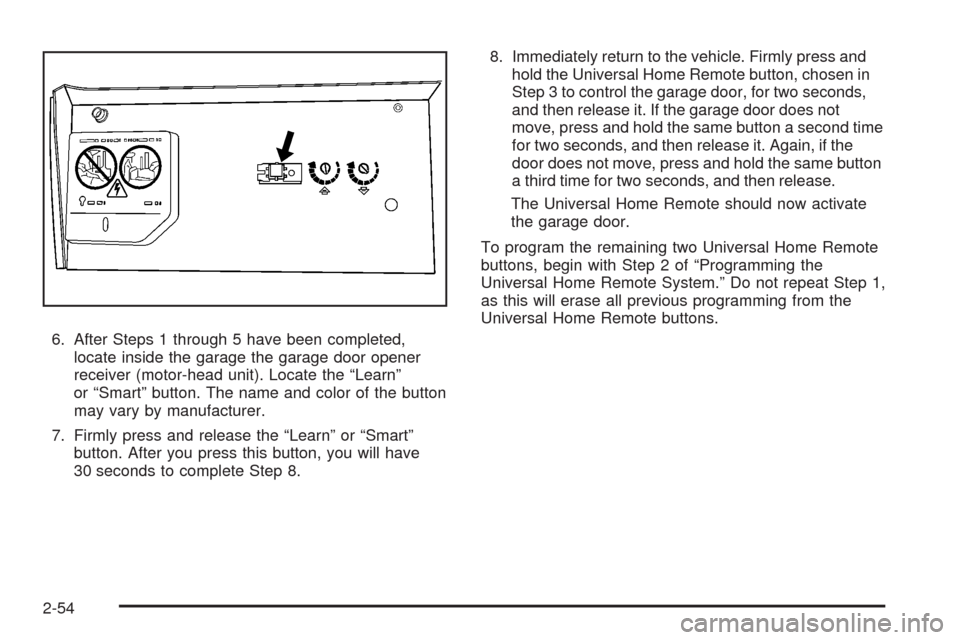
locate inside the garage the garage door opener
receiver (motor-head unit). Locate the “Learn”
or “Smart” button. The name and color of the button
may vary by manufacturer.
7. Firmly press and release the “Learn” or “Smart”
button. After you press this button, you will have
30 seconds to complete Step 8.8. Immediately return to the vehicle. Firmly press and
hold the Universal Home Remote button, chosen in
Step 3 to control the garage door, for two seconds,
and then release it. If the garage door does not
move, press and hold the same button a second time
for two seconds, and then release it. Again, if the
door does not move, press and hold the same button
a third time for two seconds, and then release.
The Universal Home Remote should now activate
the garage door.
To program the remaining two Universal Home Remote
buttons, begin with Step 2 of “Programming the
Universal Home Remote System.” Do not repeat Step 1,
as this will erase all previous programming from the
Universal Home Remote buttons.
2-54
Page 151 of 476
Gate Operator and Canadian
Programming
If you have questions or need help programming the
Universal Home Remote System, call 1-800-355-3515 or
go to www.homelink.com.
Canadian radio-frequency laws require transmitter
signals to time out or quit after several seconds of
transmission. This may not be long enough for Universal
Home Remote to pick up the signal during programming.
Similarly, some U.S. gate operators are manufactured
to time out in the same manner.
If you live in Canada, or you are having difficulty
programming a gate operator or garage door opener by
using the “Programming Universal Home Remote”
procedures, regardless of where you live, replace Step
3 under “Programming Universal Home Remote”
with the following:
Continue to press and hold the Universal Home Remote
button while you press and release every two seconds
(cycle) the hand-held transmitter button until the
frequency signal has been successfully accepted by the
Universal Home Remote. The Universal Home Remote
indicator light will ash slowly at rst and then rapidly.
Proceed with Step 4 under “Programming Universal
Home Remote” to complete.
Using Universal Home Remote
Press and hold the appropriate Universal Home Remote
button for at least half of a second. The indicator light
will come on while the signal is being transmitted.
Erasing Universal Home Remote
Buttons
Erase the programmed buttons when you sell or
terminate your lease.
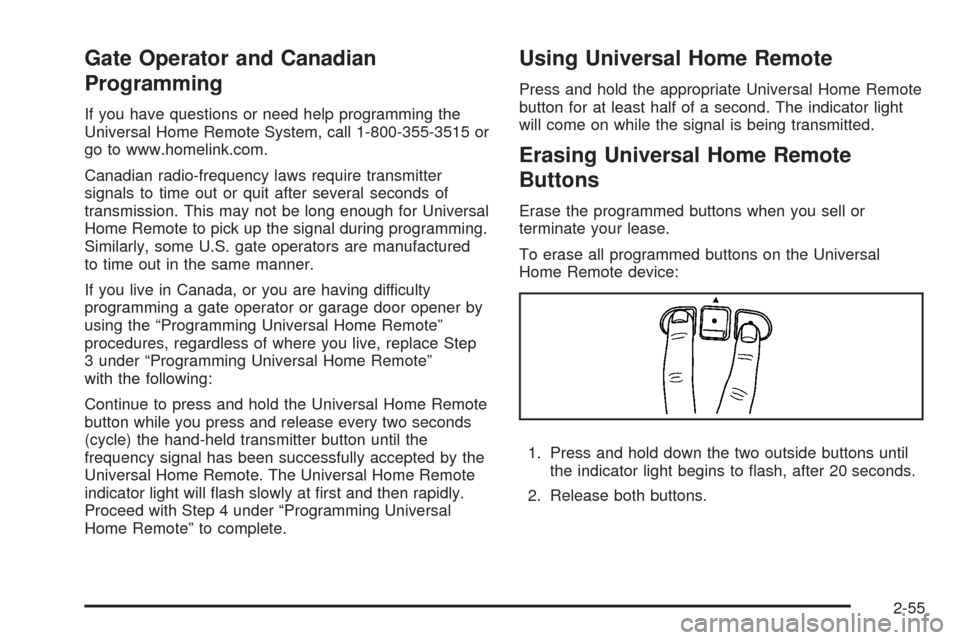
To erase all programmed buttons on the Universal
Home Remote device:
1. Press and hold down the two outside buttons until
the indicator light begins to ash, after 20 seconds.
2. Release both buttons.
2-55
Page 152 of 476

Reprogramming a Single Universal
Home Remote Button
To reprogram any of the three Universal Home Remote
buttons, repeat the programming instructions earlier
in this section, beginning with Step 2.
For help or information on the Universal Home Remote
System, call the customer assistance phone number
underCustomer Assistance Offices on page 7-5.
Storage Areas
Your vehicle’s large carrying capacity can store many
items. If the vehicle has an extended wheelbase, it can
carry even larger items. The oor pins that are used
to attach the seats, can be used to secure larger loads.
Glove Box
To open, lift the handle up. Use the key to lock and
unlock.
Cupholder(s)
There are cupholders located below the center
instrument panel switchbank. The cupholders have a
rubber liner that can be removed, so that larger cups can
t into the cupholders. You can also remove the liner
to clean it.
To use the cupholders, pull the tray out. Push the tray
back when not in use.
Your vehicle may be equipped with cupholders in the
second row.
Overhead Console (Without Rail)
If your vehicle has an overhead console without the rail
system, it has two reading lights, a courtesy light,
and a switchbank. SeeOverhead Console Switchbank
on page 3-21for more information.
2-56
Page 153 of 476
Overhead Console (With Rail)
If your vehicle is equipped with an overhead console, it
may contain the following:
Reading lamps. SeeFront Reading Lamps on
page 3-19orRear Reading Lamps on page 3-19.
Switchbank. SeeOverhead Console Switchbank on
page 3-21.
OnStar®System buttons. SeeOnStar®System on
page 2-47.
Universal Home Remote buttons. SeeUniversal
Home Remote System on page 2-51.
See your dealer to purchase additional items for the rail
system.
Storage Bin
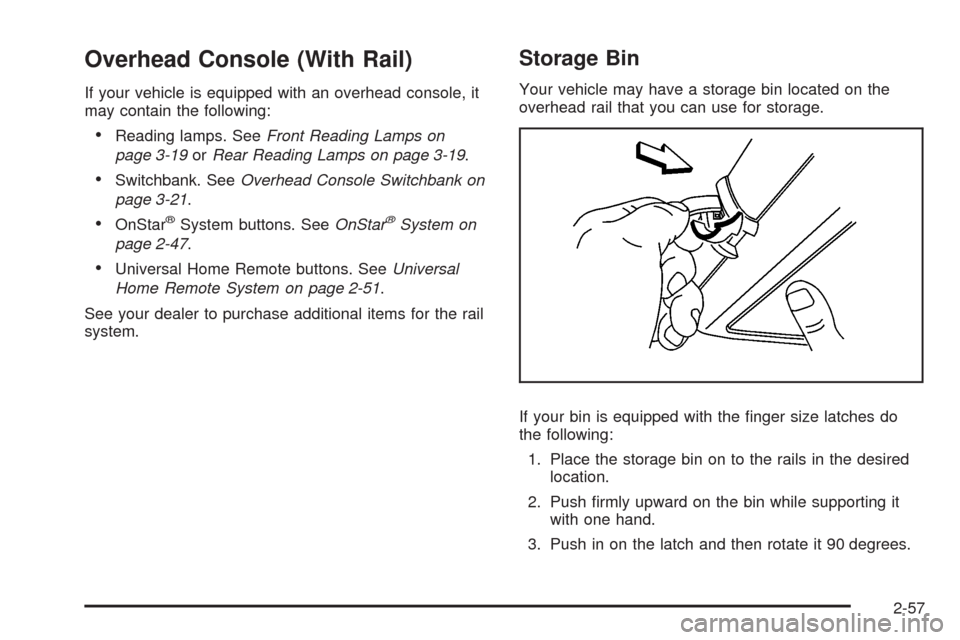
Your vehicle may have a storage bin located on the
overhead rail that you can use for storage.
If your bin is equipped with the nger size latches do
the following:
1. Place the storage bin on to the rails in the desired
location.
2. Push rmly upward on the bin while supporting it
with one hand.
3. Push in on the latch and then rotate it 90 degrees.
2-57
Page 178 of 476
Dome Lamp
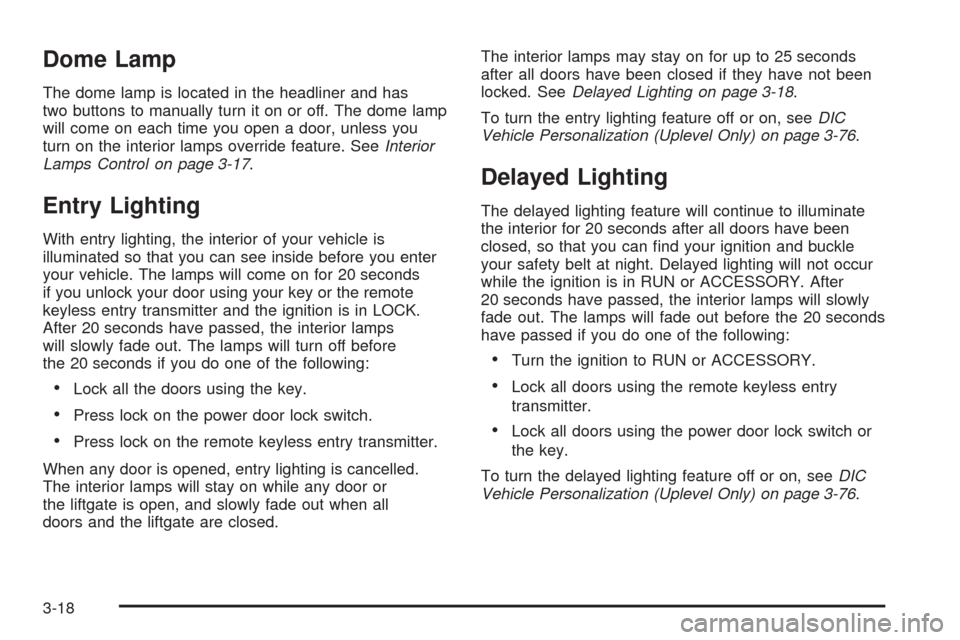
The dome lamp is located in the headliner and has
two buttons to manually turn it on or off. The dome lamp
will come on each time you open a door, unless you
turn on the interior lamps override feature. SeeInterior
Lamps Control on page 3-17.
Entry Lighting
With entry lighting, the interior of your vehicle is
illuminated so that you can see inside before you enter
your vehicle. The lamps will come on for 20 seconds
if you unlock your door using your key or the remote
keyless entry transmitter and the ignition is in LOCK.
After 20 seconds have passed, the interior lamps
will slowly fade out. The lamps will turn off before
the 20 seconds if you do one of the following:
Lock all the doors using the key.
Press lock on the power door lock switch.
Press lock on the remote keyless entry transmitter.
When any door is opened, entry lighting is cancelled.
The interior lamps will stay on while any door or
the liftgate is open, and slowly fade out when all
doors and the liftgate are closed.The interior lamps may stay on for up to 25 seconds
after all doors have been closed if they have not been
locked. SeeDelayed Lighting on page 3-18.
To turn the entry lighting feature off or on, seeDIC
Vehicle Personalization (Uplevel Only) on page 3-76.
Delayed Lighting
The delayed lighting feature will continue to illuminate
the interior for 20 seconds after all doors have been
closed, so that you can nd your ignition and buckle
your safety belt at night. Delayed lighting will not occur
while the ignition is in RUN or ACCESSORY. After
20 seconds have passed, the interior lamps will slowly
fade out. The lamps will fade out before the 20 seconds
have passed if you do one of the following:
Turn the ignition to RUN or ACCESSORY.
Lock all doors using the remote keyless entry
transmitter.
Lock all doors using the power door lock switch or
the key.
To turn the delayed lighting feature off or on, seeDIC
Vehicle Personalization (Uplevel Only) on page 3-76.
3-18
Page 210 of 476
Driver Information Center (DIC)
Your vehicle has a Driver Information Center (DIC).
All messages appear in the DIC display located in the
instrument panel cluster, below the tachometer. The DIC
buttons are located on the center of the instrument
panel, below the center outlets.
The DIC comes on when the ignition is on. After a short
delay, the DIC displays WELCOME DRIVER (1 or 2)
if a personalized key 1 or 2 is used, and then the
information that was last displayed before the engine
was turned off. The driver number also corresponds
to the numbers, 1 or 2, on the back of the remote
keyless entry transmitters.
The DIC displays the odometer, trip odometers, fuel
economy, trip computer, vehicle system information, and
compass display, if equipped. It also displays warning
messages if a system problem is detected. In addition,
the DIC displays phone numbers that are called using the
OnStar
®system, if equipped. SeeOnStar®System on
page 2-47.On some vehicles, the outside air temperature
automatically appears in the bottom right corner
of the DIC display when viewing all of the information
screens, except for the oil life screens. If the outside air
temperature is at or below 37°F (3°C), the temperature
reading will toggle between displaying the outside
temperature and the word ICE for two minutes. If there is
a problem with the system that controls the temperature
display, the letters OC (open circuit) or SC (short circuit)
will appear on the display. If this occurs, have the vehicle
serviced by your dealer/retailer.
The DIC also allows some features to be customized
or personalized, if equipped. SeeDIC Vehicle
Personalization (Uplevel Only) on page 3-76
for more information.
DIC Operation and Displays
The DIC has different modes which can be accessed by
pressing the DIC buttons located on the center of the
instrument panel. The buttons are the information,
set/reset, and menu buttons.
The button functions are detailed in the following pages.
3-50
Page 211 of 476
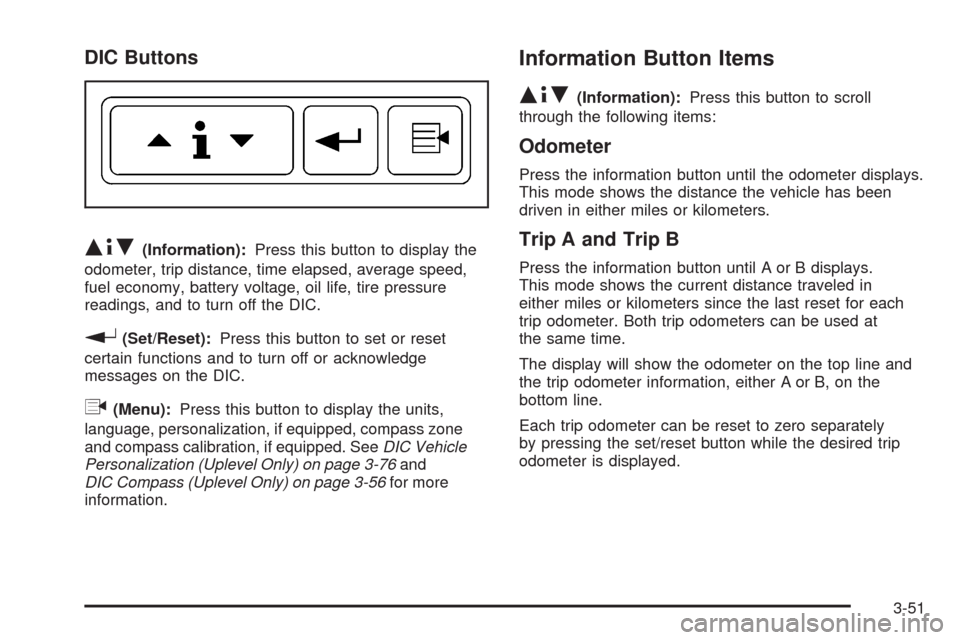
DIC Buttons
Q4R(Information):Press this button to display the
odometer, trip distance, time elapsed, average speed,
fuel economy, battery voltage, oil life, tire pressure
readings, and to turn off the DIC.
r(Set/Reset):Press this button to set or reset
certain functions and to turn off or acknowledge
messages on the DIC.
q(Menu):Press this button to display the units,
language, personalization, if equipped, compass zone
and compass calibration, if equipped. SeeDIC Vehicle
Personalization (Uplevel Only) on page 3-76and
DIC Compass (Uplevel Only) on page 3-56for more
information.
Information Button Items
Q4R
(Information):Press this button to scroll
through the following items:
Odometer
Press the information button until the odometer displays.
This mode shows the distance the vehicle has been
driven in either miles or kilometers.
Trip A and Trip B
Press the information button until A or B displays.
This mode shows the current distance traveled in
either miles or kilometers since the last reset for each
trip odometer. Both trip odometers can be used at
the same time.
The display will show the odometer on the top line and
the trip odometer information, either A or B, on the
bottom line.
Each trip odometer can be reset to zero separately
by pressing the set/reset button while the desired trip
odometer is displayed.
3-51
Page 218 of 476

DIC Warnings and Messages
Messages are displayed on the DIC to notify the driver
that the status of the vehicle has changed and that
some action may be needed by the driver to correct
the condition. Multiple messages may appear one after
another.
Some messages may not require immediate action, but
you can press any of the DIC buttons to acknowledge
that you received the message and clear it from the
DIC display.
Some messages cannot be cleared from the DIC display
because they are more urgent. These messages require
action before they can be cleared.
If there are any active warning messages when the
vehicle is turned off, two chimes sound and the DIC goes
into a reminder mode. The reminder mode displays any
active message. If there are multiple messages, the DIC
displays each message for ve seconds. After each
active message is displayed once, the reminder mode
turns off.
You should take any messages that appear on the
display seriously and remember that clearing the
messages will only make the messages disappear,
not correct the problem.
The following are the possible messages that can be
displayed and some information about them.
A/C OFF FOR ENGINE PROTECTION
This message displays when the engine coolant
becomes hotter than the normal operating temperature.
SeeEngine Coolant Temperature Gage on page 3-43.
To avoid added strain on a hot engine, the air
conditioning compressor is automatically turned off.
When the coolant temperature returns to normal, the air
conditioning compressor turns back on. You can continue
to drive your vehicle.
This message comes on while the ignition is in ON/RUN.
Press any of the DIC buttons to acknowledge this
warning message and to clear it from the screen.
This message continues to display for two seconds if it
has not been acknowledged when the engine is turned
off. It also re-displays for two seconds if the message has
been acknowledged, but the condition still exists when
the engine is turned off.
If the condition still exists, the message re-appears
when the engine is turned on. If this message continues
to appear, have the system repaired by your dealer/
retailer as soon as possible to avoid damage to the
engine.
3-58