2008 CHEVROLET TRAIL BLAZER ignition
[x] Cancel search: ignitionPage 8 of 472
Heated Seats
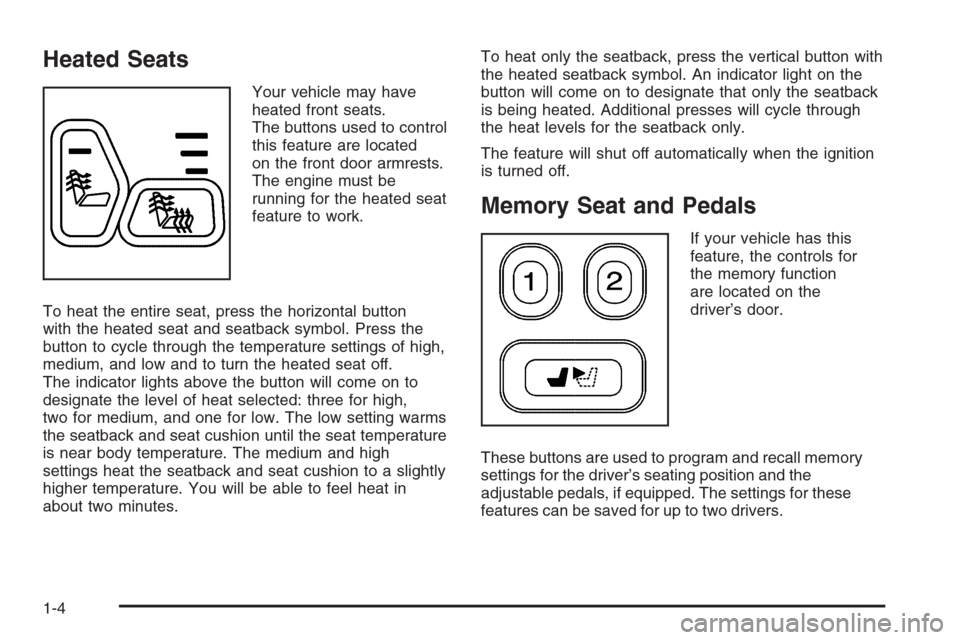
Your vehicle may have
heated front seats.
The buttons used to control
this feature are located
on the front door armrests.
The engine must be
running for the heated seat
feature to work.
To heat the entire seat, press the horizontal button
with the heated seat and seatback symbol. Press the
button to cycle through the temperature settings of high,
medium, and low and to turn the heated seat off.
The indicator lights above the button will come on to
designate the level of heat selected: three for high,
two for medium, and one for low. The low setting warms
the seatback and seat cushion until the seat temperature
is near body temperature. The medium and high
settings heat the seatback and seat cushion to a slightly
higher temperature. You will be able to feel heat in
about two minutes.To heat only the seatback, press the vertical button with
the heated seatback symbol. An indicator light on the
button will come on to designate that only the seatback
is being heated. Additional presses will cycle through
the heat levels for the seatback only.
The feature will shut off automatically when the ignition
is turned off.
Memory Seat and Pedals
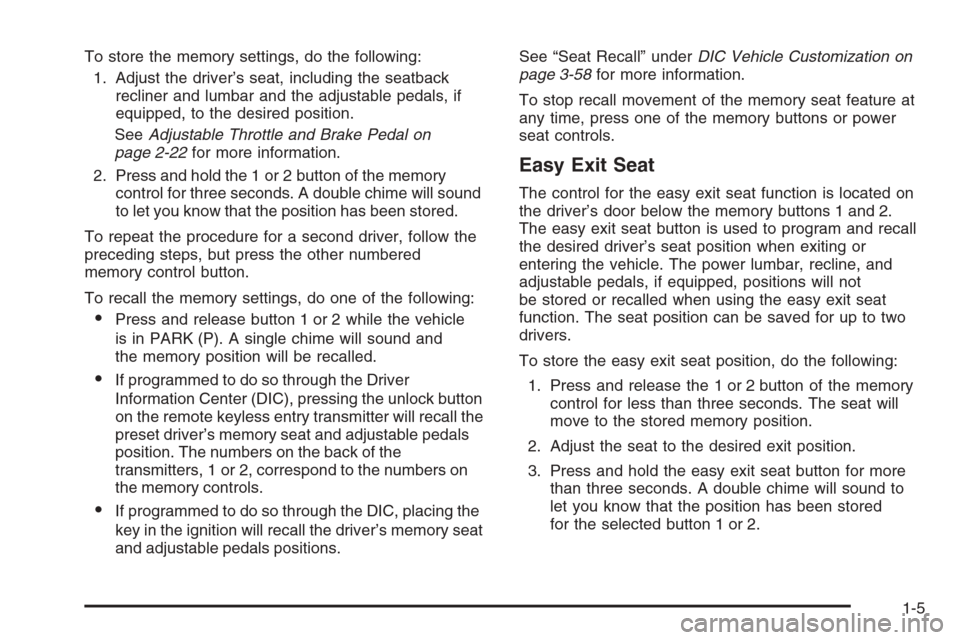
If your vehicle has this
feature, the controls for
the memory function
are located on the
driver’s door.
These buttons are used to program and recall memory
settings for the driver’s seating position and the
adjustable pedals, if equipped. The settings for these
features can be saved for up to two drivers.
1-4
Page 9 of 472
To store the memory settings, do the following:
1. Adjust the driver’s seat, including the seatback
recliner and lumbar and the adjustable pedals, if
equipped, to the desired position.
SeeAdjustable Throttle and Brake Pedal on
page 2-22for more information.
2. Press and hold the 1 or 2 button of the memory
control for three seconds. A double chime will sound
to let you know that the position has been stored.
To repeat the procedure for a second driver, follow the
preceding steps, but press the other numbered
memory control button.
To recall the memory settings, do one of the following:
Press and release button 1 or 2 while the vehicle
is in PARK (P). A single chime will sound and
the memory position will be recalled.
If programmed to do so through the Driver
Information Center (DIC), pressing the unlock button
on the remote keyless entry transmitter will recall the
preset driver’s memory seat and adjustable pedals
position. The numbers on the back of the
transmitters, 1 or 2, correspond to the numbers on
the memory controls.
If programmed to do so through the DIC, placing the
key in the ignition will recall the driver’s memory seat
and adjustable pedals positions.See “Seat Recall” underDIC Vehicle Customization on
page 3-58for more information.
To stop recall movement of the memory seat feature at
any time, press one of the memory buttons or power
seat controls.
Easy Exit Seat
The control for the easy exit seat function is located on
the driver’s door below the memory buttons 1 and 2.
The easy exit seat button is used to program and recall
the desired driver’s seat position when exiting or
entering the vehicle. The power lumbar, recline, and
adjustable pedals, if equipped, positions will not
be stored or recalled when using the easy exit seat
function. The seat position can be saved for up to two
drivers.
To store the easy exit seat position, do the following:
1. Press and release the 1 or 2 button of the memory
control for less than three seconds. The seat will
move to the stored memory position.
2. Adjust the seat to the desired exit position.
3. Press and hold the easy exit seat button for more
than three seconds. A double chime will sound to
let you know that the position has been stored
for the selected button 1 or 2.
1-5
Page 10 of 472
To repeat the procedure for a second driver, follow the
preceding steps, but press the other numbered memory
control button.
To recall the easy exit seat position, do one of the
following:
Press the easy exit seat button on the memory
control while the vehicle is in PARK (P).
The seat will move to the stored exit position.
Or, if the easy exit seat feature is activated in the
Driver Information Center (DIC), removing the key
from the ignition will move the seat to the exit
position. See “Easy Exit Seat” underDIC Vehicle
Customization on page 3-58for more information
on activating this feature in the DIC.
If an easy exit seat position has not been stored,
the default position is all the way rearward.
Reclining Seatbacks
Manual Reclining Seatbacks
{CAUTION:
You can lose control of the vehicle if you try to
adjust a manual driver’s seat while the vehicle
is moving. The sudden movement could startle
and confuse you, or make you push a pedal
when you do not want to. Adjust the driver’s
seat only when the vehicle is not moving.
{CAUTION:
If the seatback is not locked, it could move
forward in a sudden stop or crash. That could
cause injury to the person sitting there. Always
push and pull on the seatback to be sure it is
locked.
1-6
Page 68 of 472
A thick layer of additional material, such as a blanket or
cushion, or aftermarket equipment such as seat
covers, seat heaters, and seat massagers can affect
how well the passenger sensing system operates.
We recommend that you not use seat covers or other
aftermarket equipment other than any that GM has
approved for your specic vehicle. SeeAdding
Equipment to Your Airbag-Equipped Vehicle on
page 1-65for more information about modications
that can affect how the system operates.
{CAUTION:
Stowing of articles under the passenger’s seat
or between the passenger’s seat cushion
and seatback may interfere with the proper
operation of the passenger sensing system.
Servicing Your Airbag-Equipped
Vehicle
Airbags affect how your vehicle should be serviced.
There are parts of the airbag system in several places
around your vehicle. Your dealer/retailer and the service
manual have information about servicing your vehicle
and the airbag system. To purchase a service manual,
seeService Publications Ordering Information on
page 7-15.
{CAUTION:
For up to 10 seconds after the ignition is
turned off and the battery is disconnected, an
airbag can still inate during improper service.
You can be injured if you are close to an
airbag when it inates. Avoid yellow
connectors. They are probably part of the
airbag system. Be sure to follow proper
service procedures, and make sure the person
performing work for you is qualied to do so.
1-64
Page 73 of 472
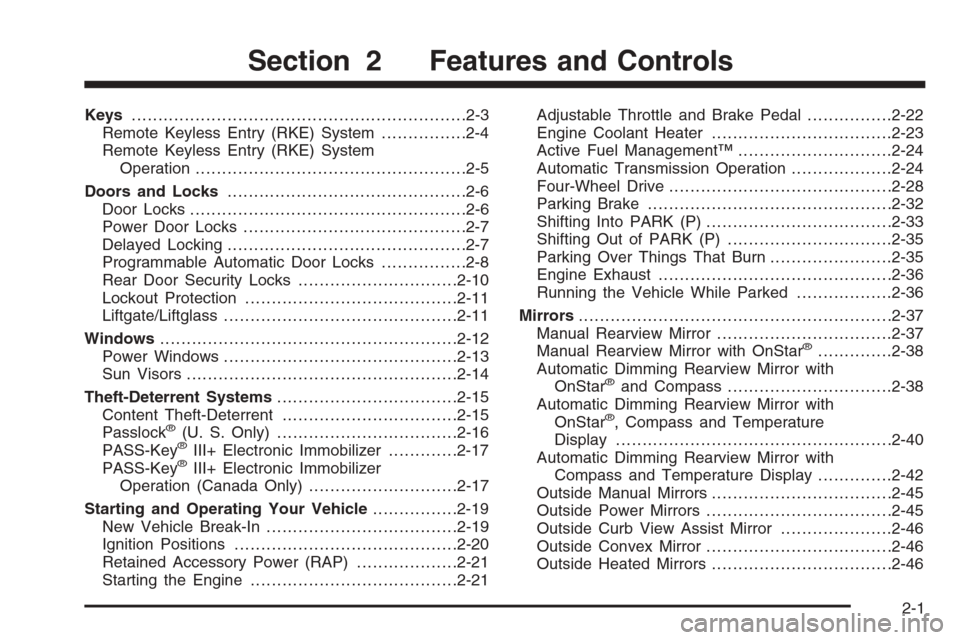
Keys...............................................................2-3
Remote Keyless Entry (RKE) System................2-4
Remote Keyless Entry (RKE) System
Operation...................................................2-5
Doors and Locks.............................................2-6
Door Locks....................................................2-6
Power Door Locks..........................................2-7
Delayed Locking.............................................2-7
Programmable Automatic Door Locks................2-8
Rear Door Security Locks..............................2-10
Lockout Protection........................................2-11
Liftgate/Liftglass............................................2-11
Windows........................................................2-12
Power Windows............................................2-13
Sun Visors...................................................2-14
Theft-Deterrent Systems..................................2-15
Content Theft-Deterrent.................................2-15
Passlock
®(U. S. Only)..................................2-16
PASS-Key®III+ Electronic Immobilizer.............2-17
PASS-Key®III+ Electronic Immobilizer
Operation (Canada Only)............................2-17
Starting and Operating Your Vehicle................2-19
New Vehicle Break-In....................................2-19
Ignition Positions..........................................2-20
Retained Accessory Power (RAP)...................2-21
Starting the Engine.......................................2-21Adjustable Throttle and Brake Pedal................2-22
Engine Coolant Heater..................................2-23
Active Fuel Management™.............................2-24
Automatic Transmission Operation...................2-24
Four-Wheel Drive..........................................2-28
Parking Brake..............................................2-32
Shifting Into PARK (P)...................................2-33
Shifting Out of PARK (P)...............................2-35
Parking Over Things That Burn.......................2-35
Engine Exhaust............................................2-36
Running the Vehicle While Parked..................2-36
Mirrors...........................................................2-37
Manual Rearview Mirror.................................2-37
Manual Rearview Mirror with OnStar
®..............2-38
Automatic Dimming Rearview Mirror with
OnStar
®and Compass...............................2-38
Automatic Dimming Rearview Mirror with
OnStar
®, Compass and Temperature
Display....................................................2-40
Automatic Dimming Rearview Mirror with
Compass and Temperature Display..............2-42
Outside Manual Mirrors..................................2-45
Outside Power Mirrors...................................2-45
Outside Curb View Assist Mirror.....................2-46
Outside Convex Mirror...................................2-46
Outside Heated Mirrors..................................2-46
Section 2 Features and Controls
2-1
Page 75 of 472
Keys
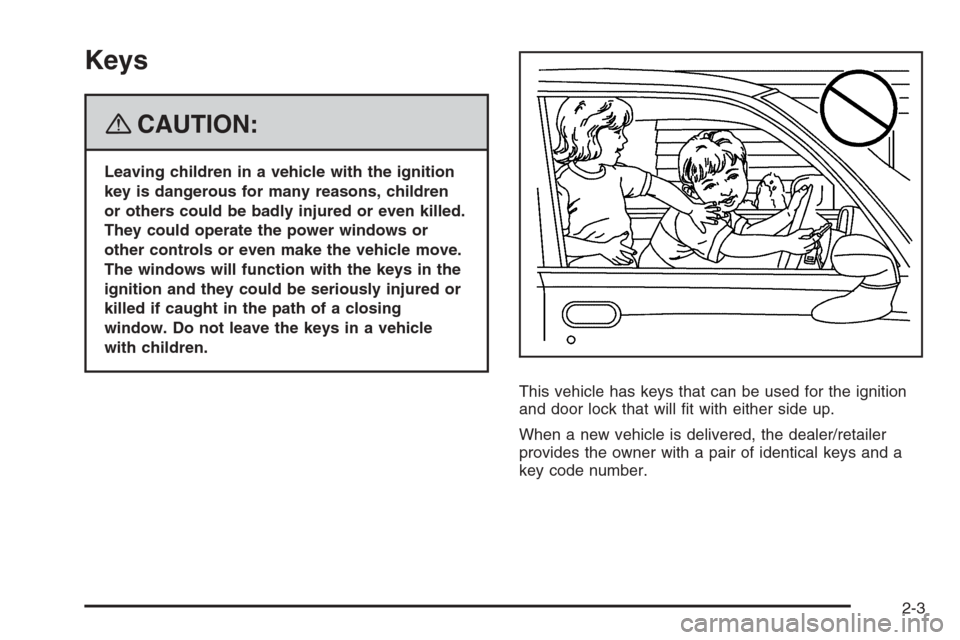
{CAUTION:
Leaving children in a vehicle with the ignition
key is dangerous for many reasons, children
or others could be badly injured or even killed.
They could operate the power windows or
other controls or even make the vehicle move.
The windows will function with the keys in the
ignition and they could be seriously injured or
killed if caught in the path of a closing
window. Do not leave the keys in a vehicle
with children.
This vehicle has keys that can be used for the ignition
and door lock that will t with either side up.
When a new vehicle is delivered, the dealer/retailer
provides the owner with a pair of identical keys and a
key code number.
2-3
Page 80 of 472
Five seconds after the last door is closed, all the doors
will lock. You can lock the doors immediately by
using the power door lock switch or by pressing the lock
button on the optional remote keyless entry transmitter
a second time.
If the key is inserted in the ignition, this feature will not
lock the doors. SeeLockout Protection on page 2-11.
You can turn the delayed locking feature on or off. If the
feature is turned off, the doors will lock immediately
when a power door lock switch or remote keyless entry
transmitter lock button is pressed.
Programming Delayed Locking
To turn the delayed locking feature on or off, do the
following:
1. Press and hold the power door lock switch on the
driver’s door in the lock position.
2. Press the remote keyless entry transmitter unlock
button twice.
If the delayed locking feature was on, it will now be off.
If the feature was off, it will now be on.
Programmable Automatic Door
Locks
Your vehicle is equipped with an automatic lock/unlock
feature which enables you to program your vehicle’s
power door locks. You can program this feature through
the Driver Information Center (DIC), or by the following
method. SeeDIC Vehicle Customization on page 3-58.
Programmable Locking Feature
Following are the two locking modes that can be
programmed:
Mode 1:All doors lock when the transmission is shifted
out of PARK (P).
Mode 2:All doors lock when the vehicle speed is
greater than 8 mph (13 km/h).
The automatic door locks were pre-programmed at the
factory to lock all the doors when the transmission
is shifted into gear. The following instructions detail how
to program your door locks differently than the factory
setting. Choose one of the two programming options
listed previously before entering the program mode.
2-8
Page 81 of 472
To enter the program mode, do the following:
1. Begin with the ignition off. Then pull the turn
signal/multifunction lever toward you and hold
it there while you perform the next step.
2. Turn the key to RUN and LOCK twice. Then, with the
key in LOCK, release the turn signal/multifunction
lever. Once you do this, you will hear the lock switch
lock and unlock, the horn will chirp twice, and a
30-second program timer will begin.
3. You are now ready to program the automatic door
locks. Select one of the two programming options
listed previously, and press the lock side of the
power door lock switch to cycle through the
lock options. You will have 30 seconds to begin
programming. If you exceed the 30-second limit,
the locks will automatically lock and unlock and the
horn will chirp twice to indicate that you have left
the program mode. If this occurs, repeat the
procedure beginning with Step 1 to re-enter the
programming mode.
You can exit the program mode any time by turning the
ignition to RUN. The locks will automatically lock and
unlock and the horn will chirp twice to indicate that you
are leaving the program mode. If the lock/unlock switches
are not pressed while in the programming mode, the
current auto lock/unlock setting will not be modied.
See your dealer for more information.Programmable Unlocking Feature
The following is the list of available programming
options:
Mode 1:Driver’s door unlocks when the transmission is
shifted into PARK (P).
Mode 2:All doors unlock when the transmission is
shifted into PARK (P).
Mode 3:All doors unlock when the key is removed
from the ignition.
Mode 4:No automatic door unlock.
The automatic door locks were pre-programmed at
the factory to unlock all doors once the transmission
is shifted to PARK (P). The following instructions detail
how to program your door locks differently than the
factory setting. Choose one of the four programming
options listed previously before entering the
program mode.
2-9