2008 CHEVROLET MALIBU buttons
[x] Cancel search: buttonsPage 137 of 412
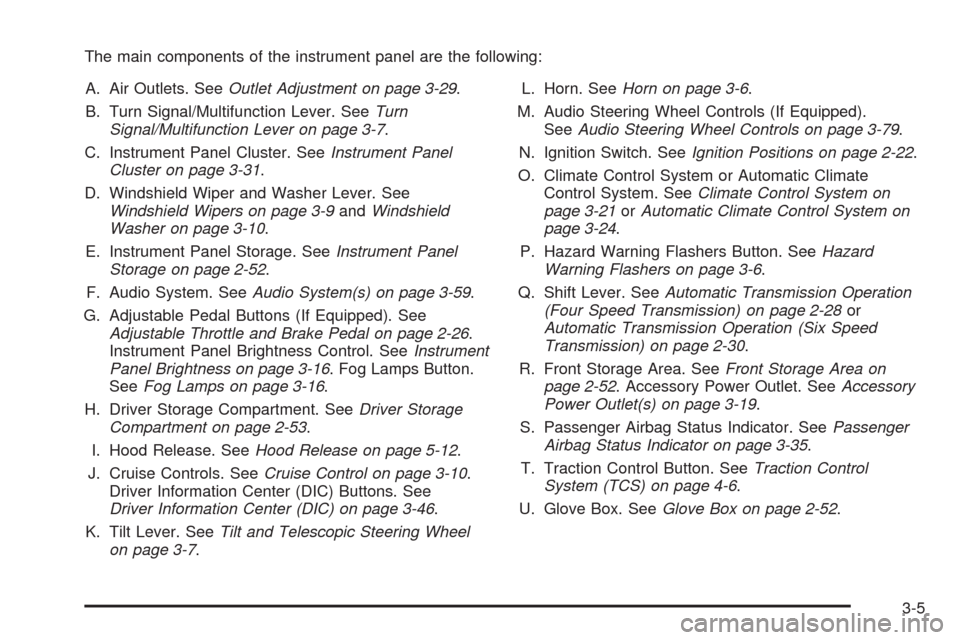
The main components of the instrument panel are the following:
A. Air Outlets. SeeOutlet Adjustment on page 3-29.
B. Turn Signal/Multifunction Lever. SeeTurn
Signal/Multifunction Lever on page 3-7.
C. Instrument Panel Cluster. SeeInstrument Panel
Cluster on page 3-31.
D. Windshield Wiper and Washer Lever. See
Windshield Wipers on page 3-9andWindshield
Washer on page 3-10.
E. Instrument Panel Storage. SeeInstrument Panel
Storage on page 2-52.
F. Audio System. SeeAudio System(s) on page 3-59.
G. Adjustable Pedal Buttons (If Equipped). See
Adjustable Throttle and Brake Pedal on page 2-26.
Instrument Panel Brightness Control. SeeInstrument
Panel Brightness on page 3-16. Fog Lamps Button.
SeeFog Lamps on page 3-16.
H. Driver Storage Compartment. SeeDriver Storage
Compartment on page 2-53.
I. Hood Release. SeeHood Release on page 5-12.
J. Cruise Controls. SeeCruise Control on page 3-10.
Driver Information Center (DIC) Buttons. See
Driver Information Center (DIC) on page 3-46.
K. Tilt Lever. SeeTilt and Telescopic Steering Wheel
on page 3-7.L. Horn. SeeHorn on page 3-6.
M. Audio Steering Wheel Controls (If Equipped).
SeeAudio Steering Wheel Controls on page 3-79.
N. Ignition Switch. SeeIgnition Positions on page 2-22.
O. Climate Control System or Automatic Climate
Control System. SeeClimate Control System on
page 3-21orAutomatic Climate Control System on
page 3-24.
P. Hazard Warning Flashers Button. SeeHazard
Warning Flashers on page 3-6.
Q. Shift Lever. SeeAutomatic Transmission Operation
(Four Speed Transmission) on page 2-28or
Automatic Transmission Operation (Six Speed
Transmission) on page 2-30.
R. Front Storage Area. SeeFront Storage Area on
page 2-52. Accessory Power Outlet. SeeAccessory
Power Outlet(s) on page 3-19.
S. Passenger Airbag Status Indicator. SeePassenger
Airbag Status Indicator on page 3-35.
T. Traction Control Button. SeeTraction Control
System (TCS) on page 4-6.
U. Glove Box. SeeGlove Box on page 2-52.
3-5
Page 143 of 412
Setting Cruise Control
{CAUTION:
If you leave your cruise control on when you
are not using cruise, you might hit a button
and go into cruise when you do not want to.
You could be startled and even lose control.
Keep the cruise control switch off until you
want to use cruise control.
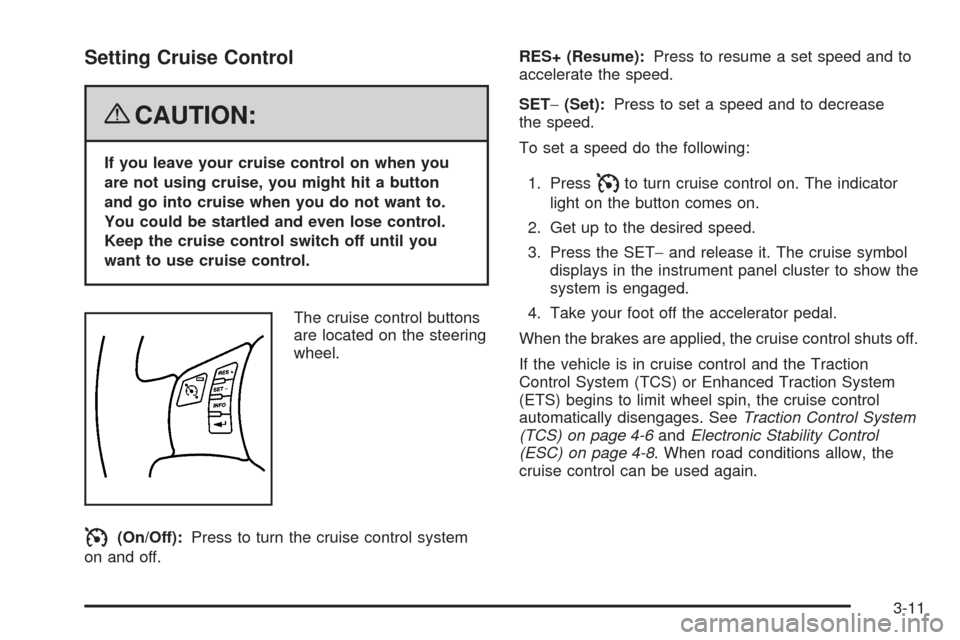
The cruise control buttons
are located on the steering
wheel.
I(On/Off):Press to turn the cruise control system
on and off.RES+ (Resume):Press to resume a set speed and to
accelerate the speed.
SET−(Set):Press to set a speed and to decrease
the speed.
To set a speed do the following:
1. Press
Ito turn cruise control on. The indicator
light on the button comes on.
2. Get up to the desired speed.
3. Press the SET−and release it. The cruise symbol
displays in the instrument panel cluster to show the
system is engaged.
4. Take your foot off the accelerator pedal.
When the brakes are applied, the cruise control shuts off.
If the vehicle is in cruise control and the Traction
Control System (TCS) or Enhanced Traction System
(ETS) begins to limit wheel spin, the cruise control
automatically disengages. SeeTraction Control System
(TCS) on page 4-6andElectronic Stability Control
(ESC) on page 4-8. When road conditions allow, the
cruise control can be used again.
3-11
Page 156 of 412
Rear Window Defogger
The rear window defogger uses a warming grid to
remove fog or frost from the rear window.
that the rear window defogger is activated. Be sure
to clear as much snow from the rear window as possible.
If driving below 50 mph (80 km/h), the rear window
defogger turns off about 15 minutes after the button is
pressed. If turned on again, the defogger only runs
for about seven minutes before turning off. The defogger
can also be turned off by pressing the button again or
by turning off the engine.
If your vehicle’s speed is maintained above 50 mph
(80 km/h), the rear window defogger remains on once
the button is pressed.
If your vehicle has heated outside mirrors, the surface
of the outside mirrors heat when the rear window
defogger is activated. SeeOutside Power Mirrors on
page 2-41.
Notice:Do not use anything sharp on the inside of
the rear window. If you do, you could cut or
damage the warming grid, and the repairs would not
be covered by the vehicle warranty. Do not attach
a temporary vehicle license, tape, a decal or
anything similar to the defogger grid.
Remote Start Climate Control Operation
If your vehicle has the remote start feature and it
is activated, the climate control system heats or cools
the inside of the vehicle using the modes that were
set before the vehicle was turned off. The climate control
knobs will remain active during a remote start.
However, the climate control buttons will be inactive
until the ignition is turned on by the key. If the fan is off,
the climate control system will not operate during
remote start. SeeRemote Keyless Entry (RKE) System
Operation on page 2-5.
Automatic Climate Control System
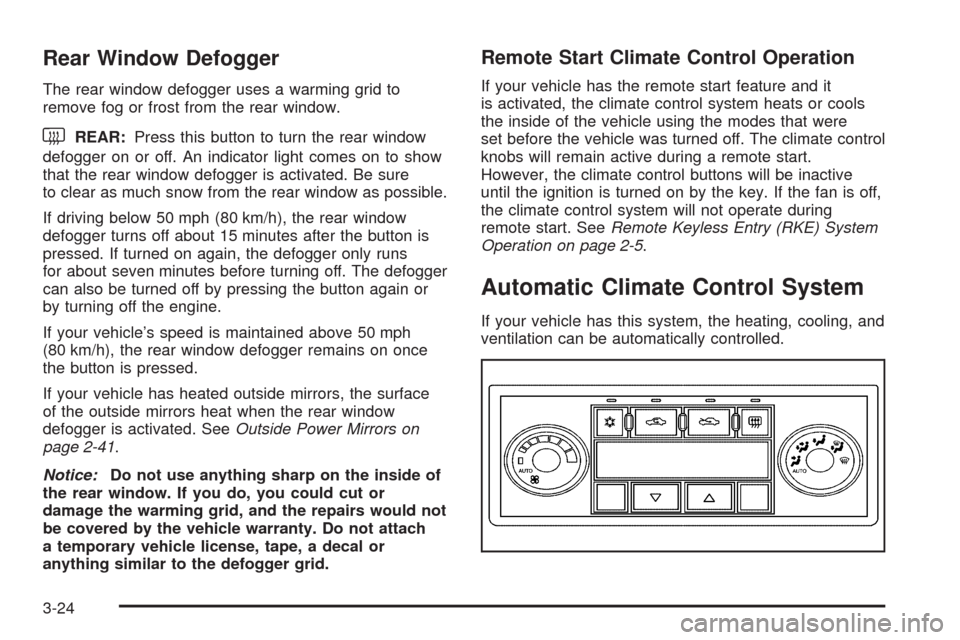
If your vehicle has this system, the heating, cooling, and
ventilation can be automatically controlled.
3-24
Page 157 of 412
Automatic Operation
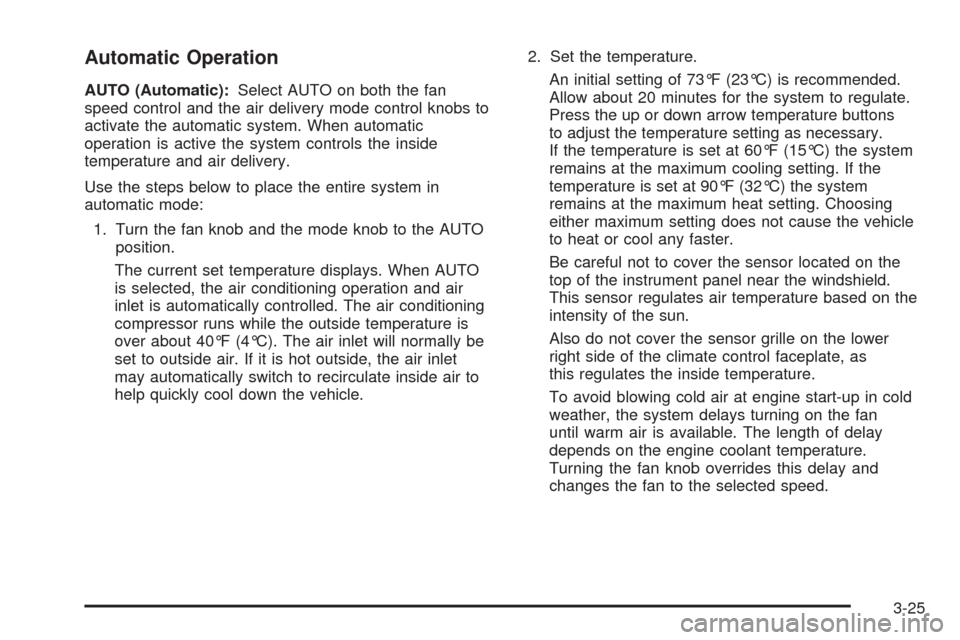
AUTO (Automatic):Select AUTO on both the fan
speed control and the air delivery mode control knobs to
activate the automatic system. When automatic
operation is active the system controls the inside
temperature and air delivery.
Use the steps below to place the entire system in
automatic mode:
1. Turn the fan knob and the mode knob to the AUTO
position.
The current set temperature displays. When AUTO
is selected, the air conditioning operation and air
inlet is automatically controlled. The air conditioning
compressor runs while the outside temperature is
over about 40°F (4°C). The air inlet will normally be
set to outside air. If it is hot outside, the air inlet
may automatically switch to recirculate inside air to
help quickly cool down the vehicle.2. Set the temperature.
An initial setting of 73°F (23°C) is recommended.
Allow about 20 minutes for the system to regulate.
Press the up or down arrow temperature buttons
to adjust the temperature setting as necessary.
If the temperature is set at 60°F (15°C) the system
remains at the maximum cooling setting. If the
temperature is set at 90°F (32°C) the system
remains at the maximum heat setting. Choosing
either maximum setting does not cause the vehicle
to heat or cool any faster.
Be careful not to cover the sensor located on the
top of the instrument panel near the windshield.
This sensor regulates air temperature based on the
intensity of the sun.
Also do not cover the sensor grille on the lower
right side of the climate control faceplate, as
this regulates the inside temperature.
To avoid blowing cold air at engine start-up in cold
weather, the system delays turning on the fan
until warm air is available. The length of delay
depends on the engine coolant temperature.
Turning the fan knob overrides this delay and
changes the fan to the selected speed.
3-25
Page 158 of 412
Manual Operation
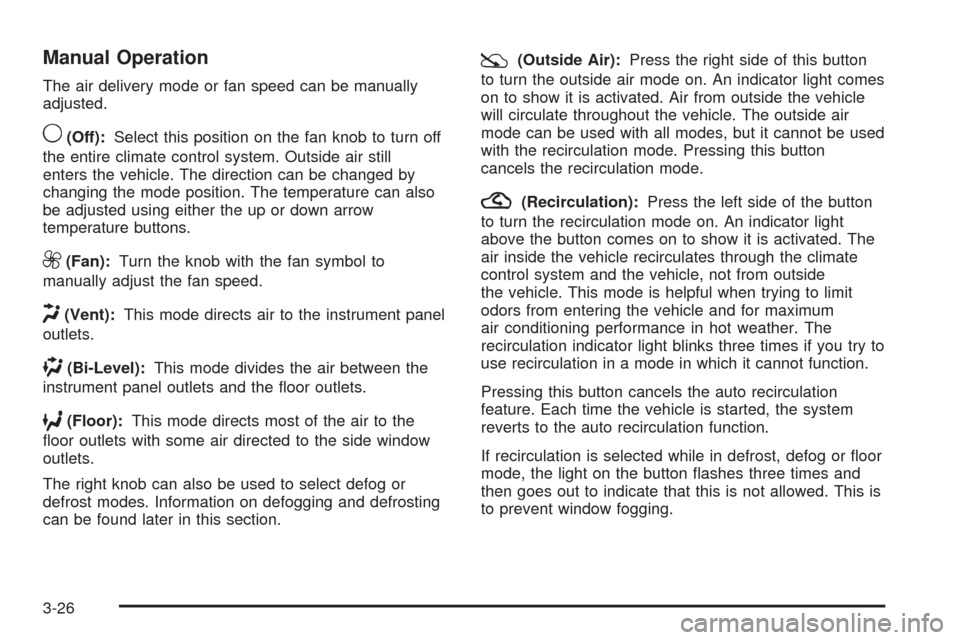
The air delivery mode or fan speed can be manually
adjusted.
9(Off):Select this position on the fan knob to turn off
the entire climate control system. Outside air still
enters the vehicle. The direction can be changed by
changing the mode position. The temperature can also
be adjusted using either the up or down arrow
temperature buttons.
9(Fan):Turn the knob with the fan symbol to
manually adjust the fan speed.
H(Vent):This mode directs air to the instrument panel
outlets.
)(Bi-Level):This mode divides the air between the
instrument panel outlets and the oor outlets.
6(Floor):This mode directs most of the air to the
oor outlets with some air directed to the side window
outlets.
The right knob can also be used to select defog or
defrost modes. Information on defogging and defrosting
can be found later in this section.
:(Outside Air):Press the right side of this button
to turn the outside air mode on. An indicator light comes
on to show it is activated. Air from outside the vehicle
will circulate throughout the vehicle. The outside air
mode can be used with all modes, but it cannot be used
with the recirculation mode. Pressing this button
cancels the recirculation mode.
?(Recirculation):Press the left side of the button
to turn the recirculation mode on. An indicator light
above the button comes on to show it is activated. The
air inside the vehicle recirculates through the climate
control system and the vehicle, not from outside
the vehicle. This mode is helpful when trying to limit
odors from entering the vehicle and for maximum
air conditioning performance in hot weather. The
recirculation indicator light blinks three times if you try to
use recirculation in a mode in which it cannot function.
Pressing this button cancels the auto recirculation
feature. Each time the vehicle is started, the system
reverts to the auto recirculation function.
If recirculation is selected while in defrost, defog or oor
mode, the light on the button ashes three times and
then goes out to indicate that this is not allowed. This is
to prevent window fogging.
3-26
Page 159 of 412
When the weather is cool or damp, operating the
system in recirculation for extended periods of time can
cause fogging of the vehicle’s windows. To clear the
fog, select either defog or defrost. Make sure the
air conditioning is on. Allow the air conditioning to run
automatically to help dehumidify the air.
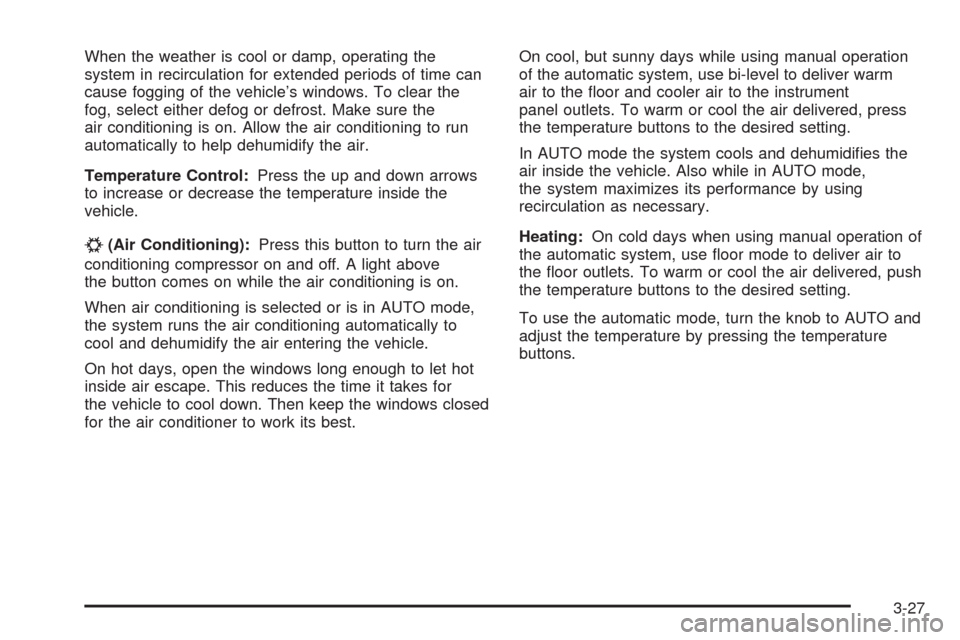
Temperature Control:Press the up and down arrows
to increase or decrease the temperature inside the
vehicle.
#(Air Conditioning):Press this button to turn the air
conditioning compressor on and off. A light above
the button comes on while the air conditioning is on.
When air conditioning is selected or is in AUTO mode,
the system runs the air conditioning automatically to
cool and dehumidify the air entering the vehicle.
On hot days, open the windows long enough to let hot
inside air escape. This reduces the time it takes for
the vehicle to cool down. Then keep the windows closed
for the air conditioner to work its best.On cool, but sunny days while using manual operation
of the automatic system, use bi-level to deliver warm
air to the oor and cooler air to the instrument
panel outlets. To warm or cool the air delivered, press
the temperature buttons to the desired setting.
In AUTO mode the system cools and dehumidies the
air inside the vehicle. Also while in AUTO mode,
the system maximizes its performance by using
recirculation as necessary.
Heating:On cold days when using manual operation of
the automatic system, use oor mode to deliver air to
the oor outlets. To warm or cool the air delivered, push
the temperature buttons to the desired setting.
To use the automatic mode, turn the knob to AUTO and
adjust the temperature by pressing the temperature
buttons.
3-27
Page 161 of 412
Remote Start Climate Control Operation
If the vehicle has remote start and it is activated,
the climate control system heats and cools the inside of
the vehicle using the previous system settings before
the vehicle was turned off. The climate control knobs will
remain active during a remote start. However, the
climate control buttons will be inactive until the ignition
is turned on by the key. If the fan is off, the climate
control system will not operate during remote start.
With the automatic climate control system, the climate
control displays “RS” in place of the temperature to
indicate that remote start is activated. For best
performance, turn both the fan and mode knobs to
AUTO. If the temperature is cold enough and the mode
knob is set to AUTO, the system begins in defrost to
clear the windows. SeeRemote Keyless Entry
(RKE) System Operation on page 2-5.
Outlet Adjustment
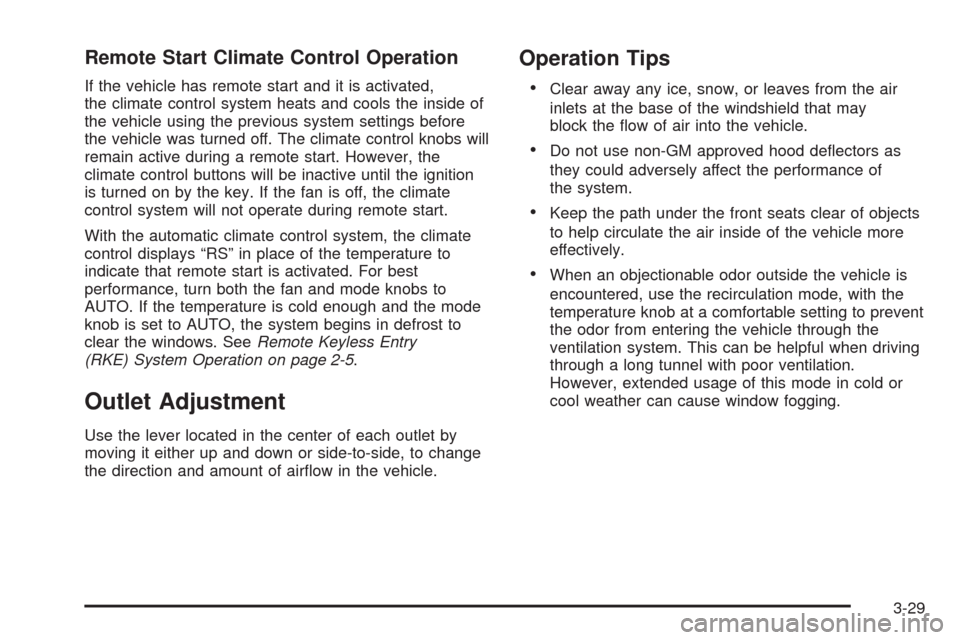
Use the lever located in the center of each outlet by
moving it either up and down or side-to-side, to change
the direction and amount of airow in the vehicle.
Operation Tips
Clear away any ice, snow, or leaves from the air
inlets at the base of the windshield that may
block the ow of air into the vehicle.
Do not use non-GM approved hood deectors as
they could adversely affect the performance of
the system.
Keep the path under the front seats clear of objects
to help circulate the air inside of the vehicle more
effectively.
When an objectionable odor outside the vehicle is
encountered, use the recirculation mode, with the
temperature knob at a comfortable setting to prevent
the odor from entering the vehicle through the
ventilation system. This can be helpful when driving
through a long tunnel with poor ventilation.
However, extended usage of this mode in cold or
cool weather can cause window fogging.
3-29
Page 178 of 412
Driver Information Center (DIC)
Your vehicle has a Driver Information Center (DIC).
The DIC display gives you the status of many of your
vehicle’s systems. The DIC is also used to display driver
personalization menu modes and warning/status
messages. All messages will appear in the DIC display,
located at the bottom of the instrument panel cluster.
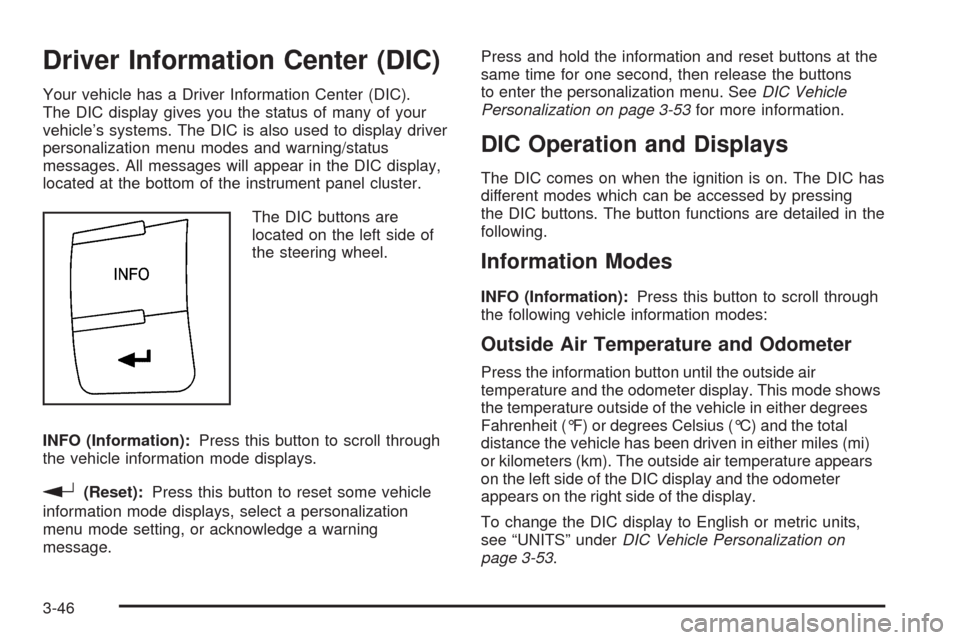
The DIC buttons are
located on the left side of
the steering wheel.
INFO (Information):Press this button to scroll through
the vehicle information mode displays.
r(Reset):Press this button to reset some vehicle
information mode displays, select a personalization
menu mode setting, or acknowledge a warning
message.Press and hold the information and reset buttons at the
same time for one second, then release the buttons
to enter the personalization menu. SeeDIC Vehicle
Personalization on page 3-53for more information.
DIC Operation and Displays
The DIC comes on when the ignition is on. The DIC has
different modes which can be accessed by pressing
the DIC buttons. The button functions are detailed in the
following.
Information Modes
INFO (Information):Press this button to scroll through
the following vehicle information modes:
Outside Air Temperature and Odometer
Press the information button until the outside air
temperature and the odometer display. This mode shows
the temperature outside of the vehicle in either degrees
Fahrenheit (°F) or degrees Celsius (°C) and the total
distance the vehicle has been driven in either miles (mi)
or kilometers (km). The outside air temperature appears
on the left side of the DIC display and the odometer
appears on the right side of the display.
To change the DIC display to English or metric units,
see “UNITS” underDIC Vehicle Personalization on
page 3-53.
3-46