2008 CHEVROLET IMPALA power steering
[x] Cancel search: power steeringPage 100 of 400
Active Fuel Management™
(3.9L V6 and 5.3L V8 Engines)
Your vehicle’s engine may be equipped with Active Fuel
Management™. This system allows the engine to
operate on either all or half of its cylinders, depending
on your driving conditions.
When less power is required, such as cruising at a
constant vehicle speed, the system will operate in the
half cylinder mode, allowing your vehicle to achieve
better fuel economy. When greater power demands are
required, such as accelerating from a stop, passing,
or merging onto a freeway, the system will maintain
full-cylinder operation.
Automatic Transmission Operation
Your automatic transmission has a shift lever on the
steering column or on the console between the seats.
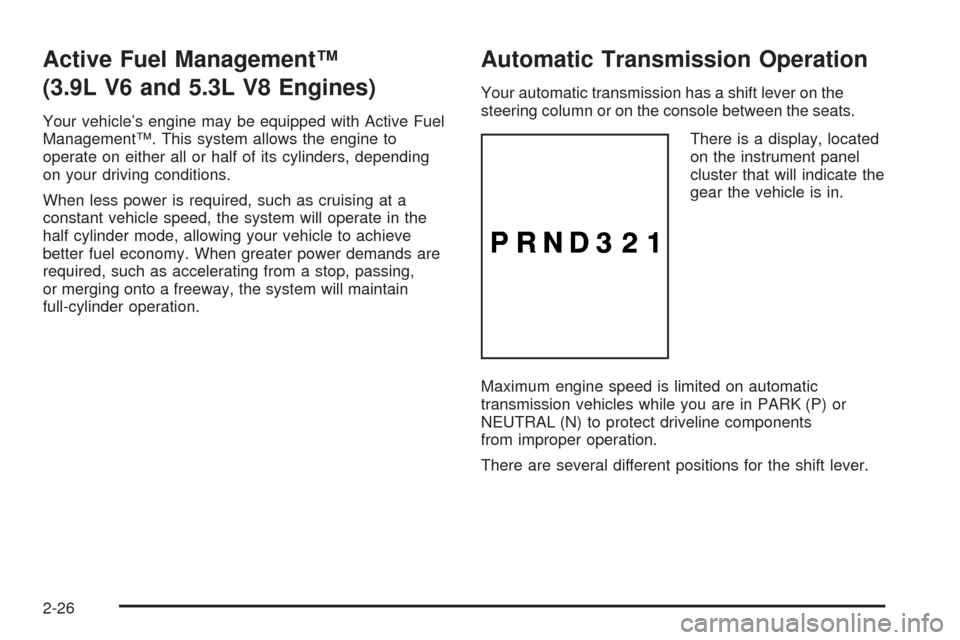
There is a display, located
on the instrument panel
cluster that will indicate the
gear the vehicle is in.
Maximum engine speed is limited on automatic
transmission vehicles while you are in PARK (P) or
NEUTRAL (N) to protect driveline components
from improper operation.
There are several different positions for the shift lever.
2-26
Page 129 of 400

The main components of your instrument panel are listed here:
A. Air Vent. SeeOutlet Adjustment on page 3-25.
B. Remote Trunk Release Button. See “Remote Trunk
Release” underTrunk on page 2-13.
C. Multifunction Lever. SeeTurn Signal/Multifunction
Lever on page 3-7.
D. Instrument Panel Cluster. SeeInstrument Panel
Cluster on page 3-28.
E. Hazard Warning Flasher Button. SeeHazard
Warning Flashers on page 3-6.
F. Driver Information Center. SeeDriver Information
Center (DIC) on page 3-44.
G. Passenger Air Bag status Indicator. SeePassenger
Airbag Status Indicator on page 3-32.
H. Audio System. SeeAudio System(s) on page 3-66.
I. Exterior Lamps Control. SeeExterior Lamps on
page 3-14.
J. Instrument Panel Brightness. SeeInstrument Panel
Brightness on page 3-17.
K. Traction Control On/Off Button (If Equipped).
SeeTraction Control System (TCS) on page 4-6.L. Tilt Steering Wheel Lever. SeeTilt Wheel on
page 3-6.
M. Steering Wheel Cruise Control. SeeCruise Control
on page 3-10.
N. Hood Release. SeeHood Release on page 5-13.
O. Horn. SeeHorn on page 3-6.
P. Audio Steering Wheel Controls (If Equipped).
SeeAudio Steering Wheel Controls on page 3-86.
Q. Ignition Switch. SeeIgnition Positions on page 2-22.
R. Climate Controls. SeeClimate Control System on
page 3-22.
S. Accessory Power Outlets. SeeAccessory Power
Outlet(s) on page 3-20.
T. Center Console Shift Lever (If Equipped). See
“Console Shift Lever” underShifting Into PARK (P)
on page 2-30.
U. Glove Box. SeeGlove Box on page 2-48.
3-5
Page 180 of 400
SERVICE A/C (Air Conditioning)
SYSTEM
This message displays when the electronic sensors that
control the air conditioning and heating systems are
no longer working. Have the climate control system
serviced by your dealer/retailer if you notice a drop in
heating and air conditioning efficiency.
SERVICE AIR BAG
This message displays when there is a problem with the
airbag system. Have your vehicle serviced by your
dealer/retailer immediately. SeeAirbag Readiness Light
on page 3-31for more information.
SERVICE BATTERY CHARGING
SYSTEM
This message displays when there is a problem with the
generator and battery charging systems. Driving with
this problem could drain the battery. Turn off all
unnecessary accessories. Stop and turn off the vehicle
as soon as it is safe to do so. Have the electrical
system checked by your dealer/retailer immediately.
SERVICE BRAKE SYSTEM
This message displays when service is required on the
brake system. Have the brake system serviced by
your dealer/retailer as soon as possible. The brake
system warning light also appears on the instrument
panel cluster when this message appears on the DIC.
SeeBrake System Warning Light on page 3-34.
SERVICE POWER STEERING
This message displays when a problem is detected with
the power steering system. When this message is
displayed, you may notice that the effort required to
steer the vehicle increases or feels heavier, but you will
still be able to steer the vehicle. Have your vehicle
serviced by your dealer/retailer immediately.
SERVICE STABILITRAK
If your vehicle has Electronic Stability Control (ESC),
this message displays if there has been a problem
detected with ESC. The ESC/TCS light also appears on
the instrument panel cluster. SeeElectronic Stability
Control on page 4-7for more information.
If this message turns on while you are driving, pull off the
road as soon as possible and stop carefully. Try resetting
the system by turning the ignition off and then back on.
3-56
Page 190 of 400

Audio System(s)
Determine which radio your vehicle has and then read the
pages following to familiarize yourself with its features.
{CAUTION:
This system provides you with far greater
access to audio stations and song listings.
Giving extended attention to entertainment
tasks while driving can cause a crash and you
or others can be injured or killed. Always keep
your eyes on the road and your mind on the
drive — avoid engaging in extended searching
while driving.
Keeping your mind on the drive is important for safe
driving. SeeDefensive Driving on page 4-2. Here are
some ways in which you can help avoid distraction
while driving.While your vehicle is parked:
Familiarize yourself with all of its controls.
Familiarize yourself with its operation.
Set up your audio system by presetting your
favorite radio stations, setting the tone, and
adjusting the speakers. Then, when driving
conditions permit, you can tune to your favorite
radio stations using the presets and steering wheel
controls if the vehicle has them.
Notice:Before adding any sound equipment to
your vehicle, such as an audio system, CD player,
CB radio, mobile telephone, or two-way radio, make
sure that it can be added by checking with your
dealer/retailer. Also, check federal rules covering
mobile radio and telephone units. If sound
equipment can be added, it is very important to do
it properly. Added sound equipment may interfere
with the operation of your vehicle’s engine,
radio, or other systems, and even damage them.
Your vehicle’s systems may interfere with the
operation of sound equipment that has been added.
Your vehicle has a feature called Retained Accessory
Power (RAP). With RAP, the audio system can be
played even after the ignition is turned off. SeeRetained
Accessory Power (RAP) on page 2-23for more
information.
3-66
Page 221 of 400
requires service. If the problem does not clear after
restarting the vehicle, you should see your dealer/retailer
for service. SeeDIC Warnings and Messages on
page 3-52for more information.
Adding non-dealer/non-retailer accessories can affect
your vehicle’s performance. SeeAccessories and
Modifications on page 5-3for more information.
Steering
Power Steering
If you lose power steering assist because the engine
stops or the system is not functioning, you can steer
but it will take much more effort.
Steering Tips
It is important to take curves at a reasonable speed.
A lot of the “driver lost control” accidents mentioned on
the news happen on curves. Here is why:
Experienced driver or beginner, each of us is subject to
the same laws of physics when driving on curves.
The traction of the tires against the road surface makes
it possible for the vehicle to change its path when
you turn the front wheels. If there is no traction, inertia
will keep the vehicle going in the same direction.
If you have ever tried to steer a vehicle on wet ice,
you will understand this.The traction you can get in a curve depends on the
condition of the tires and the road surface, the angle at
which the curve is banked, and your speed. While you
are in a curve, speed is the one factor you can control.
Suppose you are steering through a sharp curve.
Then you suddenly apply the brakes. Both control
systems — steering and braking — have to do their work
where the tires meet the road. Unless you have
antilock brakes, adding the hard braking can demand
too much of those places. You can lose control.
The same thing can happen if you are steering through
a sharp curve and you suddenly accelerate. Those
two control systems — steering and acceleration — can
overwhelm those places where the tires meet the road
and make you lose control.
What should you do if this ever happens? Ease up on
the brake or accelerator pedal, steer the vehicle the way
you want it to go, and slow down.
Speed limit signs near curves warn that you should
adjust your speed. Of course, the posted speeds
are based on good weather and road conditions.
Under less favorable conditions you will want to
go slower.
If you need to reduce your speed as you approach a
curve, do it before you enter the curve, while the
front wheels are straight ahead.
4-9
Page 247 of 400

Service............................................................5-3
Accessories and Modications..........................5-3
California Proposition 65 Warning.....................5-4
California Perchlorate Materials Requirements.....5-4
Doing Your Own Service Work.........................5-4
Adding Equipment to the Outside of
Your Vehicle..............................................5-5
Fuel................................................................5-5
Gasoline Octane............................................5-6
Gasoline Specications....................................5-6
California Fuel...............................................5-6
Additives.......................................................5-7
Fuel E85 (85% Ethanol)..................................5-8
Fuels in Foreign Countries...............................5-9
Filling the Tank............................................5-10
Filling a Portable Fuel Container.....................5-12
Checking Things Under the Hood....................5-12
Hood Release..............................................5-13
Engine Compartment Overview.......................5-14
Engine Oil...................................................5-17
Engine Oil Life System..................................5-20
Engine Air Cleaner/Filter................................5-22
Automatic Transmission Fluid.........................5-24
Engine Coolant.............................................5-26
Pressure Cap...............................................5-29Engine Overheating.......................................5-29
Overheated Engine Protection
Operating Mode........................................5-31
Cooling System............................................5-32
Power Steering Fluid.....................................5-37
Windshield Washer Fluid................................5-38
Brakes........................................................5-39
Battery........................................................5-42
Jump Starting...............................................5-43
Headlamp Aiming...........................................5-47
Bulb Replacement..........................................5-47
Halogen Bulbs..............................................5-47
Headlamps, Front Turn Signal, Sidemarker,
and Parking Lamps....................................5-48
Taillamps, Turn Signal, Sidemarker,
Stoplamps and Back-up Lamps...................5-50
License Plate Lamp......................................5-51
Replacement Bulbs.......................................5-52
Windshield Wiper Blade Replacement..............5-52
Tires..............................................................5-54
Tire Sidewall Labeling...................................5-55
Tire Terminology and Denitions.....................5-58
Ination - Tire Pressure.................................5-61
Tire Pressure Monitor System.........................5-63
Tire Pressure Monitor Operation.....................5-64
Section 5 Service and Appearance Care
5-1
Page 261 of 400

A. Windshield Washer Fluid Reservoir. See “Adding
Washer Fluid” underWindshield Washer Fluid
on page 5-38.
B. Battery. SeeBattery on page 5-42.
C. Underhood Fuse Block. SeeUnderhood Fuse Block
on page 5-100.
D. Remote Positive (+) Terminal. SeeJump Starting on
page 5-43.
E. Coolant Recovery Tank. See “Checking Coolant”
underCooling System on page 5-32.
F. Pressure Cap. SeePressure Cap on page 5-29.
G. Power Steering Fluid Cap. SeePower Steering Fluid
on page 5-37.H. Engine Oil Fill Cap. See “When to Add Engine Oil”
underEngine Oil on page 5-17.
I. Engine Oil Dipstick. See “Checking Engine Oil”
underEngine Oil on page 5-17.
J. Automatic Transmission Fluid Dipstick (Out of View).
See “Checking the Fluid Level” underAutomatic
Transmission Fluid on page 5-24.
K. Brake Master Cylinder Reservoir. See “Brake Fluid”
underBrakes on page 5-39.
L. Engine Air Cleaner/Filter. SeeEngine Air
Cleaner/Filter on page 5-22.
5-15
Page 263 of 400

A. Windshield Washer Fluid Reservoir. See “Adding
Washer Fluid” underWindshield Washer Fluid
on page 5-38.
B. Battery. SeeBattery on page 5-42.
C. Underhood Fuse Block. SeeUnderhood Fuse Block
on page 5-100.
D. Remote Positive (+) Terminal. SeeJump Starting on
page 5-43.
E. Pressure Cap. SeePressure Cap on page 5-29.
F. Power Steering Fluid Cap. SeePower Steering Fluid
on page 5-37.
G. Engine Oil Dipstick. See “Checking Engine Oil”
underEngine Oil on page 5-17.
H. Engine Oil Fill Cap. See “When to Add Engine Oil”
underEngine Oil on page 5-17.
I. Automatic Transmission Fluid Dipstick. See
“Checking the Fluid Level” underAutomatic
Transmission Fluid on page 5-24.
J. Brake Master Cylinder Reservoir. See “Brake Fluid”
underBrakes on page 5-39.
K. Engine Air Cleaner/Filter. SeeEngine Air
Cleaner/Filter on page 5-22.
L. Coolant Recovery Tank. See “Checking Coolant”
underCooling System on page 5-32.Engine Oil
Checking Engine Oil
It is a good idea to check the engine oil every time you
get fuel. In order to get an accurate reading, the oil
must be warm and the vehicle must be on level ground.
The engine oil dipstick handle is a yellow loop.
SeeEngine Compartment Overview on page 5-14for
the location of the engine oil dipstick.
1. Turn off the engine and give the oil several minutes
to drain back into the oil pan. If you do not do this,
the oil dipstick might not show the actual level.
2. Pull out the dipstick and clean it with a paper towel
or cloth, then push it back in all the way. Remove it
again, keeping the tip down, and check the level.
5-17