2008 CHEVROLET IMPALA fuel
[x] Cancel search: fuelPage 1 of 400

Seats and Restraint Systems........................... 1-1
Front Seats
............................................... 1-2
Rear Seats
............................................... 1-8
Safety Belts
.............................................1-10
Child Restraints
.......................................1-31
Airbag System
.........................................1-54
Restraint System Check
............................1-68
Features and Controls..................................... 2-1
Keys
........................................................ 2-3
Doors and Locks
......................................2-10
Windows
.................................................2-15
Theft-Deterrent Systems
............................2-18
Starting and Operating Your Vehicle
...........2-21
Mirrors
....................................................2-35
OnStar
®System
......................................2-38
Universal Home Remote System
..................2-41
Storage Areas
.........................................2-48
Sunroof
..................................................2-49
Instrument Panel............................................. 3-1
Instrument Panel Overview
.......................... 3-4
Climate Controls
......................................3-22
Warning Lights, Gages, and Indicators
........3-27
Driver Information Center (DIC)
..................3-44
Audio System(s)
.......................................3-66Driving Your Vehicle....................................... 4-1
Your Driving, the Road, and Your Vehicle
..... 4-2
Towing
...................................................4-26
Service and Appearance Care.......................... 5-1
Service
..................................................... 5-3
Fuel
......................................................... 5-5
Checking Things Under the Hood
...............5-12
Headlamp Aiming
.....................................5-47
Bulb Replacement
....................................5-47
Windshield Wiper Blade Replacement
.........5-52
Tires
......................................................5-54
Appearance Care
.....................................5-90
Vehicle Identication
.................................5-98
Electrical System
......................................5-98
Capacities and Specications
...................5-103
Maintenance Schedule..................................... 6-1
Maintenance Schedule
................................ 6-2
Customer Assistance Information.................... 7-1
Customer Assistance and Information
........... 7-2
Reporting Safety Defects
...........................7-14
Vehicle Data Recording and Privacy
...........7-16
Index.................................................................1
2008 Chevrolet Impala Owner ManualM
Page 75 of 400

Keys...............................................................2-3
Remote Keyless Entry (RKE) System................2-4
Remote Keyless Entry (RKE) System
Operation...................................................2-5
Remote Vehicle Start......................................2-8
Doors and Locks............................................2-10
Door Locks..................................................2-10
Power Door Locks........................................2-11
Delayed Locking...........................................2-11
Automatic Door Lock.....................................2-12
Programmable Automatic Door Unlock.............2-12
Rear Door Security Locks..............................2-12
Lockout Protection........................................2-13
Trunk..........................................................2-13
Windows........................................................2-15
Power Windows............................................2-16
Sun Visors...................................................2-17Theft-Deterrent Systems..................................2-18
Content Theft-Deterrent.................................2-18
PASS-Key
®III+............................................2-19
PASS-Key®III+ Operation..............................2-20
Starting and Operating Your Vehicle................2-21
New Vehicle Break-In....................................2-21
Ignition Positions..........................................2-22
Retained Accessory Power (RAP)...................2-23
Starting the Engine.......................................2-23
Engine Coolant Heater..................................2-25
Active Fuel Management™
(3.9L V6 and 5.3L V8 Engines)...................2-26
Automatic Transmission Operation...................2-26
Parking Brake..............................................2-30
Shifting Into PARK (P)...................................2-30
Shifting Out of PARK (P)...............................2-32
Parking Over Things That Burn.......................2-33
Engine Exhaust............................................2-34
Running the Engine While Parked...................2-34
Section 2 Features and Controls
2-1
Page 82 of 400

Remote Vehicle Start
Your vehicle may have a remote starting feature that
allows you to start the engine from outside the vehicle.
It may also start the vehicle’s heating or air conditioning
systems and rear window defogger. When the remote
start system is active and the vehicle has an automatic
climate control system, it will automatically regulate the
inside temperature. Normal operation of these systems
will return after the ignition key is turned to ON/RUN.
Laws in some communities may restrict the use of
remote starters. For example, some laws may require a
person using remote start to have the vehicle in view
when doing so. Check local regulations for any
requirements on remote starting of vehicles.
Do not use the remote start feature if your vehicle is low
on fuel. Your vehicle may run out of fuel.
Your Remote Keyless Entry (RKE) transmitter with the
remote start button provides an increased range of
operation. However, the range may be less while the
vehicle is running. As a result, you may need to
be closer to your vehicle to turn it off, than you were
to turn it on.
There are other conditions which can affect the
performance of the transmitter, seeRemote Keyless
Entry (RKE) System on page 2-4.
/(Remote Start):This button will be on the RKE
transmitter if you have remote start.
To start the vehicle using the remote start feature:
1. Aim the transmitter at the vehicle.
2. Press and release the transmitter’s lock button,
then immediately press and hold the transmitter’s
remote start button for about four seconds or
until the vehicle’s turn signal lamps ash.
The doors will lock.
When the vehicle starts, the parking lamps turn on
and remain on while the engine is running.
The remote start feature provides two separate starts
per ignition cycle, each with 10 minutes of engine
running time, or one start with a time extension. The rst
start must expire or be canceled to get two separate
10 minute starts.
If it is the rst remote start since the vehicle has been
driven, repeat the previous steps, while the engine is
still running, to extend the engine running time by
10 minutes from the time you repeat the steps for
remote starting. The remote start running time can be
extended one time and only after the rst remote start.
After entering the vehicle during a remote start,
insert and turn the key to ON/RUN to drive the vehicle.
2-8
Page 99 of 400

Engine Coolant Heater
Your vehicle may have this feature. In very cold
weather, 0°F (−18°C) or colder, the engine coolant
heater can help. You will get easier starting and better
fuel economy during engine warm-up. Usually, the
coolant heater should be plugged in a minimum of four
hours prior to starting your vehicle. At temperatures
above 32°F (0°C), use of the coolant heater is not
required.
To Use the Engine Coolant Heater
1. Turn off the engine.
2. Open the hood and unwrap the electrical cord.
The cord is attached to the underside of the
diagonal brace, which is located above the engine
air cleaner/lter assembly.
3. Plug it into a normal, grounded 110-volt AC outlet.
{CAUTION:
Plugging the cord into an ungrounded outlet
could cause an electrical shock. Also, the
wrong kind of extension cord could overheat
and cause a re. You could be seriously
injured. Plug the cord into a properly grounded
three-prong 110-volt AC outlet. If the cord will
not reach, use a heavy-duty three-prong
extension cord rated for at least 15 amps.
4. Before starting the engine, be sure to unplug and
store the cord as it was before to keep it away
from moving engine parts. If you do not, it could be
damaged.
How long should you keep the coolant heater plugged
in? The answer depends on the outside temperature, the
kind of oil you have, and some other things. Instead
of trying to list everything here, we ask that you contact
your dealer/retailer in the area where you will be
parking your vehicle. The dealer/retailer can give you
the best advice for that particular area.
2-25
Page 100 of 400
Active Fuel Management™
(3.9L V6 and 5.3L V8 Engines)
Your vehicle’s engine may be equipped with Active Fuel
Management™. This system allows the engine to
operate on either all or half of its cylinders, depending
on your driving conditions.
When less power is required, such as cruising at a
constant vehicle speed, the system will operate in the
half cylinder mode, allowing your vehicle to achieve
better fuel economy. When greater power demands are
required, such as accelerating from a stop, passing,
or merging onto a freeway, the system will maintain
full-cylinder operation.
Automatic Transmission Operation
Your automatic transmission has a shift lever on the
steering column or on the console between the seats.
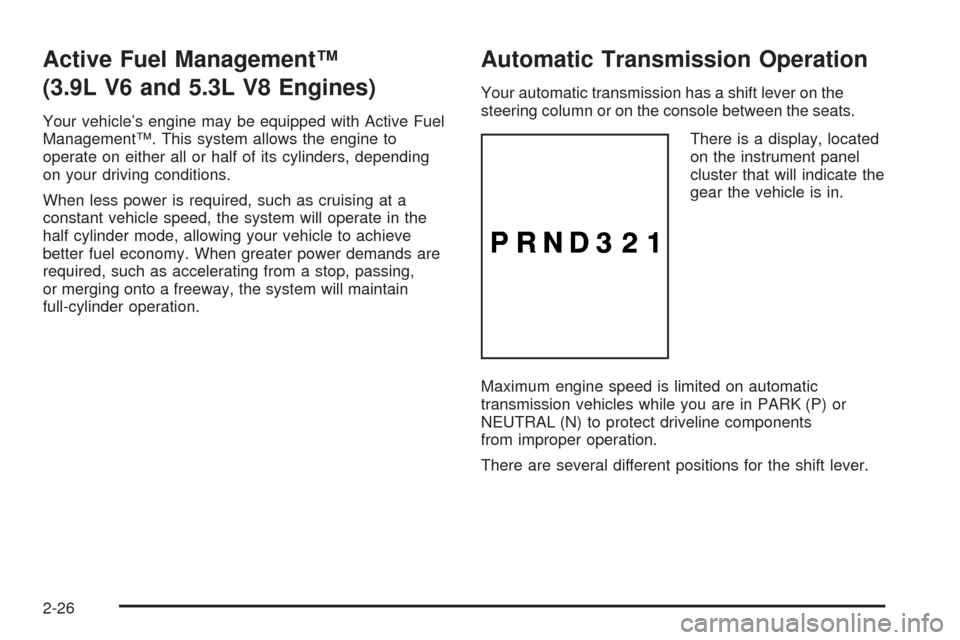
There is a display, located
on the instrument panel
cluster that will indicate the
gear the vehicle is in.
Maximum engine speed is limited on automatic
transmission vehicles while you are in PARK (P) or
NEUTRAL (N) to protect driveline components
from improper operation.
There are several different positions for the shift lever.
2-26
Page 102 of 400

NEUTRAL (N):In this position, your engine does not
connect with the wheels. To restart when you are
already moving, use NEUTRAL (N) only. Also, use
NEUTRAL (N) when your vehicle is being towed.
{CAUTION:
Shifting into a drive gear while the engine is
running at high speed is dangerous. Unless
your foot is rmly on the brake pedal, your
vehicle could move very rapidly. You could
lose control and hit people or objects. Do not
shift into a drive gear while your engine is
running at high speed.
Notice:Shifting out of PARK (P) or NEUTRAL (N)
with the engine running at high speed may damage
the transmission. The repairs would not be covered
by your warranty. Be sure the engine is not running
at high speed when shifting your vehicle.DRIVE (D):This position is for normal driving.
It provides the best fuel economy for your vehicle.
If you need more power for passing, and you are:
Going less than 35 mph (55 km/h), push the
accelerator pedal about halfway down.
Going about 35 mph (55 km/h) or more, push the
accelerator pedal all the way down.
You will shift down to the next gear and have
more power.
Downshifting the transmission in slippery road conditions
could result in skidding, see “Skidding” underLoss of
Control on page 4-12.
Notice:Driving your vehicle if you notice that it is
moving slowly or not shifting gears as you increase
speed may damage the transmission. Have your
vehicle serviced right away. You can drive in
SECOND (2) when you are driving less than 35 mph
(55 km/h) and DRIVE (D) for higher speeds until then.
2-28
Page 126 of 400

Brake System Warning Light..........................3-34
Antilock Brake System Warning Light...............3-35
Traction Control System (TCS) Warning Light......3-36
Electronic Stability Control Indicator Light.........3-36
Engine Coolant Temperature Warning Light......3-37
Engine Coolant Temperature Gage..................3-38
Tire Pressure Light.......................................3-38
Malfunction Indicator Lamp.............................3-39
Oil Pressure Light.........................................3-42
Security Light...............................................3-42
Fog Lamp Light............................................3-42
Cruise Control Light......................................3-43
Highbeam On Light.......................................3-43
Fuel Gage...................................................3-43Driver Information Center (DIC).......................3-44
DIC Operation and Displays...........................3-44
DIC Compass..............................................3-49
DIC Warnings and Messages.........................3-52
DIC Vehicle Customization.............................3-60
Audio System(s).............................................3-66
Setting the Time...........................................3-67
Radio(s)......................................................3-69
Using an MP3..............................................3-80
XM Radio Messages.....................................3-84
Theft-Deterrent Feature..................................3-85
Audio Steering Wheel Controls.......................3-86
Radio Reception...........................................3-87
Backglass Antenna.......................................3-88
XM™ Satellite Radio Antenna System.............3-88
Section 3 Instrument Panel
3-2
Page 152 of 400
Instrument Panel Cluster
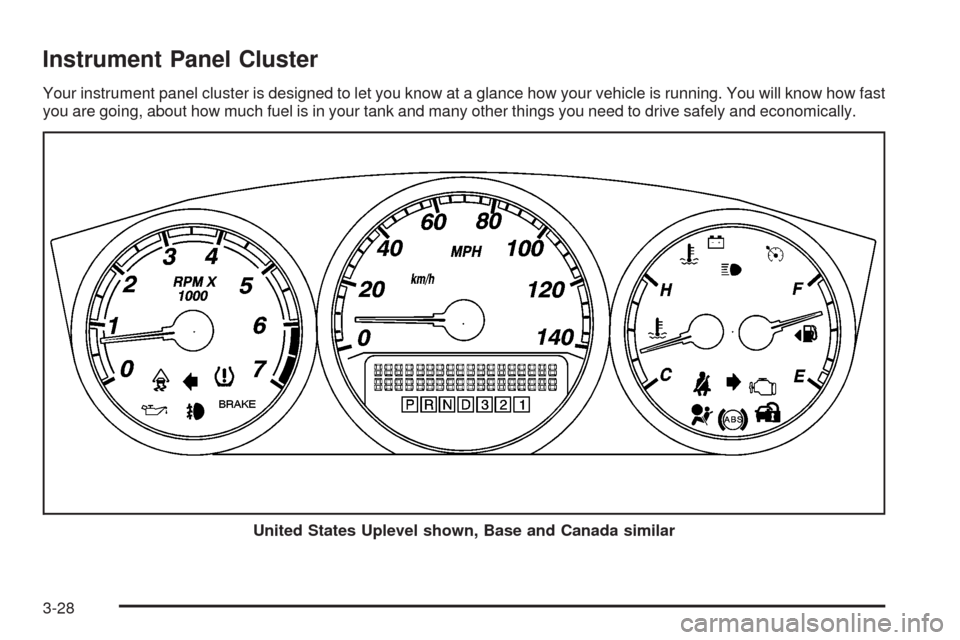
Your instrument panel cluster is designed to let you know at a glance how your vehicle is running. You will know how fast
you are going, about how much fuel is in your tank and many other things you need to drive safely and economically.
United States Uplevel shown, Base and Canada similar
3-28