Page 122 of 384
Hazard Warning Flashers
Your hazard warning flashers let you warn others.
They also let police know you have a problem. Your
front and rear turn signal lamps will flash on and off.
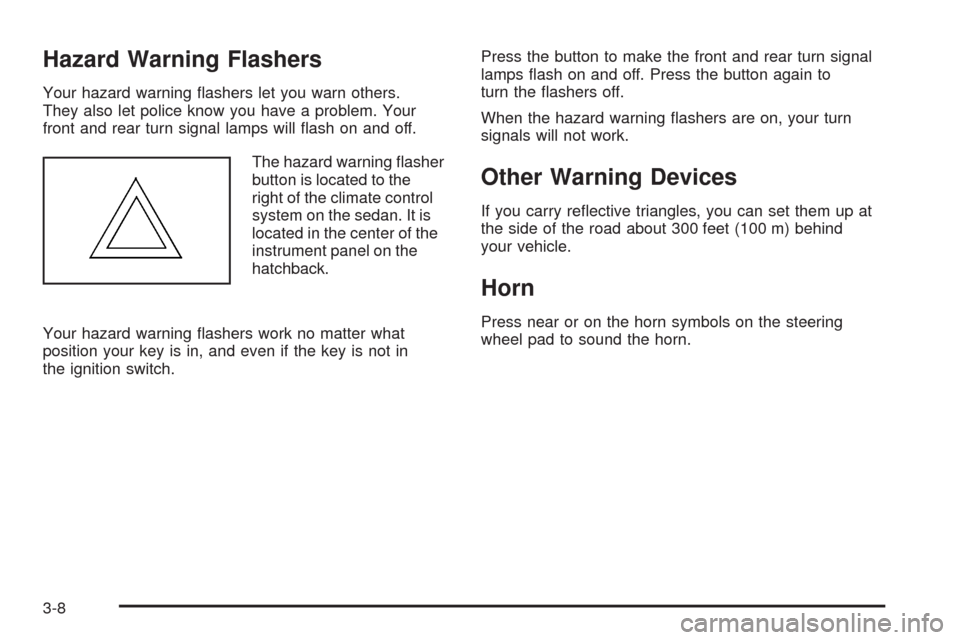
The hazard warning flasher
button is located to the
right of the climate control
system on the sedan. It is
located in the center of the
instrument panel on the
hatchback.
Your hazard warning flashers work no matter what
position your key is in, and even if the key is not in
the ignition switch.Press the button to make the front and rear turn signal
lamps flash on and off. Press the button again to
turn the flashers off.
When the hazard warning flashers are on, your turn
signals will not work.
Other Warning Devices
If you carry reflective triangles, you can set them up at
the side of the road about 300 feet (100 m) behind
your vehicle.
Horn
Press near or on the horn symbols on the steering
wheel pad to sound the horn.
3-8
Page 123 of 384
Tilt Wheel
Your vehicle has a tilt wheel which allows you to adjust
the steering wheel before you drive. You can raise it
to the highest level to give your legs more room when
you exit and enter the vehicle.
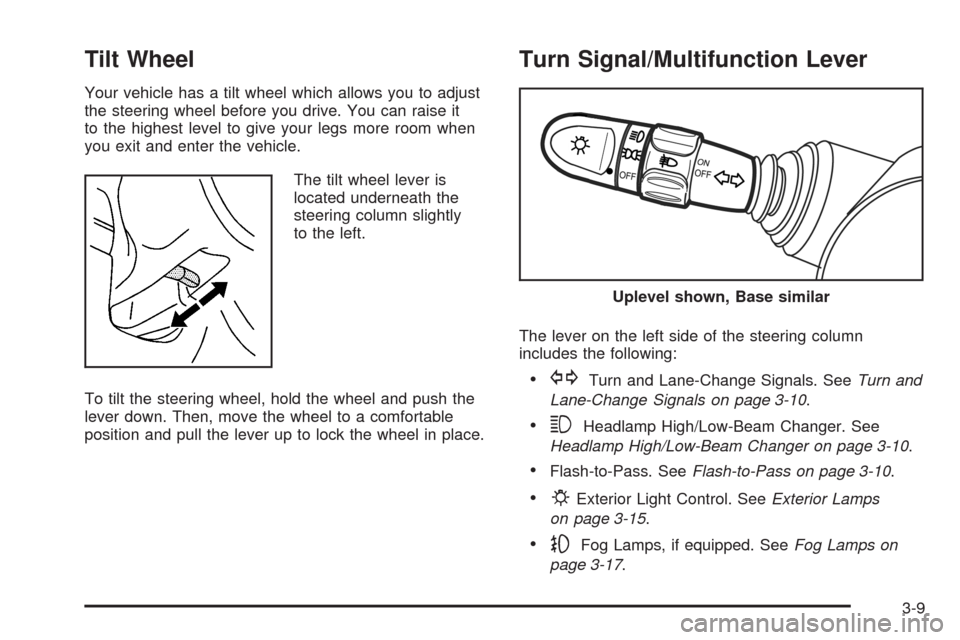
The tilt wheel lever is
located underneath the
steering column slightly
to the left.
To tilt the steering wheel, hold the wheel and push the
lever down. Then, move the wheel to a comfortable
position and pull the lever up to lock the wheel in place.
Turn Signal/Multifunction Lever
The lever on the left side of the steering column
includes the following:
•GTurn and Lane-Change Signals. SeeTurn and
Lane-Change Signals on page 3-10.
•3Headlamp High/Low-Beam Changer. See
Headlamp High/Low-Beam Changer on page 3-10.
•Flash-to-Pass. SeeFlash-to-Pass on page 3-10.
•PExterior Light Control. SeeExterior Lamps
on page 3-15.
•-Fog Lamps, if equipped. SeeFog Lamps on
page 3-17.
Uplevel shown, Base similar
3-9
Page 125 of 384

Windshield Wipers
Use this lever located on the right side of the steering
wheel to operate the windshield wipers. The ignition must
be turned to ON/RUN to operate the windshield wipers.
HI (High Speed):Move the lever to this position for
wiping at high speed.
LO (Low Speed):Move the lever to this position for
steady wiping at low speed.INT (Intermittent):Move the lever to this position to
choose a delayed wiping cycle.
OFF:Move the lever to this position to turn off the
windshield wipers.
Misting Function
Move the lever toward INT for a single wiping cycle.
Hold it there until the windshield wipers start; then let go.
The windshield wipers will stop after one wipe. If you
want more wipes, hold the band toward INT longer.
Remember that damaged wiper blades may prevent
you from seeing well enough to drive safely. To avoid
damage, be sure to clear ice and snow from the
wiper blades before using them.
If they are frozen to the windshield, carefully loosen or
thaw them. If the blades do become damaged, get
new blades or blade inserts.
Heavy snow or ice can overload the wiper motor.
A circuit breaker will stop the motor until it cools.
Clear away snow or ice to prevent an overload. Sedan shown, Hatchback similar
3-11
Page 127 of 384
Cruise Control
If your vehicle has cruise control, a speed of about
24 mph (39 km/h) or more can be maintained without
keeping your foot on the accelerator. This can really help
on long trips. Cruise control does not work at speeds
below 24 mph (39 km/h).
When the brakes are applied, or the clutch pedal if you
have a manual transmission, the cruise control turns off.
{CAUTION:
Cruise control can be dangerous where you
cannot drive safely at a steady speed. So, do
not use your cruise control on winding roads
or in heavy traffic.
Cruise control can be dangerous on slippery
roads. On such roads, fast changes in tire
traction can cause excessive wheel slip, and
you could lose control. Do not use cruise
control on slippery roads.
Setting Cruise Control
{CAUTION:
If you leave your cruise control on when you
are not using cruise, you might hit a button
and go into cruise when you do not want to.
You could be startled and even lose control.
Keep the cruise control switch off until you
want to use cruise control.
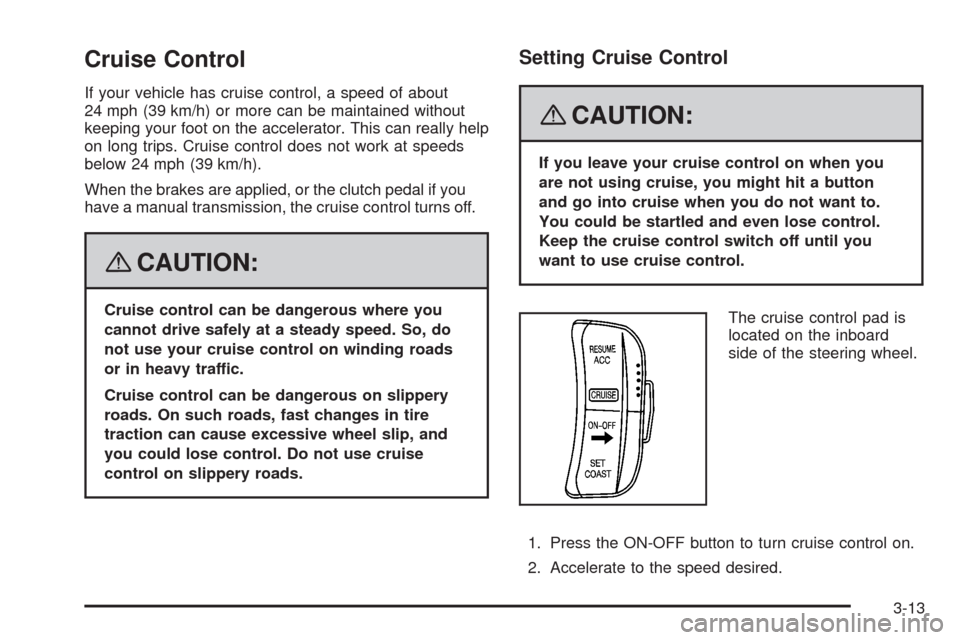
The cruise control pad is
located on the inboard
side of the steering wheel.
1. Press the ON-OFF button to turn cruise control on.
2. Accelerate to the speed desired.
3-13
Page 131 of 384
Fog Lamps
If your vehicle has fog lamps, use them for better
visibility in foggy or misty conditions. The band located
on the middle of the turn signal/multifunction lever
controls the fog lamps.
While using the fog lamps, the ignition must be turned
to ON/RUN and the low-beam headlamps or parking
lamps must be on.
Turn the band to ON to turn the fog lamps on. An
indicator light comes on in the secondary information
center on the hatchback or in the instrument panel
cluster on the sedan, when the fog lamps are on.
SeeFog Lamp Light on page 3-53.
Turn the band to OFF to turn the fog lamps off. The fog
lamps will also turn off when the high-beam headlamps
are turned on. When the high-beam headlamps are
turned off, the fog lamps will turn on again.
Some localities have laws that require the headlamps to
be on along with the fog lamps.
Instrument Panel Brightness
This feature controls the brightness of the instrument
panel lights.
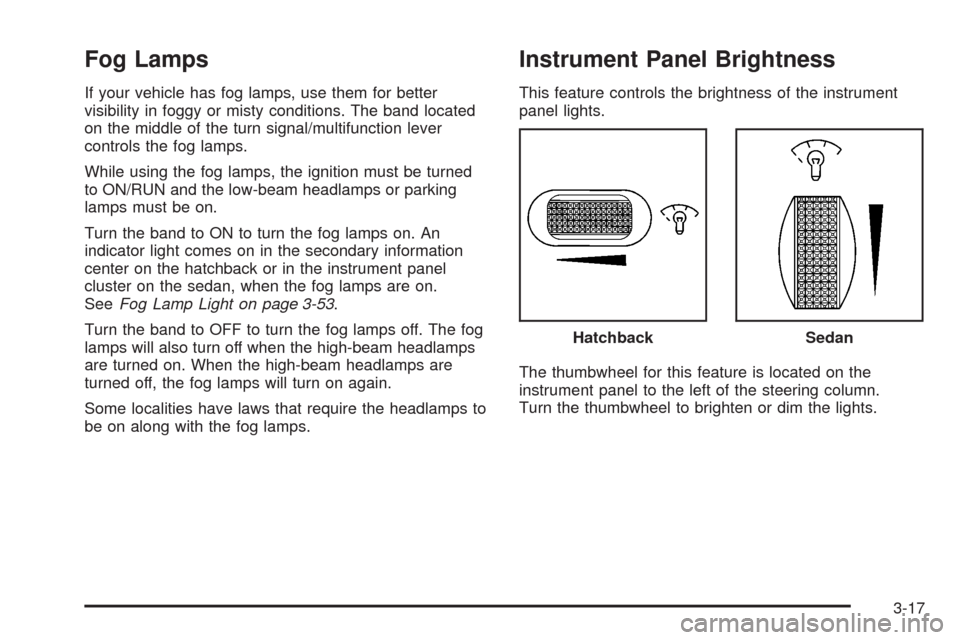
The thumbwheel for this feature is located on the
instrument panel to the left of the steering column.
Turn the thumbwheel to brighten or dim the lights.Hatchback
Sedan
3-17
Page 168 of 384
Audio System(s)
Determine which radio your vehicle has and then read
the pages following to familiarize yourself with its
features.
{CAUTION:
This system provides you with far greater
access to audio stations and song listings.
Giving extended attention to entertainment
tasks while driving can cause a crash and you
or others can be injured or killed. Always keep
your eyes on the road and your mind on the
drive — avoid engaging in extended searching
while driving.
Keeping your mind on the drive is important for safe
driving. SeeDefensive Driving on page 4-2. Here
are some ways in which you can help avoid distraction
while driving.While your vehicle is parked:
•Familiarize yourself with all of its controls.
•Familiarize yourself with its operation.
•Set up your audio system by presetting your
favorite radio stations, setting the tone, and
adjusting the speakers. Then, when driving
conditions permit, you can tune to your favorite
radio stations using the presets and steering
wheel controls if the vehicle has them.
Notice:Before adding any sound equipment to
your vehicle, such as an audio system, CD player,
CB radio, mobile telephone, or two-way radio, make
sure that it can be added by checking with your
dealer/retailer. Also, check federal rules covering
mobile radio and telephone units. If sound equipment
can be added, it is very important to do it properly.
Added sound equipment may interfere with the
operation of your vehicle’s engine, radio, or other
systems, and even damage them. Your vehicle’s
systems may interfere with the operation of sound
equipment that has been added.
3-54
Page 192 of 384
When information is not available, No Info (information)
displays.
Press this button for longer than two seconds to change
display mode.
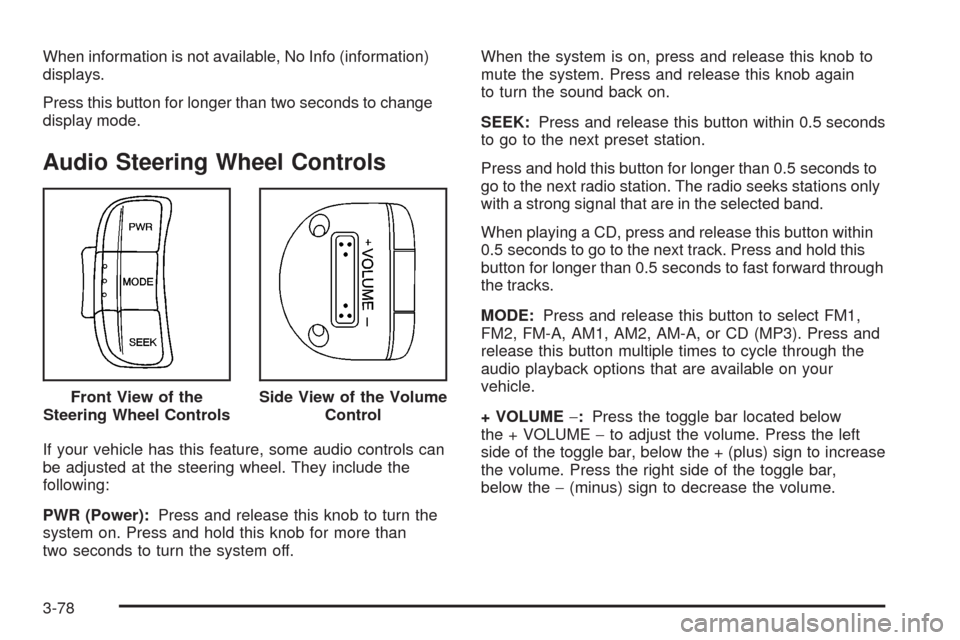
Audio Steering Wheel Controls
If your vehicle has this feature, some audio controls can
be adjusted at the steering wheel. They include the
following:
PWR (Power):Press and release this knob to turn the
system on. Press and hold this knob for more than
two seconds to turn the system off.When the system is on, press and release this knob to
mute the system. Press and release this knob again
to turn the sound back on.
SEEK:Press and release this button within 0.5 seconds
to go to the next preset station.
Press and hold this button for longer than 0.5 seconds to
go to the next radio station. The radio seeks stations only
with a strong signal that are in the selected band.
When playing a CD, press and release this button within
0.5 seconds to go to the next track. Press and hold this
button for longer than 0.5 seconds to fast forward through
the tracks.
MODE:Press and release this button to select FM1,
FM2, FM-A, AM1, AM2, AM-A, or CD (MP3). Press and
release this button multiple times to cycle through the
audio playback options that are available on your
vehicle.
+ VOLUME−:Press the toggle bar located below
the + VOLUME−to adjust the volume. Press the left
side of the toggle bar, below the + (plus) sign to increase
the volume. Press the right side of the toggle bar,
below the−(minus) sign to decrease the volume. Front View of the
Steering Wheel Controls
Side View of the Volume
Control
3-78
Page 199 of 384
ABS can change the brake pressure faster than any
driver could. The computer is programmed to make the
most of available tire and road conditions. This can
help you steer around the obstacle while braking hard.
As you brake, the computer keeps receiving updates
on wheel speed and controls braking pressure
accordingly.
Remember: ABS does not change the time you need to
get your foot up to the brake pedal or always decrease
stopping distance. If you get too close to the vehicle
in front of you, you will not have time to apply the brakes
if that vehicle suddenly slows or stops. Always leave
enough room up ahead to stop, even though you
have ABS.
Using ABS
Do not pump the brakes. Just hold the brake pedal
down firmly and let antilock work for you. You might
feel a slight brake pedal pulsation or notice some
noise, but this is normal.
Braking in Emergencies
At some time, nearly every driver gets into a situation
that requires hard braking.
If you have ABS, you can steer and brake at the same
time. However, if you do not have ABS, your first
reaction — to hit the brake pedal hard and hold it
down — might be the wrong thing to do. Your wheels
can stop rolling. Once they do, the vehicle cannot
respond to your steering. Momentum will carry it in
whatever direction it was headed when the wheels
stopped rolling. That could be off the road, into the
very thing you were trying to avoid, or into traffic.
If you do not have ABS, use a “squeeze” braking
technique. This will give you maximum braking while
maintaining steering control. You can do this by pushing
on the brake pedal with steadily increasing pressure.
In an emergency, you will probably want to squeeze
the brakes hard without locking the wheels. If you hear
or feel the wheels sliding, ease off the brake pedal.
This will help you retain steering control. If you do have
ABS, it is different. SeeAntilock Brake System (ABS)
on page 4-4.
In many emergencies, steering can help you more
than even the very best braking.
4-5