2008 CHEVROLET AVALANCHE instrument cluster
[x] Cancel search: instrument clusterPage 236 of 528
Blank Display
This display shows no information.
DIC Operation and Displays
(Without DIC Buttons)
If your vehicle does not have DIC buttons, the
information below explains the operation of this system.
The DIC has different displays which can be accessed
by pressing the trip odometer reset stem located on the
instrument panel cluster. Pressing the trip odometer
reset stem will also turn off, or acknowledge, DIC
messages.
The DIC displays trip and vehicle system information,
and warning messages if a system problem is detected.
If your vehicle does not have DIC buttons, you can
use the trip odometer reset stem to view the following
displays: odometer, engine hours, trip odometer, oil life,
Remote Keyless Entry (RKE) transmitter programming,
and display language.
If your vehicle has DIC buttons, you can use the trip
odometer reset stem to view the following displays:
odometer, engine hours, trip odometer, and display
language.
Trip Odometer Reset Stem Menu Items
Odometer
Press the trip odometer reset stem until ODOMETER
displays. This display shows the distance the vehicle
has been driven in either miles (mi) or kilometers (km).
Engine Hours
To display the ENGINE HOURS, place the ignition in
LOCK/OFF or ACC/ACCESSORY, then press and hold
the trip odometer reset stem for four seconds while
viewing the ODOMETER. This display shows the total
number of hours the engine has run.
Trip Odometer
Press the trip odometer reset stem until TRIP displays.
This display shows the current distance traveled in
either miles (mi) or kilometers (km) since the last reset
for the trip odometer.
The trip odometer can be reset to zero by pressing and
holding the trip odometer reset stem while the trip
odometer is displayed.
3-56
Page 239 of 528

DIC Warnings and Messages
Messages are displayed on the DIC to notify the driver
that the status of the vehicle has changed and that some
action may be needed by the driver to correct the
condition. Multiple messages may appear one after
another.
Some messages may not require immediate action, but
you can press any of the DIC buttons on the instrument
panel or the trip odometer reset stem on the instrument
panel cluster to acknowledge that you received the
messages and to clear them from the display.
Some messages cannot be cleared from the DIC
display because they are more urgent. These messages
require action before they can be cleared. You should
take any messages that appear on the display seriously
and remember that clearing the messages will only
make the messages disappear, not correct the problem.
The following are the possible messages that can be
displayed and some information about them.
CHANGE ENGINE OIL SOON
This message displays when the engine oil needs to
be changed. When you change the engine oil, be sure to
reset the CHANGE ENGINE OIL SOON message. See
Engine Oil Life System on page 5-18for information on
how to reset the message. SeeEngine Oil on page 5-15
andScheduled Maintenance on page 6-4for more
information.
CHECK TIRE PRESSURE
This message displays when the pressure in one or
more of the vehicle’s tires needs to be checked. This
message also displays LEFT FRONT, RIGHT FRONT,
LEFT REAR, or RIGHT REAR to indicate which tire
needs to be checked. You can receive more than one tire
pressure message at a time. To read the other messages
that may have been sent at the same time, press the
set/reset button or the trip odometer reset stem. If a tire
pressure message appears on the DIC, stop as soon as
you can. Have the tire pressures checked and set to
those shown on the Tire Loading Information label. See
Tires on page 5-56,Loading Your Vehicle on page 4-36,
andInation - Tire Pressure on page 5-64. The DIC also
shows the tire pressure values. See “DIC Operation and
Displays (With DIC Buttons)” earlier in this section. If the
tire pressure is low, the low tire pressure warning light
comes on. SeeTire Pressure Light on page 3-42.
3-59
Page 240 of 528

DRIVER DOOR OPEN
This message displays and a chime sounds if the driver
door is not fully closed and the vehicle is in a drive
gear. Stop and turn off the vehicle, check the door
for obstructions, and close the door again. Check
to see if the message still appears on the DIC.
ENGINE HOT A/C (Air Conditioning)
TURNED OFF
This message displays when the engine coolant
becomes hotter than the normal operating temperature.
SeeEngine Coolant Temperature Gage on page 3-42.
To avoid added strain on a hot engine, the air
conditioning compressor automatically turns off.
When the coolant temperature returns to normal,
the air conditioning compressor turns back on.
You can continue to drive your vehicle.
If this message continues to appear, have the system
repaired by your dealer/retailer as soon as possible
to avoid damage to the engine.
ENGINE OVERHEATED IDLE ENGINE
Notice:If you drive your vehicle while the engine
is overheating, severe engine damage may occur.
If an overheat warning appears on the instrument
panel cluster and/or DIC, stop the vehicle as soon
as possible. SeeEngine Overheating on page 5-28
for more information.
This message displays when the engine coolant
temperature is too hot. Stop and allow the vehicle to idle
until it cools down. SeeEngine Coolant Temperature
Gage on page 3-42.
SeeOverheated Engine Protection Operating Mode on
page 5-30for information on driving to a safe place
in an emergency.
ENGINE OVERHEATED STOP ENGINE
Notice:If you drive your vehicle while the engine
is overheating, severe engine damage may occur.
If an overheat warning appears on the instrument
panel cluster and/or DIC, stop the vehicle as soon as
possible. SeeEngine Overheating on page 5-28
for more information.
This message displays and a chime sounds if the
engine cooling system reaches unsafe temperatures for
operation. Stop and turn off the vehicle as soon as it
is safe to do so to avoid severe damage. This message
clears when the engine has cooled to a safe operating
temperature.
3-60
Page 243 of 528

SERVICE AIR BAG
This message displays if there is a problem with
the airbag system. Have your dealer/retailer inspect
the system for problems. SeeAirbag Readiness Light
on page 3-35andAirbag System on page 1-60for more
information.
SERVICE BATTERY CHARGING
SYSTEM
On some vehicles, this message displays if there is a
problem with the battery charging system. Under certain
conditions, the charging system light may also turn on in
the instrument panel cluster. SeeCharging System Light
on page 3-38. Driving with this problem could drain the
battery. Turn off all unnecessary accessories. Have the
electrical system checked as soon as possible. See your
dealer/retailer.
SERVICE BRAKE SYSTEM
This message displays along with the brake system
warning light if there is a problem with the brake system.
SeeBrake System Warning Light on page 3-39. If this
message appears, stop as soon as possible and turn
off the vehicle. Restart the vehicle and check for
the message on the DIC display. If the message is still
displayed or appears again when you begin driving,
the brake system needs service as soon as possible.
See your dealer/retailer.
SERVICE BRAKES SOON
This message displays if there is a problem with the
brake system. If this message appears, stop as soon as
possible and turn off the vehicle. Restart the vehicle
and check for the message on the DIC display. If
the message is still displayed or appears again when
you begin driving, the brake system needs service.
See your dealer/retailer.
SERVICE PARK ASSIST
If your vehicle has the Ultrasonic Rear Parking Assist
(URPA) system, this message displays if there is a
problem with the URPA system. Do not use this system
to help you park. SeeUltrasonic Rear Parking Assist
(URPA) on page 2-58for more information.
See your dealer/retailer for service.
SERVICE STABILITRAK
If your vehicle has StabiliTrak®and this message
displays, it means there may be a problem with the
StabiliTrak
®system. If you see this message, try to
reset the system. Stop; turn off the engine for at least
15 seconds; then start the engine again. If this message
still comes on, it means there is a problem. You should
see your dealer/retailer for service. The vehicle is
safe to drive, however, you do not have the benet of
StabiliTrak
®, so reduce your speed and drive accordingly.
3-63
Page 245 of 528

There are several conditions that can cause this
message to appear.
One condition is overheating, which could occur if
StabiliTrak®activates continuously for an extended
period of time.
The message also displays if the brake system
warning light is on. SeeBrake System Warning
Light on page 3-39.
The message could display if the stability system
takes longer than usual to complete its diagnostic
checks due to driving conditions.
The message displays if an engine or vehicle
related problem has been detected and the vehicle
needs service. See your dealer/retailer.
The message also displays if the vehicle is shifted
into 4LO.
The message turns off as soon as the conditions that
caused the message to be displayed are no longer
present.
TIGHTEN GAS CAP
This message may display along with the check engine
light on the instrument panel cluster if the vehicle’s fuel
cap is not tightened properly. SeeMalfunction Indicator
Lamp on page 3-43. Reinstall the fuel cap fully. See
Filling the Tank on page 5-9. The diagnostic system can
determine if the fuel cap has been left off or improperly
installed. A loose or missing fuel cap allows fuel to
evaporate into the atmosphere. A few driving trips with
the cap properly installed should turn this light and
message off.
TIRE LEARNING ACTIVE
This message displays when the Tire Pressure Monitor
System (TPMS) is re-learning the tire positions on
your vehicle. The tire positions must be re-learned after
rotating the tires or after replacing a tire or sensor.
SeeTire Inspection and Rotation on page 5-70,
Tire Pressure Monitor System on page 5-65, and
Ination - Tire Pressure on page 5-64for more
information.
3-65
Page 246 of 528
TRACTION CONTROL OFF
If your vehicle has StabiliTrak®, this message displays
when the Traction Control System (TCS) is turned
off. Adjust your driving accordingly. SeeStabiliTrak
®
System on page 4-6for more information.
TRANSMISSION HOT IDLE ENGINE
Notice:If you drive your vehicle while the
transmission uid is overheating and the
transmission temperature warning is displayed
on the instrument panel cluster and/or DIC, you
can damage the transmission. This could lead
to costly repairs that would not be covered by
your warranty. Do not drive your vehicle with
overheated transmission uid or while the
transmission temperature warning is displayed.
This message displays along with a continuous chime
if the transmission uid in the vehicle gets hot. Driving
with the transmission uid temperature high can cause
damage to the vehicle. Stop the vehicle and let it idle to
allow the transmission to cool. This message clears and
the chime stops when the uid temperature reaches a
safe level.
TURN SIGNAL ON
This message displays and a chime sounds if a turn
signal is left on for 3/4 of a mile (1.2 km). Move the turn
signal/multifunction lever to the off position.
WASHER FLUID LOW ADD FLUID
This message displays when the windshield washer
uid is low. Fill the windshield washer uid reservoir
as soon as possible. SeeEngine Compartment
Overview on page 5-14for the location of the windshield
washer uid reservoir. Also, seeWindshield Washer
Fluid on page 5-37for more information.
DIC Vehicle Customization
(With DIC Buttons)
Your vehicle may have customization capabilities that
allow you to program certain features to one preferred
setting. Customization features can only be programmed
to one setting on the vehicle and cannot be programmed
to a preferred setting for two different drivers.
All of the customization options may not be available
on your vehicle. Only the options available will be
displayed on the DIC.
The default settings for the customization features were
set when your vehicle left the factory, but may have
been changed from their default state since then.
The customization preferences are automatically
recalled.
To change customization preferences, use the following
procedure.
3-66
Page 306 of 528
StabiliTrak®System
Your vehicle may have the StabiliTrak®system which
combines antilock brake, traction and stability control
systems and helps the driver maintain directional control
of the vehicle in most driving conditions.
When you rst start your vehicle and begin to drive
away, the system performs several diagnostic checks to
ensure there are no problems. You may hear or feel the
system working. This is normal and does not mean there
is a problem with your vehicle. The system should
initialize before the vehicle reaches 20 mph (32 km/h).
In some cases, it may take approximately two miles of
driving before the system initializes.
If the system fails to turn on or activate, the StabiliTrak
®
light along with one of the following messages will be
displayed on the Driver Information Center (DIC):
TRACTION CONTROL OFF, SERVICE TRACTION
CONTROL, STABILITRAK OFF, SERVICE
STABILITRAK. If these DIC messages appear, make
sure the StabiliTrak
®system has not been turned offusing the StabiliTrak
®on/off button. Then turn the
steering wheel clockwise from the nine o’clock position to
the three o’clock position. If this clears the message(s),
your vehicle does not need servicing. If this does not
clear the message(s), then turn the vehicle off, wait
15 seconds, and then turn it back on again to reset the
system. If any of these messages still appear on the
Driver Information Center (DIC), your vehicle should be
taken in for service. For more information on the DIC
messages, seeDriver Information Center (DIC) on
page 3-50.
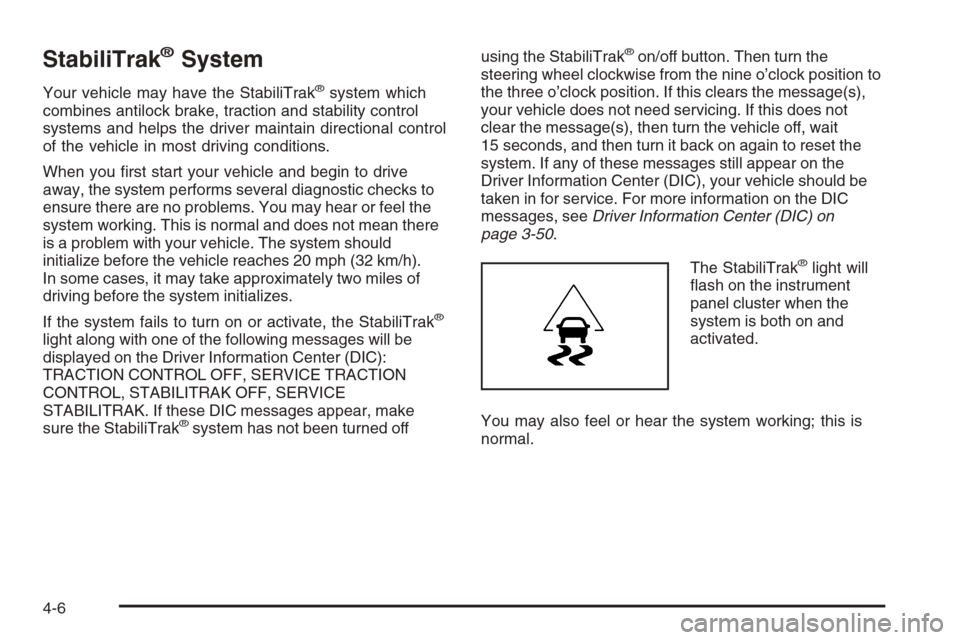
The StabiliTrak
®light will
ash on the instrument
panel cluster when the
system is both on and
activated.
You may also feel or hear the system working; this is
normal.
4-6
Page 427 of 528

Tire Pressure Monitor Operation
The Tire Pressure Monitor System (TPMS) is designed
to warn the driver when a low tire pressure condition
exists. TPMS sensors are mounted onto each tire
and wheel assembly, excluding the spare tire and wheel
assembly. The TPMS sensors monitor the air pressure
in the vehicle’s tires and transmits the tire pressure
readings to a receiver located in the vehicle.
When a low tire pressure
condition is detected, the
TPMS illuminates the low
tire pressure warning light
located on the instrument
panel cluster.
At the same time a message to check the pressure in
a specic tire appears on the Driver Information Center
(DIC) display. The low tire pressure warning light and the
DIC warning message come on at each ignition cycle
until the tires are inated to the correct ination pressure.
Using the DIC, tire pressure levels can be viewed by thedriver. For additional information and details about the
DIC operation and displays seeDIC Operation and
Displays (With DIC Buttons) on page 3-51orDIC
Operation and Displays (Without DIC Buttons) on
page 3-56andDIC Warnings and Messages on
page 3-59.
The low tire pressure warning light may come on in
cool weather when the vehicle is rst started, and then
turn off as you start to drive. This could be an early
indicator that the air pressure in the tire(s) are getting
low and need to be inated to the proper pressure.
A Tire and Loading Information label, attached to
your vehicle, shows the size of your vehicle’s original
equipment tires and the correct ination pressure for your
vehicle’s tires when they are cold. SeeLoading Your
Vehicle on page 4-36, for an example of the Tire and
Loading Information label and its location on your vehicle.
Also seeInation - Tire Pressure on page 5-64.
Your vehicle’s TPMS can warn you about a low tire
pressure condition but it does not replace normal
tire maintenance. SeeTire Inspection and Rotation
on page 5-70andTires on page 5-56.
Notice:Liquid tire sealants could damage the Tire
Pressure Monitor System (TPMS) sensors. Sensor
damage caused by using a tire sealant is not
covered by your warranty. Do not use liquid tire
sealants.
5-67