2008 CADILLAC STS warning light
[x] Cancel search: warning lightPage 284 of 500
Braking in Emergencies
With ABS, you can steer and brake at the same time. In
many emergencies, steering can help you more than
even the very best braking.
Traction Control System (TCS)
Your vehicle has a traction control system that limits
wheel spin. This is especially useful in slippery
road conditions. On a rear-wheel-drive vehicle, the
system operates if it senses that one or both of the rear
wheels are spinning or beginning to lose traction. On
an All-Wheel-Drive (AWD) vehicle, the system will
operate if it senses that any of the wheels are spinning
or beginning to lose traction. When this happens,
the system brakes the spinning wheel(s) and/or reduces
engine power to limit wheel spin.
You may feel or hear the system working, but this is
normal.
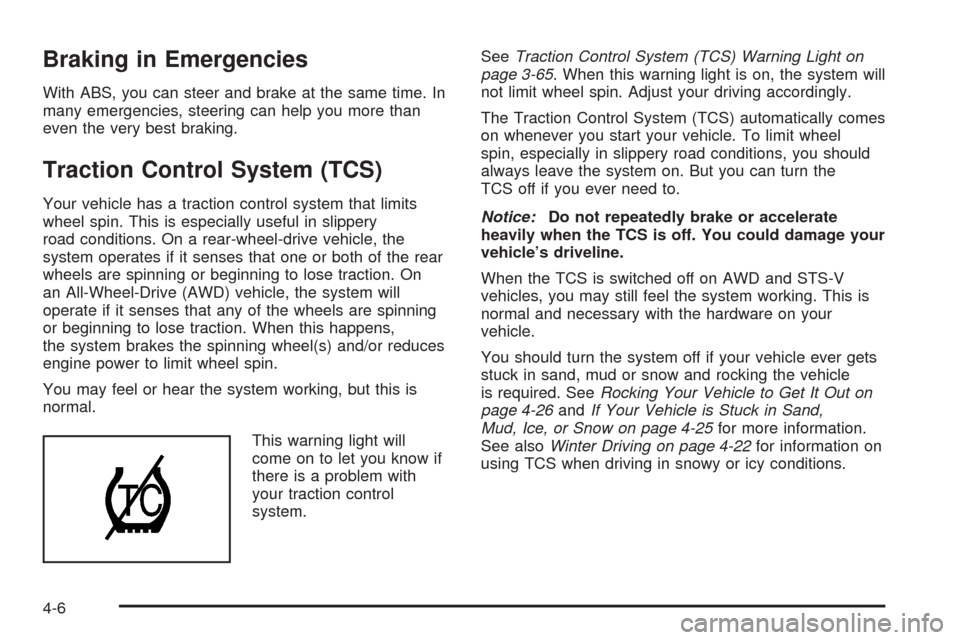
This warning light will
come on to let you know if
there is a problem with
your traction control
system.SeeTraction Control System (TCS) Warning Light on
page 3-65. When this warning light is on, the system will
not limit wheel spin. Adjust your driving accordingly.
The Traction Control System (TCS) automatically comes
on whenever you start your vehicle. To limit wheel
spin, especially in slippery road conditions, you should
always leave the system on. But you can turn the
TCS off if you ever need to.
Notice:Do not repeatedly brake or accelerate
heavily when the TCS is off. You could damage your
vehicle’s driveline.
When the TCS is switched off on AWD and STS-V
vehicles, you may still feel the system working. This is
normal and necessary with the hardware on your
vehicle.
You should turn the system off if your vehicle ever gets
stuck in sand, mud or snow and rocking the vehicle
is required. SeeRocking Your Vehicle to Get It Out on
page 4-26andIf Your Vehicle is Stuck in Sand,
Mud, Ice, or Snow on page 4-25for more information.
See alsoWinter Driving on page 4-22for information on
using TCS when driving in snowy or icy conditions.
4-6
Page 285 of 500

To turn the system off,
press the TC (traction
control) button located
near the shift lever.
If your All Wheel Drive vehicle has the optional
enhanced vehicle stability control system called Active
Steering with Enhanced StabiliTrak
®, the Traction
Control button is used to turn traction control on and off
and to select between three stability control modes:
Touring, Competitive and Off. SeeEnhanced
StabiliTrak
®on page 4-9for Traction Control button
operating instructions.
If you press the TC button once, the Traction Control
System will turn off and the Traction Control System
Warning Light will come on. Press the TC button again
to turn the system back on. If you press and hold
the TC button for ve seconds, the StabiliTrak
®system
and the Traction Control System will turn off. Press
the TC button again to turn StabiliTrak
®back on. For
more information, seeStabiliTrak®System on page 4-8.
Adding non-GM accessories can affect your vehicle’s
performance. SeeAccessories and Modifications
on page 5-3for more information.
Competitive Driving Mode (STS-V)
The driver can select this optional handling mode
by pressing the Traction Control button, located near
the shift lever, twice within ve seconds. Competitive
driving mode allows the driver to have control of
the power applied to the rear wheels, while the
StabiliTrak
®system helps steer the vehicle by selective
brake application. In competitive mode, the levels at
which StabiliTrak
®is engaged have been modied
to better suit a performance driving environment. When
the traction control warning light is on, the Traction
Control System will not be operating. Adjust your driving
accordingly.
When you press the Traction Control button again, the
Traction Control System will be on. The traction
engaged symbol will be displayed temporarily in the DIC
and a chime will be heard. SeeDIC Warnings and
Messages on page 3-80for more information.
4-7
Page 290 of 500

To change from Stability Competitive Mode to
Stability Touring Mode, press the traction control
button briey and the STABILITY TOURING MODE
message will be displayed on the DIC.
To change from Stability Competitive Mode to
Stability Off Mode, press and hold the traction
control button for approximately ve seconds until
the STABILITY SYS OFF message is displayed
on the DIC. The DIC will temporarily display
the STABILITY TOURING MODE message and
then the STABILITY COMPETITIVE MODE
message prior to displaying the STABILITY SYS
OFF message.
To change from Stability Off Mode to Stability
Touring Mode, press the traction control button
briey and the STABILITY TOURING MODE
message will be displayed on the DIC.
To change from Stability Off Mode to Stability
Competitive Mode, press and hold the traction
control button for about three seconds until
the STABILITY COMPETITIVE MODE message is
displayed on the DIC. The DIC will temporarily
display the STABILITY TOURING MODE message
prior to displaying the STABILITY COMPETITIVE
MODE message.
To turn traction control off while in the Stability
Touring Mode, press the traction control button
briey and the traction control system warning light
will come on. SeeTraction Control System (TCS)
on page 4-6.
To turn traction control on while in the Stability
Touring Mode, press the traction control button
briey and the traction control system warning light
will turn off.
Panic Brake Assist
Your vehicle has a panic brake assist system that
monitors the intention of the driver while braking. If the
system senses that the driver has applied hard/fast
pressure to the brake pedal, the system will generate
additional pressure, making it easier for the driver
to maintain brake application. When this happens the
brake pedal will feel easier to push. Just hold the brake
pedal down rmly and let the system work for you.
You may feel the brakes vibrate, or you may notice
some noise but this is normal. The brakes will return to
normal operation after the brake pedal has been
released.
4-12
Page 297 of 500

Driving in Rain and on Wet Roads
Rain and wet roads can reduce vehicle traction
and affect your ability to stop and accelerate. Always
drive slower in these types of driving conditions
and avoid driving through large puddles and
deep-standing or owing water.
{CAUTION:
Wet brakes can cause accidents. They might
not work as well in a quick stop and could
cause pulling to one side. You could lose
control of the vehicle.
After driving through a large puddle of water
or a car/vehicle wash, lightly apply the brake
pedal until the brakes work normally.
Flowing or rushing water creates strong
forces. Driving through owing water could
cause your vehicle to be carried away. If this
happens, you and other vehicle occupants
could drown. Do not ignore police warnings
and be very cautious about trying to drive
through owing water.
Hydroplaning
Hydroplaning is dangerous. Water can build up under
your vehicle’s tires so they actually ride on the
water. This can happen if the road is wet enough and
you are going fast enough. When your vehicle is
hydroplaning, it has little or no contact with the road.
There is no hard and fast rule about hydroplaning. The
best advice is to slow down when the road is wet.
Other Rainy Weather Tips
Besides slowing down, other wet weather driving tips
include:
Allow extra following distance.
Pass with caution.
Keep windshield wiping equipment in good shape.
Keep the windshield washer uid reservoir lled.
Have good tires with proper tread depth. SeeTires
on page 5-57.
4-19
Page 300 of 500

Winter Driving
Here are some tips for winter driving:
Have your vehicle in good shape for winter.
You might want to put winter emergency supplies in
your trunk.
Include an ice scraper, a small brush or broom, a
supply of windshield washer uid, a rag, some winter
outer clothing, a small shovel, a ashlight, a red
cloth, and a couple of reective warning triangles. And,
if you will be driving under severe conditions, include
a small bag of sand, a piece of old carpet, or a couple of
burlap bags to help provide traction. Be sure you
properly secure these items in your vehicle.
Also seeTires on page 5-57.
Driving on Snow or Ice
Most of the time, those places where the tires meet the
road probably have good traction.
However, if there is snow or ice between the tires and the
road, you can have a very slippery situation. You have a
lot less traction, or grip, and need to be very careful.What is the worst time for this? Wet ice. Very cold snow
or ice can be slick and hard to drive on. But wet ice
can be even more trouble because it can offer the least
traction of all. You can get wet ice when it is about
freezing, 32°F (0°C), and freezing rain begins to fall. Try
to avoid driving on wet ice until salt and sand crews
can get there.
Whatever the condition — smooth ice, packed, blowing,
or loose snow — drive with caution.
4-22
Page 317 of 500

Turn Signals When Towing a Trailer
When you tow a trailer, your vehicle may need a
different turn signal asher and/or extra wiring. Check
with your dealer/retailer. The arrows on your instrument
panel will ash whenever you signal a turn or lane
change. Properly hooked up, the trailer lamps will also
ash, telling other drivers you are about to turn,
change lanes or stop.
When towing a trailer, the arrows on your instrument
panel will ash for turns even if the bulbs on the trailer
are burned out. Thus, you may think drivers behind
you are seeing your signal when they are not. It
is important to check occasionally to be sure the trailer
bulbs are still working.
Your vehicle has bulb warning lights. When you plug a
trailer lighting system into your vehicle’s lighting
system, its bulb warning lights may not let you know if
one of your lamps goes out. So, when you have a trailer
lighting system plugged in, be sure to check your
vehicle and trailer lamps from time to time to be sure
they are all working. Once you disconnect the trailer
lamps, the bulb warning lights again can tell you if one
of your vehicle lamps is out.
Driving On Grades
Reduce speed and shift to a lower gearbeforeyou start
down a long or steep downgrade. If you do not shift down,
you might have to use your brakes so much that they
would get hot and no longer work well.
On a long uphill grade, shift down to THIRD (3) and
reduce your speed to around 45 mph (70 km/h) to reduce
the possibility of engine and transmission overheating.
Parking on Hills
{CAUTION:
You really should not park your vehicle, with a
trailer attached, on a hill. If something goes
wrong, your rig could start to move. People can
be injured, and both your vehicle and the trailer
can be damaged.
But if you ever have to park your rig on a hill, here is how
to do it:
1. Apply your regular brakes, but do not shift into
PARK (P) yet.
2. Have someone place chocks under the trailer
wheels.
4-39
Page 319 of 500

Service............................................................5-3
Accessories and Modications..........................5-3
California Proposition 65 Warning.....................5-3
California Perchlorate Materials Requirements.....5-4
Doing Your Own Service Work.........................5-4
Adding Equipment to the Outside
of Your Vehicle...........................................5-4
Fuel................................................................5-5
Gasoline Octane............................................5-5
Gasoline Specications....................................5-6
California Fuel...............................................5-6
Additives.......................................................5-6
Fuels in Foreign Countries...............................5-7
Filling the Tank..............................................5-7
Filling a Portable Fuel Container.......................5-9
Checking Things Under the Hood....................5-10
Hood Release..............................................5-10
Engine Compartment Overview.......................5-11
Engine Oil...................................................5-18
Engine Oil Life System..................................5-21
Engine Air Cleaner/Filter................................5-23
Automatic Transmission Fluid.........................5-25
Engine Coolant.............................................5-25
Coolant Surge Tank Pressure Cap..................5-29
Engine Overheating.......................................5-29
Overheated Engine Protection Operating Mode . . .5-31Cooling System............................................5-32
Power Steering Fluid.....................................5-39
Windshield Washer Fluid................................5-40
Brakes........................................................5-41
Battery........................................................5-44
Jump Starting...............................................5-45
All-Wheel Drive..............................................5-50
Rear Axle.......................................................5-51
Front Axle......................................................5-52
Headlamp Aiming...........................................5-53
Bulb Replacement..........................................5-54
High Intensity Discharge (HID) Lighting............5-54
Halogen Bulbs..............................................5-54
Back-Up Lamps............................................5-54
Replacement Bulbs.......................................5-55
Windshield Replacement.................................5-55
Windshield Wiper Blade Replacement..............5-55
Tires..............................................................5-57
Winter Tires.................................................5-58
Tire Sidewall Labeling...................................5-59
Tire Terminology and Denitions.....................5-62
Run-Flat Tires (STS-V)..................................5-65
Ination - Tire Pressure.................................5-66
High-Speed Operation...................................5-68
Section 5 Service and Appearance Care
5-1
Page 327 of 500

The CHECK GAS CAP message will appear on the
Driver Information Center (DIC) display if the fuel cap is
not reinstalled properly. SeeDIC Warnings and
Messages on page 3-80for more information.
{CAUTION:
If a re starts while you are refueling, do not
remove the nozzle. Shut off the ow of fuel by
shutting off the pump or by notifying the
station attendant. Leave the area immediately.
Notice:If you need a new fuel cap, be sure to get
the right type. Your dealer/retailer can get one
for you. If you get the wrong type, it may not t
properly. This may cause your malfunction indicator
lamp to light and may damage your fuel tank and
emissions system. SeeMalfunction Indicator Lamp
on page 3-68.
Filling a Portable Fuel Container
{CAUTION:
Never ll a portable fuel container while it is in
your vehicle. Static electricity discharge from
the container can ignite the fuel vapor. You
can be badly burned and your vehicle
damaged if this occurs. To help avoid injury to
you and others:
Dispense fuel only into approved
containers.
Do not ll a container while it is inside a
vehicle, in a vehicle’s trunk, pickup bed, or
on any surface other than the ground.
Bring the ll nozzle in contact with the
inside of the ll opening before operating
the nozzle. Contact should be maintained
until the lling is complete.
Do not smoke while pumping fuel.
Do not use a cellular phone while
pumping fuel.
5-9