2008 CADILLAC STS horn
[x] Cancel search: hornPage 141 of 500

EXT. (Exterior) LIGHTS AT UNLOCK
This feature turns on the exterior lamps when the
keyless access transmitter is used to unlock the vehicle.
The lamps will remain on for about 20 seconds unless
a door is opened, the ignition is in ACCESSORY, on, or
START, or the keyless access transmitter is used to
lock the vehicle.
Programmable Modes
Mode 1:ON (default)
Mode 2:OFF
To program the vehicle to a different mode:
1. Enter the PERSONAL SETTINGS MENU by
following the instructions listed previously under
“Entering the Personal Settings Menu.”
2. Turn the tune/select knob until EXT. LIGHTS AT
UNLOCK is highlighted.
3. Press the tune/select knob to switch back and forth
between on and off.
When the mode is turned on, a check mark will
appear next to the feature name.
The mode you selected is now set. You can either exit
the programming mode by following the instructions
later in this section or program the next feature available
on your vehicle.
HORN CHIRPS AT LOCK
This feature sounds the horn once when the keyless
access transmitter is used to lock the vehicle. All doors
must be closed for this feature to work.
Programmable Modes
Mode 1:ON
Mode 2:OFF (default)
To program the vehicle to a different mode:
1. Enter the PERSONAL SETTINGS MENU by
following the instructions listed previously under
“Entering the Personal Settings Menu.”
2. Turn the tune/select knob until HORN CHIRPS AT
LOCK is highlighted.
3. Press the tune/select knob to switch back and forth
between on and off.
When the mode is turned on, a check mark will
appear next to the feature name.
The mode you selected is now set. You can either exit
the programming mode by following the instructions
later in this section or program the next feature available
on your vehicle.
2-69
Page 155 of 500

Instrument Panel Overview...............................3-4
Hazard Warning Flashers................................3-6
Other Warning Devices...................................3-6
Horn.............................................................3-6
Power Tilt Wheel and Telescopic
Steering Column.........................................3-7
Heated Steering Wheel...................................3-7
Turn Signal/Multifunction Lever.........................3-8
Turn and Lane-Change Signals........................3-8
Headlamp High/Low-Beam Changer..................3-9
Forward Collision Alert (FCA) System..............3-10
Flash-to-Pass...............................................3-13
Windshield Wipers........................................3-14
Rainsense™ II Wipers...................................3-15
Windshield Washer.......................................3-16
Headlamp Washer........................................3-16
Cruise Control..............................................3-17
Adaptive Cruise Control.................................3-20
Headlamps..................................................3-33
Wiper Activated Headlamps............................3-37Headlamps on Reminder................................3-37
Daytime Running Lamps (DRL).......................3-37
Fog Lamps..................................................3-39
Twilight Sentinel
®..........................................3-39
Exterior Lighting Battery Saver........................3-40
Instrument Panel Brightness...........................3-41
Entry Lighting...............................................3-41
Parade Dimming...........................................3-41
Reading Lamps............................................3-42
Battery Load Management.............................3-42
Electric Power Management...........................3-42
Inadvertent Power Battery Saver.....................3-43
Head-Up Display (HUD).................................3-43
Accessory Power Outlet(s).............................3-46
Ashtray(s) and Cigarette Lighter......................3-47
Climate Controls............................................3-48
Dual Climate Control System..........................3-48
Outlet Adjustment.........................................3-54
Rear Climate Control System.........................3-54
Passenger Compartment Air Filter...................3-55
Section 3 Instrument Panel
3-1
Page 159 of 500

The main components of your instrument panel are the following:
A. Air Outlets. SeeOutlet Adjustment on page 3-54.
B. Instrument Panel Brightness Control. SeeInstrument
Panel Brightness on page 3-41. Driver Information
Center (DIC) Buttons. SeeDIC Operation and
Displays on page 3-74. HUD Controls (If Equipped).
SeeHead-Up Display (HUD) on page 3-43.
C. Turn Signal/Multifunction Lever. SeeTurn
Signal/Multifunction Lever on page 3-8.
Headlamp Controls. SeeHeadlamps on
page 3-33. Cruise Control. SeeCruise Control on
page 3-17. Adaptive Cruise Control (If Equipped).
SeeAdaptive Cruise Control on page 3-20.
Forward Collision Alert (FCA) (If Equipped).
SeeForward Collision Alert (FCA) System
on page 3-10.
D. Instrument Panel Cluster. SeeInstrument Panel
Cluster on page 3-58.
E. Windshield Wiper/Washer Lever. SeeWindshield
Wipers on page 3-14.
F. Audio System. SeeAudio System(s) on page 3-98.
Navigation/Radio System (If Equipped).
SeeNavigation/Radio System on page 3-117.G. Audio Steering Wheel Controls (If Equipped).
SeeAudio Steering Wheel Controls on page 3-121.
Adaptive Cruise Control Gap Button (If Equipped).
SeeAdaptive Cruise Control on page 3-20.
Heated Steering Wheel Button (If Equipped).
SeeHeated Steering Wheel on page 3-7.
H. Power Tilt Wheel and Telescopic Steering Column.
Power Tilt Wheel and Telescopic Steering Column
on page 3-7.
I. Horn. SeeHorn on page 3-6.
J. Ignition Switch. SeeIgnition Positions on page 2-28.
K. Climate Control System. SeeDual Climate
Control System on page 3-48.
L. Hazard Warning Flasher Button. SeeHazard
Warning Flashers on page 3-6.
M. Cupholders. SeeCupholder(s) on page 2-58.
N. Traction Control System Button. SeeTraction
Control System (TCS) on page 4-6.
O. Shift Lever. SeeAutomatic Transmission
Operation on page 2-32.
P. Glove Box. SeeGlove Box on page 2-58.
3-5
Page 160 of 500

Hazard Warning Flashers
Your hazard warning ashers let you warn others.
They also let police know you have a problem. Your
front and rear turn signal lamps will ash on and off.
The hazard warning
asher button is
located on the console,
near the shift lever.
SeeInstrument Panel
Overview on page 3-4.
Your hazard warning ashers work no matter what
position your key is in, and even if the key is not in.Press the button to make the front and rear turn signal
lamps ash on and off. Press the button again to
turn the ashers off.
When the hazard warning ashers are on, your turn
signals will not work.
Other Warning Devices
If you carry reective triangles, you can set them up
at the side of the road about 300 feet (100 m) behind
your vehicle.
Horn
Press near or on the horn symbols on the steering
wheel pad to sound the horn.
3-6
Page 391 of 500

The TPM matching process is outlined below:
1. Set the parking brake.
2. Press the push-button ignition switch to Acc.
3. Using the keyless access transmitter, lock and
unlock the vehicle’s doors.
4. Press the lock and unlock buttons, at the same
time, on the keyless access transmitter. A single
horn chirp will sound, indicating that the TPMS
is ready, and the sensor matching process
can begin.
5. Start with the driver side front tire.
6. Remove the valve cap from the valve stem.
Activate the TPMS sensor by increasing or
decreasing the tire’s air pressure for ve seconds,
or until a horn chirp sounds. The horn chirp,
which may take up to 30 seconds to sound,
conrms that the sensor identication code has
been matched to this tire position.
7. Proceed to the passenger side front tire, and repeat
the procedure in Step 6.
8. Proceed to the passenger side rear tire, and repeat
the procedure in Step 6.
9. Proceed to the driver side rear tire, and repeat the
procedure in Step 6.10. After hearing the conrming single horn chirp for the
driver side rear tire, a double horn chirp will sound to
signal the tire matching mode is no longer active.
Press the push-button ignition switch to Acc.
11. Set all four tires to the recommended air pressure
level as indicated on the tire and loading information
label.
12. Put the valve caps back on the valve stems.
Tire Inspection and Rotation
We recommend that you regularly inspect your
vehicle’s tires, including the spare tire, for signs of
wear or damage. SeeWhen It Is Time for New
Tires on page 5-75for more information.
Tire rotation is not recommended if your vehicle
has the following performance tire combinations:
P235/50R17 size tires on the front wheels
and P255/45R17 size tires on the rear wheels.
P235/50ZR18 size tires on the front wheels
and P255/45ZR18 size tires on the rear
wheels.
P255/45R18 size tires on the front wheels and
P275/40R19 size tires on the rear wheels.
5-73
Page 437 of 500

The underhood fuse block is located in the front of the
engine compartment on the passenger’s side of the
vehicle. SeeEngine Compartment Overview on
page 5-11for more information on location and removal
procedure for the front compartment underhood
sights shields.
To access the fuses, push in the tabs located on each
side of the fuse block cover, then lift the cover off.
Notice:Spilling liquid on any electrical components
on your vehicle may damage it. Always keep the
covers on any electrical component.
Fuses JCase Usage
ABS MTRABS Module- ABS
Module-StabiliTrak
®
AFS Active Front Steering
BLWR Blower Motor
FAN 1 Cooling Fan-Low Speed
FAN 2 Cooling Fan-High Speed
LPDB 1 Driver Side Rear Fuse Block
LPDB 2 Driver Side Rear Fuse Block
RPDB 1 Passenger Side Rear Fuse Block
RPDB 2 Passenger Side Rear Fuse Block
SPARE Spare
SPARE Spare
STRTR Starter
Fuses Mini Usage
A/C CLTCH Air Conditioning Compressor Clutch
ABS ABS Module-StabiliTrak
®
ABS IGN Antilock Brake Controller
AUX OUTLET Rear Accessory Power Outlet
BRK VAC
PUMPBrake Vacuum Pump
CCP Climate Control Panel
CCP/RLY
COILSClimate Control Panel, Headlamp
Level Control, Active Cruise Control,
Relay Coils, Starter, Front Blower
ECM 1 Engine Control Module (ECM)
ECM/TCM
BATTECM, Transmission Control
Module (TCM)
ECM/TCM IGNECM, TCM, Instrument Panel
Cluster
EKM/I/P MDLEasy Key Module (EKM), Instrument
Panel Module (I/P MDL)
EVEN COILSEven Ignition Coils, Even Fuel
Injectors
FOG LAMP Front Fog Lamps
FRT PWR
OUTLETFront Accessory Power Outlet
FUEL COOL Fuel Cooling
HORN Horn
HTD
WASH/AQSHeated Headlamp Washer, Air
Quality Sensor
5-119
Page 438 of 500

Fuses Mini Usage
HUDHeads-Up Display, Steering Column
Switch
I/BEAM IntelliBeam Relay
I/P MDL/ALDLInstrument Panel Module, Assembly
Line Data Link Connector
LIC DIMLicense Plate, Instrument Panel
Dimming
LT HI BEAM Driver Side High Beam Headlamp
LT LO BEAM Driver Side Low Beam Headlamp
LT PRKDriver Side Park Lamp/Driver Side
Taillamp
ODD COILSOdd Ignition Coils, Odd Fuel
Injectors
POST
O2 SNSRPost Oxygen Sensor
PRE O2 SNSR Pre Oxygen Sensor, CAM Sensors
RAIN
SNSR/TPMRain Sensor, Relay Coil:
Headlamp Wash
RT HI BEAMPassenger Side High Beam
Headlamp
RT LO BEAMPassenger Side Low Beam
Headlamp
RT PRKPassenger Side Park Lamp,
Passenger Side Taillamp
SPARE Spare
SPARE SpareFuses Mini Usage
SPARE Spare
SPARE Spare
SPARE Spare
SPARE Spare
SPARE Spare
V/CHKInstrument Panel Module-Voltage
Check
WPR Wipe/Wash Module Assembly
WPR SW/VICS Rain Sensor, Wiper Switch
Relays Usage
A/C CMPRSR
CLTCHAir Conditioning Compressor Clutch
ACCYAccessory Rain Sensor, Headlamp
Washer Relay Coil, Windshield
Wiper/Washer Module
BRK
VAC PUMPBrake Vacuum Pump
FAN S/P Cooling Fan Series/Parallel
FOG LAMP Fog Lamps
FRT BLWR Front Blower Motor
FUEL COOL Fuel Cooling Pump
HI BEAM High Beam Headlamp
HI FAN SPD Cooling Fan High Speed
HORN Horn
5-120
Page 492 of 500
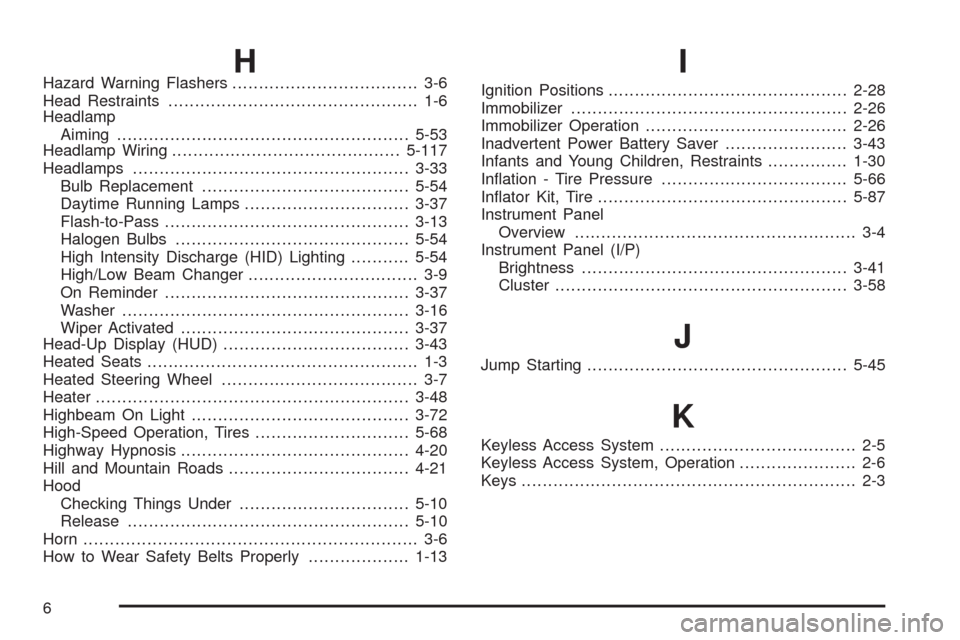
HHazard Warning Flashers................................... 3-6
Head Restraints............................................... 1-6
Headlamp
Aiming.......................................................5-53
Headlamp Wiring...........................................5-117
Headlamps....................................................3-33
Bulb Replacement.......................................5-54
Daytime Running Lamps...............................3-37
Flash-to-Pass..............................................3-13
Halogen Bulbs............................................5-54
High Intensity Discharge (HID) Lighting...........5-54
High/Low Beam Changer................................ 3-9
On Reminder..............................................3-37
Washer......................................................3-16
Wiper Activated...........................................3-37
Head-Up Display (HUD)...................................3-43
Heated Seats................................................... 1-3
Heated Steering Wheel..................................... 3-7
Heater...........................................................3-48
Highbeam On Light.........................................3-72
High-Speed Operation, Tires.............................5-68
Highway Hypnosis...........................................4-20
Hill and Mountain Roads..................................4-21
Hood
Checking Things Under................................5-10
Release.....................................................5-10
Horn............................................................... 3-6
How to Wear Safety Belts Properly...................1-13I
Ignition Positions.............................................2-28
Immobilizer....................................................2-26
Immobilizer Operation......................................2-26
Inadvertent Power Battery Saver.......................3-43
Infants and Young Children, Restraints...............1-30
Ination - Tire Pressure...................................5-66
Inator Kit, Tire...............................................5-87
Instrument Panel
Overview..................................................... 3-4
Instrument Panel (I/P)
Brightness..................................................3-41
Cluster.......................................................3-58
J
Jump Starting.................................................5-45
K
Keyless Access System..................................... 2-5
Keyless Access System, Operation...................... 2-6
Keys............................................................... 2-3
6