2008 AUDI S6 ignition
[x] Cancel search: ignitionPage 170 of 390
• .___A_ u_d_ i _P _a_ r_ k_ i_ n ..:g=-- S_ y=-- s_t _ e _m _____________________________________________ _
Please note that low objects already signalled by a warning can
disappear fro m the system 's detectio n range and wil l n ot con tinu e
to be signa lled .
If the distance to an obstacle remains the same, the vo lume of the
d istance wa rni ng i s gradually reduced after a bout 4 seconds .
Approaching another obstacle wi ll result in the distance warning
sound ing at the nor mal vo lume agai n.
Malfunctions in the system
If a warnin g tone is audible for about five seconds when you turn on
the ignition, there is a ma lfunction in the system. Have the prob lem
corrected by y our aut horiz ed Aud i dealer .
Keep the sensors in the rear bumper c lean and free from ice so that
t he acoustic park ass is t sy ste m can f unction pro per ly .
& WARNING
• Sensors have dead spaces in which objects cannot be
detected . Be e specially alert for small children and animals , since
they are not always detected by the sensors.
• The Acoustic Parking System is not a substitute for the dr iver's
own caution and alertne ss. Ultimate respon sibility always
remains with the driver during parking and similar maneuvers .
Always watch where you are driving .
• You should always adjust the volume and frequen cy of the
chimes so that you can easily hear the acoustic distance warning
even if the radio is playing , the air-condit ioner blower is on High or
there i s a high level of out side noise .
- Check the settings whenever anyone else has driven the
vehicle before you.
0 Note
• Reme mber that l ow obstacles for wh ic h a warn ing has already
been issued may "dive" below the system's sensing zone if the
v e h icl e is be ing backed u p closer. In this cas e, th e wa rning so und shutting off does
not indicate that you have c
leared the obstacle .
In stea d, impact is im min ent.
• Objects such as trai ler hitches, chains, narrow posts or fences
cov ered by a t hin lay er of p ain t may no t always be dete cte d by t he
system . T hey can stil l damage your vehicle without warning.
[ i ] Tips
K eep the sensors in the rear bumper clean and free of snow and ice
so tha t the acou stic parki ng a ssis t system ca n fu nc tio n proper ly . •
Ap plie s to v ehic le s : w ith Audi P arki ng Syst em ( re arl
Adjusting the chimes
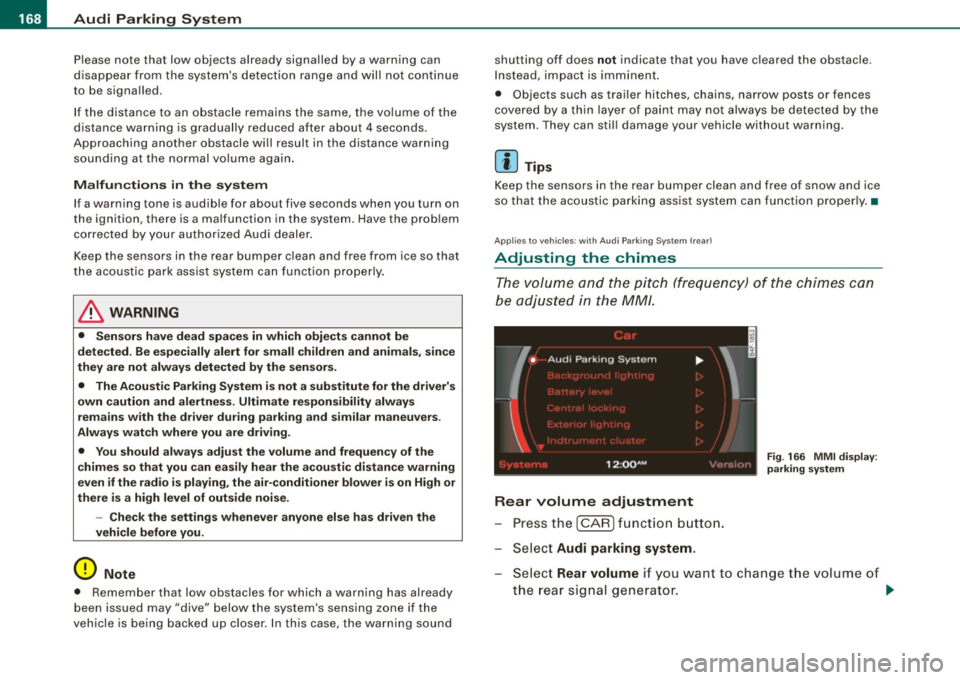
Th e vo lum e and t he pitc h (freq uency) o f th e c him es can
be adju ste d i n th e
MM/ .
Rear volume adjustment
Pre ss th e [ CAR ] fun ctio n butt on.
S el ect
Audi parking system.
Fig . 166 MMI display :
pa rking system
S elect Rear volume if you want to change t he volume of
t h e rear si gnal genera tor .
~
Page 172 of 390

• .___A_ u_d_ i _P _a_ r_ k_ i_ n ..:g=-- S_ y=-- s_t _ e _m _____________________________________________ _
-Switch the ignition off, the entire acoustic parking
system is automatically deactivated.
The rear-view camera will deactivate automatically when you shift
into a forward gear and drive faster than about
9 mph (15 km/h) .
The delay in deactivating the camera provides an uninterrupted
view behind the vehicle especially when maneuvering in tight parking spaces and prevents the picture from turning off the every
time you shift out of reverse.
The vehicle -obstacle distance at which the sensors start to measure
is
about:
To the side 2 ft (0.60 m)
Center rear 5.2 ft (1.60 ml
Backing up
Distance notification when backing up starts when an obstacle is
detected that is within range of the Audi Parking System. As the
distance decreases, the time between the chimes gets shorter .
When the distance is less than
1 ft (0.30 m), the chime becomes a
continuous tone. Here, at the latest, you should stop backing up.
Please note that low objects already signaled by Audi Parking
System can become so close that they can no longer be detected
and will not continue to be signaled .
If the distance to an obstacle stays the same, the volume of the
distance signal chime is gradually reduced after about
4 seconds
(does not affect the continuous signal tone). Approaching another
obstacle will cause the distance signal to sound again at the normal
volume.
Distance signal tones
Distance is signaled by chimes from the rear signal generator. The
volume and the pitch of the chimes can be adjusted in the MMI
=>
page 178.
Rear-view camera (rear view)
The rear -view camera picture ~ page 173, fig. 172 appears in the
MMI Display as a mirror image . The rear-view camera picture has
orientation lines and marked surfaces projected into it, as an aid to
the parking process=>
page 171 . The red line in the picture
=>
page 171, fig. 168 or=> page 171, fig. 169 indicates the collision
area . Here , at the latest, you should stop backing up~&.
If the warning message appears in the display but not the rear-view
camera picture, read and confirm the warning message. The
acoustic distance signal is always active.
If you press a function button on the MMI terminal, the rear -view
camera picture disappears. The rear-view camera picture reappears
the next time you park.
When the rear -view camera picture is displayed, you can adjust the
volume and frequency of the acoustic parking via the control button
with the
Settings function ~ page 179.
Further information on the warning message and the MMI terminal
can be found in the MMI instruction booklet.
& WARNING
• Sensors have blind spots in which objects cannot be detected.
Be especially careful to check for small children and animals
before backing up. Small children and animals will not always be
detected by the sensors.
• The Audi Parking System is not a substitute for being careful
and alert when backing up. Be especially careful during parking
and similar maneuvers. Always watch where you are driving and
make sure that nothing is in the way.
• Remember that low obstacles which have already been
signaled may pass below the system's sensing zone when the
vehicle is backing up. The fact that the signal stops does not mean
that you have cleared the obstacle. When the signal stops, impact is imminent . Objects such as trailer hitches, chains, narrow posts
or fences covered by a thin layer of paint may not always be
~
Page 181 of 390

_____________________________________________ A_u_ d_ i _P _a_ r_ k_ i_n -=g a..- S-=y'--- s_ t_ e_ m __ ....JJIIII
Ap plies to vehicles: with Audi Par king System (r ear) and rea r-vie w came ra
Adjusting the chimes -option 2
The menu for adjusting signal sounds can also be called
up via the control button with the "settings" function.
Fig. 180 MMI Display:
Rear-view camera
picture
Fig . 181 MMI Display:
Audi Parking System
- Activate the Audi Parking System=> page 169. The rear
view camera picture appears in the
MMI Display.
- Select
Settings => fig. 180. The menu for adjusting Rear
volume
and Rear frequency appears in the MMI Display
=> fig.
181.
Select Rear volume if you want to change the volume of
the chimes from the rear signal generator.
Contro ls and eq uip
ment
Select Rear frequency when you want to change the
frequency of the chimes from the rear signal generator.
Select
Settings => fig. 181, or
Press the [RETURN] button . T he rear-v iew camera picture
appears in the
MMI D isplay again.
When adjusting the volume and frequency , the new setting will
sound for about 2 seconds from each audible signal generator. The
volume and frequency settings are automatically stored and
assigned to the master key with remote control.
& WARNING
Always make sure that the volume and frequency of the chimes is
adjusted so that you can easily hear the acoustic distance signal
even if the radio is playing, the air-conditioner blower is on High or
there is a high level of outside noise. Check the settings whenever
someone else has driven the vehicle before you. •
Safety tips
Applies to vehic les: with Audi Par king System {rear) and rea r-v iew came ra
Acoustic parking system error message
If a warning tone is audible for about five seconds when you turn on
the ignition, there is a malfunction in the system. Have the problem
corrected by your authorized Audi dealer.
Keep the sensors in the rear bumper clean and free from ice so that
the acoustic park assist system can function properly.•
Vehicle care I I irechnical data
Page 185 of 390

____________________________________________ A_ d_a--' p=-- t_iv _e_ A_ ir_ S_u_ s-=- p_e _ n_ s _ io_ n __ lllll
Ap plies to vehicl es: wi th Adap tive Ai r Su sp ension
Chassis controls
Four different driving modes can be set by the driver.
The automatic contro l processes are speed -and time -dependent.
For example, it is not possib le to raise the suspension to the lift
mode above certain speeds.
L ev el a djustment
automatic
dynamic
aut om ati c Ground clearan
ce
about 4.7 - 4 .1 inches
(120 -105 mm)
about 4.7 inches (120 mm)
about 4.1 inches (105 mm)
a bo ut 5.3 inches ( 135 mm)
Se lect the automatic mode i f you p refer suspension and damping
settings emphasizing comfort .
• Low ering : When a speed of about 75 mph (120 km/h) is exceeded
for more than 30 seconds, the vehicle is automatically lowered by about 0.6 inch (15 mm) to the dynamic level which is more suitable
for highway speeds. Road holding is optimized as a result of the lower center of gravity and fuel consumption is reduced as a result
of reduced wind res istance.
• Rais ing : The vehicle is automatically raised again if the speed
falls below about 44 mph (70 km/h) for a period of 2 minutes . The
vehic le is raised immediate ly when speed falls below about 22 mph
(35 km/h).
s ta nd ard
Select the standard mode if you desire a suspension setting with a
special emphasis on comfort. In the standard mode there is
no
lowering of the suspension. Even a t high speeds, the vehicle stays
at the same level. Damping characteristics with a decided emphasis
on comfort are selected in this mode.
Controls and equip
ment d
y n ami c
Select the dynamic mode if you prefer a sporty suspension setting .
In this mode, the vehicle is lowered whi le it is still stationary and
spo rty damping characteristics are selected . The warn ing light
c.::i
in the instrument cluster will come on for a few seconds just to
remind you of the reduced ground clearance .
If y ou switch off the engine wh ile the ve hicle is in the dynamic mode
and then switch on the ignition once again, the
c.::i warning light
wi ll also come on again f or a few seconds as a reminder .
lift
Select the lift mode when you have to travel over poor sect ions of
road (e .g. trails). In the lift mode, the vehic le is raised by 0.6 inch (15
m m) compared to norma l leve l while it is stil l stationary and
damping characteristics are adjusted to emphasize comfort .
The lift mode can be activated only at speeds below 50 mp h (80
km/h) . When a speed of about 62 mph (100 km/h) is exceeded, the
system automatical ly leaves lift mode and the mode set previously
(standard, automat ic, dynam ic) is activated aga in. •
App lies to v ehic les : with Ada ptive Air Suspens io n
Setting the driving modes
The driving modes are set in MM/.
Fig . 18 2 MMI di splay:
Settin gs _,.
I • •
Page 186 of 390
• ..__A_ d_ a--=- p_t _iv _ e_ A_ i_ r _ S_ u_ s....; p=--- e_n_ s_ io_ n _____________________________________________ _
The ignition must be switched on to set the driving modes.
- Press the !CARI function button. The main menu
Adaptive Air Suspension appears=>
page 183, fig. 182.
- Select the desired mode with the control knob.
Please note that not every driving mode can be selected in every
driving situation. For example, it is not possible to switch to "lift"
mode at speeds above 50 mph (80 km/h). This mode is then shown
greyed out in the MMI display.
For additional information on the driving modes=>
page 183,
"Chassis controls". •
Applies to vehicles: with Adaptive Air Suspension
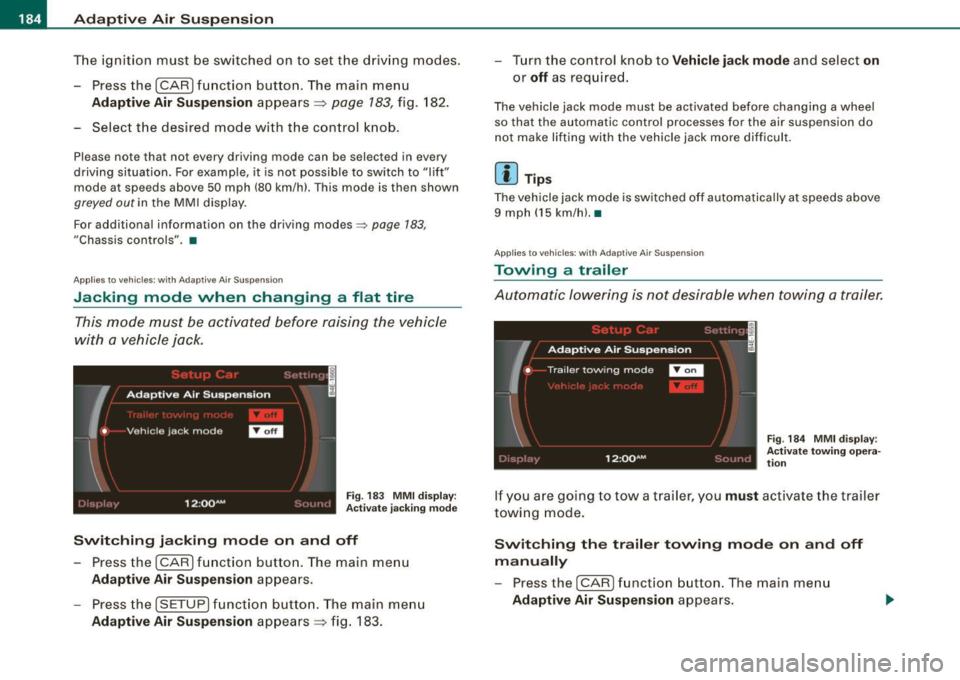
Jacking mode when changing a flat tire
This mode must be activated before raising the vehicle
with a vehicle jack.
Fig. 183 MMI display :
Activate jacking mode
Switching jacking mode on and off
-Press the (CAR] function button. The main menu
Adaptive Air Suspension appears.
- Press the !SETUP) function button. The main menu
Adaptive Air Suspension appears=> fig. 183. - Turn the control knob to
Vehicle jack mode and select on
or
off as required.
The vehicle jack mode must be activated before changing a wheel
so that the automatic control processes for the air suspension do
not make lifting with the vehicle jack more difficult.
[ i ] Tips
The vehicle jack mode is switched off automatically at speeds above
9 mph (15 km/h).•
Applies to vehicles: with Adaptive Air Suspension
Towing a trailer
Automatic lowering is not desirable when towing a trailer.
Fig. 184 MMI display:
Activate towing opera
tion
If you are going to tow a trailer, you must activate the trailer
towing mode.
Switching the trailer towing mode on and off
manually
- Pressthe!CARJfunction button. The main menu
Adaptive Air Suspension appears.
Page 189 of 390

HomeLink®
------------------------------------
Fig. 186 Front bumper ,
passenger side: loca
tion of transmitter unit
Phase 1: programming the overhead keypad
1. Make sure your vehicle is within operating range of the
remote controlled garage door opener.
2. Set the parking brake::::>
& in "Genera l information".
3. Turn the ignition on. Do not start the engine!
4. Press and hold the two outside Homelink® buttons
(D
and @for approxim~tely 20 sec_onds until indicator
light ©::::>
page 186, fig. 185 begins to flash. Then
r elease both buttons. Do not hold the buttons for longer
than
30 seconds.
- This procedure only needs to be performed
once . It
erases the factory-set default codes and does not have to
be repeated to program additional remote controls.
5. Press and hold the Homelink® button
(D, ® or@ until
the indicator light © starts flashing
slowly. Release the
button .
-The system will now remain in programming mode for 5
minutes. Go to the front of the vehicle and proceed with
phase 2.
Contro ls and eq uip
ment
Phase 2:
programming the bumper mounted transmitter
6. Hold the original remote control at a distance between 0-
5 in. (0-13 cm) from the bumper below the appropriate
headlight for your vehicle::::> fig.
186 (use the shortest
distance possible).
7. Aim the remote control just below the
passenger side
headlight.
8. Press and hold the activation button on the remote control.
- May be different in Canada. If so, press and re-press
(cycle) the activation button on your remote control every
two seconds .
9. The emergency flashers will flash
three times (after
about
15-60 seconds) when the programming is
successful. Release the button on the remote control.
-To program more devices, repeat steps 4 to 9.
10. Press and hold the trained Homelink® b utton and
observe the indicator light© ::::>
page 186, fig. 185.
If the indicator ligh t is solid/continuous, programming is
complete and your device should activate when you press and release the trained Homelink® button.
- If the indicator light blinks rapidly for 2 seconds and is
th en a solid/continuous light, proceed with phase 3 to
program a rolling code device.
Phase 3: rolling code programming
-A second person on a ladder who can safely reach the
garage door opener motor is recommended. .,_
Vehicle care I I irechnical data
Page 205 of 390

- Make sure that your passengers also buckle up and prop
erly wear their safety belts.
- Protect children with a child restraint system appropriate
for the size and age.
The warning light 4,-in the instrument cluster lights up when the
ignition is switched on as a reminder to fasten the safety belts . In
addition , you will hear a warning tone .
After the ignition is switched on, the warning light in the instrument cluster will always come on for about 6 seconds and if the driver has
not fastened the safety belt , a warning tone will also sound for
about 6 seconds. As soon as the driver has fastened the safety belt,
the warning tone will stop and the warning ligh t will go out .
If the driver or front seat passenger have not buckled -up within
about 10 seconds after the warning tone has stopped and the
vehicle is moving faster than about 15 mph, the warning tone will
sound again for about 6 seconds and then stop for 24 seconds and
then repeat this reminder sequence for a maximum of 2 minutes . At
speeds below 5 mph, the warning tone will not sound.
Fasten your safety belt and make sure that your passengers also
properly put on their safety belts.
& WARNING
• Safety belts are the single most effective means available to
reduce the risk of serious injury and death in automobile acci
dents. For your protection and that of your passengers, always
correctly wear safety belts when the vehicle is moving.
• Failure to pay attention to the warning light that come on,
could lead to personal injury. •
Safety first
Safety belts
Why safety belts?
Frontal collisions and the law of physics
Frontal crashes create very strong forces for people riding
in vehicles.
Fig . 193 Unbelted
occupants in a vehicle
heading for a wall
Fig. 194 The vehicle
crashes into the wall
The physical principles are simple. Both the vehicle and the passen
gers possess energy which varies with vehicle speed and body
weight . Engineers call this energy "kinetic energy."
The higher the speed of the vehicle and the greater the vehicle's
weight, the more energy that has to be "absorbed" in the crash.
Vehicle speed is the most significant factor . If the speed doubles
from 15 to 30 mph (25 to 50 km/h) , the energy increases 4 times!
~
Vehicle care I I Technical data
Page 216 of 390
llffl __ A_ ir_ b_ a-g _ s_y _s_ t_ e_ m _________________________________________________ _
Child restraints on the front seat - some
important things to know
-Be sure to read the important information and head the
WARNINGS for important details about ch ildren and
Advanced Airbags~
page 234.
Even though your vehic le is equipped with an Advanced Airbag
System, make certain that a ll children, especia lly those 12 years and
younger , always ride in the back seat proper ly restrained for their
age and size . The airbag on the passenger side makes the front seat
a potentia lly dangerous place for a child to ride. The front seat is not
the safest place for a chi ld in a forward -facing child safety seat. It
can be a very dangerous place for an infant or a child in a rearward
facing seat.
The Advanced Ai rbag System in your vehicle has been certified to
comply with the Requirements of United States Federal Motor
Vehicle Safety Standard 208 as applicable at the time your vehicle
was manufactured.
The Standard requires the front airbag on the passenger side to be
turned off ("suppressed") if a chi ld up to about one year of age
restrained in one of the rear-facing or forward-facing infant res traints listed in Federa l Motor Vehicle Safety Standard 208 with
which the Advanced Airbag System in your vehicle was cert ified has
been insta lled on the front passenger seat. For a listing of the child
restraints that were used to certify compliance with the US Safety
Standard =>
page 236.
The PASS ENGER AIR B AG OFF light in the instrument panel tells you
when the front Advanced Airbag on the passenger side has been
t urned off by the electronic control unit.
Each time you turn on the ignition , the
PASSEN GER AIR BA G OFF
light will come on for a few seconds and:
• will stay on if the front passenger seat is not occupied, •
will stay on if there is a small child or child restraint on the front
passenger seat,
• will go off if the front passenger seat is occupied by an adult as
registered by the weight-sensing mat=>
page 223, "Monitoring the
Advanced Airbag System" .
The
P AS SENGER AIR BAG OFF light comes on when the control unit
detects a tota l weight on the front passenger seat that requires the
front airbag to be turned off.
If the total weight on the front passenger seat is more than that of
a typica l 1 year -old child but less than the weight of a small adult,
the front airbag on the passenger side can deploy (the
PA SSE NGER
A IR BA G OFF
light does not come on). If the P ASSE NGER AIR B AG
O FF
light does not come on, the front airbag on the passenger s ide
has not been turned off by the electronic control unit and can
deploy if the control unit senses an impact that meets the condi
tions stored in its memory.
F o r e xample , th e a ir b ag m ay dep loy if:
• a small ch ild that is heavier than a typical 1 year -o ld child is on
the front passenger seat (regardless of whether the child is in one
of the child safety seats listed
=> page 236), or
• a child who has outgrown chi ld restraints is on the front
passenger seat.
If the front passenger airbag is turned off, the
PASSEN GER AIR BA G
OFF
light comes on in the instrument cluster and stays on.
The fron t airbag on the passenger side may
not deploy (the
PA SS ENGER AIR BA G OFF light does not illuminate and stay lit) even
if a small adult or teenager, or a passenger who is no t sitting upright
with their back against a non -reclined backrest with their feet on the
vehic le floor in front of the seat is on the front passenger seat
=> page 194, "Proper seating position for the driver".
If the front passenger airbag deploys, the Federal Standard requires
the airbag to meet the "low risk" deployment criteria to reduce the risk of injury through interact ion with the airbag. "Low risk" d eploy
ment occu rs in those crashes that take place at lower decelerations .,.