2008 AUDI A5 airbag
[x] Cancel search: airbagPage 60 of 313
Lights and vision 58Applies to vehicles: with adaptive lightadaptive light
This feature provides better illumination when you drive
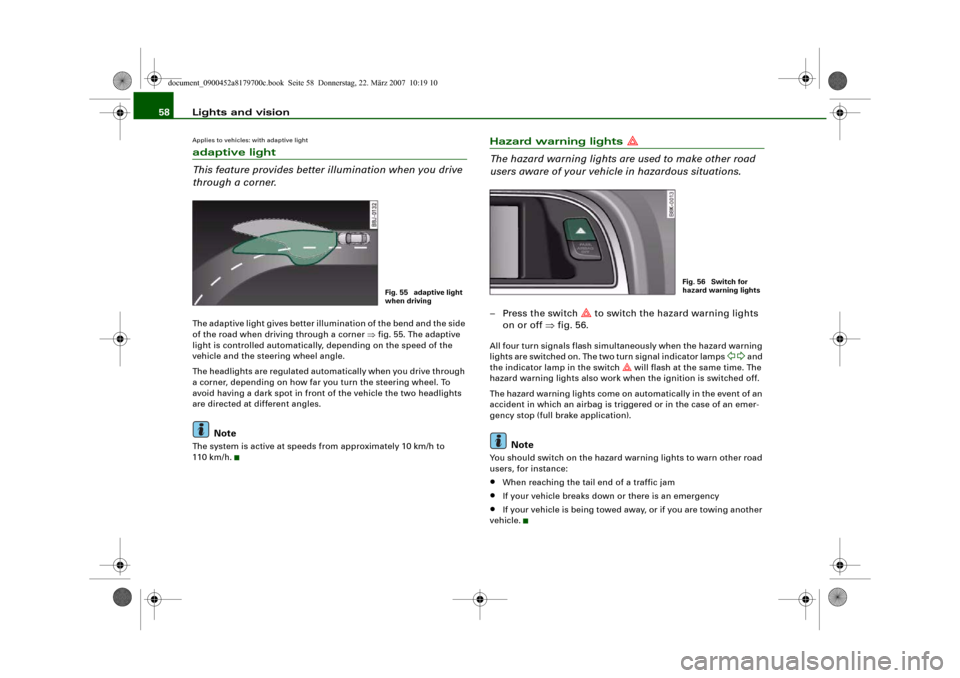
through a corner.The adaptive light gives better illumination of the bend and the side
of the road when driving through a corner ⇒fig. 55. The adaptive
light is controlled automatically, depending on the speed of the
vehicle and the steering wheel angle.
The headlights are regulated automatically when you drive through
a corner, depending on how far you turn the steering wheel. To
avoid having a dark spot in front of the vehicle the two headlights
are directed at different angles.
Note
The system is active at speeds from approximately 10 km/h to
110 km/h.
Hazard warning lights
The hazard warning lights are used to make other road
users aware of your vehicle in hazardous situations.– Press the switch
to switch the hazard warning lights
on or off ⇒fig. 56.
All four turn signals flash simultaneously when the hazard warning
lights are switched on. The two turn signal indicator lamps
and
the indicator lamp in the switch
will flash at the same time. The
hazard warning lights also work when the ignition is switched off.
The hazard warning lights come on automatically in the event of an
accident in which an airbag is triggered or in the case of an emer-
gency stop (full brake application).
Note
You should switch on the hazard warning lights to warn other road
users, for instance:•
When reaching the tail end of a traffic jam
•
If your vehicle breaks down or there is an emergency
•
If your vehicle is being towed away, or if you are towing another
vehicle.
Fig. 55 adaptive light
when driving
Fig. 56 Switch for
hazard warning lights
document_0900452a8179700c.book Seite 58 Donnerstag, 22. März 2007 10:19 10
Page 73 of 313
Seats and storage71
Controls
Safety
Driving tips
General maintenance
Self-help
Technical data
Adjusting height of lumbar support*
– Press the top or bottom part of the adjuster switch to
move the lumbar support upwards or downwards as
required.
Raising or lowering the seat
– Pull the lever ⇒page 70, fig. 72 up or down repeat-
edly (i.e. pump the lever).
Adjusting backrest angle
– Lean forwards to take your weight off the backrest.
– Turn the adjuster wheel ⇒page 70, fig. 72 to set the
angle of the backrest as required.
WARNING
•
Never adjust the driver's seat when the vehicle is moving - this
could lead to an accident.
•
Be careful when adjusting the seat height. Careless or uncon-
trolled use of the seat adjustment can cause injuries.
•
Do not drive with the backrests of the front seats reclined too
far as otherwise the seat belt and airbag could fail to restrain the
wearer properly in an accident, possibly leading to injury.
Applies to vehicles: with manual seat adjustmentEasy-entry functionThe easy-entry function gives improved access to the rear
seats.Folding down backrest and moving front seats
forwards
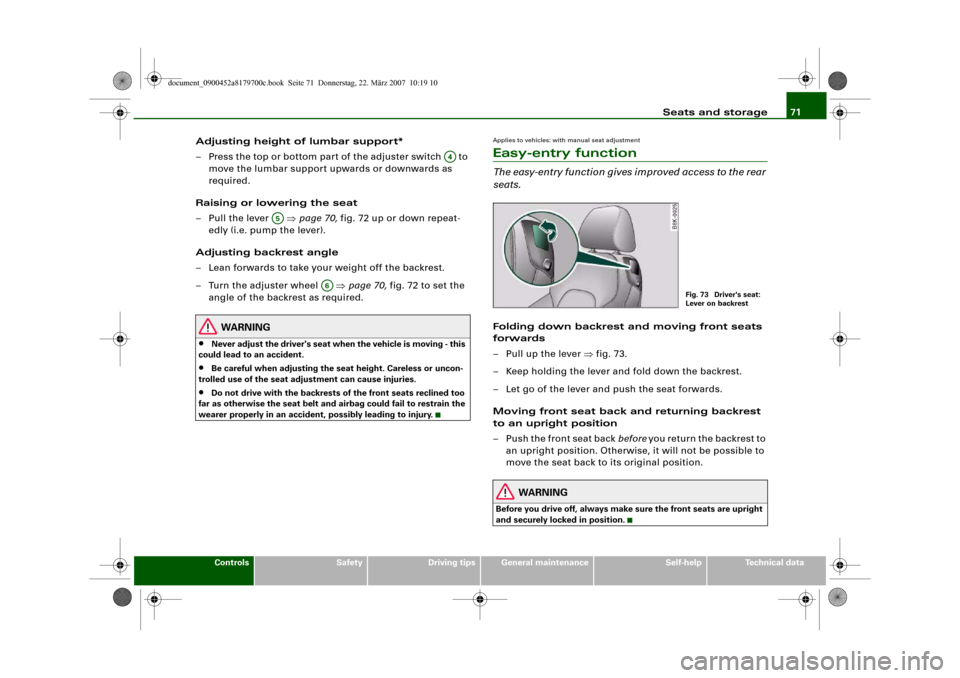
– Pull up the lever ⇒fig. 73.
– Keep holding the lever and fold down the backrest.
– Let go of the lever and push the seat forwards.
Moving front seat back and returning backrest
to an upright position
– Push the front seat back before you return the backrest to
an upright position. Otherwise, it will not be possible to
move the seat back to its original position.
WARNING
Before you drive off, always make sure the front seats are upright
and securely locked in position.
A4
A5
A6
Fig. 73 Driver's seat:
Lever on backrest
document_0900452a8179700c.book Seite 71 Donnerstag, 22. März 2007 10:19 10
Page 75 of 313
Seats and storage73
Controls
Safety
Driving tips
General maintenance
Self-help
Technical data
Adjusting head restraint height
– Press switch up or down.
Extending or shortening the thigh support*
– Lift the control below the seat cushion. The front seat
cushion will spring forward.
– Slide the seat cushion back to the desired position.
WARNING
•
Never adjust the driver's seat when the vehicle is moving - this
could lead to an accident.
•
The electrical seat adjustment also works when the ignition is
off and when the key is not in the ignition. To avoid accidental inju-
ries, never leave children unattended in the vehicle.
•
Be careful when adjusting the seat height. Careless or uncon-
trolled use of the height adjustment can cause injuries.
•
Do not drive with the backrests of the front seats reclined too
far as otherwise the seat belt and airbag could fail to restrain the
wearer properly in an accident, possibly leading to injury.
Applies to vehicles: with electric seat adjustmentEasy-entry functionThe easy-entry function gives improved access to the rear
seats.Tipping the front backrests forward
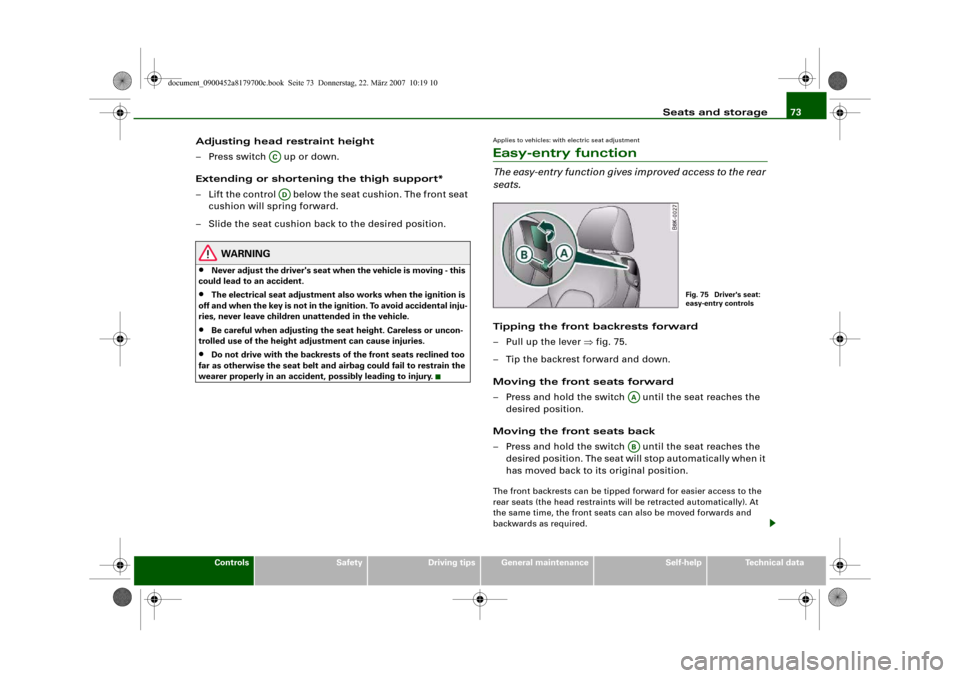
– Pull up the lever ⇒fig. 75.
– Tip the backrest forward and down.
Moving the front seats forward
– Press and hold the switch until the seat reaches the
desired position.
Moving the front seats back
– Press and hold the switch until the seat reaches the
desired position. The seat will stop automatically when it
has moved back to its original position.The front backrests can be tipped forward for easier access to the
rear seats (the head restraints will be retracted automatically). At
the same time, the front seats can also be moved forwards and
backwards as required.
ACAD
Fig. 75 Driver's seat:
easy-entry controls
AAAB
document_0900452a8179700c.book Seite 73 Donnerstag, 22. März 2007 10:19 10
Page 94 of 313
Seats and storage 92
WARNING
Always keep the compartment cover closed while the vehicle is in
motion to reduce the risk of injury during a sudden braking
manoeuvre or in the event of an accident.Coat hooks
The coat hooks are located on the rear side of the B-pillars
(in the rear passenger compartment).
WARNING
•
Please make sure that any items of clothing hanging from the
coat hooks do not obstruct your view to the rear.
•
Only use the coat hooks for light items of clothing and make
sure that there are no heavy or sharp objects in the pockets.
•
Do not use clothes hangers to hang up the clothing, as this
could interfere with the function of the head-protection
airbags*.
Applies to vehicles: with storage compartments in the front seatsStorage compartments in front seats
There is a fold-out drawer in the front part of each front
seat.Opening
– Pull the handle to open the compartment.
Closing
– Close the lid and push it in until it engages.Note
The storage compartment will hold a maximum weight of 1 kg.
document_0900452a8179700c.book Seite 92 Donnerstag, 22. März 2007 10:19 10
Page 164 of 313
Safe driving 162Safe drivingGeneral notesSafety is the first priority
Your safety is our first priority.This chapter contains important information, tips, sugges-
tions and warnings that you should read and observe for
your own safety and the safety of your passengers.
WARNING
•
The information in this chapter is important for the driver of
the vehicle and all passengers. The other chapters in this manual
(and, where applicable, in the other literature supplied with the
vehicle) contain further important notes which you should read
and observe for your own safety and that of your passengers.
•
Ensure that the complete vehicle wallet is always in the vehicle.
This is especially important when you lend or sell the vehicle to
others.
Safety features
The safety features listed here are part of the vehicle's
occupant restraint system. They work together to help
reduce the risk of injury in a wide variety of accident situ-
ations.Your safety and the safety of your passengers should not be left to
chance. In the event of an accident, the safety features incorporated
in your vehicle are capable of reducing the risk of injury. These are
just a few of the safety features in your Audi:•
Optimised three-point seat belts for all seats,
•
Belt force limiters for the front seats,
•
Belt pre-tensioners for the front seats,
•
Head restraints for all seats,
•
Optimised protection against injuries of the cervical vertebrae,
•
Front airbags,
•
Side airbags in the backrests of the front seats,
•
Head-protection airbags (sideguard system),
•
“ISOFIX” mountings* for “ISOFIX” child safety seats on the rear
seats,
•
Height-adjustable head restraints on the seats,
•
Adjustable steering column.
These individual safety features are harmonised to provide you and
your passengers with the best possible protection in accident situ-
ations. However, they can only be effective if you and your passen-
gers sit in the correct position and adjust and use the safety equip-
ment properly.
For these reasons, this chapter explains why these safety features
are so important, how they can protect you, what you need to
remember when using them, and how you and your passengers can
gain the most benefit from them. There are also a number of impor-
tant safety warnings which you and your passengers should always
observe in order to minimise the risk of injury.
Safety is everyone's responsibility!
Before every trip
The driver is responsible for the safety of the passengers
and the safe operation of the vehicle at all times.For your own safety and the safety of your passengers,
always note the following points before every trip:
document_0900452a8179700c.book Seite 162 Donnerstag, 22. März 2007 10:19 10
Page 166 of 313
Safe driving 164Correct sitting positionsCorrect sitting position for driver
The correct driving position is important for safe and
fatigue-free driving.For your own safety, and to reduce the risk of injury in the
event of an accident, we recommend the following driving
position.
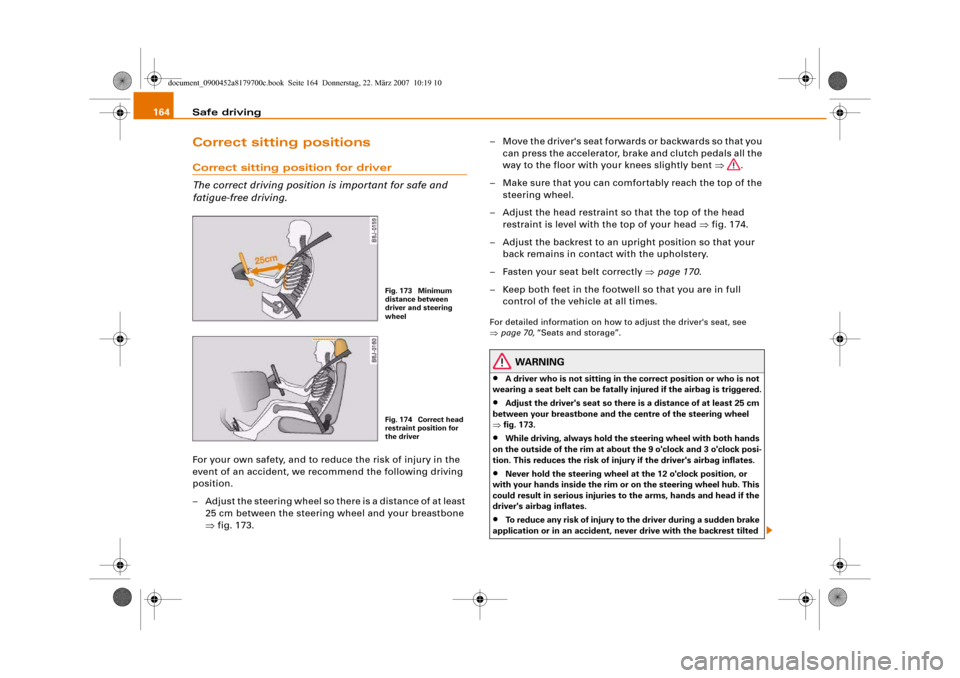
– Adjust the steering wheel so there is a distance of at least
25 cm between the steering wheel and your breastbone
⇒fig. 173.– Move the driver's seat forwards or backwards so that you
can press the accelerator, brake and clutch pedals all the
way to the floor with your knees slightly bent ⇒.
– Make sure that you can comfortably reach the top of the
steering wheel.
– Adjust the head restraint so that the top of the head
restraint is level with the top of your head ⇒fig. 174.
– Adjust the backrest to an upright position so that your
back remains in contact with the upholstery.
– Fasten your seat belt correctly ⇒page 170.
– Keep both feet in the footwell so that you are in full
control of the vehicle at all times.
For detailed information on how to adjust the driver's seat, see
⇒page 70, “Seats and storage”.
WARNING
•
A driver who is not sitting in the correct position or who is not
wearing a seat belt can be fatally injured if the airbag is triggered.
•
Adjust the driver's seat so there is a distance of at least 25 cm
between your breastbone and the centre of the steering wheel
⇒fig. 173.
•
While driving, always hold the steering wheel with both hands
on the outside of the rim at about the 9 o'clock and 3 o'clock posi-
tion. This reduces the risk of injury if the driver's airbag inflates.
•
Never hold the steering wheel at the 12 o'clock position, or
with your hands inside the rim or on the steering wheel hub. This
could result in serious injuries to the arms, hands and head if the
driver's airbag inflates.
•
To reduce any risk of injury to the driver during a sudden brake
application or in an accident, never drive with the backrest tilted
Fig. 173 Minimum
distance between
driver and steering
wheelFig. 174 Correct head
restraint position for
the driver
document_0900452a8179700c.book Seite 164 Donnerstag, 22. März 2007 10:19 10
Page 167 of 313
Safe driving165
Controls
Safety
Driving tips
General maintenance
Self-help
Technical data too far back. The airbag system and seat belts can only provide
proper protection when the backrest is in an upright position and
the driver is wearing the seat belt in the correct position. The
further the backrest is tilted back, the greater the risk of injury due
to incorrect positioning of the belt webbing or an incorrect sitting
position.
•
Adjust the head restraint properly so that it can give maximum
protection.
Correct sitting position for front passenger
The front seat passenger must sit at least 25 cm away
from the dash panel so that the airbag has enough room
to inflate and give maximum protection in an accident.For your own safety and to reduce the risk of injury in the
event of an accident, we recommend adjusting the front
passenger's seat as follows:
– Move the front passenger's seat as far back as possible
⇒.
– Adjust the backrest to an upright position so that your
back remains in contact with the upholstery.
– Adjust the head restraint so that the top of the head
restraint is level with the top of your head ⇒page 166.
– Keep both feet in the footwell in front of the seat.
– Fasten your seat belt correctly ⇒page 173.In exceptional cases you can disable the front passenger's airbag
via the key-operated switch* ⇒page 183.
For detailed information on how to adjust the front passenger's
seat, see ⇒page 70, “Seats and storage”.
WARNING
A passenger who is not sitting in the correct position or who is not
wearing a seat belt can be fatally injured if the airbag is triggered.•
Adjust the front passenger's seat so there is a distance of at
least 25 cm between your breastbone and the dash panel.
•
Always keep your feet on the floor when the vehicle is moving;
never rest them on the instrument panel, out of the window or on
the seat. If you sit in an incorrect position, you increase your risk
of injury in the event of sudden braking or an accident. If the airbag
is triggered, you could sustain potentially fatal injuries by sitting
out of position.
•
To reduce the risk of injury to the front passenger in the case of
sudden braking or an accident, the passenger should never travel
in a moving vehicle with the backrest reclined. The airbag system
and seat belt can only provide proper protection when the back-
rest is in an upright position and the passenger is wearing the seat
belt in the correct position. The further the backrest is tilted back,
the greater the risk of injury due to incorrect positioning of the belt
webbing or an incorrect sitting position.
•
Always adjust the head restraints properly for maximum
protection.
Correct sitting position for passengers in the rear
Rear seat passengers should sit upright with both feet on
the floor and wear their seat belts properly whenever the
vehicle is moving.To reduce any risk of injury in the event of sudden braking
or an accident, passengers in the rear seats must observe
the following:
WARNING (continued)
document_0900452a8179700c.book Seite 165 Donnerstag, 22. März 2007 10:19 10
Page 169 of 313
Safe driving167
Controls
Safety
Driving tips
General maintenance
Self-help
Technical data
Examples of incorrect sitting positions
Occupants can suffer severe or fatal injuries injuries if
they sit in an incorrect position while the vehicle is
moving.Seat belts can only provide maximum protection if the belt
webbing is positioned correctly. Sitting out of position
greatly reduces the effectiveness of the seat belts and
increases the risk of injury since the belt webbing is not
worn in the position for which it is designed. The driver is
responsible for the safety of all vehicle occupants, espe-
cially for children.
– Never allow anyone to sit out of position while the
vehicle is moving ⇒.The following list shows just some examples of incorrect sitting
positions which can be dangerous to all occupants. The list is not
complete, but will help to make you aware of possible dangers
which can be avoided.
Therefore, whenever the vehicle is moving:•
never stand up in the vehicle,
•
never stand on the seats,
•
never kneel on the seats,
•
never travel with the backrest reclined too far,
•
never lean against the dash panel,
•
never lie down on the rear seat,
•
never sit on the front edge of a seat,
•
never sit sideways,
•
never lean out of the window,
•
never put your feet out of the window,
•
never put your feet on the dash panel,
•
never put your feet on the seat cushion,
•
never ride in the footwell,
•
never travel on a seat without wearing the seat belt,
•
never climb into the luggage compartment.
WARNING
Sitting out of position increases the risk of severe injuries.•
Sitting out of position exposes the occupants to potentially
fatal injuries: if the airbags inflate they can strike any occupant
who is not in one of the designed seat positions.
•
Before starting a trip, sit in the correct position and stay in this
position as long as the vehicle is moving. Before every trip, make
sure all passengers are sitting in the correct positions and remain
correctly seated at all times ⇒page 70, “Seats and storage”.
Pedal are aPedal s
The pedals must always be free to move and must never
be obstructed by floor mats or any objects in the footwell.– Make sure that the accelerator, brake and clutch pedals
are not obstructed and can be pressed all the way down
to the floor.
– Make sure that all pedals are able to return freely to their
original positions.Only use floor mats which leave the pedal area free and can be
securely fastened in the footwell.
If one of the brake circuits should fail, increased brake pedal travel
will be required to bring the vehicle safely to a stop.
document_0900452a8179700c.book Seite 167 Donnerstag, 22. März 2007 10:19 10