2007 VOLVO S80 cruise control
[x] Cancel search: cruise controlPage 143 of 251

NOTE
The red warning light may be difficult to see in strong sunlight or when sunglasses are being worn.
WARNING
Cruise control only warns of vehicles detected by the radar sensor, see page 146
. In some cases there may be no
warning or the warning may be delayed. The driver should always apply the brakes when necessary.
Automatic deactivation
Adaptive cruise control is linked to other systems such as the stability and traction control system (DSTC). If any of
these systems are not functioning properly, adaptive cruise control is automatically deactivated.
In the event of automatic deactivation a signal will sound and the message Cruise Control Canceled is shown in the
display. The
146 04 Comfort and driving pleasure
Adaptive Cruise Control-ACC
driver must then intervene and adapt the vehicle's speed to the surrounding traffic. Automatic deactivation may be
caused if:
the vehicle's speed falls below 20 mph (30 km/h)
the wheels lose traction or if the anti-lock brake system is activated
brake temperature is high
engine speed (rpm) is too low
the radar sensor is obstructed by, for example, wet snow or rain.
The radar sensor and its limitations
The radar sensor is used both by the adaptive cruise control and the collision warning system. It is designed to detect
vehicles or larger vehicles driving in the same direction as your vehicle. The radar sensor does not detect pedestrians,
or oncoming, slow or stationary vehicles and objects. Warnings are not given and the brakes are not applied in such
cases.
WARNING
Accessories or other objects must not be installed in front of the grille.
Modification of the radar sensor could make its use illegal.
The radar sensor's capacity to detect vehicles ahead is impeded:
if the radar sensor is obstructed and cannot detect other vehicles, for example in heavy rain, or if snow or other
objects are obscuring the radar sensor.
NOTE
Keep the area in front of the radar sensor clean.
ProCarManuals.com
Page 144 of 251

if the speed of vehicles ahead is significantly different from your own speed.
The radar sensor has a limited field of vision. In some situations it may detect a vehicle other than the one expected or
not detect vehicles at all.
In certain situations, the radar sensor cannot detect vehicles at close quarters, for example a vehicle that suddenly
enters the lanes between your vehicle and the one that the system has already detected.
Small vehicles, such as motorcycles, or vehicles not driving in the center of the lane may remain undetected.
147 04 Comfort and driving pleasure
Adaptive Cruise Control-ACC
In curves, the radar sensor may detect the wrong vehicle or lose a detected vehicle from view.
Operation
Activate and resume settings, increase speed
Standby mode, on/off
Set distance
Activating and setting the speed
Driver operation
ProCarManuals.com
Page 145 of 251
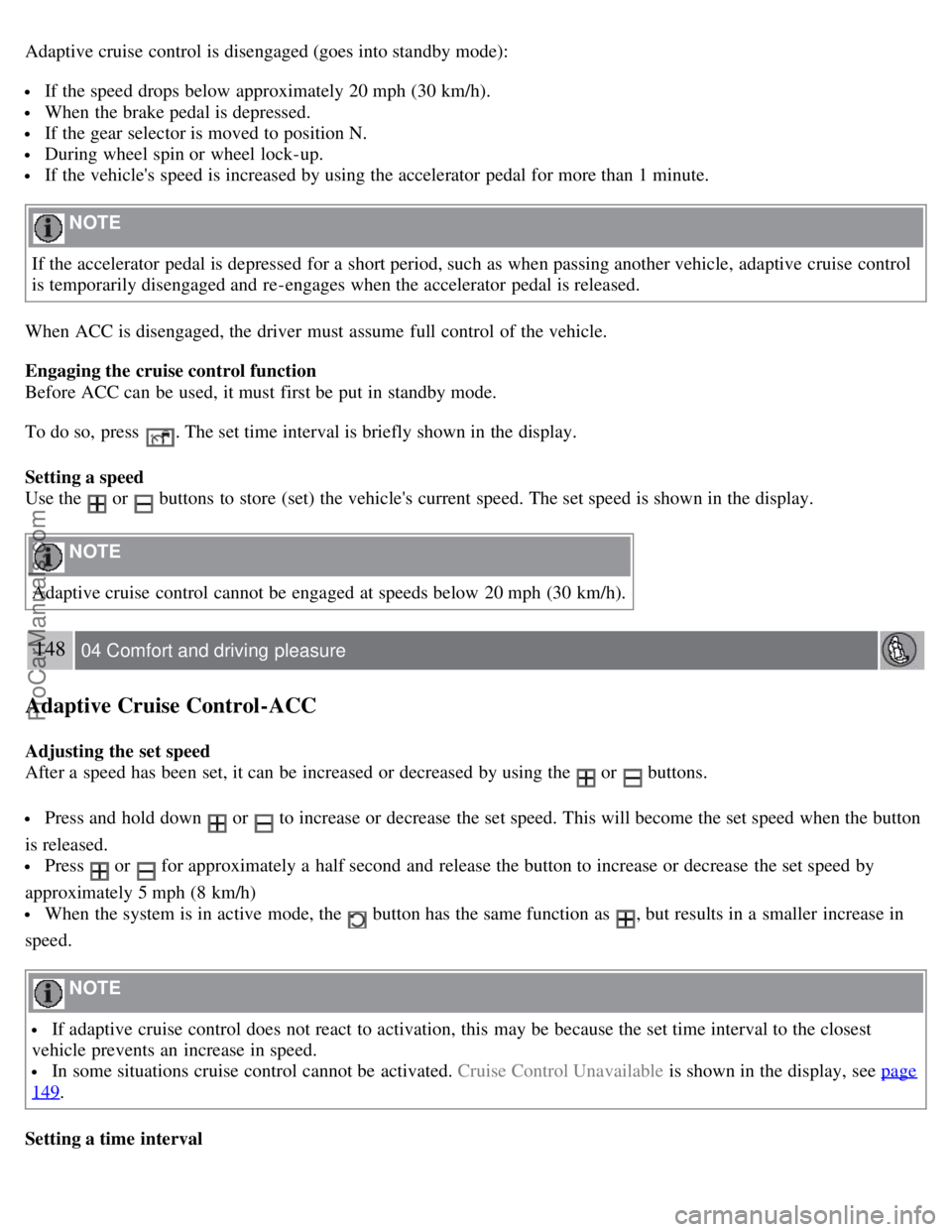
Adaptive cruise control is disengaged (goes into standby mode):
If the speed drops below approximately 20 mph (30 km/h).
When the brake pedal is depressed.
If the gear selector is moved to position N.
During wheel spin or wheel lock-up.
If the vehicle's speed is increased by using the accelerator pedal for more than 1 minute.
NOTE
If the accelerator pedal is depressed for a short period, such as when passing another vehicle, adaptive cruise control
is temporarily disengaged and re-engages when the accelerator pedal is released.
When ACC is disengaged, the driver must assume full control of the vehicle.
Engaging the cruise control function
Before ACC can be used, it must first be put in standby mode.
To do so, press
. The set time interval is briefly shown in the display.
Setting a speed
Use the
or buttons to store (set) the vehicle's current speed. The set speed is shown in the display.
NOTE
Adaptive cruise control cannot be engaged at speeds below 20 mph (30 km/h).
148 04 Comfort and driving pleasure
Adaptive Cruise Control-ACC
Adjusting the set speed
After a speed has been set, it can be increased or decreased by using the
or buttons.
Press and hold down or to increase or decrease the set speed. This will become the set speed when the button
is released.
Press or for approximately a half second and release the button to increase or decrease the set speed by
approximately 5 mph (8 km/h)
When the system is in active mode, the button has the same function as , but results in a smaller increase in
speed.
NOTE
If adaptive cruise control does not react to activation, this may be because the set time interval to the closest
vehicle prevents an increase in speed.
In some situations cruise control cannot be activated. Cruise Control Unavailable is shown in the display, see page
149.
Setting a time interval
ProCarManuals.com
Page 146 of 251
The set time interval to vehicles ahead is increased with and decreased with . The current time interval is
shown briefly in the display following adjustment.
Five different time intervals can be selected.
A longer time interval results in smoother speed control. The recommended time interval is three to five.
Time intervals one and two are primarily intended for driving in queues in heavy traffic, in which case you must
intervene more often.
WARNING
Only use the time interval that is permitted by local traffic regulations.
Deactivating and resuming settings
Cruise control is deactivated, either with a short press on
, or by action taken by the driver, such as braking, etc.
The set speed is then shown in parentheses. Speed and time interval are resumed with one press on
.
WARNING
There may be a significant increase in speed after the
button has been pressed.
A short press on
in standby mode or a long press in active mode deactivates cruise control. The set speed is then
cleared and cannot be resumed.
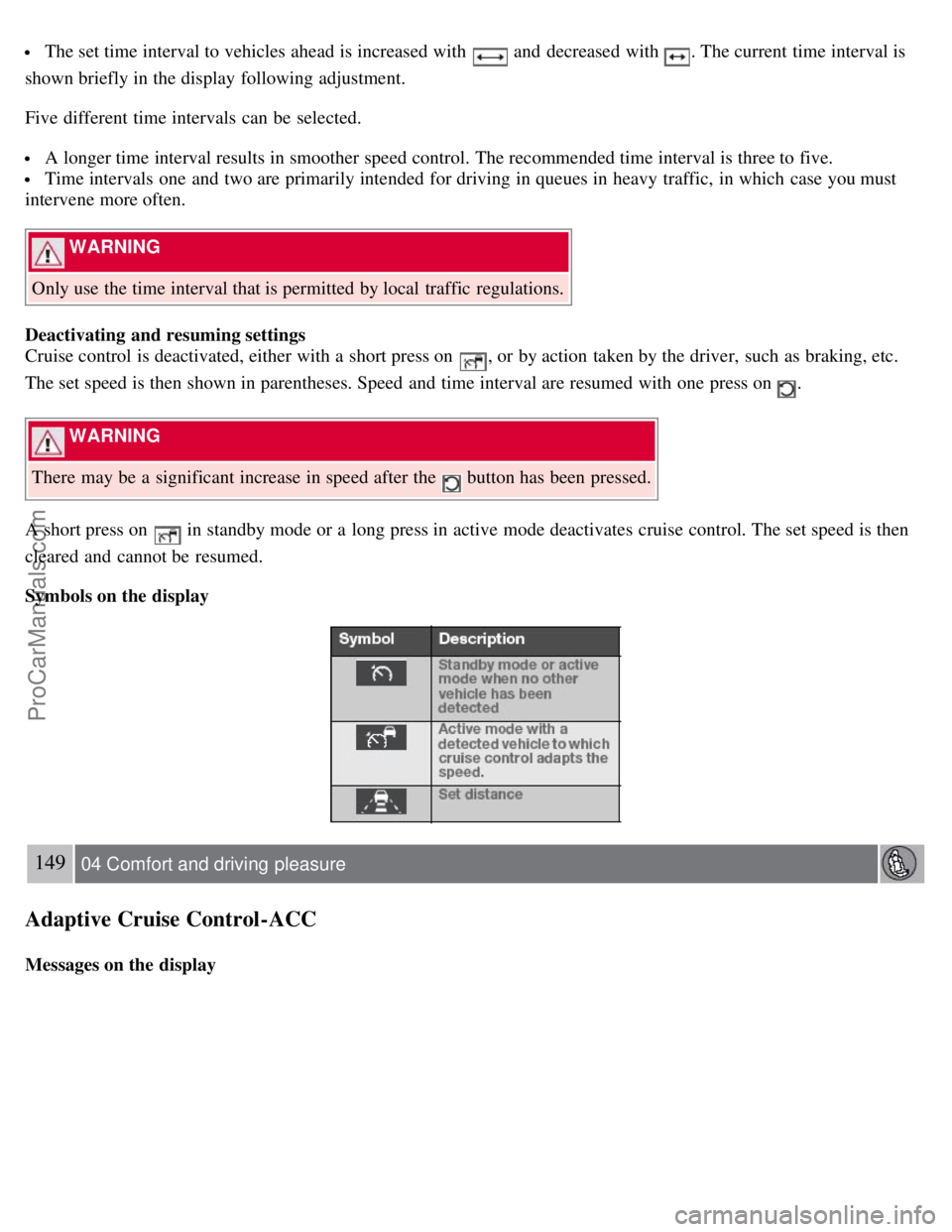
Symbols on the display
149 04 Comfort and driving pleasure
Adaptive Cruise Control-ACC
Messages on the display
ProCarManuals.com
Page 148 of 251

Visual warning signal, collision risk
Sensor
The radar sensor detects vehicles ahead that are moving in the same direction as your vehicle. In the event of a
collision risk, you will be alerted by a red warning light and an audible warning signal.
If the risk of collision increases after the warning, brake support is activated.
The brake support prepares the brake system for rapid braking and the brakes are applied gently, which may be
noticeable. If the brake pedal is depressed quickly then braking is implemented with full brake function, even if the
force on the pedal is light.
151 04 Comfort and driving pleasure
Collision warning system (option)
The collision warning system is active at speeds above approximately 5 mph (7 km/h).
Limitations
The visual warning signal may be difficult to see in strong sunlight or when sunglasses are being worn. For this reason
always activate the audible warning signal in such conditions.
NOTE
The visual warning signal may be temporarily disengaged in the event of high passenger compartment temperature
due to strong sunlight, etc. If this occurs, the audible warning signal will be used, even if it has been deactivated in
the menu system.
Warnings may not appear if the distance to the vehicle ahead is very small or if steering wheel and pedal movements
are large, for example, due to a very active driving style.
The collision warning system uses the same radar sensors as adaptive cruise control. For more information on the radar
sensor and its limitations, see page 146
.
WARNING
In certain situations, the system cannot provide warnings, the warning may be delayed, or false warnings may be
given if traffic conditions make it impossible for the radar sensor to detect the vehicle ahead.
If no warning is given, no brake support is provided.
ProCarManuals.com
Page 240 of 251
2 0 0 7
VOLVO S80
252 Index
Numerics
12-volt sockets 160, 161
A
Accessory installation warning7
Active Bi -Xenon headlights85
Active chassis system141
Active yaw control139
Adaptive cruise control144-148
Air conditioning122
Air distribution119
Air distribution table124
Air vents120
Airbags
disconnecting the front passenger's side21-23
front18-20
inflatable curtain25
side impact24
Alarm system62-64
All wheel drive106
Anti-freeze172, 196
Anti-lock brake system107
warning light71
Approach lighting50, 89
Audio system
audio functions127
CD player/changer128, 129
menu control126
overview125
radio functions130
Sirius satellite radio132-135
sound settings127
steering wheel keypad125
Auto-dim rearview mirror95
Automatic locking59
Automatic locking retractor31
ProCarManuals.com
Page 242 of 251
Child restraint systems32-33
booster cushions39
convertible seats36-38
infant seats34-35
ISOFIX/LATCH anchors40
top tether anchors41
Child safety29-31
booster cushions39
child restraint systems32-33
convertible seats36-38
infant seats34-35
Child safety locks45
Climate system
air distribution119
air vents120
Interior Air Quality System119
introduction118
passenger compartment filter118
refrigerant118
Clock, setting74
Cold weather driving172
Collision warning system150-152
Compass in rearview mirror137
Conserving electrical current171
Convertible seats36-38
Coolant196, 248
Cooling system, general information171
Courtesy lighting88-89
Crash mode28
Cruise control142-143
adaptive144-148
Curb weight228
Current, conserving171
D
Defroster122
Detachable key blade53-54
Dimensions243
Disconnecting the front passenger's airbag21-23
Dome lighting88-89
Driver distraction warning7
Driving economically170
Driving in cold weather172
Driving through water171
E
ProCarManuals.com