Page 177 of 444
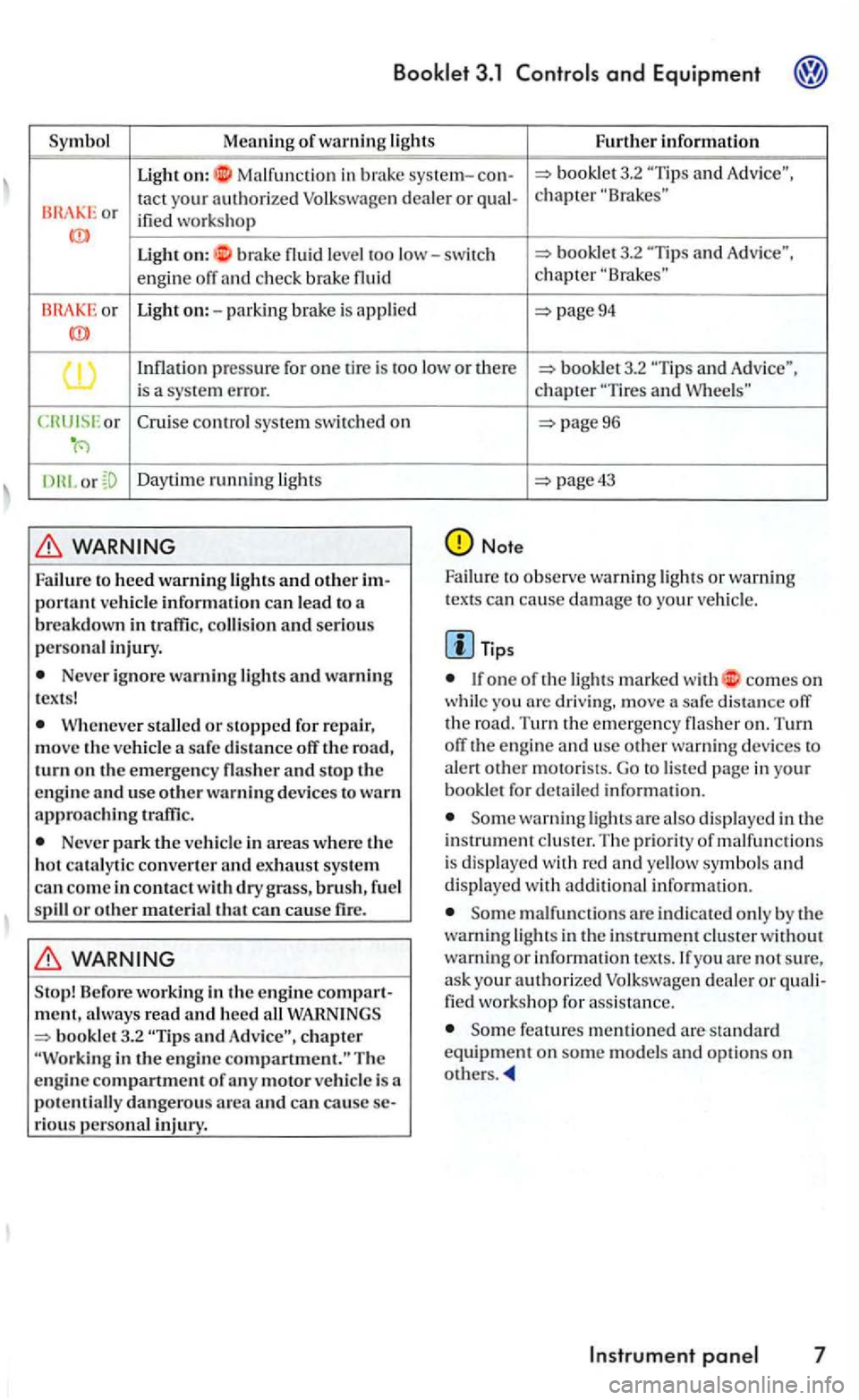
Symbol Meaning o
f warning lights Furt h er informati o n
Ligh t on: Ma lfun ction in brake system-3.2 and
or tact your a u thorized Volk swage n dealer or ified wo rks ho p
Ligh t on: b rake leve l too low-switc h 3.2 and
engin e off and ch ec k b rak e chapter
Light on:-pa rkin g brake is appli ed page94
pressure for one tir e is too lo w o r th ere an d Adv ice",
i s a sys te m err or.
or
Cru ise con trol system switc h ed on
D ayt im e ru nning ligh ts
Failure to heed warnin g lights and o ther p o rl ant vehicle informati o n ca n lead t o a
b reakdow n in traffic , and serious
perso na l in jury.
Ne ver ig no re warning lights a nd warning
t e x ts !
stal led or stoppe d for re p air, m ove th e v eh icle a sa fe dis ta n ce off th e road,
turn on t h e em erge ncy flash er and stop the
e n gi ne and use o th e r warnin g d evices to warn approachin g traffi c.
Ne ver park the ve hicle in areas where the ho t cataly tic co nvcrlc r and exh au st sys tem can co m e i n contact w ith dry gra ss, brus h , fu el
s pill or oth er materi al that ca n cause fire.
Sto p ! B efore workin g in the en g ine m ent , a lwa ys rea d and heed all 3.2 in the engin e comparlmcnt." The
e ngine c ompartment of any motor vehicle i s a
p ote n tiall y da ngerou s area and can ca u se rious personal in jury.
chapter and
page96
page43
Note
Failure to observ e wa rnin g lig hts or wa rning texts can ca use damage to you r ve hicle .
If one of the lig hts marked with comes on while you arc driv ing. move a safe distance off
th e road. Turn the em ergency flas her on. T urn off the engine and usc other warni ng devices to
ale rt other motoris ts. Go to listed page in your bookle t for detailed informat ion.
Some warning lights are also displayed in the instr ument cluster. Th e priority of m alfun ctions is dis played with re d and yellow symbols and
disp layed with additio na l informa tion.
Some malfu nction s arc in dicated only by th e
warni ng lights in the instrument cluster without warn ing or i nformation texts. If you are not sure ,
as k you r authorized Volkswagen dealer or worksho p for ass istance.
Some features menti oned are s tandard equipment on some mod els and optio ns on others .
Instrument 7
Page 178 of 444
and Equipm ent
Instrument
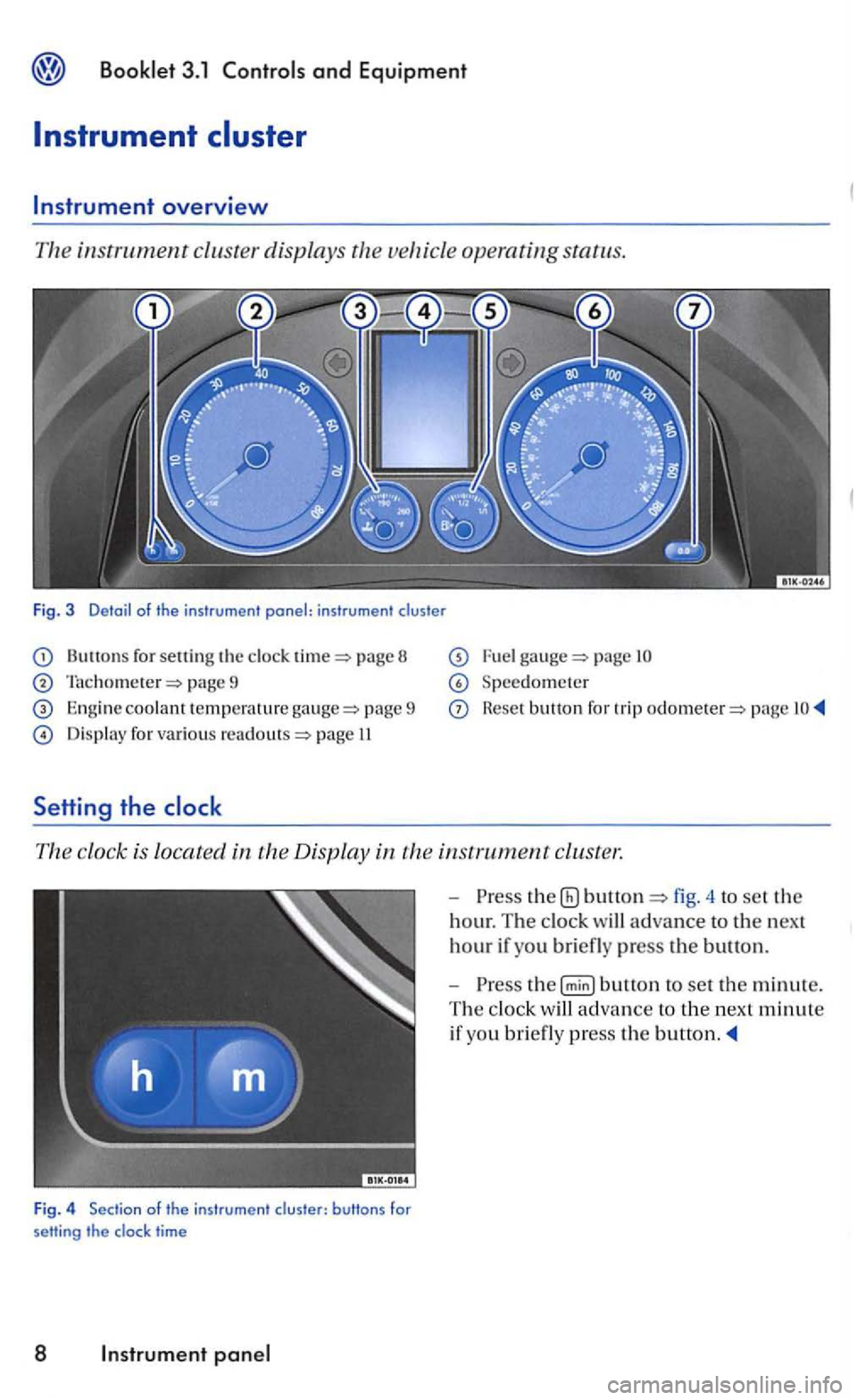
for sett in g the page 8
page 9
Engine coolant te mpera tu re pa ge 9
Display for various page II
Setti ng the
page
Speedometer
Reset button for trip page
The clock is locat ed in the Display in
time
8 Instr um ent
-the fig. 4 to set the
hour. The clock will advance to the next
hour if you briefl y press the button.
-
Page 180 of 444
and Equipment
The front spoiler also en sures proper bution of the cooling a ir w hen t he vehicle is mov in g. The engin e could overheat if th e spoiler
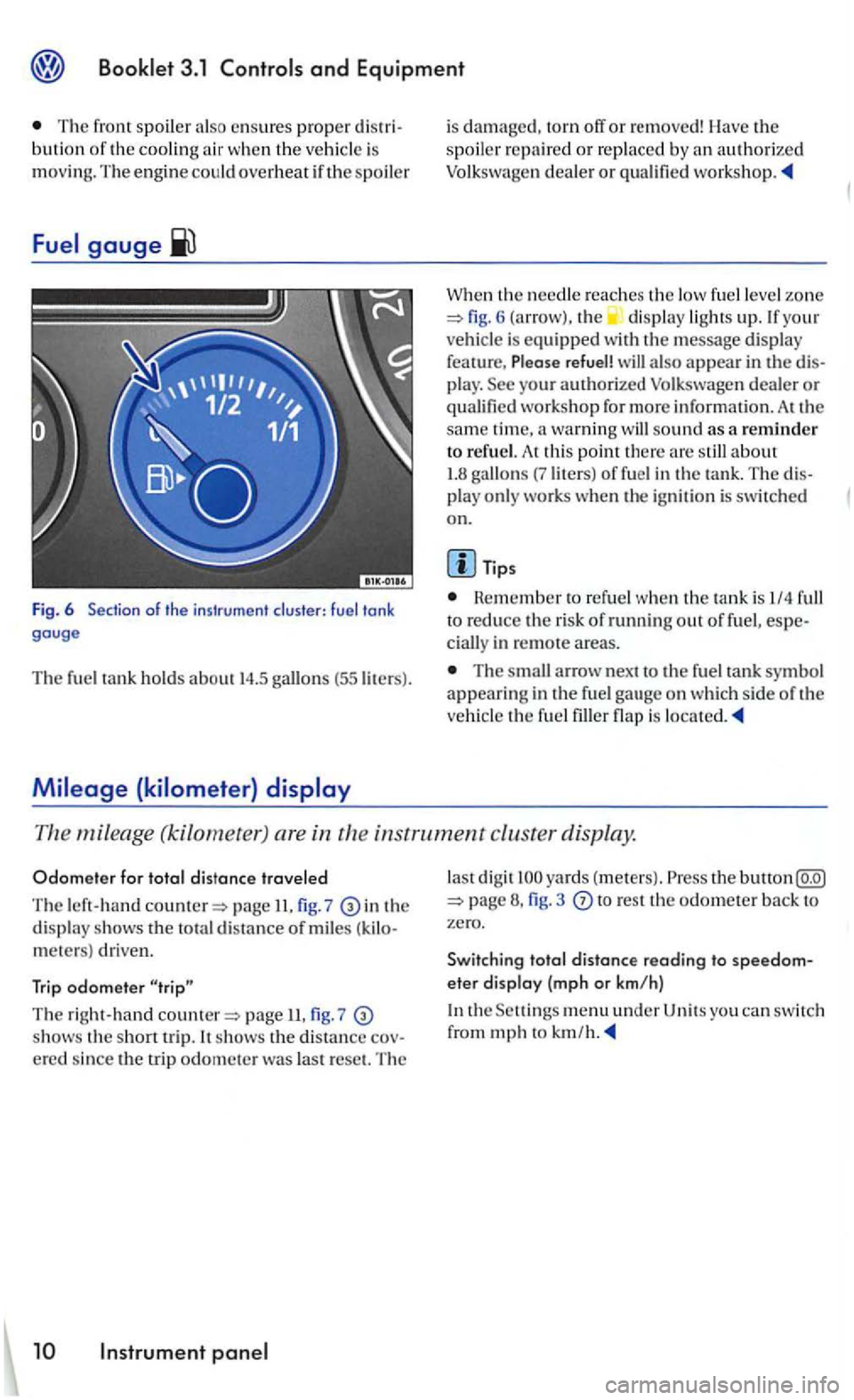
Fig. 6 of the instrument cluster: fuel tank gauge
Th e fuel tank hold s about 14.5 (55 liters).
is damaged, torn off or removed! Ha ve the spoil er repaire d or rep laced by an autho rized Volkswagen deale r or
W he n the needle reaches th e low fuel le ve l zo ne 6 (arrow), the displa y ligh ts up. If you r
ve hicle is equipped with th e message display
fea ture, Please refuel! a lso appear in the play. workshop fo r more informatio n. At the sam e tim e, a warning sound as a reminder to refu el. A t thi s point th ere
Tips
Rem ember to refuel when th e tank is I/4 to reduce the risk of running out of fuel, in remote a reas.
The arrow n ex t to the fue l tank symbol appearing in the fu el gau ge o n wh ic h side of th e
ve hicl e th e fuel is
mileage (kilometet ) are in th e in strument cluster display.
Odom ete r f or t otal distance travele d
The left-han d page II. 7 in th e displ ay shows the to tal distance of mile s meters) driven.
Trip odomete r
T he right-hand page 7 shows th e s ho rt trip. It shows th e distance
la st di gi t yards ( mete rs) . Press the button 3 to res t th e odometer back to zero.
Swit ching tota l
distance reading to eter display (mp h o r km/h)
the men u under U ni ts you can switc h
from mph to km /h.
Page 181 of 444
Informational or malfunction messages are identified by a warning light or
symbo l and, depending on the
kind of instrument cluster in your vehicle , with a
matching text in the display.
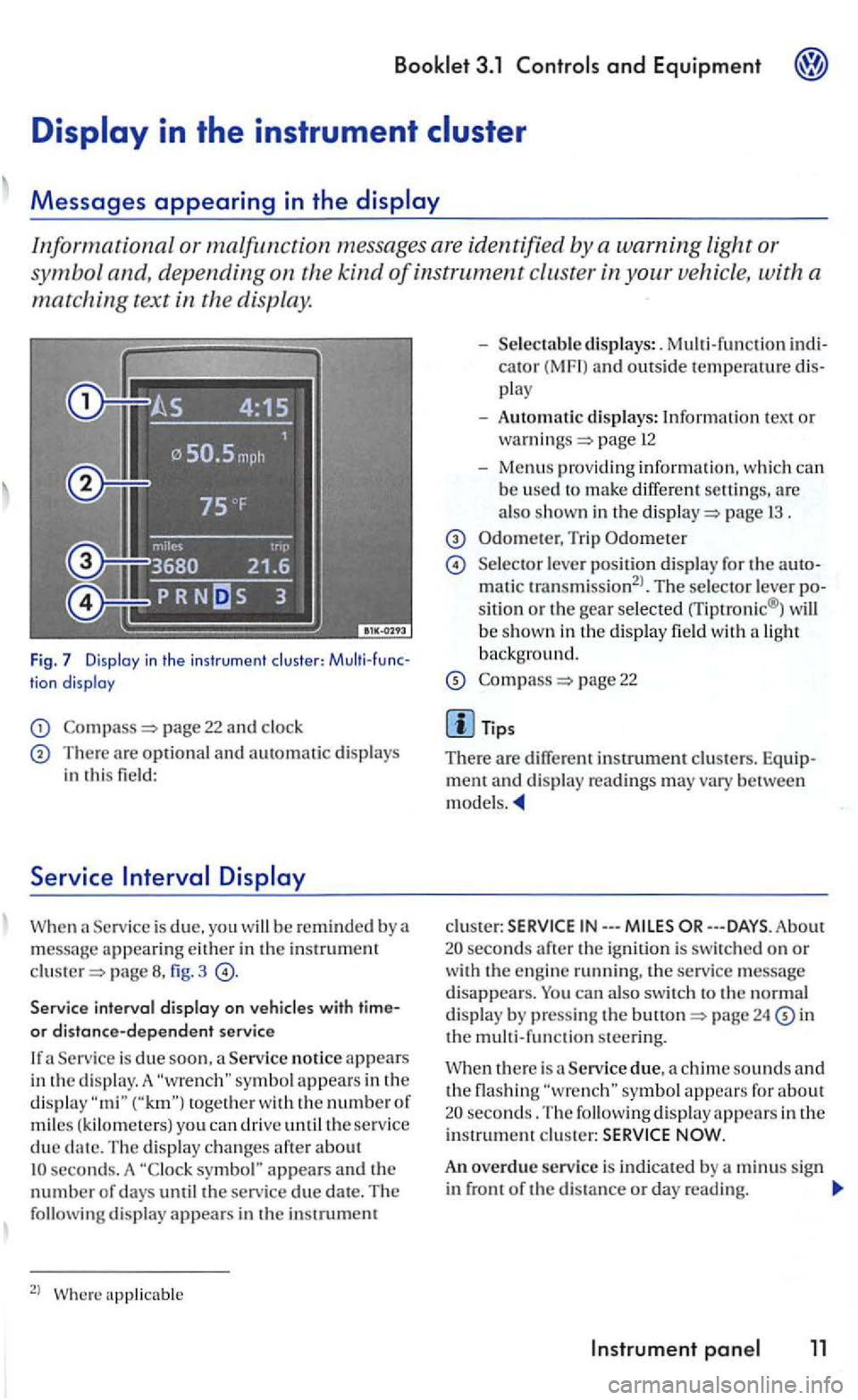
Fig. 7 Display in the in str umen t clu ste r: tion display
page 22 and clock
There are optional and automatic displays in this field:
Serv ice
page fig. 3
Service interval display on
Service is due soon , a Service notice appears
i n the d is play. A togeth e r with the numbe r of miles ( kilom ete rs) you can driv e until the service due seconds. A symbol" appears and the number of days until the service due date. The following display appear s in the instrumem
2
l
cator (MF I) and outside temperawre play
- Automatic displays: Information tex t or page 12
-Menus providing informatio n, w hich can b e used to make differ ent are also shown in the page 1 3 .
Trip Odometer
Selecto r lever positio n di splay for the matic transmission2
l. The selector lever sitio n or the gear selected rriptronic® ) will
b e show n in th e display field wit h a light backg round.
page 22
m ent and disp lay rea dings may vary between models.
clus te r: IN---
24 in the m ult i-function steering.
Service due, a chime sounds and the flashing seconds. The following display appears in the i nstrument c lu ster:
An overdue service is indicated by a m inus sign in front of the di sta nce or day reading.
Instrument 11
Page 183 of 444
3.1 and Equipment
Failure to heed warning light s and other important vehicl e information can lead to a
breakdown in traffi c, collis io n and se rious personal injury.
Never ignore warni ng lights and warning m essages !
Wheneve r stall ed or stopped for repair,
m ove the vehicle a safe distance off the road,
s top th e e ngin e, and turn on th e emergency flas he r a nd use other warn ing dev ices to warn approaching traffic.
Before workin g in the engine compartment, always read and heed all WARNLNGS bookle t 3.2 in the engine The engi ne compartmen t of motor ve hicl e is a potentially dangerous area and can cause serio us personal injury .
Note
Failure to observe warning lights or wa rning
text s can cause damage to you r veh icle.
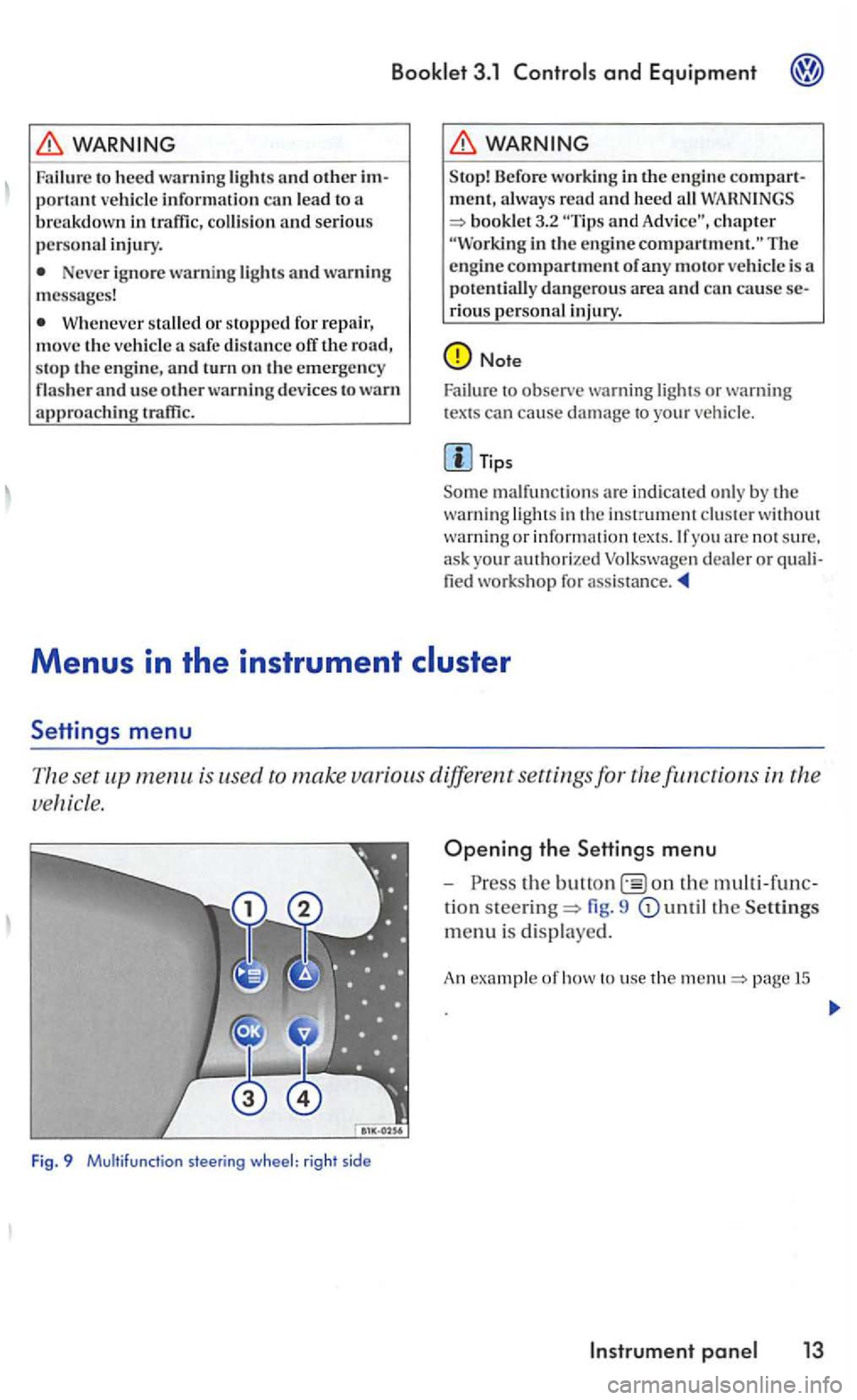
is used to make various different settings for the
Fig. 9 Multifunction steering wheel: right sid e
Opening the Settings menu
-the on the
tion steering= fig. 9
page 15
Page 187 of 444
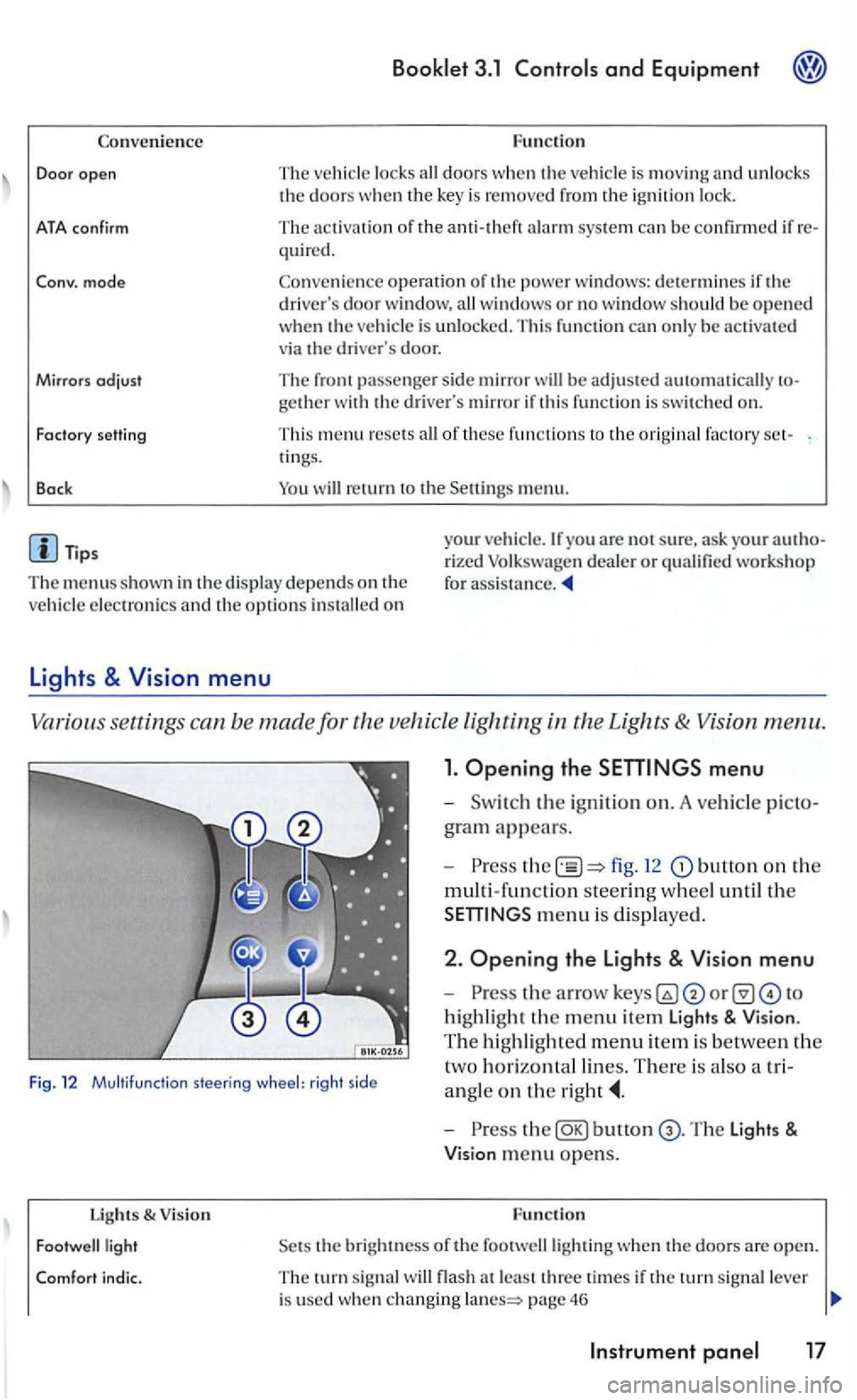
Convenience
Door open
ATA confirm
Conv. mode
Mirrors
adjust
Fa cto ry setti ng
Back
Booklet 3.1 and Equipment
Function
The ve hicle locks doors w he n the veh icle is m ov ing and unl ocks the doors w hen the key is remo ved from the ig n ition lock.
The activation of the q ui red.
Co nve
nience operation of the po wer windows: determines if the drive rs doo r window , windows or no window s ho ul d be ope ned when th e ve hicle is unlocke d. This function can only be activa te d
via the drive r's door.
The front passenger sid e mirror be adjusted automatically
of these fu nctio ns to the ori gin al factory ring s.
men u.
The menus shown in the dis p lay de pends on th e
ve hicle electron ics and the option s
Lights & Vision menu
Vario us se ttings can be made for vehicle Lighting
1. Opening the
fig. 12 button on the
multi-fun ction steering w hee l until th e
m enu is dis played .
Fig. 12 Multifu nctio n steering wheel: rig ht side
2 . Opening the Lights & Vision menu
-
highli ght the m enu item Light s & Vision .
T he hi ghli gh te d m e
nu item is be tween the
t
wo h orizontal lin es. There is als o a tri
a n gle
on the
Lights & V ision
bunon
the bright ness of the footwelllighting when th e doo rs a re open.
T he turn sig nal flash a t le ast thre e time s if the tu rn sig nal lever
i s used whe n changing page 46
Page 188 of 444
Booklet 3 .1 Controls and Equipment
Functio n lights & Vision
Factory setting This menu resets all of these functio ns to the original factory tings.
Back Heturn to the m enu.
Tips
The menus shown in the dis play depends o n ve hicle electronics and the options installed on
Applies to with sound system
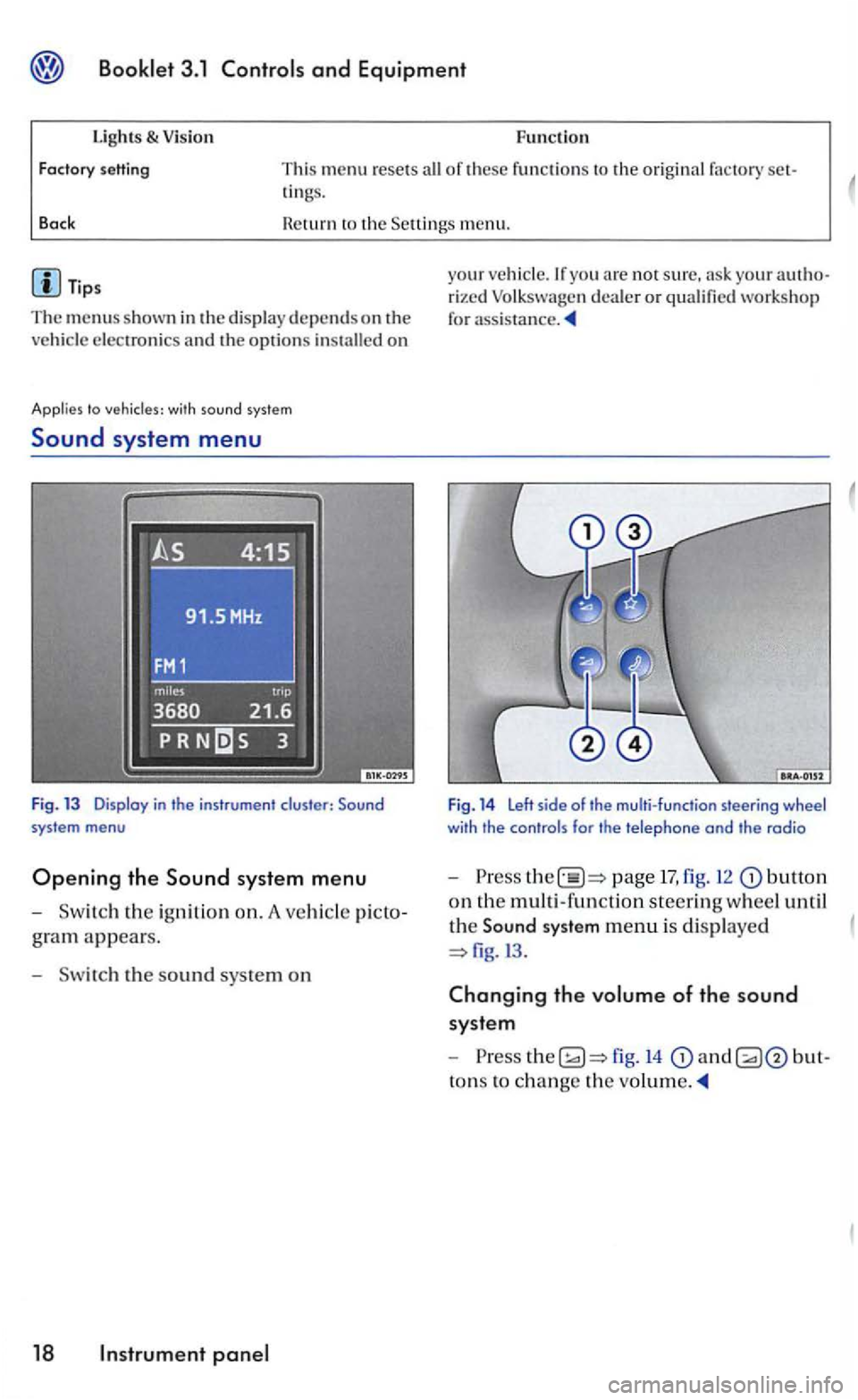
Sound system menu
Fig. 13 Display in the instrument cluster:
gram appears.
- Sw itch the s
ound sys te m on
18 panel
your veh icle.lfyou arc not sure, your rized Volk swage n dea ler or qualified workshop
for
Fig. 14 Left side of the multi-function steering wheel with the controls for the telephone and the radio
-Press page 17, fig. 12 butto n
on th e multi -functio n steerin g wheel until
th e
Sound system menu is di splaye d
fig.l3 .
Changing the volume of the sound
syste m
-
to ns to ch ange the
Page 193 of 444
Booklet 3.1 Controls and Equipment
with compass and sound syste m
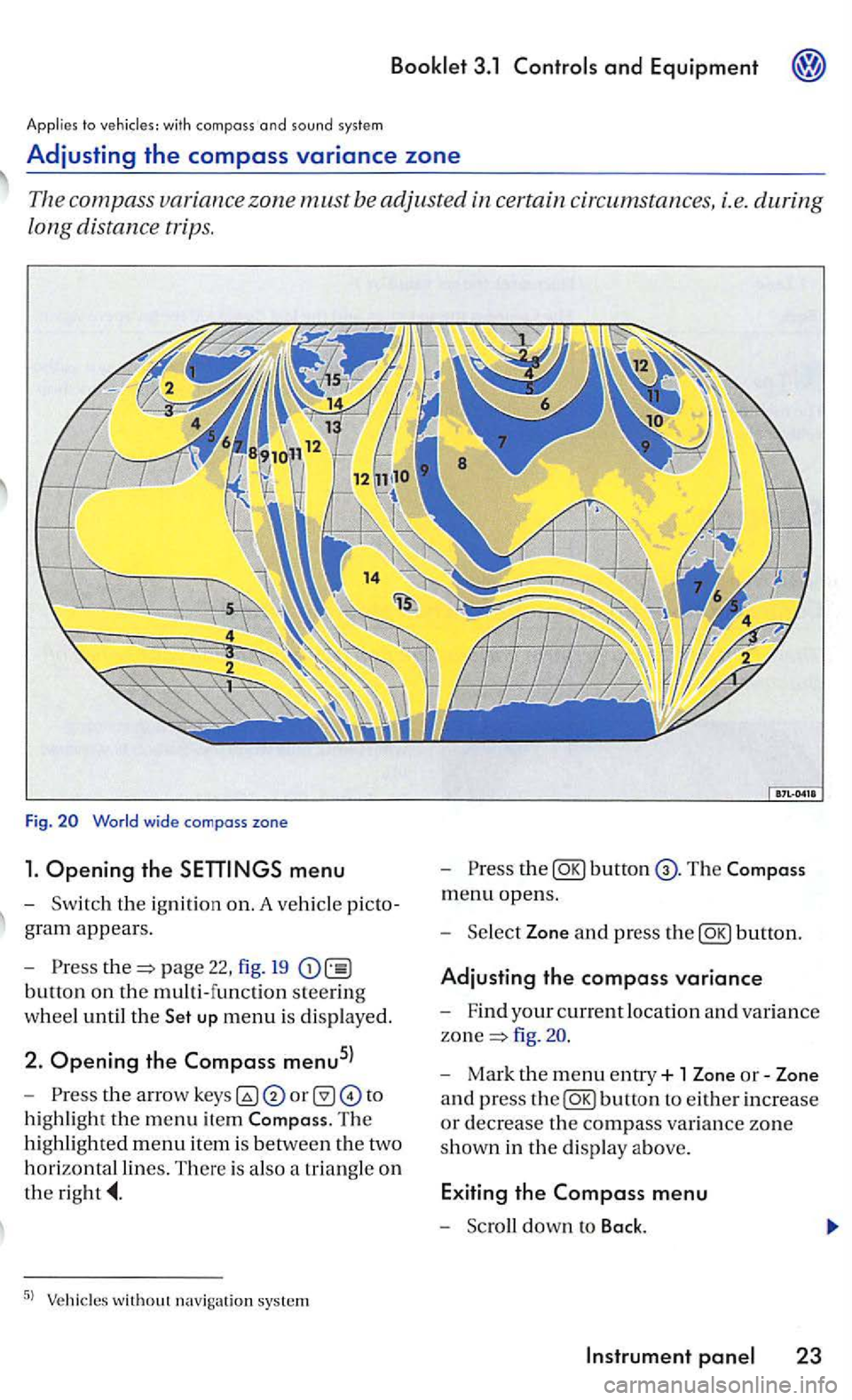
Adjusting the compass variance zone
Th e com pass zone must be adjusted certain circum stances, i.e. during
long distance trips.
Fig.
menu
-Sw itch the ignition on. A ve hicl e picto
g ra m
appears.
- Pre
ss page 22, fig. 19
button on the multi-function steering
w h
eel until the up menu is displayed.
2. Opening the Compass menu5l
-th e arrow to
h ig hli
ght the m enu item The
hi ghlighted menu item is betwee n th e two
h
orizontal lines. There is also a triangle o n
the
the
menu opens.
- Sel
ect Zone and press the
fig .
- Mark the menu entry+ 1 Zone or-Zone
a n d press
the