Page 34 of 611
252007 TUNDRA from Jul. ’07 Prod. (OM34463U)
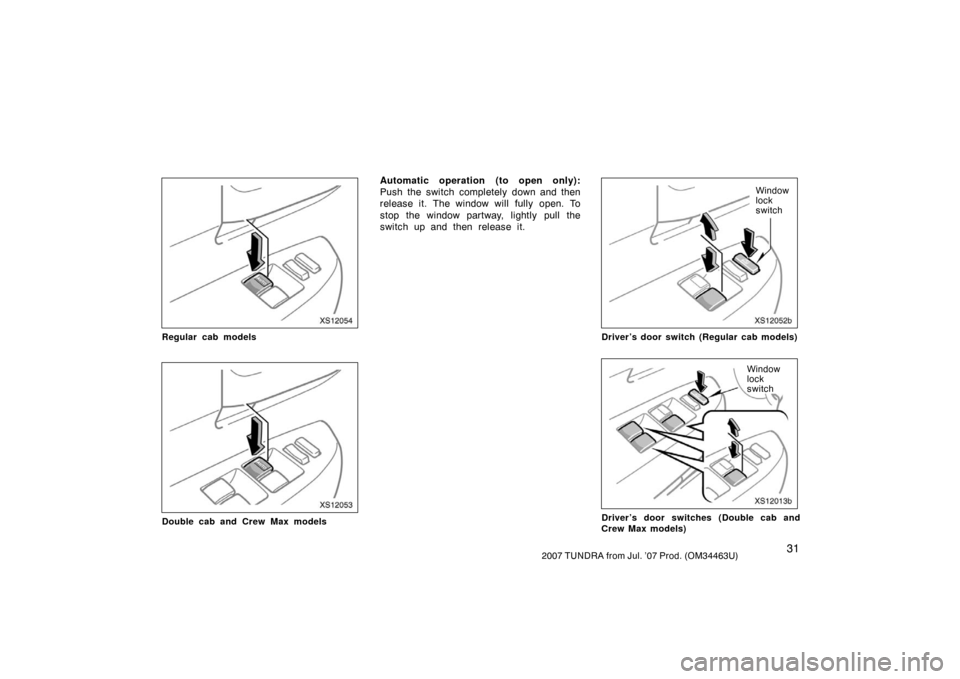
XS12036
Holding the “” (alarm) switch blows
the horn intermittently and flashes the
headlights, tail lights, turn signal lights,
interior light and personal lights.
The “
” switch is used to deter vehicle
theft when you witness anyone attempting
to break into or damage your vehicle.
The alarm will last for one minute. To stop
alarm midway, push the “
” switch once
again, lock or unlock a door with transmit-
ter, or turn the ignition switch from the
“LOCK” to “ON” position.
The alarm does not work when the ignition
switch is in the “ON” position. For replacement, use a CR2032 lithium
battery or equivalent.
CAUTION
Special care should be taken to pre-
vent small children from swallowing
the removed transmitter battery or
components.
NOTICE
�
When replacing the battery, be care-
ful not to lose the components.
� Replace only with the same or
equivalent type recommended by a
Toyota dealer.
� Dispose of used batteries according
to the local laws.
Replace the transmitter battery by follow-
ing these procedures:
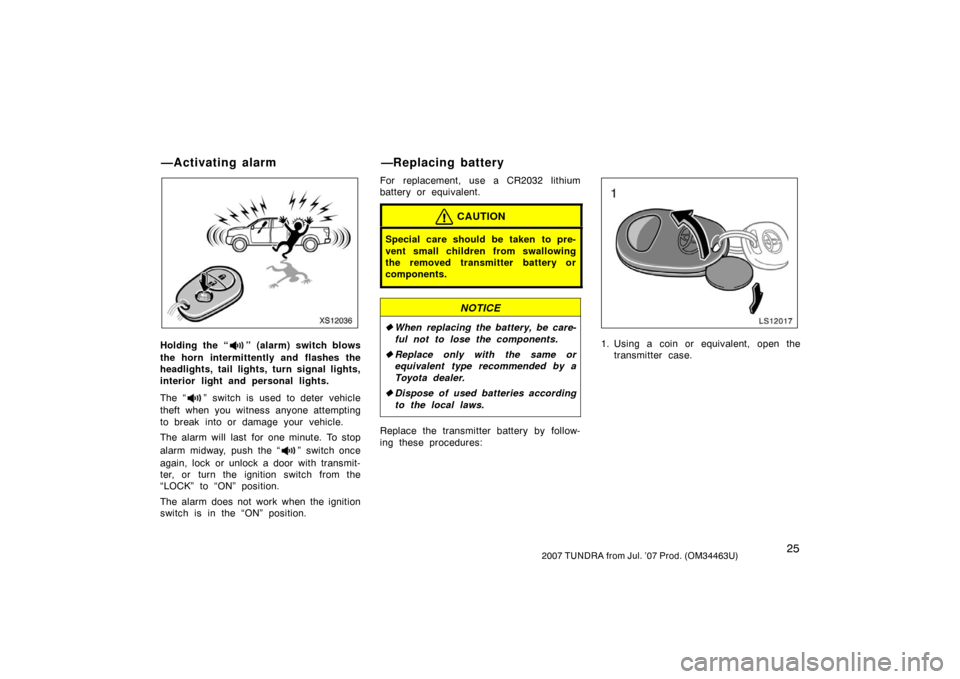
LS12017
1. Using a coin or equivalent, open the
transmitter case.
—Activating alarm —Replacing battery
Page 36 of 611
272007 TUNDRA from Jul. ’07 Prod. (OM34463U)
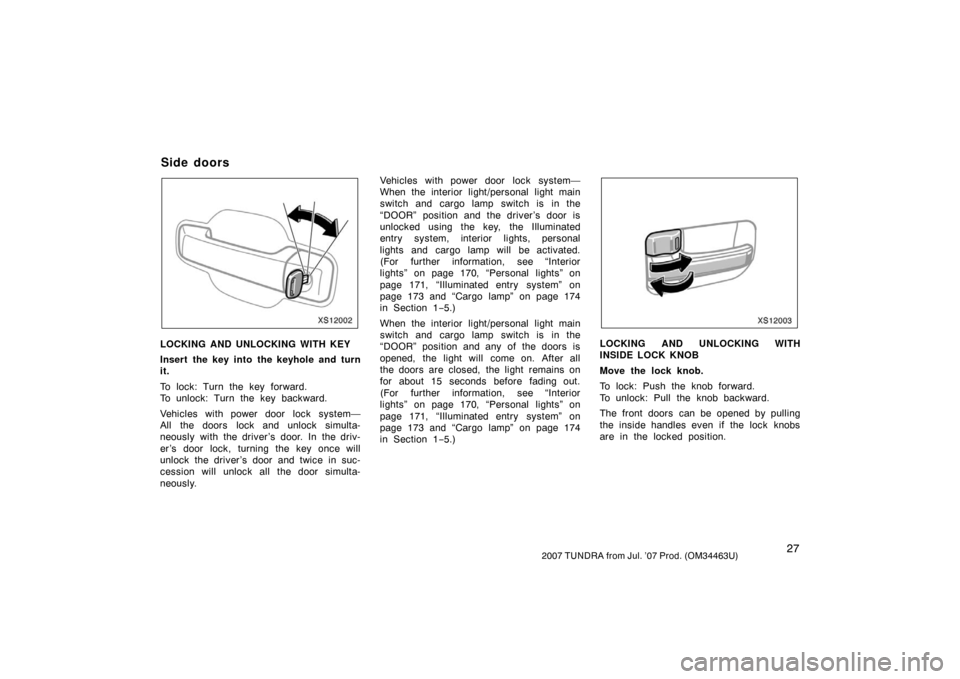
XS12002
LOCKING AND UNLOCKING WITH KEY
Insert the key into the keyhole and turn
it.
To lock: Turn the key forward.
To unlock: Turn the key backward.
Vehicles with power door lock system—
All the doors lock and unlock simulta-
neously with the driver ’s door. In the driv-
er’s door lock, turning the key once will
unlock the driver’s door and twice in suc-
cession will unlock all the door simulta-
neously.Vehicles with power door lock system—
When the interior light/personal light main
switch and cargo lamp switch is in the
“DOOR” position and the driver’s door is
unlocked using the key, the Illuminated
entry system, interior lights, personal
lights and cargo lamp will be activated.
(For further information, see “Interior
lights” on page 170, “Personal lights” on
page 171, “Illuminated entry system” on
page 173 and “Cargo lamp” on page 174
in Section 1−
5.)
When the interior light/personal light main
switch and cargo lamp switch is in the
“DOOR” position and any of the doors is
opened, the light will come on. After all
the doors are closed, the light remains on
for about 15 seconds before fading out.
(For further information, see “Interior
lights” on page 170, “Personal lights” on
page 171, “Illuminated entry system” on
page 173 and “Cargo lamp” on page 174
in Section 1− 5.)
XS12003
LOCKING AND UNLOCKING WITH
INSIDE LOCK KNOB
Move the lock knob.
To lock: Push the knob forward.
To unlock: Pull the knob backward.
The front doors can be opened by pulling
the inside handles even if the lock knobs
are in the locked position.
Side doors
Page 39 of 611

302007 TUNDRA from Jul. ’07 Prod. (OM34463U)
Vehicles with power door lock system—
Locking function—All doors are automati-
cally locked when the vehicle speed goes
above about 20 km/h (12 mph).
Unlocking function—All doors are automat-
ically unlocked when the selector lever is
moved to the “P” position with the engine
started.
The following functions can be changed:
�Shift position linked auto lock.
�Driver ’s door open linked auto unlock.
If your vehicle is equipped with the multi −
information display (For further informa-
tion, see “Multi −information display” on
page 187 in Section 1 −6.), these can be
changed by yourself.
For details, contact your Toyota dealer.
XS12051b
Regular cab models
XS12009b
Double cab and Crew Max models
The windows can be operated with the
switch on either front door (Regular
cab models)/each door (Double cab and
Crew Max models).
The power windows work when the ignition
switch is in the “ON” position.
Key off operation: If both front doors are
closed, they work for 43 seconds even
after the ignition switch is turned off. They
stop working when either front door is
opened.
The indicator light (“AUTO”) on the switch
tells you the switch can be operated.
OPERATING THE DRIVER’S WINDOW
Use the switch on the driver’s door.
Normal operation: The window moves as
long as you hold the switch.
To open: Lightly push down the switch.
To close: Pull up the switch.
—Automatic door locking and
unlocking functions Power windows
Page 40 of 611
312007 TUNDRA from Jul. ’07 Prod. (OM34463U)
XS12054
Regular cab models
XS12053
Double cab and Crew Max models
Automatic operation (to open only):
Push the switch completely down and then
release it. The window will fully open. To
stop the window partway, lightly pull the
switch up and then release it.
XS12052b
Window
lock
switch
Driver’s door switch (Regular cab models)
XS12013b
Window
lock
switch
Driver’s door switches (Double cab and
Crew Max models)
Page 48 of 611
392007 TUNDRA from Jul. ’07 Prod. (OM34463U)
XS12018a
To open the hood:1. Pull the hood lock release lever. The hood will spring up slightly.
CAUTION
Before driving, be sure that the hood
is securely closed and locked. Other-
wise, the hood may open unexpected-
ly while driving and an accident may
occur.
XS12019b
2. In front of the vehicle, pull up theauxiliary catch l ever and lift the
hood.
Before closing the hood, check to see that
you have not forgotten any tools, rags,
etc. Then lower the hood and make sure
it locks into place. If necessary, press
down gently on the front edge to lock it.
XS12026a
The system sounds alarm and flashes
lights when forcible entry is detected.
The alarm is triggered if any of the
doors or hood is forcibly unlocked or
opened or the battery terminal is dis-
connected and then reconnected when
the vehicle is locked.
On some models, the alarm also
sounds, when someone attempts to
break the side windows.
Hood Theft deterrent system
Page 49 of 611

402007 TUNDRA from Jul. ’07 Prod. (OM34463U)
XS12001
Indicator light
XS12027a
Glass breakage sensor (on some models)
SETTING THE SYSTEM1. Turn the ignition key to the “LOCK” position and remove it.
The indicator light will start flashing when
the key is removed from the ignition
switch. (See “Engine immobilizer system”
on page 21 in this Section for details.) 2. Have all passengers get out of the vehicle.
3. Close and lock all the doors and hood.
The indicator light will remain on when all
the doors and hood are closed and
locked.
The system will automatically be set after
30 seconds. When the system is set, the
indicator light will start flashing again. 4. After making sure the indicator light starts flashing, you may leave the ve-
hicle.
Never leave anyone in the vehicle when
you set the system, because unlocking
from the inside will activate the system. WHEN THE SYSTEM IS SET
Activating the system
The system will sound the alarm under
the following conditions:
�If any of the doors is unlocked or
opened without the key or wireless re-
mote control transmitter, or if the hood
is forcibly opened
�If the battery terminal is disconnected
and then reconnected
Vehicles with the glass breakage sensor—
�The side windows are tapped or bro-
ken.
The indicator light will come on when the
system is activated.
If the alarm has been activated and the
key is not in the ignition switch, all the
doors will re −lock automatically.
After one minute, the alarm will automati-
cally stop and the indicator light will start
flashing again.
Page 50 of 611
412007 TUNDRA from Jul. ’07 Prod. (OM34463U)
Reactivating the alarm
Once set, the system automatically resets
the alarm after the alarm stops.
The alarm will activate again under the
same circumstances described in
“Activating the system”.
Stopping the alarm
The alarm will be stopped by the following
two ways:
�Turn the ignition switch from the
“LOCK” to “ON” position.
�Unlock any of the doors with the key
or wireless remote control transmitter.
These ways cancel the system at the
same time. TESTING THE SYSTEM
1. Open all the windows.
2. Set the system as described above. The side doors should be locked with
the key or wireless remote control
transmitter. Be sure to wait until the
indicator light goes off or starts flash-
ing.
3. Unlock any door from the inside. The system s hould activate the alarm.
4. Stop the alarm as described above.
5. Repeat this operation for the other doors and hood. When testing the
hood, also check that the system is
activated when the battery terminal is
disconnected and then reconnected.
If the system does not work properly,
have it checked by your Toyota dealer.
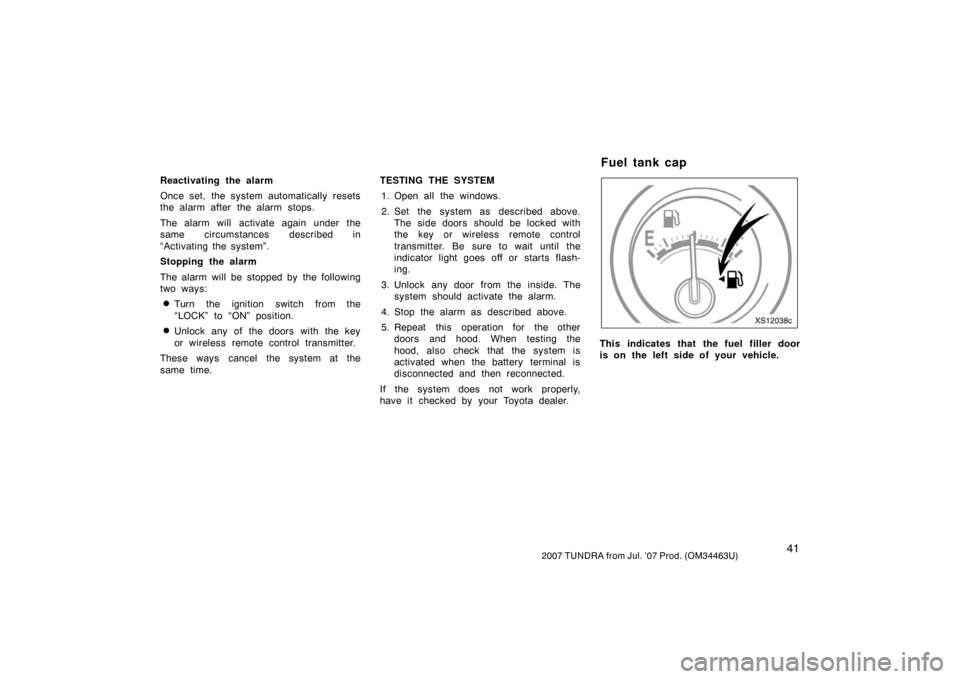
XS12038c
This indicates that the fuel filler door
is on the left side of your vehicle.
Fuel tank cap
Page 51 of 611
422007 TUNDRA from Jul. ’07 Prod. (OM34463U)
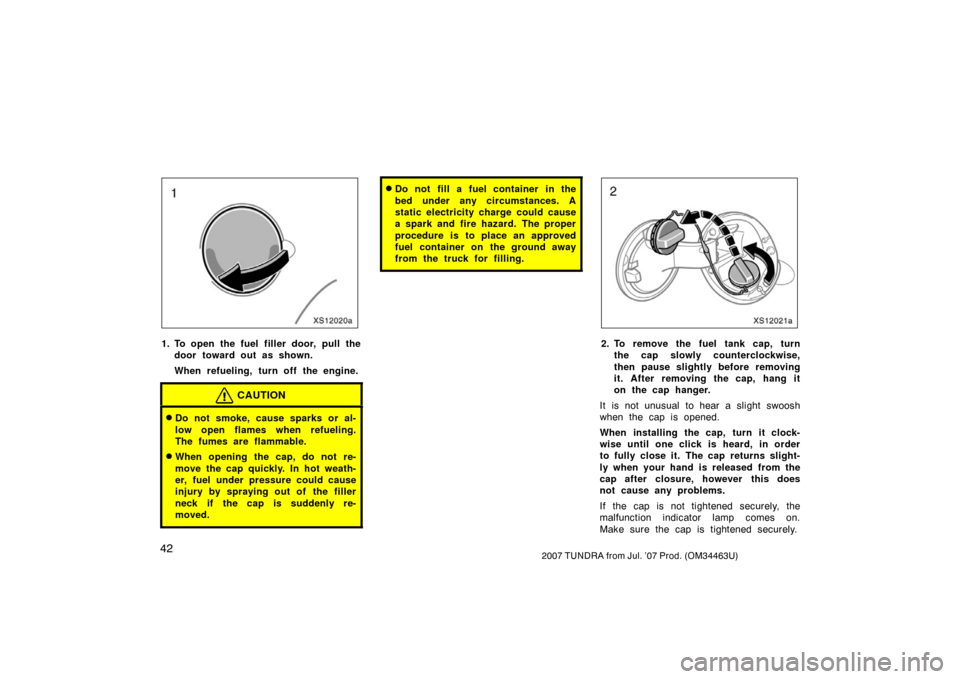
XS12020a
1. To open the fuel filler door, pull thedoor toward out as shown.
When refueling, turn off the engine.
CAUTION
�Do not smoke, cause sparks or al-
low open flames when refueling.
The fumes are flammable.
�When opening the cap, do not re-
move the cap quickly. In hot weath-
er, fuel under pressure could cause
injury by spraying out of the filler
neck if the cap is suddenly re-
moved.
�Do not fill a fuel container in the
bed under any circumstances. A
static electricity charge could cause
a spark and fire hazard. The proper
procedure is to place an approved
fuel container on the ground away
from the truck for filling.
XS12021a
2. To remove the fuel tank cap, turnthe cap slowly counterclockwise,
then pause slightly before removing
it. After removing the cap, hang it
on the cap hanger.
It is not unusual to hear a slight swoosh
when the cap is opened.
When installing the cap, turn it clock-
wise until one click is heard, in order
to fully close it. The cap returns slight-
ly when your hand is released from the
cap after closure, however this does
not cause any problems.
If the cap is not tightened securely, the
malfunction indicator lamp comes on.
Make sure the cap is tightened securely.