2007 SUZUKI GRAND VITARA Signal light
[x] Cancel search: Signal lightPage 97 of 211

Downloaded from www.Manualslib.com manuals search engine 4-35 INSTRUMENT PANEL
66J21-03E
Selecting the reception band
Press the band switch button (1).
Each time the button is pressed, the recep-
tion band is switched as follows:
66J098
Seek tuning
Press the seek up button (2) or the seek
down button (3).
The unit stops searching for a station at a
frequency where a broadcast station is
available.
Manual tuning
Turn the manual tuning knob (4).
The frequency being received is displayed.
Preset memory
1) Select the desired station.
2) Select the preset button (5) to which
you want to store the station and press
and hold the button for 2 seconds or
longer.Auto store
Press and hold the auto store button (6) for
2 seconds or longer.
Six stations in total are automatically
stored to the preset buttons (5) in sequen-
tial order, starting from the lower frequen-
cies.
NOTE:
When the auto store is performed, the
station previously stored in the memory
at the position is overwritten.
When there are fewer than 6 stations
that can be stored even if 2 rounds of
auto store operation are performed, the
stations previously stored at the remain-
ing preset buttons (5) are not overwrit-
ten.
Scan tuning
1) Press the scan button (6).
Stations are automatically sought for in
a sequential order, starting from a sta-
tion being currently received, and scan
stops for 5 seconds at a frequency
where there is a station available.
2) Press the scan button (6) again to stop
scanning at the frequency being cur-
rently received.
Receiving a stereo broadcast station
If a stereo broadcast station is received,
the stereo indicator will light.
Radio ReceptionRadio reception can be affected by envi-
ronment, atmospheric conditions, or radio
signal’s power and distance from the sta-
tion. Nearby mountains and buildings may
interfere or deflect radio reception, causing
poor reception. Poor reception or radio
static can also be caused by electric cur-
rent from overhead wires or high voltage
power lines.
Audio Systems:
Page 107 of 211
Downloaded from www.Manualslib.com manuals search engine 4-45 INSTRUMENT PANEL
66J21-03E
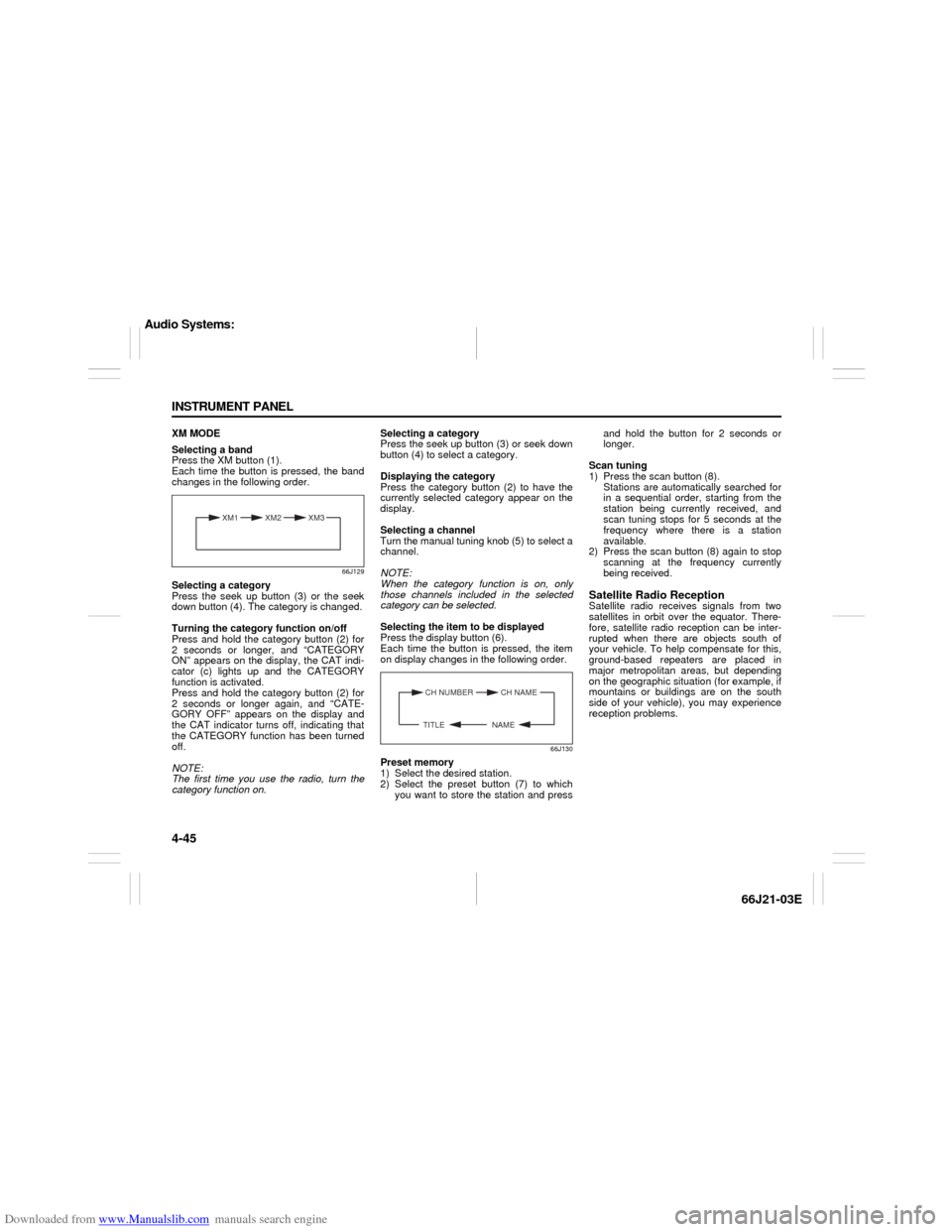
XM MODE
Selecting a band
Press the XM button (1).
Each time the button is pressed, the band
changes in the following order.
66J129
Selecting a category
Press the seek up button (3) or the seek
down button (4). The category is changed.
Turning the category function on/off
Press and hold the category button (2) for
2 seconds or longer, and “CATEGORY
ON” appears on the display, the CAT indi-
cator (c) lights up and the CATEGORY
function is activated.
Press and hold the category button (2) for
2 seconds or longer again, and “CATE-
GORY OFF” appears on the display and
the CAT indicator turns off, indicating that
the CATEGORY function has been turned
off.
NOTE:
The first time you use the radio, turn the
category function on.Selecting a category
Press the seek up button (3) or seek down
button (4) to select a category.
Displaying the category
Press the category button (2) to have the
currently selected category appear on the
display.
Selecting a channel
Turn the manual tuning knob (5) to select a
channel.
NOTE:
When the category function is on, only
those channels included in the selected
category can be selected.
Selecting the item to be displayed
Press the display button (6).
Each time the button is pressed, the item
on display changes in the following order.
66J130
Preset memory
1) Select the desired station.
2) Select the preset button (7) to which
you want to store the station and pressand hold the button for 2 seconds or
longer.
Scan tuning
1) Press the scan button (8).
Stations are automatically searched for
in a sequential order, starting from the
station being currently received, and
scan tuning stops for 5 seconds at the
frequency where there is a station
available.
2) Press the scan button (8) again to stop
scanning at the frequency currently
being received.
Satellite Radio ReceptionSatellite radio receives signals from two
satellites in orbit over the equator. There-
fore, satellite radio reception can be inter-
rupted when there are objects south of
your vehicle. To help compensate for this,
ground-based repeaters are placed in
major metropolitan areas, but depending
on the geographic situation (for example, if
mountains or buildings are on the south
side of your vehicle), you may experience
reception problems.
XM1 XM2
XM3
CH NUMBER CH NAME
NAME TITLE
Audio Systems:
Page 131 of 211
Downloaded from www.Manualslib.com manuals search engine 8-5 VEHICLE LOADING AND TOWING
66J21-03E
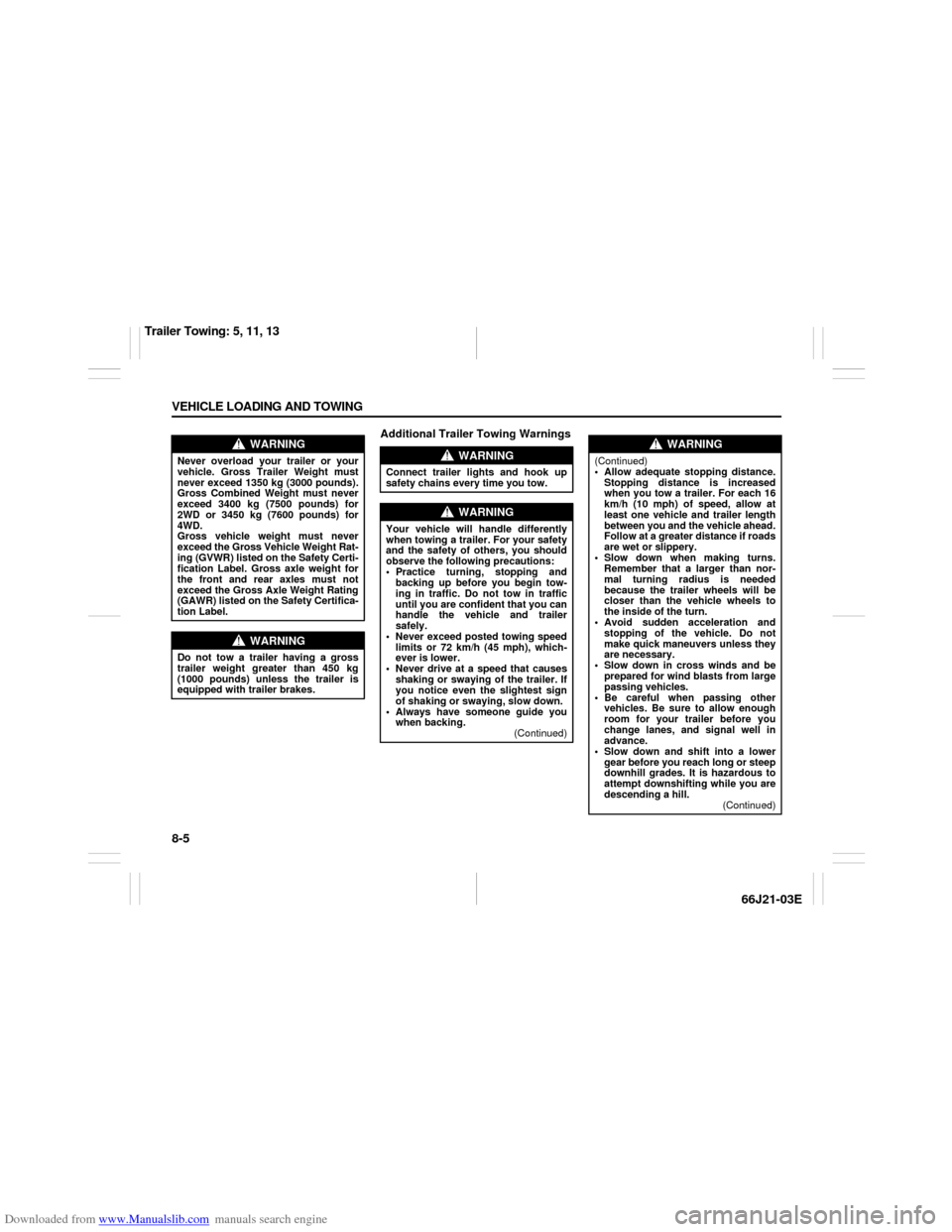
Additional Trailer Towing Warnings
WARNING
Never overload your trailer or your
vehicle. Gross Trailer Weight must
never exceed 1350 kg (3000 pounds).
Gross Combined Weight must never
exceed 3400 kg (7500 pounds) for
2WD or 3450 kg (7600 pounds) for
4WD.
Gross vehicle weight must never
exceed the Gross Vehicle Weight Rat-
ing (GVWR) listed on the Safety Certi-
fication Label. Gross axle weight for
the front and rear axles must not
exceed the Gross Axle Weight Rating
(GAWR) listed on the Safety Certifica-
tion Label.
WARNING
Do not tow a trailer having a gross
trailer weight greater than 450 kg
(1000 pounds) unless the trailer is
equipped with trailer brakes.
WARNING
Connect trailer lights and hook up
safety chains every time you tow.
WARNING
Your vehicle will handle differently
when towing a trailer. For your safety
and the safety of others, you should
observe the following precautions:
Practice turning, stopping and
backing up before you begin tow-
ing in traffic. Do not tow in traffic
until you are confident that you can
handle the vehicle and trailer
safely.
Never exceed posted towing speed
limits or 72 km/h (45 mph), which-
ever is lower.
Never drive at a speed that causes
shaking or swaying of the trailer. If
you notice even the slightest sign
of shaking or swaying, slow down.
Always have someone guide you
when backing.
(Continued)
WARNING
(Continued)
Allow adequate stopping distance.
Stopping distance is increased
when you tow a trailer. For each 16
km/h (10 mph) of speed, allow at
least one vehicle and trailer length
between you and the vehicle ahead.
Follow at a greater distance if roads
are wet or slippery.
Slow down when making turns.
Remember that a larger than nor-
mal turning radius is needed
because the trailer wheels will be
closer than the vehicle wheels to
the inside of the turn.
Avoid sudden acceleration and
stopping of the vehicle. Do not
make quick maneuvers unless they
are necessary.
Slow down in cross winds and be
prepared for wind blasts from large
passing vehicles.
Be careful when passing other
vehicles. Be sure to allow enough
room for your trailer before you
change lanes, and signal well in
advance.
Slow down and shift into a lower
gear before you reach long or steep
downhill grades. It is hazardous to
attempt downshifting while you are
descending a hill.
(Continued)
Trailer Towing: 5, 11, 13
Page 175 of 211

Downloaded from www.Manualslib.com manuals search engine 9-37 INSPECTION AND MAINTENANCE
66J21-03E
Fuse under the Dash BoardFuse box
64J192
64J15865D045
The fuse box is located under the driver’s
side of the dashboard. To remove a fuse,
use the fuse puller provided in the fuse
box.
SPARE SPARE SPARE
SPARE
USE THE DESIGNATED
FUSES AND RELAYS ONLYSPARE SPARE
(A)
(B)
(C)
(D)
(E)
(F)
(G)
(H)(I)
(J)
(L)
(M)
(N)
(O)
(P)
(Q)
(R)
(S)
(T)
(U)
(K)(V)
(W)
(A) 15A STOP Stop lamp fuse
(B) – – Blank
(C) 15A ACC 3Accessory socket
fuse
(D) 10A CRUISE Cruise control fuse
(E) 15A ACC 2Cigar or Accessory
socket fuse
(F) 20A WIP Wiper fuse
(G) 15A IG2 SIGIgnition signal & Seat
heater fuse
(H) 10A BACK Back lamp fuse
(I) 10A ABS/ESPABS or ESP control-
ler fuse
(J) 15A A/B Air bag fuse
(K) – – Blank
(L) 15A HAZ Hazard light fuse
(M) 7.5A ST SIG Starter signal fuse
(N) 20ARR
BLOWBlank
(O) 25A S/R Sun roof motor fuse
(P) 15A DOME Dome lamp fuse
(Q) 10A TAIL Tail light fuse
(R) 20A D/LDoor lock actuator
fuse
(S) 15A ACCRadio, Remote door
mirror fuse
(T) 10A METER Meter fuse
(U) 20A IG COIL Ignition coil fuse
(V) 20A P/W T Power window fuse
(W) 30A P/W Power window fuse
Bulb Replacement: 7
Page 180 of 211
Downloaded from www.Manualslib.com manuals search engine 9-42 INSPECTION AND MAINTENANCE
66J21-03E
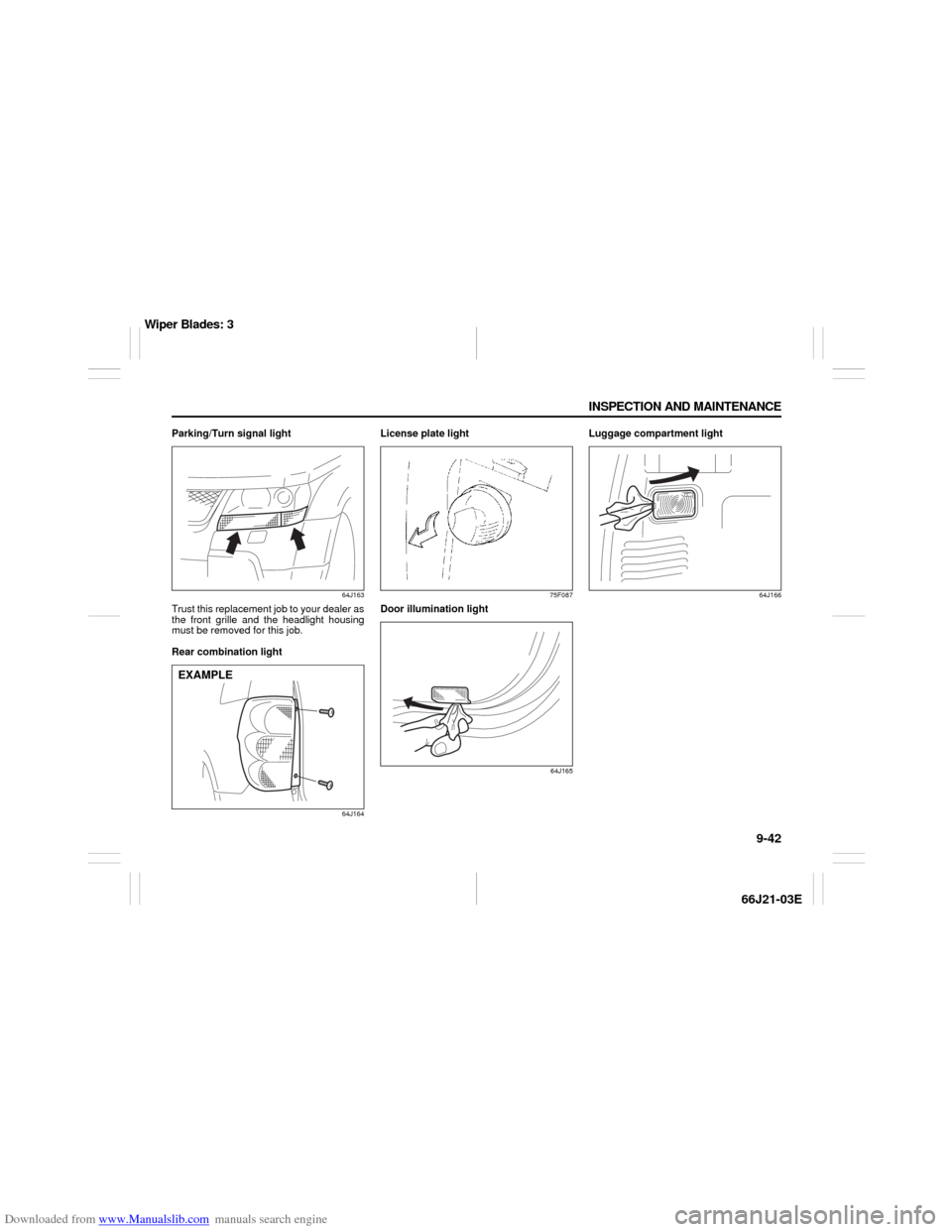
Parking/Turn signal light
64J163
Trust this replacement job to your dealer as
the front grille and the headlight housing
must be removed for this job.
Rear combination light
64J164
License plate light
75F087
Door illumination light
64J165
Luggage compartment light
64J166
EXAMPLE
Wiper Blades: 3
Page 200 of 211

Downloaded from www.Manualslib.com manuals search engine 13-3 FUSES AND PROTECTED CIRCUITS
66J21-03E
64J158
FUSES IN FUSE BOX FUSES IN FUSE BOX
(A) BLUE (15) STOP Stop lamp fuse (M) RED (7.5) ST SIG Starter signal fuse
(B) – – Blank (N) YELLOW (20) RR BLOW Blank
(C) BLUE (15) ACC 3 Accessory socket fuse (O) CLEAR (25) S/R Sun roof motor fuse
(D) RED (10) CRUISE Cruise control fuse (P) BLUE (15) DOME Dome lamp fuse
(E) BLUE (15) ACC 2 Cigar or Accessory socket fuse (Q) RED (10) TAIL Tail light fuse
(F) YELLOW (20) WIP Wiper fuse (R) YELLOW (20) D/L Door lock actuator fuse
(G) BLUE (15) IG2 SIG Ignition signal & Seat heater fuse (S) BLUE (15) ACC Radio, Remote door mirror fuse
(H) RED (10) BACK Back lamp fuse (T) RED (10) METER Meter fuse
(I) RED (10) ABS/ESP ABS or ESP controller fuse (U) YELLOW (20) IG COIL Ignition coil fuse
(J) BLUE (15) A/B Air bag fuse (V) YELLOW (20) P/W T Power window fuse
(K) – – Blank (W) PINK (30) P/W Power window fuse
(L) BLUE (15) HAZ Hazard light fuse
SPARE SPARE SPARE
SPARE
USE THE DESIGNATED
FUSES AND RELAYS ONLYSPARE SPARE
(A)
(B)
(C)
(D)
(E)
(F)
(G)
(H)(I)
(J)
(L)
(M)
(N)
(O)
(P)
(Q)
(R)
(S)
(T)
(U)
(K)(V)
(W)
Page 203 of 211

Downloaded from www.Manualslib.com manuals search engine 14-2 SPECIFICATIONS
66J21-03E
ITEM: Electrical
Ignition timing 5° B.T.D.C.
Standard spark plug DENSO SK20PR11 or NGK IFR6J11 (highly recommended)
Battery 12V GP24
Fuses See “INSPECTION AND MAINTENANCE” and “FUSES AND PRO-
TECTED CIRCUITS” sections
ITEM: Lights WATTAGE BULB No.
Headlight Low beam Halogen 12V 55W H7
High beam 12V 60W HB3
Front fog light 12V 55W H11
Turn signal light front 12V 21W WY21W
rear 12V 21W WY21W
Parking light 12V 5W WY5W
Brake/tail light 12V 21/5W 7443
License plate light 12V 5W W5W
Reversing light 12V 21W 7440
High mount stop light 12V 5W W5W
Door illumination light 12V 5W –
Dome light Spot light 12V 8W –
Center light 12V 10W –
Rear light 12V 10W –
Luggage compartment light 12V 5W W5W
Specifications: 1, 2, 5, 6, 7, 10, 11
Page 208 of 211

Downloaded from www.Manualslib.com manuals search engine 15-3 INDEX
66J21-03E
If You Can Not Shift Automatic Transmission Gearshift
Lever Out of “P” (PARK)
.....................................................10-6
If Your Vehicle Gets Stuck ..................................................7-4
Ignition Key Reminder
........................................................2-1
Ignition Switch
.....................................................................3-1
Illumination Indicator Light
................................................4-10
Important Vehicle Design Features To Know
...................7-1
Improving Fuel Economy
....................................................6-26
Information Display
.............................................................4-17
Inside Rearview Mirror ........................................................2-16
Installation with Lap-Shoulder Seat Belts
(Child Restraint with No Top Strap)
...................................2-29
Installation with the LATCH System ..................................2-31
Installation-Child Restraint with Top Strap
.......................2-34
Instrument Cluster
...............................................................4-2
Instrument Panel
.................................................................4-1
Interior Light Switch ............................................................5-7
JJacking Instructions
............................................................10-1
Jump Starting Instructions
.................................................10-3
KKeyless Entry System Transmitter (Type B)
.....................2-10
Keyless Start System Indicator Light
................................4-9
Keyless Start System Remote Controller (Type A)
..........2-3
Keyless Start System Remote Controller/
Keyless Entry System Transmitter
....................................2-3
Keys
......................................................................................2-1
LLap-Shoulder Belt
................................................................2-22
Lighting Operation ..............................................................3-6
Lighting/Turn Signal Control Lever
...................................3-5Lights “On” reminder
......................................................... 3-7
Listening to a CD
................................................................ 4-36
Listening to a CD from an External CD Changer
(Option)
................................................................................ 4-47
Listening to a XM Satellite Radio (Option)
....................... 4-44
Listening to Audio for AUX (Option)
................................. 4-46
Listening to the Radio
........................................................ 4-34
Low Fuel Warning Light ..................................................... 4-9
Low Tire Pressure Warning Light
...............................4-3
, 6-21
Luggage Compartment Cover
........................................... 5-20
Luggage Compartment Light ............................................. 5-9
Luggage Restraint Loops
................................................... 5-19
MMaintenance Recommended under Severe Driving
Conditions
........................................................................... 9-7
Maintenance Schedule
....................................................... 9-2
Malfunction Indicator Light
................................................ 4-8
Manual Transmission
......................................................... 6-7
Mirrors
.................................................................................. 2-16
NNational Highway Traffic Safety Administration
(NHTSA)
............................................................................... 12-4
OOdometer
............................................................................. 4-11
Off-Road Driving
................................................................. 7-4
Oil Level Check ................................................................... 9-10
Oil Pressure Light ............................................................... 4-7
On-Board Vehicle Computers and Event Data
Recorders
............................................................................ 12-3
On-Pavement Driving
......................................................... 7-2
Open Door Warning Light
.................................................. 4-9