2007 SUZUKI AERIO radio
[x] Cancel search: radioPage 8 of 232
Downloaded from www.Manualslib.com manuals search engine 0-2
54G27-03E
IMPORTANT
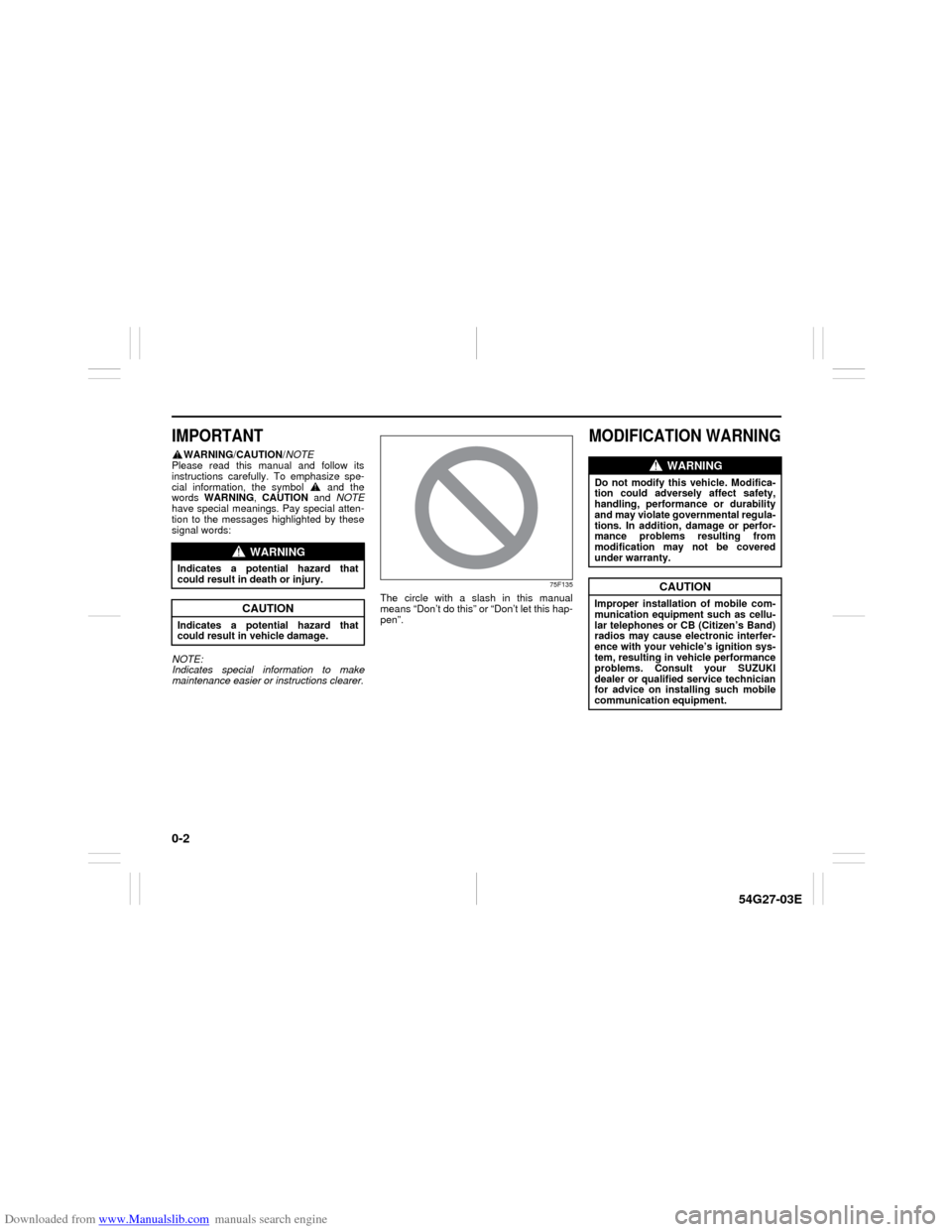
WARNING/CAUTION/NOTE
Please read this manual and follow its
instructions carefully. To emphasize spe-
cial information, the symbol and the
words WARNING, CAUTION and NOTE
have special meanings. Pay special atten-
tion to the messages highlighted by these
signal words:
NOTE:
Indicates special information to make
maintenance easier or instructions clearer.
75F135
The circle with a slash in this manual
means “Don’t do this” or “Don’t let this hap-
pen”.
MODIFICATION WARNING
WARNING
Indicates a potential hazard that
could result in death or injury.
CAUTION
Indicates a potential hazard that
could result in vehicle damage.
WARNING
Do not modify this vehicle. Modifica-
tion could adversely affect safety,
handling, performance or durability
and may violate governmental regula-
tions. In addition, damage or perfor-
mance problems resulting from
modification may not be covered
under warranty.
CAUTION
Improper installation of mobile com-
munication equipment such as cellu-
lar telephones or CB (Citizen’s Band)
radios may cause electronic interfer-
ence with your vehicle’s ignition sys-
tem, resulting in vehicle performance
problems. Consult your SUZUKI
dealer or qualified service technician
for advice on installing such mobile
communication equipment.
Page 16 of 232

Downloaded from www.Manualslib.com manuals search engine 2-3 BEFORE DRIVING
54G27-03E
Keyless Entry System (if equipped)
52D209
(1) “LOCK” button
(2) “UNLOCK” button
(3) “PANIC” button
You can lock or unlock all doors simulta-
neously by operating the transmitter near
the vehicle.
To lock the doors, push the “LOCK” but-
ton on the transmitter.
To unlock the driver’s door, push the
“UNLOCK” button on the transmitter
once.
To unlock other doors, wait a second or
two, then push the “UNLOCK” button a
second time. If you “double-click” too
fast, the doors will not unlock.
When the doors are locked, the turn signal
lights will flash once.When the door(s) is(are) unlocked:
The turn signal lights will flash twice.
If the interior light switch is in the middle
position, the interior light will turn on for
about 15 seconds and then fade out. If
you insert the key into the ignition switch
during this time, the light will start to fade
out immediately.
Be sure the doors are locked after you
operate the “LOCK” button. If no door is
opened within about 30 seconds after the
“UNLOCK” button is operated, the doors
will automatically lock again.
NOTE:
The maximum operating distance is
about 5 m (16 ft.), but this can vary
depending on the surroundings, espe-
cially near other transmitting devices
such as radio towers or CB (Citizen’s
Band) radios.
The door locks can not be operated with
the transmitter if the ignition key is
inserted in the ignition switch.
If you lose one of the transmitters, ask
your SUZUKI dealer as soon as possible
for a replacement and to have the lost
one deactivated, or perform the pro-
gramming procedure yourself.“PANIC” button function
This function is to get the attention of oth-
ers.
Press the “PANIC” button for more than 1
second. The headlights, parking lights, and
taillights will blink for about 30 seconds.
Also, the horn will sound intermittently for
about 30 seconds at the same time.
To cancel the “PANIC” mode, press any
button (PANIC, LOCK or UNLOCK) on the
transmitter. You can also insert the key in
the ignition switch and turn to the “ON”
position to cancel the “PANIC” mode.
NOTE:
The “PANIC” button function will not acti-
vate when the key is in the ignition switch.
(1)
(2)
(3)
CAUTION
The transmitter is a sensitive elec-
tronic instrument. To avoid damaging
the transmitter, do not expose it to
impacts, moisture or high tempera-
ture (such as on the dashboard under
direct sunlight).
Door Locks: 3, 5, 8
Page 57 of 232

Downloaded from www.Manualslib.com manuals search engine 3-2 STEERING COLUMN CONTROLS
54G27-03E
Automatic transaxle
54G513
If the gearshift lever can not be shifted
out of “P” (Park) in the normal way,
remove the cover (1) over the button,
and pushing the release button with the
key in the “ON” or “ACC” position will
permit movement of the gearshift lever
out of “P” (see “If You Can Not Shift
Automatic Transaxle Gearshift Lever Out
of “P” (PARK)” in the INDEX). The gear-
shift lever can be moved back to “P”
without pushing the release button.
To release the steering lock, insert the key
and turn the ignition switch clockwise to
one of the other positions. If you have trou-
ble turning the key to unlock the steering,
try turning the steering wheel slightly to the
right or left while turning the key.
60A300S
ACC
Accessories such as the radio can oper-
ate, but the engine is off.
ON
This is the normal operating position. All
electrical systems are on.
START
This is the position for starting the engine
using the starter motor. The key should be
released from this position as soon as the
engine starts.
(1)
WARNING
For manual transaxle vehicles,
never remove the ignition key while
the vehicle is moving. The steering
wheel will lock and you will not be
able to steer the vehicle.
Always carry the ignition key when
leaving the vehicle even if for a
short time. Also do not leave chil-
dren or pets alone in a parked vehi-
cle. Unattended children could
cause accidental movement of the
vehicle or could tamper with power
windows. Children or pets could
also suffer from heatstroke in warm
or hot weather, which could result
in severe injury or even death.
CAUTION
Do not turn the starter motor for
more than 15 seconds at a time. If
the engine does not start, wait 15
seconds before trying again. If the
engine does not start after several
attempts, check the fuel and igni-
tion systems or consult your
SUZUKI dealer.
Do not leave the ignition switch in
the “ON” position if the engine is
not running or the battery will dis-
charge.
Ignition Switch: 8
Page 96 of 232
Downloaded from www.Manualslib.com manuals search engine 4-31 INSTRUMENT PANEL
54G27-03E
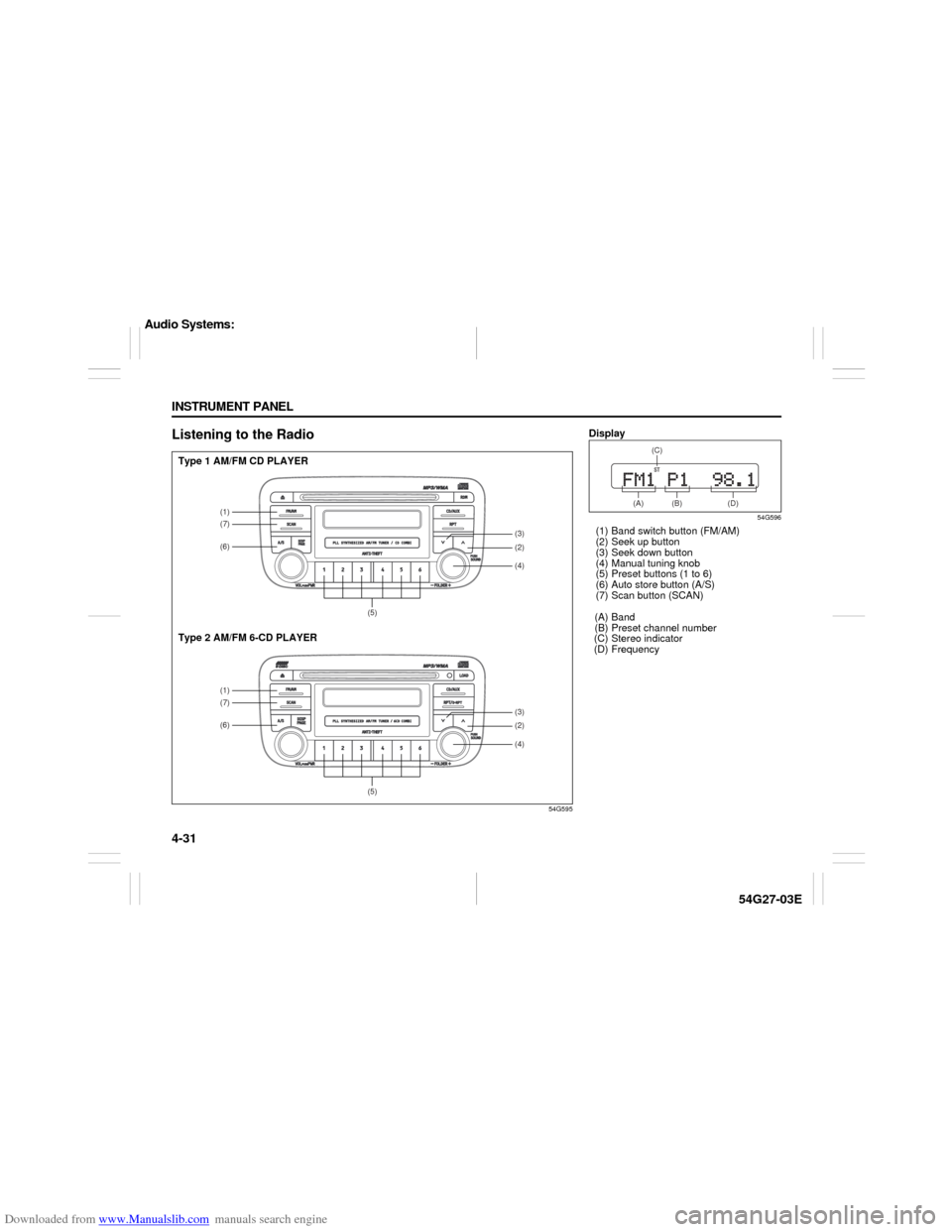
Listening to the Radio
54G595
(1)(7)(6)
(5)(1)(7)(6)
(5)
(4)(2)(3)(4)(2)(3)
Type 1 AM/FM CD PLAYER
Type 2 AM/FM 6-CD PLAYER
Display
54G596
(1) Band switch button (FM/AM)
(2) Seek up button
(3) Seek down button
(4) Manual tuning knob
(5) Preset buttons (1 to 6)
(6) Auto store button (A/S)
(7) Scan button (SCAN)
(A) Band
(B) Preset channel number
(C) Stereo indicator
(D) Frequency
(A) (B) (D)(C)
Audio Systems:
Page 97 of 232

Downloaded from www.Manualslib.com manuals search engine 4-32 INSTRUMENT PANEL
54G27-03E
Selecting the reception band
Press the band switch button (1).
Each time the button is pressed, the recep-
tion band is switched as follows:
54G550
Seek tuning
Press the seek up button (2) or the seek
down button (3).
The unit stops searching for a station at a
frequency where a broadcast station is
available.
Manual tuning
Turn the manual tuning knob (4).
The frequency being received is displayed.
Preset memory
1) Select the desired station.
2) Select the preset button (5) to which
you want to store the station and press
and hold the button for 2 seconds or
longer.
Auto store
1) Press the band switch button (1) and
select the band (FM2 or AM2).
2) Press the auto store button (6).Six stations in total are automatically
stored to the preset buttons (5) in sequen-
tial order, starting from the lower frequen-
cies.
NOTE:
When the auto store is performed, the
station previously stored in the memory
at the position is overwritten.
When there are fewer than 6 stations
that can be stored even if 2 rounds of
auto store operation are performed, the
stations previously stored at the remain-
ing preset buttons (5) are not overwrit-
ten.
Scan tuning
1) Press the scan button (7).
Stations are automatically sought for in
a sequential order, starting from a sta-
tion being currently received, and scan
stops for 5 seconds at a frequency
where there is a station available.
2) Press the scan button (7) again to stop
scanning at the frequency being cur-
rently received.
Receiving a stereo broadcast station
If a stereo broadcast station is received,
the stereo indicator (C) will light.
Radio Reception Radio reception can be affected by envi-
ronment, atmospheric conditions, or
radio signal’s power and distance from
the station. Nearby mountains and build-
ings may interfere or deflect radio recep-
tion, causing poor reception. Poor
reception or radio static can also be
caused by electric current from over-
head wires or high voltage power lines.
When listening to a radio while using a
cell phone or walkie-talkie in or close to
your vehicle, the radio may experience
noise interference.
Audio Systems:
Page 98 of 232
Downloaded from www.Manualslib.com manuals search engine 4-33 INSTRUMENT PANEL
54G27-03E
Radio AntennaThe radio antenna wire is printed inside
the rear window.
Listening to a CD
52D274
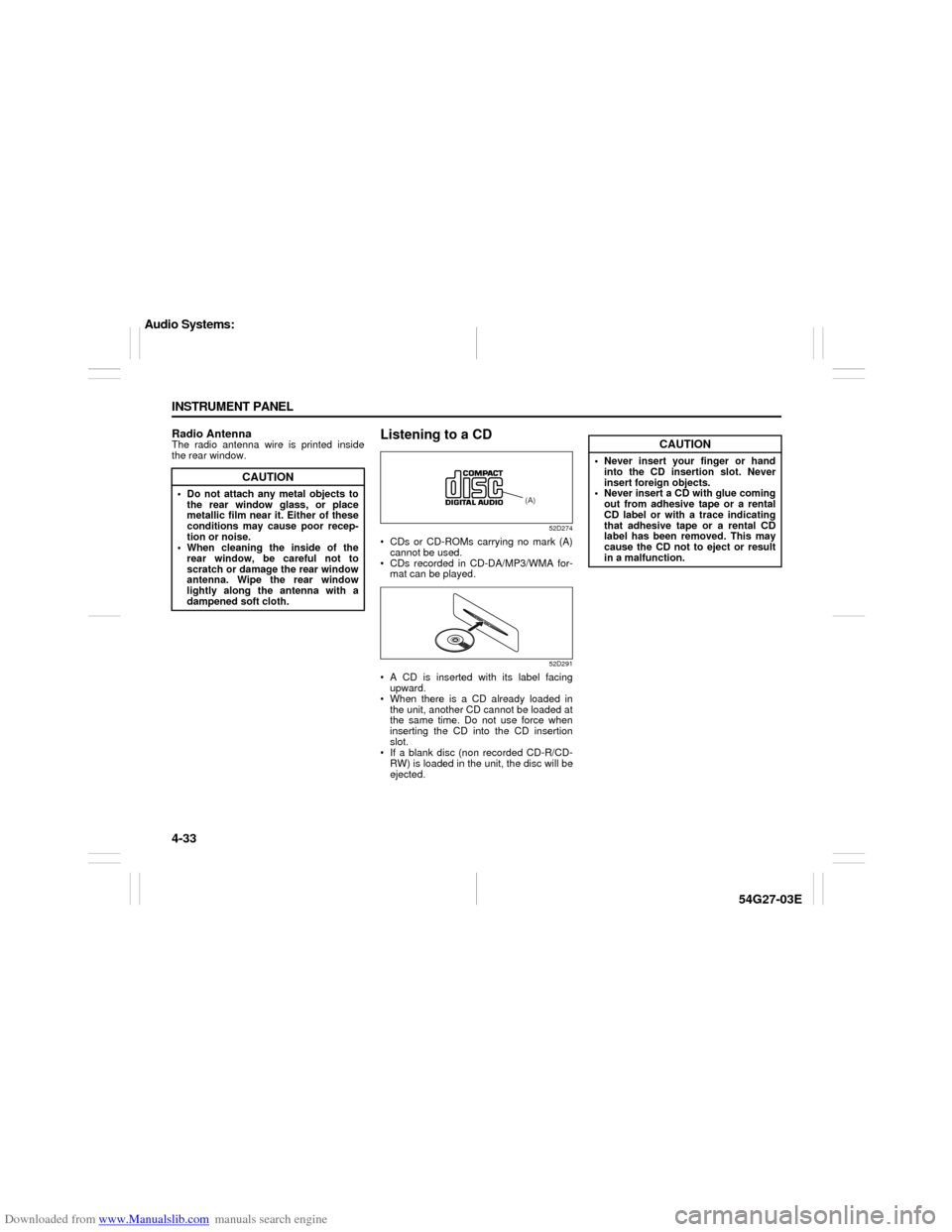
CDs or CD-ROMs carrying no mark (A)
cannot be used.
CDs recorded in CD-DA/MP3/WMA for-
mat can be played.
52D291
A CD is inserted with its label facing
upward.
When there is a CD already loaded in
the unit, another CD cannot be loaded at
the same time. Do not use force when
inserting the CD into the CD insertion
slot.
If a blank disc (non recorded CD-R/CD-
RW) is loaded in the unit, the disc will be
ejected.
CAUTION
Do not attach any metal objects to
the rear window glass, or place
metallic film near it. Either of these
conditions may cause poor recep-
tion or noise.
When cleaning the inside of the
rear window, be careful not to
scratch or damage the rear window
antenna. Wipe the rear window
lightly along the antenna with a
dampened soft cloth.
(A)
CAUTION
Never insert your finger or hand
into the CD insertion slot. Never
insert foreign objects.
Never insert a CD with glue coming
out from adhesive tape or a rental
CD label or with a trace indicating
that adhesive tape or a rental CD
label has been removed. This may
cause the CD not to eject or result
in a malfunction.
Audio Systems:
Page 108 of 232

Downloaded from www.Manualslib.com manuals search engine 4-43 INSTRUMENT PANEL
54G27-03E
Remote Audio Controls
(if equipped)
54G520
You can control basic functions of the
audio system with the switches on the
steering wheel.
52D174
To control the volume:
To raise the volume, pull up the switch
(1).
To lower the volume, pull up the switch
(3).
To mute, pull up the switch (2).
To select the mode (FM1, FM2, AM1,
AM2, CD or CD-changer, AUX (option)),
pull up the MODE switch (5).
The AUX mode can be selected only when
external equipment (sold separately) is
connected.
You can also turn on the audio system by
pulling up the MODE switch (5).To change the radio station:
Pulling up switch (4) advances to the
next preset station.
Pulling up and holding switch (4) for 2
seconds searches for a station at a
higher frequency.
Pulling up switch (6) returns to the previ-
ous preset station.
Pulling up and holding switch (6) for 2
seconds searches for a station at a
lower frequency.
To change selection on the CD:
(CD-DA)
Pulling up switch (4) advances to the
next track.
Pulling up switch (6) returns to the previ-
ous track.
(MP3/WMA)
Pulling up switch (4) advances to the
next track.
Pulling up and holding switch (4) for 2
seconds advances to the next folder.
Pulling up switch (6) returns to the previ-
ous track.
Pulling up and holding switch (6) for 2
seconds returns to the previous folder.
(1)
(2)
(3)
(4)
(5)
(6)
Audio Systems:
Page 111 of 232
Downloaded from www.Manualslib.com manuals search engine 4-46 INSTRUMENT PANEL
54G27-03E
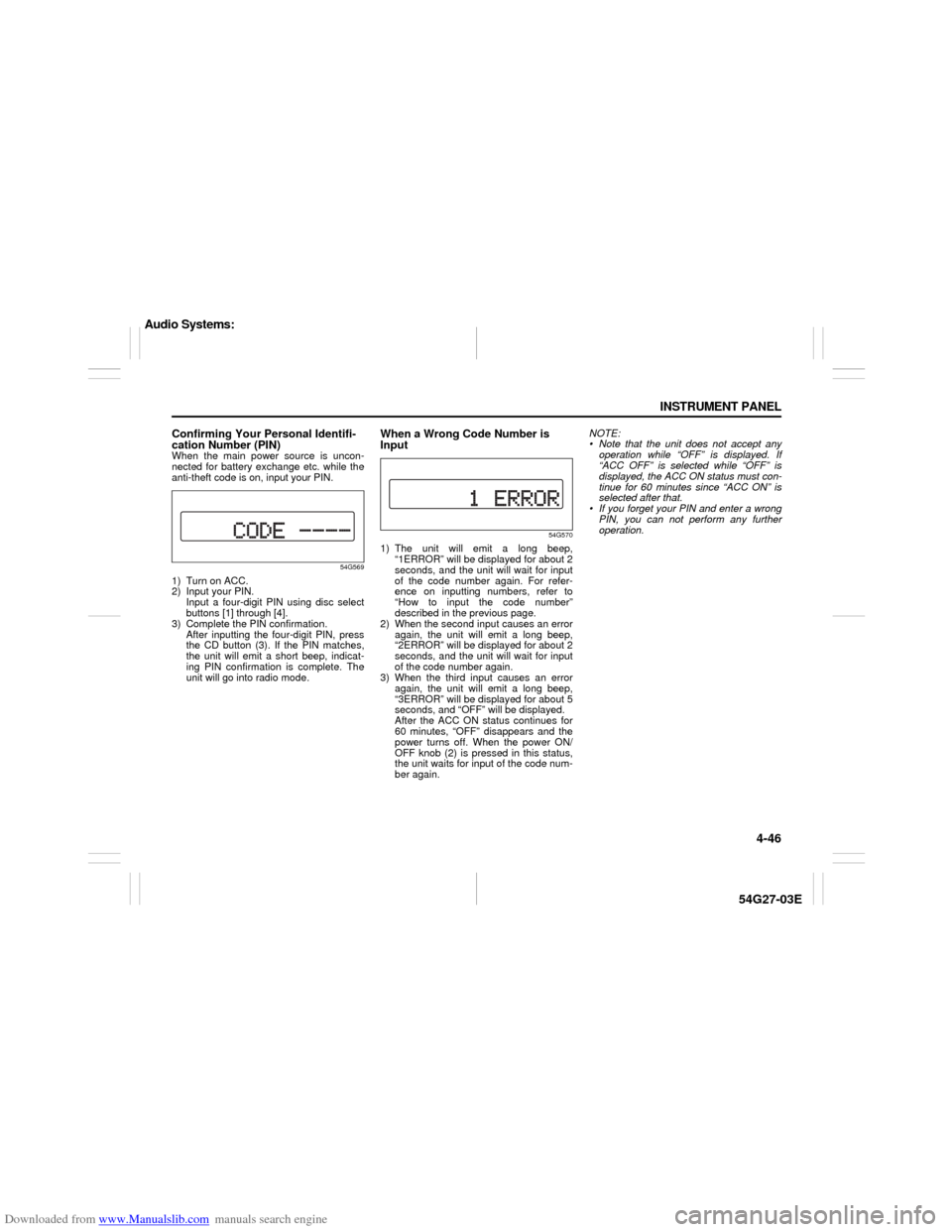
Confirming Your Personal Identifi-
cation Number (PIN)When the main power source is uncon-
nected for battery exchange etc. while the
anti-theft code is on, input your PIN.
54G569
1) Turn on ACC.
2) Input your PIN.
Input a four-digit PIN using disc select
buttons [1] through [4].
3) Complete the PIN confirmation.
After inputting the four-digit PIN, press
the CD button (3). If the PIN matches,
the unit will emit a short beep, indicat-
ing PIN confirmation is complete. The
unit will go into radio mode.
When a Wrong Code Number is
Input
54G570
1) The unit will emit a long beep,
“1ERROR” will be displayed for about 2
seconds, and the unit will wait for input
of the code number again. For refer-
ence on inputting numbers, refer to
“How to input the code number”
described in the previous page.
2) When the second input causes an error
again, the unit will emit a long beep,
“2ERROR” will be displayed for about 2
seconds, and the unit will wait for input
of the code number again.
3) When the third input causes an error
again, the unit will emit a long beep,
“3ERROR” will be displayed for about 5
seconds, and “OFF” will be displayed.
After the ACC ON status continues for
60 minutes, “OFF” disappears and the
power turns off. When the power ON/
OFF knob (2) is pressed in this status,
the unit waits for input of the code num-
ber again.NOTE:
Note that the unit does not accept any
operation while “OFF” is displayed. If
“ACC OFF” is selected while “OFF” is
displayed, the ACC ON status must con-
tinue for 60 minutes since “ACC ON” is
selected after that.
If you forget your PIN and enter a wrong
PIN, you can not perform any further
operation.
Audio Systems: